1
TRENDnet User’s Guide
Product Hardware Features
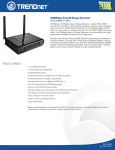
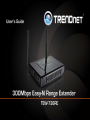
TEW-736RE
Rear View
Front View
•
•
•
WPS (Wi-Fi Protected Setup) –Push and hold this button for 5 seconds to activate
WPS. The WPS LED will blink green when WPS is activated.
•
LAN Port – Connect an Ethernet cable (also called network cables) from your
computer to configure the device.
Power Port – Connect the included power adapter to an available power outlet.
Caution: Use only the adapter that came with your router.
LED indicators
o Power -Solid green when theextender is powered on. Otherwise if this LED
indicator is off, there is no power to this device.
o LAN (Link/Activity) –Solid green when the LAN ports are physically
connected to your wired network devices successfully with an Ethernet cable
(also called network cable). These LED indicators will be blinking green while
data is transmitted or received through your router LAN ports.
o WPS (Wi-Fi Protected Setup) –The WPS LED blinks green when WPS is
activated and attempting to authenticate to your network. This indicator will
turn off when WPS authentication has been completed.
o Wireless/WLAN (Link/Activity) – This LED indicator is blinking green when
the wireless is “On” and functioning properly. This LED indicator will be
blinking green rapidly while data is transmitted or received by your wireless
clients or wireless network devices connected to your router.
© Copyright 2011 TRENDnet. All Rights Reserved.
4