1
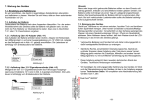
Real Panel
Fig. 2
24) Power-Switch: It controls turning on or off of power input.
25) DC Power Input: DC 12V500 mA.
26) MIDI Thru: transmit MIDI data.
27) MIDI Out:
28) MIDI In: input MIDI data.
29) DMX Out: output standard DMX signal with 16 channels.
30) Music Input: input external music signal (CD-Player). Without external the unit automatically select
internal Microphone detected signal.
31) Remote-Control: insert a remote control, to control Stand By and Full On function.
32) Fog Machine: output MIDI data.
Installation
Installation Showdesk 16
Remove all packing materials from the Showdesk 16. Check that all foam and plastic padding is removed.
Screw the equipment into a 19" rack. Connect all cables.
Always disconnect from electric mains power supply before cleaning or servicing.
Damages caused by non-observance are not subject to warranty
6