Download here - U3A Dacorum
Transcript
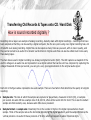
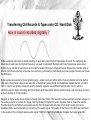
Transferring Old Records & Tapes onto CD / Hard Disk How is sound recorded digitally ? Recording onto a tape is an example of analog recording. Audacity deals with digital recordings - recordings that have been sampled so that they can be used by a digital computer, like the one you're using now. Digital recording has a lot of benefits over analog recording. Digital files can be copied as many times as you want, with no loss in quality, and they can be burned to an audio CD or shared via the Internet. Digital audio files can also be edited much more easily than analog tapes. The main device used in digital recording is a Analog-to-Digital Converter (ADC). The ADC captures a snapshot of the electric voltage on an audio line and represents it as a digital number that can be sent to a computer. By capturing the voltage thousands of times per second, you can get a very good approximation to the original audio signal: ! ! ! Each dot in the figure above represents one audio sample. There are two factors that determine the quality of a digital recording: • Sample rate: The rate at which the samples are captured or played back, measured in Hertz (Hz), or samples per second. An audio CD has a sample rate of 44,100 Hz, often written as 44 KHz for short. This is also the default sample rate that Audacity uses, because audio CDs are so prevalent. • Sample format or sample size: Essentially this is the number of digits in the digital representation of each sample. Think of the sample rate as the horizontal precision of the digital waveform, and the sample format as the vertical precision. An audio CD has a precision of 16 bits, which corresponds to about 5 decimal digits.