1
s&t embedded
OSD Control Panel
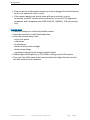
This OSD Window status will appear when pressing the AUTO button.
The screen will be automatically adjusting.
If there is no VGA or DVI signal input, “No Cable” will display for 3 seconds.
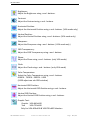
OSD Control: displays of adjustments
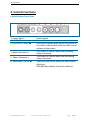
OSD Buttons
Pressing the MENU button will display OSD Windows
Pressing AUTO button: left face selection function
Pressing MENU button: right face selection function
Pressing + button:
increase the selection function value
Pressing - button:
decrease selection function value
s&t embedded G m b H
I n d u s t r i a l M o n i tor Rev. 1.6
Page
9 / 32