1
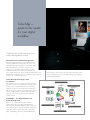
ColorEdge —
perfect color results
for your digital
workflow
Choosing the right monitors for a
color management system
The Importance of Color Management
In today’s digital production environment, there are
many opportunities for discrepancies in color to arise
along the path from the computer to the printer. This
is because input devices (cameras, scanners, etc.),
display devices (monitors) and output devices (various kinds of printers) may all be set to different color
spaces. Such discrepancies can be avoided by employing a color
management system that ensures every device in the production
chain is set to a common color space.
them ideal for a wide range of professional environments where
color reproduction is critical, including photography, graphics,
printing and publishing.
Color Management Begins with
the Monitor
The monitor is the core of any professional color management system. If color is displayed accurately on the
monitor, and color matching has been done with the
output device, then you no longer have to make multiple proofs just to correct for color discrepancies. You
can proof with confidence right from the start, while
lowering costs, increasing effi ciency and improving
quality control.
ColorEdge — the Right Monitors for
Color Management
Effective color management requires monitors
with accurate color reproduction and gradation
characteristics. With ColorEdge monitors you get factory-adjusted gamma, extensive hardware calibration
capabilities and an exceptionally wide color gamut.
Their outstanding performance and reliability make
2
Device-Specific Color Information
CMYK Printer
Device-Specific Color Information
Device-Specific Color Information
Inkjet Printer
Monitor
Common
Color Space
Digital Camera
Scanner
Printer
Device-Specific Color Information
Device-Specific Color Information
Device-Specific Color Information