1
6.5 Games
6.6 System Information
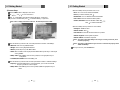
Press the EXIT button to quit the game.
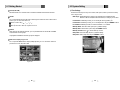
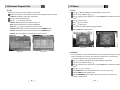
You can check the current information about your receiver such as receiver model name, S/W
(software) version, H/W (hardware) version, manufacturing date, etc. <Figure 6-32>
Note : This information is useful to download new software and/or repair the
receiver.
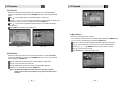
<Figure 6-28>
<Figure 6-29>
<Figure 6-32>
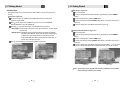
3) Snake
Press
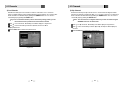
on ‘Snake’. The following menu will be displayed. <Figure 6-30>
You can choose a skill level using
/
VOL
.
to start the game <Figure 6-27>, or press the EXIT button to return to the previous
Press
menu.
Press
VOL
CH
/
CH
/
VOL
/
VOL
6.7 Common Interface
to move.
Pass through the GREEN icon to increase your score; the length of the snake increases.
Pass through the RED icon to decrease the snake’s length.
Avoid the BLACK icons. If you hit a BLACK icon (block), the game ends.
Press the EXIT button to quit the game.
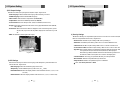
1) CAM Initializing
To enjoy scrambled channels, you will need a Common Interface Conditional Access Module
(CAM) and a Smart Card from the service provider (program distributor). If you are subscribing
to services from more than one service provider, you will need a Smart Card from each one,
and may even need different CAMs (depending on the DVB Common Interface standard
each uses). Since a Smart Card is connected to a single service provider, a limited range of
channels will be available via it.
Note : Without the CAM and the smart card, you can watch only Free-to-Air
programs.
Insert a CAM into a receiver’s slot designed for it, and a Smart Card into the CAM.
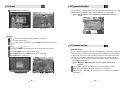
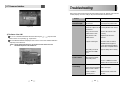
The message ‘CAM Initializing’ will appear on the screen. <Figure 6-33>
After the message ‘CAM Initializing’ has disappeared, you can select the channel that you
want to watch.
<Figure 6-30>
<Figure 6-31>
32
33