1
Disty Box DE_GB_12_12_03
12.12.2003
9:26 Uhr
Seite A
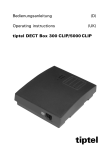
distybox 300
distybox 5000
D
GB
Bedienungsanleitung
Operating instructions
Disty Box DE_GB_12_12_03
12.12.2003
9:26 Uhr
Seite B
12.12.2003
9:26 Uhr
Seite 1
Inhaltsverzeichnis
1
Inhaltsverzeichnis
Wichtige Information..............................................................2
Anschlüsse und Anzeigen.....................................................3
Hörtöne .....................................................................................4
1
Inbetriebnahme .......................................................................5
1.1
Montage.........................................................................................5
2
Einbuchung/ Programmierung.............................................6
2.1
Automatisches Einbuchen.........................................................6
2.2
Programmiermodus .....................................................................6
2.2.1 Programmiermodus aktivieren..................................................7
2.2.2 Parametereinstellung im Programmiermodus.......................8
3
Telefonieren............................................................................14
3.1
Nach intern telefonieren...........................................................14
3.2
Nach extern telefonieren..........................................................15
Anhang
Technische Daten / Zulassung / CE-Zeichen / Reinigung /Notizen
Bedienungsanleitung
Disty Box DE_GB_12_12_03
Disty Box DE_GB_12_12_03
2
12.12.2003
9:26 Uhr
Seite 2
Informationen
Wichtige Informationen
Die distybox ist ein universell einsetzbarer, schnurloser Adapter (DECTStandard) für den Betrieb analoger Endgeräte an GAP-fähigen DECTSystemen. Diese „schnurlose Verlängerungsleitung“ erspart Ihnen
aufwändige Verkabelungsarbeiten und kann an jeder handelsüblichen
DECT/GAP Basisstation wie ein zusätzliches Mobilteil eingebucht
werden. Sie können analoge Telefone, Faxgeräte, Anrufbeantworter,
Türsprechstellen oder Modem mit Hilfe der distybox an Ihre DECT
Basisstation anschließen. Das Gerät muss mit DTMF-Wahlverfahren
(MFV-Wahlverfahren, Tonwahl) arbeiten. Endgeräte, die nur Impulswahl
(IWV-Wahlverfahren, Pulswahl) unterstützen, können an der distybox
nicht verwendet werden. Bitte prüfen Sie in diesem Falle, ob Ihr Gerät auf
DTMF-Wahlverfahren umgeschaltet werden kann.
Die distybox 300 besitzt eine integrierte Antenne und hat eine DECTübliche Reichweite von bis zu 30 m im Gebäude und bis zu 300 m im
Freifeld.
Die distybox 5000 erfordert den Anschluss einer externen Antenne.
Abhängig von der benutzten Basisstation, der Antenne und den
allgemeinen Umgebungsbedingungen können erheblich größere
Distanzen überbrückt werden. Durch die Verwendung einer externen
Antenne an der Basisstation bzw. eines DECT Repeaters mit externer
Richtantenne können maximale Reichweiten von bis zu 10 km realisiert
werden.
Damit der optimale Betrieb an unterschiedlichen Basisstationen möglich
wird, muss die distybox eventuell durch Einstellung verschiedener
Parameter an die Basisstation angepasst werden. Siehe dazu Kapitel
„Programmiermodus“.
Durch die unterschiedliche Funktionalität verschiedener Basisstationen
können sich bei der Bedienung Abweichungen ergeben. Bitte beachten
Sie die Bedienungsanleitung Ihrer Basisstation.
HINWEIS
Im Lieferzustand ist die distybox für den Betrieb an einer Basisstation mit
ISDN Anschluss eingerichtet, so dass sie in vielen Fällen nicht weiter
angepasst werden muss. Für den Betrieb an Basisstationen mit analogem
Telefonanschluss muss im Programmiermodus der Parameter 40
umgeschaltet werden!
12.12.2003
9:26 Uhr
Seite 3
Anschlüsse und Anzeigen
3
Anschlüsse und Anzeigen
Rückseite (distybox 5000)
1
220/230V
50 Hz
2
Telefon, Anrufbeantworter,Faxgerät
1
2
5
2m
3
4
Stromversorgung
Steckernetzgerät
HINWEIS
Nach dem Einstecken des Steckernetzgerätes muss der Hörer des
angeschlossenen Telefons mindestens 30 Sekunden aufgelegt bleiben!
HINWEIS
Verwenden Sie nur das mitgelieferte Steckernetzgerät!
Vor Öffnen des Gehäuses unbedingt Steckernetzgerät ziehen!
3
Leuchtanzeige (LED)
Zeitintervall 8 Sek.
LED aus
LED an
keine Stromversorgung
betriebsbereit / Stromversorgung (220 /
230 V) vorhanden / Gerät ist an einer
Basis registriert und angemeldet
Anruf steht an
bestehende Gesprächsverbindung
Programmiermodus (Menü)
Basis wird gesucht
Basis gefunden
Keine Basis
Bedienungsanleitung
Disty Box DE_GB_12_12_03
Disty Box DE_GB_12_12_03
4
HINWEIS
12.12.2003
9:26 Uhr
Seite 4
Anschlüsse und Bedienelemente
4
Line-Anschluss
Anschluss für Telefon, Faxgerät,
Anrufbeantworter oder Modem
Die RJ 11 Buchse ist auf den beiden
mittleren Anschlüssen belegt (Pin 3
und 4).
5
Antennenanschluss
(nur distybox 5000)
SMB Antennenbuchse für den
Anschluss einer externen Antenne.
Die Verwendung eines hochwertigen Antennenkabels und eine möglichst
geringe Kabellänge minimiert Leistungsverluste und optimiert die
Reichweite!
Hörtöne (im Hörer oder Lautsprecher)
Darstellung der Töne
(Angaben in Sekunden)
Wählton
(Dauerto n)
Sonderwählton
(400/425 Hz, Dauerto n)
Besetztton
(425 Hz, wiederholt)
Positiver Quittungston
(einma lig)
Negativer Quittungston
(einma lig)
Ton
Pause
12.12.2003
9:26 Uhr
1
Inbetriebnahme
1.1
Montage
Seite 5
5
Standortauswahl
Die distybox ist für Wandmontage in geschlossenen Räumen ausgelegt.
Beachten Sie dabei bitte, dass Sie das Gerät nicht in unmittelbarer Nähe
von anderen elektronischen Geräten wie z. B. HiFi-Anlagen, Büromaschinen
oder Mikrowellengeräten anbringen sollten. Sie vermeiden damit eine
gegenseitige Beeinflussung. Der Aufstellungsort sollte auch nicht in der
Nähe von Wärmequellen gewählt werden (z. B. Heizkörper oder direkte
Sonneneinstrahlung).
Um im Verbindungszustand Störgeräusche zu vermeiden, sollte das
angeschlossene Endgerät nicht näher als 1 Meter zur distybox aufgestellt
werden.
Funkausbreitung
Die distybox muss eine Funkverbindung zur DECT Basisstation herstellen.
Vor der endgültigen Festlegung des Montage-Standortes prüfen Sie bitte,
ob der von Ihnen gewünschte Ort innerhalb der Reichweite der DECT
Basisstation liegt.
Aufgrund der digitalen Übertragung im benutzten Frequenzbereich kann
es - je nach den baulichen Gegebenheiten - auch innerhalb der
angegebenen Reichweite zu Abschattungen der Funkwellen kommen.
Hierdurch wird die Übertragungsqualität eingeschränkt. Schon eine
geringfügige Standortänderung stellt aber die gewohnte Übertragungsqualität wieder her. Da die distybox wie ein Mobilteil Ihrer DECT
Basisstation arbeitet, können Sie mit Hilfe Ihres Mobilteils prüfen, ob der
Montagestandort geeignet ist.
Wandbefestigung
Die folgenden Arbeitsschritte sind nötig, um die distybox zu montieren:
1. Bohren Sie im Abstand von 60 mm zwei Löcher mit einem
Durchmesser von 6 mm in die Wand.
2. Setzen Sie die Dübel ein und drehen Sie die Schrauben bis ca. 5 mm
Abstand zur Wand ein.
3. Verbinden Sie die externe Antenne mit
dem entsprechenden Anschluss (nur
distybox 5000).
Antennenanschluss
(nur distybox 5000)
4. Verbinden Sie die distybox mit der
Stromversorgung.
60 mm
5. Verbinden Sie Ihr Endgerät mit der
distybox.
6. Hängen Sie die distybox ein.
Bedienungsanleitung
Disty Box DE_GB_12_12_03
Disty Box DE_GB_12_12_03
6
2
12.12.2003
9:26 Uhr
Seite 6
Einbuchung/Programmierung
Die distybox muss in Ihre DECT/GAP Basisstation eingebucht werden
bevor sie benutzt werden kann. Die Einbuchung kann im Regelfalle
mit der Funktion „automatisches Einbuchen“ durchgeführt werden.
Der „Programmiermodus“ bietet die Möglichkeit verschiedene
Parameter einzustellen, um die distybox der Funktionalität Ihrer
Basisstation anzupassen. Zusätzliche Parameter erlauben die
Einstellung der distybox auf Ihre persönlichen Anforderungen.
Weiterhin können Sie hier die manuelle Einbuchung durchführen.
2.1
Automatisches Einbuchen
Das automatische Einbuchen der distybox ist möglich solange sie
noch nicht an einer Basisstation angemeldet ist. Voraussetzung dafür
ist, dass die PIN Ihrer Basisstation auf „0000“ oder „1111“ eingestellt
ist.
1. Verbinden Sie das Steckernetzgerät mit Ihrer distybox.
2. Verbinden Sie Ihr Telefon mit der distybox, lassen Sie den Hörer
aufgelegt.
3. Stellen Sie sicher, dass Ihre Basisstation die Möglichkeit bietet ein
weiteres Mobilteil anzumelden.
4. Während des Einbuchvorganges sollte sich die distybox in der
Nähe Ihrer Basisstation befinden.
5. Starten Sie die Anmeldeprozedur an Ihrer DECT/GAP Basisstation,
so als wollten Sie ein zusätzliches Mobilteil anmelden. Die
Beschreibung des Bedienablaufes finden Sie in der Anleitung Ihrer
Basisstation.
6. Stecken Sie das Steckernetzgerät in eine Steckdose. Der Einbuchvorgang wird automatisch gestartet.
7. Den erfolgreichen Abschluss des Einbuchvorganges erkennen Sie
daran, dass die LED in Abständen von ca. 10 sec kurz aufleuchtet.
Sollte der Einbuchvorgang innerhalb von ca. 3 Minuten nicht
erfolgreich abgeschlossen sein führen Sie die manuelle
Einbuchung im Programmiermodus durch.
2.2
Programmiermodus
Der Programmiermodus der distybox kann nur innerhalb der ersten 10
Minuten nach Stecken des Netzteils aktiviert werden. Dadurch wird
eine versehentliche Veränderung der Parameter im laufenden Betrieb
verhindert.
2
12.12.2003
9:26 Uhr
Seite 7
Einbuchung/Programmierung
7
Nicht alle hier angebotenen Leistungsmerkmale werden von jeder
DECT/GAP Basisstation unterstützt. Klären Sie mit Hilfe der
Bedienungsanleitung Ihrer Basisstation welche Leistungsmerkmale Sie
nutzen können.
2.2.1 Programmiermodus aktivieren
Um die distybox in den Programmiermodus zu bringen, gehen Sie wie
folgt vor:
1. Verbinden Sie Ihr Telefon mit der distybox.
2. Verbinden Sie das Steckernetzgerät mit Ihrer distybox.
3. Stecken Sie das Steckernetzgerät in eine Steckdose. Lassen Sie den
Hörer Ihres Telefons mindestens 30 sec aufgelegt.
4. Heben Sie den Hörer Ihres Telefons ab. Abhängig davon ob Ihre
distybox schon in eine Basis eingebucht ist oder nicht, hören Sie einen
Besetztton oder einen Wählton.
5. Geben Sie über Ihr Telefon ein:
6. Sie hören einen positiven Quittungston.
7. Optional! Geben Sie über Ihr Telefon die PIN der distybox ein.
Die Eingabe der PIN ist nur notwendig, wenn zuvor im Programmiermodus eine PIN, abweichend vom Lieferzustand, eingerichtet wurde.
8. Sie hören den Sonderwählton, der Programmiermodus ist aktiviert.
Jetzt können Sie durch Eingabe der Parameterkennzahlen die
entsprechenden Leistungsmerkmale Ihrer distybox verändern.
Beispiel
Sie möchten Ihre distybox an einer Basisstation mit einem analogen
Telefonanschluss benutzen. Aktivieren Sie den Programmiermodus wie
oben in Punkt 1-8 beschrieben.
Dann:
1. Geben Sie die Parameterkennzahl zum Unterdrücken der Keypad Info
ein:
2. Geben Sie zum Aktivieren des Leistungsmerkmals ein:
3. Sie hören einen positiven Quittungston und anschließend wieder den
Sonderwählton. Das Leistungsmerkmal ist aktiviert.
Bedienungsanleitung
Disty Box DE_GB_12_12_03
Disty Box DE_GB_12_12_03
8
2
12.12.2003
9:26 Uhr
Seite 8
Einbuchung/Programmierung
2.2.2 Parametereinstellung im Programmiermodus
Um diese Parameter einzustellen, muss vorher der Programmiermodus
aktiviert werden. Die Programmierung einer Funktion wird durch Eingabe
der abgeschlossen und durch den positiven Quittungston bestätigt.
Anschließend hören Sie wieder den Sonderwählton und können mit der
Programmierung weiterer Funktionen fortfahren. Die Änderung wird mit
Ausnahme der Programmierpunkte 90, 91 und 99 ohne Neustart der
distybox wirksam.
Wird während der Programmierung ein ungültiger Wert eingegeben,
erfolgt ein negativer Quittungston, die Prozedur wird abgebrochen und
Sie hören wieder den Sonderwählton.
Erfolgt während der Programmierung innerhalb einer Minute keine
Eingabe, wird die Prozedur abgebrochen und Sie hören wieder den
Sonderwählton.
Durch Auflegen des Hörers wird jederzeit der Programmiermodus
beendet, die distybox befindet sich wieder im Normalbetrieb.
Funktion
Manuelles Einbuchen der
distybox
Parameter- Weitere Eingaben
kennzahl
1
Basis PIN #
Zum Einbuchen der distybox muss die PIN der Basisstation eingegeben
werden.
Es wird eine 4 – 8 stellige PIN von der distybox akzeptiert.
PIN ändern
2
neue PIN neue PIN #
Durch die vierstellige PIN kann der Zugang zum Programmiermodus
geschützt werden. Die Eingabe der PIN ist nur notwendig, wenn zuvor
mit diesem Progammierpunkt eine PIN, abweichend vom Lieferzustand
eingestellt wurde. Zum Ändern der PIN aktivieren Sie den Programmiermodus, geben zweimal die neue PIN ein und bestätigen mit der . Die
Änderung wird durch den positiven Quittungston bestätigt. Jetzt ist ein
erneuter Zugang zum Programmiermodus nur noch nach Eingabe der
neuen PIN möglich.
Bei vergessener PIN kann die distybox nur durch den Service
zurückgesetzt werden.
Lieferzustand: 0 0 0 0
2
12.12.2003
9:26 Uhr
Seite 9
Einbuchung/Programmierung
Funktion
Distanz (nur distybox 5000)
9
Parameter- Weitere Eingaben
kennzahl
3
Distanzwert #
Gültige Eingaben sind:0 – 79. Lieferzustand: 0
Der Einstellwert kann mit Hilfe folgender Berechnungsformel
gefunden werden:
Distanzwert = Entfernung [in m] geteilt durch 130
Beispiel: 2300 m : 130 m = 17,69 -> Distanzwert = 18
Abhängig von der benutzten Basis kann es Abweichungen geben.
Optimieren Sie den Distanzwert in Schritten von 2, z. B. DeTeWe
OpenCom Distanzwert +8.
Anschluss an ISDN/
analog Leitung
40
0#
Keypad Information senden, diese Einstellung benutzen Sie wenn Ihre
Basisstation an eine ISDN Telefonleitung angeschlossen ist.
40
1#
Keypad Information unterdrücken, diese Einstellung benutzen Sie
wenn Ihre Basisstation an eine analoge Telefonleitung angeschlossen
ist.
Lieferzustand: 0
Betriebsart Fax / Daten
41
0#
Betriebsart „Telefon“, diese Einstellung benutzen Sie wenn ein Telefon
and die distybox angeschlossen ist.
41
1#
Betriebsart „Fax“, diese Einstellung benutzen Sie wenn ein Faxgerät
oder Modem an die distybox angeschlossen ist. Diese Einstellung
kann die Übertragungsqualität verbessern. Nicht alle DECT Basisstationen unterstützen dieses Merkmal, im Zweifelsfalle benutzen Sie
die Betriebsart „Telefon“.
Lieferzustand: 0
Bedienungsanleitung
Disty Box DE_GB_12_12_03
Disty Box DE_GB_12_12_03
10
2
12.12.2003
9:26 Uhr
Seite 10
Einbuchung/Programmierung
Funktion
Interner Wählton
Parameter- Weitere Eingaben
kennzahl
42
0#
Unmittelbar nach dem Abheben des Hörers wird ein interner Wählton
hörbar. Mit dieser Einstellung wird der Wählton unterdrückt. Diese
Einstellung ist nicht empfehlenswert wenn der Parameter 71 auf 0
eingestellt ist.
42
1#
Mit dieser Einstellung ist der interne Wählton als Dauerton (425 Hz)
hörbar. Diese Einstellung ist sinnvoll wenn Ihre Basisstation an eine
direkte Amtsleitung angeschlossen ist.
42
2#
Mit dieser Einstellung ist der interne Wählton als unterbrochener Ton
(450 Hz) hörbar. Diese Einstellung ist sinnvoll wenn Ihre Basisstation
an eine Telefonanlage angeschlossen ist die ebenfalls einen unterbrochenen Wählton generiert.
Lieferzustand: 0
Lautstärkeeinstellung
43
1…6 #
Hier kann die Hörerlautstärke in Schritten von 3 dB an die Akustik
Ihres angeschlossenen Gerätes angepasst werden.
(1 = Minimum, 6= Maximum)
Lieferzustand: 5
Rufnummeranzeige / CLIP
44
0#
Keine Übermittlung der Rufnummer / CLIP an das angeschlossene
Telefon. Die Rufkadenz wird von der Basisstation gesteuert.
Die Funktion 51 ist nicht nutzbar!
44
1#
Anzeige der übermittelten Rufnummer / CLIP mit fester Rufkadenz.
Lieferzustand: 1
Feldstärkemessung
50
#
Die aktuelle Feldstärke wird durch die Tonhöhe in 5 Stufen im Hörer
wiedergegeben, höchster Ton = bester Empfang. Damit kann die
Antenne optimal auf die Basisstation ausgerichtet werden.
2
12.12.2003
9:26 Uhr
Seite 11
Einbuchung/Programmierung
Funktion
Parameterabfrage
11
Parameter- Weitere Eingaben
kennzahl
51
Parameterkennzahl #
Mit Hilfe eines CLIP fähigen Telefons kann die aktuelle Einstellung
verschiedener Parameter ausgelesen werden. Nach Eingabe der
legen Sie
jeweiligen Parameterkennzahl und Bestätigung mit der
den Hörer Ihres Telefons auf. Sie erhalten anschließend einen Anruf
von der distybox; im Display wird die Parameterkennzahl sowie der
aktuelle Status angezeigt.
Beispiel: Eingabe
, Hörer auflegen, Anruf,
Displayanzeige: 3#45
Beschränkung der Verbindung
70
0#
Es können kommende und gehende Gespräche geführt werden.
70
1#
Es können nur kommende Gespräche geführt werden.
70
2#
Es können nur gehende Gespräche geführt werden. Diese Einstellung
ist z. B. sinnvoll wenn Sie eine Türsprechstelle (TFE) an die distybox
angeschlossen haben damit Amtsanrufe nicht an der Türsprechstelle
klingeln.
Lieferzustand: 0
Bedienungsanleitung
Disty Box DE_GB_12_12_03
Disty Box DE_GB_12_12_03
12
2
12.12.2003
9:26 Uhr
Seite 12
Einbuchung/Programmierung
Funktion
Aufbau der Verbindung
Parameter- Weitere Eingaben
kennzahl
71
0#
Verbindungsaufbau Intern/Extern. Es wird erst nach Wahl einer Ziffer
entschieden ob eine Verbindung innerhalb der Basisstation oder nach
extern aufgebaut werden soll. Diese Einstellung ist nicht empfehlenswert wenn der Parameter 42 auf 0 eingestellt ist.
71
1#
Verbindungsaufbau Intern. Es wird sofort nach Abheben des Hörers
eine interne Verbindung vorbereitet. Es können nur weitere Mobilteile
dieser Basisstation angerufen werden, eine Verbindung zur Amtsleitung kann nicht hergestellt werden. Bei Anschluss einer Türsprechstelle kann hiermit eine ungewollte Belegung der Amtsleitung verhindert werden.
71
2#
Verbindungsaufbau Extern. Es wird sofort nach Abheben des Hörers
eine externe Verbindung vorbereitet. Durch Wählen der entsprechenden Kennziffer können auch interne Mobilteile dieser Basisstation
angerufen werden.
Lieferzustand: 2
Flashfunktion
72
Einstellwert #
Die Flashtastenerkennung (R Taste)der distybox kann auf die Flashzeit
Ihres angeschlossenen Gerätes eingestellt werden. Entnehmen Sie
diese der Bedienungsanleitung Ihres Gerätes.
Z. B. Flashzeit Ihres Gerätes = 100 ms entspricht Einstellwert = 10
Lieferzustand: 23, entspricht 230 ms
Parknummer einstellen
80
Parknummer #
Optional kann der Einbuchvorgang unter Verwendung der max. 15stelligen Parknummer Ihrer DECT Basisstation durchgeführt werden.
Diese Vorgehensweise ist sinnvoll wenn durch weitere aktive DECT
Basisstationen der Einbuchvorgang behindert wird. Entnehmen Sie
die Parknummer der Bedienungsanleitung Ihrer Basisstation.
Lieferzustand: keine Parknummer
2
12.12.2003
9:26 Uhr
Seite 13
Einbuchung/Programmierung
Funktion
Parknummer aktivieren
13
Parameter- Weitere Eingaben
kennzahl
81
0#
Die unter Programmierpunkt 80 eingestellte Parknummer wird beim
Einbuchvorgang nicht verwendet.
81
1#
Die unter Programmierpunkt 80 eingestellte Parknummer wird beim
Einbuchvorgang verwendet.
Lieferzustand: 0
distybox zurücksetzen
90
#
Die distybox wird in den Lieferzustand versetzt. Die distybox ist
anschließend nicht mehr an einer Basis eingebucht! Alle bisherigen
Einstellungen werden gelöscht. Nach Ziehen / Stecken des
Steckernetzteils wird ein Neustart der distybox durchgeführt und es
kann mit der Neuprogrammierung der distybox begonnen werden.
Parameter zurücksetzen
91
#
Die distybox bleibt an der Basisstation eingebucht, alle anderen
Parameter werden in den Lieferzustand versetzt. Nach der Eingabe
bitte den Hörer auflegen und 30 sec. warten. Die distybox führt einen
Neustart durch.
Auto Reset
92
0#
Der Auto Reset ist nicht aktiv.
92
1#
Der Auto Reset ist aktiv, die distybox führt alle 24 Stunden einen
Neustart durch. Alle Einstellungen bleiben unverändert erhalten, eine
zu diesem Zeitpunkt bestehende Verbindung wird getrennt.
Lieferzustand: 0
Ausbuchen
99
#
Die Daten der Basisstation werden aus der distybox gelöscht. Alle
anderen Einstellungen bleiben unverändert erhalten. Nach Ziehen /
Stecken des Steckernetzteils wird ein Neustart durchgeführt und die
distybox kann wieder neu eingebucht werden.
Bedienungsanleitung
Disty Box DE_GB_12_12_03
Disty Box DE_GB_12_12_03
14
3
12.12.2003
9:26 Uhr
Seite 14
Telefonieren
Abhängig von Ihrer DECT Basisstation und der Einstellung Ihrer distybox
hören Sie, wenn Sie den Hörer des angeschlossenen Gerätes abheben,
den Wählton der DECT Basisstation oder den internen Wählton der
distybox.
3.1
Nach intern telefonieren
Interne Telefonate sind Anrufe zu anderen Mobilteilen, die an derselben
Basis eingebucht sind.
Eingabe
Funktion
Internes Mobilteil 1 wird gerufen
Internes Mobilteil 2 wird gerufen
Internes Mobilteil 3 wird gerufen
Internes Mobilteil 4 wird gerufen
Internes Mobilteil 5 wird gerufen
Internes Mobilteil 6 wird gerufen
Internes Mobilteil 7 wird gerufen
Internes Mobilteil 8 wird gerufen
Internes Mobilteil 9 wird gerufen
Interner Sammelruf (wenn von der Basisstation
unterstützt)
HINWEIS
Innerhalb der ersten 10 Minuten nach Neustart der distybox wird die
Tastenkombination
genutzt um den Programmiermodus zu
aktivieren. Während dieser Zeit ist das interne Mobilteil 9 nicht
erreichbar.
Sofern von Ihrer DECT Basisstation unterstützt können folgende
Funktionen durch Kennzifferneingabe aktiviert werden. Bitte beachten
Sie die Bedienungsanleitung Ihrer DECT Basisstation.
Eingabe
Funktion
+
+
+
+
+
INT-Taste
R-Taste (Flashtaste)
Pause-Taste
DTMF-Wahl Umschaltung
Pulse-Wahl Umschaltung
12.12.2003
9:26 Uhr
Seite 15
3
Telefonieren
3.2
Nach extern telefonieren
15
Externe Telefonate sind Anrufe zu Teilnehmern Ihrer Telefonanlage oder zu
allen Anschlüssen im öffentlichen Telefonnetz.
Sofern von Ihrer DECT Telefonanlage unterstützt können folgende
Funktionen durch Kennzifferneingabe aktiviert werden. Bitte beachten Sie
die Bedienungsanleitung Ihrer DECT Telefonanlage.
Eingabe
Funktion
+
+
+
+
+
INT-Taste
R-Taste (Flashtaste)
Pause-Taste
DTMF-Wahl Umschaltung
Pulse-Wahl Umschaltung
Bedienungsanleitung
Disty Box DE_GB_12_12_03
Disty Box DE_GB_12_12_03
12.12.2003
9:26 Uhr
Seite 16
Anhang
Technische Daten
Standard:
DECT (Digital Enhanced Cordless Telecommunications), GAP-fähig
Frequenzbereich:
1880 MHz bis 1900 MHz
Sendeleistung:
10 mW im Mittel
SMB Buchse:
für externe Antenne über Koaxialkabel
(nur distybox 5000)
Sprachübertragung: 32 kbit/s ADPCM
Faxbetrieb:
Gruppe 3, V.29 maximal mit 9600 bit/s
Modembetrieb:
9600 bit/s maximal
Wählverfahren:
DTMF
Anschließbare Telefone: max. drei Standardtelefone parallel anschließbar
CLIP:
Übertragung über FSK1, Protokoll nach ETSIStandard
Arbeitstemperatur:
+10° C bis +40° C
Relative Feuchte:
20% bis 75%
Zulässige
Lagertemperatur:
-10° C bis + 60° C
Anzeigeeinheit:
Leuchtdiode (LED)
Abmessungen:
120 x 100 x 38 mm (B x H x T)
Gewicht:
140 g
Montageort:
Wandmontage in Innenräumen
Spannungsversorgung: 10 V AC (0,12 A Ruhestrom, 0,4 A maximal),
alternativ 12 V DC +/- 15% = 10,2-13,8V
(0,12 A Ruhestrom, 0,4 A maximal)
Lieferumfang:
Steckernetzteil, optional Anschlussadapter
Zulassung / CE-Zeichen
Das Produkt entspricht den grundlegenden Anforderungen aller
zutreffenden Richtlinien des Rates der Europäischen Union. Die
vorgegebenen Konformitätsbewertungsverfahren wurden durchgeführt.
Reinigung
Wischen Sie das Gerät einfach mit einem leicht feuchten Tuch oder mit
einem Antistatiktuch ab; verwenden Sie bitte kein trockenes Tuch.
Vermeiden Sie bitte den Einsatz von Putz- und Scheuermitteln.
12.12.2003
Notizen
9:26 Uhr
Seite 17
17
Bedienungsanleitung
Disty Box DE_GB_12_12_03
Disty Box DE_GB_12_12_03
18
12.12.2003
9:26 Uhr
Seite 18
Disty Box DE_GB_12_12_03
12.12.2003
9:26 Uhr
Seite 1
List of Contents
1
List of Contents
Important information ...........................................................2
Connections and indicators .................................................3
1
Commissioning .......................................................................5
1.1
Mounting ......................................................................................5
2
Registration / programming ................................................6
2.1
Automatic registration ................................................................6
2.2
Programming mode.....................................................................6
2.2.1 Activating programming mode.................................................7
2.2.2 Setting parameters in programming mode ...........................8
3
Making telephone calls .......................................................14
3.1
Making internal calls .................................................................14
3.2
Making external calls ................................................................15
Annex
Technical data / Product approva l/ CE mark / Cleaning
Operating Instructions
Tones ........................................................................................4
Disty Box DE_GB_12_12_03
2
12.12.2003
9:26 Uhr
Seite 2
Informationen
Important information
The distybox is a DECT-standard cordless adapter for universal usage
when operating analogue terminals on GAP-compatible DECT systems.
Essentially a ”cordless extension cable”, the distybox eliminates the need
for complicated cabling work and can be registered on any standard
DECT/GAP base station just like an extra cordless handset. The distybox
can be used to connect analogue telephones, fax machines, answering
machines, entrance intercoms and modems to your DECT base station.
The device must use DTMF dialling (voice frequency signalling); terminals
that only support pulse dialling cannot be used on the distybox. If your
device uses pulse dialling, please check if it can also be switched over to
DTMF dialling.
The distybox 300 features an integrated aerial and has a standard DECT
range of up to 30 m indoors and up to 300 m out of doors.
An external aerial must be connected to the distybox 5000. Much greater
distances may be covered, depending on the base station used, the aerial
and the general environmental conditions. By using an external aerial on
the base station or a DECT repeater with an external directional aerial, a
maximum range of up to 10 km can be attained.
To ensure optimal operation on different base stations, it may be
necessary to modify the distybox by setting various parameters on the
base station. For more information, see the ”Programming mode” chapter.
The varying functionalities of different base stations may, in turn, result in
variations in operation. Please observe the instructions for operating your
base station.
NOTE
The factory setting on the distybox is for operation on a base station with
an ISDN connection, which means that in many cases it will not require
any further modification. For operation on base stations with an analogue
telephone connection, you will need to switch over parameter 40 in
programming mode.
Disty Box DE_GB_12_12_03
12.12.2003
9:26 Uhr
Seite 3
Connections and indicators
3
Connections and indicators
Backside (distybox 5000)
1
Telephone, answering machine,
faxmachine
1
2
5
2m
3
4
Power supply
Power supply unit (adapter)
NOTE
After plugging in the power supply unit, the handset on the connected
telephone must remain on the hook for at least 30 seconds.
NOTE
Only the power unit supplied should be used.
Before opening the housing, ensure that the power supply unit is
disconnected.
3
LED
time interval 8 sec
LED off
LED on
No power supply
Ready to use/ standby mode /
power available (220/ 230 V) /
device is registered at a base station
Incoming call alert
Connection
Programming mode (Menu)
Search for the base
Found the base
No base
Operating Instructions
220/230V
50 Hz
2
Disty Box DE_GB_12_12_03
4
NOTE
12.12.2003
9:26 Uhr
Seite 4
Connections and indicators
4
Line connection
Connection for a telephone, fax
machine, answering machine or
modem.
The RJ-11 socket is assigned to the
two middle connections (pins 3
and 4).
5
Aerial connection
(distybox 5000 only)
SMB aerial socket for connecting an
external aerial.
The use of a high-quality aerial cable and as short a cable as possible will
minimise any losses in performance and provide the optimum range.
Tones
Description of the tones
(given in seconds)
Dial tone
(continous)
Special dial tone
(400/425 Hz, Dauerton)
Busy tone
(425 Hz, repeated)
Positive acknowledge tone
(single)
Negative acknowledge tone
(single)
Tone
Pause
Disty Box DE_GB_12_12_03
9:26 Uhr
1
Commissioning
1.1
Mounting
Seite 5
5
The distybox is designed for wall mounting in interior rooms. Please note
that the device must not be fitted in the immediate vicinity of any other
electronic devices such as hifi systems, office machines or microwave
ovens. This prevents any interference between the devices. In addition, the
device should not be installed near heat sources (e.g. radiators or in direct
sunlight). To prevent noise interference when making calls, the connected
terminal should not be positioned closer than one metre away from the
distybox.
Radio coverage The distybox must be able to establish a radio link to the DECT base
station. Before determining the final mounting position, you should
therefore check that your desired location is within the range of the DECT
base station.
Owing to the digital transmission in the frequency range used, there may
be radiowave ”blind spots” even within the specified range, depending on
the nature of the building. This results in a loss of transmission quality.
However, just a small change in position will restore normal transmission
quality. As the distybox works as a cordless unit on your DECT base
station, you can use your cordless handset to check whether or not the
mounting position is suitable.
Wall mounting Follow the steps given below to install the distybox
1. Drill two 6 mm diameter holes into the wall at a distance of 60 mm
apart.
2. Insert the rawl plug and turn the screws until they are approx. 5 mm
away from the wall.
3. Connect the external aerial to the
appropriate socket (distybox 5000 only).
Antenna plug
(distybox 5000 only)
4. Connect the distybox to the power
supply.
5. Connect your terminal to the distybox.
6. Fit the distybox in place.
60 mm
Operating Instructions
Selecting a
suitable
location
12.12.2003
Disty Box DE_GB_12_12_03
6
2
12.12.2003
9:26 Uhr
Seite 6
Registration / programming
The distybox must be registered on your DECT/GAP base station
before it can be used. The registration process can normally be
carried out using the ”Automatic registration” function.
”Programming mode” allows you to set various parameters to modify
the distybox to suit the functionality of your base station. Additional
parameters allow the distybox to be set according to your personal
preferences. Manual registration can also be carried out in this mode.
2.1
Automatic registration
The distybox can be registered automatically, assuming it has not
been registered on any other base station yet. To do this, the PIN
on your base station must be set to ”0000” or ”1111”.
1. Connect the power supply unit (adapter) to your distybox.
2. Connect your telephone to the distybox, leaving the handset on the
hook.
3. Ensure that your base station enables an additional cordless phone
to be registered.
4. During the registration process, the distybox should be located
close to your base station.
5. Start the registration procedure for the device on your DECT/GAP
base station as if you were registering an additional cordless unit.
Instructions on how to do this will be given in the operating manual
for your base station.
6. Plug the power supply unit into a power socket. The registration
process will be started automatically.
7. The registration process has been successful if the LED flashes at
intervals of approx. 10 seconds. If the registration process has not
been completed successfully within approx. 3 minutes, register the
device manually in programming mode.
2.2
Programming mode
Programming mode on the distybox can only be activated within the
first 10 minutes after plugging in the power supply unit. This prevents
the parameters being changed accidentally during operation.
Not all the features offered by the device are supported by every
DECT/GAP base station. Refer to the operating manual for your base
station to clarify which features you can use.
Disty Box DE_GB_12_12_03
2
12.12.2003
9:26 Uhr
Seite 7
Registration / programming
7
2.2.1 Activating programming mode
Proceed as follows to change the distybox to programming mode:
1. Connect your telephone to the distybox.
2. Connect the power supply unit to your distybox.
4. Lift the handset on your telephone. Depending on whether or not your
distybox is already registered on a base station, you will either hear a
busy tone or a dialling tone.
5. On your telephone, enter
.
6. You will hear a positive acknowledgement tone.
7. Optional step: Enter the PIN for the distybox via your telephone. The
PIN only needs to be entered if a new PIN has been set up
beforehand in programming mode.
8. You will hear the special dialling tone indicating that programming
mode is active.
You can now enter the parameter codes to change the relevant features
of your distybox.
Example
Let’s say, for example, you want to use your distybox on a base station
with an analogue telephone connection. Activate programming mode as
described above in points 1-8 and then proceed as follows:
1. Enter the programming code to suppress keypad information:
2. To activate the feature, enter
.
.
3. You will hear a positive acknowledgement tone, followed by the special
dialling tone once more. The feature is now active.
Operating Instructions
3. Plug the power supply unit into a power socket. Leave the phone on
the hook for at least 30 seconds.
Disty Box DE_GB_12_12_03
8
2
12.12.2003
9:26 Uhr
Seite 8
Registration / programming
2.2.2 Setting parameters in programming mode
Programming mode needs to be activated before this parameter can be
and
set. The function-programming process is concluded by entering
confirmed by the positive acknowledgement tone. You will then hear the
special dialling tone once more, which means that you can continue
programming other functions. With the exception of programming points
90, 91 and 99, the change is effective without having to restart the
distybox.
If an invalid value is entered during programming, a negative
acknowledgement tone is sounded, the procedure is cancelled and you
will hear the special dialling tone once more.
If during programming no input is made for one minute, the procedure is
cancelled and you will hear the special dialling tone again.
Programming mode can be exited at any time by replacing the handset;
the distybox will then be returned to normal mode.
Function
Manual registration of
the distybox
Parameter Other input
code
1
Base PIN #
The base station PIN needs to be entered to register the distybox.
A PIN with 4 to 8 digits will be accepted by the distybox.
Changing the PIN
2
new PIN new PIN #
Access to programming mode can be protected using the four-digit PIN.
The PIN only needs to be entered if a new PIN has been set beforehand
in programming mode. To change the PIN, activate programming mode,
enter the new PIN twice and confirm this by pressing . The change is
confirmed by the positive acknowledgement tone. Programming mode
can then only be accessed again by entering the new PIN once more.
If you forget the PIN, the distybox can only be reset by the Customer
Service department.
Factory setting: 0 0 0 0
Disty Box DE_GB_12_12_03
9:26 Uhr
Seite 9
Registration / programming
Function
Distance (distybox 5000 only)
9
Parameter Other input
code
3
Distance value #
Valid entries are 0 - 79.
The setting can be determined using the following mathematical
formula:
Distance value = distance [in m] divided by 130
Example: 2,300 m ÷ 130 m = 17.69 -> distance value = 18
This may vary depending on the base station being used. Adjust the
distance value in increments of two, e.g. the distance value for
DeTeWe’s OpenCom system is +8.
Factory setting: 0
Connection to an ISDN/
analogue line
40
0#
Send Keypad Information: This setting has to be used if your base
station is connected to an ISDN phone line.
40
1#
Suppress Keypad Information: This setting has to be used if your base
station is connected to an analogue phone line.
Factory setting: 0
Fax / Data mode
41
0#
”Telephone” Mode: This setting should be used if a telephone is
connected to the distybox.
41
1#
”Fax” Mode: This setting should be used if a fax machine or modem is
connected to the distybox. The setting may improve transmission
quality. Not all DECT base stations support this feature, however; if in
doubt, use ”Telephone” mode.
Factory setting: 0
Operating Instructions
2
12.12.2003
Disty Box DE_GB_12_12_03
10
2
12.12.2003
9:26 Uhr
Seite 10
Registration / programming
Function
Internal dialling tone
Parameter Other input
code
42
0#
An internal dialling tone is sounded immediately on lifting the handset.
The dialling tone is suppressed using this setting. This setting is not
recommended if parameter 71 is set to 0.
42
1#
With this setting the internal dialling tone is sounded as a continuous
tone (425 Hz). This setting is useful if your base station is connected
to a direct trunk line.
42
2#
With this setting the internal dialling tone is sounded as an interrupted
tone (450 Hz). This setting is useful if your base station is connected
to a phone system that also generates an interrupted dialling tone.
Factory setting: 0
Volume setting
43
1…6 #
The handset volume can be adjusted here for the acoustics of your
connected device in increments of 3 dB (1 = minimum, 6 = maximum).
Factory setting: 5
Display of caller’s number / CLIP 44
0#
The caller’s phone number is not transmitted to the connected
telephone. The ring cadence of calls is controlled by the base station.
Please note: function 51 is not available.
44
1#
Display of caller’s number/CLIP, fixed ring cadence.
Factory setting: 1
Field strength measurement
50
#
The current field strength is indicated on the handset by means of five
signals of differing pitch, the highest pitch indicating the best
reception. This ensures optimum set-up of the aerial for the base
station.
2
12.12.2003
9:26 Uhr
Seite 11
Registration / programming
Function
Parameter query
11
Parameter Other input
code
51
Parametercode #
A CLIP-compatible telephone can be used to read the current setting
of different parameters. After entering the relevant parameter code
and confirming this with , replace the telephone handset. You will
then receive a call from the distybox and the parameter code and the
current status will be shown on the display.
Example: Enter
, replace the handset, call,
display shows 3#45
Limitation of traffic
70
0#
Incoming and outgoing calls can be made.
70
1#
Only incoming calls can be received.
70
2#
Only outgoing calls can be made. This setting is useful, for example, if
you have connected an entrance intercom to the distybox to prevent
exchange calls ringing on the entrance intercom.
Factory setting: 0
Operating Instructions
Disty Box DE_GB_12_12_03
Disty Box DE_GB_12_12_03
12
2
12.12.2003
9:26 Uhr
Seite 12
Registration / programming
Function
Connection of calls
Parameter Other input
code
71
0#
Internal/external call connection. A digit must be dialled to distinguish
whether a call is to be connected within the base station or externally.
This setting is not recommended if parameter 42 is set to 0.
71
1#
Internal call connection. An internal connection is prepared
immediately on lifting the handset. Only other cordless units on this
base station can be called; no exchange calls are possible. When
connecting an entrance intercom, this can be used to prevent the
exchange line being seized.
71
2#
External call connection. An external connection is prepared
immediately on lifting the handset. By dialling the relevant code,
internal cordless units on this base station can also be called.
Factory setting: 2
Flash function
72
Setting #
The flash key detection function (R key) of the distybox can be set to
the flash time of your connected device. (Please refer to the operating
manual for your device for this information.) For example, if the flash
time of your device is 100 ms, this corresponds to the setting ”10”.
The factory setting is 23, which corresponds to 230 ms.
Set PARK number
80
PARK number #
As an option, the registration process can be carried out using the
PARK number of your DECT base station (PARK = Portable Access
Rights Key). This can have up to 15 digits.
The procedure is advisable if the registration process cannot be
completed due to other active DECT base stations. Please refer to the
user’s guide for your base station for further details about PARK
numbers.
Factory setting: no PARK number set.
Disty Box DE_GB_12_12_03
9:26 Uhr
Seite 13
Registration / programming
Function
Activate PARK number
13
Parameter Other input
code
81
0#
The PARK number set under programming point 80 is not used
during the registration process.
81
1#
The PARK number set under programming point 80 is used during
the registration process.
Factory setting: 0
Reset distybox
90
#
The distybox is reset to the factory settings. This means, however, that
the distybox is no longer registered on a base station. All previous
settings are deleted. After unplugging / plugging in the adapter, the
distybox is restarted and reprogramming of the distybox can begin.
Reset parameter
91
#
The distybox remains registered on the base station; all other
parameters are reset to the factory settings. After entering the
parameter, replace the handset and wait for 30 seconds. The distybox
will be restarted automatically.
Auto Reset
92
0#
The Auto Reset function is not active.
92
1#
The Auto Reset function is active, which means the distybox will
restart automatically every 24 hours. All settings remain unchanged;
any call present at the time of the reset is disconnected.
Factory setting: 0
Deregister
99
#
The base station data is deleted from the distybox. All other settings
remain unchanged. After unplugging / plugging in the adapter, an
automatic restart is carried out and the distybox can be registered on
a different base station.
Operating Instructions
2
12.12.2003
Disty Box DE_GB_12_12_03
14
3
12.12.2003
9:26 Uhr
Seite 14
Making telephone calls
Depending on your DECT base station and the setting of your distybox,
you will either hear the DECT base station dialling tone or the internal
distybox dialling tone when you lift the handset of the connected device.
3.1
Making internal calls
Internal phone calls are calls to other cordless phones registered on the
same base station.
Input
Function
Internal cordless unit 1 is called
Internal cordless unit 2 is called
Internal cordless unit 3 is called
Internal cordless unit 4 is called
Internal cordless unit 5 is called
Internal cordless unit 6 is called
Internal cordless unit 7 is called
Internal cordless unit 8 is called
Internal cordless unit 9 is called
Internal hunt group call (if supported by the base station)
NOTE
Within the first 10 minutes after the distybox is restarted, the key
can be used to activate programming mode.
combination
Internal cordless unit 9 cannot be called during this time.
Assuming your DECT base station supports them, the following functions
can be activated by entering various codes. Please observe the operating
instructions for your DECT base station.
Input
Function
+
+
+
+
+
INT key
R key (flash key)
Pause key
DTMF dial changeover
Pulse dial changeover
Disty Box DE_GB_12_12_03
12.12.2003
9:26 Uhr
3
Making telephone calls
3.2
Making external calls
Seite 15
15
External phone calls are calls to subscribers on your telephone system or
to any connection on the public telephone network.
Input
Function
+
+
+
+
+
INT key
R key (flash key)
Pause key
DTMF dial changeover
Pulse dial changeover
Operating Instructions
Assuming your DECT telephone system supports them, the following
functions can be activated by entering various codes. Please observe the
operating instructions for your DECT telephone system.
Disty Box DE_GB_12_12_03
12.12.2003
9:26 Uhr
Seite 16
Annex
Technical data
Standard:
DECT (Digital Enhanced Cordless
Telecommunications, GAP-compatible
Frequency range:
1880 MHz to 1900 MHz
Transmission performance: 10 mW on average
SMB socket:
For connecting an external aerial via coaxial
cable (distybox 5000 only)
Voice transmission:
32 kbit/s ADPCM
Fax mode:
Group 3, V.29, 9600 bit/s maximum
Modem mode:
9600 bit/s maximum
Dialling mode:
DTMF
Connectable telephones:
Up to three standard telephones can be
connected in parallel
CLIP:
Transmission via FSK1; protocol conforms to
ETSI standard
Operating temperature:
+10°C to +40°C
Relative humidity:
20% to 75%
Permissible
storage temperature:
-10°C to +60°C
Display unit:
LED
Dimensions:
120 x 100 x 38 mm (W x H x D)
Weight:
140 g
Mounting location:
Wall mounting in interior rooms
Power supply:
10 V AC (0.12 A zero signal current, 0.4 A
maximum); alternatively, 12 V DC +/- 15%
= 10.2-13.8 V (0.12 A zero signal current,
0.4 A maximum)
Delivery package:
230 V AC, 50 Hz power supply unit, optional
adapter
Product approval/CE mark
This product conforms to the basic requirements of all relevant guidelines
issued by the Council of the European Union. The prescribed conformity
evaluation process has been followed.
Cleaning
Simply wipe the device with a slightly damp cloth or with an antistatic
cloth; do not use a dry cloth. Do not use cleaning or scouring agents.
Notes
12.12.2003
9:26 Uhr
Seite 17
17
Operating Instructions
Disty Box DE_GB_12_12_03
Disty Box DE_GB_12_12_03
18
12.12.2003
9:26 Uhr
Seite 18
12.12.2003
9:26 Uhr
Seite 19
19
Operating Instructions
Disty Box DE_GB_12_12_03
Disty Box DE_GB_12_12_03
12.12.2003
Technische Änderungen vorbehalten
Subject to changes
hagenuk communications GmbH
Grasweg 38 - 40
D 24118 Kiel
Germany
9:26 Uhr
Seite 20
Bedienungsanleitung distybox
Operating instructions distybox
Mat.-Nr.: 5000 022
Version 3.0
Ausgabe/Edition: December 2003