1
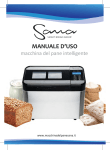
SmartBreadMaker
DISPLAY
FURTHER DESCRIPTION
PROGRAM PHASES
kneading, preheating
rising, 1, 2, 3
baking
key - key lock
4 large digits for time and
temperature, for example:
program number
10:25 (10 hours 25 min.)
12 0 ° (120 °C)
PAUSE + TIME AND
TEMPERATURE SETTING
(increasing) Press and hold the
button for 1s for pause on/off
FUNCTION - STEPS
Leads you through all program
phases
TIME AND TEMPERATURE
SETTING (decreasing)
press and hold the button for
rapid value decreasing
LIGHT/SOUND
Light on/off - max for 15 s.
Hold for 2 s – sound on/off.
TEMPERATURE DISPLAY
Display the set temperature in
the running mode (does not
set up the temperature)
KEY LOCK
Hold for 2 s - key lock/unlock
START/STOP
Hold for 2 s - program on/off.
Short touch returns you to the
home menu + counts the time.
MENU
program 1 - 7 switch
-6-
smartbreadmaker.com