1
Single Port KVM over IP
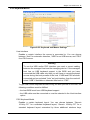
“Generic 106-Key PC” for a japanese keyboard, and “Apple Macintosh” for the
Apple Macintosh.
Keyboard timeout
Recommanded as “enable” for keyboard timeout when host is UNIX
or UNIX-like OS.
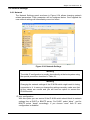
USB Mouse Type
Enables USB mouse type. Choose between “Windows >= 2000 , MacOSX” for
MS Windows 2000 or Windows XP, Mac OSX or “Other Operating Systems”
for MS Windows NT, Unix or Unix-like OS, or OS X. In “Windows >= 2000 ,
MacOSX” mode the remote mouse is always synchronized with the local
mouse.
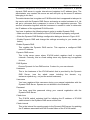
Mouse Speed
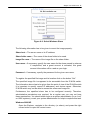
• Auto mouse speed
Use this option if the mouse settings on host use an additional acceleration
setting. The IP-KVM switch tries to detect the acceleration and speed of the
mouse during the mouse sync process.
• Fixed mouse speed
Use a direct translation of mouse movements between the local and the
remote pointer.
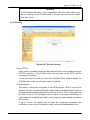
You may also set a fixed scaling which determines the pixel-amount of the
remote mouse pointer movement when the local mouse pointer is moved by
one pixel. This option is used to manually control the remote mouse speed
and only works when the mouse settings on the host are linear. This means
mouse acceleration of OS should be disabled, and the intelligent mouse
synchronization of IP-KVM switch is not functioning under this setting.
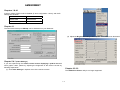
To set the options, click on the button “Apply”.
60 / 88