1
User manual
rev. 1.5
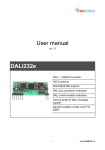
KNXgw232
KNX telegrams to RS232 converter
RS232 with ASCII protocol
LED status indication
galvanic isolation of KNX and RS232
no need of external power supply
easy DIN rail mounting
small dimensions (1 module)
setting software free to download
1
www.foxtron.eu
Technical specification
number of KNX addresses
250
power consumption
8
mA
wires cross section (RS232)
0,08 ÷ 1,5
mm2
wires cross section (KNX)
0,6 ÷ 0,8
mm2
2
kV
galvanic isolation
ingress protection rating
IP20
working ambient temperature
storage temperature
0 ÷ 50
°C
-10 ÷ 70
°C
40
g
weight
LED indicators
RS232 RxD
received message from RS232
RS232 TxD
transmitted message to RS232
KNX RxD
received telegram from KNX
KNX TxD
transmitted telegram to KNX
RS232
TxD
KNXgw232
KNX
RxD
Napá
Power supply, Galvanic isolation
jení, Galvanické oddělení
There are two possibilities how to power the converter. First - the KNX bus is isolated from
RS232 bus (default setting). KNX part of converter is powered directly from KNX bus,
RS232 part has to be powered from external power supply (through V+ terminal). Second KNX and RS232 are both powered from KNX bus. There is no need of external power
supply in this case. There is a small hole (2,54 mm) in bottom cover of converter to make
checking of the setting possible. If you can't see red jumpers in the hole, the buses are
isolated. In other case they are not isolated one from the other.
galvanic isolated buses
power supply
JP1, JP2
galvanic connected buses
KNX
V+
KNX
V+
6mA
2mA / 5-24V
8mA
unused
open
closed
2
www.foxtron.eu
JP1
JP2
RS232
KNX
Galvanic isolated buses KNX and RS232
bottom view without bottom cover (isolated buses)
In default settings the buses are isolated. Unused jumpers are placed on holders in middle
part of converter.
Galvanic connected buses KNX a RS232
JP1
JP2
RS232
KNX
If you want to power the whole converter only from KNX bus, remove bottom cover and
close the JP1 and JP2 with red jumpers. Do non remove the electronics from the box! You
could damage small electronic parts!
bottom view without bottom cover (galvanic connected buses)
The converter is powered from KNX you don't need any external power supply and
terminal V+ remains unused.
Communication description
External device communicates with gateway by easy protocol which confirms to the
American Standard Code for Information Interchange (ASCII).
Type of communication Master – Slave. External device starts communication by
command (Master) and gateway answers (Slave)
Telegrams for external devices incoming from KNX bus are stored in buffer of gateway.
External device reads them one after another (First In First Out). Buffer is able to keep up
to 8 telegrams.
3
www.foxtron.eu
Protocol characteristic
data rate
19200 bps
character size
8 bits
parity
even
number of stop bits
1
Structure of message
Query or answer containing data
<STX>
command type
data
check sum
<CR>
Answer without data (acknowledge)
Command accepted:
<ACK>
Command refused:
<NAK>
<STX>
<CR>
<ACK>
<NAK>
start of message – 2 (0x02)
end of message – 13 (0x0D)
confirmation of command – 6 (0x06)
rejection of command – 21 (0x15)
<NAK> is answered in case, that given address is not set in gateway, or the
length of date (format) is wrong.
All the other bytes (command type, data, check sum) are numbers in hex format (0x00 –
0xFF) in ASCII coding – into two bytes in range „0“ – „9“ (0x30 – 0x39) or „A“ – „F“ (0x41 –
0x46).
Example: Command type 0x04 (query received telegram from KNX) is written in two bytes
„0“ – 0x30 and „4“ – 0x34.
The whole query command for received telegram from KNX:
<STX> 0x04 0xFB <CR> is transmitted in 6 bytes (1B <STX>, 2B command, 2B
check sum and 1B <CR>).
4
www.foxtron.eu
The whole message on RS232 will look as follows: 0x02, 0x30, 0x34, 0x46, 0x42, 0x0D.
5
www.foxtron.eu
Command types
command type
description
0x01
query gateway firmware version
0x04
query received telegram from KNX bus
0x0B
store data in group address on KNX
0x0C
query data from group address on KNX
Configuration commands for setting of converter KNXgw232
command type
description
0x40
load the list of listened addresses from converter KNXgw232
0x41
store the list of listened addresses from converter KNXgw232
Check sum calculation
Check sum is calculated according to the following rule:
8-bit addition of all bytes of message except for bytes STX and CR and negation the result
bit by bit.
Example: (query data from group address 1/1/1)
STX 0x0C 0x09 0x01 0xE9 CR
0x0C + 0x09 + 0x01 = 0x16
Negation of the byte 0x16 results in the check sum 0xE9
Query gateway firmware version
Query:
command type
data
0x01
not used
Answer
command type
0x81
data
gateway firmware version – 2 bytes
Version is in format x.y, first byte represents x and second byte y.
Example
Command
Answer
<STX> 0x01 0xFE <CR>
<STX> 0x81 0x01 0x15 0x68 <CR>
Firmware version is 1.21 (0x01.0x15)
6
www.foxtron.eu
Query received telegram from KNX bus
Query:
command type
data
Answer
command type
data
or
Example
Command
Answer
or
0x04
not used
0xFC
group address – 2 bytes
data – n bytes
<ACK>
No new data have been received from KNX bus.
<STX> 0x04 0xFB <CR>
<STX> 0xFC 0x09 0x01 0x07 0xF2 <CR>
New received data 0x07 from address 1/1/1 .
<ACK>
No new data have been received from KNX bus
Store data in group address on KNX
Store:
command type
data
0x0B
group address – 2 bytes
transmit priority – 1 byte (0x0C or 0x04)
data – n bytes
Answer
or
Example
Command
Answer
<ACK>
<NAK>
<STX> 0x0B 0x09 0x01 0x0C 0x07 0xD7 <CR>
<ACK>
Data 0x07 were stored in group address 1/1/1.
Allowed transmit priority: 0x0C for low priority level
0x04 for high priority level.
7
www.foxtron.eu
Query data from group address KNX
Query:
command type
data
0x0C
group address – 2 bytes
Answer
or
Example
Command
Answer
<ACK>
NAK>
<STX> 0x0C 0x09 0x01 0xE9 <CR>
<ACK>
Query transmitted to group address 1/1/1.
List of listened addresses setting
The command configures the converter KNXgw232. If the setting of converter is done by
Configate software the configuration command will not be used.
Store setting into the converter :
command type
0x41
data
position of item in converter memory (2 bytes)
0-249 – list of listened group addresses
65535 (0xFFFF) physical address of converter
KNX address (2 bytes)
group or physical address
0xFFFF means, in case of group address, that this
position will not be used (deleting of item)
Data type
group address format (1=EIS1 and so on)
In case of physical address set to 0.
Answer
command type
data
Example
Command
0xC1
position of item in converter memory (2 bytes)
0-249 – list of listened group addresses
65535 (0xFFFF) physical address of converter
KNX address (2 bytes)
group or physical address
0xFFFF means, in case of group address, that this item
is not used.
Data type
group address format (1=EIS1 and so on)
<STX> 0x41 0x00 0x00 0x09 0x03 0x01 0xB1 <CR>
8
www.foxtron.eu
Save group address 1/1/3 (0x09,0x03) with format EIS1 (0x01) into
first position in memory (0x00,0x00).
Answer
<STX> 0xC1 0x00 0x00 0x09 0x03 0x01 0x31 <CR>
Group address 1/1/3 (0x09,0x03) with format EIS1 (0x01) is saved in
first position in memory (0x00,0x00).
List of listened addresses upload
The command upload the list of listened addresses from the converter KNXgw232. If the
setting of converter is done by Configate software the configuration command will not be
used.
Upload
command type
data
Answer
command type
data
Example
Command
Answer
0x40
position of item in memory of converter KNXgw232 (2 bytes)
0-249 – list of listened group addresses
65535 (0xFFFF) physical address of converter
0xC0
position of item in memory of converter KNXgw232 (2 bytes)
0-249 – list of listened group addresses
65535 (0xFFFF) physical address of converter
KNX address (2 bytes)
group or physical address
0xFFFF means in case of group address, that this item is
not used.
Data type
group address format (1=EIS1 and so on)
<STX> 0x40 0x00 0x00 0xE9 <CR>
Upload the group address from the first position of memory of
converter
<STX> 0xC0 0x00 0x00 0x09 0x03 0x01 0x32 <CR>
Group address 1/1/3 (0x09,0x03) with format EIS1 (0x01) is saved in
first position of memory (0x00,0x00).
9
www.foxtron.eu
Address setting
Easy configuration software Configate.exe runs under OS Windows 2000 and later. It
serves as a tool for setting group and physical addresses of actors and sensors connected
to KNX bus. Each group address to be used by external device must be programmed in
the gateway. Configate can be downloaded for free from: http://www.foxtron.eu
Software manual
A tree with group addresses can be created by following buttons:
New Address inserts new item with address area, line or device. The item is
inserted as subnode under selected node.
Remove deletes selected item, including all subnodes.
Edit Name - using this button the name of selected item can be changed.
A format of telegrams (EIS) of selected device items can be chosen from the list in EIS
menu.
Created address tree can be saved by command Save in menu File. Default extension of
saved files is .cg. Saved address tree can be load by command File -> Open. By
command File -> New will be current tree deleted and new one created.
10
www.foxtron.eu
Created address tree can be stored into the gateway KNXgw232 or read from it by buttons
Send and Receive. Appropriate serial port with gateway can be selected in Port menu.
Physical address can be changed by button Change. The software will ask for all three
parts of address one after another.
Terminal connection
RS232
TxD
KNXgw232
KNX
KNX/EIB
RxD
1
V+
Rx
Tx
GND
RS232 terminal description
V+
5-24V – power supply of RS232 part in case of galvanic isolated buses
Rx
RS232 received data
Tx
RS232 transmitted data
GND
RS232 signal ground (in case of galvanic isolation – ground for supply of
RS232 part)
Terminal V+ serves for power supply of RS232 part of the gateway if KNX and RS232 are
isolated (see part “power supply, galvanic isolation”).
If the buses are not isolated, the whole gateway is supplied from KNX bus and terminal V+
is not used.
Wire preparation:
5mm
6mm
0,6 – 0,8mm2
0,08 – 1,5mm2
11
www.foxtron.eu
Dimension (mm)
90
45
17
58
10
17
tel: +420 274 772 527
e-mail: [email protected]
web: www.foxtron.eu
12
www.foxtron.eu