1
KF2.4
USER MANUAL - ENGLISH
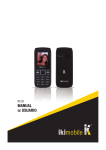
1. Buttons
charging and discharging.
1.1 Left soft key/Right button
Features shown in the left/ bottom right corner of the screen.
1.2 Call/Receive
Press after selecting a number to call.
Press to answer an incoming call.
Press in standby mode to enter the call history.
1.3 End/Power key
Press and hold to turn on/off the phone. Press to reject a call or exit
the menu.
1.4 OK
Confirm or accept the selection in the menu.
Press in standby mode to enter the menu.
1.5 Navigation keys
Press the up/down/left/right to scroll through the menus, viewing or
editing. In idle mode, press up/down/left/right to select a shortcut.
1.6 0-9 alphanumeric keys
Press the keys to enter digits when dialing numbers or characters
while editing.
Press the “+”button to enter a “+” for international dialing.
7. *(asterisk)
Press in standby mode to enter the symbol “*”.
8. # (pound)
Press in standby mode for entering a “#”. Long press in standby
mode to enable or disable silent mode.
3. Using the phone
3.1 Turn on/off
Press and hold the End/Power key to turn on or turn off the phone.
3.2 Make a call
In standby mode, press the numeric buttons to enter a phone number, press the right soft key to delete the invalid entries, press the
left button or press the green button to make the call.
3.3 Answering a call
When there is an incoming call if your network supports caller ID, the
display shows the caller’s name or number (depending on whether
there is information about the caller in the phone book).
3.3.1 Press the call button, or press the left soft key to answer the
incoming call.
3.3.2 If you do not want to answer an incoming call, press the End/
Power key to reject it. You can also press the End/Power key to
end the call.
3.3.3 During a call, you can press up/down to adjust the volume.
3.3.4 You can contact emergency services without a SIM card. Different networks use different numbers of emergency numbers, contact your network operator for details.
3.4 Emergency Number
You can directly dial the emergency ambulance or without a SIM card.
Different networks use different numbers of emergency services.
Please contact your network operator for details.
3.5 Using the menu when ring
The phone allows certain operations and functions when you are in
an active call. Some of them are dependent on the network, ask your
network operator or service provider availability.
Press the right soft key to activate the speaker phone during a call
in the same way you can disable the feature.
Press the left soft key [Menu] to enter the options menu call during
an active call, and access additional options.
2. Preparing Your Phone
2.1 Installing the SIM card
Keep the SIM card out of the reach of the children.
Be very careful when installing, removing or storage card.
Before installing or removing the SIM card, make sure the phone is
turned off. Remove the back cover and remove the battery.
Note: When installing, make sure that the contacts of the SIM card
are facing down and pay attention to the markings towards the slot.
2.2 Installing a memory card
This phone supports memory cards. Please make sure that the
memory card is inserted correctly before use.
When mounting the micro SD card, pay attention to the direction of
the outlet, tilt the memory card slot cover, insert the memory card
until it is fully inserted into the socket and close the cover. The phone
supports Micro SD cards.
2.3 Battery Installation
Insert the battery according to the markings, the battery contacts in
the direction of the contacts in the phone and press the top of the
battery down until it is inserted into the battery compartment.
2.4 Battery Removal
First, turn off the phone, put it face down, remove the battery cover
and remove the battery.
2.5 Charging the battery
Insert one end of the charger into the socket and the other end into
the all charger. If the phone is turned on the battery icon is displayed
in the upper right corner of the screen. If the indicator is full and stop
change, the battery is fully charged. If your phone is off during charging, high charging icon appears on the screen. When charging is finished, disconnect the plug.
Note: Before first use, charge the battery for at least 4
hours. Reaches its maximum capacity after a few cycles of
4. Menu functions
4.1 Send email
Function: Create a new message, save and/or send it to the recipient.
Note: To send an SMS, you need to set the correct SMS service
center number, which you can get from your network operator.
When writing, press the # key to change the input method, text message can be up to 160 characters.
4.2 Inbox
Received SMS message can be stored in the phone or on the SIM
card, and are available here.
4.3 Drafts
Incompletely written and recorded messages can be stored and
available here.
4.4 Sent
If the message is sent successfully, the SMS sent will be stored here.
4.5 Contacts
It stores and manages contacts.
There are two places where you can store names and numbers in the
SIM card memory and the phone memory. The number of contacts
that can be stored on the SIM card depends on the capacity of the
SIM card.
3