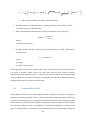
1
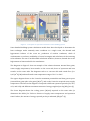
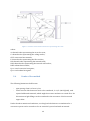
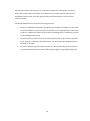
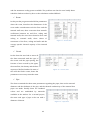
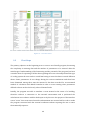
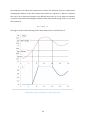
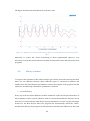
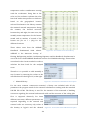
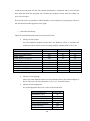
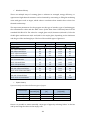
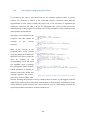
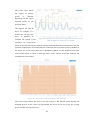
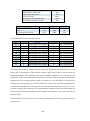
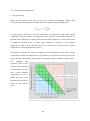
4. Interface In this chapter all the parts that compose the interface of the program are explained, creating the user manual that will be attached to the program. This chapter contains all the needed information to use the program, from creating a new project to viewing the results. The Simple Simulation Tool is composed by two parts: the Excel worksheet the program file compiled in C++ The two parts can be used together to size Thermally Activated Building Systems and the required maximum chiller capacity considering different operation modes. Moreover the program permits to simulate the trend of the temperature in different part of the room such the internal temperature, inside the wall temperature or the outlet water temperature. It is possible to test the impact of different pipe, circuit and slab configurations on room temperature. In combination with adjustments of the cooling period it is possible to see if the internal heat capacity of the structure is sufficient to limit cooling to night time where the required electrical energy might be cheaper of even free (low outside temperatures during night). SST can simulate an internal space, principally an office, surrounded by similar other areas divided by the internal walls and the areas above and below. Therefore, it is not possible to simulate the conditions the last floor of a building because it is not programmed to consider the heat transfer through the ceiling and the solar radiation acting upon it. There are three steps connected with several main sheets and they are called New project, Loads and Overview. In the following chapters we will focus on these three parts. 4.1 New Project In the first sheet the user can start with a new simulation by inserting all data that the program needs. This sheet is divided in many parts regarding the position, the dimension, the characteristics and the type of TABS system installed in the room under analysis. See the Figure 29: 41