1
Gigaset DX800A all in one / UK / A31008-N3100-WEB-1-7643 / saturn-STEP-II-WebUIIVZ.fm / 5.10.10
Contents
Web configurator – Setting the phone using a PC . . . . . . . . . . . . . . . . . . . 1
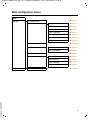
Web configurator menu . . . . . . . . . . . . . . . . . . . . . . . . . . . . . . . . . . . . . . . . . . . . 5
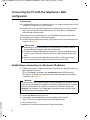
Connecting the PC with the telephone's Web configurator . . . . . . . . . . . 6
Establishing a connection via the base's IP address . . . . . . . . . . . . . . . . . . . . . . . . . . . . . 6
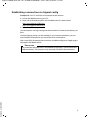
Establishing a connection via Gigaset config . . . . . . . . . . . . . . . . . . . . . . . . . . . . . . . . . . . 7
Logging in to/off the Web configurator . . . . . . . . . . . . . . . . . . . . . . . . . . . . . 8
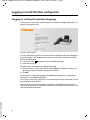
Logging in, setting the interface language . . . . . . . . . . . . . . . . . . . . . . . . . . . . . . . . . . . . . 8
Logging off . . . . . . . . . . . . . . . . . . . . . . . . . . . . . . . . . . . . . . . . . . . . . . . . . . . . . . . . . . . . . . . . . . . 9
Understanding the structure of the Web configurator pages . . . . . . . . 10
Menu bar . . . . . . . . . . . . . . . . . . . . . . . . . . . . . . . . . . . . . . . . . . . . . . . . . . . . . . . . . . . . . . . . . . . .
Using the navigation area . . . . . . . . . . . . . . . . . . . . . . . . . . . . . . . . . . . . . . . . . . . . . . . . . . . .
Using the working area . . . . . . . . . . . . . . . . . . . . . . . . . . . . . . . . . . . . . . . . . . . . . . . . . . . . . .
Using the buttons . . . . . . . . . . . . . . . . . . . . . . . . . . . . . . . . . . . . . . . . . . . . . . . . . . . . . . . . . . . .
Opening Web pages . . . . . . . . . . . . . . . . . . . . . . . . . . . . . . . . . . . . . . . . . . . . . . . . . . . . . . . . .
10
11
11
12
13
IP Configuration – Connecting to the LAN . . . . . . . . . . . . . . . . . . . . . . . . . . 14
Assigning the IP address . . . . . . . . . . . . . . . . . . . . . . . . . . . . . . . . . . . . . . . . . . . . . . . . . . . . . 14
Allowing access from other networks . . . . . . . . . . . . . . . . . . . . . . . . . . . . . . . . . . . . . . . . . 15
Entering an HTTP proxy server
(only when connected to an internal company network) . . . . . . . . . . . . . . . . . . . . . . 16
Telephony – Connections:
Configuring phone connections . . . . . . . . . . . . . . . . . . . . . . . . . . . . . . . . . . . 17
Setting the fixed line network connection . . . . . . . . . . . . . . . . . . . . . . . . . . . . . . . . . . . .
Configuring/changing the ISDN connection (MSN) . . . . . . . . . . . . . . . . . . . . . . . . . . . .
Configuring the Gigaset.net connection . . . . . . . . . . . . . . . . . . . . . . . . . . . . . . . . . . . . . .
Configuring the VoIP connection . . . . . . . . . . . . . . . . . . . . . . . . . . . . . . . . . . . . . . . . . . . . .
21
21
22
23
Telephony – Audio:
Optimising voice quality for VoIP connections . . . . . . . . . . . . . . . . . . . . . 31
Saving settings on the phone . . . . . . . . . . . . . . . . . . . . . . . . . . . . . . . . . . . . . . . . . . . . . . . . 34
Voice quality and infrastructure . . . . . . . . . . . . . . . . . . . . . . . . . . . . . . . . . . . . . . . . . . . . . . 34
Telephony – Number Assignment:
Assigning send and receive connections . . . . . . . . . . . . . . . . . . . . . . . . . . . 35
Version 6, 21.08.2008
Assigning receive/send connections to bases/handsets,
changing internal names . . . . . . . . . . . . . . . . . . . . . . . . . . . . . . . . . . . . . . . . . . . . . . . . . . . . .
Assigning receive/send connections to a fax machine . . . . . . . . . . . . . . . . . . . . . . . . .
Assigning receive connections to answering machines . . . . . . . . . . . . . . . . . . . . . . . .
Activating the fixed line network/ISDN connection
as an alternative connection . . . . . . . . . . . . . . . . . . . . . . . . . . . . . . . . . . . . . . . . . . . . . . . . .
36
38
39
40
Telephony – Call Forwarding:
Activating Call Forwarding for VoIP connections . . . . . . . . . . . . . . . . . . . 41
2