1
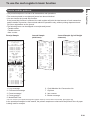
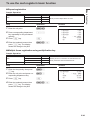
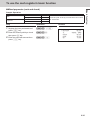
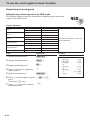
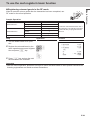
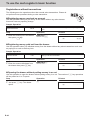
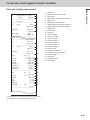
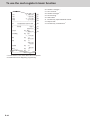
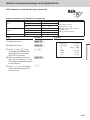
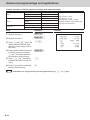
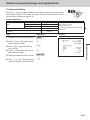
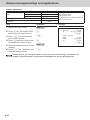
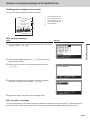
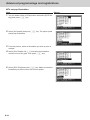
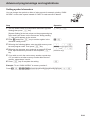
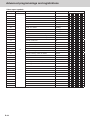
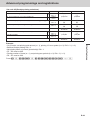
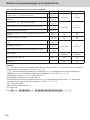
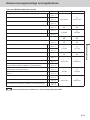
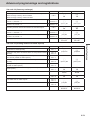
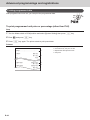
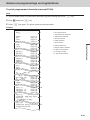
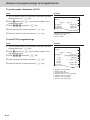
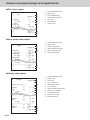
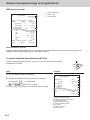
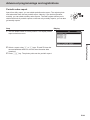
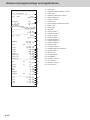
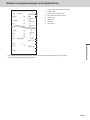
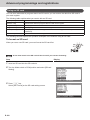
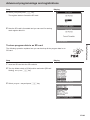
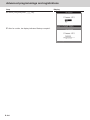
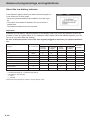
Advanced programmings and registrations Monthly sales report X 0000020 1 2 1236.76 •12,202.57 No 214 •12,202.57 3 4 5 6 7 MONTHLY 1...... GROSS NET 31...... GROSS 8 9 10 11 12 13 14 Read symbol/report title 1 2 3 4 5 6 7 Read report symbol/report title Report code Month Gross symbol/Quantity Gross sales amount Net symbol/No. of customers Net sales amount Total symbol Gross symbol/Quantity Gross sales amount Daily gross sales average Net symbol/No. of customers Net sales amount Daily net sales average Useful features 2132 •14,187.57 NET No 205 •13,398.76 −−−−−−−−−−−−−−−−−−−−−−−− TL GROSS 9746.63 •161,022.49 •16.52 NET No 2351 •161,022.49 •68.49 1 2 3 4 5 6 7 8 9 10 11 12 13 14 Flash report X FLASH 0000071 DECLA GROSS NET CAID •6,919.04 •0.00 111.15 •7,054.14 No 120 •7,263.20 •6,919.04 1 2 3 4 5 Report code Declared amount Difference Gross total Net total Cash in drawer 6 7 About “Declared money” and “Cash in drawer” If you programmed the register to force entry of total amount in drawer, you need to count the money in the drawer and input the amount (money declaration) before read (X) or reset (Z) report printing. On the other hand, “Cash in drawer” is the total money in the drawer calculated by the register so that you can compare the actual amount and the calculated amount. To program money declaration, please see page E-70. E-97