1
Advanced programmings and registrations
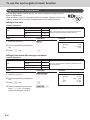
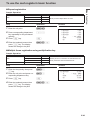
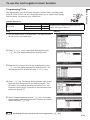
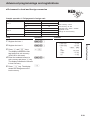
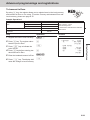
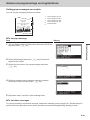
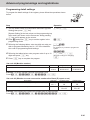
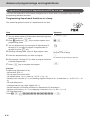
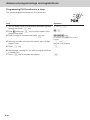
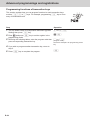
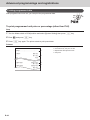
VAT breakdown printing
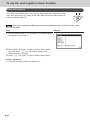
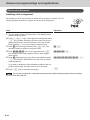
You can force printing of VAT breakdown at the finalize stage, regardless of
whether the cash register is programmed to print or skip printing of the VAT
breakdown.
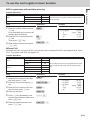
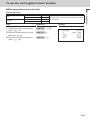
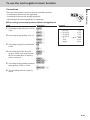
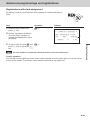
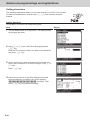
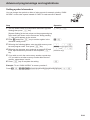
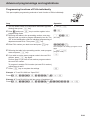
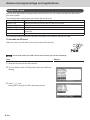
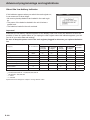
Sample operation
Item 1
Item 2
Payment
Dept. 01
•1.00
Taxable status
1 (preset)
PLU 0001
•2.00 (preset)
Taxable status
2 (preset)
Cash
•3.00
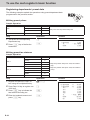
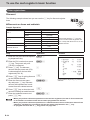
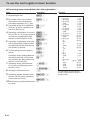
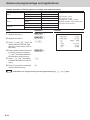
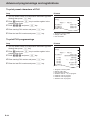
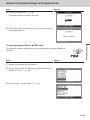
Step
Operation
1 Register the item 1.
1'!
2 Register the item 2.
1+
3Press V key to print break-
V
4Press F key to finalize the
F
downs of taxes.
transaction.
E-54
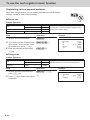
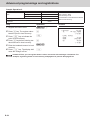
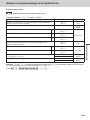
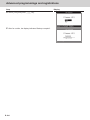
•Dept. 01 is programmed as taxable
1 and PLU 0001 is programmed as
taxable 2.
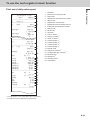
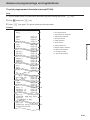
•Printing breakdowns of those taxes.
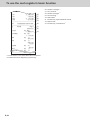
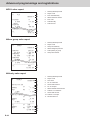
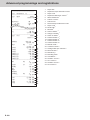
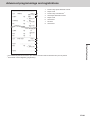
Printout
1 DEPT001
1 PLU0001
TA1
TX1
TA2
TX2
TL
CASH
T1
T2
•1.00
•2.00
•0.90
•0.10
•1.90
•0.10
•3.00
•3.00