1
User Manual
8.6.2
8.7
Incoming mail server POP3............................................................................................... 34
8.7.1
9
Sending email ....................................................................................................... 34
Email proxy ................................................................................................................................ 35
9.1.1 Outgoing mail server SMTP ................................................................................. 37
9.2
10
Receive (POP3)..................................................................................................... 34
Internet settings.................................................................................................................. 38
9.2.1
SMTP security ...................................................................................................... 38
9.2.2
Email accounts...................................................................................................... 39
QSynchronization ...................................................................................................................... 40
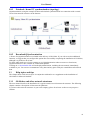
10.1 Notebook / home PC synchronization (topology).............................................................. 41
10.2 Download QSynchronization............................................................................................. 41
11
Help topics and tips ................................................................................................................... 41
11.1 OLfolders and other network structures ............................................................................ 41
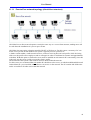
11.1.1 Peer-to-Peer network topology (client/client structure)........................................ 42
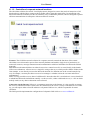
11.1.2 Central/local corporate network locations ............................................................ 43
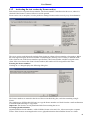
11.2 Activating the test version by license code(s).................................................................... 44
11.3 Updating OLfolders ........................................................................................................... 45
11.4 Uninstalling OLfolders ...................................................................................................... 45
12
Using multiple mail servers with OLfolders ........................................................................... 45
12.1 Typical configuration involving multiple mail servers...................................................... 45
12.1.1 Configuration Server1........................................................................................... 46
12.1.2 Configuration Server2........................................................................................... 46
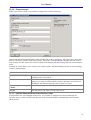
12.1.3 OLfolders as a POP3 gateway for MS Exchange ................................................. 46
12.1.4 Proxy account ....................................................................................................... 47
12.1.5 Internet email account and Personal Folder.......................................................... 47
13
Questions and answers .............................................................................................................. 48
13.1 Questions about Microsoft Outlook................................................................................... 48
13.2 Questions about OLfolders ................................................................................................ 48
13.2.1 ‘Install OLfolders’ not in menu! ........................................................................... 48
13.2.2 Server/client, unable to set up a connection! ........................................................ 48
13.3 Support and customer service hotline ................................................................................ 50
4