1
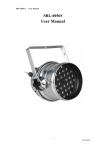
1 Table of Contents PART I GENERAL INFORMATION------------------------------------3 1. 2. 3. 4. 5. Introduction------------------------------------------------------------------------------------------3 Safety Information ---------------------------------------------------------------------------------3 Unpacking--------------------------------------------------------------------------------------------4 Specifications ----------------------------------------------------------------------------------------4 Features-----------------------------------------------------------------------------------------------4 PART II Installation---------------------------------------------------------5 1. AC power --------------------------------------------------------------------------------------------5 2. Understanding DMX ------------------------------------------------------------------------------5 3. Operation Instructions- ---------------------------------------------------------------------------6 PART III MAINTENACE AND CLEANING-------------------------12 2 PART I GENERAL INFORMATION 1 Introduction Thank you very much for purchasing the VRL PAR-241, our High Power LED Par Lamp series product. To ensure reliable performance, please read the instructions in this manual thoroughly and carefully before application. 2 Safety Information The following definitions of identifying the severity of the hazards associated with the products are used: “DANGER” Imminently hazardous situation which, if not avoided, will cause death or serious injury. “WARNING” Potentially hazardous situation which, if not avoided, could cause death or serious injury. “CAUTION” Potentially hazardous situation which, if not avoided, may cause minor or moderate injury or property damage. In addition, it uses to alert against unsafe practice. IGNORING A HAZARD WILL VOID ANY WARRANTY. DANGER: Ensure that the fixture is disconnected from the main power before performing any type of service or any cleaning procedure. WARNING: No serviceable parts inside the fixture, do not attempt to open it. WARNING: The Installation must be performed by qualified professional in accordance with related local codes. WARNING: Do not attempt to operate the fixture before reading and understanding the installation instructions and safety labels. CAUTION: Do not modify, alter, or attempt to service the VRL PAR-241 CAUTION: Do not lengthen the cable of VRL PAR-241 unless authorized by technicians of NEO-NEON. CAUTION: Always ground the fixture electrically. CAUTION: Refer all service to a qualified technician. CAUTION: When suspending the fixture above ground level, verify that the structure can hold at least 10 times the weight of all installed devices. 3 Unpacking The VRL PAR-241 has been thoroughly tested and shipped in perfect operating condition. Check the shipping carton carefully for damage that may have occurred during shipping. If the carton appears to be damaged, carefully inspect your fixture for damage and be sure all accessories 3 necessary to operate the fixture have arrived intact. In the event that damage has been found or parts are missing, please contact your sales person for further instructions. You can find the following components inside the box: ① . A set of VRL PAR-241 ② . This User Manual 4 Specifications: Qty of LEDs: 24 PCS (R=1W*8PCS,G=1W*8PCS,B=1W*8PCS) Power Supply: AC110~240V Power Consumption: 35W Dimension (mm):L255×W200××H200 Weight: 2.6kg Note: Power configuration may differ by regions. 5 Features: Low power consumption Maintenance free operation 100,000 hours rated LED lifespan 24 PCS of high power LED generates 16.7 million additive RGB colors DMX, stand-alone, Master/Slave, AUTO, Sound Active 8 auto programs accessed via DMX-controller or stand-alone Sound-activated via built-in microphone of adjustable sensitivity Brilliant light output PART II Installation 1. AC power The fixture’s mains lead may require a grounding-type cord cap that fits your power distribution cable or outlet. Consult a qualified electrician if you have any doubts about proper installation. WARNING: For protection from dangerous electric shock, the fixture must be electrically grounded. The AC main power supply shall have overload and ground-fault protection. CAUTION: Verify that the feed cables are undamaged and rated for the current requirements of all connected devices before use. 4 Following the cord cap manufacturer's instructions, connect the yellow and green wire to ground (earth), the brown wire to live, and the blue wire to neutral. The table below details some pin identification schemes. Wire Pin Marking Screw color Brown Live “L” Yellow or brass Blue Neutral "N” Silver Yellow or green Ground 〨 Green 2. Understanding DMX A. About DMX DMX is the abbreviation of Digital Multiplex. It’s a universal protocol used by most audio, lighting and controller manufactures as a communication mean between fixtures and controllers. A DMX controller sends out DMX instructions that travel through the DMX chain as serial data to the fixtures via XLR cables. DMX is a kind of "common language" allowing all modules of different manufactures to be linked together and operate from a single controller, as long as all modules and the controller are DMX compatible. B. DMX Cable Requirements: Your fixture, VRL PAR-241 uses 3-pin XLR cable as its connection media. We provide each fixture a 3-meter 3-pin XLR cable for you to chain the fixtures. C. Connection of DMX Connect the provided DMX XLR cable to the female 3-pin XLR output of your controller and the other side to the male 3-pin XLR input of the fixture (please refer to the figure below). You must chain multiple fixtures together through serial linking, never split your DMX connections unless you are using our splitter/signal amplifier such as SRL-144. D. DMX addressing All fixtures should be given a DMX starting address when using a DMX controller, so the correct fixture responds to the correct control signal. This digital starting address is the channel number from which the fixture starts to "listen" to the DMX control information sent out from the DMX controller. The allocation of this starting DMX address is achieved by various combinations of the dipswitches. Please refer to related sections for further information. 3. Operation Instructions The fixture employs two groups of dipswitches to access its functions. Normally the dipswitches from 1st to 9th are used for encoding DMX address, the 10th dipswitch for alternates among different modes. Dipswitch 1 address equals to 1 Dipswitch 2 address equals to 2 5 Dipswitch 3 address equals to 4 Dipswitch 4 address equals to 8 Dipswitch 5 address equals to 16 Dipswitch 6 address equals to 32 Dipswitch 7 address equals to 64 Dipswitch 8 address equals to 128 Dipswitch 9 address equals to 256 Dipswitch 10 is reserved for selecting DMX or Master/Slave mode. PART II Installation Functions & DIP Switch: DIP Switch 1 2 3 4 5 6 7 8 910 Work Mode AUTO Master/ Slave Sound Active Auto Progarm 1 000***0000 Auto Progarm 2 100***0000 Auto Progarm 3 010***0000 Auto Progarm 4 110***0000 Auto Progarm 5 001***0000 Auto Progarm 6 101***0000 Auto Progarm 7 011***0000 Auto Progarm 8 111***0000 Sound Progarm 1 000***1000 Sound Progarm 2 100***1000 Sound Progarm 3 010***1000 Sound Progarm 4 110***1000 Sound Progarm 5 001***1000 Sound Progarm 6 101***1000 Sound Progarm 7 011***1000 Sound Progarm 8 111***1000 DMX XXXXX X XXX 1 Slave Mode 111***1000 A. DMX mode: To have the fixture working in DMX mode, please toggle off the dipswitch #10 of the first group 6 as illustrated in figure below: PART II Installation By combining various dipswitches from #1 to #10, you can designate DMX address ranging from 1 to 512. The DMX channel traits in this working mode detailed as below : 1)DMX Channel 1: (Red ) Case: CH4=0-28:(CH4>28,CH1 no functions) Red DMX Value 255 Carmine 0 Null 2)DMX Channel2: ( Green ) Case: CH4=0-28: (CH4>28,CH2 no functions) DMX Value Green 255 Dark Green 0 Null 7 PART II Installation 3)DMX Channel 3: ( Bule ) Case: CH4=0-28: (CH4>28,CH3 no functions) Blue DMX Value 255 Navy Blue 0 Null 4)DMX Channel 4:Auto Program—Channel Selecting NO. DMX value Effect 1 0-28 RGB 控制模式 2 29-56 Auto Progarm 1 3 57-84 Auto Progarm 2 4 85-112 Auto Progarm 3 5 113-140 Auto Progarm 4 6 141-168 Auto Progarm 5 7 169-196 Auto Progarm 6 8 197-224 Auto Progarm 7 9 225-255 Auto Progarm 8 Chart 1 When the Channel 4 value is less than 28 , the RGB brightness is controlled by the DMX Channel1, Channe2 and Channel3. 8 PART II Installation 5) DMX Channel 5:Auto Program Speed Case: CH4>0-28(CH4≤28,CH5 no functions) DMX Value 255 the fastest 2.5S 0 the slowest 0.4s 6) DMX Channel 6: DMX value < 10, no strobe. DMX value >10, strobe. DMX Value 255 the fastest strobe 0 the slowest strobe PART II Installation B. M/S mode To work in M/S mode, you should designate one fixture as master mode and the rest as slave mode. By switching the dipswitch #10 off, you set this fixture to master mode. While by switching the dipswitch #10 on, you set this fixture to slave mode as the way you set it to DMX mode. Via Master/Slave, the master and the slave run synchronically. 9 C. Select auto programs To select auto programs, turn the dipswitch #10 of the 1st group dipswitches and dipswitch#7 off. Auto programs are then selected by the various combining of dipswitches #1, #2 and #3 of group one dipswitches: DIP1 DIP2 DIP3 Programs OFF OFF OFF Program 1, red fading ON OFF OFF Program 2, green fading OFF ON OFF Program 3, blue fading ON ON OFF Program 4, changing between red and green OFF OFF ON Program 5, changing between red and blue ON OFF ON Program 6, changing between green and blue OFF ON ON Program 7, changing among red, green and blue ON ON ON Program 8, changing among red, red and blue, blue The parameter, fading is specified by the various combining of dipswitch #4, #5 and #6 of group two dipswitches: DIP4 DIP5 DIP6 FADING OFF OFF OFF 0% ON OFF OFF 14.2% OFF ON OFF 28.4% ON ON OFF 42.6% OFF OFF ON 56.8% ON OFF ON 71% OFF ON ON 85.2% ON ON ON 100% The running speed of auto programs is adjusted by turning the knob VR2 located at the front panel of the fixture. D. Sound Active mode Turn the dipswitch #7 on and #10 of the 1st group dipswitches off, the fixture will working in sound active mode whose sensitivity is adjustable through the tuning of knob VR1. PART III MAINTENACE AND CLEANING Please refer to the following points during normal inspection: 1. Be sure all screws and fasteners are securely tightened at all times. Loosened screws may cause unexpected damage or injury. 2. Electric power supply cables must not show any damage or frayed spot. 10 CAUTION: Make sure that the power cord of the unit is disconnected from the mains before performing the following operation to avoid shock hazard! We recommend, if possible, frequent cleaning of the device, which will ensure its long lifespan and bright light output. While performing the cleaning, please always make sure that the power cord is disconnected from the mains and use a moist, lint-free cloth. Avoid using any alcohol or solvents, as they are harmful to the fixture. Troubleshooting Trouble Cause Remedy Fixtures do not responds. No power supply Check the main power switch and the cables. Fuse burned Disconnect the power and replace the fuse. If fuses continue to burn out, there is a problem with the circuitry. Please consult a technician. Fixture comes on, data errors but the fixtures do not respond or act abnormally Wrong DMX via controller or address Master /Slave. Check the data bus. Ensure the signal input of the first fixture and the output of the controller are connected. The signal port of one lamp has failed. Pull out the signal output and input of one fixture. Then connect both directly. Do the same with the rest of the fixtures to see which fixture has problems. If you find a problem with one of the ports, contact a technician. Check and unify the address setting. (Note: when linked to the DMX controller, no fixtures are set as master.) 11