1
Section 2
SUNA operation
2.1 Verify sensor operation
WARNING
Nitrate sensors use an ultraviolet (UV) light. Do not look directly at a UV light when it is on. It can
damage the eyes. Keep products that have UV light away from children, pets, and other living
organisms. Wear polycarbonate UV-resistant safety glasses to protect the eyes when a UV light is
on.
CAUTION
Do not supply more than 15 VDC to the sensor. More than 15 VDC will damage the wiper.
Do the steps below to make sure that the sensor operates before further setup and
deployment.
1. Connect the connectors on the cable to the bulkhead connector on the sensor and to
the PC.
2. Connect the USB or RS232 cable to the PC.
For RS232: connect the power connectors on the cable to a 8–15 VDC power supply.
For USB: a DC power supply is only necessary for data collection. If the sensor is
equipped with internal memory, the file system will show as a USB mass storage
device on the PC.
3. If necessary, start the software.
4. RS232: turn on the power supply.
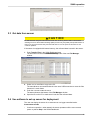
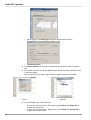
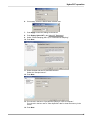
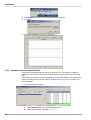
5. Push Connect in the UCI Dashboard area.
6. If necessary, change the "Sensor Type" to the connected sensor.
7. Put a check in the "Try All Baud Rates" box.
The software automatically finds the correct baud rate.
8. If necessary, select the communication port.
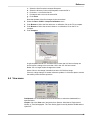
9. Push Connect.
The "Connection Mode" shows "Transition" on a yellow background, and then shows
"Setup" on a green background.
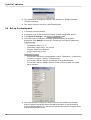
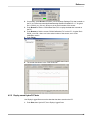
10. Push SUNA Settings in the SUNA Dashboard area.
Make sure that the "Operational Mode" at the top of the new window is "Continuous."
5