1
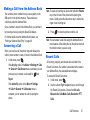
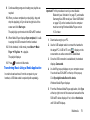
Press and hold
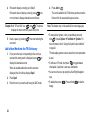
• 1 Week Old: Automatically deletes messages when they
.
Your phone will automatically call the voicemail number.
2. When connected, follow the voice prompts from the
voice mail center.
become 2 weeks old.
Accessing Your Voicemail From Another Phone
1. Dial your wireless phone number.
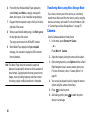
2. When you hear your voicemail greeting, press
.
3. Enter your password using the keypad.
4. Hang up when you are finished.
Messaging Settings
You can set up various options for using messaging services.
1. In Idle mode, press Menu ➔ Messages ➔ Messaging
Settings.
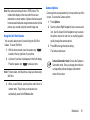
2. Select the type of message setting that you want to
change and press Select or
.
Each option is explained in the following sections.
Auto Delete Inbox
To automatically delete older messages, select one of the
following options:
• Off: Turns off the Auto Delete Inbox function.
become 1 week old.
• 2 Weeks Old: Automatically deletes messages when they
• The Oldest When Full: Automatically deletes the oldest
messages when your inbox is full.
Text Message
The following options are available for text messages:
• Delivery Options: Set the following options:
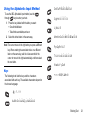
– Character support: Select GSM alphabet, Unicode or
Automatic.
– Reply path: Return messages are sent via the same message
centre number only.
– Get delivery report: Request a delivery report for all messages.
– Keep a Copy: Keep a copy of your sent messages.
• Text Message Center: Set the default Text Message Center.
Multimedia Message
The following options are available for multimedia messages:
• Delivery Options:
– Priority: Set priority High, Normal or Low.
– Expiration: Set expiration time if message is not sent (Maximum, 1 Day, 2
Days, 1 Week, 2 Weeks, Custom Time(Hour).
Messaging
61