1
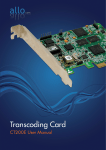
Transcoding Card User Manual www.allo.com Version 2.1 1 Transcoding Card User Manual Copyright Copyright © 2015 Allo.com. All rights reserved. No part of this publication may be copied, distributed, transmitted, transcribed, stored in a retrieval system, or translated into any human or computer language without the prior written permission of Allo.com. This document has been prepared for use by professional and properly trained personnel, and the customer assumes full responsibility when using it. Proprietary Rights The information in this document is Confidential to Allo.com and is legally privileged. The information and this document are intended solely for the addressee. Use of this document by anyone else for any other purpose is unauthorized. If you are not the intended recipient, any disclosure, copying, or distribution of this information is prohibited and unlawful. Disclaimer Information in this document is subject to change without notice and should not be construed as a commitment on the part of allo.com. And does not assume any responsibility or make any warranty against errors. It may appear in this document and disclaims any implied warranty of merchantability or fitness for a particular purpose. www.allo.com Version 2.1 2 Transcoding Card User Manual About this manual This manual describes the Allo product application and explains how to work and use it major features. It serves as a means to describe the user interface and how to use it to accomplish common tasks. This manual also describes the underlying assumptions and users make the underlying data model. Document Conventions In this manual, certain words are represented in different fonts, typefaces, sizes, and weights. This highlighting is systematic; different words are represented in the same style to indicate their inclusion in a specific category. Additionally, this document has different strategies to draw User attention to certain pieces of information. In order of how critical the information is to your system, these items are marked as a note, tip, important, caution, or warning. Icon Purpose Note Tip/Best Practice Important Caution Warning Bold indicates the name of the menu items, options, dialog boxes, windows and functions. The color blue with underline is used to indicate cross-references and hyperlinks. Numbered Paragraphs - Numbered paragraphs are used to indicate tasks that need to be carried out. Text in paragraphs without numbering represents ordinary information. The Courier font indicates a command sequence, file type, URL, Folder/File name e.g. www.allo.com Support Information Every effort has been made to ensure the accuracy of the document. If you have comments, questions, or ideas regarding the document contact online support: http://support.allo.com www.allo.com Version 2.1 3 Transcoding Card User Manual Table of Contents About this manual .................................................................................................................. 3 Document Conventions .......................................................................................................... 3 1. Overview ................................................................................................................................ 5 2. Features ................................................................................................................................. 6 3. Card Installation ..................................................................................................................... 6 3.1 Unpacking the Card .......................................................................................................... 6 3.2 Shipment Inspection ........................................................................................................ 6 3.3 Slot Compatibility ............................................................................................................. 6 4. Hardware Installation ............................................................................................................ 7 5. Software Installation .............................................................................................................. 8 5.1 Installation Test Environment considered ....................................................................... 8 5.2 Asterisk compilation & Installation .................................................................................. 9 5.3 Allo Transcoding Card Installation ................................................................................. 10 6. Configuration ....................................................................................................................... 12 6.1 Configuring the System for Transcoding ........................................................................ 12 7. Testing .................................................................................................................................. 13 8. Limitations............................................................................................................................ 14 9. Specifications ....................................................................................................................... 14 10. Reference ........................................................................................................................... 14 11. Glossary and Acronyms ...................................................................................................... 15 www.allo.com Version 2.1 4 Transcoding Card User Manual 1. Overview The aCTe Series cards are PCI-E base cards. The aCTe Series cards are designed to handle, Transcoding in dedicated DSP hardware, it supports multiple voice codecs, to digitally compress voice signals and save on bandwidth. This function would otherwise be done by Asterisk in software. VoIP communication needs the capability to mediate between endpoints supporting different codecs, but this requires DSP functionality that are resource-intensive, and can affect the quality of the voice signals, and may introduces latency and delay. Asterisk, is capable of Transcoding some codecs into other codecs for the purposes of call origination or termination, these Transcoding in done by software and is very CPU intensive using substantial amount of CPU power. This aCTe card will add Transcoding capability and provides excellent voice quality and Transcoding capacity, without affecting latency or using up precious host CPU resources. The aCTe card comes with bundled software to make the product architecture independent. Model No Product Description aCT32e TRANSCODER 32 CHANNEL PCIe Card aCT64e TRANSCODER 64 CHANNEL PCIe Card aCT128e TRANSCODER 128 CHANNEL PCIe Card aCT256e TRANSCODER 256 CHANNEL PCIe Card aCT400e TRANSCODER 400 CHANNEL PCIe Card The aCTe Series cards are capable of handling up to 200 Transcoding resources. All codecs are fully indemnified no additional licensing is required for their use. Allo.com Transcoding card aCTe is telephony PCIe card used for various PBX software, e.g. Asterisk, FreeSWITCH, etc. with compatible drivers. www.allo.com Version 2.1 5 Transcoding Card User Manual 2. Features • Capable of doing the various codec Transcoding. • Suitable for PCIe 1.0 slots • Provides up to 200 Transcoding resources. • Supports G729, G723, a/u law, G726, ilbc (G722, AMR, AMR-WB, G722.1 HD etc will be implemented in future releases.) 3. Card Installation This chapter provides the following information: • Unpacking the Card • Shipment Inspection • Slot Compatibility • Hardware Installation • Software Installation 3.1 Unpacking the Card When you unpack your card, carefully inspect it for any damage if present please contact and report to allo.com support. 3.2 Shipment Inspection The following items are included in the shipment of the CT200E card: • CT200E PCIe card. • Installation CD 3.3 Slot Compatibility Check the type of card you received to be sure it is compatible with your PCIe slot. The CT200E will work in any PCI Express 1.x compliant slot. www.allo.com Version 2.1 6 Transcoding Card User Manual 4. Hardware Installation 1. Now that you are acquainted with the aCTe series cards, power down your computer and unplug it from its power source. 2. Attach a static strap to your wrist and open the case. 3. Take away the section place holder and addition the card into a PCI or PCI Express Slot. 4. Replace the cover to your computer 5. Plug the T1 or E1 equipment cable into the RJ45 port. Use only shield cables to ensure compliance with the international EMC standards. www.allo.com Version 2.1 7 Transcoding Card User Manual 5. Software Installation Allo.com Digital cards hardware are only supported under Linux. It requires drivers and libraries which are not integrated with the Linux kernel. Recommended Linux distributions: CentOS, Debian, Red Hat, and Ubuntu Drivers and application software may be obtained from Allo.com’s download server at: http://www.allo.com/transcoding-card.html For an introduction to Asterisk, including additional information on its configuration, setups, and features, please refer to: http://www.asterisk.org To install your CT200E card, you will need: • Full Linux kernel 2.6.15 (or later) source code. • Development libraries and headers for ncurses • Development libraries and headers for zlib and openssl • Development libraries and headers for newt • GCC and standard software build tools • Bridge tools (brctl) 5.1 Installation Test Environment considered OS : CentOS 5.5 (32 or 64 bit) Kernel version : 2.6.18-194.el5 Asterisk version : Asterisk 1.4.43 Hardware : ALLO Transcoding card Library : allotc libraries 1. After inserting the card into your PCIe slot, boot your machine to Linux and execute the following command to list the devices detected by the PCI bus: # lspci Confirm the output lists a device with Allo.com’s PCI vendor ID which is “BCM57761”. The output will be similar to the following: 02:00.0 Ethernet controllers: Broadcom Corporation NetXtreme BCM57761 Gigabit Ethernet PCIe (rev 10) www.allo.com Version 2.1 8 Transcoding Card User Manual The output of lspci may or may not state “Allo.com”. If it does not, this does not indicate a problem. The Allo.com card identifier should be listed. If a card identifier is not listed, then your machine is not PCI 2.2 (or higher), and the card will not work. 2. To install asterisk need to install the following prerequisite packages: 1. Centos: yum install bison bison-devel zlib zlib-devel openssl openssl-devel gnutls-devel flex gcc gcc-c++ 2.Ubuntu/Debian: apt-get install bison bison-devel zlib zlib-devel openssl openssl-devel gnutls-devel flex gcc gcc-c++ Execute the following command to install the above mentioned packages: #yum or apt-get installs bison bison-devel zlib zlib-devel openssl openssl-devel gnutls-devel flex gcc gcc-c++ 5.2 Asterisk compilation & Installation For using Asterisk for your application, follow the steps below. Download Asterisk version 1.4.43. Expand the downloaded file, compile and install. #wget http://downloads.asterisk.org/pub/telephony/asterisk/oldreleases/asterisk-1.8.11.0.tar.gz #tar -zxvf asterisk-1.8.11.0.tar.gz # cd asterisk-1.4.43/ # ./configure # make # make install # make samples www.allo.com Version 2.1 9 Transcoding Card User Manual 5.3 Allo Transcoding Card Installation 1. Download the driver from allo web site http://www.allo.com/transcoding-card.html under "Guides & Drivers" depends on the OS architecture to directory /usr/src/ #wget http://www.allo.com/firmware/transcoding/allo-transco-64bit- driver.tar 2. Untar the file #tar -xvf allo-transco-64bit-driver.tar 3. Change the directory to allotc and run “./network_install”, this will install Broadcom driver(tg3) and once the installation is over reboot the machine to make the eth1 interface UP or else follow the steps to install Broadcom driver(tg3) as below, I. Download driver for BCM57761 linux-3.122j.zip from BROADCOM. II. cp linux-3.122j.zip to /tmp. III. Execute followings. # cd /tmp # unzip linux-3.122j.zip # cd Server/Linux/Driver # tar zxvf tg3-3.122j.tar.gz # cd tg3-3.122j/ # make # make install # modprobe -r tg3 # modprobe tg3 IV.update initrd image ex. # mkinitramfs -o /boot/initrd.img-2.6.32-28-generic V.Reboot the system, and configure the network interfaces. Tg3 file is enclosed. (Refer: http://www.broadcom.com/support/ethernet_nic/netxtreme_desktop.php) www.allo.com Version 2.1 10 Transcoding Card User Manual After reboot, Check for Allo Transcoding card eth interface may show as eth1 or eth2 depend upon the number of network cards present in the server & can be identified with MAC id "00:17:F7: XX: XX: XX" Change the directory /usr/src/allotc and execute following command #./install.sh <asterisk source path>” from the same directory (ex:#./install.sh /usr/src/asterisk-1.8.11.0/) In some machines Transcoding card eth interface may show as eth1 or eth2 depend upon the number of network cards present in the server. Allo Transcoding card can be identified with MAC id "00:17:F7: XX: XX: XX" After reboot run “./install.sh <asterisk source path>” from the same directory If the asterisk source directory is not provided for ex: “./install” the process will continue with Trix-Box/Elastix Installation. Operating Systems Other than Trix-Box/Elastix should mention the asterisk source as said. For E.g.: “./install.sh /usr/src/asterisk-1.x.x.” and for OpenSuse use “./open_suse_install <asterisk source path>” Then untar on the path change directory to /usr/src/allotc/allo.i686/ # tar -xvf allo.i686.tgz 1. The script will prompt you to enter the Transcoding card based on the MAC address E.g.: CHOOSE THE ETERNET DRIVER IN WHICH YOU HAVE HWaddr 00:17:F7:00:00:00 e.g.: If Transcoding card interface is eth2 select "2" 2. The script will prompt you to configure IP address for Transcoding card, configure IP address different from your network. E.g.: CHOOSE DIFFERENT IP OTHER THAN YOUR NETWORK FOR TRANSCODING CARD E.g: 10.1.1.1: 3. Script will prompt you to select the Transcoding card depending upon the MAC id (00:17:F7:XX:XX:XX) www.allo.com Version 2.1 11 Transcoding Card User Manual E.g.: Please select device to configure: [1-1] q: quit 1 4. Setup the IP address for DSP in the Transcoding module only the last octet E.g.: Specify last octet of the IP address: [1-255] or <enter> for default: 5. Configure the port range with given interval E.g.: Specify udp base value [9000-65000] or <enter> for default: 6. Configuration This chapter provides a step by step instruction to configure the CT200E Transcoding card. 6.1 Configuring the System for Transcoding 1. Finally change the RTP IP address in the file /etc/asterisk/allo_codec.conf and change the “rtpip=<your machine ip>” 2. Configure SIP extensions by allowing all the codecs “allow=all” Latest centos and ubuntu need to give the IP address to Transcoding card eth statically (manually). allo_server_ctrl stop Stop running asterisk allo_server_ctrl start Start asterisk www.allo.com Version 2.1 12 Transcoding Card User Manual Status of card 1. Make sure the Transcoding sessions are configured properly in the asterisk CLI prompt, Local host CLI> allo show translators You should see the codec translators configured. 7. Testing After installing the codec_allotc.so module, you can check the codecs which you have enabled in the configuration. As shown in following command. *CLI> core show translation Translation times between formats (in microseconds) for one second of data Source Format (Rows) Destination Format (Columns) *CLI>allo show Transcoding sessions [581]ulaw to g729 Tx Frames: 123 Rx Frames: 123 Rx Nulls 0 Rx Calls 123 AvgRxCallTime 19ms AvgRxTime 19ms AvgTxTime www.allo.com Version 2.1 13 Transcoding Card User Manual 19ms Total Sessions: 1 8. Limitations Allo.com Transcoding card comes with some of limitations, which are listed below; 1. G711 a/u law codec Transcoding will be done for max 50ms of latency. 2. You might be expressing some delay if the other codec has 60ms or greater latency. 9. Specifications This chapter provides specifications, required environmental conditions for the CT200 Series cards. Physical card dimension Size : 63.5 mm (height) × 94.3 mm (Length) Interfaces PCI Express Bus - Compliant with PCI-E X1 1.0 or greater Environment Temperature: 0 to 50° C (32 to 122° F) operation -20 to 65° C (4 to 149° F) storage Humidity: 10 to 90% noncondensing. Supported Codecs G.729a (8.0 Kbit) G.723.1 (5.3 Kbit and 6.3 Kbit) u-law a-law 10. Reference http://www.allo.com http://www.linuxfoundation.org/collaborate/workgroups/networking/bridge http://www.asterisk.org http://www.voip-info.org www.allo.com Version 2.1 14 Transcoding Card User Manual 11. Glossary and Acronyms Term a-law Definition It is mainly used in European telephone networks for the conversion between analog and digital signals in PCM applications. It’s similar to the North American mu-law standard. Bandwidth The capacity is to carry traffic. Higher bandwidth indicates the ability to transfer more data in a given time period. bps -bits per second A measurement of transmission speed across a data connection DTMF -Dual Tone Push-button or touch tone dialing. Multi-Frequency G.711 A recommendation by the Telecommunication Standardization Sector (ITU-T) for an algorithm designed to transmit and receive mulaw PCM voice and A-law at a digital bit rate of 64 Kbps. This algorithm is used for digital telephone sets on digital PBX. G.723.1 A recommendation by the Telecommunication Standardization Sector (ITU-T) for an algorithm designed to transmit and receive audio over telephone lines at 6.3 Kbps or 5.3 Kbps. G.729a A recommendation by the Telecommunication Standardization Sector (ITU-T) for an algorithm designed to transmit and receive audio over telephone lines at 8 Kbps. ILBC - internet Low A free speech codec used for voice over IP. It is designed for narrow band Bit rate Codec speech with a payload bit rate of 13.33 kbps (frame length = 30ms) and kbps (frame length = 20 ms). Interface A point of contact between two systems, networks, or devices Linux A robust, feature-packed open source operating system based on UNIX that remains freely available on the internet. It boasts dependability and offers a wide range of compatibility with hardware and software. Asterisk is supported exclusively on Linux. www.allo.com Version 2.1 15 Transcoding Card User Manual Term Definition Multiplexing Transmitting multiple signals is over a single line or channel. FDM (frequency division multiplexing) and TDM (time division multiplexing) are the two most common methods. FDM separates signals by dividing the data onto different carrier frequencies, and TDM separates signals by interleaving bits one after the other. MUX multiplexer A device which transmits multiple signals over a single communication line or channel PBX private branch A smaller version of a phone companies larger central switching office. exchange PCI Example: Asterisk. peripheral A standard bus used in most computers to connect peripheral devices. component interconnect SIP- Session An IETF standard is used for setting up sessions between one or more Initiation Protocol clients. It is currently the leading signaling protocol for Voice over IP, gradually replacing H.323. u-law Also known as mu law is the PCM quasi-logarithmic curve. It is the 64 Kbps standard North America voice amplitude sample used for encoding/decoding. VoIP Voice over IP Technology used for transmitting voice traffic over a data network using the Internet Protocol. www.allo.com Version 2.1 16 Transcoding Card User Manual www.allo.com Version 2.1 17