1
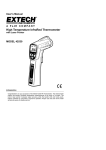
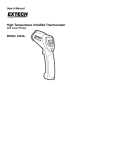
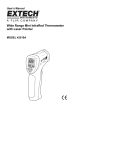
Meter Description
4
1. LCD Display
2. Function Buttons
5
3. Handle Grip
1
4. Laser Pointer
2
5. IR Sensor
6
6. Measurement Trigger
7. Battery Compartment
3
7
Operating Instructions
1.
2.
3.
4.
5.
6.
Hold the meter by its Handle Grip and point it toward the surface to be measured.
Pull and hold the red Trigger to turn the meter on and begin testing. The display will light if
the battery is good. Replace the battery if the display does not light.
While measuring, the SCAN display icon will appear in the upper left hand corner of the
LCD.
While continuing to pull the Trigger:
a. Push the red Laser button to turn on the laser pointer. When the laser is on the laser
icon
will appear on the LCD over the temperature. Aim the red beam approximately
a half inch above the point of test (pressing the Laser button again turns the laser off).
o
o
o
o
b. Select the temperature units ( C or F) using the blue C and F buttons.
c. Push the yellow Backlight key to turn on the LCD backlighting function.
Release the Trigger and the HOLD display icon will appear on the LCD indicating that the
reading is being held.
The meter will automatically power down after approximately 7 seconds after the trigger is
released.
Overrange Indicator
If the temperature being measured exceeds 538°C (1000°F), the thermometer will emit an audible
warning and the OVER icon will be displayed on the LCD.
3
42530-EU-EN v2.5 07/13