1
SCHNITZ MOTORSPORTS
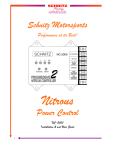
PNC-202, 2-STAGE PROGRESSIVE NITROUS CONTROLLER
USER MANUAL
AND
INSTALLATION GUIDE
2-STAGE
SCHNITZ
MOTORSPORTS
NOS #2, FUEL SOLENOID(GROUND)
16GA PURPLE, PAGE 14
10
RUN
NOS PULSE FREQUENCY
DIAGNOSTICS
NOS #2 NITROUS SOLENOID(GROUND)
16GA PURPLE, PAGE 14
BATTERY GROUND
14GA BLACK, PAGE 14
11
12
TIMER #2 +12V OUTPUT
TO RETARD ACTIVATION OR ?
13
NOS ACTIVATION INPUT
20GA ORANGE, PAGE 14
14
TIMER #1 ACTIVATION
20GA , PAGE 14
15
TIMER #2 ACTIVATION
20GA, PAGE 14
16
NOS #1 ANALOG OUTPUT
TO DATA RECORDER
NOS #2 ANALOG OUTPUT
TO DATA RECORDER
17
NOS #1 DELAY TIME IN SECONDS
BATTERY
VOLTAGE
NOS #1 START PERCENT
TIMER #1 DELAY
IN SECONDS
NOS #1 FINAL PERCENT
TIMER #1 DURATION
IN SECONDS
NOS #1 BUILD TIME
IN SECONDS
TIMER #2 DELAY
IN SECONDS
NOS #2 DELAY TIME IN SECONDS
NOS #2 START PERCENT
TIMER #2 DURATION
IN SECONDS
NOS #2 FINAL PERCENT
NOS #2 BUILD
TIME IN SECONDS
PROGRESSIVE
NITROUS
CONTROLLER
PNC-202
PROGRAM
PNC-202
0 1 2 3
18
1
9 8
4
5
6
7
0 1 2 3
.1
9 8
4
5
6
7
0 1 2 3
.01
9 8
4
5
6
7
0 1 2 3
.001
9 8
4
5
6
7
9
NOS #1 FUEL SOLENOID(GROUND)
16GA ORANGE, PAGE 14
8
NOS #1 NITROUS SOLENOID(GROUND)
16GA ORANGE, PAGE 14
7
BATTERY GROUND
14GA BLACK, PAGE 14
6
TIMER #1 +12V OUTPUT
TO RETARD ACTIVATION OR ?
5
+12V SWITCHED(TIMER OUTPUT. +12V SUPPLY)
20GA RED, PAGE 14
4
+12 VOLTS SWITCHED
16GA RED, PAGE 14
3
NO-CONNECTION
2
NOS #2 100% OVERRIDE
20GA, PAGE 14(OPTIONAL)
1
NOS #1 100% OVERRIDE
20GA, PAGE 14(OPTIONAL)
COPYRIGHT (C) 2000 BY, SCHNITZ MOTORSPORTS, ALL RIGHTS RESERVED
Important Application Information
IMPORTANT
Use only Static Suppression Spark-plug Wires.
Notice of Copyright
Copyright (C) 2000 Schnitz Motorsports, Decatur, Indiana. All rights reserved.
Copyright law protects this document. It is unlawful to make copies, modify, or
distribute without written consent from Schnitz Motorsports. It is the responsibility of
the purchaser to follow all guidelines and safety procedures supplied with this product
and any other manufactures product used with this product. It is also the responsibility
of the purchaser to determine compatibility of this device with the vehicle and other
components.
Schnitz Motorsports assumes no responsibility for damages resulting from
accident, improper installation, misuse, abuse, improper operation, lack of reasonable
care, or all previously stated reasons due to incompatibility with other manufacturer's
products.
Schnitz Motorsports assumes no responsibility or liability for damages incurred
from the use of products manufactured or sold by Schnitz Motorsports on vehicles used
for competition racing.
Schnitz Motorsports neither recommends nor approves the use of products
manufactured or sold by Schnitz Motorsports on vehicles which may be driven on
public highways or roads, and assumes no responsibility for damages incurred from
such use.
It is the purchaser’s responsibility to check the state and local laws pertaining to
the use of Nitrous Oxide for racing applications. Schnitz Motorsports does not
recommend nor condone the use of its products for illegal street racing.
Caution
Follow all recommended safety guidelines from this and other manufacturer
installation guidelines. Never install any device, which pulsates nitrous solenoids
without a safety solenoid installed. Static suppression ignition wires must be used
with this unit! Mount the Ignition Controller as far away from secondary ignition
components (ignition coils, ignition wires, etc.) As is physically possible.
Installation of Schnitz Motorsports products signifies that you have
read this document and agree to the terms stated within.
Page 2
PNC-202, 2-Stage Progressive Nitrous Controller
Description:
The PNC-202 provides 2-Stages of Dual Ramp Nitrous Power Control. The
2-Stages can be set the same and used together for Large Multiple Solenoid
Single Stage Systems. There are separate outputs for the Fuel and Nitrous
Solenoids to reduce feedback between the Solenoids and provide better Fuel
Delivery to the Engine. 100% Nitrous Override Inputs have been provided, these
Inputs are +12V activated and allow the User to take either Stage to 100% at any
time desired. If the NOS Activation Signal is Removed the Progressive Nitrous
Timers will wait until the NOS Activation Terminal goes back to +12V. The NOS
Solenoid Outputs are turned OFF when the NOS Activation Input is OFF. This
allows control of the Solenoids and Progressive Timers through the Throttle
Switch. Two +12V Timers are built into the 2-Stage Controller. These can be
programmed to do a variety of functions.
Overview of Functions.
1 - RUN, This setting is for Normal Operation. The Controller will function with the select switch
in any position. This setting will Not allow any settings to be altered by accident, such as
bumping the Program Switch while doing maintenance.
2 - NOS PULSE FREQUENCY, The Frequency at which the Solenoids Operate at can be
Programmed by the User. The available settings are from 15 pulses per second to 35 pulses per
second. Some solenoids will NOT fully open with the pulse frequency set high and the Start
Percent set Low. It is recommended that testing be performed to ensure that the Solenoids fully
open with the Setup that is Programmed into the Controller. Both Stages will use the same Pulse
Frequency Setting.
3 - NOS1 DELAY TIME IN SECONDS, This setting allows the User to set the amount of Delay in
seconds that the NOS 1st Stage waits after Activation(launch) to begin applying the Start Percent
of NOS.
4 - NOS1 START PERCENT, This Setting is used to determine the Initial amount of NOS 1st Stage
Power applied.
5 - NOS1 FINAL PERCENT #1 & #2, These Settings are used to determine the amount of NOS
Power that is to be applied by the 1st NOS Stage Progressive Timer. The Final Percent may be less
than 100% if needed. The NOS 1st Stage Progressive Timer can be Taken to 100% at any time by
Applying a +12V signal to the NOS #1 100% override terminal.
6 - NOS1 BUILD TIME #1 & #2 IN SECONDS, These settings control how long it takes for the
NOS 1st Stage to go from Start Percent Power to Final Percent #1 & #2 Power. If a low Build Time
is used (.500 Second for example) the NOS 1st Stage Power will be very aggressive. If the Build
Time is increased the NOS 1st Stage will take longer to apply and the NOS power will be less
aggressive.
7 - NOS2 DELAY TIME IN SECONDS, This setting allows the User to set the amount of Delay in
seconds that the NOS 2nd Stage waits after Activation(launch) to begin applying the Start Percent
of NOS.
Page 3
8 - NOS2 START PERCENT, This Setting is used to determine the Initial amount of NOS 2nd
Stage Power applied.
9 - NOS2 FINAL PERCENT #1 & #2, These Settings are used to determine the amount of NOS
Power that is to be applied by the 2nd NOS Stage Progressive Timer. The Final Percent may be
less than 100% if needed. The NOS 2nd Stage Progressive Timer can be Taken to 100% at any time
by Applying a +12V signal to the NOS #2 100% override terminal.
10 - NOS2 BUILD TIME #1 & #2 IN SECONDS, These settings control how long it takes for the
NOS 2nd Stage to go from Start Percent Power to Final Percent #1 & #2 Power. If a low Build
Time is used (.500 Second for example) the NOS 2nd Stage Power will be very aggressive. If the
Build Time is increased the NOS 2nd Stage will take longer to apply and the NOS power will be
less aggressive.
11 - TIMER1 DELAY IN SECONDS, This setting controls the Time at which the Timer #1 Output
Terminal goes to +12V. The Timer #1 is activated by the Timer #1 Activation Terminal by
applying +12V.
12 - TIMER1 DURATION IN SECONDS, This setting determines that amount of time that the
Timer #1 Output is ON. If a setting of 0.000 is programmed the Output will remain on until the
Timer System is Reset.
13- TIMER2 DELAY IN SECONDS, This setting controls the Time at which the Timer #2Output
Terminal goes to +12V. The Timer #2is activated by the Timer #2 Activation Terminal by
applying +12V.
14- TIMER2 DURATION IN SECONDS, This setting determines that amount of time that the
Timer #2Output is ON. If a setting of 0.000 is programmed the Output will remain on until
the Timer System is Reset.
15 - DIAGNOSTICS , The Diagnostics functions allow the User to test activation inputs and to
Calibrate the Battery Voltage Monitor.
16 - BATTERY VOLTAGE, This setting shows the current Battery Voltage on the Display.
17- Analog Data Outputs are provided that Output a Analog Voltage that is proportional to the
NOS Percent that is being applied. There are separate outputs for each Stage of NOS. The Output
voltage will range from 0.0 to 4.0 Volts and each 1% increase in NOS will raise the respective
analog output by .04 volts.
Page 4
Schnitz Motorsports
PNC-202, 2-Stage Progressive Nitrous Controller
Table of Contents
Important Information and Cautions
Overview of Controller and Functions
Section 1, Setting Controller Parameters
1.0 – The Basics of Setting Controller Parameters
1.1 - Setting NOS Pulse Frequency
1.2 – Setting NOS1 DELAY TIME
1.3 – Setting NOS1 START PERCENT
1.4 – Setting NOS1 FINAL PERCENT #1
1.5 - Setting NOS1 FINAL PERCENT #2
1.6 – Setting NOS1 BUILD TIME #1
1.7 - Setting NOS1 BUILD TIME #2
1.8 - Setting and Using the NOS 2nd Stage
1.9 - Setting Timer #1 Delay
1.10 - Setting Timer #1 Duration
1.11 - Setting Timer #2 Delay
1.12 - Setting Timer #2 Duration
1.13 – Checking Battery Voltage
Section 2, Diagnostics
2.0 – Description of Diagnostic Functions
2.1– Testing NOS Activation Input
2.2– Testing Timer #1 Activation Input
2.3 - Testing Timer #2 Activation Input
2.4 - Testing NOS 1st Stage Override Input
2.5 - Testing NOS 2nd Stage Override Input
2.6 – Calibrating Voltage Monitor
2.7 – Testing Data and Function Select Switches
2.8 - Error Codes Explained
Section 3, Wiring Diagrams and Installation Instructions
3.0
3.1
3.2
3.3
– Overview of Installation Procedures
– Connecting the Nitrous Oxide System
- Connecting to Analog Data Outputs
- Electrical Specifications
Warranty Information
4.0 – Warranty
Page 2
Page 3, 4
Page 6
Page 7
Page 7
Page 7
Page 8
Page 8
Page 8
Page 9
Page 9
Page 10
Page 10
Page 11
Page 11
Page 11
Page 12
Page 12
Page 12
Page 12
Page 12
Page 13
Page 13
Page 13
Page 14
Page 15
Page 16
Page 17
Page 17
Page 18
Page 5
1.0 - The Basics of Setting Controller Parameters
1 - Select Switch
2-STAGE
SCHNITZ
MOTORSPORTS
10
RUN
NOS PULSE FREQUENCY
DIAGNOSTICS
11
12
13
14
15
16
17
NOS #1 DELAY TIME IN SECONDS
BATTERY
VOLTAGE
NOS #1 START PERCENT
TIMER #1 DELAY
IN SECONDS
NOS #1 FINAL PERCENT
TIMER #1 DURATION
IN SECONDS
NOS #1 BUILD TIME
IN SECONDS
TIMER #2 DELAY
IN SECONDS
NOS #2 DELAY TIME IN SECONDS
TIMER #2 DURATION
NOS #2 BUILD
TIME IN SECONDS
NITROUS
CONTROLLER
NOS #2 START PERCENT
IN SECONDS
PROGRESSIVE
NOS #2 FINAL PERCENT
8
7
6
5
4
PNC-202
PROGRAM
3
PNC-202
0 1 2 3
18
1
9
9 8
4
5
6
7
0 1 2 3
.1
9 8
4
5
6
7
0 1 2 3
.01
9 8
4
5
6
7
0 1 2 3
.001
9 8
4
5
6
7
2
1
2 - Programming Switch
3 - Data Switches
Switch Descriptions and Functions
1 - Switch #1 is the FUNCTION SELECT SWITCH, This switch is used
to select which parameter is displayed and also selects that
parameter for programming.
2 - Switch #2 is the PROGRAM SWITCH, When this switch is pressed
down and held for 2-seconds the DATA switches will be read and
the settings will be programmed into the controller. If an
INVALID setting is read the controller will NOT save the setting and
will display an INVALID message on the display.
3 - Data Switches #3 are for entering NOS Control Data, and for
selecting various options as described in the following pages.
Example Programming Sequence
Function Select Switch(#1) set to NOS #1 DELAY IN SECONDS
Data Switch 1 set at 1, .01 at 2, .001 at 5, .001 at 0
Data Switch 1 (seconds)
Data Switch .1 (.1 second)
Data Switch .01 (.01 second)
Data Switch .001 (.001 second)
Pressing and holding PROGRAM Switch for 2-seconds will set the NOS #1
DELAY at 1.250 seconds.
Please refer to each of the following sections for setting all Functions.
Page 6
1.1 - Setting NOS Pulse Frequency
NOTE: If running NOS Bottle Pressure of 900psi or higher never set PULSE FREQUENCY Higher
than 25. The Solenoids will NOT Open Properly at lower percentages with a high Pulse Frequency Setting
and High Bottle Pressure.
Set SELECT Switch to NOS PULSE FREQUENCY
Example that would Set NOS PULSE FRQUENCY to 25 Pulses Per Second
1 set at 0 (not used)
.1 set at 0 (not used)
.01 set at 0 (not used)
.001 set at 1
0 = 15 pulses per second
1 = 20 pulses per second
2 = 25 pulses per second
3 = 30 pulses per second
4 = 35 pulses per second
Press the PROGRAM Button until the display reads PROGRAM. Display will now read 25 and the
NOS PULSE FREQUENCY is set to 25 Pulses Per Second.
1.2 – Setting NOS1 DELAY TIMER
Set SELECT Switch to NOS #1 DELAY TIME IN SECONDS
Example that would set NOS DELAY TIME at 1.250 seconds
1 set at
1
.1 set at
2
.01 set at
5
.001 set at
0
Press PROGRAM button until the display reads PROGRAM. Display will now read 1.250 and NOS
#1 DELAY TIME is set to 1.250 seconds.
Valid range 0.000 to 9.999 seconds in .001 second increments.
Note: This is timer to delay the start of NOS 1st Stage. A time of 0.000 will allow the NOS 1st Stage
to start immediately when activated.
1.3– Setting the NOS1 START PERCENT
Set SELECT Switch to NOS #1 START PERCENT
Example that would set NOS #1 START PERCENT at 34%
1 set at
0 (not used)
.1 set at
0
.01 set at
3
.001 set at
4
Press PROGRAM button until the display reads PROGRAM. Display will now read 34%
and NOS #1 START PERCENT is set at 34%. Valid Percentage Range 10 to 100% in 1%
increments. Setting to 0% will turn NOS OFF even if NOS is Activated.
Note: This setting allows the starting POWER developed from the NOS to be controlled
for traction and other reasons.
Page 7
1.4 – Setting NOS1 FINAL PERCENT #1
Set SELECT Switch to NOS #1 FINAL PERCENT
Set the 1 Data Switch to 0
Example that would set NOS #1 FINAL PERCENT at 100%
1 set at
0 - Used to Select Final% #1
1 set at
1
.01 set at
0
.001 set at
0
Press PROGRAM button until the display reads PROGRAM. Display will now read 100%
and NOS #1 FINAL PERCENT is set at 100%. Valid Percentage Range 10 to 100%, 1%
Increments. Setting to 0% will turn NOS OFF even if NOS is Activated.
Note: This setting controls the maximum percentage of Nitrous Oxide that will be
delivered to the engine. A setting of less than 100% can be used and the Progressive
Timer can work backwards. Final% #1 less than Start%.
1.5 – Setting NOS1 FINAL PERCENT #2
Set SELECT Switch to NOS #1 FINAL PERCENT
Set the 1 Data Switch to 1
Example that would set NOS #1 FINAL PERCENT at 100%
1 set at
1 - Used to Select Final% #2
1 set at
1
.01 set at
0
.001 set at
0
Press PROGRAM button until the display reads PROGRAM. Display will now read 100%
and NOS #1 FINAL PERCENT is set at 100%. Valid Percentage Range 10 to 100%, 1%
Increments. Setting to 0% will turn NOS OFF even if NOS is Activated.
Note: This setting controls the maximum percentage of Nitrous Oxide that will be
delivered to the engine. A setting of less than 100% can be used and the Progressive
Timer can work backwards. Final% #2 less than Final% #1
1.6 – Setting NOS1 BUILD TIME #1
Set SELECT Switch to NOS #1 BUILD TIME IN SECONDS
Set .001 Data Switch to 0
Example that would set NOS #1 BUILD TIME at 3.500 seconds
1 set at
3
.1 set at
5
.01 set at
0 (not used)
.001 set at
0 - Used to Select Build Time #1
Press PROGRAM button until the display reads PROGRAM. Display will now read 3.500 and NOS
#1 BUILD TIME #1 is set at 3.500 seconds. Valid Time Range .200 to 9.900 seconds in .1 second
Increments.
Note: This setting determines how fast the NOS goes from START PERCENT to FINAL PERCENT
#1. A shorter BUILD TIME will make the NOS Power Curve more Aggressive.
Page 8
1.7 – Setting NOS1 BUILD TIME #2
Set SELECT Switch to NOS #1 BUILD TIME IN SECONDS
Set .001 Data Switch to 1
Example that would set NOS #1 BUILD TIME at 3.500 seconds
1 set at
3
.1 set at
5
.01 set at
0 (not used)
.001 set at
1 - Used to Select Build Time #2
Press PROGRAM button until the display reads PROGRAM. Display will now read 3.500 and NOS
#1 BUILD TIME is set at 3.500 seconds. Valid Time Range .200 to 9.900 seconds in .1 second
Increments.
Note: This setting determines how fast the NOS goes from FINAL PERCENT #1 to FINAL
PERCENT #2. A shorter BUILD TIME will make the NOS Power Curve more Aggressive.
1.8 – Setting and Using the NOS 2nd Stage
To set the 2nd Stage NOS functions Please use the Same procedures as setting the NOS #1
functions. You MUST Select the desired NOS #2 Setting with the Select Switch prior to Programming.
The 2nd Stage of NOS may Overlap the 1st Stage. Each Stage of NOS has its own Delay and
Progressive Timers. However, both Stages of NOS use the same NOS PULSE FREQUENCY.
If the NOS is de-activated both Stages will WAIT at there Present Sate and RESUME there when
activation continues.
Page 9
1.9– Setting TIMER #1 DELAY
Set SELECT Switch to TIMER #1 DELAY IN SECONDS
Example that would set TIMER #1 DELAY at 1.850 seconds
1 set at
1
.1 set at
8
.01 set at
5
.001 set at
0
Press PROGRAM button until the display reads PROGRAM. Display will now read 1.850 and
TIMER #1 DELAY is set to 1.850 seconds. Valid range 0.000 to 9.999 seconds in .001 second
increments.
Note: This TIMER setting controls when the Timer #1 Output turns on. The Delay Timer starts
when the Timer #1 Activation Input is activated.
Note: The Timer #1 Delay and Duration are NOT affected by the Timer #1 Activation Input after
the Initial Activation. Example - The NOS Timers wait until the NOS ACTVIATION INPUT
Terminal is Re-Activated, The Timer Delay and Duration Continue to Count and the Timer Output
remains ON.
1.10 - Setting TIMER #1 DURATION
Set SELECT Switch to TIMER #1 DURATION IN SECONDS
Example that would set TIMER #1 DURATION at 1.400 seconds
1 set at
1
.1 set at
4
.01 set at
0
.001 set at
0
Press PROGRAM button until the display reads PROGRAM. Display will now read 1.400 and TIMER #1
DURATION is set to 1.400 seconds. Valid range 0.000 to 9.999 seconds in .001 second increments. If a
setting of 0.000 is programmed the Output will remain on until the Timer System is Reset.
Note: This TIMER setting controls how Long the Timer Output stays on. The Duration Timer starts
when the Timer Delay has timed out.
Note: The Timer #1 Delay and Duration are NOT affected by the Timer #1 Activation Input after
the Initial Activation. Example - The NOS Timers wait until the NOS ACTVIATION INPUT
Terminal is Re-Activated, The Timer Delay and Duration Continue to Count and the Timer Output
remains ON.
Page 10
1.11 – Setting TIMER #2 DELAY
Set SELECT Switch to TIMER #2 DELAY IN SECONDS
Example that would set TIMER #2 DELAY at 1.850 seconds
1 set at
1
.1 set at
8
.01 set at
5
.001 set at
0
Press PROGRAM button until the display reads PROGRAM. Display will now read 1.850 and
TIMER #2 DELAY is set to 1.850 seconds. Valid range 0.000 to 9.999 seconds in .001 second
increments.
Note: This TIMER setting controls when the Timer #2 Output turns on. The Delay Timer starts
when the Timer #2 Activation Input is activated.
Note: The Timer #2 Delay and Duration are NOT affected by the Timer #2 Activation Input after
the Initial Activation. Example - The NOS Timers wait until the NOS ACTVIATION INPUT
Terminal is Re-Activated, The Timer Delay and Duration Continue to Count and the Timer Output
remains ON.
1.12 - Setting TIMER #2 DURATION
Set SELECT Switch to TIMER #2 DURATION IN SECONDS
Example that would set TIMER #2 DURATION at 1.400 seconds
1 set at
1
.1 set at
4
.01 set at
0
.001 set at
0
Press PROGRAM button until the display reads PROGRAM. Display will now read 1.400 and TIMER #2
DURATION is set to 1.400 seconds. Valid range 0.000 to 9.999 seconds in .001 second increments. If a
setting of 0.000 is programmed the Output will remain on until the Timer System is Reset.
Note: This TIMER setting controls how Long the Timer Output stays on. The Duration Timer starts
when the Timer Delay has timed out.
Note: The Timer #2 Delay and Duration are NOT affected by the Timer #2 Activation Input after
the Initial Activation. Example - The NOS Timers wait until the NOS ACTVIATION INPUT
Terminal is Re-Activated, The Timer Delay and Duration Continue to Count and the Timer Output
remains ON.
1.13 – Checking Battery Voltage
Set SELECT Switch to BATTERY VOLTAGE
Battery Voltage will now be displayed. It is normal for the battery voltage reading to vary
with the engine running.
Page 11
Section 2, Diagnostics.
2.0 – Description of Diagnostic Functions
The Diagnostics functions allow the User to test activation inputs and to Calibrate the
Battery Voltage Monitor.
NOTE - When testing input activation signals the display will react immediately to the Test
+12V Signal. This allows the user to perform wiggle tests on the switch and/or wiring to help
in diagnosing intermittent problems
2.1 - Testing NOS Activation Input
Set the SELECT Switch to DIAGNOSTICS, All other Data Switches at 0
Press and HOLD the PROGRAM Switch until display reads RELEASE. Release the PROGRAM Switch at this
time. The controller is now in the diagnostic mode.
To perform NOS Activation Input test set the .001 switch to 0.
At this time the DISPLAY will read NOS. If +12 volts is connected to the NOS Activation terminal the Display
will show the message ACTIVE. Use this test to verify NOS arming/activation switches on the bike.
To exit diagnostics turn the .001 switch to 9. Then press and release the PROGRAM switch.
2.2 – Testing the Timer #1 Activation Input
Set the SELECT Switch to DIAGNOSTICS, All other Data Switches at 0
Press and HOLD the PROGRAM Switch until display reads RELEASE. Release the PROGRAM Switch at this
time. The controller is now in the diagnostic mode.
To perform Timer #1 Activation Input test set the .001 switch to 1.
At this time the DISPLAY will read TIMER 1. If +12 volts is connected to the Timer #1 Activation input
terminal the Display will show the message ACTIVE. Use this test to verify Timer #1 Activation Signal.
To exit diagnostics turn the .001 switch to 9. Then press and release the PROGRAM switch.
2.3– Testing the Timer #2 Activation Input
Set the SELECT Switch to DIAGNOSTICS, All other Data Switches at 0
Press and HOLD the PROGRAM Switch until display reads RELEASE. Release the PROGRAM Switch at this
time. The controller is now in the diagnostic mode.
To perform Timer #2 Activation Input test set the .001 switch to 2.
At this time the DISPLAY will read TIMER 2. If +12 volts is connected to the Timer #2 Activation input
terminal the Display will show the message ACTIVE. Use this test to verify Timer #2 Activation Signal.
To exit diagnostics turn the .001 switch to 9. Then press and release the PROGRAM switch.
2.4– Testing the NOS #1 100% Override Input
Set the SELECT Switch to DIAGNOSTICS, All other Data Switches at 0
Press and HOLD the PROGRAM Switch until display reads RELEASE. Release the PROGRAM Switch at this
time. The controller is now in the diagnostic mode.
To perform NOS #1 100% Override Activation Input test set the .001 switch to 3.
At this time the DISPLAY will read OVR #1. If +12 volts is connected to the NOS #1 100% Override input
terminal the Display will show the message ACTIVE. Use this test to verify NOS #1 100% Activation Signal.
To exit diagnostics turn the .001 switch to 9. Then press and release the PROGRAM switch.
Page 12
2.5– Testing the NOS #2 100% Override Input
Set the SELECT Switch to DIAGNOSTICS, All other Data Switches at 0
Press and HOLD the PROGRAM Switch until display reads RELEASE. Release the PROGRAM Switch at this
time. The controller is now in the diagnostic mode.
To perform NOS #2 100% Override Activation Input test set the .001 switch to 4.
At this time the DISPLAY will read OVR #2. If +12 volts is connected to the NOS #2 100% Override input
terminal the Display will show the message ACTIVE. Use this test to verify NOS #2 100% Activation Signal.
To exit diagnostics turn the .001 switch to 9. Then press and release the PROGRAM switch.
2.6 - Calibrating the VOLTAGE MONITOR
Set the SELECT Switch to DIAGNOSTICS
Press and HOLD the PROGRAM Switch until display reads RELEASE. Release the PROGRAM
Switch at this time. The controller is now in the diagnostic mode.
Set the .001 switch to 5. At this time the display will show the Current System Voltage.
Note: You will need a Voltage Meter to complete this function.
Connect the Volt Meter to the Battery and turn it on. If the Battery Voltage reading on the
Controller is Correct then Exit Diagnostics as outlined below. If the Voltage needs to be adjusted
Press and Release the PROGRAM Button until the Display reads the Correct Voltage.
To exit diagnostics turn the .001 switch to 9. Then press and release the PROGRAM switch.
2.7 - Testing the SELECT and DATA Switches
Set the SELECT Switch to DIAGNOSTICS
Press and HOLD the PROGRAM Switch until display reads RELEASE. Release the PROGRAM
Switch at this time. The controller is now in the diagnostic mode.
Set the .001 switch to 6. At this time the display will read SWITCH.
To perform the Test, Press and Release the PROGRAM Button. The display will at first show
Copyright Information and the Date of Programming. After this these messages the display will
show the current states of the Select and Data Switches. The switches may rotated at this time to
verify that they are reading correctly.
To exit diagnostics turn the .001 switch to 9. Then press and release the PROGRAM switch.
Page 13
2.8 - Error Codes Explained and Clearing Error Codes
The Pro-Series II Controller was designed with Self Diagnostics Features.
These have been incorporated to Help the User Troubleshoot Wiring and/or
Signal Problems. The Error Codes are Numbered and Each Code when Set will
be Shown on the Display with a brief Description of the Problem Encountered.
All Error Codes will Remain Until Cleared by the User. The Codes are Stored
even if the Power is Removed from the Controller.
IMPORTANT - If an Error Code is Set during Operation the Controller will Still
Perform ALL Functions Except for Programming. NOS Progressive Timers are NOT
Reset if an Error Occurs.
List of Error Codes
IGX-2001, Activation Input Erratic - This Code indicates that the Activation
Input has Went from ON to OFF in a Erratic Pattern Indicating a Faulty Switch
and/or Wiring. This Input is Most Commonly Controlled by a Wide Open
Throttle Switch.
IGX-2002, Timer #1 Input Erratic - This Code indicates that the Timer #1
Activation Input has Went from ON to OFF in a Erratic Pattern Indicating a
Faulty Switch and/or Wiring.
IGX-2003, Timer #2 Input Erratic - This Code indicates that the Timer #2
Activation Input has Went from ON to OFF in a Erratic Pattern Indicating a
Faulty Switch and/or Wiring.
IGX-2004, 100% Override #1 Input Erratic - This Code indicates that the 1st
Stage 100% Override Input has Went from ON to OFF in a Erratic Pattern
Indicating a Faulty Switch and/or Wiring.
IGX-2005, 100% Override #2 Input Erratic - This Code indicates that the 2nd
Stage 100% Override Input has Went from ON to OFF in a Erratic Pattern
Indicating a Faulty Switch and/or Wiring.
Clearing Error Codes
To Clear Stored Error Codes just Press the Program Button until the Message RELEASE is
shown on the Display. At this time the Error Code that was Stored in Memory is Cleared.
NOTE - Multiple Error Codes are NOT Stored. Only the Most Recent Code is Stored and
Displayed.
Page 14
Section 3, Wiring Diagrams and Installation Instructions
3.0 – Overview of Installation Instructions
IMPORTANT - Must use Static Suppression Ignition Wires with this
Controller. Ignition wires with any type of Metal and ,or Metal Spiral
Core will NOT work with this controller. It is recommended that
Ignition Wires with a Resistance of 2,000 ohms per foot are used. The
Controller contains High Frequency Digital Components that can be
Harmed by High Amounts of RFI Energy.
Please read and follow all instructions carefully. It is important that the
installation guidelines be followed for maximum performance.
Guidelines:
1 - If Stock Ignition Switch is used a SEPARATE POWER SOURCE for the
NOS System is HIGHLY recommended. Please refer to page 17.
2 - Use a good quality wire of recommended size.
3 - Solder all connectors to the wire, crimped connectors fail!
4 - Use shrink wrap to protect exposed terminals/wires.
5 - Install the proper FUSE where required.
6 - Use quality switches.
7 - Follow other manufacturer guidelines and recommendations when
installing related components.
8 - NEVER disregard SAFETY and/or CAUTION Warnings!
9 - Mount all components correctly.
Related Components Needed for Installation and Operation
1 - Nitrous System(Use genuine NOS components for best results).
2 – Throttle with Switch built in. Activation switches as needed.
List of Items Supplied with Controller
1 - SCH0049, Double Pole Single Through Switch.
2 - VF4-45F11, 40 AMP Relay
3 - SCH0062, Relay Harness
4 - PNC-202 Wiring Harness
5 - Mounting Bolt Kit
6 - PNC-202 Terminal Kit
Page 15
3.1 - Connecting the Nitrous Oxide System
NOTICE: ALL DIODES, CAPACITORS, AND FILTERS FROM PREVIOUS NOS INSTALLATIONS MUST BE
REMOVED! FAILURE TO DO SO WILL RESULT IN UNDISIRABLE OPERATION OF THIS CONTROLLER.
2-STAGE
SCHNITZ
MOTORSPORTS
NOS #2, FUEL SOLENOID(GROUND)
16GA PURPLE, PAGE 14
10
RUN
NOS PULSE FREQUENCY
DIAGNOSTICS
NOS #2 NITROUS SOLENOID(GROUND)
16GA PURPLE, PAGE 14
11
BATTERY GROUND
14GA BLACK, PAGE 14
12
TIMER #2 +12V OUTPUT
TO RETARD ACTIVATION OR ?
13
NOS ACTIVATION INPUT
20GA ORANGE, PAGE 14
14
TIMER #1 ACTIVATION
20GA , PAGE 14
15
TIMER #2 ACTIVATION
20GA, PAGE 14
NOS #1 FINAL PERCENT
NOS #1 BUILD TIME
IN SECONDS
TIMER #2 DELAY
IN SECONDS
NOS #2 DELAY TIME IN SECONDS
TIMER #2 DURATION
NOS #2 BUILD
TIME IN SECONDS
NOS #2 FINAL PERCENT
PNC-202
PROGRAM
PNC-202
0 1 2 3
18
NOS #2 ANALOG OUTPUT
TO DATA RECORDER
CONTROLLER
NOS #2 START PERCENT
IN SECONDS
17
NOS #1 ANALOG OUTPUT
TO DATA RECORDER
OPTIONAL
TIMERS
MAY BE
ACTIVATED
SEPERATLY
1
GROUND, 14GA BLACK
9 8
0 1 2 3
4
5
6
7
.1
9 8
0 1 2 3
4
5
6
7
9 8
.01
.001
9 8
4
5
6
7
8
NOS #1 NITROUS SOLENOID(GROUND)
16GA ORANGE, PAGE 14
7
BATTERY GROUND
14GA BLACK, PAGE 14
6
TIMER #1 +12V OUTPUT
TO RETARD ACTIVATION OR ?
5
+12V SWITCHED(TIMER OUTPUT. +12V SUPPLY)
20GA RED, PAGE 14
4
+12 VOLTS SWITCHED
16GA RED, PAGE 14
3
NO-CONNECTION
2
NOS #2 100% OVERRIDE
20GA, PAGE 14(OPTIONAL)
1
NOS #1 100% OVERRIDE
20GA, PAGE 14(OPTIONAL)
ANY 12V
SIGNAL
MAY BE
USED FOR
OVERRIDE
GROUND, 14GA BLACK
NEGATIVE
POSITIVE
THROTTLE SWITCH
-
+
#SCH0049
ENGINE\CHASSIS GROUND
BATTERY
CONTROLLER AND TIMER +12V SUPPLY, 16GA RED
+
FUEL
PUMP
#VF4-45F11
85
-
86
POWER &
SAFETY
RELAY
40 AMP
GROUND
30
SOLENOID POWER RELAY ACTIVATION, 20GA WHITE
IMPORTANT!
IF TOTAL CURRENT DRAW OF SOLENOIDS
IS GREATER THAN 40AMPS TWO RELAYS
WILL HAVE TO BE USED. ONE FOR EACH
NOS STAGE.
16GA YELLOW
87
RELAY HARNESS
#SCH0062
16GA
16GA
16GA
GROUND
16GA YELLOW
NOS #2
SAFETY
SOLENOID
NOS #1
SAFETY
SOLENOID
16GA YELLOW
NOS #2
FUEL
SOLENOID
NOS #1
FUEL
SOLENOID
NOS #2
NITROUS
SOLENOID
Page 16
NOS #1
NITROUS
SOLENOID
GROUND
NOS #1 FUEL SOLENOID GROUND, 16GA OEANGE
14GA BLACK
16GA RED, 10A FUSE
NOS
ARMING
SWITCH
DPST, 20A
NOS #1 NITROUS SOLENOID GROUND, 16GA ORANGE
16GA RED, 20A FUSE
NOS #2 NITROUS SOLENOID GROUND, 16GA PURPLE
4
5
6
7
0 1 2 3
NOS #1 FUEL SOLENOID(GROUND)
16GA ORANGE, PAGE 14
PNC-202 GROUNDS DIRECT TO BATTERY
SOLENOID +12V, 14GA RED
NOS #2 FUEL SOLENOID GROUND, 16GA PURPLE
NITROUS
NOS #1 START PERCENT
TIMER #1 DURATION
IN SECONDS
16
PROGRESSIVE
NOS #1 DELAY TIME IN SECONDS
BATTERY
VOLTAGE
TIMER #1 DELAY
IN SECONDS
9
3.2 - Connecting to the Analog Data Outputs
Both Analog Outputs have a voltage range of 0.0V(0%) to
4.0V(100%). This allows a Data Logging Computer to monitor the
NOS percentage along with other important Engine Data. Both
Analog Outputs have 1K Ohm Output Impedance. They can
withstand momentary short circuits to Ground. Never apply a
voltage to these terminals as damage will result.
Follow Data Computer Instructions when connecting and
configuring to record information from these outputs.
3.3- Electrical Specifications
Power Requirements:
+10.0V to 16.0V Supply Voltage, Negative Ground
Important - Total Current of All Outputs NOT to Exceed 80 Amps Continuous!
Activation Inputs:
+12 volts at 5mA
Note: All inputs have active clamp circuitry. This suppresses flyback energy from relays
and solenoids that are connected in-line with the activation signal.
NOS Solenoid Outputs:
30 Amp Maximum Current Draw for 40seconds.
Output provides a ground signal for the NOS Solenoid.
Active Noise Suppression components are internal and
NO external filters are needed.
Fuel Solenoid Outputs:
30 Amp Maximum Current Draw for 40seconds.
Output provides a ground signal for the Fuel Solenoid.
Active Noise Suppression components are internal and
NO external filters are needed.
Note: NOS and Fuel Outputs will Turn OFF if the Activation Signal is removed During
Operation. The NOS Timers will wait during this period. however, the Timer #1, #2
System will continue to Count Down.
Timer Outputs:
5 Amp Maximum Current Draw for 40seconds.
Outputs provide +12 Volts.
Note: Terminal #5 is the +12V Supply for the Timer Outputs. If +12V is NOT present at
this Terminal the Outputs will Remain OFF regardless of Timer Settings and Activation.
Analog Data Output:
5mA Maximum Current with 1k Ohm Output Impedance.
.04 volt increase or decrease for each 1% of change
Page 17
Warranty Information
4.0 – Warranty
Schnitz Motorsports warrants to the original purchaser that the 2Stage Progressive Nitrous Controller shall be free from defects in parts
and workmanship under normal use for 90 days from the date of
purchase.
Schnitz Motorsports obligation under this warranty is limited to
the repair or replacement of any component found to be defective when
returned postpaid to Schnitz Motorsports. The Controller must be
returned with evidence of place and date of purchase or warranty will be
void. The warranty will not apply if the 2-Stage Progressive Nitrous
Controller has been installed incorrectly, repaired, damaged, or tampered
with by misuse, negligence or accident.
Phone 1-219-728-9457
Page 18