1
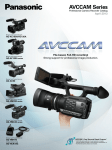
The AVCCAM series Enables a Speedy, Efficient Image Production.
It Also Makes Video Packaging and Internet Distribution*1 Smooth and Easy.
Tapeless design means lower total costs unlike tape, AVCHD files require no digitising*2 and
can be directly and quickly transmitted*3 to a storage in a Windows PC/Mac.
This makes it easier to use motion images in new IT applications*4, like content production,
Internet distribution*1 and source material archiving.
AVCHD's direct editing also saves your time and effort in TV program production.
And AVCHD means lower costs for both media and equipment maintenance.
Nonlinear Editing System
USB 2.0
BD/DVD Production
AG-AC160
AG-AC130
PC/Mac
Web Distribution*1
SDXC/SDHC/SD Memory Card
*1 To distribute AVCHD files on the web, You may need to use a video distributing service on the web
which is operated by other web publishers and supports AVCHD. For real-time web distribution, a
real-time video encoder which is supplied by other manufactures may be required to use.
*2 Editing may require conversion to an intermediate codec, depending on the editing software. The
conversion speed varies depending on the hardware specifications of the Windows PC or Mac, the
software used for converting, and the file format being converted.
*3 Maximum speed: 22 MB/s (Using a Class 10 SDHC Memory Card. Speed depends on the
hardware specifications of the Windows PC or Mac). Some computers may not recognise the
SDXC/SDHC Memory Card. If that occurs, use an SDXC/SDHC Memory Card Reader.
*4 AVCHD-compatible software is required. The minimum system requirements for using the
software must also be satisfied.
AVCHD
AVCHD Nonlinear Editing
Compatibility with existing HD editing environments AVCHD files can
be transferred at high speed by using the USB 2.0 interface to
connect the AVCCAM series or an SDXC/SDHC/SD Memory Card
reader to a Windows PC/Mac. This dramatically improves productivity
when compared with the time-consuming task of digitising.
USB 2.0
AG-AC160
AG-AC130
BD (BD-Video)
DVD (AVCHD)
AVCHD compatible
Nonlinear Editing System
DVD-Video
(SD)
USB 2.0
SDXC/SDHC/SD
SDXC/SDHC/SD
DV
Memory Card
Card Reader
IEEE1394
(DV terminal)/
USB2.0*1
DV Nonlinear Editing
The AG-AC160/AC130 have an IEEE 1394-compliant DV (6-pin)
output terminal. Simply connect it to an existing DV nonlinear editor
for transmitting its DV compression stream output.
*File transfers are not supported.
*AVCHD files can not be converted to DV files and output via IEEE1394 (DV terminal).
*1: To Transfer DV file data via USB 2.0, the camera recorder needs to be set AVCHD mode.
AG-AC160
AG-AC130
DVD
(Standard Definition)
DV compatible
Nonlinear Editing System
USB 2.0
SDXC/SDHC/SD SDXC/SDHC/SD
Memory Card
Card Reader
Precautions for Using the SDXC Memory Card
•The SDXC Memory Card can be used for products that display the SDXC logo mark either on the product itself, or in the User's Manual. It cannot be used with products that are only compatible with SDHC/SD
Memory Cards.
•How to confirm SDXC compatibility: Confirm compatibility by looking for the SDXC logo mark on the product or in the User's Manual, or check the information provided by the product manufacturer.
•When using the SDXC Memory Card with a computer: For a computer with Windows 7 OS, use the SDXC Memory Card via an SDXC-compatible USB reader/writer, or connect the SDXC Memory Card to an
SDXC-compatible product via a USB terminal. If you want to use the SDXC Memory Card in a direct slot, be sure to check the information provided by the manufacturer for the computer that you plan to use,
and follow the instructions therein.
A Host of Software to Support Production
As of August, 2011
AVCCAM Viewer*1 (for Windows/Mac, Free Download)
AVCCAM SD Card File Recovery
AVCCAM Viewer for Windows PC/Mac*2 makes it easy to preview
AVCCAM files and other AVCHD motion images, still images and metadata, with very simple operation. Files can be played from an SDXC/
SDHC/SD Memory Card, BD (Blu-ray Disc™), or hard disk, and saved to
a PC (hard disk) from an SDXC*3/SDHC/SD Memory Card or BD. Files
can also be copied or deleted, meta-data can be displayed, and data can
be written to an SDXC*3/SDHC/SD Memory Card or BD*4.
(for Windows/Mac, Free Download)
*1: AVCCAM Viewer doesn't support DV files.
*2: Copying and playing data on BD (BD-RE Ver3.0) are not supported by Mac OS X 10.4 (Tiger).
*3: Mac version doesn't support SDXC memory card.
*4: Do not insert a disc [DVD (AVCHD)] into a device that does not support the AVCHD standard. If it
is inserted into such a device, the disc may not eject. Also, do not play the disc with a device that
does not support the AVCHD standard.
AVCCAM Importer (for Mac, Free Download)
AVCCAM Restorer (for Windows/Mac, Free Download)
The AVCCAM Restorer is software for restoring inconsistencies in video
data recorded on an SDXC/SDHC/SD Memory Card.
*This software can only be used with AVCHD clips recorded with a Panasonic AVCCAM series
camera.
*Note that it will not always be possible to restore the data using this software.
*This software targets recorded data that has been damaged for restoration. It is not capable of
performing processing to restore deleted data.
9
The AVCCAM SD Card file recovery is software for repairing the file which
was erased or formatted accidentally. It supports SDXC/SDHC/SD
memory card.
*This software can only be used with AVCHD, DV and JPEG clips recorded with a Panasonic
AVCCAM series camera.
*Note that it will not always be possible to repaire the file using this software.
AVCCAM Importer is a software for Apple Final Cut Pro 7 to enable direct
editing of AVCHD* “.mts” file without conversion. Since AVCCAM
Importer is a plug-in component for Apple QuickTime, QuickTime Player
can play AVCHD “.mts” file and other software based on QuickTime
Framework can also handle AVCHD “.mts” file directly after installation of
AVCCAM Importer on a Mac.
*AVCCAM Importer supports the AVCHD files produced by AVCCAM products only.