1
Model PD7000 Temperature Input Meter
Instruction Manual
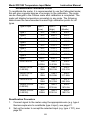
3. Set up the meter to display temperature in degrees Fahrenheit.
4. Apply signal corresponding to input 1 (32°F) and program the display
to read 32.0.
5. Apply signal corresponding to input 2 (1184°F for type J) and
program the display accordingly.
6. After the meter accepts input 2, the display returns to reading mode.
This completes the recalibration procedure for the selected input.
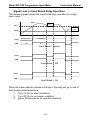
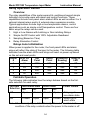
Noise Filter (filter)
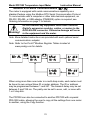
The noise filter is available for unusually noisy signals that cause an
unstable process variable display. The noise filter averages the input
signal over a certain period. The filter level determines the length of time
over which the signal is averaged. The filter level can be set between 2
and 199. The higher the filter level, the longer the averaging time and so
the longer it takes the display to settle to its final value. Setting the filter
level to zero disables the filter function.
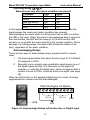
Noise Filter Bypass (bypass)
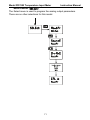
The noise filter bypass changes the behavior of the meter so that small
variations in the signal are filtered out but large abrupt changes in the
input signal are displayed immediately. The bypass value determines the
minimum amount of signal change to be displayed immediately. All signal
changes smaller than the bypass value are filtered or averaged by the
meter. The noise filter bypass may be set between 0.1 and 99.9% of full
scale.
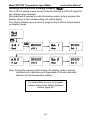
Rounding Feature (round)
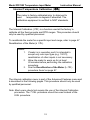
The rounding feature is used to give the user a steadier display with
fluctuating signals. Rounding is used in addition to the filter function.
Rounding causes the display to round to the nearest value according to
the rounding selected. This setting affects the last two digits, regardless
of decimal point position. On this ProVu model, the valid settings are 1,
2, 5, and 10 (only).
69