1
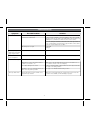
Troubleshooting
Symptom
Sound is distorted
Possible Problem
Solution
Volume level is set too high
Decrease the volume
Sound source is distorted
If the iPhone/iPod original sound source (MP3) is old or of poor quality,
distortion and noise are easily noticed with high-power speakers. Try
updating the sound file from a trusted source such as iTunes.
If you are using an external sound source like older generation of
iPod or iPod Shuffle, try reducing the output volume on the device
itself. Also try turning bass boost OFF.
EQ settings are too high.
Lower EQ
settings.
Unit/adaptor gets
warm after extended
play at high volume
This is normal
Turn unit off for a while or lower volume
Snooze time
is too long/short
Custom snooze time not set
Press and hold Snooze button then turn Set Wheel to adjust
Alarm not working
AM/PM time/alarm time not set correctly
When setting clock or alarm time, take note of the AM/PM indicators
Alarm time or source selected for alarm 2
or alarm 3, not alarm 1, etc.
Make sure to set the alarm time and source for the alarm icon 1,
2 or 3 that is shown on the clock display
7-5-2 days setting is not correct
7 days is every day alarm, 5 days is Mon-Fri, and 2 days is Sat-Sun.
See page 5 for setting alarms.
Calendar is not set correctly, which can
affect 7/5/2 day alarm operation
See page 4 for Time/Calendar setting section.
Older iPod models such as iPod mini do not
support time sync function
Make sure you are using an iPhone or newer iPod such as touch, nano
or classic. If not available, set time manually (see page 4).
Time sync didn’t work
11