1
Recording
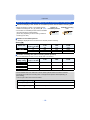
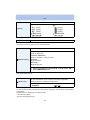
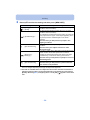
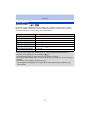
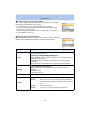
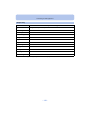
∫ The available flash range (approximation)
[AUTO] in
[Sensitivity]
Wide
Tele
40 cm (1.3 feet) to 4.4 m (14 feet)
1.0 m (3.3 feet) to 1.7 m (5.6 feet)
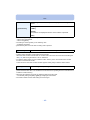
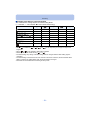
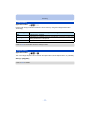
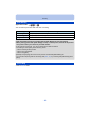
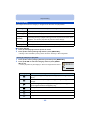
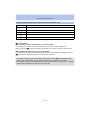
∫ Shutter speed for each flash setting
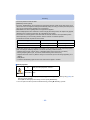
Flash setting
Shutter speed (Sec.)
Flash setting
Shutter speed (Sec.)
Œ
1¢1 to 1/1600
1 or 1/8 to 1/1600¢2
1 or 1/4 to 1/1600¢2, 3
‡
1/60¢1 to 1/1600
‰
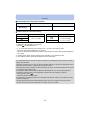
¢1 Varies according to the [Min. Shtr Speed] setting.
¢2 When [Min. Shtr Speed] is set to [AUTO].
¢3 When [
] in [Sensitivity] is set.
• ¢2, 3: The shutter speed becomes a maximum of 1 second in the following cases.
– When the Optical Image Stabiliser is set to [OFF].
– When the camera has determined that there is very little jitter when the Optical Image Stabiliser is
set to [ON].
• In Intelligent Auto Mode, shutter speed changes depending on the identified scene.
• In Scene Mode, shutter speed will be different from the above table.
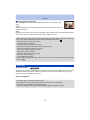
• If you bring the flash too close to an object, the object may be distorted or discoloured by the heat or
lighting from the flash.
• Recording a subject from too close, or without sufficient flash will not provide the appropriate level of
exposure, and may result in a picture that is too white or dark.
• When the flash is being charged, the flash icon blinks red, and you cannot take a picture even when
you press the shutter button fully.
• If recording a subject without sufficient flash, the White Balance may not be properly adjusted.
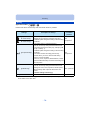
• The effects of the flash may not be adequately achieved under the following conditions.
– When [Burst] is set to [ ]
– When the shutter speed is too fast
• It may take time to charge the flash if you repeatedly take pictures. Take a picture after the access
indication disappears.
• The Red-Eye Reduction effect differs between people. Also, if the subject is far away from the
camera or was not looking at the first flash, the effect may not be evident.
- 52 -