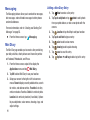
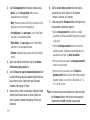
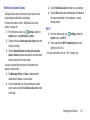
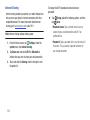
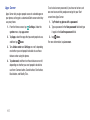
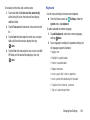
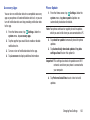
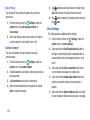
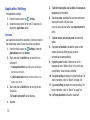
1
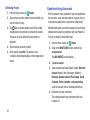
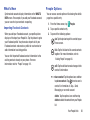
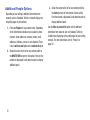
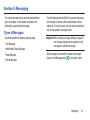
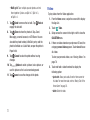
User Guide
User Guide
GH68-40414A Printed in USA
Guía del Usuario
Warning! This product contains chemicals known to the State of California to cause cancer and reproductive toxicity.
Intellectual Property
All Intellectual Property, as defined below, owned by or which is otherwise the property of Samsung or its respective suppliers
relating to the SAMSUNG Phone, including but not limited to, accessories, parts, or software relating there to (the “Phone
System”), is proprietary to Samsung and protected under federal laws, state laws, and international treaty provisions. Intellectual
Property includes, but is not limited to, inventions (patentable or unpatentable), patents, trade secrets, copyrights, software,
computer programs, and related documentation and other works of authorship. You may not infringe or otherwise violate the
rights secured by the Intellectual Property. Moreover, you agree that you will not (and will not attempt to) modify, prepare
derivative works of, reverse engineer, decompile, disassemble, or otherwise attempt to create source code from the software. No
title to or ownership in the Intellectual Property is transferred to you. All applicable rights of the Intellectual Property shall remain
with SAMSUNG and its suppliers.
Open Source Software
Some software components of this product, including but not limited to 'PowerTOP' and 'e2fsprogs', incorporate source code
covered under GNU General Public License (GPL), GNU Lesser General Public License (LGPL), OpenSSL License, BSD License and
other open source licenses. To obtain the source code covered under the open source licenses, please visit:
http://opensource.samsung.com.
Disclaimer of Warranties; Exclusion of Liability
EXCEPT AS SET FORTH IN THE EXPRESS WARRANTY CONTAINED ON THE WARRANTY PAGE ENCLOSED WITH THE PRODUCT, THE
PURCHASER TAKES THE PRODUCT "AS IS", AND SAMSUNG MAKES NO EXPRESS OR IMPLIED WARRANTY OF ANY KIND WHATSOEVER
WITH RESPECT TO THE PRODUCT, INCLUDING BUT NOT LIMITED TO THE MERCHANTABILITY OF THE PRODUCT OR ITS FITNESS FOR ANY
VZN-W750V_UM_ENG_NK4_TN_122614_R3
PARTICULAR PURPOSE OR USE; THE DESIGN, CONDITION OR QUALITY OF THE PRODUCT; THE PERFORMANCE OF THE PRODUCT; THE
WORKMANSHIP OF THE PRODUCT OR THE COMPONENTS CONTAINED THEREIN; OR COMPLIANCE OF THE PRODUCT WITH THE
REQUIREMENTS OF ANY LAW, RULE, SPECIFICATION OR CONTRACT PERTAINING THERETO. NOTHING CONTAINED IN THE INSTRUCTION
MANUAL SHALL BE CONSTRUED TO CREATE AN EXPRESS OR IMPLIED WARRANTY OF ANY KIND WHATSOEVER WITH RESPECT TO THE
PRODUCT. IN ADDITION, SAMSUNG SHALL NOT BE LIABLE FOR ANY DAMAGES OF ANY KIND RESULTING FROM THE PURCHASE OR USE OF
THE PRODUCT OR ARISING FROM THE BREACH OF THE EXPRESS WARRANTY, INCLUDING INCIDENTAL, SPECIAL OR CONSEQUENTIAL
DAMAGES, OR LOSS OF ANTICIPATED PROFITS OR BENEFITS.
Modification of Software
SAMSUNG IS NOT LIABLE FOR PERFORMANCE ISSUES OR INCOMPATIBILITIES CAUSED BY YOUR EDITING OF REGISTRY SETTINGS, OR
YOUR MODIFICATION OF OPERATING SYSTEM SOFTWARE.
USING CUSTOM OPERATING SYSTEM SOFTWARE MAY CAUSE YOUR DEVICE AND APPLICATIONS TO WORK IMPROPERLY. YOUR CARRIER
MAY NOT PERMIT USERS TO DOWNLOAD CERTAIN SOFTWARE, SUCH AS CUSTOM OS.
IF YOUR CARRIER PROHIBITS THIS, IF YOU ATTEMPT TO DOWNLOAD SOFTWARE ONTO THE DEVICE WITHOUT AUTHORIZATION, YOU WILL
BE NOTIFIED ON THE SCREEN THAT THE PHONE WILL NO LONGER OPERATE AND BE INSTRUCTED TO POWER DOWN THE DEVICE. YOU
MUST THEN CONTACT YOUR CARRIER TO RESTORE THE DEVICE TO THE CARRIER AUTHORIZED SETTINGS.[091714]
Samsung Telecommunications America (STA), LLC
Headquarters:
1301 E. Lookout Drive
Richardson, TX 75082
Customer Care Center:
1000 Klein Rd.
Plano, TX 75074
Toll Free Tel: 1.888.987.HELP (4357)
Internet Address:
http://www.samsung.com
©2014
Samsung Telecommunications America, LLC. Samsung is a registered trademark of Samsung Electronics Co., Ltd.
Do you have questions about your Samsung Mobile Phone?
For 24 hour information and assistance, we offer a new FAQ/ARS System (Automated Response System) at:
www.samsung.com/us/support
The actual available capacity of the internal memory is less than the specified capacity because the operating system and default
applications occupy part of the memory. The available capacity may change when you upgrade the device.
Nuance®, VSuite™, T9® Text Input, and the Nuance logo are trademarks or registered trademarks of Nuance Communications,
Inc., or its affiliates in the United States and/or other countries.
The Bluetooth® word mark, figure mark (stylized “B Design”), and combination mark (Bluetooth word mark and “B Design”) are
registered trademarks and are wholly owned by the Bluetooth SIG.
Wi-Fi is a registered trademark of the Wireless Fidelity Alliance, Inc.
©Samsung Telecommunications America, LLC (“Samsung”). Samsung, AMOLED, and Samsung Link are all trademarks of
Samsung Electronics Co., Ltd. and/or its related entities. Other company names, product names and marks mentioned herein are
the property of their respective owners and may be trademarks or registered trademarks. Appearance of device may vary.
©Verizon Wireless. Verizon Wireless and the Verizon Wireless logos are trademarks of Verizon Trademark Services LLC. All
company names, trademarks, logos and copyrights not property of Verizon Wireless are the property of their respective owners.
Online Legal Information
The online version of the Health/Safety and Warranty guide for your device can be found at:
English: www.samsung.com/us/Legal/Phone-HSGuide
Spanish: www.samsung.com/us/Legal/Phone-HSGuide-SP
The online version of the End User Licensing Agreement for your device can be found:
Online at: www.samsung.com/us/Legal/SamsungLegal-EULA3.
Table of Contents
Section 1: Getting Started ...........................4
Setting Up Your Phone . . . . . . . . . . . . . . . . . . . . 4
Memory Card . . . . . . . . . . . . . . . . . . . . . . . . . . 8
Turning your Phone On or Off . . . . . . . . . . . . . . 9
Locking and Unlocking your Phone . . . . . . . . . . 9
Using the Start-Up Wizard . . . . . . . . . . . . . . . . 10
Setting Up Your Voice Mail . . . . . . . . . . . . . . . . 10
Phone Updates . . . . . . . . . . . . . . . . . . . . . . . . 11
Sense Apps . . . . . . . . . . . . . . . . . . . . . . . . . . .26
Entering Text . . . . . . . . . . . . . . . . . . . . . . . . . .26
Section 3: Call Functions .......................... 34
Making a Call . . . . . . . . . . . . . . . . . . . . . . . . .34
Making a Call from People . . . . . . . . . . . . . . . .35
Answering a Call . . . . . . . . . . . . . . . . . . . . . . .35
History . . . . . . . . . . . . . . . . . . . . . . . . . . . . . . .35
Options During a Call . . . . . . . . . . . . . . . . . . . .37
Section 2: Understanding Your Phone .....12
Section 4: Your People Hub ...................... 41
Front View . . . . . . . . . . . . . . . . . . . . . . . . . . . 12
Side Views . . . . . . . . . . . . . . . . . . . . . . . . . . . 14
Back, Top, and Bottom View . . . . . . . . . . . . . . 15
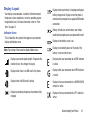
Display Layout . . . . . . . . . . . . . . . . . . . . . . . . . 16
Speech Engine . . . . . . . . . . . . . . . . . . . . . . . . 20
Notifications and Quick Actions . . . . . . . . . . . . 20
Custom Volume Levels . . . . . . . . . . . . . . . . . . 21
Menu Navigation . . . . . . . . . . . . . . . . . . . . . . . 21
Customizing Your Home Screen . . . . . . . . . . . . 23
Screen Projection . . . . . . . . . . . . . . . . . . . . . . 25
Importing SIM Contacts to Your Phone . . . . . . .41
Adding a New Contact . . . . . . . . . . . . . . . . . . .41
Editing an Existing Contact . . . . . . . . . . . . . . .42
Deleting Contacts . . . . . . . . . . . . . . . . . . . . . .42
Creating a New Room . . . . . . . . . . . . . . . . . . .43
Room Options . . . . . . . . . . . . . . . . . . . . . . . . .44
Rooms Chat, Calendar, Photos, and Notes . . . .45
Creating a New Group . . . . . . . . . . . . . . . . . . .45
Group Options . . . . . . . . . . . . . . . . . . . . . . . . .46
Using Your People List . . . . . . . . . . . . . . . . . . .47
1
Linking People . . . . . . . . . . . . . . . . . . . . . . . .
Synchronizing Accounts . . . . . . . . . . . . . . . . .
What’s New . . . . . . . . . . . . . . . . . . . . . . . . . .
People Options . . . . . . . . . . . . . . . . . . . . . . . .
Additional People Options . . . . . . . . . . . . . . . .
48
49
50
50
51
Section 5: Messaging ............................... 52
Types of Messages . . . . . . . . . . . . . . . . . . . .
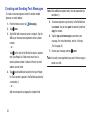
Creating and Sending Text Messages . . . . . . .
Voice to Text Messages . . . . . . . . . . . . . . . . .
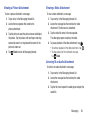
Creating and Sending Multimedia Messages .
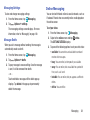
Messaging Threads . . . . . . . . . . . . . . . . . . . .
Online Messaging . . . . . . . . . . . . . . . . . . . . .
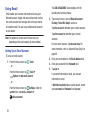
Using Email . . . . . . . . . . . . . . . . . . . . . . . . . .
52
53
54
54
55
58
59
Section 6: Multimedia .............................. 64
Xbox Music Pass . . . . . . . . . . . . . . . . . . . . . .
Music . . . . . . . . . . . . . . . . . . . . . . . . . . . . . . .
Store . . . . . . . . . . . . . . . . . . . . . . . . . . . . . . .
Photos . . . . . . . . . . . . . . . . . . . . . . . . . . . . . .
Camera . . . . . . . . . . . . . . . . . . . . . . . . . . . . .
Photo Editor . . . . . . . . . . . . . . . . . . . . . . . . . .
Video . . . . . . . . . . . . . . . . . . . . . . . . . . . . . . .
64
64
66
67
71
76
77
Section 7: Applications .............................79
GPS Applications . . . . . . . . . . . . . . . . . . . . . .
Alarms . . . . . . . . . . . . . . . . . . . . . . . . . . . . . .
App Folder . . . . . . . . . . . . . . . . . . . . . . . . . . .
ATIV Beam . . . . . . . . . . . . . . . . . . . . . . . . . . .
ATIV Camera . . . . . . . . . . . . . . . . . . . . . . . . .
Battery Saver . . . . . . . . . . . . . . . . . . . . . . . . .
Calculator . . . . . . . . . . . . . . . . . . . . . . . . . . . .
Calendar . . . . . . . . . . . . . . . . . . . . . . . . . . . .
Camera . . . . . . . . . . . . . . . . . . . . . . . . . . . . .
Cortana . . . . . . . . . . . . . . . . . . . . . . . . . . . . .
Data Sense . . . . . . . . . . . . . . . . . . . . . . . . . . .
Finance . . . . . . . . . . . . . . . . . . . . . . . . . . . . .
Food & Drink . . . . . . . . . . . . . . . . . . . . . . . . .
Games . . . . . . . . . . . . . . . . . . . . . . . . . . . . . .
Health and Fitness . . . . . . . . . . . . . . . . . . . . .
Help+Tips . . . . . . . . . . . . . . . . . . . . . . . . . . .
Internet Explorer . . . . . . . . . . . . . . . . . . . . . . .
Live Wallpaper . . . . . . . . . . . . . . . . . . . . . . . .
MangaCamera . . . . . . . . . . . . . . . . . . . . . . . .
Maps . . . . . . . . . . . . . . . . . . . . . . . . . . . . . . .
79
80
81
81
82
82
83
84
85
85
86
86
86
87
89
89
89
90
90
90
2
Messaging . . . . . . . . . . . . . . . . . . . . . . . . . . . 91
Mini Diary . . . . . . . . . . . . . . . . . . . . . . . . . . . . 91
Music . . . . . . . . . . . . . . . . . . . . . . . . . . . . . . . 92
My Verizon Mobile . . . . . . . . . . . . . . . . . . . . . . 92
News . . . . . . . . . . . . . . . . . . . . . . . . . . . . . . . . 92
NFL Mobile . . . . . . . . . . . . . . . . . . . . . . . . . . . 92
Office . . . . . . . . . . . . . . . . . . . . . . . . . . . . . . . 93
OneDrive . . . . . . . . . . . . . . . . . . . . . . . . . . . . . 94
OneNote . . . . . . . . . . . . . . . . . . . . . . . . . . . . . 95
Paper Artist . . . . . . . . . . . . . . . . . . . . . . . . . . . 95
People . . . . . . . . . . . . . . . . . . . . . . . . . . . . . . . 95
Phone . . . . . . . . . . . . . . . . . . . . . . . . . . . . . . . 95
Photo Editor . . . . . . . . . . . . . . . . . . . . . . . . . . 96
Photos . . . . . . . . . . . . . . . . . . . . . . . . . . . . . . . 96
Samsung Link . . . . . . . . . . . . . . . . . . . . . . . . . 96
Settings . . . . . . . . . . . . . . . . . . . . . . . . . . . . . . 96
Share Box . . . . . . . . . . . . . . . . . . . . . . . . . . . . 97
Skype . . . . . . . . . . . . . . . . . . . . . . . . . . . . . . . 97
Sports . . . . . . . . . . . . . . . . . . . . . . . . . . . . . . . 97
Storage Sense . . . . . . . . . . . . . . . . . . . . . . . . . 97
Store . . . . . . . . . . . . . . . . . . . . . . . . . . . . . . . . 98
Travel . . . . . . . . . . . . . . . . . . . . . . . . . . . . . . . 98
3
Verizon Tones . . . . . . . . . . . . . . . . . . . . . . . . .99
Video . . . . . . . . . . . . . . . . . . . . . . . . . . . . . . . .99
Video Trimmer . . . . . . . . . . . . . . . . . . . . . . . .100
Voicemail . . . . . . . . . . . . . . . . . . . . . . . . . . . .100
VZ Navigator . . . . . . . . . . . . . . . . . . . . . . . . .101
Wallet . . . . . . . . . . . . . . . . . . . . . . . . . . . . . .101
WatchON . . . . . . . . . . . . . . . . . . . . . . . . . . . .102
Weather . . . . . . . . . . . . . . . . . . . . . . . . . . . . .102
Section 8: Connections ........................... 103
Wi-Fi . . . . . . . . . . . . . . . . . . . . . . . . . . . . . . .103
Bluetooth . . . . . . . . . . . . . . . . . . . . . . . . . . . .106
PC Connections . . . . . . . . . . . . . . . . . . . . . . .108
Section 9: Changing Your Settings ........ 109
System Settings . . . . . . . . . . . . . . . . . . . . . .109
Application Settings . . . . . . . . . . . . . . . . . . . .137
Section 1: Getting Started
This section reviews how to get started by configuring
your hardware, activating your service, and setting up your
voice mail.
Setting Up Your Phone
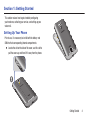
Prior to use, it is necessary to install both the battery and
SIM into their corresponding internal compartments.
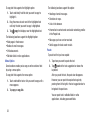
Locate the slot on the side of the cover, use this slot to
pull the cover up, and then lift it away from the phone.
Getting Started
4
Installing the SIM Card
A Subscriber Identity Module (SIM Card) is a “smartcard”
that houses personal information, such as your mobile phone
number, calling plan, account information, and content, such
as contacts, text messages, and call history.
The Verizon Wireless 4G LTE SIM Card is compatible with any
Verizon Wireless 4G LTE certified device. You can move the
4G LTE SIM Card from one device to another and your
wireless service will work seamlessly as long as you have a
compatible device and service plan. To see which devices
are compatible with the Verizon Wireless 4G LTE SIM Card,
visit verizonwireless.com/certifieddevice.
Important! The plug-in SIM card information and its contacts
can be easily damaged by scratching or bending,
so be careful when handling, inserting, or
removing the card. Keep all SIM cards out of
reach of small children.
5
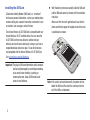
With the battery removed, carefully slide the SIM card
into the SIM card socket (as shown) until the card locks
into place.
Make sure that the card’s gold contacts face into the
phone and that the upper-left angled corner of the card
is positioned as shown.
Note: If the card is not inserted correctly, the phone will not
detect the SIM card. Re-orient the card back into the
slot if the SIM is not detected.
Installing the Battery
4. Press the cover down into place.
1. Insert the battery into the opening on the back of
the phone, making sure the three metal connectors
align (1).
2. Gently press down to secure the battery (2).
3. Replace the back cover (the back of the phone) by
aligning the bottom of the back cover with the phone
as shown.
5. Press down firmly along the edges of the cover to
ensure that the cover is flush with the phone. You
should hear a light click as the cover locks in place.
Note: Make sure the battery is properly installed before
switching on the phone.
Getting Started
6
Charging a Battery
Your phone is powered by a rechargeable Li-ion battery. The
Wall/USB Charger, which is used to charge the battery, is
included with your phone. Use only approved batteries and
chargers. Long backlight settings, searching for service,
vibrate mode, browser use, and other variables may reduce
the battery’s talk and standby times.
When you connect the charger, your phone powers on
automatically. Your Windows phone stays powered on
whenever it is charging.
Although you can use the phone while the battery is
charging, doing so requires additional charging time.
Note: You must fully charge the battery before using your
phone for the first time. A discharged battery recharges
fully in approximately 4 hours.
Using the Wall/USB Charger
1. Connect the USB cable to the power adapter.
2. Plug the power adapter into a standard electrical
outlet.
3. Connect the small end of the USB cable into the
phone’s Micro USB Charging Port.
7
4. When charging is finished, remove the flat end from
the interface connector jack on the phone.
Caution! Failure to unplug the wall charger before you
remove the battery can cause damage to the phone.
Low Battery Indicator
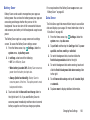
Memory Card
When the battery is weak and only a few minutes of talk time
remain, the “Battery critically low” warning appears and the
device sounds a warning tone at regular intervals.
Your device supports optional, removable, microSD or
microSDHC memory cards (not included) for storage of
music, pictures, and other files.
For a quick check of your battery level, glance at the battery
charge indicator located in the upper-right corner of your
device’s display. A solid battery icon (
) indicates a
full charge.
For more information about using memory cards, see
“Storage Sense” on page 121.
When the battery level becomes too low, the phone
automatically turns off.
Note: If the phone automatically turns off because the battery
level is too low, you must charge the battery until the
phone turns on automatically.
Installing a Memory Card
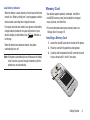
1. Locate the microSD card slot on the side of the phone.
2. Place the card with the gold strips facing down.
3. Carefully slide the optional microSD card into the card
slot (as shown) until it “clicks” into place.
Getting Started
8
Removing a Memory Card
Warning! To prevent damage to data stored on the memory
card, unmount the card before removing it from the
device.
Turning your Phone On or Off
To turn ON, press and hold the Power/Lock button.
To power OFF, press and hold the Power/Lock button
and follow the prompts.
1. From the Home screen, tap
Settings. Under the
system menu, tap phone storage ➔ SD card ➔
remove SD card.
Note: The display language is preset to English at the factory.
To change the language, use the Language menu. For
more information, refer to “Language” on page 129.
2. At the prompt, read the warning and select OK to
continue. Wait for the SD card safe to remove icon to
appear in the Status bar and Notification panel.
Locking and Unlocking your Phone
Prevent accidental key presses by locking your phone.
3. Locate the microSD card slot on the side of the phone.
To lock, press the Power/Lock button.
4. Push the memory card inward to release the lock, and
then carefully pull the card out.
To unlock, press the Power/Lock button. Then swipe
your finger up the screen.
Note: Your phone is able to make emergency calls without
being set up or having a SIM card installed, if your
mobile operator allows. To place an emergency call, tap
emergency call and dial 911 or the appropriate
emergency phone number.
9
Using the Start-Up Wizard
The very first time you turn on your phone, the Start-up
Wizard screen will guide you through the basics of setting up
your device.
Follow the prompts to choose a default language, country/
region and time zone, date and time, Wi-Fi network.
• To get apps, play games, automatically sync Windows Live
information to the web, and more, you need a Microsoft
account. If you already have an Xbox LIVE, Hotmail, or
Windows ID, you already have a Microsoft account.
The Start-up Wizard will prompt you to sign in with your
existing Microsoft account, or to create a new one.
Note: If you choose Sign in later, you can postpone setting up
your Microsoft account. A Microsoft account required
screen displays when you try to use a feature that
requires that you be signed in.
Setting Up Your Voice Mail
1. From the Home screen, tap
.
2. Dial *86 and tap Call, or tap
voicemail.
3. If you hear a greeting, press # to interrupt, and follow
the setup tutorial.
Note: These steps may be different depending on your
cellular network.
Accessing Your Voice Mail
1. From the Home screen, tap
.
2. Dial *86 and tap Call or tap
voicemail.
3. When you hear the greeting, press # to interrupt, and
follow the prompts.
• You can also set up Backup Assistant Plus, a free service
from Verizon Wireless that automatically backs up your
contacts. Visit verizonwireless.com/baplus to learn more.
Getting Started
10
Accessing Your Voice Mail from Another Phone
1. Dial your wireless phone number.
2. When you hear the greeting, press the # to interrupt,
and follow the prompts.
Important! Voice mailboxes not set up within 45 days will be
canceled. Your voice mailbox is not password
protected until you create a password by
following the setup tutorial.
Visual Voice Mail
View a list of messages without dialing into a mailbox. Listen
or erase with the tap of a button.
1. From the Home screen, swipe left to display the
Applications menu and tap
voicemail.
2. Follow the prompts to set up visual voice mail.
Note: Data charges apply when using Visual Voice Mail.
11
Phone Updates
Updating your phone can make it work better and add new
features. Updates can also make your phone more secure.
For more information, refer to “Phone Update” on page 132.
Section 2: Understanding Your Phone
This section outlines some key features of your phone and
describes the screen and the icons that appear when the
phone is in use. It also shows how to navigate through
the phone.
2
1
3
4
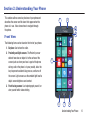
Front View
The following items can be found on the front of your phone.
1. Earpiece: Use to hear the caller.
2. Proximity and light sensors: The Proximity sensor
detects how close an object is to the surface of the
screen (such as when your face is against the phone
during a call or the phone is in your pocket), locks the
keys to prevent accidental key presses, and turns off
the screen. Light sensors use the ambient light level to
adjust screen brightness and contrast.
5
3. Front-facing camera: Use to photograph yourself, or
view yourself while video chatting.
6
7
8
Understanding Your Phone
12
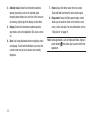
4. Indicator icons: Shows the information needed to
operate your phone, such as the received signal
strength, phone battery level, and time. If the icons are
not showing, tap the top of the display to show them.
5. Display: Shows the information needed to operate
your phone, such as the Application Tiles, icons, and so
on.
6. Back: Use to step backwards when navigating a menu
or web page. Touch and hold the Back key to view the
current screen and up to six screens most recently
displayed.
13
7. Home: Access the Home screen from any screen.
Touch and hold to activate the voice search engine.
8. Bing search: Access the Bing search engine, which
allows you to search for items on the internet, scout,
music, vision, and voice. For more information, refer to
“Bing Search” on page 19.
Note: Some applications, such as People and Store, display a
search button
that allows you to search within that
application.
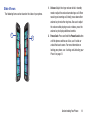
Side Views
The following items can be found on the sides of your phone.
1
2
1. Volume: Adjust the ringer volume while in standby
mode or adjust the voice volume during a call. When
receiving an incoming call, briefly press down either
volume key to mute the ring tone. Also use to adjust
the volume while playing music or videos, press the
volume key to display additional controls.
2. Power/Lock: Press and hold the Power/Lock button
until the phone switches on. Also, use it to lock or
unlock the touch screen. For more information on
locking your phone, see “Locking and Unlocking your
Phone” on page 21.
Understanding Your Phone
14
Back, Top, and Bottom View
The following items can be found on the back, the top, and
the bottom of your phone.
2
1
2. 3.5mm headset jack: Plug in for accessories.
3. Rear-facing camera: Use to take pictures and record
videos.
3
4
1. IR transmitter: Used to emit infrared signals used for
controlling external devices.
4. Flash: Use when taking photos or recording videos.
5. External speaker: Allows you to hear when the
Speakerphone is turned on.
6. USB/charging port: Use to connect a charger or other
optional accessories such as a USB/data cable.
7. Microphone: Allows callers to hear you when you are
speaking to them. Also allows you to use the voice
search engine.
5
6
15
7
Display Layout
Your display screen provides a wealth of information about
the phone’s status and options, as well as providing access
to application icons. For more information, refer to “Front
View” on page 12.
Indicator Icons
This list identifies the symbols that appear on your phone’s
display and Indicator area:
Note: Tap the top of the screen to display hidden icons.
Displays when your battery is charging and displays
battery charge level. Displays when the phone is
connected to a computer via a supported USB cable
connection.
Battery critically low, which means your battery
needs to be charged soon or your phone will turn off.
Displays when battery saver is on.
Displays when battery power or the state of the
battery is not currently known.
Displays your current signal strength. The greater the
number of bars, the stronger the signal.
Displays when your connection to an EDGE network
is active.
Displays when there is no SIM card in the phone.
Displays when your connection to an GPRS network
is active.
Displays when the SIM card is locked.
Displays when your connection to a HSDPA/HSUPA
network is active.
Displays your battery charge level. Icon shown is fully
charged.
Displays when your connection to a RTT network is
active.
Understanding Your Phone
16
Displays when your connection to an EVDO network
is active.
Displays when Bluetooth is activated, but your phone
has not connected with a Bluetooth device.
Displays when your connection to an EVDV network
is active.
Displays when Wi-Fi is connected, active, and
communicating with a Wireless Access Point (WAP).
Displays when your connection to a UMTS network is
active.
Displays when Wi-Fi is active, but there is a
communication issue with the target Wireless
Access Point (WAP).
Displays when your connection to a 4G network is
active.
Displays when your connection to a 4G LTE network
is active.
Displays when the ringtone is set to vibrate only.
Indicates that Airplane Mode is active. You cannot
send or receive any calls or access online
information.
New notifications are available. For more
information, refer to “Notifications and Quick
Actions” on page 20.
Displays when the ringtone is set silent.
An app is accessing your phone's current location
information.
Displays when Bluetooth is activated and your phone
has been connected with a Bluetooth device.
17
For more details on configuring your phone’s settings, see
“Changing Your Settings” on page 109.
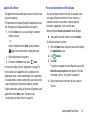
Application Menu
Personal Assistance with Cortana
The Application menu provides quick access to the items you
use most frequently.
For information on navigating through the Applications icons,
see “Navigating to the Application Menu” on page 22.
1. From the Home screen, use your finger to swipe the
display to the left
– or –
Scroll to the bottom of the Home screen and touch
Apps, then touch one of the application icons.
When the Cortana Ready to get started? screen displays:
Touch sure to activate Cortana or touch no thanks.
To activate Cortana at any time:
1. From the Home screen, swipe the screen left to display
the Applications menu.
2. Tap
2. Follow the onscreen instructions.
3. To return to the Home screen, press
You may be asked to activate Cortana, for example, when
you request Bing Search for the first time. Cortana is a
personal assistant on your phone, ready to help with
reminders, suggestions, tasks, and lots more.
Home.
For more information, refer to “Applications” on page 79.
In that section, each application that is available on the
Applications menu is listed and described. If the application
is also described in another section of this user manual, then
a cross reference to that particular section is provided.
Cortana.
3. Tap allow.
If you have not signed in to your Microsoft account, the
Microsoft account required screen displays. For more
information, refer to “Using Email” on page 59.
4. Follow the onscreen instructions to set up and use
Cortana.
To open applications quickly, pin the icons of frequently-used
applications to the Home screen. For details, see
“Customizing Your Home Screen” on page 23.
Understanding Your Phone
18
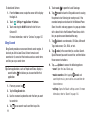
To deactivate Cortana:
1. From the Home screen, swipe the screen left to display
the App List.
Settings ➔ applications ➔ Cortana.
2. Touch
3. Touch and drag the On/Off slider to the left to turn
Cortana Off.
For more information, refer to “Cortana” on page 137.
Bing Search
Bing Search provides an onscreen Internet search engine. It
also lets you link to Local Scout, listens to music and
searches for it, scans text that can be used as a search term,
and lets you say a search term.
Tip: Some applications, such as People and Store, display a
search button
that allows you to search within that
application.
1. From any screen, tap
.
2. Tap the Bing Search bar.
3. Use the onscreen keyboard to enter the item you want
to search for.
4. Tap
19
to see search results and then tap a link.
5. Touch scout
to open the Local Scout app.
6. Tap
music to launch a Bing audio search, causing
the phone to start listening for nearby music. If the
recorded sample can be found in the Windows Phone
Store, the artist and song appears in a pop-up window
with a direct link to the Windows Phone Store, which
lets you purchase and download the song.
7. Tap
vision to scan barcodes, QR Codes, Microsoft
Tags, book covers, CDs, DVDs, or text.
8. Tap voice (in the search bar) to use Voice Search.
Speak the word you want to search for, and then follow
the onscreen instructions.
9. Tap
Options to access the following options:
• scout: Open the Local Scout app.
• music searches: After tapping
music and
searching for music, your matches are saved here for
future reference.
• settings: Opens the Search settings screen. For more
information, refer to “Search” on page 144.
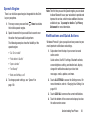
Speech Engine
There is an intuitive speech engine integrated into the Start
key on your phone.
1. From any screen, press and hold
the intuitive speech engine.
Home to activate
2. Speak the words that you would like to search on or
the action that you would like to perform.
The following examples show the flexibility of the
speech engine:
• “Call Chris mobile”
• “Find coffee in Seattle”
• “Open calendar”
• “Text Brandy”
• “Note send birthday card”
3. To change speech settings, see “Speech” on
page 130.
Note: The first time you use the Speech engine, you are asked
to allow Microsoft to use your voice data to provide and
improve the service, which makes additional features
available to you. Tap accept or decline. Tap Privacy
Statement for more information.
Notifications and Quick Actions
Windows Phone 8.1 gives you quick and easy access to your
most important notifications and settings.
1. Swipe down from the top of your screen to reveal
action center.
Quick actions, like Wi-Fi settings, Bluetooth activate,
screen brightness setting, and rotation lock, display
along with notifications about your latest text
messages, emails, updates, and more.
2. Touch ALL SETTINGS to access the Settings menu. For
more information, refer to “Changing Your Settings” on
page 109.
3. Touch CLEAR ALL to remove the current notifications.
4. Touch the bottom of the screen and swipe up to close
the action center screen.
Understanding Your Phone
20
To customize the action center:
1. From the Home screen, swipe the screen left to display
the App List.
2. Touch
actions.
Settings ➔ system ➔ notifications +
For more information, refer to “Notifications and
Actions” on page 112.
Custom Volume Levels
When you press the Volume key, either Ringer + Notifications
volume or Media + Apps displays at the top of the screen,
depending on what is being displayed.
2. Touch and slide a slider to decrease or increase the
volume. Ringer + Notifications can be adjusted from 0
to 10 and Media + Apps can be adjusted from 0 to 30.
3. Tap VIBRATION ON / OFF to turn vibration on or off.
Menu Navigation
You can tailor the phone’s range of functions to fit your needs
using menus. Menus, sub-menus, and features can be
accessed by scrolling through onscreen menus.
To adjust the volume:
1. Tap the carat in the upper, right corner.
The control panel displays.
Locking and Unlocking your Phone
To unlock your phone:
1. Press the Power/Lock button located on the upper
right side of your phone. The lock screen displays.
2. Swipe the lock screen in an upward direction.
3. The Home screen displays as shown.
21
Home Screen Overview
The Home screen is the starting point for many applications
and functions, and you can pin items like application icons,
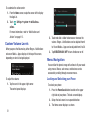
shortcuts, contacts, and web pages to your Home screen to
give you instant access to information and applications. The
Home screen is accessible from any menu or application by
pressing
.
Navigating to the Application Menu
1. At the Home screen, swipe the screen to the left.
Navigating Using Sub-Menus
Sub-menus are available when you are at any screen such
as Phone, People, Messaging, or Internet and
Options
displays at the bottom of the screen.
1. Tap
Options on the bottom right corner of your
display. A sub-menu appears at the bottom of the
screen.
2. Tap an option. The following example shows the call
Options.
history screen before and after tapping
2. The Application Menu displays.
3. Tap one of the application icons to launch the app.
4. Swipe the screen up or down to access all of the
available application icons.
5. To return to the Home screen, swipe the display to the
right.
Understanding Your Phone
22
Customizing Your Home Screen
You can customize your Home screen by doing the following:
• Adding and removing application tiles on the Home screen
• Repositioning application tiles
• Changing the background
Adding a Tile from the Applications Menu
1. At the Home screen, swipe the screen to the left. The
Application menu displays.
2. Touch and hold an application.
3. Tap pin to start after it displays under the icon.
The application now appears as the bottom Tile on the
Home screen. You can then move it if you would like.
For more information, refer to “Moving Tiles On the
Home Screen” on page 23.
Removing a Tile from the Home Screen
To delete an Application Tile from your Home screen, follow
these steps:
1. From the Home screen, touch and hold the Application
Tile that you want to remove.
2. Tap
unpin to delete the Tile.
Tip: After deleting any Application Tile, you can add it back
later by pinning it to the home screen from the
Applications Menu. For more information, refer to “Adding
a Tile from the Applications Menu” on page 23.
Moving Tiles On the Home Screen
To move an Application Tile on your Home screen, follow
these steps:
1. From the Home screen, touch and hold the Application
Tile that you want to move.
2. Drag the Tile to the new location and release.
3. Tap the center of the icon to place it in the new
location.
• Be careful not to tap
unpin. If you do, the Tile will
be deleted.
23
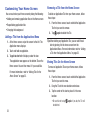
Resizing Tiles On the Home Screen
Tiles may be displayed as small, medium, or large tiles.To
resize an Application Tile on your Home screen, follow these
steps:
1. From the Home screen, touch and hold the Application
Tile that you want to resize.
2. Tap
,
, or
medium, and large.
to toggle between small,
Note: Not all tiles may be resized as small, medium, or large.
Changing the Lock Screen Background
You can change the background of your Lock screen by
following these steps:
1. From the Home screen, swipe the screen to the left to
display the Application Menu, and then tap
Settings.
3. Tap the Background field to choose an image location:
• photo: Sets a photo as the Lock screen background.
Tap the change photo field to select a photo from your
photo albums. Slide the photo within the window to
crop it, and then tap
to save.
• Bing: Randomly sets professional Bing images as the
Lock screen background.
• Live Wallpaper: Sets Live Wallpapers as the Lock
screen background. Tap the open app field to launch
Live Wallpaper.
• Photo Editor: Edit the background image with Photo
Editor. Tap the open app field to launch Photo Editor.
• Facebook: Automatically display photos from your
Facebook account.
4. Tap the Power/Lock button twice to view the new
Lock screen background.
2. Under the systemmenu, tap lock screen.
Understanding Your Phone
24
Changing the Color Theme
You can change the color theme of your phone by following
these steps:
1. From the Home screen, swipe the screen to the left to
display the Application Menu, and then tap
Settings.
2. Under the systemmenu, tap start+theme.
3. Tap the Background field.
4. Tap on dark or light to set your background color.
5. Tap the Accent color field.
6. Tap on a color that you like.
7. Press
to return to the Home screen.
Note: Battery power is consumed at a faster rate when the
background is set as light.
25
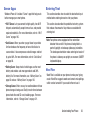
Screen Projection
Screen projection uses Wi-Fi direct without the use of routers
or access points to:
• Wirelessly stream HD video and audio to screen
projection-enabled devices
• Stream up to 1080p HD video and 5.1 surround sound.
To set up screen projection, see “Project My Screen” on
page 122.
Sense Apps
Entering Text
Windows Phone 8.1 includes "Sense" apps that help you to
better manage your smart phone.
This section describes how to select the desired text input
method when entering characters into your phone.
• Wi-Fi Sense: Lets you connect to high-quality, free Wi-Fi
This section also describes the predictive text entry system
that reduces the amount of key strokes associated with
entering text.
hotspots, automatically accept terms of use, and provide
required credentials. For more information, refer to “Wi-Fi
Sense” on page 105.
• Data Sense: Warns you when you get close to your data
limit and reduces the frequency of non-critical tasks to
save on data. It also compresses website images and text
by up to 60%. For more information, refer to “Data Sense”
on page 86.
• Battery Saver: Keeps track of which apps use the most
battery and enables auto-manage mode to add 20%
battery life. For more information, see “Battery Saver” on
page 82 and see “Battery Saver” on page 120.
• Storage Sense: Offers an easy-to-read breakdown of how
Note: Your phone comes equipped with an orientation
detector that can tell if the phone is being held in a
portrait (upright) or landscape (sideways) orientation.
The landscape orientation makes entering text easier. If
the phone is sideways or upright, an onscreen, QWERTY
keyboard displays.
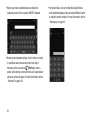
Word Flow
Word Flow is available on your phone to make your typing
easier. Word Flow suggests words and corrects misspellings,
which can be turned off if you would rather not use it.
phone storage is being used. Easily transfer items between
phone hard drive and SD card, including apps. For more
information, refer to “Storage Sense” on page 121.
Understanding Your Phone
26
Word Flow and Shape Writing
Shape writing is a fast and accurate alternative to typical
typing on your phone. Words take shape as you glide your
finger around the Word Flow keyboard, which allows you to
create text with one finger.
shaping a new word. Tap Space twice to add a period and a
space, and then capitalize the first letter of the next
sentence.
If you prefer standard typing, just type as you normally
would.
Word Flow Text Suggestions
As you type, Word Flow suggests words based on the letters
you type. You can tap the suggestion to add it to your
message or keep typing until you see the word you want.
To add a period and a space, and capitalize the first letter of
the next sentence, tap Space twice.
Word Flow Automatic Corrections
As you type, Word Flow automatically corrects:
• Common contractions: When you type cant, for example,
it will be replaced with can't.
When you create a text message or email, glide your finger
over the letters on the keyboard to shape words. A streak of
color follows your finger to show the letters you are
selecting. When you are done, lift your finger and the word
appears. A space is added between words when you start
27
• Capitalize the first letter of a new sentence: When you
type a period or tap Space twice, which adds a period and
a space for you, your phone automatically capitalizes the
next letter.
• Add accents to words: When you type a word like
fiancee, it is changed to fiancée.
• Capitalize proper nouns: Many words that should be
capitalized, such as names and places, are automatically
capitalized.
Turn Off Text Suggestions and Automatic Corrections
To turn off If you don't want to use some (or any) of the
shortcuts in this topic, you can turn them off in Settings.
1. From the Home screen, swipe the screen left to display
the App List.
2. Tap
Keys
You can enter characters into your phone by using an
onscreen, QWERTY, portrait or landscape keyboard. In both
formats, the keys are associated with alphabetic letters,
special characters, or numbers, as shown in the following
layouts.
• From a screen where you can enter text, such as the New
Message screen, hold your phone in an upright position to
display the portrait version of the onscreen QWERTY
keyboard.
Settings ➔ keyboard.
3. Tap the keyboard language you want to change.
4. Tap to clear any settings that you do not want to use.
Understanding Your Phone
28
• Rotate your phone counterclockwise to display the
landscape version of the onscreen QWERTY keyboard.
• Based on your keyboard settings, the first letter of an entry
is capitalized and all consecutive letters are kept in
lowercase unless you tap the
Shift key or enter a
period. After entering a character, the cursor automatically
advances to the next space. For more information, refer to
“Keyboard” on page 128.
29
• For certain fields, such as the New Message To field, a
dialer keyboard displays when you tap the 123 key to enter
a recipient’s phone number. For more information, refer to
“Messaging” on page 52.
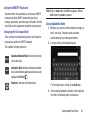
Using the QWERTY Keyboard
Your phone offers the convenience of an onscreen QWERTY
keyboard. Using the QWERTY keyboard to type letters,
numbers, punctuation, and other special characters into text
entry fields or other applications should be simple and fast.
Changing the Text Input Mode
There are three main keyboard layout keys that change the
onscreen keys within the QWERTY keyboard.
Note: When in abcd mode, the &123 key appears. When in
&123 mode, the abcd key appears.
Using Alphabetic Mode
1. Whenever you enter text (while creating a message, an
email, and so on), if desired, rotate your phone
counterclockwise to a landscape orientation.
2. A screen similar to the following displays:
The available Text Input modes are:
&123
abcd
Symbol and Number Mode: Activates the symbol
and number keys.
Alphabetic Mode: Activates the default alphabet
keys. Switch between uppercase and lowercase by
tapping the Shift key
.
Emoticons: Activates the Emoticon keys.
The Text Input mode is initially set to abcd mode.
3. Tap the desired alphabetic characters. After typing the
first letter, the following letters are lowercase.
Understanding Your Phone
30
4. Tap
to input another uppercase letter. Tap
twice to switch to caps lock mode and the shift key
changes to
. All following letters are uppercase
until you tap the shift key again.
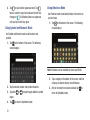
Using Symbol and Numeric Mode
Using Emoticon Mode
Use Emoticon mode to add combinations of characters to
your text input.
at the bottom of the screen. The following
1. Tap
screen displays:
Use Symbol and Numeric mode to add numbers and
symbols.
1. Tap &123 at the bottom of the screen. The following
screen displays:
Note: Emoticons are not available for some input fields.
2. Tap a category at the bottom of the screen, and then
swipe up or down to display more Emoticons.
2. Tap the desired number and symbol characters.
3. Tap either
pages.
4. Tap
31
abcd
or
to cycle through additional symbol
to return to Alphabetic mode.
3. After all characters have been selected, tap
return to Alphabetic mode.
abc
to
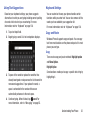
Using Text Suggestions
Based on your keyboard settings, your phone suggests
alternatives to what you are typing including correct spelling
of words similar to what you are entering. For more
information, refer to “Keyboard” on page 128.
1. Tap a text input field.
2. Begin typing a word. A list of word options displays.
Keyboard Settings
You can customize the way your phone handles certain
functions while you enter text. You can also remove all the
words you have added to your suggestion list.
For more information, refer to “Keyboard” on page 128.
Copy and Paste
Windows Phone 8 supports copy and paste. You can copy
text from most locations on the phone and paste it in most
places you can type.
Copy
There are two copy and paste methods: Highlight option
and Menu Option.
Highlight Option
3. Tap one of the words to replace the word that has
already been typed or swipe across the list of words for
more word suggestions. If you replace the word, a
space is entered after the word and the cursor
automatically advances to the next space.
Some locations enable you to copy a specific text string by
highlighting it.
4. Continue typing. When finished, tap
send. For
more information, refer to “Messaging” on page 52.
Understanding Your Phone
32
To copy text that supports the Highlight option:
1. Touch and briefly hold the text you want to copy to
highlight it.
2. Drag the arrows at each end of the highlighted text
until only the text you want to copy is highlighted.
3. Tap
copy that displays near the highlighted text.
The following locations support the Highlight option:
• Web pages in the browser.
• Bodies of email messages.
• Office documents.
• Editable fields in native applications.
Menu Option
Some locations enable you to copy an entire section of text
by using a menu option.
To copy text that supports the menu option:
1. Touch and hold the text or link you want to copy until a
menu appears.
2. Tap copy or copy link.
The following locations support this option:
• Headings of email messages.
• Directions in maps.
• Links in the browser.
• Information in contact cards and social networking profiles
in the People hub.
• Messages you have sent or received.
• Details pages for local search results.
Paste
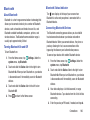
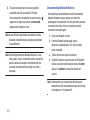
To paste text that you have copied:
1. Tap where you want to paste the text.
2. Tap
paste in the text suggestion bar above the
keyboard.
After you paste the text, the paste icon disappears.
However, you can paste the copied text again by
panning from left to right in the text suggestion bar to
bring back the paste icon.
You can paste text in editable fields in native
applications, including password fields.
33
Section 3: Call Functions
This section describes how to make or answer a call. It also
includes the features and functionality associated with
making or answering a call. For more information on call
settings, see “Phone” on page 142.
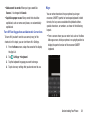
Making a Call
1. From the Home screen, tap
➔
and use the
onscreen keypad to enter the number you want to dial.
Making an International Call
1. If you make a mistake, tap
character.
2. Touch and hold
numbers.
1. From the Home screen, tap
➔
, and then touch
and hold
. The + character appears.
2. Use the onscreen keypad to enter the country code,
area code, and phone number.
3. Tap call to make the call.
After entering a number using the keypad, use the following
steps to correct a mis-typed entry when dialing.
to erase a single
to erase the entire string of
Ending a Call
2. Tap call to make the call.
If you make a mistake, tap
numbers have been deleted.
Correcting an Entered Number
until the desired
Tap end call.
Dialing a Recent Number
All incoming, outgoing, and missed calls are recorded in the
history. If the number or caller is listed in your People, the
associated name is also displayed.
1. From the Home screen, tap
.
The history screen displays.
2. Tap an entry to enter the contact’s detail page, and
then tap call number or text.
Call Functions
34
Making a Call from People
You can store phone numbers that you use regularly in the
phone’s memory. These entries are collectively called
People.
For further details about the People feature, see “Dialing or
Messaging from People” on page 47.
From the Home screen, tap
.
The history screen displays. If the number or caller is
listed in your People, the associated name displays.
All calls made, received, and missed are listed. Types
of calls are identified on the history screen as
Incoming, Outgoing, or Missed.
Answering a Call
When a call is received, the phone rings and displays the
caller’s phone number and name if stored in People.
At the incoming call screen:
Tap answer to answer the call and tap end call to end
the call.
– or –
details
call
Tap ignore to send the call to your voicemail.
History
The phone stores the numbers of the calls you have dialed,
received, or missed in the history. The history displays the
details of the call.
voicemail
35
keypad people search
Calling Back a Missed Call
To call back a missed call number:
1. From the Home screen, tap
.
The history screen displays a list of recent calls. If the
number or caller is listed in your People, the associated
name displays.
2. Tap a recent call to call the displayed number.
Saving a Recent Call to People
1. From the Home screen, tap
.
The history screen displays a list of recent calls.
details next to the call you want to save to
2. Tap
your People.
The profile screen displays.
3. Tap
save.
The CHOOSE A CONTACT screen displays.
4. Tap
new to add the caller as a new contact or tap
an existing contact to edit manually.
The NEW MICROSOFT ACCOUNT CONTACT screen
displays. The Phone number and Phone number type
fields are automatically filled in with the information of
the recent call.
5. Tap the Phone number or the Phone number type
field and use the keypad to edit, if necessary.
6. When finished, tap
save.
7. Tap
edit and then tap the other fields to add name,
other phone numbers, email, ringtone, and other
information.
8. Tap
save.
For further details about the People feature, see “Adding a
New Contact” on page 41.
Call Functions
36
Options During a Call
Sending a Message to a Recent Call
1. From the Home screen, tap
.
The history screen displays a list of recent calls.
Your phone provides a number of control options that you
can use during a call.
2. Tap
details next to the call entry to which you
want to send a message.
The profile screen displays.
3. Tap text.
4. Use the keyboard to type in a message.
5. When you are done with your message, tap
send.
Deleting a Call from History
.
The history screen displays a list of recent calls.
2. Touch and hold the call you want to delete from the
call log.
3. Tap delete.
The call is deleted from the call history.
37
During a call, to adjust the earpiece volume, use the Volume
buttons on the left side of the phone.
For more information, refer to “Creating and Sending Text
Messages” on page 53.
1. From the Home screen, tap
Adjusting the Call Volume
Press the Up volume button to increase the volume
level and press the Down volume button to decrease
the volume level.
From the Home screen, you can also adjust the ringer
volume using these same buttons.
In-Call Options
Making a New Call During a Call in Progress
During an active call, there are several options available by
tapping a corresponding onscreen button.
1. Tap add call.
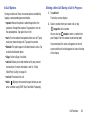
• speaker: Routes the phone’s audio through either the
2. Select a number from your recent calls, or tap
keypad to dial a number.
speaker or through the earpiece. Tap speaker to turn on
the speakerphone. Tap again to turn it off.
• mute: Turn the onboard microphone either on or off. Tap to
mute your phone during a call. Tap again to unmute.
• Bluetooth: This option appears if a Bluetooth device is active. Tap
to activate the Bluetooth device.
The history screen displays.
You can also tap
people to enter a number from
your People. Enter the number to add and tap call.
Once connected, the active call appears on the call
screen and the call on hold appears in a box at the top
of the display.
• Skype: Switch to Skype, if available.
• add call: Allows you to add another call to your present
conversation. For more information, refer to “3-Way
(Multi-Party) Calling” on page 40.
• end call: Terminates the call.
• dialer : Displays the onscreen keypad, where you can
enter a number using DTMF (Dual Tone Multi-Frequency).
Call Functions
38
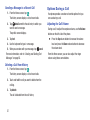
Switching Between Calls
When you have an active call and a call on hold, you may
switch between the two calls, changing the one on hold to
active and placing the other on hold.
1. Tap the bar at the top of your display to swap between
the two calls.
The current call (caller #2) is placed on hold and the
previous call on hold (caller #1) is then reactivated so
that you can continue conversing with that person.
The active call appears on the call screen.
2. Tap the bar at the top of your display again to
swap back.
3. Tap end call to end the currently active call. The call
on hold is then reconnected.
39
Answering a Call During a Call in Progress
1. There are several options available when a call is
received when you have a call in progress. Tap one of
the following:
• answer: Allows you to answer the incoming call and
put the first call on hold.
• ignore: Sends the new call to your voicemail. The first
call stays connected.
• text reply: To send a predefined text message to the caller,
touch one of the following messages:
– I’ll call you back
– Please text me
– or –
Touch type a message to compose a new message.
2. If you selected answer, tap the bar at the top of your
display to swap between the two calls.
3-Way (Multi-Party) Calling
The 3-Way or Multi-Party feature allows you to make or
answer a series of incoming calls and place them on hold. If
this service is supported by the network, all calls can be
joined together.
1. While connected to two different callers (one is on
hold), tap merge calls.
The three calls are conferenced together and are
displayed on the Conference screen.
2. Tap end call to end the conference call.
Call Functions
40
Section 4: Your People Hub
This section allows you to manage your daily contacts by
storing their name, number, email, and other information in
your phone using the People feature.
Importing SIM Contacts to Your Phone
You can import all contacts from your SIM card to your
phone.
1. From the Home screen, tap
2. Tap
People.
Options ➔ settings.
3. Tap import from SIM.
The phone then copies all contacts from your SIM card
to your phone.
Note: The import from SIM option is only available if there
are contacts stored on the SIM card.
Adding a New Contact
Use the following procedure to store a new contact to your
People.
1. From the Home screen, tap
new.
3. The NEW MICROSOFT ACCOUNT CONTACT screen
displays.
4. Select an account to store the contact.
5. Tap the add photo icon and assign a picture to the new
entry. Select a picture from your photos or tap
camera to take a new picture with your camera.
Tap
when you have made a selection.
6. Enter contact information. Tap Name and use the
onscreen keyboard to enter the contact’s name. You
can also scroll down to enter additional information.
For more information, refer to “Entering Text” on
page 26.
7. Tap
41
People.
2. From the CONTACTS screen, tap
save to save the contact information.
Editing an Existing Contact
When editing an existing contact, you can tap a field and
change or delete the information, or you can add additional
fields to the contact’s list of information.
1. From the Home screen, tap
People.
2. Swipe to the CONTACTS screen, and then tap the
contact that you want to edit.
3. At the contact profile screen, tap
edit.
4. Tap the fields that you want to edit and then use the
keyboard to make any changes.
5. Tap
save to save the edited information.
Deleting Contacts
You can delete contacts from your phone's memory. To
delete any People entry:
1. From the Home screen, tap
People.
2. Swipe to the CONTACTS screen, and then touch and
hold a contact that you want to delete.
3. Tap delete on the displayed list.
4. If there are linked profiles for the contact, the CHOOSE
A PROFILE TO DELETE screen displays. Tap the profile
that you want to delete.
5. At the Delete contact? prompt, tap delete.
Your People Hub
42
Creating a New Room
5. Use the onscreen keyboard to enter a room name.
Rooms allow you to share private calendars, group chats,
photos and videos, and notes only with people you invite,
such as family members, friends, or other groups.
The room displays four screens: MEMBERS, CHAT, CALENDAR,
PHOTOS, and NOTES.
Note:A Family Room comes preloaded to get you started, and
you can create new ones.
Use the following procedure to create a new room.
Note: Before using this function, you must set up a Microsoft
account. For more information, refer to “Setting Up a
Microsoft Account” on page 63.
1. From the Home screen, tap
People.
2. Swipe to the ROOMS and GROUPS screen
3. Tap
new.
The ADD NEW screen displays.
4. Tap Room.
The NAME YOUR ROOM screen displays.
43
6. Tap
save to save the room name.
The EDIT ROOM screen displays.
7. To invite members to the room, tap
invite.
The TEXT AN INVITE screen displays.
8. Scroll through your contacts and tap a contact to send
a text invitation to the room.
9. Repeat Steps 7 and 8 until you have invited all your
members.
10. Tap
done.
11. To change a room member’s preferred phone number
or email address or to remove a member from the
room, tap an entry in the list of group members.
12. Tap
save to save your changes.
Room Options
Once you have created a room, there are several options
available for editing, deleting, and so on.
People.
1. From the Home screen, tap
2. Swipe the screen to the left or right to display the
ROOMS and GROUPS screen, then tap the room that you
want to display.
The room screen displays.
email to send an email message to all
3. Tap
members of the room.
5. Tap
Options to display these options:
• pin to start: Pin the room to the Home screen.
• choose background: Change the background of the room.
• rename: Rename the room.
• delete room: Delete the room.
• learn about rooms: Display more information about rooms.
Note: If you delete a room, the contacts within the room are
not deleted.
members.
4. To display the EDIT ROOM screen, tap
• To add more members to the room, tap
invite.
• Tap an entry in the list of room members to change that
person’s preferred phone number or email address or to
remove the entry from the group. For more information, refer to
“Creating a New Room” on page 43.
Your People Hub
44
Rooms Chat, Calendar, Photos,
and Notes
Rooms allow you to share private group chats, calendars,
photos and videos, and notes only with people you invite to
the room.
1. From the Home screen, tap
People.
2. Swipe the screen to the left or right to display the
ROOMS and GROUPS screen, then tap the room that you
want to display.
3. Swipe to the CHAT screen to chat with members of the
room who are currently online using Messenger.
4. Swipe to the CALENDAR screen to view a shared
calendar which all room members can view
and update.
5. Swipe to the PHOTOS screen to view photos and videos
that anyone in the room can add.
6. Swipe to the NOTES screen to share notes with all
room members.
7. Tap
Options ➔ learn about rooms to display more
information about rooms.
45
Creating a New Group
The Group function makes it possible to make individually
named groups of people you care about, such as family,
friends, coworkers, or social media friends. Once you create
a group, you can pin it to your home screen and it becomes a
live tile. Notifications appear as new posts, comments, or
pictures are added to this group.
Use the following procedure to create a new group of your
contacts.
1. From the Home screen, tap
People.
2. Swipe to the ROOMS and GROUPS screen, and then
tap
new.
3. Tap Group.
4. Enter a group name. Tap
5. Tap
save to save.
add to add members to the group.
6. The CHOOSE A CONTACT screen displays. Scroll
through your contacts and tap a contact to add it to the
group.
7. Repeat Steps 5 and 6 until you have added all group
members.
8. Tap an entry in the list of group members to change
that person’s preferred phone number or email address
or to remove the entry from the group.
9. Tap
done to save the edited information.
Group Options
Once you have created a group, there are several options
available for editing, deleting, and so on.
1. From the Home screen, tap
People.
2. Swipe to the ROOMS and GROUPS screen, and then
scroll down and tap the group that you want to display.
The group screen displays.
3. Tap text to send a text message to all members of the
group.
4. Tap send email to send an email message to all
members of the group.
5. Tap
pin to pin the group to the home screen.
6. Tap
members to display the EDIT GROUP screen.
Tap
add to add more members to the group. Tap
an entry in the list of group members to change that
person’s preferred phone number or email address or
to remove the entry from the group. For more
information, refer to “Deleting Contacts” on page 42.
7. Tap
Options ➔ rename to rename the group.
8. Tap
Options ➔ delete to delete the group.
Note: Deleting a group does not delete the contacts.
Your People Hub
46
Using Your People List
4. Tap the contact you want to call or message.
Dialing or Messaging from People
5. Tap call mobile to make a phone call or text to send a
message.
Once you have stored phone numbers in your People, you
can dial or message them quickly and easily.
1. From the Home screen, tap
People.
2. Swipe to the CONTACTS screen, and then tap any
letter (on the left side of the display) to highlight all of
the letters for which you have contacts.
3. Tap a letter to quickly jump to the contacts beginning
with that letter.
For more information, refer to “Creating and Sending
Text Messages” on page 53.
Searching for People
You can also find a contact in your People list by using the
Search option.
1. From the Home screen, tap
People.
2. Swipe to the CONTACTS screen, and tap
search.
The search screen displays with a listing of all your
contacts’ names.
3. Use the onscreen keyboard to type the beginning
letters of the contact’s name that you are trying to find.
The list displays names that begin with the letters you
have typed.
4. Tap a name in the list to display the contact’s profile.
47
Linking People
Linking People Information
Many people now maintain multiple email accounts, social
networking logins, and other similar account information. For
example, a Facebook account login name might differ from a
corporate email account login because they are maintained
separately and for different groups of people.
This device can synchronize with multiple accounts such as
Windows Live, Outlook, Google, Facebook, Twitter, and
LinkedIn. When you synchronize your phone with these
accounts, each account creates a separate contact entry in
the People list.
If one of your contacts (Amy Smith, for example) has a
regular email account that you maintain in Hotmail, but also
has a Facebook account under her maiden and married
name, as well as a Google account, when you merge these
accounts into your Contacts list you can link all of her entries
and view the information in one record.
The next time you synchronize your phone with your
accounts, any updates that contacts make to email account
names, email addresses, and so on, automatically update in
your People list.
For more information about synchronizing accounts, see
“Synchronizing Accounts” on page 49.
1. From the Home screen, tap
People.
2. Tap a contact name (the name you want to link to
another entry). Typically, this is the same contact with
a different name or account information.
3. Tap
link.
4. Tap choose a contact.
5. Tap the second contact entry (the entry in which to
link). The second contact is now linked with the first
and the account information is merged into one screen.
Note: The information is maintained in the first entry that you
selected.
6. Tap the linked contacts to view the contact information
you linked. The contacts and information displays with
a label next to the contact name to indicate what type
of account information is contained in the entry.
Your People Hub
48
Synchronizing Accounts
Unlinking People
1. From the Home screen, tap
People.
2. Tap a contact name (the account name from which you
want to unlink an entry).
3. Tap 2 link. A number displays over the link symbol
showing how many contacts are linked to this contact.
The names of all the contacts that are linked are
displayed.
4. Tap the contact you want to unlink.
5. At the prompt, tap unlink. The contact is now
“unlinked” and no longer displays in the merged record
screen.
From the Accounts menu you decide if you want applications
to synchronize, send, and receive data at any given time, or
if you want the applications to synchronize automatically.
After determining how you want the accounts to synchronize,
indicate which account to synchronize with your People list.
To set up an account, follow these steps:
1. From the Home screen, tap
People.
2. Swipe to the WHAT’S NEW screen, and then tap
set up account.
The ADD CONTACTS screen displays.
3. Tap add an account.
4. Tap an account type to add. Select Outlook, Microsoft
Account (Hotmail, Xbox, Messenger, Windows),
Exchange, Backup Assistant Plus, Google, iCloud,
Facebook, Twitter, LinkedIn, or advanced setup
(used for accounts that use Exchange ActiveSync).
5. Follow the onscreen instructions.
The selected account type synchronizes with your
Contacts list.
49
What’s New
Synchronized accounts display information on the WHAT’S
NEW screen. For example, if you add your Facebook account,
you can see what your contacts are posting.
Importing Facebook Contacts
When you add your Facebook account, your profile picture
displays at the top of your People list. Tap the picture to go to
your Facebook profile. Your phone also imports all of your
Facebook contacts and creates a profile for each contact or
adds information to existing profiles.
You can limit imported Facebook contact information to the
existing contacts already on your phone. For more
information, refer to “People” on page 141.
People Options
You can access several options while viewing the details
page for a specific entry.
1. From the Home screen, tap
People.
2. Tap a specific contact entry.
3. Tap one of the following options:
pin: Tap the pin icon to pin this contact to your
Home screen.
link: Tap the link icon to link several contacts
together. For more information, refer to
“Linking People” on page 48.
edit: Tap the edit icon to make changes to the
contact’s information.
share contact: Tap the options icon, and then
tap share contact. Tap
share to send a
contact’s in formation via Tap + Send,
Messaging, or an email account.
delete: Tap the options icon and then tap
delete to delete the contact from your People
list.
Your People Hub
50
Additional People Options
Depending on your settings, additional information from
accounts such as Facebook, Twitter, or LinkedIn displays on
the profile pages of your contacts.
1. From your People list, tap a contact entry. Depending
on the information available on your accounts, phone
numbers, home addresses, company names, email
addresses, birthdays, and so on, are displayed. There
is also a write on wall option and a send email option.
2. Swipe the screen to the left on any contact profile to
the WHAT'S NEW screen for that contact. Posts for the
contact are displayed. Scroll down the posts to display
additional posts.
51
3. Swipe the screen to the left on any contact profile to
the history screen for that contact. Recent activity
from that contact is displayed. Scroll down the posts to
display additional posts.
Use the filter my contact list option to limit additional
information from accounts such as Facebook, Twitter, or
LinkedIn from displaying on the profile pages of your existing
contacts. For more information, refer to “People” on
page 141.
Section 5: Messaging
This section describes how to send and receive different
types of messages. It also includes the features and
functionality associated with messaging.
Types of Messages
Your phone provides the following message types:
• Text Messages
• Multimedia (Picture) Messages
• Email Messages
• Online Messages
The Short Message Service (SMS) lets you send and receive
text messages to and from other mobile phones or email
addresses. To use this feature, you may need to subscribe to
your service provider’s message service.
Important! When creating a message, adding an image to a
text message changes the message from a text
message to a multimedia message.
When messages are received, the number of messages
displays in the Messaging icon
on the Home screen.
Messaging
52
Creating and Sending Text Messages
To create a new message and send it to another mobile
phone or an email address:
1. From the Home screen, tap
2. Tap
Messaging.
new.
3. Tap the To field to manually enter a recipient. Tap the
123 key on the onscreen keyboard to enter a phone
number.
– or –
Tap
to the right of the To field to select a recipient
from your People list. Valid entries must have a
wireless phone number. Contacts with only an email
address are not listed.
4. Tap
to add additional recipients from your People
list. Each contact is placed in the To field separated by
a semicolon (;).
– or –
Add more recipients by tapping the recipient field.
53
Note: Each additional recipient entry must be separated by a
semicolon (;).
5. To remove recipients, tap the entry in the To field then
tap remove. You can also open the contact’s profile or
copy the contact.
6. Tap the type a text message box and enter your
message. For more information, refer to “Entering
Text” on page 26.
7. Review your message and tap
send.
Note: If you exit a message before you send it, the message is
saved as a draft.
Voice to Text Messages
Creating and Sending Multimedia
Messages
To create a new message using your voice:
1. Create a new message and add recipients in the To
field. For more information, refer to “Creating and
Sending Text Messages” on page 53.
2. Tap
speak and say your message when go is
displayed. When you stop speaking, your words are
displayed.
3. To repeat the message, tap
speak. The original
message is deleted and the new message is displayed.
4. Once your spoken message is correct, tap
send.
A multimedia message is a message that contains a picture
attachment. To create a multimedia message and send it to
another mobile phone or an email address:
1. From the Home screen, tap
2. Tap
Messaging.
new.
3. Tap the To field or tap
enter a recipient.
to the right of the To field to
For more information, refer to “Creating and Sending
Text Messages” on page 53.
4. Tap the type a text message box and use the
onscreen keyboard to type your message. For more
information, refer to “Entering Text” on page 26.
5. Tap
attach to add a picture, video, your current
location, a voice note, or a contact to the message.
6. To remove an attachment, touch and hold the
attachment, then tap remove from the pop-up menu.
7. Review your message and tap
send.
Messaging
54
Messaging Threads
Any messages you have sent or received can be viewed in
the Messaging threads list.
Sent and received text, picture, and online messages are
grouped into message threads. Threaded messages allow
you to see all the messages exchanged (similar to a chat
program) and displays a contact on the screen. Message
threads are listed in the order in which they were received,
with the latest message displayed at the bottom.
Displaying a Messaging Thread
To view a conversation in the Messaging threads list:
1. From the Home screen, tap
threads.
Messaging ➔
The Messaging threads list displays any messages you
have sent or received.
All messages to or from another phone or email
address are grouped in one conversation.
55
Entries in the Messaging threads list contain the
recipient’s phone number, contact name, or email
address, the time that the last message was received
or sent, and the first words of the last message.
An entry for Messaging threads with multiple recipients
starts by indicating the number of recipients (such as
3 recipients) and then the recipients are listed.
2. Tap an entry in the list. The Messaging thread displays.
Each message to or from the recipient, and the time
that the message was sent or received, is shown in a
message box. Messages sent to you are shown in a
From message box
. Messages that you sent are
shown in a To message box
.
3. Tap the type a text message and use the onscreen
keyboard to type a reply message to the recipient.
Viewing a Picture Attachment
To view a picture attached to a message:
1. Tap an entry in the Messaging threads list.
2. Locate the message box that contains the
picture attachment.
3. Tap the picture to open the picture viewer and display
the picture. Tap the picture with two fingers and drag
outward to zoom in or drag toward the center of the
picture to zoom out.
4. Tap
Back to return to Messaging threads.
Viewing a Video Attachment
To view a video attached to a message:
1. Tap an entry in the Messaging threads list.
2. Locate the message box that contains the video
attachment. The file name is underlined.
3. Tap the video file name in the message box.
The video player opens and plays the video.
4. To pause playback of the video attachment, tap
.
.
• To continue playback of the video attachment, tap
• To stop playback of the multimedia message,
tap
Back.
Listening To an Audio Attachment
To listen to an audio attached to a message:
1. Tap an entry in the Messaging threads list.
2. Locate the message box that contains the audio
attachment.
3. Tap the file name to open the audio player and play the
audio file.
Messaging
56
Deleting a Messaging Thread
Deleting a Message
To delete a Messaging thread:
1. From the Home screen, tap
To delete a message in a Messaging thread:
Messaging.
The Messaging threads list displays any messages you
have sent or received.
2. Touch and hold a message in the list, then tap delete.
– or –
Tap a message in the list, then tap
delete thread.
Options ➔
3. Tap delete to delete all messages in the selected
conversation or tap cancel to return to the Messaging
threads list.
57
1. Touch and hold the message box that contains the
message you want to delete.
The delete, forward, and copy options display.
2. Tap delete.
The Delete message? screen displays.
3. Tap delete to delete the message or tap cancel to
return to the Messaging threads list.
Forwarding a Message
To forward a message in a Messaging thread:
1. Touch and hold the message box that contains the
message you want to forward. The delete, forward,
and copy options display.
2. Tap forward. The New Message screen displays with
the contents of the selected message included.
3. Tap the To field or tap
to the right of the To field to
enter a recipients. For more information, refer to
“Creating and Sending Text Messages” on page 53.
4. Tap
send to forward the message.
Online Messaging
Messaging Settings
To view and change messaging settings:
1. From the Home screen, tap
2. Tap
Messaging.
Options ➔ settings.
The messaging settings screen displays. For more
information, refer to “Messaging” on page 140.
Message Drafts
When you exit a message without sending, the message is
automatically saved as a draft.
1. From the Home screen, tap
2. Tap
Messaging.
Options ➔ drafts.
3. Tap any message to resume editing. Once the message
is sent, it will be removed from drafts.
– or –
Touch and hold a message until the delete pop-up
displays. Tap delete in the pop-up to permanently
delete the message.
You can chat with friends online via social networks, such as
Facebook. Friends who are currently online are displayed on
the online screen.
To set your status:
1. From the Home screen, tap
Messaging.
2. Swipe to the online screen and tap
The SET CHAT STATUS displays.
status.
3. Tap one of the following options to set your chat status:
• available: You are online and available to send and
receive chat messages.
• busy: You are online, but temporarily unavailable.
• away: You are online, but unavailable for a period of
time, such as at lunch.
• invisible: You are online, but you appear as offline to
others.
• offline: You are offline.
Messaging
58
Using Email
Email enables you to review and create email using your
Microsoft account, Google, and several other email services.
You can also receive text message alerts when you receive
an important email. You can set up multiple email accounts
on your device.
Note: The options on screens and in menus may vary
depending on the email account you have enabled.
Setting Up an Email Account
To set up an email account:
1. From the Home screen, tap
– or –
Email.
From the Home screen, tap
Email ➔
Options ➔ add email account.
– or –
From the Home screen, tap
Settings. Under the
system menu, tap email+accounts ➔
add an account.
59
The ADD AN ACCOUNT screen displays with the
possible email services choices.
2. Tap an email service, such as Microsoft account,
Exchange, Yahoo! Mail, Google, and so on.
Tap other account to add other types of email accounts.
Tap other account to add other types of email
accounts.
For some email accounts, tap advanced setup. For
more information, refer to “Advanced Email Setup” on
page 60.
3. Enter your email address in the Email address field.
4. Enter your password in the Password field.
5. Tap sign in.
If your email information is found, your account
information is saved.
If Attention required displays, tap the account, correct
your user name and Password, and tap save.
Advanced Email Setup
For some email accounts, such as a corporate account,
entering your email address and password may not be
enough information. You may need to enter additional
information.
Note: If you are not sure which option to choose, check with
your service provider.
Email Account Settings
Once your email account is set up, you may want to adjust
some of your settings.
Note: Available options may differ depending upon your email
service provider.
1. From the Home screen, tap
Settings. Under the
system menu, tap email + accounts.
2. Tap your email account. The Settings for your email
account display.
3. Tap the field that contains the information you want to
change.
The following fields display (depending on the email
account):
• Account name: Use this field to change the name that
appears on your phone for this account.
• Email address: Displays the email address for this
account.
• Download new content: Allows you to set how often
you want your phone to download new email for this
account. Possible values are: as items arrive, every
15 minutes, every 30 minutes, hourly, and manually. If
you choose manually, see “Syncing Your Email
Account” on page 61.
• Download email from: Allows you to limit the email
downloaded to your phone for this account. Possible
values are: the last 3 days, the last 7 days, the last 2
weeks, the last month, and any time.
• Content to sync: Indicates which content to
synchronize between your phone and the account, such
as, Email, Contacts, Calendar, and so on.
• Your name: This is the name that appears on your
messages.
Messaging
60
• Incoming email server: Displays the email server
name.
1. From the Home screen, tap
Settings. Under the
system menu, tap email + accounts.
• User name: Displays your user name.
2. Touch and hold the email account that you want to
delete until the option list pop-up displays.
• Password: Displays your password.
• Server: Displays the email server name.
• Outgoing server requires authentication: Access to
server requires authentication.
• Use the same user name and password for
sending email: Use same login information for both
outgoing and incoming email.
• Require SSL for incoming email: Use SSL security
for incoming email.
• Require SSL for outgoing email: Use SSL security
for outgoing email.
Note: Additional fields may display, depending on the account
type. Some fields should not be changed without
consulting your service provider.
Deleting an Email Account
To delete email accounts other than Windows Live:
61
3. Tap delete in the pop-up to delete the account.
Note: Microsoft accounts cannot be deleted.
Syncing Your Email Account
In order to view email messages on your phone for any email
account, content has to be downloaded to your phone.
Syncing is simply downloading content from your email
provider and storing it on your phone.
Use the following method if you choose to download new
content manually:
1. From the Home screen, tap
Settings. Under the
system menu, tap email + accounts.
2. Touch and hold the email account that you want to
sync. An option list displays.
3. Tap sync.
Syncing displays while new content is downloaded.
Linked Inboxes
Each time you add a new email account, a tile is added to the
Home screen with the email name and to the Apps list.
When you add more than one email account, it is possible to
link two or more email accounts so you can see all messages
from those accounts in one inbox. When email accounts are
grouped in this way, one tile is displayed on the Home screen
for each linked group instead of the individual email tiles.
Linked inboxes can be renamed.
Creating Linked Inboxes
Unlinking Inboxes
To unlink inboxes:
1. From the Home screen, tap a linked inbox
Linked inboxes and then tap
Options ➔
linked inboxes.
Linked inbox
2. Tap the email account listed under this inbox that you
want to unlink.
3. Tap unlink to unlink the inboxes. The unlinked email
account displays under other inboxes.
To create linked inboxes:
1. From the Home screen, tap
Email for one of the
email accounts that you want to link and then tap
Options ➔ link inboxes. This inbox and other
inboxes to which it can be linked are displayed.
2. Tap one or more of the other inboxes that you want to
link to this inbox.
3. Tap rename linked inbox to give the linked inboxes a
new name.
4. Tap
Back to exit linked inboxes set up.
Messaging
62
Setting Up a Microsoft Account
When you set up a Microsoft account, you are doing more
than just setting up an email account. You can get apps, play
Xbox LIVE games, and more.
1. From the Home screen, tap
Settings. Under the
system menu, tap email+accounts ➔
add an account.
2. Tap Microsoft account.
The Keep your life in sync screen displays.
3. Read the information and tap sign in, if you have a
Microsoft Account, or tap create one to create a new
account.
4. Follow the instructions to set up your Microsoft account
to use OneDrive, sync your text messages, and back up
your phone settings.
63
Section 6: Multimedia
This section explains how to use the multimedia features of
your phone, including Music Player, Video Player, Gallery,
Camera, and Camcorder.
Xbox Music Pass
Xbox Music Pass is a monthly music subscription service
giving you unlimited access to millions of songs. Download
or stream as many songs as you like and listen to them for
as long as your subscription is up to date. On your Windows
Phone, the streaming feature requires wireless network
access. Carrier fees may apply. For more information, visit
xbox.com/music.
Note: Before using Xbox Music to buy music, you must set up
a free Microsoft Account. For more information, refer to
“Setting Up a Microsoft Account” on page 63.
Music
This section explains how to access music, videos, podcasts,
and radio on your phone. Navigate the Music app as follows:
1. From the Home screen, tap
Music.
2. Swipe left across the screen to view the following
menus:
• COLLECTION: Displays media categories such as
music, video, and podcasts, as well as a link to the
Store app.
• GET MUSIC: Gives you access to the music area of the online
Store. Also, displays featured artists from the Xbox Music Store.
Touch a thumbnail to play the song and see more details about
the artist from the Xbox Music Store.
• NOW PLAYING: Displays the song that is currently playing.
song list next to the thumbnail to display the
Touch
songs on the album.
• RECENT PLAYS: Displays songs you have recently played.
Multimedia
64
Adding New Music
Playing Music
To add new music and videos with your Xbox Music Pass:
1. From the Home screen, tap
Music.
2. Swipe left across the screen to view the GET MUSIC
menu.
3. Touch Top music or Browse by genre.
4. Sign in with your account information, and follow the
online prompts to download new music and videos.
To add new music and videos from your computer:
1. From the Home screen, tap
Music.
2. Swipe left across the screen to view the GET MUSIC
menu.
3. Touch How to add music.
4. There are several ways available to transfer music and
videos between your phone and computer, such as
using the cloud (Internet storage such as OneDrive),
using a USB cable, using a Windows phone app, and so
on. Select the appropriate set up for your phone, and
follow the online instructions to install and use the file
transfer software of your choice.
65
To play music files from Music:
1. From the Home screen, swipe the screen left to display
the App List.
2. Tap
Music.
3. Swipe left across the screen to view the COLLECTION
menu.
Songs are organized by artists, albums, songs, genres,
and playlists.
4. Touch and hold an artist, album, song, genre, or
playlist to display some or all of the following options:
• add to ...: Add the selected song to the list of songs currently
playing or add the song to a new playlist.
• create radio station: Create a customized, streaming playlist
of songs based on an artist's name.
• share: Allows you to share the song with Tap to share (NFC) or
by using an account or connection. (Note that sharing may be
restricted for some content due to copyright protection.)
• share: Allows you to share the song with Tap+Send or
via an account or connection.
Note: Sharing may be restricted for some content due to
copyright protection.
• pin to start (albums only): Allows you to add a tile on
the Home screen for this album. For more information,
refer to “Moving Tiles On the Home Screen” on
page 23.
• delete: Delete the song or playlist.
5. Tap the song that you want to play. Song details such
as artist and time information (time played and time
remaining) are displayed.
Store
To visit the music area of the Store app from Music +
Videos:
1. From the Home screen, tap
videos.
2. Swipe left or right to view the collection menu, then
tap store.
3. Tap music. The artist of the week displays.
4. Swipe left or right to view more music categories.
6. The following music controls are available:
Pause the music.
Start the music after being paused.
Touch and hold to rewind the music. Tap twice
to play the previous song.
Touch and hold to fast-forward the music. Tap
to play the next song.
Multimedia
66
Photos
The Photos application is where you view photos and play
back videos. You can set photos as your lock screen
background or share them as a picture message. And you
can use your camera to scan barcodes, QR Codes, Microsoft
Tags, books, CD’s, and other DVD’s and get more information
on these products with your Internet browser.
Uploading To SkyDrive(OneDrive)
Windows Live SkyDrive(OneDrive) provides free storage so
you can store photos online, share them with the people you
choose, and access them from any web browser. Various
options include share on SkyDrive(OneDrive) if you have
set up a Microsoft account.
For more information about SkyDrive(OneDrive), visit
onedrive.com and click on SkyDrive(OneDrive).
Accessing Pictures and Videos
When you take a photo or shoot a video, the file is saved so
you can view your photos and videos at any time. To access
photos and videos:
1. From the Home screen, tap
Photos.
2. Photos and videos are displayed depending on which
option you choose:
• camera roll: Thumbnails are displayed for taken
photos and videos.
• albums: Thumbnails are displayed for groups of
pictures such as Camera Roll, Screenshots, and so on.
Other albums are displayed depending on the
accounts you have set up such as Microsoft, Facebook,
and so on.
• date: Thumbnails of all photos and videos are
displayed in order of month and year created.
• people: Thumbnails are displayed of all People photos
that you have viewed from your accounts, such as
Facebook, Twitter, and LinkedIn. You can also tap
choose contact and tap a contact to load that
contact’s posted pictures.
67
3. Swipe left across the screen to view the following
menus:
• favorites: Photos added to favorites can set to display
on the animated Photos Tile on the Home screen, or
may be pinned there for one-tap access.
• what’s new: Displays photos posted by your contacts
on your synchronized accounts, such as Facebook,
Twitter, and LinkedIn.
• apps: Get direct access to photo apps such as ATIV
Beam, Live Wallpaper, Photo Editor, and Share Box.
Thumbnail Options
1. When viewing groups of thumbnails, additional options
may be available. Tap one or more thumbnails. A check
mark indicates selection (tap again to deselect).
2. Tap
Additional options to display the following
options:
add to favorites: Adds the photo(s) to your
•
favorites.
•
•
delete: Deletes the photo.
share: Share the photo(s) via Tap + Send,
Messaging, an email account, social network, or add
the photo to OneNote as a Quick Note.
3. Tap
Options and select an option.
Multimedia
68
Viewing Pictures
Once you locate the photo you want to view:
1. Tap the thumbnail to view the picture.
2. While viewing a photo, tap each side of the photo and
pinch inward or stretch outward to zoom in or out.
– or –
Tap the screen twice to zoom in or out.
You can magnify the photo up to 400 percent.
Touch and slide a magnified photo to move the focus to
the area you tap.
3. Swipe across the screen to the right or left to view
more photos and videos.
4. Touch and hold a photo or tap
Options to display
the following options:
• share...: Share the photo with others. Tap an option, such as,
Tap+Send, Messaging, an email account, and so on, and
follow the on-screen instructions.
• edit: Make adjustments to the photo such a cropping,
rotating, and auto fix, or using applications such as
Paper Artist and Photo Editor.
69
• delete: Delete the photo or video.
• add to favorites/remove from favorites: Add or
remove the photo as a favorite.
• set as lock screen: Sets the photo as the lock screen
background.
• save to SkyDrive(OneDrive): Upload the photo to
SkyDrive(OneDrive) (see “Uploading To SkyDrive(OneDrive)”
on page 67).
• apps...: Edit the photo with your installed photo editing
apps.
Tip: If your device displays that the memory is full when you
access Pictures, delete some of the files.
5. Tap
to return to the thumbnails screen.
Viewing Videos
To view a video:
1. Tap the thumbnail to view the video. The first frame of
the video displays indicating the length of the video in
minutes and seconds (for example, 01:25). The play
button
is also displayed.
2. To play the video, tap
3. Touch and hold a video or tap
Options to display
the following options:
• share...: Share the photo with others. Options are:
– Tap+Send: Shares the photo via Bluetooth.
– Messaging: Opens a New Message screen with
the photo in-line. For more information, refer to
“Creating and Sending Multimedia Messages” on
page 54.
.
To pause the video playback, tap
.
To fast forward through the video, touch and hold
To rewind the video, touch and hold
.
– Email: Opens a New Email screen with the photo
in-line. This option varies depending on how you
have your email set up.
.
Note: If no control icons are displayed on the screen in
addition to the video, tap anywhere on the screen to
display them.
• delete: Delete the photo or video.
• save to SkyDrive(OneDrive): Upload the photo to
SkyDrive(OneDrive) (see see “Uploading To SkyDrive(OneDrive)”
on page 67).
4. Tap
to return to the thumbnails screen.
You can also play videos from
Videos. For more
information, refer to “Video” on page 77.
Multimedia
70
Camera
Camera and Camcorder Mode
This section explains how to use the camera and the
camcorder on your phone. You can take photographs and
shoot videos by using the built-in camera functionality. Your
5 megapixel camera produces photos in JPEG format.
To activate the camera:
From the Home screen, tap
Camera.
Adding a Location Tag To Your Pictures
The first time you open the Camera application, you are
asked if a tag location (known as Geotagging) can be added
to your pictures. This allows you to see where your pictures
were taken.
Caution! Be aware that your location may be present on a
photo when posting your photos on the internet.
If you are interested in this service:
1. Tap Privacy Statement to view the Windows Phone 8
Privacy Statement Highlights document.
2. Tap allow or cancel to accept or reject location
tagging.
71
To toggle between Camera and Camcorder mode:
Tap the Camera or Camcorder Mode icon (
).
Once you change the mode, the corresponding settings
appear. For more information, refer to “Camera and
Camcorder Settings” on page 74.
Taking Photos
Taking photos with your device’s built-in camera is as simple
as choosing a subject, pointing the camera, and pressing the
camera key.
Important! Do not take photos of people without their
permission.Do not take photos in places where
cameras are not allowed.Do not take photos in
places where you may interfere with another
person’s privacy.
To activate the camera mode:
Photos/Videos
1. From the Home screen, tap
2. Using the phone’s main display screen as a viewfinder,
adjust the image by aiming the camera at the subject.
Options
Mode
Front facing
Camera
Flash
3. Before you take a photo, pinch the screen to zoom out
or stretch the screen to zoom out. You can magnify the
picture up to 400 percent.
4. Tap flash to turn flash on
automatic flash
.
Preview
Camera.
or off
Lenses
, or to use the
A
5. To take a picture of yourself, tap the Front Facing
Camera icon ( ) to enable or disable the Front Facing
Camera.
6. If desired, before taking the photo, you can tap
Options to access various photo and video
settings. For more information, refer to “Camera and
Camcorder Settings” on page 74.
7. Tap the screen to take a photo.
Photos are automatically stored within your designated
storage location.
Lenses
Your camera can scan barcodes, QR Codes, Microsoft Tags,
books, CD’s, and other DVD’s and instantly retrieve
information about these products using specialty apps called
Lenses. Text may also be scanned and translated or
searched.
Note: Tap more lenses to download additional scanning
software and features.
Multimedia
72
Bing Vision
1. From the Home screen, tap
2. Tap
Shooting Videos
Camera.
Lenses ➔ Bing Vision.
3. Focus on the code or tag until the camera recognizes it
and displays a thumbnail of it. If the item is correctly
identified, tap the thumbnail to launch a Bing search
for the product. (If the item is not identified or incorrect,
try scanning the code or tag again).
4. Tap history to see recently scanned items.
5. Tap scan text to search text. Once scanned, each word
is highlighted.
• Tap translate and select a target language. Each
highlighted word is then translated.
• To search on a word or words, tap each word to add to
the search bar at the top. Tap the search bar and use
the keyboard to edit any word if necessary. Tap search
to perform a Bing search on the selected word or
words.
Tip: When shooting video in direct sunlight or in bright
conditions, it is recommended that you provide your
subject with sufficient light by having the light source
behind you.
1. From the Home screen, tap
Camera.
2. Tap the Camera or Camcorder Mode icon (
switch to Camcorder mode ( ).
) to
3. To shoot a video of yourself, tap the Front Facing
Camera icon ( ) to enable or disable the Front Facing
Camera.
4. Tap
to turn on the camcorder’s light while
recording. Tap
to turn the light off.
5. Using the phone’s main display screen as a viewfinder,
adjust the image by aiming the camcorder at the
subject.
6. Tap the screen to begin shooting video.
7. Tap the screen again to stop the recording and save
the video file to your Pictures folder.
73
Camera and Camcorder Settings
1. For photo options, tap
Options ➔ photo
settings... The following options are available:
• Focus Mode: Set focus to Normal or Macro.
• White Balance: Set this option to Auto (default),
Cloudy, Daylight, Fluorescent, or Tungsten.
• Exposure Metering: Set the exposure metering to
Average, Center Weighted (default), or Center Spot.
• ISO: Determines how sensitive the image sensor is to
light. Valid values are: Auto (default), 100, 200, 400,
or 800.
• Effects: Change the color tone or apply special effects
to the photo. Options are: Off (default), Mono, Negative,
Sepia, Solarize, Posterize, Vintage Cold, Vintage Warm,
Point Blue, Point Green, and Point Red-Yellow.
• Contrast: Adjust the contrast of the photo.
Options are: 2 (maximum), 1 (high), 0 (default),
-1 (low), or -2 (minimum).
• Saturation: Adjust the color saturation of the
photo. Options are: 2 (maximum), 1 (high),
0 (default), -1 (low), or -2 (minimum).
• Sharpness: Adjust the sharpness of the photo.
Options are: 2 (maximum), 1 (high), 0 (default),
-1 (low), or -2 (minimum).
• EV: Helps you avoid underexposed (too dark) or
overexposed (too light or white) photos.
Options are: 2 (maximum), 1 (high), 0 (default),
-1 (low), or -2 (minimum).
• Anti-Shaking: Automatically adjust the image to
account for d movement.
• Photo Resolution: Set the image size.
Options include: 4128 x 3096 (4:3) (default),
3264 x 2448 (4:3), 2592 x 1944 (4:3),
2048 x 1536 (4:3), 1920 x 1080 (16:9),
1600 x 1200 (4:3), 1280 x 960 (4:3),
1280 x 720 (16:9), or 640 x 480 (4:3).
2. For video options, tap
video settings...
Options ➔
The following options are available:
• White Balance: Set this option to one of the following
choices: Auto (default), Cloudy, Daylight, Fluorescent,
or Tungsten.
Multimedia
74
• Effects: Change the color tone or apply special effects
to the video. Options are: Off (default), Mono, Negative,
Sepia, Solarize, Posterize, Vintage Cold, Vintage Warm,
Point Blue, Point Green, and Point Red-Yellow.
• Contrast: Adjust the contrast of the video.
Options are: 2 (maximum), 1 (high), 0 (default),
-1 (low), or -2 (minimum).
• Saturation: Adjust the color saturation of the
video. Options are: 2 (maximum), 1 (high),
0 (default), -1 (low), or -2 (minimum).
• Sharpness: Adjust the sharpness of the video.
Options are: 2 (maximum), 1 (high), 0 (default),
-1 (low), or -2 (minimum).
• Photo Resolution: Set the video size.
Options include: 1920 x 1080 (16:9) (default),
1280 x 720 (16:9), or 640 x 480 (4:3).
Accessing Photos and Videos
When you take a photo or shoot a video, the file is saved in
the Photos folder. You can view your photos and videos
immediately or view them anytime in the Camera folder.
From the Home screen, tap
Photos. For more
information, refer to “Photos” on page 67.
Assigning an Image to a Contact
The Camera can be used to create an image which can be
assigned to the contact’s profile or to your Me profile.
1. From the Home screen, tap
People.
2. From the People menu, tap the contact that you want
to edit.
at the bottom of
3. At the contact profile screen, tap
the screen.
4. Tap add photo ➔
camera.
5. Take a photo and tap accept or retake.
6. Tap each side of the photo and swipe inward or
outward to zoom in or out within the crop area. Touch
and slide the photo to move it within the crop area.
7. Tap
to assign the cropped photo to the contact.
For more information, refer to “Your People Hub” on page 41.
75
Setting a Photo as Your Lock Screen
Background
You can set a photo as your Lock screen background
immediately. For more information, refer to “Changing the
Lock Screen Background” on page 24.
Photo Editor
Photo Editor is the ultimate photo editor for your Windows
Phone, combining an easy interface and professional grade
tools and effects.
1. From the Home screen tap
Photo Editor.
2. There are three ways to select a photo for editing:
• Tap a thumbnail of a recently taken photo.
• Tap
album to select a photo from a photo album.
• Tap
camera to take a new photo.
The PHOTO EDITOR screen is displayed.
3. Tap
Edit to resize, rotate, or crop the photo.
• Resize: Change the photo’s size. Options are 25%,
50%, 75% or 100%.
• Rotate: Change the photo’s orientation. Options are
90° clockwise, 90° anticlockwise, Flip vertically, or Flip
horizontally.
• Crop: Crop the photo. Options are Free ratio, 1:1, 3:4,
9:16, or Lasso.
4. Tap
Color to change the photo’s overall color.
• Tap the color tool icons to apply the effect. Some
color tools will display adjustment controls.
• Tap
original to remove the color change.
5. Tap
Effect to add a special effect to the photo.
• Tap the effect tool icons to apply the effect. Some
effects tools will display adjustment controls.
• Tap
original to remove the effect.
6. Tap
Decoration to add a decoration to your photo.
• Frame: Add a frame to your photo. Choose from
several styles and colors.
• Sticker: Add clip art to your photos. Choose from
Brushes, Comics, Papers, and Graphical images.
Multimedia
76
• Multi-grid: Take multiple separate photos and mix
them together. Options are Split in 2, Split in 3,
or Split in 4.
7. Tap
Undo to remove the last edit. Tap
reapply the last edit.
Redo to
8. Tap
Share to share the photo via Tap+Send,
Messaging, an email account, or ATIV Beam. You can
also add the photo to today’s MiniDairy entry, add the
photo to OneNote as a Quick Note, or open the photo in
Paper Artist.
9. Tap
Cancel to close the photo without saving
changes.
10. Tap
Options to select a picture, take a picture, or
use this picture as the Lock screen background.
11. Tap
save to save the changes to the photo.
Video
To play videos from the Video application:
1. From the Home screen, swipe the screen left to display
the App List.
2. Touch
Video.
3. Swipe across the screen to the right or left to view the
COLLECTION menu.
4. If there are videos stored on your phone or SD card, the
category personal videos appears. Touch view all to see
all videos.
To view your personal videos, see “Viewing Videos” on
page 70.
5. Touch and hold a video thumbnail to display the
following option:
• pin to start: Allows you to add a tile on the Home screen for
this video. For more information, refer to “Moving Tiles On the
Home Screen” on page 23.
• delete: Delete the video.
77
6. Touch the video that you want to play.
The video begins to play in landscape mode. The video
file name displays above the video. At the bottom of the
screen the video controls and the time information
(time played and total time) are displayed.
Note: If no control icons are displayed on the screen in
addition to the video, touch anywhere on the screen to
display them.
8. Touch
Back to return to the thumbnails screen.
7. The following video controls are available:
Pause the video.
Start the video after being paused.
Display the video in full screen.
Display the video in a reduced format.
Display more options:
• Subtitles: Turn subtitles On or Off.
• Repeat: Turn repeat On or Off.
• Caption Settings: Configure the captions for
this video.
Multimedia
78
Section 7: Applications
This section contains a description of each application that is
available in the Applications Menu, its function, and how to
navigate through that particular application. If the application
is already described in another section of this user manual,
then a cross reference to that particular section is provided.
Tip: To open applications quickly, add the icons of frequentlyused applications to one of the Home screens. For details,
see “Customizing Your Home Screen” on page 23.
GPS Applications
GPS applications allow you to achieve real-time, GPSenabled, turn-by-turn navigation and to access local
searches based on a variety of category parameters.
79
To receive better GPS signals, avoid using your device in the
following conditions:
• inside a building or between buildings
• in a tunnel or underground passage
• in poor weather
• around high-voltage or electromagnetic fields
• in a vehicle with tinted windows
Global GPS turn-by-turn navigation, mapping, and Point of
Interest content is available for three continents, including
North America (U.S., Canada, and Mexico), Western Europe,
and China, where wireless coverage is available.
Important! If you touch or cover the internal GPS antenna
while using GPS services, it may impede the GPS
signal resulting in the GPS services not working in
an optimal manner. Refer to the following diagram
to locate the approximate location of the internal
GPS antenna.
Alarms
Turning Off an Alarm
The Alarms application allows you to access and set alarms.
Setting a New Alarm
1. From the Home screen, swipe left to display the
Applications menu and tap
Alarms ➔
add.
2. Tap the Time field then use your finger to swipe the
hour and minute fields to set the time you want for
the alarm.
3. Tap the Repeats field if you want the alarm to sound
on multiple days instead of only once. Tap the days
that you want the alarm to sound.
4. Tap the Sound field and tap the sound title you want.
symbol next
You can hear a sample by tapping the
to the sound name.
5. Tap the Name field and use the keyboard to enter a
name for this alarm.
6. Tap
save to save the alarm.
To turn off an alarm when it sounds:
Tap dismiss on your display to stop the alarm.
– or –
Tap snooze to temporarily stop the alarm.
Changing an Alarm
To make changes to an existing alarm:
1. From the Home screen, swipe left to display the
Applications menu and tap
Alarms.
2. Tap the alarm you want to change.
3. Tap and change fields. For more information, refer to
“Setting a New Alarm” on page 80.
4. Tap
save to save the updated alarm.
Deleting an Alarm
To delete an alarm:
1. From the Home screen, swipe left to display the
Applications menu and tap Alarms.
2. Tap the alarm you want to delete.
3. Tap
delete to delete the alarm.
Applications
80
App Folder
ATIV Beam
Group shortcuts and apps into one group and pin it to the
Home screen.
Use ATIV Beam to share files by beaming them to another
NFC capable device.
Adding an App Folder
1. From the Home screen, tap
Settings. Under the
system menu, tap Bluetooth.
1. From the Home screen, swipe left to display the
Applications menu and tap
App Folder ➔
add.
2. Touch and slide the Status slider to the right to turn
Bluetooth On.
2. Enter a name for this folder in the Enter folder name
field and tap
ok.
3. From the Home screen, swipe left to display the
Applications menu and tap
ATIV Beam.
3. Select applications to add to the folder and tap
4. From the Status field, touch and slide the slider to the
right to turn the ringer On.
4. Select a folder style and tap
ok.
ok
Removing an App Folder
1. From the Home screen, swipe left to display the
Applications menu and tap
App Folder.
2. Touch and hold a folder in the list, then tap delete in
the pop-up.
– or –
Tap
select, tap the folders to remove, tap
delete, and tap ok to confirm your deletion.
81
5. Turn on NFC on the device receiving the files.
6. Select the file to share from one of the folders
(Pictures, Documents, Music, or Videos) and tap
Share.
7. Tap your phone on the other NFC-capable device to
share the files.
ATIV Camera
The new ATIV Camera replaces the Shooting Mode app,
bringing you a full-featured camera experience with
improved interface and expanded shooting modes.
Note: When ATIV Camera requests your location, Microsoft
collects information about your location to provide and
improve its location services. This information is not
used to identify or contact you.
1. From the Home screen, swipe left to display the
Applications menu and tap
ATIV Camera.
The Allow “Ativ Modes” to use your location? screen
displays.
2. Tap Ok to allow your location to be used.
3. Tap
MODE
Mode to display the shooting modes.
4. Tap Auto, Best photo, Best fact, Eraser, Panorama, or
HDR (Rich tone) and then tap the
Camera button.
5. Tap the flash icon at the top of the screen to toggle the
flash settings: On , Off
, or Auto
.
Battery Saver
Battery Saver can be used to manage how your apps use
battery power. You can view the battery power your apps are
consuming and change whether they can run in the
background. You can also turn off all nonessential features
and conserve your battery or limit background usage to save
power.
The Battery Saver app has a usage screen and a settings
screen.
To access Battery Saver usage screen:
1. From the Home screen, swipe left to display the
Applications menu and tap
Battery Saver.
2. If necessary, swipe over to usage.
The usage screen displays a list of your apps and their
relative battery consumption.
3. Tap show all apps to list all your apps. The apps with
recent battery usage are listed first.
– or –
Tap show apps with usage to list only the apps with
recent battery usage.
To allow apps to run in the background:
Applications
82
1. From the Home screen, swipe left to display the
Battery Saver.
Applications menu and tap
2. If necessary, swipe over to usage.
3. Tap an app.
4. Touch and slide the Allow app to run in the background
slider to the right to turn the option On.
Note: This option does appear for some apps.
To allow apps to run in the background even when Battery
Saver is on:
Tap the Allow this app to run in the background even
when Battery Saver is on check box.
For an explanation of the Battery Saver settings screen, see
“Battery Saver” on page 120.
83
Calculator
The Calculator application provides basic arithmetic
functions: addition, subtraction, multiplication, and division.
You can also store numbers in memory.
From the Home screen, swipe left to display the
Applications menu and tap
Calculator.
Note: In Portrait Mode, the Calculator application provides
basic functions. To perform more complicated
calculations, rotate the phone to Landscape Mode. A
scientific calculator displays.
Calendar
To-Dos
With the Calendar feature, you can consult the calendar by
day or month. You can also create appointments and have
them displayed on your agenda.
To access the Calendar:
1. From the Home screen, swipe left to display the
Applications menu and tap
Calendar.
The to-do screen displays all to-do entries that you have
added for all dates in the order that they appear.
1. From the Home screen, swipe left to display the
Applications menu and tap
Calendar ➔ to-do.
2. Tap one of the following:
new: Creates a new to-do.
The day screen displays.
2. Swipe your screen to the left to display the agenda
view, which displays all of your appointments.
edit: Tap the new icon to create a new
appointment for your calendar.
3. Swipe your screen to the left again to display the to-do
view.
delete: Removes a to-do from the calendar.
4. Tap one of the following options on the day or agenda
views:
sort by priority: Sorts to-dos based on
priority.
today: Displays the current month and day.
show completed: Show only completed
to-dos.
new: Tap the new icon to create a new
appointment for your calendar.
month: Tap the month icon to display the
month view.
Applications
84
Cortana
Calendar Settings
To set calendar settings:
1. From the Home screen, swipe left to display the
Applications menu and tap
Calendar ➔
Options ➔ settings.
2. Touch and slide any account slider to the On position to
display their calendar.
3. Tap theme color to select the calendar color.
4. Tap Show to-dos on the calendar to turn this option
On.
Camera
You can take photographs and shoot videos by using the
built-in camera functionality. Your 5 megapixel camera
produces photos in JPEG format.
For more information, refer to “Camera” on page 71.
To activate the camera:
85
From the Home screen, tap
Camera.
Like a personal assistant on your phone, Cortana is there to
help make things easier in your day and on your phone.
To access Cortana:
1. From the Home screen, swipe left to display the
Cortana.
Applications menu and tap
The Ready to get started? screen displays.
2. Tap sure to activate Cortana.
Note: You have to be signed in to your Microsoft account to
use Cortana.
3. Follow the onscreen instructions to get started with
Cortana.
Data Sense
This app finds more efficient ways to use cellular data (such
as only downloading certain data while connected to Wi-Fi)
and displays your usage.
1. From the Home screen, swipe left to display the
Applications menu and tap
Data Sense.
2. View the overview menu to see your data plan’s
allowance remaining, and the days left on your data
plan before it resets.
Note: This usages is measured by your phone. Your carrier’s
data usage measurement may differ.
3. View the usage menu to see total data usage (both
cellular and Wi-Fi), and the amount of data usage each
app has used.
4. Tap set limit to set a mobile data limit, and Data Sense
will keep you no track.
5. Tap
Options ➔ map nearby Wi-Fi to discover
nearby Wi-Fi hotspots.
6. Tap
to configure Data Sense settings. For more
information, refer to “Data Sense” on page 120.
Finance
View the latest market conditions for items in your portfolio.
You can view information using charts, or track items in your
portfolio.
From the Home screen, swipe left to display the
Applications menu and tap
Finance.
Food & Drink
The Bing Food & Drink app makes it easy to explore recipes,
choose wine and cocktails, and learn how to make your next
meal a success.
1. From the Home screen, swipe left to display the
Applications menu and tap
Food & Drink.
2. Swipe the screen left or right to display various screens
of information.
3. Tap
Options for additional options and settings.
Applications
86
Games
You can shop for new games, install games you buy on your
phone, and play them with the Games feature.
The Confirm purchase screen displays. The purchase is
charged to your mobile phone account or you can tap
Change payment method.
Accessing Games
To access the Games feature:
From the Home screen, tap
Games.
Getting More Games
To buy more games and install them on your phone:
1. From the Home screen, tap
Games ➔ collection
➔ get more games to go to the Games Store.
2. Tap the game to see an expanded description,
screenshots, and reviews.
87
3. Tap try for a free trial, buy to purchase the game,
install, if the game is free, or share to send someone a
message or email containing a link to the game.
4. Tap buy or install to continue.
5. Tap
to exit.
The new game is added to your collection screen.
Joining and Accessing Xbox LIVE
When your Xbox LIVE membership is associated with the
Microsoft account used on your phone, your avatar,
gamertag, achievements, and profile display in the Games
hub.
To Access XBox LIVE
1. From the Home screen, tap
To set your profile:
Games ➔ Xbox.
2. From the Home screen, tap
Settings. Under the
applications menu, tap games.
3. Touch and slide the Connect with Xbox slider to the
right to turn this option On.
4. Sign In or create one now.
Your player ID displays on the Xbox LIVE screen.
To change the Microsoft account associated with your
gamertag:
1. Sign in to your Xbox 360 console with your gamertag.
Tap your profile (or Player ID) and follow the
instructions. Some options require Xbox Extras, a free
software download. Follow the onscreen prompts to
install it.
After joining Xbox LIVE, the requests screen displays with
game information such as game invitations and turn
notifications. It also allows you to play a game and invite
others to play it with you.
To check invitations or play a game:
Tap the desired activity on the requests screen.
2. From the Xbox, navigate to Settings ➔ Account ➔
Your Information and select Microsoft account.
3. Select Change Microsoft account and follow the
instructions.
Note: This change may take up to 8 hours to display on the
phone.
Applications
88
Health and Fitness
The Bing Health & Fitness app lets you manage your calories,
offers workout videos and great articles from trusted
sources, and lots more to help you stay healthy and fit.
1. From the Home screen, swipe left to display the
Applications menu and tap
Health & Fitness.
The overview screen displays.
2. Swipe the screen left or right to display various screens
of information.
3. Tap
Options for additional options and settings.
Help+Tips
Get help any time. Information for getting around on your phone
and making it yours is just a tap away.
1. From the Home screen, swipe left to display the
Applications menu and tap
Help+Tips.
2. Swipe up or down through the topics and tap a topic to
display subtopics.
3. Tap a subtopic to display the indicated information.
89
Internet Explorer
Your phone is equipped with Internet Explorer—your access
to the mobile web.
To access the Internet Explorer browser:
At the Home screen, tap
Internet Explorer.
Live Wallpaper
Live Wallpaper can change your lock screen background
periodically to 12 photos of your choice.
1. From the Home screen, swipe left to display the
Applications menu and tap
Live Wallpaper.
2. Tap
album to select a wallpaper image from the
Camera Roll or Screenshots.
3. Tap an image and then tap
done to save. You can
also take new photos by tapping
camera.
4. Tap each thumbnail to crop the photo, if desired. Tap
to save the cropped photo.
5. When the Set as lock screen? screen displays, tap yes
to set this image as the lock screen image.
To remove photos from Live Wallpaper:
1. Tap
remove.
2. Select (by tapping) each thumbnail to remove or tap
Options ➔ select all.
3. Tap
MangaCamera
MangaCamera transforms a photo image of a person,
scenery, or anything into a cool cartoon-like image.
1. From the Home screen, swipe left to display the
Applications menu and tap
MangaCamera.
2. Select a frame, and then capture and save the image.
Maps
Use Google Maps to find your current location, get directions,
and other location-based information.
From the Home screen, swipe left to display the
Applications menu and tap
Maps.
You must enable Use my location to use Maps. For more
information, refer to “Maps” on page 139.
Important! Before using Maps, you must have an active data
(3G) connection.
done to remove the selected photos.
Applications
90
Messaging
Adding a New Diary Entry
The Messaging feature allows you to send online messages,
text messages, and multimedia messages to other phones
and email addresses.
For more information, refer to “Creating and Sending Text
Messages” on page 53.
From the Home screen, tap
Messaging.
Mini Diary
The Mini Diary app enables you to create a diary containing
your daily activities, attach pictures and share diary entries
on Facebook, Photobucket, and Picasa.
1. From the Home screen, swipe left to display the
Applications menu and tap
Mini Diary.
2. Tap OK to allow Mini Diary to use your location.
3. Swipe your screen to the right or left to view more
menus. Recent displays recently added entries, search
for entries, and add new entries. Favorites lists diary
entries marked as Favorites. Date lists entries by date.
Location lists entries by location (if available). Options
let you add photos, voice memos, drawings, tags, and
adjust settings.
91
1. Tap
New to create a diary entry.
2. Tap Tap to add photo or tap
photo to add a photo
from your photo albums, or take a new photo with the
camera.
3. Tap
Location to tap the Map to add your location.
4. Tap Tap to add text to type an entry.
5. Tap
voice to add a voice memo.
6. Tap
drawing to add a quick drawing.
7. Tap
save to save this entry.
8. Tap
Options ➔ add tag to add a tag to this entry.
Music
Listen to music, podcasts, and radio, as well as watch videos
on your phone.
For more information, refer to “Music” on page 64.
From the Home screen, swipe left to display the
Applications menu and tap
Music.
My Verizon Mobile
View details and manage your Verizon Wireless account.
Note: No airtime or minute charges apply when accessing
My Verizon Mobile.
From the Home screen, swipe left to display the
Applications menu and tap
My Verizon Mobile.
News
Stay up to date on news information. Select which sources
you want to use to gather your news, then view each
category of news such as top stories, world news,
technology and science, politics, opinions, entertainment and
much more.
From the Home screen, swipe left to display the
Applications menu and tap
News.
NFL Mobile
NFL Mobile is your source for live NFL video and audio, as
well as the latest NFL videos, news, statistics and more.
Enjoy live NBC Sunday Night Football, ESPN Monday Night
Football and NFL Network Thursday Night Football games, as
well as NFL RedZone and 24/7 NFL Network.
1. From the Home screen, swipe left to display the
Applications menu and tap
NFL Mobile.
2. Follow the online prompts to download and install NFL
Mobile from the Store.
Note: A subscription is required to view videos. Data charges
apply while using NFL Mobile.
Applications
92
Office
With Office, you can view, edit, and create Excel
spreadsheets and Word documents, view and edit
PowerPoint presentations, create notes, or search for and
share document files with others.
To access Office, follow these steps:
1. From the Home screen, swipe left to display the
Applications menu and tap
Office.
2. Swipe your screen to the left to display the recent
screen.
• Tap older to view documents stored in the browsing
history.
• Tap Sample document to view general information
about Word, which lets you view, edit, and create
Microsoft Word documents on your phone.
• Tap Sample presentation to view general information
about PowerPoint, which lets you view and edit
Microsoft PowerPoint presentations on your phone.
• Tap Sample spreadsheet to view general information
about Excel, which lets you view, edit, and create
Microsoft Excel spreadsheets on your phone.
93
3. Swipe your screen to the left to display the places
screen.
• Phone: Displays the office documents saved on your
phone. Tap
search to search for a term in the list
of documents.
• email: Displays documents opened from your email
accounts. Tap
search to search for a term in the
list of documents.
• SkyDrive(OneDrive): Windows Live
SkyDrive(OneDrive) provides free storage so you can
store your documents online. SkyDrive(OneDrive) is
available if you have set up a Windows Live email
account. For more information about
SkyDrive(OneDrive), go to http://explore.live.com/ and
click on SkyDrive(OneDrive).
• Office 365: Tap set up to set up your Office 365
account on your phone to access your Office
documents, email, calendar, and contacts. For more
information, go to
http://www.microsoft.com/office365.
• Tap
new to add a SharePoint site. Access Microsoft
SharePoint documents and lists from your phone. Download
documents, make updates on your phone, and save them back
to SharePoint. Enter a SharePoint address to access document
on the site.
4. Tap
search to search for a term in the all,
SkyDrive(OneDrive), phone, email documents, or
SharePoint documents.
Adding a Document or Note
To add a note or an office document:
1. Tap
new.
OneDrive
OneDrive (formerly SkyDrive) is a place to easily store and
share photos, videos, documents, and more, which you can
then access from your personal computer, tablet, or phone.
1. From the Home screen, swipe left to display the
Applications menu and tap
OneDrive.
Note: You have to be signed in to your Microsoft account to
use Cortana.
2. Tap
Options ➔ settings ➔ about ➔ Help Center
for OneDrive help information.
2. Follow the onscreen instructions to add an office
document.
Applications
94
OneNote
Paper Artist
You can stay organized using text, pictures, or audio notes.
Create Quick Notes, or review and edit shared OneNote
notebooks using SkyDrive(OneDrive).
To access OneNote notebooks:
1. From the Home screen, swipe left to display the
Applications menu and tap
OneNote.
2. OneNote notebooks you currently have shared on
SkyDrive(OneDrive) are listed.
3. Tap a notebook to open it.
To create Quick Notes:
1. Tap
new to create a new Quick Note.
2. Tap
search to search for notes.
3. Tap
Options to sync notes, view sync status, or
select pages of notes.
Create your own artwork, or import a picture from Gallery to
add special tapes.
From the Home screen, swipe left to display the
Applications menu and tap
Paper Artist.
People
You can manage your daily contacts by storing their name,
number, email, and other information in your phone using the
People feature.
For more information, refer to “Your People Hub” on page 41.
From the Home screen, tap
People.
Phone
The Phone application allows you to make or answer a call. It
also includes the features and functionality associated with
making or answering a call.
For more information, refer to “Call Functions” on page 34.
95
From the Home screen, tap
Phone.
Photo Editor
Samsung Link
Photo Editor is the ultimate photo editor for Windows Phone,
combining an easy interface and professional grade tools
and effects.
Use this application to share and play content across smart
devices anywhere, anytime.
For more information, refer to “Photo Editor” on page 76.
From the Home screen, swipe left to display the
Applications menu and tap
Photo Editor.
Photos
The Photos application is where you view photos and play
back videos. You can set photos as your lock screen
background or share them as a picture message. And you
can use your camera to scan barcodes, QR Codes, Microsoft
Tags, books, CD’s, and other DVD’s and get more information
on these products with your Internet browser.
From the Home screen, swipe left to display the
Applications menu and tap
Samsung Link.
Settings
This application navigates to the system and applications
settings for your phone. It includes such settings as: sound,
Wi-Fi, Bluetooth, accounts, display, security, memory, and
any extra settings associated with your phone.
For more information, refer to “Changing Your Settings” on
page 109.
From the Home screen,
Settings.
For more information, refer to “Photos” on page 67.
From the Home screen, tap
Photos.
Applications
96
Share Box
Use the Share Box application to share multimedia content
with DLNA-compatible devices (such as your tv).
1. From the Home screen, swipe left to display the
Applications menu and tap
Share Box.
Your screen displays nearby DLNA devices.
2. Select a nearby device from the list, then tap select
content to share from my photos, my music, or my
videos.
Skype
Use free Skype to Skype video and voice calls and send
instant messages to anyone around the world. Just open the
app and start using it
1. From the Home screen, swipe left to display the
Applications menu and tap
Skype.
The Welcome to Skype screen displays.
2. Tap Learn more about Skype for more information.
3. Tap get it now!
4. Follow the onscreen instructions.
97
Sports
Bing Sport provides dates and times for the games as well as
scores for the NBA, NHL, and NCAA basketball.
From the Home screen, swipe left to display the
Applications menu and tap
Sports.
Storage Sense
Use this option to see how your phone’s storage space is
being used.
1. From the Home screen, swipe left to display the
Applications menu.
2. Tap
– or –
Tap
Storage Sense.
Settings ➔ storage sense.
For more information, refer to “Storage Sense” on page 121.
Store
Store provides access to downloadable applications, music,
and games to install on your phone. Store also allows you to
provide feedback and comments about an application or flag
an application that might be incompatible with your phone.
Setting Up a Microsoft Account
Before using Store, you must set up a Microsoft account. For
more information, refer to “Setting Up a Microsoft Account”
on page 63.
Downloading Applications, Games, and Music
The type of content determines where it appears on your
phone. Music, videos, and podcasts appear in Music +
videos, games appear in Games, and applications appear in
the Applications list.
Swipe your screen to the right or left to view featured
applications, games, and music. Tap an item to display
more information.
Travel
The Bing Travel app provides destination guides, user travel
photos, expert reviews, daily trip ideas, hotel listings, and
much more.
1. From the App List, touch
Travel.
2. Swipe the screen left or right to display various screens
of information.
3. Tap
Options for additional options and settings.
To access Store and download applications, games, and
music:
1. From the Home screen, tap
screen displays.
Store. The main Store
2. Tap Verizon, Samsung Zone, apps, games, music, or
podcasts.
– or –
Applications
98
Verizon Tones
Browse the Verizon catalog for the latest songs from your
favorite Artists and convert them to a Ringback Tone or use it
as Ringtone content. You can assign these Ringback tones to
contact in your address book.
Note: Charges apply and display during purchase.
99
From the Home screen, swipe left to display the
Applications menu and tap
Verizon Tones.
Video
The Videos feature lets you access videos on your phone.
From the Home screen, swipe left to display the
Video.
Applications menu and tap
For more information, refer to “Video” on page 77.
Video Trimmer
Use Video Trimmer to easily trim and crop videos.
1. From the Home screen, swipe left to display the
Applications menu and tap
Video Trimmer.
2. Swipe the screen left or right, then tap one of the
recent videos.
The orange arrow begins sliding from left to right
across the video frames.
3. Touch and slide the left or right arrow sliders to define
the frames of the video you want to keep. The rest is
trimmed from the video.
4. Tap
save to save this cropped video.
5. Select trim original video or trim as new video.
If you select trim as new video, enter a name or
number for this new video.
Voicemail
View a list of messages without dialing into a mailbox. Listen
or erase with the tap of a button. For more information, refer
to “Setting Up Your Voice Mail” on page 10.
Note: Data charges apply while using Visual Voice Mail.
From the Home screen, swipe left to display the
Applications menu and tap
Voicemail.
Touch and slide the white arrow sliders where
you want the video to start and stop.
Applications
100
VZ Navigator
Use VZ Navigator to find, share and navigate to millions of
locations, avoid traffic, and drive or walk with ease.
Note: VZ Navigator requires service activation. Contact
Verizon Wireless for more information.
To access the VZ Navigator feature:
From the Home screen, swipe left to display the
Applications menu and tap
VZ Navigator.
Wallet
The Wallet app stores credit or debit cards, Microsoft gift
cards, PayPal account information, and other payment
options, giving you quick and easy access when purchasing
online or in stores.
To access the Wallet feature:
1. From the Home screen, swipe left to display the
Applications menu and tap
Wallet.
2. Tap learn more for more information about
using Wallet.
3. Tap get started to launch the Wallet app and follow the
on-screen instructions.
4. Tap
add to enter card information.
5. Tap
search to search for card information.
6. Tap
Options to refresh data, view settings + pin,
and to learn more about using Wallet.
7. Swipe the screen left to view deals and other money
saving opportunities.
101
WatchON
Weather
Use the Samsung WatchON application to use your phone as
a remote control for your TV, set top box, DVR, Blu-Ray/DVD,
stereo or other device.
1. From the Home screen, swipe left to display the
Applications menu and tap
WatchON.
Use Bing Weather to prepare for the latest weather
conditions with hourly, daily, and 10-day forecasts.
From the Home screen, swipe left to display the
Applications menu and tap
Weather.
2. Follow the prompts to configure WatchON options,
such country/region, TV service provider, channel list
setup, and so on.
Configure Your Device as a Remote
1. From the toolbar, tap
Remote Control.
2. Tap Set up now at the prompt.
3. Follow the instructions to find your TV or other devices
and configure your phone to control their operation.
Applications
102
Section 8: Connections
This section describes the various connections your phone
can make including accessing Wi-Fi, Bluetooth, and
Connecting your PC.
Wi-Fi
About Wi-Fi
Wi-Fi (short for wireless fidelity) is a term used for certain
types of Wireless Local Area Networks (WLAN). These device
types use an 802.11 wireless specification to transmit and
receive wireless data. Wi-Fi communication requires access
to an existing and accessible Wireless Access Point (WAP).
These WAPs can either be Open (unsecured), as within most
Hot Spots, or Secured (requiring knowledge of the Router
name and password).
103
Turning Wi-Fi On
By default, your device’s Wi-Fi feature is turned on. Turning
Wi-Fi on makes your device able to discover and connect to
compatible in-range WAPs.
1. From the Home screen, tap
system menu, tap Wi-Fi.
Settings. Under the
2. Touch and slide the Wi-Fi networking slider to the
right to turn Wi-Fi On.
3. The device scans for available, in-range wireless
networks and displays them under Available Wi-Fi
networks on the same screen.
4. Press
Home to return to the Home screen.
Connect To a Wi-Fi Network
1. From the Home screen, tap
system menu, tap Wi-Fi.
Turning Wi-Fi Off
Settings. Under the
2. Make sure Wi-Fi has been turned on.
The network names and security settings (open or
secure) of detected Wi-Fi networks are displayed in the
Available Wi-Fi networks section.
3. Tap the network to which you want to connect.
Note: When you select an open network, you are
automatically connected to the network.
4. Enter a password if necessary. If the connection is
successful, the Wi-Fi network name appears in the
Connected to section.
5. Tap map nearby Wi-Fi to view, on a map, the Wi-FI
connections available near you.
1. From the Home screen, tap
system menu, tap Wi-Fi.
Settings. Under the
2. Touch and slide the Wi-Fi networking slider to the left
to turn Wi-Fi Off.
Note: Use of Wi-Fi consumes more battery power.
Wi-Fi Status Indicators
The following icons show your Wi-Fi connection status at a
glance:
Displays when Wi-Fi is connected, active, and
communicating with a Wireless Access Point (WAP).
Displays when Wi-Fi is active but there is a
communication issue with the target Wireless
Access Point (WAP) or it is not connected to a WAP.
Connections
104
Adding and Deleting Wi-Fi Networks
1. From the Home screen, tap
system menu, tap Wi-Fi.
Settings. Under the
2. Tap manage.
To add a Wi-Fi network:
add.
1. Tap
2. Use the onscreen keyboard to enter the Network name.
3. Tap add.
To delete a Wi-Fi network:
select.
1. Tap
2. Tap to check networks you want to delete.
3. Tap
delete.
Wi-Fi Sense
Use Wi-Fi Sense to save cellular data by automatically
connecting to nearby Wi-Fi networks.
1. From the Home screen, tap
Settings. Under the
system menu, tap Wi-Fi.
2. Tap Wi-Fi Sense.
3. Tap Learn more to display more information about
using Wi-Fi Sense.
4. Touch and slide the Connect to Wi-Fi hotspots to the
right to turn it On, if necessary.
5. Read and check (or uncheck) the options:
Accept terms of use for me when required and Provide a
name, email, or phone number when required.
Tap edit info to update your name, email, or phone
number.
6. Touch and slide the Share Wi-Fi networks I select to the
right to turn it On, if necessary.
When the option is On, contact options for sharing
display for you to check or uncheck.
105
Bluetooth
Bluetooth Status Indicator
About Bluetooth
Bluetooth is a short-range communications technology that
allows you to connect wirelessly to a number of Bluetooth
devices, such as headsets and hands-free car kits, and
Bluetooth-enabled handhelds, computers, printers, and
wireless devices. The Bluetooth communication range is
usually up to approximately 30 feet.
Turning Bluetooth On and Off
To turn Bluetooth on:
1. From the Home screen, tap
Settings. Under the
system menu, tap Bluetooth.
2. Touch and slide the Status slider to the right to turn
Bluetooth On. When you turn Bluetooth on, your device
is discoverable and it immediately scans for Bluetooth
devices.
3. Touch and slide the Status slider to the left to turn
Bluetooth Off.
4. Press
to return to the Home screen.
The icon displays at the top of your screen when
Bluetooth is active and your phone is connected with a
Bluetooth device.
Connecting Bluetooth Devices
The Bluetooth connecting process allows you to establish
trusted connections between your device and another
Bluetooth device. When you connect devices, they share a
passkey, allowing for fast, secure connections while
bypassing the discovery and authentication process.
To connect your device with another Bluetooth device:
1. From the Home screen, tap
Settings. Under the
system menu, tap Bluetooth.
2. Touch and slide the Status slider to the right to turn
Bluetooth On. When you turn Bluetooth on, your device
is discoverable and it immediately scans for Bluetooth
devices.
3. Your device displays a list of discovered, in-range
Bluetooth devices. Tap a device from the list to initiate
connecting.
4. Enter the passkey or PIN code, if needed, and tap ok.
Connections
106
5. The external device then has to also accept the
connection and enter your device’s PIN code.
Once successfully connected to an external device,
appears at the top of your screen and connected
appears under the device name.
Disconnecting Bluetooth Devices
Disconnecting a connected device breaks the connection
between the device and your phone, but retains the
knowledge of the connection. At a later point when you want
to reconnect the device, there is no need to set up the
connection information again.
Note: Due to different specifications and features of other
Bluetooth-compatible devices, display and operations
may be different.
1. Verify your Bluetooth is active.
Note: Connecting between two Bluetooth devices is a onetime process. Once a connection has been created, the
devices continue to recognize their partnership and
exchange information without having to re-enter a
passcode.
3. Tap the device name again to reconnect.
2. From the Bluetooth settings page, tap the
previously connected device. The status changes
to not connected.
4. To delete the device name from your list of Bluetooth
devices, touch and hold the device name until delete
displays. Tap delete to remove the device from
your list.
Note: Disconnections are manually done but often occur
automatically if the connected device goes out of range
of your phone or it is powered off.
107
PC Connections
There are several ways available to transfer music, videos,
photos, and other files between your phone and PC, such as
using the cloud (Internet storage such as
SkyDrive(OneDrive)), using a USB cable, using a Windows
phone app, and so on.
1. From the Home screen, tap
Music + videos.
2. Swipe left across the screen to view the new menu.
3. Tap Connect to your computer to add stuff.
4. There are several ways available to transfer music and
videos between your phone and computer, such as
using the cloud, using a USB cable, using a Windows
phone app, and so on. Select the appropriate set up for
your phone, and follow the online instructions to install
and use the file transfer software of your choice.
Connections
108
Section 9: Changing Your Settings
This section explains the sound and phone settings for your
phone. It includes such settings as: display, security,
memory, and any extra settings associated with your phone.
Settings are divided into system settings and applications
settings.
1. From the Home screen, tap
The Settings screen displays.
Some fields can either be On or Off. To turn an option On:
Touch and slide the slider
to the right
Start + Theme
Using the theme setting, you can change the background
and accent color for the screen.
1. From the Home screen, tap
Settings. Under the
system menu, tap start+theme.
Settings.
2. Swipe your screen to the left or right to display system
settings or applications settings.
System Settings
.
2. Tap the Background field and select dark or light.
Note: Battery power is consumed at a faster rate when the
background is set to light.
3. Tap the Accent color field and select a color.
To change the Start screen background:
Tap choose photo to select a Start screen background
photo.
After choosing a photo, tap remove to undo your
choice.
109
Ringtones + Sounds
Email + Accounts
1. From the Home screen, tap
Settings. Under the
system menu, tap ringtones + sounds.
1. From the Home screen, tap
Settings. Under the
system menu, tap email + accounts.
2. From the Vibrate field, touch and slide the slider to the
right to turn the vibrate feature On.
3. Tap an existing account to modify its settings.
3. Tap the Ringtone field or the Reminders field and tap an
alert type.
4. Tap learn how to add more to add additional ringtones.
5. Tap one of the check boxes to play a sound for:
• Key press: Plays a sound when you tap a key.
• Lock and unlock: Plays a sound when you lock or
unlock a function.
• Camera shutter: Makes a shutter sound when you
take a photo.
• System alerts: Plays a sound for system alerts.
2. Tap
add an account to set up a new account.
4. Touch and hold an existing account to sync or delete it.
For more information about email accounts, see “Setting Up
an Email Account” on page 59.
Lock Screen
From this menu you can change the background, set a timeout screen that locks the phone after a specific amount of
time, and set up the phone to require a 4-digit password to
unlock the phone.
1. From the Home screen, tap
Settings. Under the
system menu, tap lock screen.
6. Tap manage app sounds to customize app alert sounds.
For more information, refer to “Notifications and
Actions” on page 112.
Changing Your Settings
110
2. Tap the Background field to choose a photo source.
• photo: Tap the change photo field to select a
background from your photos.
• Bing: Professional photos from Bing will automatically be
displayed as the lock screen background.
• Live Wallpaper: Tap open app to launch Photo Editor
and select a new background photo.
• Photo Editor: Tap open app to launch Photo Editor
and select a new background photo.
• Facebook: Automatically display photos from your Facebook
account.
6. Tap the Screen times out after field and select a
screen time-out time. Options are 30 seconds,
1 minute, 3 minutes, or 5 minutes.
7. Touch and slide the Password slider to the right to turn
the password requirement mode On.
• Tap the New password field and enter a 4-digit
password. Tap Show password to display the password
as you type.
• Tap the Confirm password field and re-enter the
4-digit password. Tap Show password to display the
password as you type. Tap done to confirm.
3. Touch and slide the slider to the right to turn Show
artist when playing music On.
• After you create a password, tap change password to
create a new password.
4. Tap the Choose an app to show detailed status field
to select which app displays detailed activity when the
lock screen is active. Options are none, Calendar,
Facebook, Messaging, or Phone.
• After you create a password, tap the Require a
password after field to set how often the password is
required. Options are each time, 30 seconds, or 1, 3,
5, 15, or 30 minutes.
5. Tap up to five + fields to select apps to display limited
activity when the lock screen is active. Options are
none, Calendar, Facebook, Messaging, Phone, and
Voicemail.
111
Note: To remove the password requirement, touch and slide
the Password slider to the left to turn the password
requirement mode Off and enter the password.
Notifications and Actions
Configure action center for quick and easy access to your
most important notifications and settings.
For more information, refer to “Notifications and Quick
Actions” on page 20.
1. From the Home screen, tap
Settings. Under the
system menu, tap notifications + actions.
2. Tap one of the four Choose your quick actions icons and
then tap a setting.
3. Tap the Show notifications in action center when my
phone is locked check box to be able to view the action
center screen from the Lock screen.
3. Tap the Notification sound field and tap a sound type.
4. Tap the Vibrate check box and the phone will vibrate for
this type of notification, if the ringtones + sounds
settings allow it.
Wi-Fi
1. From the Home screen, tap
system menu, tap Wi-Fi.
Settings. Under the
2. Touch and slide the Wi-Fi networking slider to the
right to turn Wi-Fi On.
For more information, refer to “Wi-Fi” on page 103.
To access and configure the types of notifications that
display in action center:
1. Tap Messaging, Phone, or Store to indicate which
notifications to display in action center.
2. To show notifications for the selected type in action
center, touch and slide the Show in action center slider
to the right.
Changing Your Settings
112
Airplane Mode
Airplane mode allows you to use many of your phone’s
features, such as Camera, Games, and more, when you are
in an airplane or in any other area where making or receiving
calls or data is prohibited.
Important! When your phone is in airplane mode, it cannot
send or receive any calls or access online
information or applications.
1. From the Home screen, tap
Settings. Under the
system menu, tap airplane mode.
2. Touch and slide the Status slider to the right to turn
airplane mode On.
Bluetooth
1. From the Home screen, tap
Settings. Under the
system menu, tap Bluetooth.
2. Touch and slide the Status slider to the right to turn
Bluetooth On.
For more information, refer to “Bluetooth” on page 106.
113
Cellular + SIM
You can select whether your phone supports roaming outside
your home area in your Wireless Provider’s network.
1. From the Home screen, tap
Settings. Under the
system menu, tap cellular + SIM.
2. To turn Data connection mode on, touch and slide the
Data connection slider to the right.
Note: Mobile data may be used in the background and may
incur charges.
3. Tap the Data roaming options field and select roam to
activate this feature.
Note: When entering a roaming area, your data connection
will turn off.
4. Tap the For limited Wi-Fi connectivity field and select
use cellular data or don’t use cellular data.
Note: Your phone will not use cellular data when Wi-Fi
connectivity is limited. You may not be able to send or
receive data.
5. Tap SIM settings for these options:
• SIM name: Tap this field and use the onscreen keyboard to
enter a name for your SIM card.
• Mode selection: Tap this field and select a network or
Global mode. The modes are: Global Mode, LTE and CDMA,
LTE, GSM, or UMTS.
6. Tap Learn more for more information about cellular and
SIM settings.
NFC
Near Field Communication (NFC) allows data exchange when
you tap your device with another compatible device. This can
be used to share photos, websites, contacts, and more, or
pair your phone by tapping another NFC-capable device.
To turn this feature on:
1. From the Home screen, tap
system menu, tap NFC.
Settings. Under the
2. To share photos, websites, and more, or pair your
phone by tapping to another NFC-capable device,
touch and slide the Tap to share slider to the right.
3. To pay for things by tapping your phone to a
participating store’s NFC reader, touch and slide the
Tap to pay slider to the right.
Note: You must have a payment SIM card to use tap to pay.
4. To select when you can use NFC payments, tap the
Active cards work field and select while phone is
unlocked, while screen is on, or anytime.
Changing Your Settings
114
Internet Sharing
Internet sharing enables your phone as a mobile hotspot and
lets you share your phone’s internet connection with other
compatible devices. For more information about Internet
sharing, go to verizonwireless.com or dial *611.
Note: Internet sharing reduces battery power.
1. From the Home screen, tap
Settings. Under the
system menu, tap internet sharing.
2. Tap Share over and select Wi-Fi or Bluetooth to
indicate how you want to share your data connection.
3. Touch and slide the Sharing slider to the right to turn
the option On.
115
To change the Wi-Fi broadcasted network name or
password:
Tap
Setup, update the following options, and then
tap
Done:
• Broadcast name: Type a network name to use to
connect to your shared connection over Wi-Fi on
another device.
• Password: Type a password, which must be at least 8
characters. This password is required to connect to
your shared connection.
VPN
The VPN settings menu can be used to set up and manage
Virtual Private Networks (VPNs).
Important! Before you can use a VPN you must establish and
configure one.
To add a VPN profile:
1. From the Home screen, tap
system menu, tap VPN.
2. Tap
Settings. Under the
add.
The ADD PROFILE screen displays.
4. Tap Download an SSL VPN app from the Store to visit the
Store and download an SSL VPN app.
5. Tap advanced to display additional VPN options.
6. Tap save to save your VPN settings.
To activate the VPN:
1. From the system screen, tap VPN.
2. Touch and slide the Status slider right to turn the
option On.
3. Tap options to display additional VPN options Allow VPN
over cellular data and Allow VPN when roaming over
cellular data. Tap the check box to activate the option.
3. Enter the Server name or IP address and any other
required fields.
Changing Your Settings
116
Apps Corner
Apps Corner lets you give people access to selected apps on
your phone, so they get a customized Start screen when they
use your phone.
To set a lock screen password, if you have not set one, set
one now to ensure that people cannot get to your Start
screen from Apps Corner.
1. Tap Protect my phone with a password.
1. From the Home screen, tap
Settings. Under the
system menu, tap apps corner.
2. Type a password in the New password field and type
it again in the Confirm password field.
2. Tap Apps, select the apps that you want people to use,
and then tap
done.
3. tap
3. Turn Action center and Settings on or off, depending
on whether you want people to be able to use these
features when using the phone.
4. Tap advanced, and then turn these features on or off,
depending on whether you want people to be able to
use them: Camera button, Search button, Start button,
Back button, and Modify Tiles.
117
done.
For more information, tap Learn more.
Workplace
Workplace accounts are used by companies, organizations,
universities, and employers to provide apps and info that can
be used to make your job easier. Workplace accounts can
also make changes designed to help keep work-related
information more secure.
1. From the Home screen, tap
Settings. Under the
system menu, tap workplace.
2. Tap What’s a workplace account? to learn more about
workplace accounts.
Kid’s Corner
Kid’s Corner is a place on your phone where you can share
apps, videos, games, and music with your children. They will
have a Start screen of their own and easy access to the
items you add there. But not too easy because you can set a
lock screen password to keep them from accessing your
Start screen so your phone is protected.
To set up Kid’s Corner:
1. From the Home screen, tap
Settings. Under the
system menu, tap kid’s corner
3. Tap add account, enter your work email address, and
tap sign in. Enter your password, if prompted. Follow
the instructions on the screen, which may vary
depending on your workplace.
2. Tap Learn more for additional information.
4. Once you have set up a workplace account, tap the
delete.
account you want to delete and then tap
5. Tap finish.
Note: Not all workplace accounts can be deleted.
3. Tap next and choose Games, Music, Videos, and Apps.
4. Tap next and tap set password to set a password. For
more information, refer to “Lock Screen” on page 110.
To return to default phone mode:
Press the Power / Lock key to power off and press it
again to power back on, and then enter the password
that you set up in Step 3, above.
Changing Your Settings
118
To add a Kid’s Corner tile to your Home screen:
To launch and customize Kid’s Corner:
1. From the Home screen, tap
Settings. Under the
system menu, tap kid’s corner
1. From the Home screen, tap
Settings. Under the
system menu, tap kid’s corner
2. Tap
2. Tap launch kid’s corner to start the Kid’s Corner app.
pin.
Once kid’s corner has been set up, you can turn this feature
off and on.
3. Flick the Kid’s Corner screen upward and tap
Customize.
1. From the Home screen, tap
Settings. Under the
system menu, tap kid’s corner.
4. Enter a name for your Kid’s Corner in the Name your
Kid’s Corner field.
2. Touch and slide the Kid’s Corner slider to turn this
feature Off or On.
5. Tap choose picture to choose a picture to represent
kids corner.
6. Tap Background to set the background as light or
dark.
7. Tap Accent color and select a color.
8. Tap
119
to save your preferences.
Battery Saver
Battery Saver can be used to manage how your apps use
battery power. You can view the battery power your apps are
consuming and change whether they can run in the
background. You can also turn off all nonessential features
and conserve your battery or limit background usage to save
power.
The Battery Saver app has a usage screen and a settings
screen. To access the Battery Saver settings screen:
1. From the Home screen, tap
Settings. Under the
system menu, tap battery saver.
2. In settings, select one of the following:
• Off: Turn off Battery Saver.
For an explanation of the Battery Saver usage screen, see
“Battery Saver” on page 82.
Data Sense
The Data Sense app finds more efficient ways to use cellular
data and displays your usage. For more information, refer to
“Data Sense” on page 86.
1. From the Home screen, tap
Settings. Under the
system menu, tap data sense.
2. Tap set limit and then tap the Limit type field. Tap none
specified, one time, monthly, or unlimited.
3. To restrict background data, touch and slide the
Restrict background data slider to the right.
• When battery is under 20%: Battery Saver conserves
power when the battery level gets low.
4. To restrict background data when roaming, touch and
slide the Restrict background data when roaming slider
to the right.
• Always (limits functionality): Battery Saver to
conserve power all the time. This option prevents most
background functions.
5. To set Browser data savings and tap off, standard, high,
or automatic.
6. Tap Learn more to display additional information.
3. Touch and slide the Now until next charge slider to
the right to turn it On, if you want Battery Saver to
conserve power immediately and then return to normal
battery usage the next time you charge your phone.
Changing Your Settings
120
Storage Sense
Use this option to see how your phone’s storage space is
being used.
1. From the Home screen, tap
Settings. Under the
system menu, tap storage sense.
2. Tap phone to view more information about how the
phone storage is being used.
3. Tap SD card to view more information about how the
SD card storage is being used.
• Tap remove SD card to safely remove the card from
your phone.
• Tap format SD card to erase everything on the SD card.
4. To change the storage settings for music, videos,
photos, apps, and new downloads, tap a field
(Store new music, videos, and podcasts on my,
Store new photos on my, Store new apps on my,
Store new downloads on my) and then tap phone or SD
card.
121
Brightness
1. From the Home screen, tap
Settings. Under the
system menu, tap brightness.
2. Touch and slide the Automatically adjust slider to the
right to turn it On.
The phone automatically adjusts brightness on the
display.
To manually adjust the brightness level:
1. Touch and slide the Automatically adjust slider to the
left to turn it Off. The Level field activates.
2. Tap the Level field and select a level. Selections are:
low, medium, or high.
Screen Rotation
Unless Rotation lock is set, screen orientation automatically
adjusts when you rotate your phone.
Note:Turning this option on causes your screen to stay in the
current orientation when you rotate your phone.
1. From the Home screen, tap
Settings. Under the
system menu, tap screen rotation.
2. From the Rotation lock field, touch and slide the slider
right to turn the option On.
Project My Screen
Connect your phone with USB to display the phone screen on
a TV, monitor, or projector.
1. From the Home screen, tap
Settings. Under the
system menu, tap project my screen.
2. Tap advanced to set additional options:
• Show touch: Show a dot when you touch the screen. Slide the
slider right to turn the option On. Tap the Dot color field and tap
a color for the dot.
• External screen orientation: Tap the field and tap an
orientation option.
3. Tap Learn more for additional information.
Changing Your Settings
122
Find My Phone
To use this feature:
1. Set up a Microsoft account and then sign in at
www.windowsphone.com/en-us.
2. Point to the phone in the upper-right corner, and click
Find My Phone. Sign in with the same Microsoft
account you used to sign in on your phone, if required.
Note: If you have an Xbox, LIVE, Hotmail, or Messenger ID,
you have a Microsoft account.
3. On the Find My Phone web page, follow the onscreen
instructions to set the desired options.
On your phone, the following options are available.
1. From the Home screen, tap
Settings. Under the
system menu, tap find my phone.
2. Tap one or both of the following settings:
• Always use push notifications (not SMS) to send
commands and apps to my phone
• Save my phone’s location periodically and before the
battery runs out to make it easier to find
3. Tap Privacy Statement to view the statement.
123
Backup
Certain information on your phone can be automatically
backed up to the cloud (data storage available on the Internet
such as OneDrive), guarding you against possible data loss.
1. From the Home screen, tap
system menu, tap backup.
Settings. Under the
2. Tap What gets backed up? for more information.
3. Tap apps + settings, text messages, and
photos + videos, and follow the onscreen instructions.
Note: You will need to sign in with a Microsoft account to
perform some backup options.
Note: You will need a Wi-Fi connection to automatically
upload videos and best-quality photos.
Sync My Settings
Synchronize your settings so they are used across your
Microsoft devices.
1. From the Home screen, tap
Settings. Under the
system menu, tap sync my settings.
2. Tap How does syncing work? for more information.
3. Touch and slide the Theme, App settings,
Internet Explorer, and Passwords sliders right to turn
the options On.
Driving Mode
Use driving mode to set how you want calls and text
messages handled when you are driving.
1. From the Home screen, tap
Settings. Under the
system menu, tap driving mode.
The Welcome to Driving Mode! screen displays.
2. Tap next.
3. Touch and slide the Ignore calls slider to the right to
turn the option On.
4. Touch and slide the Ignore texts slider to the right to
turn the option On.
5. Tap next.
The DRIVING MODE SETUP Bluetooth screen displays.
6. Tap add a device to add Bluetooth devices that can
automatically start driving mode for you when they
are connected.
Touch and slide the Status slider to the right to enable
Bluetooth. Follow the onscreen instructions to pair with
other devices.
Tap advanced and then tap Use an alternate Bluetooth
audio connection for Speech, if your Bluetooth device
has problems with speech recognition.
Tap
Back to display the DRIVING MODE SETUP
Bluetooth screen.
7. Tap a listed device to change whether it starts driving
mode for you.
Driving Mode enabled displays when the device
is enabled.
Changing Your Settings
124
8. Tap next and then tap finish.
Important! Driving mode turns off all notifications except
texts and phone calls when you are driving. You
can also turn calls and text messages off
completely or set Driving Mode to text an
automatic reply.
Quiet Hours
Use quiet hours to stop notifications or other forms of
incoming communication. However, your inner circle of
contacts are allowed to get through with the help of Cortana,
which helps to power quiet hours. During quiet hours,
Cortana handles your calls and text and turns off other
notifications.
1. From the Home screen, tap
Settings. Under the
system menu, tap quiet hours.
If you have not enabled Cortana, the Ready to get
started? screen displays.
2. Tap sure to enable Cortana and to use quiet hours.
3. Touch and slide the Right now slider to the right to turn
the option On.
125
4. Touch and slide the Automatic rules slider to the right to
turn the option On.
Tap Turn on during these times to set which days to
repeat, a start time, and an end time.
5. Tap Turn on when I have a calendar event marked Busy
and select a calendar.
To set your quiet hours breakthrough rules:
1. Tap edit inner circle to add or delete contacts from your
inner circle.
2. For calls, tap Anyone breaks through if they call 2 times
in 3 minutes or Inner circle breaks through to allow
these options.
3. For texts, tap Inner circle breaks through, Ask inner
circle: Break through?, or No one can break through to
set one of these options.
4. Tap Reply that I’m busy right now to contacts who aren’t
allowed through to automatically reply to texts from
anyone that cannot break through.
Location
Advertising ID
Activate location services so applications (such as Maps) can
access your location information.
To turn the location services on:
1. From the Home screen, tap
system menu, tap location.
Settings. Under the
To provide more relevant advertising, Windows Phone allows
apps to access a unique identifier for each owner of a device.
You can reset or turn off access to this identifier at any time.
1. From the Home screen, tap
Settings. Under the
system menu, tap location.
2. Touch and slide the Location services slider to the right
to turn the option On.
2. Touch and slide the Advertising ID slider to the right to
turn the option On or to the left to turn the option Off.
3. Tap Privacy Statement to view the statement.
3. Tap reset your advertising ID to reset your
Advertising ID.
4. Tap Show icon to enable or disable the Location
request indicator.
4. Tap Privacy Statement to view the statement.
Note: When Location services are on, your current location is
available to any apps you have allowed to access it.
Changing Your Settings
126
USB
Date + Time
By default, when you connect your phone to a host computer
with a USB cable, the USB data connection is automatically
enabled. This means that certain media files on the phone,
including pictures and music, are accessible through
Windows Explorer on the host computer.
You can set the phone to display a dialog that asks for
permission to enable the data connection when you connect
the phone to a host computer with a USB cable.
1. From the Home screen, tap
system menu, tap USB.
Settings. Under the
2. Tap Ask me before using USB data connection to
enable this function.
When this function is enabled, connecting your phone to a
host computer with a USB cable causes the Use USB data
connection? screen to display
127
Tap yes to connect or no to cancel the connection.
This menu allows you to decide if you want the date and time
automatically set or if you want to enter the date and time
manually. You can also configure the phone to use a 12-hour
or 24-hour format.
To configure the way the date and time display on the device:
1. From the Home screen, tap
Settings. Under the
system menu, tap date + time.
2. To turn 24-hour clock mode on, touch and slide the
24-hour clock slider to the right.
When turned Off, the 12-hour clock displays.
3. To set the date and time automatically, touch and slide
the Set date and time automatically slider to the right.
4. To set the time zone automatically, touch and slide the
Set time zone automatically slider to the right.
To manually set the time, date, and time zone:
1. Touch and slide the Set date and time automatically
slider to the left to turn the feature off and display
additional fields.
2. Tap the Time zone field and select a time zone from the
list.
3. Tap the Date field and swipe the month, day, and year
fields until the desired values display then tap
done.
4. Tap the Time field and swipe the hour, minute, and AM/
PM fields until the desired time displays, then tap
done.
Keyboard
Use this menu to configure the onscreen keyboard.
From the Home screen, tap
Settings. Under the
system menu, tap keyboard.
To add a keyboard for another language:
1. Tap add keyboards, select one or more languages,
and tap
done.
2. Tap a language to configure its keyboard settings (not
all languages support all options):
• Suggest text
• Highlight misspelled words
• Correct misspelled words
• Suggest emoticons
• Insert a space after I select a suggestion
• Insert a period after double-tap the Spacebar
• Capitalize the first letter of a sentence
• Type as I swipe through letters
Changing Your Settings
128
3. Tap advanced for additional options:
• Tap the reset suggestions field to remove all the
words you have added to your suggestion list.
• If you have more than one keyboard defined, tap Show a
comma key when available to enable that function.
• Tap Switch back to letters after I type an
emoticon to automatically switch back to letters after
inserting an emoticon.
• Tap Improve suggestions by sending information
about my keyboard usage to Microsoft to
participate in sending keyboard tap information, which
helps Microsoft improve the keyboard on Windows
Phone and to enhance or create new user experiences.
• Tap Learn more for additional information about this
feature and other features of your Windows phone.
Language
Use these settings to configure the language in which the
menus and certain keyboard options are displayed.
Note: Some of the settings require you to restart your phone.
1. From the Home screen, tap
system menu, tap language.
Settings. Under the
2. To add another language, tap add languages and tap
done to save your
one or more languages. Tap
selections.
3. Touch and hold a language to display the following
options:
• remove: Remove additional languages.
• move up: Move the language up in the list of languages.
• keyboard options: Display the keyboard options for the
language entry. For more information, refer to “Keyboard” on
page 128.
• region options: Display the region options for the language
entry. For more information, refer to “Region” on page 130.
• speech options: Display the speech options for the language
entry. For more information, refer to “Speech” on page 130.
129
Region
Use these settings to set your country or region and regional
format.
1. From the Home screen, tap
Settings. Under the
system menu, tap region.
2. Tap the Country/Region and Regional format fields and
select a setting for each.
Regional format example: displays an example date, time,
and currency for the chosen regional format.
Feedback
This setting sends feedback to help improve function for this
device.
Speech
These settings enable speech recognition over the network,
using speech when the phone is locked, and playing audio as
a confirmation.
1. From the Home screen, tap
Settings. Under the
system menu, tap speech.
2. Tap the Read aloud incoming text messages field and
select an option.
3. Tap Text to Speech voice and choose female or male.
4. Tap Speech language and choose a language.
5. To use Speech while the phone is locked, tap
Allow speech above lock to check and enable it.
1. From the Home screen, tap
Settings. Under the
system menu, tap feedback.
6. Tap Improve recognition for non-native speakers to
check and enable it.
2. Touch and slide the Send feedback slider to the right
turn this option On.
7. Tap Enable Speech Recognition Service to check and
enable it.
Note: Feedback is only sent over a Wi-Fi connection.
3. Tap Privacy Statement to view the statement.
When selected, all voice commands are sent to
Microsoft to provide and improve the service.
8. Tap Privacy Statement to view the statement.
For more information, refer to “Speech Engine” on page 20.
Changing Your Settings
130
Ease of Access
This setting controls text size and other visibility options,
speech controls, and TTY/TDD mode.
1. From the Home screen, tap
Settings. Under the
system menu, tap ease of access.
2. Touch and slide the Text size slider left or right to
change the text size in phone, People, email,
messaging, and lock screen.
3. Touch and slide the High contrast slider to the right to
turn the option On.
4. Touch and slide the Narrator slider to the right to turn
the option On. Tap the Voice field to select female or
male.
5. Touch and slide the Narrator quick launch slider to the
right to turn the option On.
6. Tap Learn more about Narrator to display additional
information.
7. Touch and slide the Screen magnifier slider to the right
to turn the option On.
131
8. Touch and slide the Allow zooming on all web content
slider to the right to turn the option On.
9. Touch and slide the Speech for phone accessibility
slider to the right to turn the option On.
10. Tap the TTY/TDD field and select an option.
11. Touch and slide the Telecoil slider to the right to enable
the option.
12. To customize the appearance of captions for videos in
Internet Explorer and apps that use the browser to
display content, tap browser captions.
Touch and slide the Custom fonts and colors slider to
the right to turn the option On.
Tap each field to configure browser captions.
Accessory Apps
You can turn on notification data for a compatible accessory
app so your phone will send notification data to it, or you can
turn off notification data and stop providing notification data
to the app.
1. From the Home screen, tap
Settings. Under the
system menu, tap accessory apps.
2. Tap the app that you would like to enable or disable
notifications for.
3. Turn on or turn off notification data for the app.
4. Tap Learn more to display additional information.
Phone Update
1. From the Home screen, tap
Settings. Under the
system menu, tap phone update. Updates are
automatically located and installed.
Note: Your phone continues to regularly check for updates,
which you can install when you are connected to a PC.
2. Tap check for updates to manually check for phone
updates.
3. Tap Automatically download updates if my data
settings allow it to turn this option On.
Important! This setting also checks for updates over Wi-Fi
networks and when your phone is connected to
your computer.
4. Tap Preferred install time to set a time to install
updates.
Changing Your Settings
132
About
Backup Assistant Plus
This feature displays information about your device such as
the Name, Model, Software, and Screen resolution.
1. From the Home screen, tap
system menu, tap about.
Settings. Under the
2. Tap more info to view additional phone information,
such as OS version.
3. Tap Terms of Use or tap Privacy Statement to view
those documents.
4. Tap reset your phone if you want to reset your phone
to the factory default settings.
Note: Once you perform reset your phone, all settings and
data are initialized.
Caution! After resetting your phone, you must not remove the
battery until rebooting is complete.
133
Backup Assistant Plus is a free service from Verizon Wireless
that safeguards your contacts by automatically backing
them up.
1. From the Home screen, tap
Settings. Under the
system menu, tap Backup Assistant Plus.
2. Tap View Terms and Conditions and tap next if you
accept the terms and conditions.
Call and Message Settings
You can configure Call Blocking and enable or disable Voice
Privacy settings from this menu.
From the Home screen, tap
Settings. Under the
system menu, tap call/message settings.
Call Blocking
SMS Blocking
Your phone can automatically reject unknown calls or calls
from certain contacts.
Your phone can automatically reject unknown text messages
from certain contacts.
1. From the Home screen, tap
Settings. Under the
system menu, tap call/message settings ➔ blocker.
1. From the Home screen, tap
Settings. Under the
system menu, tap call/message settings ➔ blocker.
2. Tap call blocker (blocks unwanted phone calls).
2. Tap SMS blocker (blocks unwanted text messages).
3. Tap
Options ➔ settings.
4. Touch and slide the call blocker slider to the right turn
this option On.
This activates other settings.
5. Touch and slide the Notification slider to the right to
turn this option On.
6. Touch and slide the block private calls slider to the
right to turn this option On.
7. Tap add blocked number to add phone numbers from
which calls should be blocked.
3. Tap
Options ➔ settings.
4. Touch and slide the SMS blocker slider to the right
turn this option On. This activates other settings.
5. Touch and slide the Notification slider to the right turn
this option On.
6. Tap add blocked number to add phone numbers from
which sms messages should be blocked.
7. Once you have added numbers to block, tap view
blocked numbers to view your blocked numbers list.
8. Once you have added numbers to block, tap view
blocked numbers to view your blocked numbers list.
Changing Your Settings
134
Voice Privacy
Use the Voice Privacy setting to improve the security of
phone calls.
1. From the Home screen, tap
Settings. Under the
system menu, tap call/message settings ➔
voice privacy.
2. Touch and slide the voice privacy slider to the right to
turn this option On or to the left to turn it Off.
Contacts Import
You can use Bluetooth to import contacts from your
previous phone.
1. From the Home screen, tap
Settings. Under the
system menu, tap contacts import.
2. Enable Bluetooth on each phone and set each phone to
be discoverable.
3. Tap Search device and pair the two phones.
4. Select the desired phone from the paired list and tap
Start to import all contacts.
135
5. Tap
next and select each contact to import or tap
Select all to import all contacts that were found.
6. Tap
tap
Save to import the selected contacts and then
done.
Extra Settings
This setting contains additional device settings.
1. From the Home screen, tap
Settings. Under the
system menu, tap extra settings.
2. Touch and slide the Auto Display Intensity slider to
the right to automatically adjust background color to
increase battery life when background color is set to
white.
3. Touch and slide the Echo cancellation slider to the
right to improve voice quality on a phone call.
4. Touch and slide the Audio output mode slider to the
right to use external speakers when the phone is
docked.
5. Touch and slide the Haptic feedback slider to the right
to have the phone vibrate when screen keys are taped.
SoundAlive
To set up SoundAlive for the Music and Video players:
1. From the Home screen, tap
Settings. Under the
system menu, tap SoundAlive.
APNs
1. From the Home screen, tap
system menu, tap APNs.
Settings. Under the
2. Tap an APN, and use the keyboard to modify its name.
3. Tap save.
Note: SoundAlive settings do not apply when using Bluetooth
headsets.
2. Tap Basic or Advanced and select a style for the
speaker equalizer.
3. Tap the Speaker effect field and select a speaker
effect.
Adding a New Access Point
1. From the Home screen, tap
system menu, tap APNs.
2. Tap
Settings. Under the
Options ➔ add new access point.
3. Enter the required information such as User name,
Password, Proxy server, Port, and IP type.
4. Tap
save.
Changing Your Settings
136
Application Settings
For Applications settings:
1. From the Home screen, tap
5. Tap Detect tracking info, such as flights, in messages on
my phone to set the option.
Settings.
2. Swipe the screen to the left or right, if necessary, to
display the applications screen.
Cortana
Like a personal assistant on your phone, Cortana is there to
help make things easier in your day and on your phone.
1. From the Home screen, tap
Settings. Under the
applications menu, tap Cortana.
2. Touch and slide the On/Off slider to the left to turn
Cortana Off.
• Tap manage cloud data to go to Bing.com and configure
your personal information.
• Tap delete phone data to delete information Cortana has
saved on your phone.
3. Touch and slide the On/Off slider to the right to turn
Cortana On.
The Ready to get started? screen displays.
4. Tap sure.
137
6. Tap set my name and follow the onscreen instructions
to provide Cortana with your name.
Once you have set your name, tap change my name to
edit it.
7. Tap Have Cortana call me by my name to enable the
option.
8. Tap sign in to Facebook to enable the option, which
enables Cortana and Bing to give you more
personalized recommendations.
9. Tap battery saver to allow Cortana to run in the
background even if Battery Saver is On, which may
cause Battery Saver to be less effective.
10. Tap speech settings to display the speech settings. For
more information, refer to “Speech” on page 130.
11. Tap search settings to display the search settings. For
more information, refer to “Search” on page 144.
12. Tap Privacy Statement to view the statement.
Internet Explorer
From this menu you can configure your Internet settings and
delete all browsing history.
Cookies are typically placed on your device when you browse
the Internet. They contain both site information and personal
information, such as a username and password, which can
pose a security risk if not properly managed.
If activated, the Bing search engine automatically suggests
web addresses when you perform an Internet search.
1. From the Home screen, tap
Settings. Under the
applications menu, tap Internet Explorer.
2. Tap the Website preference field and choose either
mobile version or desktop version.
3. Tap the Use address bar button for field and choose
either favorites or tabs.
4. Tap the Data Sense savings field and choose either
off, standard, high, or automatic.
5. Tap delete history and then tap delete to delete all
temporary files, browsing history, cookies, and saved
passwords from the phone.
6. Tap Privacy Statement to view the statement.
7. Tap Learn about these settings for more information.
8. Tap advanced settings for additional options.
• Touch and slide the Allow access to my location slider to the
right to turn the option On.
• Tap any of the following options that you want to turn on:
– Get suggestions from Bing as I type
– Send browsing history to improve and (where available)
personalize services
– Use SmartScreen Filter to help protect against unsafe websites
– Send a Do Not Track request to websites you visit
A check mark indicates selection.
• Tap the Reading view style slider and drag it left or right to
adjust the reading font size. A preview displays in the Reading
view preview window.
• Touch and slide the Reading view font size slider to adjust
the font size.
• Tap the Reading view style field and tap an option.
Changing Your Settings
138
• Tap the Cookies from websites field and select accept all,
block some, or block all.
• Tap the Website passwords field and select remember, don’t
remember, or ask each time.
• Tap Allow sites to store files on my phone to turn this option
On.
• Tap manage store to display websites that store files on your
phone. To free up storage space, tap a site to delete its files.
• Tap Learn about these settings for more information.
Maps
This setting allows your phone applications to use your
location to provide better local search results.
1. From the Home screen, tap
Settings. Under the
applications menu, tap maps.
2. Touch and slide the Use my location slider to the right
to turn this option On.
3. Touch and slide the Sync my places slider right to turn
the option On.
139
4. Tap download maps to add additional maps to your
and select a continent/country, then tap
phone. Tap
download.
5. Tap check for updates to download any updates to
your maps. Select a map to update, then tap install to
begin downloading the update, or tap not now to
postpone the download.
6. Tap delete history ➔ delete to remove all previous
map searches and temporary files from your phone.
7. Tap Set default voice navigation app and select an
option.
8. Tap Privacy Statement to view the statement.
Messaging
From this setting you can configure your messaging
confirmations and whether or not to backup your messages.
1. From the Home screen, tap
Settings. Under the
applications menu, tap messaging.
2. Touch and slide the Text message backup slider to
the right to turn this option On.
Tap Download messages from and select an option.
3. Touch and slide the SMS delivery confirmation slider
to the right to turn this option On.
4. Touch and slide the MMS delivery confirmation slider
to the right to turn this option On.
5. Touch and slide the Send MMS acknowledgement
slider to the right to turn this option On.
6. Touch and slide the Group text slider to the right to
turn this option On.
Office
The Office menu allow you to configure SharePoint, enter a
user name to identify yourself in comments and for
collaboration and document tracking efforts.The Office
software version numbers are also displayed.
1. From the Home screen, tap
Settings. Under the
applications menu, tap Office.
2. Tap the User name field and enter a user name that
identifies you in comments and document tracking
efforts.
3. Tap Open SharePoint links in the Office hub to turn
this option On.
4. Tap reset Office ➔ reset to erase all saved Office
settings, local and offline files, and to restore Office to
its default factory settings.
7. Touch and slide the Automatically download MMS
slider to the right to turn this option On.
8. Tap emergency alerts to configure:
• Touch and slide the Extreme Alerts, Severe Alerts, or the
AMBER Alerts slider to the right to turn the option On.
Changing Your Settings
140
People
The People menu allows you to configure how your contacts
display in the phone book. This option also allows you to
import SIM contacts.
1. From the Home screen, tap
Settings. Under the
applications menu, tap people.
2. Tap add contacts to set up email, contacts, Facebook,
and configure other email accounts. For more
information, refer to “Email + Accounts” on page 110.
3. Tap filter contact list to display the FILTER
CONTACTS screen.
• Touch and slide the Hide contacts without phone numbers
slider right to turn the option On.
• Under show contacts from my, tap each account that can be
used as a source for contact information to display in your
contact list. For more information, refer to “Email + Accounts”
on page 110.
4. Tap import from SIM to import the contacts from your
SIM card.
141
Important! Imported SIM contacts are synchronized with your
online Windows Live contact list.
5. Under Sort list by, determine how you want to sort
contacts. Tap First name or Last name.
6. Under Display names by, determine how to display
names in the contacts list. Tap First Last or Last, First.
7. To activate Use my location, touch and slide the slider
to the right.
When activated, this feature uses your location to find
nearby places and check in.
8. Tap Save check-in searches and locations with my
Microsoft account to improve search results to enable
that function.
9. Tap Privacy Statement to view the statement.
Phone
The phone menu allows you to configure phone settings
such as your voicemail number, international assistance, and
SIM security. Your cellular provider and network may offer
additional features.
1. From the Home screen, tap
Settings. Under the
applications menu, tap phone. The phone settings
screen displays.
2. The My phone number field displays the phone
number associated with the SIM card installed in your
phone.
3. Touch and slide the Use default voicemail number
slider to the right to use the #86 (default) to retrieve
voice mails. To set a custom number, Touch and slide
the Use default voicemail number slider to the left,
then tap the new voicemail number field. Use the
onscreen keypad to enter a new voicemail number, and
tap anywhere outside the field to save the custom
number.
Important! This Voicemail number is configured to dial your
carrier’s voicemail box. Please check with your
carrier before changing the number.
4. Touch and slide the Text reply slider to the right to
reply to a call with a text message when you can’t talk.
Tap edit replies to enter up to four text replies. Tap
to save.
5. Touch and slide the International assist slider to the
right to turn this feature On.
6. Touch and slide the SIM security slider to the right to
activate SIM security. Enter your SIM PIN.
7. Touch and slide the Long tones slider to the right to
activate long tones. When activated, keyboard tones
will continue to sound as long as the key is press
(instead of the default short tone).
8. Tap the Switch to video calls with field and select a
video calls app.
9. Tap get an app to download an app, such as Skype, to
use for video calls.
Changing Your Settings
142
Photos + Camera
This menu allows you to configure how the camera is
activated, what information is saved to a photo, and whether
photos are automatically uploaded to OneDrive.
1. From the Home screen, tap
Settings. Under the
applications menu, tap photos+camera.
2. Tap the Start Tile shows field and select one of the
following:
• all photos: See some of the photos saved on your phone.
• favorite photos: See some of the photos you have marked as
favorites.
6. Tap the Auto upload field to set options for
automatically uploading photos and videos to
OneDrive. When you activate this feature, pictures you
take and videos you record are automatically uploaded
to OneDrive. This uses your data plan and may incur
charges.
Tip: The Auto upload feature cannot be turned on until you
have signed on to your Microsoft account.
• single photo: Display the photo of your choice. Tap choose
photo to select the photo.
7. Tap the apps field and then tap get apps to find and
install apps that can automatically upload your content.
Tap Shuffle now to change the order of photos shown
on your Start Tile.
9. Tap Privacy Statement to view the statement.
3. Tap Use location info to activate the option.
4. Tap the Default camera app field to choose an app to
open when the Camera key is pressed.
143
5. Tap Group my photos by time and location to set the
option.
8. Tap reset camera to restore Camera default settings.
Search
The Search menu allow you to perform a better search, get
suggestions from Bing, or delete search history.
1. From the Home screen, tap
Settings. Under the
applications menu, tap search.
2. Touch and slide the Use my location slider to the right
to turn this option On. When activated, this feature
uses your location to provide better local search
results.
3. Tap the SafeSearch field and select off, moderate,
or strict.
4. Tap Get suggestions from Bing as I type, if desired.
5. Tap Allow Microsoft to store and use images from vision
searches to help Microsoft provide better
search results.
Store
Store provides access to downloadable applications, music,
and games to install on your phone. Store also allows you to
provide feedback and comments about an application or flag
an application that might be incompatible with your phone.
1. From the Home screen, tap
Settings. Under the
applications menu, tap store.
2. Tap PIN to configure your Personal Identification
Number:
• Touch and slide the Wallet PIN slider to the right to
turn this option On.
• Tap Use Wallet PIN to protect music, app, and inapp purchases to turn this option On.
• Tap Learn more about Wallet for more information.
• Tap change PIN to enter a new PIN number.
6. Tap delete history ➔ delete to delete all
previously-typed search terms from your phone.
3. Tap suggestions to get ideas for apps, games, things to
do, and more.
7. Tap View my Bing Rewards info to view your Bing
rewards status. A Microsoft account is required.
4. Touch and slide the Update apps automatically slider
right to turn the option On.
8. Tap Privacy Statement to view the statement.
5. Touch and slide the Only get updates over Wi-Fi slider
right to turn the option On.
Changing Your Settings
144
6. To check for updates for apps you have downloaded,
tap check for updates.
7. Touch and slide the Show today’s apps slider right to
turn the option On.
8. Touch and slide the Only update Tile over Wi-Fi slider
right to turn the option On.
Wallet
The Wallet app stores credit or debit cards, Microsoft gift
cards, PayPal account information, and other payment
options, giving you quick and easy access when purchasing
online or in stores.
9. Tap Store Terms of Use to read the statement.
1. From the Home screen, tap
Settings. Under the
applications menu, tap Wallet.
10. Tap Privacy Statement to read the statement.
The WELCOME TO YOUR WALLET screen displays.
2. Tap learn more for more wallet information.
– or –
Tap get started.
The Allow wallet to access and use your location?
screen displays.
3. Tap Privacy Statement to view the statement and then
tap allow.
145
4. Touch and slide the Wallet PIN slider to the right to turn
this option On.
The ENTER PIN screen displays. A PIN will be required
to use Wallet. Use the keypad to enter a PIN in the
New PIN field and then re-enter it in the Confirm PIN
field.
5. Tap Use Wallet PIN to protect music, app, and in-app
purchases to turn this option On.
6. Touch and slide the Alerts slider to the right to turn the
option On.
7. Tap the Sort Wallet by field and select a sort method:
name, category, or last used.
8. Tap Learn more about Wallet for more information.
Changing Your Settings
146