1
iii
Summary
SECTION 1 ........................................................................................................................................................................................................... 1
1
Preliminary Information ............................................................................................................................................................................. 1
1.1
General notes .................................................................................................................................................................................... 2
1.2
Trademarks........................................................................................................................................................................................ 2
1.3
Instructions on disposal ..................................................................................................................................................................... 2
1.4
Description of safety symbols............................................................................................................................................................. 3
1.5
Qualified Personnel ........................................................................................................................................................................... 4
1.6
Basic knowledge required .................................................................................................................................................................. 4
1.7
Proper use of the product .................................................................................................................................................................. 4
1.8
Purpose of the user’s guide ................................................................................................................................................................ 4
1.9
The manual is a part of the system ..................................................................................................................................................... 4
1.10
Figures ............................................................................................................................................................................................... 4
1.11
Scope of the operating instructions .................................................................................................................................................... 5
1.12
Safety instructions ............................................................................................................................................................................. 5
1.12.1
Installation according to the instructions .................................................................................................................................. 5
1.12.2
Hazardous areas ....................................................................................................................................................................... 5
1.12.3
Working on the control cabinet................................................................................................................................................. 5
1.13
Notes about usage ............................................................................................................................................................................. 6
1.14
Applicable standard ........................................................................................................................................................................... 6
SECTION 2 ........................................................................................................................................................................................................... 7
2
Description ................................................................................................................................................................................................ 7
2.1
Product description............................................................................................................................................................................ 8
2.2
Key features....................................................................................................................................................................................... 8
2.3
Package ............................................................................................................................................................................................. 8
2.4
Configuration ..................................................................................................................................................................................... 9
2.4.1
HMI30 (full aluminium front panel) ............................................................................................................................................... 9
2.4.2
HMI30-TF (aluminium front panel with true flat technology) ......................................................................................................... 9
2.4.3
Main difference between full aluminium front panel and aluminium front panel with true flat technology .................................. 10
2.5
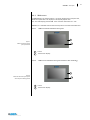
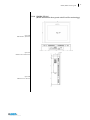
Front view ....................................................................................................................................................................................... 11
2.5.1
Full aluminium front panel .......................................................................................................................................................... 11
2.5.2
Aluminium front panel with True Flat technology ........................................................................................................................ 11
2.5.3
Widescreen ................................................................................................................................................................................. 12
2.6
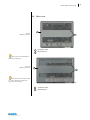
Rear view......................................................................................................................................................................................... 13
2.7
Side view ......................................................................................................................................................................................... 15
2.8
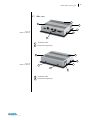
Connector view ................................................................................................................................................................................ 16
2.8.1
Labels.......................................................................................................................................................................................... 16
2.9
Touchscreen .................................................................................................................................................................................... 17
2.10
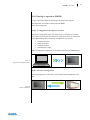
Putting in operation HMI30 .............................................................................................................................................................. 18
2.10.1
Configuration and project creation ......................................................................................................................................... 18
2.10.2
Process management.............................................................................................................................................................. 18
2.11
Software options ............................................................................................................................................................................. 19
SECTION 3 ......................................................................................................................................................................................................... 21
3
Installation and connection ...................................................................................................................................................................... 21
3.1
Preparation for installation .............................................................................................................................................................. 22
3.1.1
Select the mounting location ....................................................................................................................................................... 22
3.2
Checking the package contents ........................................................................................................................................................ 22
3.3
Checking the operating conditions ................................................................................................................................................... 22
3.4
Mounting position ........................................................................................................................................................................... 23
3.4.1
Damage due to overheating ........................................................................................................................................................ 23
3.5
Checking installation distances......................................................................................................................................................... 24
3.6
Preparing the mounting cut-out ....................................................................................................................................................... 24
3.6.1
Degrees of protection .................................................................................................................................................................. 25
3.6.2
Cut-out measures ........................................................................................................................................................................ 25
3.7
Mounting the device ........................................................................................................................................................................ 27
3.7.1
Position of the mounting clamps ................................................................................................................................................. 27
3.7.2
Tools to tighten the mounting clamps.......................................................................................................................................... 28
3.7.3
Procedure ................................................................................................................................................................................... 29
3.8
Connecting the device ...................................................................................................................................................................... 32
3.8.1
Notes on connection ................................................................................................................................................................... 32
3.8.2
Grounding and bonding ............................................................................................................................................................... 32
3.8.3
Power supply connection ............................................................................................................................................................ 32
3.8.4
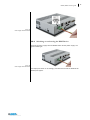
Switching on and testing the HMI Device ..................................................................................................................................... 33
3.9
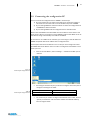
Connecting the configuration PC ...................................................................................................................................................... 34
3.9.1
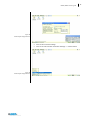
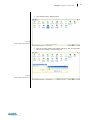
Procedure ................................................................................................................................................................................... 37
SECTION 4 ......................................................................................................................................................................................................... 39
4
Commissioning the device ........................................................................................................................................................................ 39
4.1
Backup design .................................................................................................................................................................................. 40