1
Section 3 - Configuration
Configuration
This section will show you how to configure your new D-Link wireless access point using the web-based configuration utility.
Web-based Configuration Utility
If you wish to change the default settings or optimize the
performance of the DAP-1360, you may use the web-based
configuration utility.
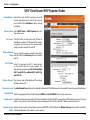
To access the configuration utility, open a web browser
such as Internet Explorer and enter http://dlinkap or
http://192.168.0.50 in the address field.
Select Admin and then enter your password. Leave the
password blank by default.
If you get a Page Cannot be Displayed error, please refer to
the Troubleshooting section for assistance.
D-Link DAP-1360 User Manual
21