1
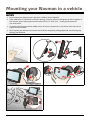
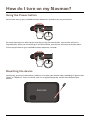
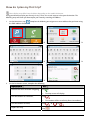
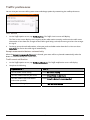
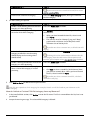
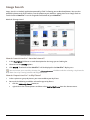
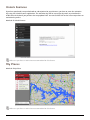
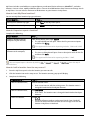
How do I get started? The first time you use your Navman it may take several minutes to establish a GPS connection. How do I turn my Navman on for the first time? To get started for the first time, complete the following steps: 1. 2. Read the Important Safety Information Position your Navman in your vehicle Follow the instructions in the Quick Start Guide. CAUTION: Ensure that your Navman does not obstruct the driver's view, or interfere with the operation of the vehicle airbags and safety devices. 3. Turn your Navman on Your Navman will turn on and display the Language screen. 4. Select your preferred language From the Select Language screen, tap your preferred language. You can change your preferred language while using your Navman. 5. Read the warning message The Safety Agreement screen will display after you have selected your preferred language. Read the Safety Agreement message. To confirm that you have read and understood the message, tap Accept. 6. View the Tutorial To move forward through the Tutorial screen, tap Next. To view the previous screen, tap . To skip the Tutorial screen, tap Skip. To prevent the Tutorial from displaying on each start-up, tap the Show tutorial on start-up option to deselect it. To enable the tutorial again, select the option from Main Menu Æ Tutorial. 7. Æ Help Æ View Customise the device Follow the onscreen instructions to select your preferred distance unit, date format, and time format. 8. Set up Home The Home setup wizard only appears on the first time you start your Navman. Tap OK to set up your home immediately using the address-entry wizard. You can tap Cancel to skip the wizard, and then select you home later in MY PLACES. When you have finished the steps above, the Main Menu screen will display. If you have a GPS fix, you can start to use Navman to plan your trip. 4