1
User Management
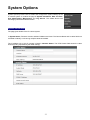
By default, the access to the camera is user authenticated. For security, the IP camera should be restricted to
account only accesses. It is able to enable/disable user accounts, as well as to manage the added users in
this page.
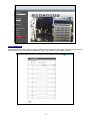
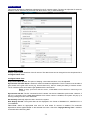
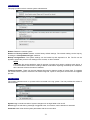
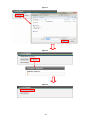
Initially, there is a default account, admin in the “User List”. To enable/disable this account, click on “Enable
Authentication” check box and then apply. To edit password for the default account, click “Edit” to enter the
configuration window.
To create a new account, click “Create User” button. Enter Account / Password for this account with the group
type on the “Create account” window.
The user account with “Administrator” authentication can do all the configurations. “Operator” has the same
rights as Administrator, except for User Management. “Viewer” is allowed only the access to live view page.
Up to 8 user accounts can be added in the User List.
35