1
Source Mapping
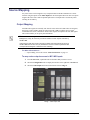
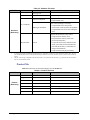
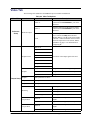
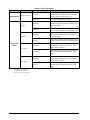
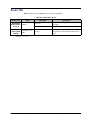
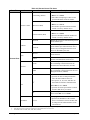
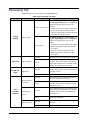
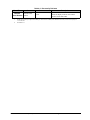
Any router source can be mapped to any crosspoint button on the MC1-MK On Air Control
interface using the options in the Video Inputs tab. Each crosspoint button can have two inputs
assigned: the video source and an optional alpha source. The alpha source is used only when
selecting an external key.
Output Mapping
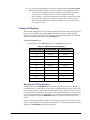
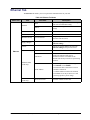
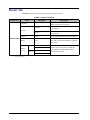
Four SDI video signals are normally sent from the router to the MC1-MK. These are Program,
Preset, Key Video, and Key Alpha. In order for the MC1-MK to send the correct switch
commands to the router, it must know which router outputs correspond to the four SDI signals.
This section enables you to specify this information.
Note — When interfacing the MC1-MK to an NK Series router with Resource
Management, it may be necessary to limit the number of router outputs controlled by
the MC1-MK.
If there are less than four format converters available, then the external key inputs of
the MC1-MK must be set to zero (0). Otherwise a resource conflict may arise and this
could prevent the Program or Preset bus from switching.
For More Information on...
•
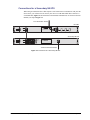
output cabling, refer to the section “Video Connections” on page 2-7.
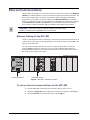
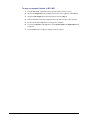
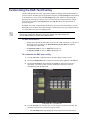
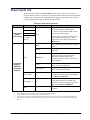
To map router output sources to MC1-MK inputs
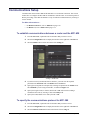
1. From the Tree View, expand the node for the MC1-MK you want to access.
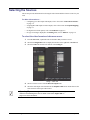
2. Select the Configuration node to display the interface in the right-half of DashBoard.
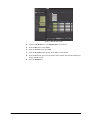
3. Select the Video Inputs tab located at the bottom of the Config tab.
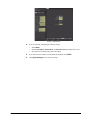
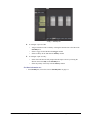
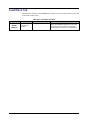
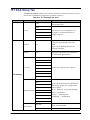
Config — Video Inputs Tab
3–6 • Router Setup
MC1-MK Installation Manual (Iss. 04)