1
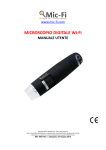
Mic-Fi Wi-Fi Microscope User Manual
Welcome
Thank you for choosing Mic-Fi Wi-Fi digital microscope!
The Wi-Fi digital microscope is an exciting new device that let's you view clear many micro- objects with it, and
has a wide scope of applications, such as,
•
•
•
•
•
•
•
•
•
•
•
•
•
Industrial Inspection
Computer Parts inspection
Telecom module inspection
Scientific teaching tool
Medical and Beauty analysis
School Research tool
Insect dissection / examination
Plant dissection / examination
Skin examination
Textile Inspection
Collections / Coin/ Jewelry Inspection
Printing Inspection
And more……..
Please read this manual carefully before using Mic-Fi Wi-Fi digital microscope!!!
1. Safety Cautions
•
•
•
•
•
•
•
•
•
•
•
•
Need to read Mic-Fi Wi-Fi digital microscope User’s Manual before using and storing it
ITALECO S.R.L. will not be held responsible in case of damages or injuries due to an illegal or improper use of the
product resulting from failure to follow instructions, warnings, notices or indications for use published in this
book.
Avoid touching the lens.
Keep out of reach of children
Do not direct the beam of light toward the eyes (not for Iridoscope)
Protect the product from electrostatic damage.
Do not attempt to disassembly any part of this product.
Do not attempt to service this product yourself. Opening the covers may expose you to dangerous voltage points
or other risks.
Store and operate Wi-Fi Microscope at Temp: -20 ~ 45°C, Humidity: 45% ~ 85%, storing and operating outside
these limits may reduce the life of the product.
Do not expose this product to water or other liquids. If water or other liquids enter the product, immediately
power off the product. Continued use of the product may result in fire or an electrical shock.
Do not use any detergent or volatile solution, as this will damage the camera case, painted surfaces and lens. To
clean the product uses only a soft cleaning cloth.
Do not place this product near a heat source or expose direct flame, avoid the lens damaged by high temperature
or humidity
If the lens is dirty, please use a kens brush on soft cloth to wipe clean. Avoid touching it with your fingers. Exercise
care to avoid scratching the lens.
To avoid electric shock, remove all electricity source before removing PC.
2. Package Contents
Mic-Fi Wi-Fi digital Microscope
1. Wi-Fi Microscope
2. USB AC adapter
3. USB cable
4. Plastic Stand
5. Calibration Ruler
6. Focus Caps (according to the models)
page 3