1
Programming with the AEF
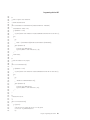
at
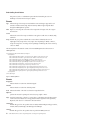
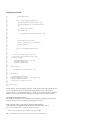
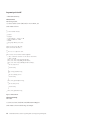
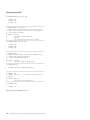
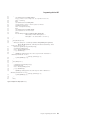
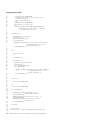
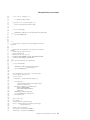
org.mozilla.javascript.Context.evaluateReader(Unknown Source)
at
org.mozilla.javascript.Context.evaluateString(Unknown Source)
at
com.ibm.bsf.engines.javascript.JavaScriptEngine.eval(JavaScriptEngine.java:83)
at scripter.AEFScript.processLine(AEFScript.java:765)
at scripter.AEFScript.run(AEFScript.java:387)
Caused by: java.net.SocketTimeoutException: Read timed out
at java.net.SocketInputStream.socketRead0(Native Method)
at java.net.SocketInputStream.read(Unknown Source)
at java.io.BufferedInputStream.fill(Unknown Source)
at java.io.BufferedInputStream.read(Unknown Source)
at java.io.DataInputStream.readByte(Unknown Source)
... 17 more
The cause for most timeouts is either an enablement error or a slow system. In the case of an enablement
error, a Store Integrator automation call is waiting for a condition that is never satisfied. So after the
appropriate timeout period, the exception is thrown. To correct this problem, either code or property files
must be modified. Code changes are required if the condition list is incorrect. That is the automation call
did not anticipate a possible outcome to the automation call. Property file changes are needed if a
function code, state, or sub-state value is incorrect in a property file.
A special consideration must be given if the AEF error handling mode is set to default. Because the
application waits for the operator, there is a chance that any one of the various calls made by the
application will timeout. Therefore, it is recommended that if the default error handling mode is used
that the value of any property in the config.properties file that ends with read.timeout be changed to 0.
This causes the read calls to wait indefinitely, allowing the operator time to take the necessary action. In
the case of a slow system, the timeout values can be increased. The only danger is that if the cause of the
timeout is really an enablement error, the operator will have to wait that much longer for the exception.
The reason that the timeout exceptions are difficult to process is that when the exception is thrown, the
Store Integrator call and the base application disconnect. The Store Integrator code throws the exception
that works its way up to the caller. The base application in the case of a slow system eventually runs the
automation call and gets to the correct state. So after the timeout, the Store Integrator application tries to
resolve the outcome of the command that threw the timeout exception. How this is done varies from one
automation call to the next. But the basic idea is to keep track of how many items, tenders, and other
activities had been added to the current transaction. State and substate information can also be helpful.
Monitoring the base application after the timeout error for any of these changes can give you an
indication that the automation call has been processed.
Tender recovery
When a client application tries to add a tender to a transaction, many things can go wrong. Such things
as power failures, network problems, or other problems can make it difficult to determine whether or not
the command succeeded. Also an exception or a timeout may be received because the system is behind
on processing requests. Unfortunately, only so much can be done with the program to determine the real
status of the tender request. Here are some suggestions of things to do to try to determine if the tender
went through.
Before adding a tender, the client code should get information about the transaction that includes the
transaction number, the number of tenders, transaction totals, all pertinent tender information. This data
must be logged to persistent storage.
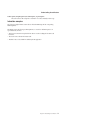
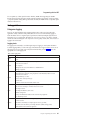
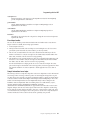
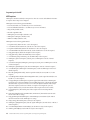
If a client receives either a RemoteException or an AEFException while trying to add a credit tender to
the transaction, the tender operation is considered in-flight on the POS application. Perform the following
steps to determine whether or not the credit went through with approval.
170
Toshiba Global Commerce Solutions Programming Guide: Store Integrator Programming Guide