1
Getting started
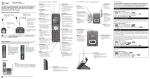
Quick reference guide - handset
PUSH TO TALK
Press to begin a one-to-one or one-to-group
broadcast.
Press and hold to begin a one-to-group broadcast
when the handset is not in use.
Main menu
The selected menu item is highlighted.
Feature menu
Play messages
Answering sys
Directory
Caller ID log
Intercom
Bluetooth
Ringers
Set date/time
Settings
Website
Menu
Using menus
1. Press MENU in idle mode (when the telephone is not in use)
to enter the main menu.
2. Use CID
or
DIR to scroll through menu items.
3. Press SELECT to select or save the highlighted item.
-ORPress
OFF/CANCEL to cancel an operation, back up to the
previous menu, or exit the menu display.
For complete instructions, refer to the user’s manual provided with
your TL92271/TL92371/TL92471/TL96271/TL96371/TL96471
telephone system. If you are unable to find your user’s manual,
go to www.telephones.att.com/manuals to read and/or
download the manual.