1
HOW TO USE A PULSE PROGRAM
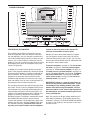
on the screen. The arrow below the profile will indicate your progress during the workout.
CAUTION: If you have heart prob-
5. Enter a target heart rate setting.
lems, or if you are over 60 years of age and
have been inactive, do not use the pulse programs. If you are taking medication regularly,
consult your physician to find whether the
medication will affect your exercise heart rate.
If pulse program 1 is selected, the target heart
rate setting for the entire program will appear on
the screen beside the words TARGET BPM (beats
per minute). If desired, press the increase and decrease buttons beside the User button to change
the target heart rate setting (see EXERCISE INTENSITY on page 32).
1. Put on the optional chest pulse sensor.
If pulse program 2, 3, or 4 is selected, the maximum target heart rate setting of the program will
appear on the screen. If desired, press the increase and decrease buttons beside the User button to change the maximum target heart rate setting (see EXERCISE INTENSITY on page 32).
Note: If you change the maximum target heart rate
setting, the intensity level of the entire program will
change.
Note: You must wear the optional chest pulse sensor to use a pulse program. See page 26 for information on the optional chest pulse sensor.
2. Insert the key into the console.
See HOW TO TURN ON THE POWER on page
16.
3. Identify yourself as user 1 or user 2.
6. Start the walking belt.
See step 2 on page 16.
Press the Start button to start the program. A moment after you press the button, the treadmill will
automatically adjust to the first speed and incline
settings of the program. Hold the handrails and
begin walking.
4. Select a pulse program.
To select one of the four pulse programs, press the
Program button repeatedly. When a pulse program
is selected, the name of the program (PULSE: 1,
PULSE: 2, PULSE: 3, or PULSE: 4) will appear on
the screen.
Pulse program 1 is divided into one-minute segments. The same target heart rate setting is programmed for all segments (except for the first two
segments). Pulse programs 2, 3, and 4 are divided
into 30 one-minute segments. One target heart
rate setting is programmed for each segment.
Note: The same target heart rate setting may be
programmed for consecutive segments.
If pulse program 1 is selected, a track will appear
on the screen.
If pulse program 2, 3, or 4 is selected, a profile
of the heart rate settings of the program will appear
19