1
Starmobile MUSE
*Go To Settings > Power Saving Mode
Starmobile App Store
Download popular apps and earn points for free apps.
*Go to Apps > Starmobile App Store
Starmobile Sync
Special App by Starmobile that lets users transfer
contacts, calendars and more via Bluetooth
*Go to Apps > Starmobile Sync and follow the on-screen
instructions
Transfer Apps to Internal Memory
Save apps to the 32GB Internal Memory to free up space
*Go To Settings > Apps > Select App > Transfer to SD
Wireless Charging
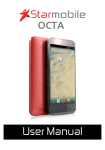
Place the Starmobile OCTA on top of the included
wireless charging base to top up your battery wirelessly.
Wireless Display
Display your phone's content wirelessly via Wi-Fi, Miracast
and/or Chromecast to compatible TVs or Projectors
44