1
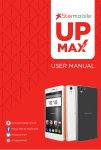
Luxe
KNIGHT
Luxe
USER MANUAL
www.starmobile.com.ph
Happy Man by Starmobile
@happymanph
@happymanph
Table of Contents
01
02
05
06
07
09
11
12
13
15
18
19
21
24
26
28
Introduction
About Android
Battery Information
Installing the SIM and Memory Card
Device Controls
Basic Operation
Connecting to the Internet
Setting up your Google Account
Communication
Built-in Apps and Functions
USB and Bluetooth Connectivity
Android Settings
Special Features
Safety and Notice
Troubleshooting
Starmobile Warranty
KNIGHT Luxe
Introduction
Thank you for purchasing the Starmobile KNIGHT Luxe.
Please read the instructions in this user manual prior to operating your
device. Starmobile does not assume any liability from improper operation
or accidental damage of the unit.
If setup and usage of your unit differ from what is detailed in this user
manual, please visit the Starmobile website (www.starmobile.com.ph) for
the latest product information or email us at [email protected]
NOTE: Copyright laws and regulations protect the content of this user
manual. You may not, by any means, copy any part of this guide in any
form or through any cable or wireless network for transmission, or have this
user manual translated into any language without permission from
Starmobile.
1
About Android
(Source: www.android.com)
Introducing Android: The world's most powerful mobile platform
There's no other software quite like Android. Google engineered Android,
and Google’s own apps run best on it. And with millions of apps, games,
songs, and videos on Google Play, Android is great for fun, and for getting
things done.Android devices come in all kinds of sizes, with all sorts of
features, and at all sorts of prices. With Android, you’re in control of your
mobile experience.
Your stuff, always available, no wires needed
When you sign in to your phone or tablet with Google, you can access all
of your Google stuff (contacts, photos, Gmail and more) quickly and easily.
You can also enjoy all of your favorite entertainment across your Android
devices and even your computer — no wires, no syncing.
Play everywhere you go
Google Play is the easiest way to enjoy all your favorites: more than
1.4 million apps and games, millions of songs, thousands of movies and
TV shows, the world's largest collection of eBooks, and a growing selection
of magazines. With Google Play, there's no wires, no hassle, just pure
entertainment. You can now read, listen and watch anywhere you want—
on your tablet, phone, or in any browser at play.google.com.
Powerful, simple, and beautiful
Millions of people use Android because it’s so powerful yet still so easy. The
home screen, apps, and widgets are simple to use right out of the box, but
completely customizable. With Android, you can create a unique mobile
experience that’s just right for you.
Widgets
Put the important stuff right within reach and interact with your favorite
apps directly from your home screen with widgets — see the latest sport
scores, view your favorite photos, check the weather or peek at your inbox
all without having to open different apps or leave the home screen.
Notifications
An easy-to-read notification tray gives you quick access to your calls,
incoming texts, and new emails in a non-intrusive way.
2
Multi-tasking
With Android, you can quickly and seamlessly switch between apps and
pick up whatever you were doing. Juggling multiple tasks at once on a
mobile device has never been easier.
Voice typing and actions
Control your Android device with your voice. Simply touch the microphone
on the keyboard and start talking to write emails, SMS, or any other text —
more than 30 languages supported. Text appears in real time, so there’s no
waiting.
Photos and videos
Capture special moments with great photos and videos, explore your shots
and quickly share your favorites in any way that you want.
WHAT’S NEW WITH ANDROID 4.4 KITKAT?
(source: www.android.com)
Beautiful & Immersive
A more polished design, improved performance,
and new features.
Just say “Ok Google”
You don’t need to touch the screen to get things done. When on your
home screen* or in Google Now, just say “Ok Google” to launch voice
search, send a text, get directions or even play a song.
A work of art
While listening to music on your device, or while projecting movies to
Chromecast, you’ll see beautiful full-screen album and movie art when your
device is locked. You can play, pause, or seek to a specific moment.
Immerse yourself
The book you're reading, the game you're playing, or the movie you're
watching — now all of these take center stage with the new immersive
mode, which automatically hides everything except what you really want to
see. Just swipe the edge of the screen to bring back your status bar and
navigation buttons.
Faster multitasking
Android 4.4 takes system performance to an all-time high by optimizing
memory and improving your touchscreen so that it responds faster and
3
more accurately than ever before. This means that you can listen to music
while browsing the web, or race down the highway with the latest hit game,
all without a hitch.
Smart & Simple
Google smarts improve every corner of the Android experience.
The future is calling
The new phone app automatically prioritizes your contacts based on the
people you talk to the most. You can also search for nearby places and
businesses, your contacts, or people in your Google Apps domain.
A smarter caller ID
Whenever you get a call from a phone number not in your contacts, your
phone will look for matches from businesses with a local listing on Google
Maps.
All your messages in the same place
Never miss a message, no matter how your friend sends it. With the new
Hangouts app, all of your SMS and MMS messages are together in the
same app, alongside your other conversations and video calls. And with
the new Hangouts, you can even share your location and send animated
GIFs.
Emoji everywhere
Sometimes words can’t express how you feel. For that, there’s Emoji, the
colorful Japanese characters, now available on Google Keyboard.
Grab & Go
New features help you get things done while you’re on the move.
Print wherever, whenever
Now you can print photos, documents, and web pages from your phone or
tablet. You can print to any printer connected to Google Cloud Print, to HP
ePrint printers, and to other printers that have apps in the Google Play
Store.
Pick a file, any file
From apps like Quickoffice, you can open and save files on Google Drive,
other cloud storage services, or your device. And with quick access to
recently used files, it's easier than ever to send the file you were just
working on.
4
Your office, anywhere
Create and edit documents, spreadsheets and presentations from your
phone or tablet with the newly redesigned Quickoffice.
Battery Information
INSTALLING THE BATTERY
1. Make sure the unit is turned off.
2. Gently lift the battery cover.
3. Align the metal connectors of the battery with the terminals.
4. Push the battery in until it locks into the slot.
5. Put the battery cover back in place.
REMOVING THE BATTERY
1. Make sure the unit is turned off.
2. Gently lift the battery cover.
3. Raise the battery from one end to remove it from the slot.
4. Put the battery cover back in place.
CHARGING THE BATTERY
The Starmobile KNIGHT Luxe needs to be fully charged prior to first use.
1. Make sure the unit is turned off.
2. Plug one end of the charger into the USB/charging port then
plug the other end into a standard AC power outlet.
3. Once connected, the battery icon will repeatedly flash on the screen.
4. If the device has been depleted of battery life, it will take a while before
a charging indicator appears on screen after it has been plugged to a
power source.
5. When the battery level icon has stopped flashing, this means that
charging is complete. Disconnect the charger from both the electrical
outlet and the device.
ATTENTION
* Charging must be performed in well-ventilated areas with temperatures
ranging between -10 degrees Celsius and +45 degrees Celsius.
* It is normal for the device and charger to become warm during charging.
* Use only the supplied Starmobile charger
* Using accessories of other manufacturers or vendors may invalidate
any approval or warranty applicable to the device. It may result in
5
non-operation of the device or loss of information.
* If the device shuts down automatically or indicates “Battery is Low”,
charge the battery.
* If the battery has not been entirely used up before recharging, the
charging time may decrease.
OPTIMIZING BATTERY PERFORMANCE
You can extend your battery's life between charges by turning off features
that are not in use. You can also monitor how apps and system resources
consume battery power.
To adjust the settings described here, first touch the Settings icon on the
Home or All Apps screen.
Extending battery life
1. If Wi-Fi, Bluetooth, or GPS are not in use, disable or deactivate the
function. The GPS setting is located in Settings > Personal > Location
services.
2. Don't leave the Maps or Navigation apps open on the screen when not
in use. They use GPS (and thus more power) only when they're running.
2. Don't leave the Maps or Navigation apps open on the screen when not
in use.
3. Turn down screen brightness and set a shorter Sleep timeout: Settings >
Device > Display.
4. If you don't need it, turn off automatic syncing for all apps: Settings >
Personal > Accounts & Sync. Note that this means you need to sync
manually to collect messages, email, and other recent information, and
won't receive notifications when updates occur.
5. If a mobile or Wi-Fi network is inaccessible, switch to Airplane mode.
Press and hold the power switch until the options dialog appears.
Select Airplane Mode.
Installing the SIM Cards
The Starmobile KNIGHT Luxe can accommodate two SIM cards
(1 Micro SIM + 1 Regular SIM).
1. To install the SIM cards, make sure that the unit is turned off.
2. Open the back casing gently and remove the battery.
3. Slide in the SIM cards with the beveled edges properly aligned
with the card slot/s.
6
4. Once the SIM card/s are in place, reinstall the battery and the cover.
INSTALLING THE MEMORY CARD
The Starmobile KNIGHT Luxe supports Micro SD cards of up to 32GB
in capacity.
1. To install, make sure that the unit is turned off.
2. Open the back casing gently and remove the battery.
3. Insert the memory card into the designated slot with the beveled edge
properly aligned.
4. Once the memory card is in place, reinstall the battery and the cover.
Device Controls
PORTS AND KEYS
Please refer to the Quick Start Card (included in the box) for the location of
control keys and ports.
Power Key
* Press and hold to switch on/off the device. If device is in use, press once
to turn off screen backlight. If device is on sleep mode, press once to
activate screen display.
Volume Key
* Press to adjust ringer volume, call volume, and media volume during
music and video playback.
Micro USB Port
* Allows you to connect a Micro USB cable for charging or for data
exchange/transfer.
Earphone Port
* Allows you to plug in an earphone or any external audio device with a
3.5mm jack.
NAVIGATION BUTTONS
The navigation buttons are located below the screen.
Back Key
* Touch to return to the previous screen you were working in, even if it was
7
in a different app. Once you back up to the Home screen, you can’t go
back any further in your history.
Home Key
* Opens the Home screen. If you're viewing a left or right Home screen,
this opens the central Home screen.
Menu Key
* Touch to reveal menu options
FAVORITES TRAY
The favorites tray is located in the screen just above the navigation buttons.
It displays the same set of functions regardless of which home screen you
are viewing.
* Dialer - place a call or see your call log.
* Contacts - view your phonebook.
* All Apps - see all your apps and widgets.
* Messaging - create or read text messages.
* Settings – customize and tweak your device
HOME SCREEN
The middle of your Home Screen can hold app and widget icons,
plus folders.
* To open an app, folder, or widget, touch its icon.
* To see additional Home screens, swipe your finger quickly left or right.
NOTIFICATIONS BAR
The notifications bar is located at the top of your screen. Here, you'll see
icons, which display the current wireless and network connection strength,
battery level, time, and other reminders.
Icons on the left tell you which apps have sent you notifications; for
example, that a message has arrived, or it's time for a meeting.
Icons on the right display the current wireless and network connection
strength, battery level, time, and more.
To see the entire notifications bar, swipe your finger down from the top of
the screen.
8
Basic Operation
TURNING THE POWER ON AND OFF
1. Press and hold the Power Key until the device switches on.
2. To turn the unit off, press and hold the Power Key and select “Power Off”
or “Restart”.
USING THE LOCK SCREEN
To protect personal information, you can adjust your device’s lock screen
settings:
1. From the Home or All Apps screen, touch the “Settings” icon.
2. Scroll down and go to “Security”.
3. Select Screen lock.
4. Choose the type of lock you wish to use and follow the on-screen
instructions.
Once enabled, a lock screen display will show up whenever your screen
wakes up, prompting you to enter the pattern, PIN, or other specified key.
While the screen is locked, you can respond to incoming calls in three ways.
Touch the white phone icon and slide over the answer, reject, or send
message option.
* Answer call - start talking to the caller.
* Reject call - decline the call.
* Send a message - opens a list of default text messages. Touch one to
send it to the caller immediately.
TOUCHSCREEN GESTURES
Touch or tap to manipulate icons, buttons, menus, the onscreen keyboard,
and other items on the touchscreen. You can also change the screen's
orientation.
To select or activate something onscreen, touch it.
To type something such as a name, password, or search terms, just tap
where you want to type. A keyboard pops up that lets you type into the
field.
9
Other common gestures include:
* Touch & hold: Touch & hold an item on the screen by touching it and
not lifting your finger until an action occurs.
* Drag: Touch & hold an item for a moment and then, without lifting your
finger, move your finger on the screen until you reach the target position.
For example, you can drag to reposition shortcuts on the Home screen.
* Swipe or slide: Quickly moves your finger across the surface of the
screen, without pausing when you first touch (so you don't drag
something instead). For example, you can slide a Home screen left or
right to view the other Home screens.
* Double-tap: Quickly tap a screen to zoom in. Double tap again to zoom
out.
* Pinch: When viewing maps, web pages or photos, place two fingers on
the touchscreen at once and pinch them together to zoom out or spread
them apart to zoom in.
* Rotate the screen: The orientation of the screen rotates with the device
as you turn it from upright to its side and back again. You can turn this
feature on and off.
GOOGLE SEARCH
Google Search can help you find anything you need on your device or on
the web.
* At the top of any Home screen, touch the Google Search Bar to type
your search term, or the Microphone button to make a voice command.
As you type, suggestions from Google web search will appear below the
Search Box, and results from your device (such as apps and contacts) will
appear below that.
Touch a suggestion to search for it immediately, or touch its arrow just to
add the term to the search field without starting to search.
To change the way Google searches on your device or the web:
1. Touch Google at the top of the screen.
2. Select the Menu key at the lower left corner of the screen.
3. Select Settings.
4. Choose either Searchable Items or Google Search.
CHANGING THE WALLPAPER
1. Touch & hold anywhere on a Home screen that's not occupied. A list of
10
options will appear.
2. Select a wallpaper source:
* Gallery: displays pictures that you've taken with your Camera or
downloaded to your device.
* Video Wallpapers: displays selection of videos stored in your device.
Select the Camera icon to capture and record a new video.
* Live Wallpapers: displays a scrolling list of animated wallpapers.
* Wallpapers: displays thumbnails of default images. Touch a thumbnail
to see a larger version.
3. For wallpapers selected from the Gallery, you will be asked to crop out
the desired portion of the image before setting it as your wallpaper.
Connecting to the Internet
Wi-Fi CONNECTION
Connect to the Internet via a Wi-Fi router or access point.
1. Go to the Settings menu and select Wi-Fi.
2. Swipe the slider to enable Wi-Fi connectivity.
3. Select your preferred network. If the network is open or free for
public use, you will be automatically connected.
4. If the network is secure, a pop-up window will then appear, prompting
you to type in the network password.
5. Click “Connect” after typing in the password. Your device will obtain the
network IP address automatically.
6. If your device does not automatically detect wireless networks to
connect to, click “Scan” to search for networks manually.
7. To manually add Wi-Fi networks, click “Add” and input the Network SSID,
Security, Type and Password.
8. Click on the options key to access advanced Wi-Fi options, which allow
you to modify network notification and sleep mode, as well as check the
device’s MAC and IP addresses.
9. Once your device is connected to a Wi-Fi network, you can open the
browser and input web addresses to access the Internet.
CELLULAR CONNECTION
The Starmobile KNIGHT Luxe is capable of connecting to cellular data
services. To activate the cellular connection:
1. Go to the Settings menu and select More.
2. Click on Mobile networks.
11
3. Select Data connection and choose which mobile network you wish
to use.
4. If there is still no data connection contact your mobile service provider
and ask for the full details of the data service.
NOTE: Only one SIM card at a time can be used for data connection.
WI-FI TETHERING (HOTSPOT)
Use the Starmobile KNIGHT Luxe as a portable Wi-Fi hotspot to share
mobile Internet connectivity with other mobile devices.
1. Go to the Settings menu.
2. Under Wireless & Networks, select More > Tethering & Portable Hotspot.
3. Click on the word “Wi-Fi Hotspot” to open the Wi-Fi Hotspot settings
menu.
4. Click on “Set Up Wi-Fi Hotspot” and assign your desired Network SSID
(hotspot name), security type, and password. Click Save afterwards.
5. Slide the Wi-Fi Hotspot button at the top of the screen from “Off” to “On”.
CAUTION:
* Standard mobile data rates apply. Contact your mobile service provider
for more information.
* Frequent use of the Wi-Fi Hotspot and mobile Internet affect battery life.
Setting up your Google Account
NOTE: This step requires you to be connected to the Internet.
Read “Connecting to the Internet” for more information.
1. Go to the Android Settings menu and select “Add Account”.
2. Select Google and a series of screens will take you through the setup
process.
3. If you already have a Google or Gmail account, use your Gmail address
and password to log in.
4. If you don't have Gmail or any other Google Account, you may create
one by clicking on “New” or by going to www.gmail.com on your Android
Web Browser or on your PC.
Why use a Google Account?
A Google Account lets you organize and access your personal information
12
from any computer or mobile device:
Use Google Play. With a Google Account, you can play music, view movies,
read books, and shop for more in the Google Play store no matter what
computer or mobile device you’re using – as long as you have a Wi-Fi
connection. The same goes for your email, text messages, or social stream.
Synchronize and back up everything. Whether you draft an email, add a
contact's phone number, add an event to your calendar, or take a photo,
your work gets backed up continuously by Google and synchronized with
any computer where you use the same Google Account.
Access from anywhere. Check your latest calendar, email, text messages,
or social stream, wherever you are, no matter what computer or mobile
device you're using.
Keep your stuff secure and available. Google works round the clock to
protect your personal data from unauthorized access and to ensure that
you get it when you need it, wherever you need it.
Simplify shopping. You can connect your Google account with Google
Wallet, which makes it easy to purchase music, books, apps, and more on
Google Play and other online stores.
Use other Google services. Your Google Account also lets you take full
advantage of any other Google apps and services that you may want to
use, such as Gmail, Google Maps Navigation, YouTube, Google Talk,
Messaging, and many more.
Source: support.google.com
Communication
CONTACTS
The Contacts application stores and manages all your contacts.
In the phonebook list interface, input the first character of the name you are
searching for in the cursor to display all records meeting the conditions.
Search results will be different due to different input content.
13
Select a contact and touch the contact's name. Options will allow you to
call or write a message to the contact. If you touch and hold the contact
number, additional options will be available to you such as Copy to
Clipboard, Associate SIM card and IP call contact.
MAKING A CALL
You can place calls from the Phone app, the Contacts app, or other apps or
widgets that display contact information. Wherever you see a phone
number, you can just touch it to dial.
CALL LOG
The Call log displays all the calls you've placed, received, or missed. It
provides a convenient way to redial a number, return a call, or add a
number to your Contacts. Within the Phone app, the Call log is under the
middle tab.
Touch a number to call back, or touch the icon beside it for more
information about the call.
Arrow icons beside a call indicate the type of call. Multiple arrows indicate
multiple calls:
* Red: Missed incoming call
* Blue: Received incoming call
* Green: Outgoing call
MESSAGING
You can compose, send, and receive text messages from your phone. You
can also compose, send, and receive multimedia messages, which contain
media files such as pictures, videos, and audio files.
To compose a text message:
1. Open the Messaging app
2. Click on the new message icon.
3. Type the name or the number of the recipient/s.
4. Type the text message.
5. Press send when finished.
When you view your messages, they appear as conversations, which mean
that all messages to and from a particular person will be grouped together.
14
Built-in Apps and Functions
FM RADIO
1. To begin, insert the supplied headset to the 3.5mm earphone port.
2. Click on the FM Radio icon in the Apps menu
3. Scan for available radio frequencies. It is recommended to go outdoors
when searching for frequencies to get a stronger reception.
4. To record, by pressing the menu located at the upper right corner of the
screen > select ‘Record FM’.
CAMERA
1. Click on the Camera icon in the Apps menu
2. Click on the settings icon to customize flash, exposure, resolution
settings, etc.
3. Press the shutter button to take photos or press the camera button to
take videos.
4. Press the switch camera button to toggle between the front and the rear
cameras.
NOTE: To take a screen shot, press and hold the Power key and the Volume
down button simultaneously. This function allows you to take a photo of
the entire screen displayed on your device.
GALLERY
The Gallery lets you view photos and pre-loaded videos. From the Gallery,
you can also share your photos and videos with your friends via messages,
Bluetooth, or email.
1. Click on the Gallery icon in the Apps menu
2. Select the folder you wish to view.
3. Swipe to view your photos and videos.
4. Select a photo or video you wish to view.
5. To share via Bluetooth or to an online account, click on the share button
on the upper right.
EMAIL
The email application allows you to compose, send, and receive emails
through your regular email account. You can configure and access multiple
email accounts using this application.
1. To configure an email account, connect to the Internet first (see
15
connecting to the Internet).
2. Go to Settings > Add Account > Email
3. Follow the onscreen instructions. Make sure you have your email details
such as the full address and password.
4. To read or compose emails, tap on the email icon in the All Apps menu.
PLAY STORE
To use Play Store to download Android apps, you'll need to have a Google
account with a Google email (either Gmail or a Google-hosted domain)
associated with your device.
NOTE: For any download attempts from Play Store on the web, you must
have strong connectivity on your device at the time you push the
download from play.google.com - connecting your device to the computer
via USB cable is not sufficient. It is not possible to download the app first to
your computer and then transfer the app later to your device.
Free Apps
1. Navigate to an app you want to install and tap to select it – the details
screen will appear, and you can read more about the app, its features,
and the developer.
2. If you want to install the app, tap the Download button.
3. Tap Accept & download to accept the permissions for the app (or press
Back if you don’t want to download) - your item will start downloading
immediately.
Paid Apps
1. Navigate to an app you want to install and tap to select it - the details
screen will appear, and you can read more about the app, its features,
and the developer.
2. If you want to purchase and install the app, select the button displaying
the price. At this time, you may be asked to sign in to your Google Wallet
account if it’s your first time to make a purchase on Google Play.
3. Use the drop-down menu to select a payment method or add a new
card.
4. Press Accept & buy to accept the permissions for the app and complete
your purchase. If you’ve enabled a PIN code for purchases, you’ll be
asked to enter it at this time.
5. Your app will begin downloading on your device once payment is
successfully authorized.
16
CALENDAR
The Calendar app lets you view and edit your schedule.
When you first set up your device, you may have configured it to use an
existing Google Account (such as Gmail), or you created a new one.
The first time you open the Calendar application on your device, it displays
any existing calendar events from that Google Account on the web. As you
edit events from any mobile device or web browser, they are synced
automatically across all devices.
To change the Calendar view, touch the date at the top and choose Day,
Week, Month, or Agenda. Swipe to scroll vertically or horizontally. In the Day
or Week views, spread your fingers apart or pinch them together to zoom
in or out.
From any of these views, you can:
* Read or edit event details. Touch an event to view its details.
* Manage events and calendars. Touch icons across the top or the Menu
button to search or create events, return to today, or adjust settings.
MAPS
You must have Location Services turned on to view your location in Maps
and to use your location to find local resources.
1. To enable Location Services, go to your device's Settings menu and
select Location.
2. Select the location options that you want to use.
3. Enable Google Location Services.
4. Enable Wireless networks to allow the device to determine your
approximate location by using Wi-Fi and mobile networks.
5. Enable GPS services to allow your device to determine your location to
street-level accuracy. GPS works best when you have a clear view of the
sky.
NOTE: Exact instructions for your Android device may vary. Not all location
options may be available for all devices. Some options may be found in a
different settings menu.
DOWNLOADS
Downloaded files are stored in the Download directory that's visible when
17
your device is connected to a computer. You can view and copy files from
this directory.
1. Open Downloads and manage downloaded files.
2. Touch the Downloads icon from a Home or All Apps screen.
3. Touch an item to open it.
4. Touch headings for earlier downloads to view them.
5. Check items you want to share. Then touch the Share icon and choose
a sharing method from the list.
6. Check items you want to delete. Then touch the Trash icon.
7. At the bottom of the screen, touch Sort by size or Sort by date to switch
back and forth.
USB and Bluetooth Connectivity
CONNECTING TO A COMPUTER VIA USB
You can use a USB cable to connect your device to a Windows computer
and transfer music, pictures, and other files to your device and vice-versa.
Select the Media Transfer Protocol (MTP), which is supported by most
computers.
If your USB tethering is turned on, make sure to turn off this function prior
to transferring files between your device and the computer.
When you connect your device via USB to your computer, the USB storage
is mounted as a drive and appears on your computer screen. You can now
copy files back and forth as you would on any other external storage
device.
To disconnect, first eject the USB storage drive from the computer before
unplugging the cable.
CONNECTING A DEVICE VIA USB OTG
The Starmobile KNIGHT Luxe can be used with a USB On-The-Go (OTG)
accessory.
To connect a device, attach an OTG cable or attach the device directly to
the Micro USB port of The Starmobile KNIGHT Luxe.
NOTE: Certain USB devices, which have high power requirements such as
external hard drives and high capacity flash drives, may not be recognized.
18
CONNECTING TO BLUETOOTH DEVICES
Bluetooth is a short-range wireless communications technology used to
communicate between devices over a distance of about 8 meters.
The most common Bluetooth devices used together with mobile devices
are headsets for making calls or listening to music or hands-free kits for
cars.
There are several Bluetooth profiles that define the features and
communications standards for Bluetooth devices. For a list of the profiles
supported by your device, refer to the guide of your Bluetooth device or
accessory.
The first time you use a new Bluetooth device, you must pair it with the
device you wish to connect to, so that both devices know how to connect
securely with each other. After that, they should always connect
automatically without further configuration. To connect to a Bluetooth
device:
1. Turn on the connecting device's Bluetooth radio (e.g. Bluetooth
headset-refer to your Bluetooth device’s user manual). This is usually
prompted by flashing blue and/or red lights.
2. Go to Settings > Bluetooth on your Starmobile device.
3. Turn on Bluetooth by toggling the On/Off slider. The Notifications bar
should indicate that Bluetooth is now on.
4. Click on the device you wish to connect to. This step may require you to
enter a code or passphrase. (Please refer to the Bluetooth device’s user
manual).
5. If you wish to rename your phone’s Bluetooth name/identity, change the
Visibility timeout, or view your received files, click on the Menu Key.
6. To turn off Bluetooth, slide the Bluetooth switch from On to Off.
Android Settings
The Android Settings menu allows you to configure various functions of
your device.
SIM MANAGEMENT
Choose which network you want to be active. Both networks may be
activated at the same time. (See “Connecting to the Internet” to know how
19
to configure data services)
DATA USAGE
Data usage refers to the amount of data uploaded or downloaded by your
device during a given period.
To monitor your data usage, adjust your data usage settings. First check
your Internet plan and determine what data limits may apply.
NOTE: Your device measures the usage displayed on the data usage
settings screen. This means that your carrier's data usage accounting may
differ. Depending on your plan, you may be charged additional fees when
your data usage exceeds your plan's limit. Usage in excess of your carrier
plan's data limits can result in steep coverage charges.
Data usage settings allow you to:
* Set the data usage level at which you'll receive a warning.
* Set a data usage limit.
* View or restrict data usage by app.
PROFILES
Allows you to configure your ringtones and alerts for calls and messages.
STORAGE
Storage indicates the detailed memory consumption and free memory
space of your device whether internal or SD card. You can also set the
default storage where you want to save your pictures, music and other files.
To do so, click Default Write Disk and choose from the following options:
Internal Storage, SD Card, or Let the System Decide.
BATTERY
Displays the battery percentage and battery consumption patterns of your
device.
ACCOUNTS & SYNC
You can use multiple Google Accounts and Microsoft Exchange
ActiveSync accounts on your device. You may also be able to add other
kinds of accounts, depending on your apps.
Some you can add in the Accounts & Sync screen, as described here.
Others you add using an app that works with those kinds of accounts. For
20
example, you can add IMAP and POP3 email accounts with the Email app.
To view the Accounts & sync settings screen described here:
1. From a Home or All Apps screen, touch the Settings icon.
2. Under Personal, touch Accounts & sync.
LANGUAGE & INPUT
Lets you select the language for the text on your device and for
configuring the onscreen keyboard.
Special Features
3G SIM SELECTION
Select which SIM card will be used for 3G
* Go to Settings > More > Mobile Networks > 3G Service > Enable 3G >
Select SIM
APPS MANAGER
Control how apps behave and utilize phone features
* Go to Apps > Apps Manager
AUDIO ENHANCER
Improved music quality for earphones
* Go to Settings > Profiles
BUILT-IN PHOTO EDITING
Apply Instagram-like filters to photos or use Photoshop-like editing tools
* Open a photo from the Gallery
* Click on the Menu Button
* Select "Edit"
CALL AND TEXT FILTERING
Restrict phone from receiving calls and messages
* Go to Menu > Firewall
* Select which contacts to add/remove on “Block List” or “Contacts Permit”
21
* Select “Block All” to prevent receiving all calls and texts
DOUBLE TAP TO SLEEP
Double Tap the screen to lock the screen
* Go to Settings > Quick Lock Screen
* On the home screen, double tap on an empty space to lock the screen
EASY MESSAGING
Starmobile-customized message interface
* Auto Save messages as Draft
* Enable Long Text message (up to 2080 characters long =
160 characters x 13 pages)
* Auto switch SMS to MMS (if pictures, videos, and/or music files are
attached)
* Pop Up Message
* Android Keyboard with Enter Key
* Resend option for failed messages
* Search function for SMS
* When a message is received, the complete contact name is displayed
DATA ENCRYPTION
Contents of phone will not be accessible by anyone without entering a
decryption password (even with a PC)
* To activate, go to Settings > Security
FLIP CONTROLS
Flip to Mute Calls, Mute Alarm or to Pause Video
* Go to Settings > Profiles
MULTI-GESTURE CONTROLS
Use up to three fingers to execute special commands
* Go to Settings > Multi Gesture
2 fingers/points
* Open Messaging (Slide Up)
* Open Dialer (Slide Down)
* Adjust Volume (Slide Right / Left)
22
3 fingers/points
* Open Camera (Slide Up)
* Screen Capture (Slide Down)
* Switch Between Background/Running Apps (Slide Right / Left)
OVER THE AIR (OTA) UPDATES
Keep your phone up to date even without a PC
* To check for the latest update, go to Settings > About Phone >
Starmobile Care > Check for Update and follow the on-screen
instructions.
NOISE CANCELLATION
Special technology that cancels out ambient/environmental noise ex:
tricycle noise, rumbling, hissing, etc
* Go to Settings > Call Settings > Noise Cancellation ON/OFF
SMART CAMERA
Talk to Capture
*Go to Camera > Settings (Gear Icon)
*Select the camera icon and turn on Voice Capture
*Say "Capture" or "Cheese" to take a picture
______________
Tap to Capture
*Go to Camera > Settings (Gear Icon)
*Select the camera icon and turn on Tap to Capture
*Tap anywhere on the camera screen to instantly take a picture
______________
Silent Camera Option
Camera shutter sound can be turned off
*Go to Camera > Settings (Gear Icon)
*Select Shutter Sound On/Off
______________
Smile Shot
Camera automatically take a picture when the subject smiles.
*Go to Camera > Settings (Gear Icon)
23
* Select the Smile Shot icon to turn on the feature
* Stand in front of the camera and smile to take a picture
STARMOBILE APP STORE
Download popular apps and earn points for free apps.
* Go to Apps > Starmobile App Store
STARMOBILE SYNC 2.0
Special App by Starmobile that lets users transfer contacts, calendars and
more via Wi-Fi or Bluetooth
* Go to Apps > Starmobile Sync and follow the on-screen instructions
TALK TO UNLOCK
Use your own voice to unlock the lock screen
* Go to Settings > Security > Screen Lock > Voice Unlock
TRANSFER APPS TO SD
Save apps to Micro SD card to save on space
* Go To Settings > Apps > Select App > Transfer to SD
WIRELESS DISPLAY
Display your phone's content wirelessly via Wi-Fi, Miracast and/or
Chromecast to compatible TVs or Projectors
To pair a display:
* Go to Settings > Display > Wireless Display
WIRELESS PRINTING
Print anything directly from your phone using a compatible printer
* Go to Settings > Printing
Safety and Notice
This section contains important information pertaining to correct and safe
usage of your device. Read carefully before using your device.
24
* Your Starmobile device supports an “Airplane mode” function. Set your
device to “Airplane mode” when boarding an aircraft or completely switch
it off. Using wireless devices in an aircraft may be dangerous to the
operation of the aircraft, disrupt pilot-ground communications, and may
be considered illegal.
* Power off your device in all fuel, chemicals, or blasting areas. Keep the
device away from children.
* Observe local laws and regulations when using your Starmobile device.
Do not operate while driving.
* Switch off your device in the hospital or other areas that prohibit the use
of mobile devices. These may adversely affect electronic equipment and
medical devices, such as pacemakers, hearing aids, and other similar
equipment.
* Non-original accessories and components do not qualify for warranty
repair.
* Do not dismantle the device or accessories. Otherwise, Starmobile will not
be held liable for damages as the device and accessories will not be
covered by the warranty.
* Your device must be charged in a well-ventilated and cool environment,
and away from flammable and explosive materials.
* In order to prevent demagnetization, please keep your device away from
all magnetic sources, such as disks, credit cards, etc.
* Keep the device dry. Precipitation, humidity, and all types of liquids or
moisture can contain minerals that may corrode electronic circuits. If your
device gets wet, contact a Starmobile authorized service center.
* Do not use the device in very high or very low temperature environments,
or expose it to strong sunlight or high humidity.
* Do not use any kind of liquid, or wet cloth with strong detergent, to clean
the device.
* Your Starmobile device comes with photo, video recording, and sound
recording functions. Please follow the relevant laws and regulations for
using these. Photo, video and/or sound recording of certain places,
people, or events without authorization may violate laws and regulations.
* While using the network functions, please do not download files
suspected of having viruses.
* Do not install any photos and ring tones that were downloaded from
dubious sources. Starmobile will not be held responsible for any erratic
device behavior arising from these actions.
STATEMENT: Starmobile reserves the right to revise the contents of this
User Manual without prior notice.
25
For more information about Starmobile, visit www.starmobile.com.ph, like
Happy Man by Starmobile on Facebook, follow @happymanPH on Twitter,
or follow happymanph on Instagram.
Troubleshooting
Poor Cellular Reception
* Move to an area with a stronger signal or temporarily turn off your device.
* Try again at a less congested time.
* Ask your network service provider for a service area plan.
Echo or Noise
* Hang up and redial. If the relay is changed then the line may be better.
Shortening of the Standby Time
* Temporarily turn off your device.
* Move to an area with a stronger Wi-Fi or Data signal.
Unable to Turn On the Device
* Recharge the battery.
* Press and hold Power key for 10-15 seconds.
* Have the battery or charger replaced by an authorized Starmobile service
center if necessary.
SIM Card Malfunction
* Contact your network provider.
* Confirm if SIM card is properly inserted.
* Use a clean, dry cloth to wipe off the metal contact point of the SIM card.
Unable to Connect to the Network
* Consult your network provider regarding the service area.
* Move to a place with stronger signal and try again.
Unable to Make a Call
* Cancel the call bar function.
* Cancel the fixed call setting.
Incorrect SIM PIN
* Contact your network provider.
26
Unable to Charge
* Press and hold Power key for 10-15 seconds.
* Ensure that the plug is properly connected.
* Have the battery or charger replaced by an authorized Starmobile
representative.
Unable to Add New Contacts
* Delete some entries
Unable to Set Certain Network Functions
* Contact your network provider.
System Failure
* Installing a 3rd party program may result in faulty operation.
* Press the Power Key for 10-15 seconds to reboot the system.
Unable to Connect to Wi-Fi
* Check whether the wireless router is working.
* Check whether your unit is near the wireless router, or if there are walls
or barriers that hamper the signal from wireless router.
* Check whether the user name and the password are correct.
The Unit Feels Warm
* Operating various programs at the same time or high brightness settings
may cause the device to get warm.
* Rest your device after every three hours of heavy use to keep it running
well.
Unable to Log in to Your Email Account
* Check whether the device is connected to the Internet.
* Check if email settings are correct.
There are Defective/Dead Pixels on My Screen
* International standards allow for a maximum of 5 defective pixels per 1
million pixels (ISO 9241-302:2008). As such, only units with 6 or more
defective pixels per 1 million pixels are qualified for repair or replacement.
* If your device has 4 or fewer defective pixels per 1 million pixels, third-party
detection and remedy apps are readily available from Google Play.
NOTE: Starmobile shall not be held liable for problems, which may arise
from using said third-party apps.
27
Starmobile Warranty
STAR TELECOM ALLIANCE RESOURCES Inc. (STAR Inc.) warrants this
device to be free from defects in material or workmanship within the
specified warranty period under normal use. Should this product require
servicing, STAR Inc. will repair or replace any defective part free of charge
subject to the terms and conditions stated herein.
TERMS AND CONDITIONS
1. Warranty period shall be for one (1) year, commencing from the actual
date of purchase by the customer. STAR, Inc. will replace any defective
part(s), free of charge (including labor), within the warranty period. All
service calls, adjustments, repairs, or any replacements of defective parts
beyond the prescribed warranty period shall be subject to the applicable
charges, including cost of labor.
2. This warranty excludes stylus, labels, and other external accessories as
well as damages resulting from accident, transportation, misuse, abuse,
negligence, natural disaster, or use with unoriginal or alternative gadgets
other than Starmobile approved accessories as specified in the User
Manual. These include, but are not limited to, damages to all external
accessories due to normal use or damages resulting in breakage of LCD
and/or other accessories.
3. You are advised to have your unit serviced only by Authorized Service
Centers (see back page). Should servicing be required during the
warranty period, the product must be presented, or delivered prepaid, to
the nearest Authorized Service Center together with this warranty
certificate and the official receipt of purchase. In the absence of any
proof of purchase, the production date will be used as the base date in
determining the warranty period.
4. Tampering by unauthorized technicians automatically invalidates and
voids this warranty. Warranty is deemed void if the serial number of the
unit is removed, altered, or obliterated, including damage from
unauthorized firmware upgrades or removal of network lock whenever
applicable.
5. This warranty is non-transferable and will not be honored if incorrectly or
incompletely filled out and/or the serial number of the unit is removed,
altered or obliterated. If date of purchase is not written, warranty shall be
based on production date.
6. Starmobile shall not be held liable for incidents of loss of data and profit
28
that may arise out of using our product, or while the unit is undergoing
repair by our Authorized Service Center.
7. This warranty is valid and applicable only in the Philippines.
NOTE ON DEFECTIVE/DEAD LCD PIXELS
International standards allow for a maximum of 5 defective pixels per 1
million pixels (ISO 9241-302:2008). As such, only units with 6 or more
defective pixels per 1 million pixels are qualified for repair or replacement.
If your device has 4 or fewer defective pixels per 1 million pixels, third-party
detection and remedy apps are readily available from Google Play.
NOTE: Starmobile shall not be held liable for problems, which may arise
from using said third
29