1
k.e.
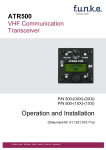
ATR833A-OLED
VHF Communication
Transceiver
P/N 833A-(xxx)-(1xx)
Operation and Installation
(Dokument-Nr. 01.1411.010.71e)
f.u.n.k.e. means – fabrication · utilities · network · know-how · engineering
ATR833A / P/N 833A-(xxx)-(1xx)
Operation and Installation
Change History
Description of Change
Revision Date
1.00
20.07.2010 FAV – First Release – 2-Knob-HMI
New operation function SW V6.1
1.01
31.08.2010
1.02
07.12.2010
2.00
31.05.2011
2.01
22.06.2012
2.02
10.06.2013
3.00
22.01.2014
3.01
24.11.2014
Microphone-Muting for single-PTT
Squelch default
Correction after internal review
Correction of Compliance
New cable harness
New remote control, beginning with SW V6.4
New cable harness / Extended control
menue, beginning with SW V7.0
Information about dual-watch-operation
Change of company name to
f.u.n.k.e. AVIONICS GmbH
Information about antenna cable chapter4.8
Inserted changed setting of Sideton volume
from SW V7.3 in chapter 2.4.6
List of the Service Bulletins (SB)
Services bulletins are to be inserted in the manual and to be put down
in this table.
SB Number
Part Number
P/N 833A-(000)-(000)
P/N 833A-(100)-(100)
P/N 833A-(301)-(100)
P/N 833A-(302)-(210)
Rev.
No.
Issue Date Entry Date Name
Survey of Variants
Description
Base variant (four-knob)
Two-knob HMI
New SW V7.2
Modified INT-display and new sidetone
volume control from SW V7.3
Dokument-Nr.: 01.1411.010.71e / Revision: 3.01
2
ATR833A / P/N 833A-(xxx)-(1xx)
Operation and Installation
CONTENTS
1
2
3
3
GENERAL ....................................................................................................... 5
1.1
Symbols ............................................................................................... 5
1.2
Abbreviations ....................................................................................... 5
1.3
Customer Support ................................................................................ 6
1.4
Features ............................................................................................... 6
OPERATION ................................................................................................... 7
2.1
Controls ................................................................................................ 7
2.2
ON/OFF ............................................................................................... 9
2.3
Display ................................................................................................. 9
2.4
Basic Settings .................................................................................... 11
2.4.1 VOL - Volume ........................................................................ 12
2.4.2 SQL - Squelch ........................................................................ 12
2.4.3 DIM – Display Brightness ....................................................... 13
2.4.4 VOX - Voice Activation Speech Level for the Intercom .......... 13
2.4.5 DWM - Dual Watch Mute ....................................................... 14
2.4.6 INT - Intercom-Volume ........................................................... 14
2.4.7 EXT - Volume of the External Audio Input ............................. 15
2.5
Frequency Setting .............................................................................. 16
2.5.1 8.33 / 25 kHz Channel Width Selection ................................. 16
2.5.2 Manual Frequency Input ........................................................ 16
2.5.3 Recall a Frequency from the User Memory ........................... 17
2.5.4 Recall a Frequency from the List of the 10 Last Used ........... 18
2.5.5 Store a Frequency into the User Memory .............................. 18
2.6
Dual Watch Operation ........................................................................ 20
2.7
Transmission ...................................................................................... 22
2.8
Reception ........................................................................................... 22
CONFIGURATION ........................................................................................ 23
3.1
SPC - Channel Spacing ..................................................................... 23
3.2
Energy Saving Mode – Automatic Display Darkening........................ 24
3.3
PTT-Button Selection ......................................................................... 25
3.4
EXT – External Audio Input’s Behavior .............................................. 26
3.5
Microphone Input Sensitivity (MLS/MLD/MRS/MRD) ......................... 27
3.5.1 MLS – Left Standard microphone Input Sensitivity ................ 27
3.5.2 MLD – Left Dynamic Microphone Input Sensitivity................. 27
3.5.3 MRS – Right Standard Microphone Input Sensitivity ............. 27
3.5.4 MRD – Right Dynamic Microphone Input Sensitivity.............. 27
Dokument-Nr.: 01.1411.010.71e / Revision: 3.01
ATR833A / P/N 833A-(xxx)-(1xx)
Operation and Installation
4
5
3.6
TST - Test Mode ................................................................................ 28
3.7
Master Reset ...................................................................................... 28
INSTALLATION ............................................................................................. 29
4.1
Advices and Tips ................................................................................ 29
4.2
Telecommunication Data ................................................................... 29
4.3
Scope of delivery ............................................................................... 29
4.4
Unpacking and Inspecting the Equipment.......................................... 30
4.5
Mounting ............................................................................................ 30
4.6
Equipment Connections ..................................................................... 31
4.6.1 Microphone-Connection ......................................................... 31
4.6.2 Headset-Connection .............................................................. 31
4.6.3 Audio-Input............................................................................. 32
4.6.4 Remote Control Panel ............................................................ 32
4.7
Wiring ................................................................................................. 33
4.7.1 Conductor Cross Section ....................................................... 33
4.7.2 Connector – Pin Allocation ..................................................... 33
4.7.3 Wiring with Cable Harness BSKS833S/BSKS833D ........... 35
4.8
Antenna .............................................................................................. 37
4.8.1 Antenna Selection .................................................................. 37
4.8.2 Antenna Cable ....................................................................... 37
4.8.3 Installation Recommendation ................................................. 37
4.9
Microphone / Intercom settings .......................................................... 38
4.10 Post-Installation Check ...................................................................... 39
4.11 Accessories ........................................................................................ 39
4.12 Drawings ............................................................................................ 40
4.12.1 Dimensions ............................................................................ 40
4.12.2 Mounting Advices ................................................................... 41
ANHANG ....................................................................................................... 42
5.1
Frequency/Channel-Plan ................................................................... 42
5.2
Technical Data ................................................................................... 43
5.3
Environmental Conditions .................................................................. 45
Dokument-Nr.: 01.1411.010.71e / Revision: 3.01
4
ATR833A / P/N 833A-(xxx)-(1xx)
Operation and Installation
1 GENERAL
This manual contains information about the physical, mechanical and
electrical characteristics, as well as information about installation and
operation of the aeronautical VHF voice radio ATR833A.
1.1 Symbols
Advices whose non-observance can cause damage to the
device or other parts of the equipment.
Information
1.2 Abbreviations
Abb.
ATC
DIM
EXT
FREQ
INT
Name/subject
Air traffic control
Dimming
External audio input
Frequency
Intercom
PTT
SEL
SQL
Push to Talk
Selection
Squelch
VOL
VOX
5
Definition
Display brightness
On-board communication
(no radio transmission)
activates radio transmission
Noise suppression when no strong
radio signal is received
Volume
Volume of received radio signal
Voice activated intercom Intercom is activated by speech volume
Dokument-Nr.: 01.1411.010.71e / Revision: 3.01
ATR833A / P/N 833A-(xxx)-(1xx)
Operation and Installation
1.3 Customer Support
In order to facilitate a rapid return of shipments in case of repairs, please
follow the instructions of the input guide “Reshipment RMA” provided at
the Service-Area within the f.u.n.k.e. AVIONICS GmbH web portal
www.funkeavionics.de.
Any suggestions for improvement of our manuals are
welcome. Contact: [email protected].
Informations on software updates are available at f.u.n.k.e.
AVIONICS GmbH web portal www.funkeavionics.de.
1.4 Features
• VHF communication transceiver with 6W output power in 160mm
format
• Frequency range 118,000 to 136,975 MHz
• Automatic selection of 8,33/25 kHz channel spacing
• 4 microphone inputs (2 x standard, 2 x dynamic)
• Voice controlled intercom for up to 4 microphones, can be
deactivated for use with external intercom
• Dual-watch technology, simultaneous monitoring of two
frequencies
• Auxiliary audio input
• Memory for up to 100 user-definable named frequencies
• User-defined frequency list exportable/importable to/from PC (via
RS232) - PC software available at www.funkeavionics.de
• Easy recall of the 10 last used frequencies
• OLED display for best readability under all conditions
• Configurable energy saving
To avoid unintentional permanent transmission, the
transmitter automatically stops transmission after two
Minutes of uninterrupted operation.
Dokument-Nr.: 01.1411.010.71e / Revision: 3.01
6
ATR833A / P/N 833A-(xxx)-(1xx)
Operation and Installation
2 OPERATION
2.1 Controls
MEM
Short press:
Access user frequency
memory / list of last
used frequencies
Long press:
In MEM only: store
frequency/name
CHANGE
Interchange
active and
standby
frequency
DW
Activate /
Deactivate
dual watch
reception of
standby
frequency
ON/OFF
VOL/SEL
Rotary knob
Adjust value or
select item given
within the display’s
lower left corner:
Choosen with
:
adjust VOLume,
squelch, etc.
Choosen with
:
SELect item from list
of frequencies
SET
CURSOR
Short press:
Choose item to
be adjusted with
Short press:
Set underline
to select which Change
value to be
underlined
changed with value
Very long press:
Access
configuration
menu
Use together to adjust
volume, squelch or other setting
7
FREQ
Rotary
knob
Long press:
In MEM only:
add name to
memory item
Use together to change
standby frequency
Dokument-Nr.: 01.1411.010.71e / Revision: 3.01
ATR833A / P/N 833A-(xxx)-(1xx)
Operation and Installation
ON/OFF
Switch On
Switch Off
DUAL
WATCH
Activates/Deactivates the mode for mutual
reception of standby frequency
(indicated by “DW” instead of “SBY” for
standby frequency)
SET
1. Choose item volume/squelch/etc. to be
adjusted by
press button shortly
2. Shortcut to volume setting
press button for at least 1.5 seconds
3. Enter configuration menu
press button for at least 5 seconds
CURSOR
press button for approx. 0.5 s
press button for approx. 2 s
1. Move underline within standby frequency,
to be adjusted by
press button shortly
2. Add name to frequency within memory
press button for at least 1.5 seconds
CHANGE
Interchange active and standby frequency
1. Access user defined frequency list.
press button shortly once
MEM
2. Access list of 10 last used frequencies
press button shortly twice
3. Store active freq. to selected memory
press button for at least 1.5 seconds
1. Adjust volume or other item selected by
VOL / SEL
, e.g. volume, squelch, DIM level, etc.
Rotary
2. Select frequency from user memory or list
Knob
of last used frequencies
FREQ
Rotary
Knob
Change the underlined value
(i.e. adjust standby frequency, or input
character when entering name)
Dokument-Nr.: 01.1411.010.71e / Revision: 3.01
8
ATR833A / P/N 833A-(xxx)-(1xx)
Operation and Installation
2.2 ON/OFF
Turn the device on with
ON:
press button for 0.5 s
OFF:
press button for 2 s
After turning-on the display shows the software version as follows:
ATR833A
v6.0
(Example)
Device Name
ATR833A
Software-Version
e.g. v6.0
The Start Screen indicates device type and software version.
After that screen the device changes into normal operation (direct input
mode).
The radio starts with the same frequencies and settings from before
being switched off.
2.3 Display
Use of active frequency:
TX = transmitting
RX = receiving
Te = timeout (solve and push PTT
to re-enable transmissions)
Fixed label for
active frequency
Label for standby
frequency:
DW = dual watch active
SBY = no dual watch
Cursor marking:
Set position with
value with
ACT RX 118.000
SBY RX 124.910
VOL 03 ABCDEFGH BAT
, adjust
Active
frequency
Standby
frequency
Item choosen by
, or when
accessing
frequency list:
Adjust value or
select number
with
9
Use of standby
frequency:
RX = receiving
in dual watch
mode
Low Battery warning
User-defined name, when
selecting frequency from
user memory
Dokument-Nr.: 01.1411.010.71e / Revision: 3.01
ATR833A / P/N 833A-(xxx)-(1xx)
Operation and Installation
Display
Meaning
ACT
Fixed label for active
frequency
SBY
Label for standby frequency, Dual watch mode allows
when no dual watch activated intermittent monitoring of
standby frequency activity
DW
Label for standby frequency,
when dual watch mode
activated
Dual watch mode allows
intermittent monitoring of
standby frequency activity
118.000
Active Frequency
Frequency used for
transmissions and
receptions
124.910
Standby frequency
May be monitored in dual
watch mode
RX
Receiving on this frequency
Usually on active
frequency; can also happen
on standby frequency when
dual watch activated
TX
Transmitting on active
frequency
PTT pressed
Te
Transmission ended
automatically after 2 minutes
continuous transmission
Press PTT shortly to
re-enabel transmissions
VOL 03
Volume level for receiving
SQL 03
Squelch level
DIM 07
Display brightness
VOX 05
Vox level
Speech level that activates
the intercom
DWM -2
Dual watch mute
Reduction in volume for
dual-watch-reception on
standby frequency
INT 04
Intercom volume
Dokument-Nr.: 01.1411.010.71e / Revision: 3.01
Remark
Radio signal strength
threshold required for
reception; suppresses
noise and weak/distant
transmitter
10
ATR833A / P/N 833A-(xxx)-(1xx)
Operation and Installation
Display
EXT 02
Meaning
Volume of external audiosignals
Remark
Set to 00, if no external
device attached, to prevent
noise pickup
MEM 00
Item from user memory
Substitutes standby
frequency; can have name,
if provided by user. Active
frequency can be stored
into this entry with long
press on
LST 00
Item from list of last used
frequencies
Substitutes standby
frequency
ABCDEFGH User-provided name for
frequency within user
memory
Displayed while selecting
from user memory, when
the user has provided a
name for this specific
memory entry
BAT
Very low supply voltage
Transmission only with
reduced power possible
(decreased radio range!)
F1 … F7
Internal failure
Device must be sent back
to the manufacturer
2.4 Basic Settings
To choose between the following settings, use the
0.
1.
2.
3.
4.
5.
6.
….
VOL ...... Volume (chosen by default)
SQL ...... Squelch
DIM ....... Display Brightness
VOX ...... Speech level required to activate the intercom
DWM ..... Dual watch mute
INT ........ Intercom volume
EXT ....... Volume of external audio signals
back to Volume
(can also be reached by long press of
or 12 seconds inactivity)
The chosen setting can be adjusted by the
11
button:
rotary knob.
Dokument-Nr.: 01.1411.010.71e / Revision: 3.01
ATR833A / P/N 833A-(xxx)-(1xx)
Operation and Installation
2.4.1 VOL - Volume
button, but is also
automatically chosen by the radio after 12 seconds of user
inactivity.
Can be reached by a long press of the
Adjusts the volume of received radio signals by turning the
knob. The higher the value, the louder the reception of radio signals.
ACT
123.450
SBY
118.910
VOL 03
Range: 01 - 16
The VOL setting controls the volume of received radio
signals only.
It does neither control the volume of the intercom nor the
external audio input, for these use the INT and EXT settings.
2.4.2 SQL - Squelch
key once, with the help of the
By short pressing the
knob the squelch level can be adjusted.
rotary
This is a threshold that has to be exceeded by radio signal levels from
other senders, in order to activate the reception circuitry. The higher the
number, the stronger the radio signals have to be in order to be received.
123.450
ACT
SBY
118.910
SQL 07
Range: 01 - 10
The setting for the squelch depends on different factors. For motor
aircrafts an initial higher setting is typically appropriate, gliders may use
settings lower value. Lower numbers means higher input sensitivity. This
allows receptions of weaker signals (radio stations at higher distance),
but can also result in pickup of own-aircraft radio interference sources
(engine, strobe lights).
Dokument-Nr.: 01.1411.010.71e / Revision: 3.01
12
ATR833A / P/N 833A-(xxx)-(1xx)
Operation and Installation
The default Squelch setting is SQ05 (up to SW V5.7: SQ07).
High values can suppress weak signals. Squelch is not
related to any function of the Intercom.
2.4.3 DIM – Display Brightness
By short pressing the
key twice, with help from the
knob the display’s illumination can be adjusted.
rotary
ACT
123.450
SBY
118.910
DIM 08
Range: 01 - 10
2.4.4 VOX - Voice Activation Speech Level for the Intercom
By short pressing the
key three times, with the help of the
rotary knob, the threshold value for VOX can be adjusted.
VOX defines the crew’s speech volume that is required to activate the
intercom functionality. The higher the value, the louder you need to
speak in order to activate the intercom.
Exception: VOX 01 corresponds to “always on”
The internal filter circuitry has the ability to distinguish between engine
noise and speech.
ACT
123.450
SBY
118.910
VOX 05
Range: 01 - 10
In case of very noisy backgrounds or use of uncompensated
microphones, the automatically VOX functionality may not work
satisfying. In these cases, it is possible to deactivate the VOX
automatism with VOX 01, and to use an external intercom-switch.
13
Dokument-Nr.: 01.1411.010.71e / Revision: 3.01
ATR833A / P/N 833A-(xxx)-(1xx)
Operation and Installation
2.4.5 DWM - Dual Watch Mute
By short pressing the
key four times, with help from the
rotary knob the muting of the volume level for receptions on the standby
frequency (when having dual watch active) can be controlled. This allows
acoustic distinction between both frequencies.
See 2.6 for further information about the dual watch mode.
ACT
123.450
SBY
118.910
DWM -2
Range: -8 - 00 (-8 is more muted, 00 is no muting)
Lower numbers (= larger values negative) indicate lower volume for dual
watch receptions, higher numbers (= smaller values negative) louder
volume. The highest value 00 indicates having the same volume for dual
watch receptions as for receptions on the active frequency.
2.4.6 INT - Intercom-Volume
The intercom functionality is the onboard crew-internal communication
for multiseater aircraft.
By shortly pressing the SET key five times, the intercom volume level
can be controlled by the
rotary knob. The higher the value, the
higher the intercom volume.
A change in the intercom volume level also changes the volume of the
sidetone. The sidetone is an audible feedback of the own voice to the
headset, i.e. you hear yourself speak. This feature supports a natural
speech behaviour.
The intercom can be activated in two ways:
• Automatically, i.e. whenever someone speaks into a microphone
(i.e. voice activated intercom = VOX, see 2.4.4).
• Manually, i.e. by use of an external intercom switch (cable overview
see 4.7.3.1).
ACT
123.450
SBY
118.910
INT 03
Range: 01 - 10
Dokument-Nr.: 01.1411.010.71e / Revision: 3.01
14
ATR833A / P/N 833A-(xxx)-(1xx)
Operation and Installation
2.4.7 EXT - Volume of the External Audio Input
By short pressing the
key six times, with help from the
rotary knob, the volume from the connected external audio signals
(Warning tones, music, etc…) can be set.
The higher the value, the louder the volume of the external audio signal.
A value of 00 deactivates the external audio input.
ACT
123.450
SBY
118.910
EXT 03
Range: 00 - 10
When no other device is connected to the external audio
input, the input should be muted by selecting 00, in order to
prevent noise by pickup of on-board interferences.
The priority of the external audio input in comparison to radio
receptions can be configured, see 3.4.
15
Dokument-Nr.: 01.1411.010.71e / Revision: 3.01
ATR833A / P/N 833A-(xxx)-(1xx)
Operation and Installation
2.5 Frequency Setting
Frequency setting is always done by the two steps of
1. entering a new standby frequency to the desired value, and then
2. interchanging the new standby frequency and the previous active
frequency by using
.
Entering a new standby frequency can be done by
a) manual input,
b) recall of previously stored frequencies from the user memory, or
c) recall from the list of the last 10 used frequencies.
2.5.1 8.33 / 25 kHz Channel Width Selection
Whether a frequency is used with channel width 8.33 kHz or 25 kHz, is
automatically determined by the value of the frequency entered, and
requires no additional user activity.
Channels used with 25 kHz width are entered in multiples of 25kHz:
123.500, 123.525, 123.550, 123.575, 123.600 etc. These are compatible
with the old 25kHz-only radios. To use the same frequencies with
8.33kHz width, the frequency values entered are increased by 5kHz:
123.505, 123.530, 123.555, 123.580, 123.605 etc.
This numbering scheme used for this distinction is internationally
standardised by ICAO, and consistently used in official documents (like
e.g. the VFR navigation charts) and phraseology used by ATC.
For more detailed information please refer to chapter 5 – but as said
above, for correct channel width selection this knowledge is not required.
2.5.2 Manual Frequency Input
The standby frequency is input by
• selecting with the
change, and
button which part of the frequency to
• changing the selected part with the
rotary knob.
The selected part of the frequency is marked with the underline.
interchanges the newly set standby frequency and the former active
frequency.
Dokument-Nr.: 01.1411.010.71e / Revision: 3.01
16
ATR833A / P/N 833A-(xxx)-(1xx)
Operation and Installation
In order to speed up the entering of new frequencies, it is
possible to configure the radio to allow entering of those
frequencies only that are used with 25 kHz channel width.
Please refer to chapter 3.1 for information on this
configuration.
However, when choosing this option, please keep in mind to
re-enable 8.33 kHz channel selection before flying into areas
where 8.33 kHz channels are used.
When having the channel selection configured for 8.33 kHz steps, the
frequency is input in three steps:
123.450
→
123.450
→
123.450
When having the channel selection configured for allowing 25 kHz
channels only, the frequency is input in two steps:
123.450
↔
123.450
2.5.3 Recall a Frequency from the User Memory
once, and select
To access the user memory frequency list, press
one of the 100 memory entries with the
turn knob. The
selected memory entry substitutes the former standby frequency.
In the lower left corner of the display, the number of the memory entry
selected is indicated by [MEM xx] (with xx = 00 … 99).
If a name has been provided by the user for this memory entry, it is
displayed next to the memory entry number during the selection process.
ACT
123.450
SBY
121.270
MEM 17 HAMBURG
Entry number (Range: 00 – 99)
interchanges the newly set standby frequency and the former active
frequency, and leaves the memory list menu.
17
Dokument-Nr.: 01.1411.010.71e / Revision: 3.01
ATR833A / P/N 833A-(xxx)-(1xx)
Operation and Installation
Alternatively, the memory access automatically ends after a timeout, or
can be ended by pressing
twice. The former standby frequency has
now been substituted by the frequency selected from the memory.
2.5.4 Recall a Frequency from the List of the 10 Last Used
The radio automatically keeps track of the last 10 used active
frequencies. To access this list, press
twice, and select one of the 10
turn knob. The selected memory entry
list entries with the
substitutes the former standby frequency.
In the lower left corner of the display, the number of the list entry
selected is indicated by [LST xx] (with xx = 00 … 10).
ACT
123.450
SBY
118.700
LST 01
Entry number (Range: 00 – 10)
List entry „00“ contains the last standby frequency from the
MEM menu.
Key
interchanges the newly set standby frequency and the former
active frequency, and leaves the last used list menu.
Alternatively, the list access automatically ends after a timeout, or can be
ended by pressing
once. The former standby frequency has now
been substituted by the frequency selected from the memory.
2.5.5 Store a Frequency into the User Memory
The active frequency can be stored into any entry of the user memory.
This is achieved by a long press on
entry to be overwritten selected.
when having the user memory
The following example stores the frequency 124.350 MHz of KONSTANZ
into the user memory entry 17:
Dokument-Nr.: 01.1411.010.71e / Revision: 3.01
18
ATR833A / P/N 833A-(xxx)-(1xx)
Operation and Installation
• Display (Example)
Step
1. Have frequency to be stored set as
active frequency
ACT
124.350
SBY
135.700
VOL 03
2. Enter memory list:
•
Press
once in order to access
the user memory. (This overwrites the
former standby frequency.)
3. Select the memory position to be used
•
with
ACT
124.350
SBY
122.000
MEM 00 KEMPTEN
ACT
124.350
SBY
121.270
MEM 17 HAMBURG
4. Overwrite the selected memory entry
•
with a long press of
.
•
The success is indicated by copying
the active frequency into the memory
entry (same as standby frequency).
•
A previously defined name is
automatically cleared.
ACT
124.350
SBY
124.350
MEM 17
You can now leave the user memory access by pressing
waiting for the timeout.
twice or by
Alternatively, you can add a name of up to 8 characters to the
selected memory entry:
•
While having the memory entry
selected, i.e. coming from step 4 above
when adding the name to the new
stored frequency, or else coming from
step 3 above when adding the name to
an existing memory entry:
ACT
124.350
SBY
124.350
MEM 17
5. Place the cursor into the name field
•
19
with a long press of
Dokument-Nr.: 01.1411.010.71e / Revision: 3.01
ATR833A / P/N 833A-(xxx)-(1xx)
Operation and Installation
6. Enter the name
•
ACT
124.350
by changing the selected character
with
, and advancing the selection SBY
124.350
MEM 17 KONSTANZ
with
, just as when manually
entering a standby frequency.
7. Store the name
• either with a long press of
• or with a long press of
,
.
124.350
ACT
SBY
124.350
MEM 17 KONSTANZ
You can now leave the user memory access by pressing
waiting for the timeout.
twice or by
2.6 Dual Watch Operation
The ATR833A comprises one receiver, therefore DUAL-Watch
(simultaneously monitoring two frequencies) is implemented by
alternating automatically between the active and the standby frequency.
With dual watch mode active, basically the standby (lower) frequency is
tuned in, shortly interrupted in regular intervals by tuning in the active
(upper) frequency for a fraction of a second.
Every then detected radio signal on the active (upper) frequency has
priority, and pauses the dual watch monitoring of the standby (lower)
frequency, as long as the reception/transmission continues on the active
(upper) frequency.
Transmissions are always done one the active frequency.
, and indicated by a
changing the “SBY” label for the standby frequency to “DW”.
The dual watch mode is activated by pressing
ACT
123.450
DW
135.700
VOL 05
The dual watch mode is deactivated by pressing
operations changing either of the frequencies.
Dokument-Nr.: 01.1411.010.71e / Revision: 3.01
again, and by any
20
ATR833A / P/N 833A-(xxx)-(1xx)
Operation and Installation
For dual watch, the squelch must be set to a value of 02 at
least, as without proper squelch functionality the radio would
not be able to detect whether on the active frequency a
reception takes place.
In order to have an audible distinction between receptions on the active
and the standby frequency, it is possible to have the volume of the
receptions from the standby frequency with a lower volume. Please refer
to chapter 2.4.5 for information onto this feature “dual watch mute”.
Quick approach:
Select or enter a standby frequency which should be additionally
monitored.
Set SQL with the
least 02.
key and the
Activate dual watch with
rotary knob to a value of at
(DW is shown)
As soon as no reception is determined on the activate frequency, the
mutual monitoring between active and standby frequency starts.
In order to deactivate dual watch: press
frequency.
once more or change the
Don’t forget to interchange the active and standby
frequencies, before answering a call on the standby
frequency.
Using dual-watch requires switching between the active and
the standby frequency. Therefore it may happen that calls on
the active frequency cannot be monitored completely. As the
result we recommend not to use dual-watch in airspaces
where listening watch is required.
21
Dokument-Nr.: 01.1411.010.71e / Revision: 3.01
ATR833A / P/N 833A-(xxx)-(1xx)
Operation and Installation
2.7 Transmission
By pushing the PTT button, the device starts transmission on the active
frequency. The operation of the transmission is indicated by “TX” in front
of the frequency used.
ACT TX 123.450
SBY
135.700
VOL 05
In order to avoid unintended transmissions, e.g. when having the PTT
button stuck (“stuck mic”), the transmitter automatically stops after two
minutes of transmission, and „TX“ is substituted by „Te“.
In order to re-enable transmission, release PTT and push it again.
When having more than one PTT button and microphone
equipped, it can be configured (chapter 3.3) to use only one
PTT button for transmissions.
2.8 Reception
When receiving, a „RX“ is shown in front of the active frequency. When
having dual watch active (see 2.6) this can be on the standby frequency,
too.
ACT RX 123.450
SBY
135.700
VOL 05
Dokument-Nr.: 01.1411.010.71e / Revision: 3.01
ACT
123.450
DW RX 135.700
VOL 05
22
ATR833A / P/N 833A-(xxx)-(1xx)
Operation and Installation
3 CONFIGURATION
A very long press of
(5 seconds) accesses the configuration menu.
The configuration menu is used for fundamental settings.
To choose between the following settings, use the
1. SPC ....
2. DPY ....
3. PTT ....
4. EXT .....
5. MLS ....
6. MLD ....
7. MRS ....
8. MRD ...
9. TST .....
…..............
button:
Channel spacing
Automatic display darkening
PTT key selection
Behavior of the external audio input
Sensitivity of the left standard microphone input
Sensitivity of the left dynamic microphone input
Sensitivity of the right standard microphone input
Sensitivity of the right dynamic microphone input
Activation/deactivation of the test mode (for maintenance)
Leaving configuration menu / back to VOL
(can also be reached by long press of
The chosen setting can be adjusted by the
)
rotary knob.
3.1 SPC - Channel Spacing
With this setting, the ATR833A can be configured to constrain frequency
selection to 25 kHz channels only. This can be used to speed up the
manual frequency input in areas where no 8.33 kHz channel spacing is
used.
See chapter 2.5.2 on further information on manual frequency input.
ACT
123.450
SBY
118.910
SPC 8.33 kHz
With the
23
rotary knob the following options can be selected:
8.33 kHz
Allows input of both 8.33 kHz and 25 kHz channels
25 kHz
Allows input of 25 kHz channels only.
Dokument-Nr.: 01.1411.010.71e / Revision: 3.01
ATR833A / P/N 833A-(xxx)-(1xx)
Operation and Installation
A short press of
of
switches to the next configuration item, a long press
exits the configuration menu.
This configuration item is not used for selection of 8.33 kHz
or 25 kHz use of a specific frequency, as this is done by the
ATR833A automatically depending onto the frequency value
entered.
The interested user may refer to chapter 5 for information
about which frequency values correspond to which channel
widths.
Please keep in mind to enable 8.33 kHz channel selection
before flying into areas where 8.33 kHz channels are used.
3.2 Energy Saving Mode – Automatic Display Darkening
In order to save energy – and to extent the lifetime of the OLED display –
an automatic display darkening can be configured.
ACT
123.450
SBY
118.910
DPY always on
With the
rotary knob the following options can be selected:
always on
No display darkening at all
xx min off
Automatic darkening after xx minutes of user
inactivity (xx = range 1–30)
Reactivation of the darkened display is done by press of any key (except
key
) or turn of any knob (the action of the key pressed is performed
when pressing the key again after the display turned on) or when
transmitting.
Dokument-Nr.: 01.1411.010.71e / Revision: 3.01
24
ATR833A / P/N 833A-(xxx)-(1xx)
Operation and Installation
This feature should only be used when
• it can be foreseen that no frequency changes will be
required (i.e. when using only limited airspace near one
airport, e.g. for circuit pattern training flights), and
• the crew is familiar with the energy saving mode.
In all other cases this feature shall be deactivated, in order to
prevent the usage of wrong frequencies and to avoid
confusion of pilots not aware of the energy saving mode.
A short press of
of
switches to the next configuration item, a long press
exits the configuration menu.
3.3 PTT-Button Selection
In case of using two external PTT buttons, this configuration item can be
used to deactivate one PTT button – and the associated microphone(s) –
from enabling transmission.
ACT
123.450
SBY
118.910
PTT all mics
With the
rotary knob the following options can be selected:
all mics
Both PTT buttons and all microphones are used for
transmissions, no matter what PTT button was
pressed
single mic
According to the PTT button pressed, the associated
microphone is activated
left only
Only the left PTT button and the left microphone(s) are
used for transmissions
right only
Only the right PTT button and the right microphone(s)
are used for transmissions
The intercom functionality is not affected by this setting.
A short press of
of
25
switches to the next configuration item, a long press
exits the configuration menu.
Dokument-Nr.: 01.1411.010.71e / Revision: 3.01
ATR833A / P/N 833A-(xxx)-(1xx)
Operation and Installation
When deactivating one PTT button and microphone for
transmissions in order to keep passengers from interfering
with ATC communication, don’t forget to reactivate the
copilot’s PTT after end of the flight.
3.4 EXT – External Audio Input’s Behavior
The external audio input can be used to feed a monaural audio signal to
the amplifier for the headsets/speaker.
An external audio signal can be used for different purposes. E.g. it is
possible to check the audio signal of a VOR receiver, to attach a traffic
sensor with acoustic output, or to use the external audio input for
(monaural) music input.
ACT
123.450
SBY
118.910
EXT auto off
With the
As these signals have different priorities in
comparison to radio receptions, the
priority of the external audio input can be
configured.
rotary knob the following options can be selected:
always on
The external audio input is always on, even during
radio receptions and transmit mode. Use this setting
only for very high priority acoustic warnings, e.g.
collision warning beep tones.
auto off
The external audio input is automatically deactivated
during transmit mode, or when no external audio
activity is sensed.
not RXTX
The external audio input is automatically deactivated
during radio receptions or transmit mode. This
setting does not use the external audio activity
sensing, and therefore can introduce noise when no
signal
source
is
connected.
Use this setting only when auto off does not
react fast enough for very short external audio
signals!
A short press of
switches to the next configuration item, a long press
of
exits the configuration menu.
Dokument-Nr.: 01.1411.010.71e / Revision: 3.01
26
ATR833A / P/N 833A-(xxx)-(1xx)
Operation and Installation
3.5 Microphone Input Sensitivity (MLS/MLD/MRS/MRD)
3.5.1 MLS – Left Standard microphone Input Sensitivity
3.5.2 MLD – Left Dynamic Microphone Input Sensitivity
3.5.3 MRS – Right Standard Microphone Input Sensitivity
3.5.4 MRD – Right Dynamic Microphone Input Sensitivity
Every microphone input’s sensitivity can be individually
configured, in order to achieve equal volume with all
microphones.
123.450
ACT
SBY
118.910
MLS 04
ACT
123.450
SBY
118.910
MRS 04
ACT
123.450
SBY
118.910
MLD 04
ACT
123.450
SBY
118.910
MRD 04
The following microphone inputs are available:
Microphone Input Left
Right
standard
MLS
MRS
dynamic
MLD
MRD
With VOX set to 5 previously, select the microphone to adjust with
.
For each microphone input, with running engine speak with normal
volume into the selected microphone, and use the
rotary knob
to adjust the sensitivity, so that the bar reaches the middle of the
scale, as depictured above.
Per microphone input a maximum of two parallel installed microphones
may be connected. (see 4.6.1)
27
Dokument-Nr.: 01.1411.010.71e / Revision: 3.01
ATR833A / P/N 833A-(xxx)-(1xx)
Operation and Installation
For correct microphone sensitivity configuration, VOX must be
set to 5 previously (for VOX-settings refer to section 0).
Don’t care for volume of the headset’s/speakers output during
this configuration, as this is set separately by INT.
A short press of
of
switches to the next configuration item, a long press
exits the configuration menu.
3.6 TST - Test Mode
The last option in the setup mode is the test mode. The test mode is
used by maintenance personnel only for factory-internal calibrations.
123.450
ACT
SBY
118.910
TST mode off
The test mode is activated/deactivated with
.
With active test mode, in normal operation of the radio the lower
display line contains some internal parameters, as shown below:
ACT
123.450
SBY
118.910
VOL 03 H423 V56 E22
Any press of
exits the configuration menu.
3.7 Master Reset
To reset all configurations back to factory settings, hold both the
buttons pressed while switching the radio on with
and
.
Aviation of the master reset is done with
. After performing the reset,
the confirmation „successfully“ is displayed, and the radio automatically
restarts.
To leave the menu without performing a master reset, press the key
Dokument-Nr.: 01.1411.010.71e / Revision: 3.01
.
28
ATR833A / P/N 833A-(xxx)-(1xx)
Operation and Installation
4 INSTALLATION
4.1 Advices and Tips
The following suggestions should be considered before installing
The assigned installation company could perform wiring. For diagrams
refer to section 4.7 Wiring.
4.2 Telecommunication Data
The following data may be required when applying for the aircraft radio
station license:
Manufacturer:
f.u.n.k.e. AVIONICS GmbH
Type Designation:
ATR833A
EASA Number:
EASA.21O.270
Transmitter Power Output:
6W
Frequency:
118,000 – 136,975 MHz
6k00A3E for 25khz channel spacing
Emission Designator:
5k00A3E for 8,33kHz channel spacing
4.3 Scope of delivery
Part Number
Description
ATR833A
ATR833A - VHF communication transceiver
SSATR2
Connector
(Only if no cable set was ordered)
MB800A2
Mounting Block Set
01.1411.010.71e
User Manual „Operation and Installation“
EASA Form 1
29
Dokument-Nr.: 01.1411.010.71e / Revision: 3.01
ATR833A / P/N 833A-(xxx)-(1xx)
Operation and Installation
4.4 Unpacking and Inspecting the Equipment
Carefully unpack the equipment. Damages due to transportation must be
reported to the shipping company immediately. Save the shipping
container and all packing materials to substantiate your claim
For storage or reshipment the original packaging should be
used.
4.5 Mounting
• In cooperation with a maintenance shop, location and kind of the
installation are specified. The maintenance shop can supply all
cables. Suitable sets of cables are available from f.u.n.k.e.
AVIONICS GmbH.
• Select a position away from heat sources. Care for adequate
convection cooling.
• Leave sufficient space for the installation of cables and connectors.
• Avoid sharp bends and wiring close to control cables.
• Leave sufficient lead length for inspection or repair of the wiring of
the connector.
• Bend the harness at the rear connectors to inhibit water droplets
(formed due to condensation) from collecting in the connector.
• For mounting details/drawing refer to chapter 4.12.2 Mounting
Advices.
Dokument-Nr.: 01.1411.010.71e / Revision: 3.01
30
ATR833A / P/N 833A-(xxx)-(1xx)
Operation and Installation
4.6 Equipment Connections
One 25 pin D-SUB miniature connector includes all electrical
connections, except for the antenna.
The (+UB)-wire has to protected by circuit breaker (4 Amp.
slow-blow)!
4.6.1 Microphone-Connection
Microphone
Left
Right
standard
MLS
MRS
dynamics
MLD
MRD
The inputs for standard microphones are appropriate for input voltages of
50 mVpp to 2 Vpp. These inputs have a bias voltage of 8 V at 330 ohms.
Sensitivity is adjustable in the configuration menu (see 3.5).
The inputs for dynamic microphones are appropriate for input voltages of
5 mVpp to 10 mVpp. These inputs have no bias.
In general standard and dynamic microphones (headsets) can be used
simultaneously.
In motor gliders, when the engine is running, the dynamic microphones
should be turned off (switch MLD/MRD inputs to GND), in order to avoid
the transmission of the engine’s noise.
If no dynamic microphone is installed, the input sensitivity for MLD/MRD
shall be set to 1 (see 3.5)
Per input, up to two microphones can be connected in parallel.
Unused microphone inputs should be short-circuited.
4.6.2 Headset-Connection
Headphones may be connected parallel as long as the total impedance
doesn’t fall below 8 Ohm.
31
Dokument-Nr.: 01.1411.010.71e / Revision: 3.01
ATR833A / P/N 833A-(xxx)-(1xx)
Operation and Installation
4.6.3 Audio-Input
The external audio input can be used for the input of warn tones or music
etc. In order to avoid disturbances while this input is not used, the
respective wire needs to be short-circuited. Therefore connect PIN4 to
GND.
With cable sets available from f.u.n.k.e. AVIONICS the external audioinput (cinch jack) is already short-circuited by a blind plug. This blind plug
can be easily removed in order to use the external audio input
If the external audio wire (PIN4) is not used it needs to be
short-circuited with GND, in order to avoid disturbances
received through that wire.
4.6.4 Remote Control Panel
In tandem-seated aircrafts it is possible to control the ATR833A by a
remote control panel (ATR600RT Remote Control Unit).
The choice of the remote control depends onto the software
version of the ATR833A:
Version up to SW V6.3 are remote controlled by the
ATR600RT with 4-knob interface.
Versions starting from SW V6.4 on are remote controlled by
the ATR600RT with 2-knob interface.
If you use a ATR600RT with 4-knob-interface, please
indicate in case of repairs and software updates that no
SW version larger than V6.3 may be installed!
Dokument-Nr.: 01.1411.010.71e / Revision: 3.01
32
ATR833A / P/N 833A-(xxx)-(1xx)
Operation and Installation
4.7 Wiring
4.7.1 Conductor Cross Section
Power Supply (Power, GND):
AWG18 (0.96 mm²)
Signals:
AWG22 (0.38 mm²)
The conductors used must be approved for aircraft installation.
4.7.2 Connector – Pin Allocation
SSATR2
25-pin connector at
the ATR833A
View from
aircraft’s side
Pin
1
2
3
4
5
Names
LSP(+)
HEAD(+)
HEAD(−)
EXT-NF
MIC-R-DYN
6
MIC-L-GND
7
INTERCOM
33
LSP+
HSP+
HSP−
MRD+
MLS−
MLD−
ICS
Functionality
Output external Loudspeaker Positive
Output Headset-Speaker Positive
Output Headset-Speaker Negative
Input external Audio-Signal
Input dynamic Microphone
(Glider/Gooseneck) Copilot/Right
Ground for Microphones Pilot/Left
Intercom Activation Switch (connect to
ground for activation of intercom)
Dokument-Nr.: 01.1411.010.71e / Revision: 3.01
ATR833A / P/N 833A-(xxx)-(1xx)
Operation and Installation
8
MIC-L-DYN
9
10
11
12
13
14
DATA-RX
15
PTT-L
16
LSP(−)
17
PTT-R
18
MIC-R-STD
19
MIC-L-STD
20
AUTO-ON
21
22
23
DATA-GND
DATA-TX
LCD-LIGHT
24
SW-12VOUT
GND
25
+12V-PWR
+12V-PWR
GND
MIC-R-GND
MLD+
+UB
+UB
GND
MRS−
MRD−
PTTL+
Input dynamic Microphone
(Glider/Gooseneck) Pilot/Left
RS232 RX (for Remote Control)
do not connect
Input Power Supply +12V
Input Power Supply +12V
Ground Side of Power Supply
Ground Microphones Copilot/Right
Push-to-Talk Pilot/Left
(connect to ground for transmitting)
LSP−
Output external Loudspeaker Negative
(Not identical to ground!)
PTTR+ Push-to-Talk Copilot/Right
(connect to ground for transmitting)
MRS+ Input standard Microphone (in headset)
Copilot/Right
MLS+ Input standard Microphone (in headset)
Pilot/Left
AMON Avionic-Master-On
(in aircraft with avionic master switch:
may be connected to input power supply
+12V to override on/off key)
RS232 GND (for Remote Control)
RS232 TX (for Remote Control)
LIGHT Input LCD Illumination
(in aircraft with 12V lighting bus: connect
there. In all other cases: connect to input
power supply +12V)
Output power supply (max 200mA for
Remote Control)
GND
Ground Side of Power Supply
Dokument-Nr.: 01.1411.010.71e / Revision: 3.01
34
ATR833A / P/N 833A-(xxx)-(1xx)
Operation and Installation
4.7.3 Wiring with Cable Harness BSKS833S/BSKS833D
4.7.3.1 Overview
35
Dokument-Nr.: 01.1411.010.71e / Revision: 3.01
ATR833A / P/N 833A-(xxx)-(1xx)
Operation and Installation
4.7.3.2 Connector RMT for Remote Control
This connector contains the serial interface and the power supplies for
the remote control unit. MSTR = Master Radio
Connector for the
Remote Control
in the cable harness
BSKS833S/D
View from
aircraft’s side
4.7.3.3 Connector EXT-NF for Monaural Audio Input
This connector is used for the input of monaural audio signals. He can be
used e.g. for acoustic traffic warnings, for radio navigation receiver’s
acoustic identifiers, or for input of music into the headsets.
The priority of radio reception in relation to this input can be configured
as described in section 3.4.
4.7.3.4 Auto-ON
Connector pin 20 determines the radio’s behaviour when applying power:
To activate the radio in aircraft with a dedicated avionic master switch by
this master (i.e. by applying power to the radio), connect pin 20 to the
avionic master additionally to pins 11 and 12; in this case, the radio’s
on/off-key has no functionality.
In aircraft without a dedicated avionic master, pin 20 is left open; in these
case, the radio’s on/off-key is used.
Dokument-Nr.: 01.1411.010.71e / Revision: 3.01
36
ATR833A / P/N 833A-(xxx)-(1xx)
Operation and Installation
4.8 Antenna
4.8.1 Antenna Selection
• A VHF-COM-Antenna with an impedance of 50 Ohm is required.
• Choose an antenna type approved for the aircraft and the mounting
location.
• The antenna should be located far away from ELT-antennas and
other VHF antennas.
• Specified features depend on proper installation of the antenna.
4.8.2 Antenna Cable
The antenna is connected by a 50 Ohm coaxial cable. The
connection to the radio requires a male BNC connector.
The cable length, the attenuation of the selected cable and
the quality of the connections has a direct effect on the
transmitted power at the antenna. For support please
contact your maintenance organization.
4.8.3 Installation Recommendation
• Take note of the antenna manufacturer’s instructions.
• The metallic contact between airplane surface and antenna-GND
must be very good. On non-metallic airplanes a metal foil (min. 80 cm
x 80 cm) shall be used as electrical counterweight on the inside of the
belly.
• To avoid a mutual interference of the radios, the antenna isolation
between a voice transmission and a navigation antenna as well as
between double COM antennas should be as large as possible. A
distance of 2 meters usually is sufficient.
37
Dokument-Nr.: 01.1411.010.71e / Revision: 3.01
ATR833A / P/N 833A-(xxx)-(1xx)
Operation and Installation
• Assemble the antenna in vertical position so on or under the belly that
it is as far distant as possible from all protruding parts (propeller,
chassis, vertical stabilizer)
• For glider installation the internal antenna installed by the
manufacturer should be used.
• The SWR shall not exceed 3:1.
The HF antenna wire must not be included in any other
cable sets, for example power supply or microphone. It
must also not be placed together with other antenna
wires, for example NAV or Transponder.
4.9 Microphone / Intercom settings
The settings of MIC and VOX values are essential for Intercom. The
respective configuration options are described in sections 3.5
(MIC=Microphone level) and 2.4.4 (VOX=threshold level)
If the VOX automatism is deactivated with VOX=01 intercom is activated
using the intercom switch (not PTT), which connects PIN 7 (intercom) of
the equipment connector to GND.
For operation with VOX activated PIN 7 has to be connected to GND
permanently.
Transmission merely operates when PTT is pressed.
The suppression of background noise is only possible using differential
microphones, as they are usual with modern headsets. Normal electret
microphones are not suitable.
Dokument-Nr.: 01.1411.010.71e / Revision: 3.01
38
ATR833A / P/N 833A-(xxx)-(1xx)
Operation and Installation
4.10 Post-Installation Check
A certified maintenance shop must verify proper operation of
the VHF Transceiver System.
When installation is completed all steering and control functions of the
aircraft are to be examined, in order to exclude disturbances by the
wiring.
The SWR shall not exceed 3:1.
Furthermore a test flight is recommended, in order to guarantee the
proper in-flight operation of the radio:
• In a flight altitude of at least 2000 ft contact a ground station in a
distance of at least 50 km (30 nautical miles).
• Pay attention to unusual electrical interference.
• If possible, perform the radio test on frequencies within the upper
and lower VHF communication frequency range
4.11 Accessories
Suitable accessories like antennas, cable sets, connectors or switches
can be purchased at our online shop on www.funkeavionics.de.
39
Dokument-Nr.: 01.1411.010.71e / Revision: 3.01
ATR833A / P/N 833A-(xxx)-(1xx)
Operation and Installation
4.12 Drawings
38,5 mm
4.12.1 Dimensions
≈ 80 mm
161 mm
14 mm
Fixing clips (spring)
left / right
15 mm
20 mm
140 mm
41,3 mm
30 mm
160 mm
O
/ 4,3 mm
148 mm
The D-Sub-Connector (plug) has to be clamped with both spring locks.
It is recommended to additionally secure them with a cable tie.
Dokument-Nr.: 01.1411.010.71e / Revision: 3.01
40
ATR833A / P/N 833A-(xxx)-(1xx)
Operation and Installation
4.12.2 Mounting Advices
Panel cut-out: 160 x 42 mm, horizontal aligned, in viewable and
reachable position to the pilot
Use the standard mounting blocks of Mounting Block Set MB833AS
(included in delivery).
For mounting in panels with a thickness of 3 mm to 5 mm longer screws
are required. Order no.: ZUB1.
158 mm
148
170
17
41
30
40
direct panel mounting
Befestigung direkt am Panel
(Mounting-Block-Set MB800A2
MB800AS)
11
Dokument-Nr.: 01.1411.010.71e / Revision: 3.01
ATR833A / P/N 833A-(xxx)-(1xx)
Operation and Installation
5 ANHANG
5.1 Frequency/Channel-Plan
In the following table examples for operating and displayed frequencies
in the range between 118.000 ... 118.100 MHz are given. This table can
be continued to 136.975 MHz following the same scheme.
Operating
Frequency
(MHz)
Channel
Width
(kHz)
Displayed
Frequency in
8.33/25 kHz Mode
Displayed
Frequency in
25 kHz Mode
118.0000
25
118.000
118.000
118.0000
8.33
118.005
118.0083
8.33
118.010
118.0166
8.33
118.015
118.0250
25
118.025
118.0250
8.33
118.030
118.0333
8.33
118.035
118.0416
8.33
118.040
118.0500
25
118.050
118.0500
8.33
118.055
118.0583
8.33
118.060
118.0666
8.33
118.065
118.0750
25
118.075
118.0750
8.33
118.080
118.0833
8.33
118.085
118.0916
8.33
118.090
118.1000
25
118.100
118.1000
8.33
118.105
etc.
etc.
etc.
Dokument-Nr.: 01.1411.010.71e / Revision: 3.01
118.025
118.050
118.075
118.100
etc.
42
ATR833A / P/N 833A-(xxx)-(1xx)
Operation and Installation
5.2 Technical Data
GENERAL
COMPLIANCE
STANDARD
DIMENSIONS
WEIGHT
MOUNTING
TEMPERATURE RANGES
OPERATION
STORAGE
MAX. HEIGHT
VIBRATION
HUMIDITY
SHOCK
RTCA DO-160D ENV.CAT.
POWER SUPPLY
POWER CONSUMPTION
FUSE
FREQUENCY RANGE
FREQUENCY STABILITY
COMPASS-SAFE
DISTANCE
INTERCOM-INPUT
NF (AUDIO) - INPUT
43
ETSO-2C37e,ED-23B Class 4, 6
ETSO-2C38e,ED-23B Class C, E
TSO-C37d, RTCA DO-186A Class 4, 6
TSO-C38d, RTCA DO-186A Class C, E
Height:
38,5 mm (1,49 in)
Width:
140 mm (5,51 in)
Length:
241 mm (9,49 in) behind the
panel
1,58 lbs (0,72 kg)
Panel Mounted
-20 °C ... +55 °C,30 min at +70 °C
-55 °C . . +85 °C
50000ft
DO-160D, Cat. S, Vibration Curve M
RTCA DO-160D, Cat. A
6 G operation
20 G crash safety
[C1Z]CAA[SM]XXXXXXZBAAA[TT]M[B3F3]XXA
13,8 VDC (11 VDC ... 18 VDC)
transmitter: 2,5A
receiver: 0,2A (Standby),max. 0,5A
audio power amplifier: up to 1A
emergency ops, reduced transmitting power
< 11 VDC
Standby: 2,8W, transmitting 35W
external fuse required: 4 A, slow-blow
118,000 MHz .. 136,975 MHz
±30 ppm at -20 °C .. + 55 °C
30cm
The microphone inputs are connected to the
Intercom input. 100 mVRMS at the microphone
input produce 0,5 W output power at the
Headphone output (300 Ω).
1V/600Ω
Dokument-Nr.: 01.1411.010.71e / Revision: 3.01
ATR833A / P/N 833A-(xxx)-(1xx)
Operation and Installation
TRANSMITTER
POWER OUTPUT
HARMONIC DISTORTION
SIDETONE OUTPUT
MICROPHONE INPUTS
HARMONIC CONTENT
MODULATIONFIDELITY
CARRIER NOISE LEVEL
UNWANTED FREQUENCYMODULATION
DUTY CYCLE
6 W (nominal)
4 W (minimal)
< 10 % bei 70 % modulation
>0,5W into 300Ω (per headphone)
2 x standard (50mV…2V) into 100Ω
2 x dynamic microphone
>60dBc
deviation <6dB (350…2500Hz)
>35dB at 70% modulation
<1kHz at m=70% / 1kHz
2 minutes on, 4 minutes off;
automatic turn-off after 2 minutes of
continuous transmit operation
RECEIVER
SENSITIVITY
BANDWIDTH / 25 KHZ
BANDWIDTH / 8.33 KHZ
SELECTIVITY
(channel spacing 25 KHZ)
SELECTIVITY
(channel spacing 8.33 KHZ)
SPEAKER-OUTPUT
AGC CHARACTERISTICS
SQUELCH
SPURIOUS RESPONSES
DISTORTION (350…2500Hz)
-105 dBm (>6dB S+N/N,
m = 30 % /1 kHz)
-6-dB-bandwidth > ±8.0 kHz
-6-dB- bandwidth > ±2.78 kHz
-40-dB- bandwidth < ±17.0 kHz
-60-dB- bandwidth < ±22.0 kHz
-60-dB- bandwidth < ±7.37 kHz
≥4 W into 4 Ω (speaker output)
AF output deviation < 6 dB
from 10 µV to 10 mV
Automatic Squelch (adjustable)
> 80 dB
<25% at rated power (85% / -33dBm)
<10% at 10dB below rated power (70%
/ -33dBm)
Dokument-Nr.: 01.1411.010.71e / Revision: 3.01
44
ATR833A / P/N 833A-(xxx)-(1xx)
Operation and Installation
5.3 Environmental Conditions
Characteristic DO–160D
Temperature / Altitude
Low
ground
survival
temperature
Low operating temperature
High
ground
survival
Temperature
High Short-time Operating
Temperature
High Operating Temperature
Section Cat Condition
4.0
In-Flight Loss of Cooling
4.5.4
Altitude
4.6.1
Temperature Variation
5.0
Humidity
6.0
Shock
7.0
Vibration
Explosion Proofness
Water Proofness
Fluids Susceptibilities
Sand and Dust
Fungus Resistance
Salt Spray
8.0
9.0
10.0
11.0
12.0
13.0
14.0
Magnetic Effect
15.0
4.5.1
– 55°C
4.5.1
– 20°C
4.5.2
4.5.2
4.5.3
Power Input (DC)
16.0
Voltage Spike Conducted
17.0
Audio Frequency Conducted
18.0
Susceptibility
45
C1
+ 85°C
+ 70°C
+ 55°C
No
auxiliary
cooling
Z
required
C1 35 000 ft
2°C change rate minimum
C
per minute
A
6 G operational shocks
20 G Crash Safety
A
Test Type R in all 6
directions
S
Vibration Curve M
X
No test required
X
No test required
X
No test required
X
No test required
X
No test required
X
No test required
Less than 0,3 m Compass
Z
Safe Distance
B
A
A
Dokument-Nr.: 01.1411.010.71e / Revision: 3.01
ATR833A / P/N 833A-(xxx)-(1xx)
Operation and Installation
Characteristic DO–160D
Induced Signal Susceptibility
Radio Frequency
Susceptibility
Emission of RF Energy
Lightning Induced Transient
Susceptibility
Lightning Direct Effects
Icing
Electrostatic Discharge (ESD)
Section Cat Condition
19.0
A
20.0
TT
21.0
M
B3
F3
X
No test required
X
No test required
A
22.0
23.0
24.0
25.0
Dokument-Nr.: 01.1411.010.71e / Revision: 3.01
46
ATR833A / P/N 833A-(xxx)-(1xx)
Operation and Installation
Notes:
47
Dokument-Nr.: 01.1411.010.71e / Revision: 3.01
k.e.
f.u.n.k.e. AVIONICS GmbH
Heinz-Strachowitz-Str. 4
DE-86807 Buchloe
Germany
phone.: +49-8241 80066 0
fax.: +49-8241 80066 99
E-mail:
[email protected]
www.funkeavionics.de
f.u.n.k.e. means – fabrication · utilities · network · know-how · engineering