1
SETUP (alarm limit and temperature scale)
In the normal mode press and hold the SET button for more than 1 sec to enter the setup
mode.
To exit the setup mode, press the CAL/Esc button when either P1.0 or P3.0 is displayed.
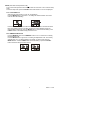
P1.0 CO2 ALARM Limit
When entering setup mode, P1.0 and “AL” are displayed.
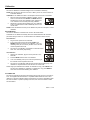
Press the MN/AV button to scroll to P1.1 for setting CO2 alarm threshold. The current
CO2 set value will be blinking.
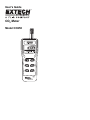
Press the MODE/▲ button to increase or the DP/WBT/▼ button to decrease the value.
Each press adjusts 100 ppm. The alarm range is from 100 to 9900ppm. When the
preferred alarm value is set, press the MN/AV button to exit and save the setting or the
CAL/Esc button to exit without saving and return to P1.0.
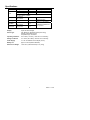
P3.0 TEMPERATURE SCALE
Press the MODE/▲ button or the DP/WBT/▼ button in P1.0 to access P3.0 for setting
the temperature scale.
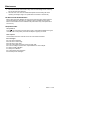
Press the MN/AV button to go into P3.1 for setting the temperature units. The currently
selected units (°C or °F) will be blinking in the display. To switch units, press the
MODE/▲ button. Press the MN/AV button to save the setting or press the CAL/Esc
button exit without saving and return to P3.0.
6
CO250 V1.2 1/09