1
To take a picture
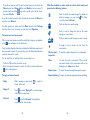
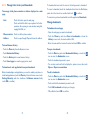
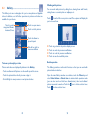
•HDR
Touch to turn on HDR (high-dynamic range).
function. HDR photos can better reflect
the visual effects people have in the real
environment by synthesizing images under
different exposure time. The phone will then
automatically save the original photos and
HDR ones.
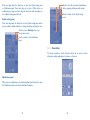
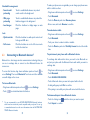
•Panorama
Touch to turn on panorama function. Press the
Shutter button or the Volume key to start
taking panoramic photo and move the phone
towards your capture direction and overlap
the two lines. Once the nine slots below the
screen are filled, the phone will automatically
save the photo.
The screen acts as the viewfinder. First position the object or landscape in
the viewfinder, touch the screen to focus if necessary, touch the
icon,
touch and hold viewfinder or volume key to take the picture which will
then be automatically saved.
To shoot a video
First position the object or landscape in the viewfinder, and touch the
icon to start recording. Touch
to pause recording, touch
or press
the Back key to save the video.
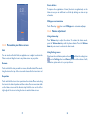
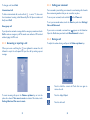
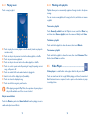
8.1.1 Settings in framing mode
Before taking a photo/shooting a video, touch the
number of settings in framing mode.
icon to adjust a
Front camera shooting mode
Back camera shooting mode
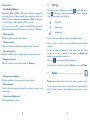
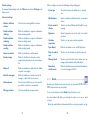
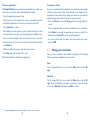
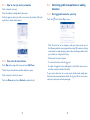
Touch the Menu key to access camera settings and below options will
display for you to choose from:
•Full screen
Touch to turn on/off full screen preview mode.
•Night
Touch to turn on/off night mode.
•Sports
Touch to turn on/off sports mode.
•Advanced
Touch to set picture size, timer, ISO, exposure
or turn on/off GPS locatin info.
•Restore defaults
Touch to restore camera default settings.
•Shutter sound
Touch to turn on/off shutter sound.
87
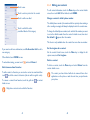
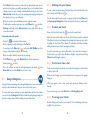
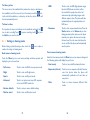
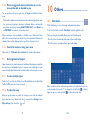
Switch to front camera, touch the Menu key to access camera settings and
the following options will display for your choice:
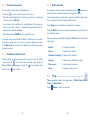
•Face beauty
Touch to turn on/off face beauty function.
•Expression (4-shot)
Touch to turn on expression (4-shot) function:
once four photos taken, the phone will
automatically synthesize and save them as
one picture.
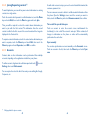
•Filter
Touch to choose between different filter
modes.
88