1
PREPARATION
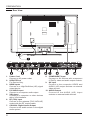
Front View
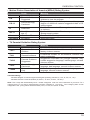
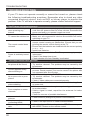
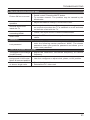
1. VOL +/Press to adjust the volume.
2. CH
Press to select a channel.
3. MENU
Display the OSD (on screen display) menu.
4. SOURCE
Press to select among different input signal sources.
5. POWER
Switch the TV between On / Standby mode.
6. IR (Infrared Receiver)
Receive IR signals from the remote control.
7. POWER Indicator
Illuminates blue when the TV is turned on. Illuminates red when the TV is in standby mode.
5