1
$3.00
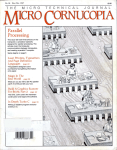
August-September 1986
Practical Projects
New PC Speedup_With RAM Resident Switch ............ 6
A cheaper, fancier, two-speed clock that you control
from the keyboard.
Practical Programming In Modula-2 .................... . 12
A window lover's dream, right down to the last frame.
Unblinking The PC's Blinkin'· Cursor .................. . 22
Tired of that irritating fl.ashing cursor? Here's the fix.
Game Theory Models in PROLOG and C ................ 24
A modeling system that ties Turbo PROLOG together
with Microsoµ C.
Serial Communications Program For CPlM & MS-DOS ... 30
Tying two aliens .together with Turbo pascal.
Eight Booleans In A Byte ............................... 58
A bit pickers special feature.
co
0
""
00
00
Hard Drives: The Service Perspective ................... 62
Which manufacturers support the purchaser? Which don't?
l"t")
""'°'"
0
"'"
"'"
...;t
...;t
0
Purchasing Ahd Installing A Hard Drive ................ 66
Join us for a quick read between the tracks .
SWp-by-srep tutorial, demo programs with source code included!
Turbo Prolog 1.0
Tuchn:lcal 8pecit1cations
Borland introduces .Turbo Prolog,
the natural language of
Artificial Intelligence.
Pro1og is probably the most
powerful compurer progra.mming
language ever conceived, which is
wbywe've made it our second
language-and "turbocharged" it to
creare Turbo Prolog:·
Our new Turbo Prolog brings
supercompurer power to your IBM®
PC and introduces you srep-by-srep to
the fascinating newworld ofArtificial
Inrelligence. And does all this for an
astounding $99.95.
~
Turbo Prolog is to
~ Prolog wha.t Turbo
Pasca.J.8 is to Pa.sca.1!
Our Turbo Parea.l astDn1Bhed
. everyone who thought of ParoaJ.
as ' .Just another language:' We
changed all that-and now Turbo
Pascal 1B the de facto worldwide
standard, With hundreds of
thousands of enthus1asl:B
~·
T, · "',' and users in
I
,J un1versities
0
fa*!f;.j
·
.::,:',f)• (1
='
::I\: ;· >! schools,
and With professional program. mers, students,
and hobbylstB.
You can expect at least the
same impact from Turbo Prolog,
because while Turbo Prolog 1s the
most revolutionary and natural
programmlng language, it 1B also
a complete development enVironment-just like Turbo Pascal
Turbo Prolog radically alters
and dramatically improves the
brave new world of a.rtlftclal
intelligence-and inVires you into
that fascinating untverse for a
humanly intelligent $99.95.
Progimnming B,yst,em Features
l!'.J'Complier: Increment.Ill compiler genera.ting native In-line cOOe and llnkB.ble
~ mOOules. The llnklng format 18
compB.tlble W1th the FC-DOO linker. I.8rge
memocym<Xiel support. O:lmplles over:?BX)
lines per mJnute on a standard IBM ro.
l!'.J'Int.erscttve .Edit.or: The EzyBtem
Includes a piwerful Interactive full-ooreen
text editor. If the compiler detectB an error,
the editor autJ:Jmatlcalt' J;XE1tloilB the
curoor awroPrls.tely In the oouroo oocle. Al
run-time, 'I\Jroo Prolq! prc:erama can call
the editor, and view the l'Uilillilg ~·a
oouroo c00e.
l!'.J''.l)p9 B;yst,em: A tlex!ble oQJect,orlent.00
~ a,ystem 18 supported.
l!'.J' W.lndow1ng Support: The EzyBtem
supports OOth graphlc and text w1rulowB.
l!'.J'Input/Output: Full 1/0 facJl1tles,
Including fomiatted 1/0, streams, and
random accees tlles.
l!'.J'Numsrie Ranges: Integel'B: -'SZ'lf!7 to
'SZlf!l; Reals: lE-307 to lE+:nl
l!'.J'Debugging: O:lmplete bulltrln trace de-
,...........,
bugging CB.IRbllltJes e.llow1ng Blng!e
stepping of pr®a.IDa
Even ifyou've never
programmed. before,
our free tutorial will
get you st;arted. right BWBJT
You'll get started rlght awa;f
because we have included a
complete step-by-Btep tutorial as
part of the 200-page Turbo Prolog
Fieference Manual Our tutorial
w1ll take you by the hand and
reach you everything you're l!kely
to need to know about Turbo
Prolog and a.rtlftclal intelligence.
For example: once you've
completed the tutorial, you'll be
able to deslgn your own expert
systems ut111z1ng Turbo Prolog's
powerful problem-soMng
capablllties.
Think of Turbo Prolog as a
Wgh-speed electronic detective.
First you feed it information and
reach it rules. Then 'furoo Prolog
"thinks" the problem through
and comes up With all the
reasonable answers-almost
Turbo Pascal the wey you
could compare Turbo Pascal to
machine language.
You get the complew
Turbo Prolog
I
I
Turbo Prolog at only:
$99.95
I
I1
To order by phone,
programming sysrem ·. II
or for a dealer nearest you,
for on{v $99.95
I Ca// (800) 255-8008
You get a complete Turbo
I
in CA call (800) 742-1133.
Prolog development system
I
Serd me_ Turbo Prolog at
$- including:
1 Outside USA add $10 per copy
• The lightning-fast Turbo Prolog
I CA aro M4 res. applicable sales tax $ _ _
incremental compiler and the
I
Amount enclosed:
$ __
inreracttve Turbo Prolog editor.
I
This price includes shipping to all US cities
• The 200-page reference
I Payment: VISA MC Bank Draft Check
manual which includes the stepI
Credit card expiration date: __J_
by-Btep Turbo Prolog tutor1a.1.
• The free GeoBaseTM natural
I Card# I I I I I I I I
query language database
I
11111111
including commented source
I
b'
7
fs
"%5tJ ~~r:'. !~Mor troe CO"f)atible nming
code on dlsk-rearlyto compile.
I My COlrJ)uter's name and rooclel is:
GeoBase 1s a complete database
desJgned and developed around
U.S. geography. It includes cities,
mountains, rivers, and Wghweys,
and comes complete With na
query language. Use GeoBase
immediately "as is," or mocl.11Y it
instantly.
to fit your own inrerests.
If you think that this 1B
So don't delay-don't waste a
amazing, youjUst need to
second-get Turbo Prolog now.
remember that Turbo Prolog 1s a $99.95 is an amaz1ngJy small
5th-generation language-and
price to pey to becbme an
the kind of language that 21st
immediate authoricy-an instant
century computers w1ll use
expert on a.rtlftclal inrell.lgencel
routinely. In fact, you can
The 21st century 1s only one
compare Turbo Prolog to
phone call away.
4585 SCOTTS VAi.LEY DRIVE
SCOTTS VAi.LEY, C4 95066
(408) 438-8400 TELEX 172313
II YES •I !~a~~st II
1
I
1
1
I
I
I
I
I
I
I
I
I
I
fl1d
•
1
I
I
I
I
I
I
I
I
I
I
I
I
I
I
I
Thedisksizeluseis:D3W 05W
NOT COPY PROTECTED
*60-DAY MONEY-BACK GUARANTEE
I
I
Name:
I_
Shipping Mdress:
I
I
I
I
II
City:
State:
lip:
·Telephone:
~?:mand~~~SAord;J/:'a~~!b%::t::
International Postal Money Order.
z
*YES, if wilflin 60 days of purchase tflis product does
not perform in accordance w1/fl our claims, please call
our customer service department and we will g/;rJ/y
arrange arefurd.
••Minimum sys/em requirements:
IBM PC. XT. AT. PCjr,
~krutk~atibles
SUB
I
I
I
,: t
'.:'.,
1
'
DISK DRIVES
3.S" MMI HARD DISK ......... $249.9S
-10 MEG
-ST212/412 COMPATIBLE
-SHOCK MOUNTED IN Yz HEIGHT
51/•" FRAME W/BEZEL
PACKAGE DEAL - ABOVE HARD DISK
WITH OMTI IBM CONTROLLER CARD,
CABLES AND FORMATIED READY TO PLUG
IN YOUR IBM OR COMPATIBLE JUST $399.00
SPECIAL OF THE MONTH
AMP PGA ZIF SOCKET
ZERO INSERTION FORCE
PIN GRID ARRAY
121 PIN - $S.99
14S PIN - $S.49
3.S"EPSON SMD 100 .......... $89.00
-DOUBLE SIDED, 1 MB UNFORMATIED
-HARDWARE COMPATIBLE WITH 5114''
96 TPI DRIVES
-WITHOUT FRONT PANEL
5 MEGABYTES FOR YOUR
IBM OR COMPATIBLE
$249.95
• SEAGATE ST506 HARD DISK
(Formatted for IBM)
• SMS OMTI CONTROLLER
•CABLES
5114" ST506 HARD DISK ........ $79.9S
-5MEG
-FULL HEIGHT·
-153 CYLINDER, 4 HEAD
S1/4" TEC FBS04 .............. $9S.OO
SUNON 'COOLING FAN
115 VAC
4-5/8" x 1 Vz"
$4.99
-96 TPI HALF HEIGHT
-DOUBLE SIDED
-720 KB FORMATIED CAPACITY
-QUIET!
-RUNS ON IBM XT WITH J FORMAT SOFT·
WARE (NOT SUPPLIED)
IBM* COMPATIBLES
All of our IBM* Compatible Products were carefully
tested and chosen for full compatibility.
8" SHUGART SA801 R ........ $179.00
-FULL HEIGHT
-SINGLE SIDED
-600 KB FORMATIED CAPACITY
-BRAND NEW! NOT RECONDITIONED
DISK DRIVE MOTOR
MOLON TM 8630-1
115 VAC
1800 RPM
USE IN SHUGART 8" DRIVES
$1.99
XEBEC S1410A
HARD DISK CONTROLLER
REQUIRES SASI HOST ADAPTOR
$149.9S
RELAY
12 voe
SPOT
5AMP
7Sc
LAMBDA POWER SUPPLY CLOSEOUT
LXS SERIES
+ 12 voe@ 10.5 AMP ......... $29.95
+ 5 voe @ 27.5 AMP .......... $34.95
+ 5 voe @ 9.o AMP .......... $24.95
HALTED. SPECIALTIES
RCA CABLE
RG59, 75 OHM
MOLDED PLUGS
8 FEET
$1.SO
TRANSFORMER
18 VAC
.75 AMP
otters
unique supermarket style shopping for
your electronic needs. We stock thousands of parts, from the newest IC's to
some of the first transistors. We also have
computer accessories, test equipment,
tools, R&D supplies and much more.
Please call or visit one of our retail stores.
soc
TRANSFORMER
12 VAC
.25 AMP
soc
FLIP TOP CASE ...................
130 W POWER SUPPLY ............
150 W POWER SUPPLY ............
KEYBOARD DKM 2000 .............
KEYBOARD KB 5151 (Enhanced) ....
640K XT* MOTHERBOARD (OK RAM)
BIOS ROM (SIDEKICK COMPATIBLE)
MULTI 1/0 W/FDD CONT ......•....
COLOR GRAPHICS CARD ..........
MONOCHROME CARD ............
MULTIFUNCTION CARD ...........
FLOPPY CONTROLLER ............
HARD DISK CONTROLLER .........
INTERNAL 1200 BAUD MODEM .....
2MB RAM EXPANSION FOR XT* ....
3MB MULTIFUNCTION CARD FOR
IBM AT* WITH OK RAM ..........
EPROM PROGRAMMER (27xxx) .....
EGA CARD (IBM* COMPATIBLE) ....
$ 49.95
$ 89.95
$ 99.00
$ 79.95
$ 99.00
$129.95
$ 29.95
$129.95
$ 99.95
$119.95
$129.95
$ 49.95
$175.00
$199.00
$199.00
$225.00
$129.95
$295.00
*XT, AT AND IBM are Registered Trademarks of International Business Machines Corp.
ACCESSORIES
Parallel printer cable ..............
Swivel monitor stand ..............
Y power cable for disk drive .........
NEC V20 processor 5mhz. (8088) .....
NEC V20 processor 8mhz. (8088) .....
4164 150 ns 64K ram chips ..........
41256150 ns 256K ram chips ........
NEC V30 processor 8mhz. (8086) .....
8087 math coprocessor ............
HALTED SPECIALTIES
co.,
$ 9.95
$ 12.95
$ 2.95
$ 19.95
$ 24.95
$ 1.19
$ 2.99
$ 25.00
$139.00
INC.
827 E. EVELYN AVE., SUNNYVALE, CA 94086
MAIL ORDERS CALL: (408) 732-1573
3 CONVENIENT LOCATIONS
~
HSC Electronic Supply of Santa Rosa
6819 S. Santa Rosa Ave .
Cotati, CA
(707} 792-2357
HSC Electronic Supply
5549 Hemlock Street
Sacramento, CA
(916) 338-2545
Store H~u~s: .
Mon.-Fn. 8.00-7.00
Saturday 9:00-5:00
WE SH. Ip·
.-~ft.~1 .1·~·7SA•I_I ~~~s
C.O.D.
Wid~ - · - ~r,,
TERMS: Minimum order $10.00. California residents add 7% sales tax. Prepaid orders sent freight C.O.D. or call for charges, shipping will be added to credit card and C.O.D.
orders. Prepaid orders over $100.00 use money order or certified check. Please do not send cash. Some Items limited to stock on hand. Prices subject to change.
MICRO CORNUCOPIA, #31, Aug-Sept 1986
1
EDITORIAL
By David Thompson
Tongue
Tied
Well Said
"Hurry up and decide what you're going to talk about
at SOG."
Gary was pushing me for a title to my SOG V talk.
Last year I was more an interested observer than a
participating speciker.
"SOG is the place where specialists stick their heads
up and see what other people are doing. It also gives
them a chance to speak about their own projects - about
what they're really into," he continued.
It's easy for them to talk, I thought. What have I been
doing? What am I excited about? What kind of unique
information do I have? Good question.
I've traded my engineering bench for all the excitement
of publishing. I've learned a lot about hiring and firing,
finances, printers, typesetters, Kaypros, columnists, large
mailing lists, running technical forums, and maintaining
an office sprinkler system. (The grass really is greener on
the neighbor's side.)
Fortunately, I've come into contact with some really
super people who haven't traded in their benches for
broader hats. People who have concentrated on one
thing. They are the people who should (and will) speak
at SOG.
Not that I mind speaking ... It's a lot like writing except
that people can hiss and throw things in real time. But
subject is another question. If I talk about what I'm really
working on (defective sprinkler valves) maybe Gary
won't be so insistent next year.
·Quiet
There is something very fragile about writing. It's a
discussion with an imaginary someone - recorded for
probable deletion.
In my case, this special conversation is very much
affected by the situation. If I feel hassled, harried, then
my writing gets choppy, curt. I become very literal
because my mind pictures aren't working. This kind of
copy isn't fun to read or edit.
When things are very quiet, very relaxed, and I'm not distracted by those little
things that seem so important during the 8 to 5 office workout, words can take
on a life, a .collection of colors that make them an art form unmatched by any
other.
It's A Racket
Unfortunately, one of the most constant things about computers, especially the
latest, greatest, fanciest, and fastest, is that they are noisy. Those fancy little 135
wattsupplies have buzzy little fans. Winchesters wind up like kids' tops.
(continued on page 90)
2
MICRO CORNUCOPIA, #31, Aug-Sept 1986
August-September 1986
Issue No. 31
CONTENTS
74
Features
6
Larry Fogg
Poor Man's Networking:
Connecting Two CP/M Machines
Review of a simple, software only, local area network.
New PC Speed-up
With RAM Resident
Soft Switch
We thought we'd
covered everything
there was to cover about
speeding up a PC. ..
12
Doug Anderson
82
Don Fletcher
Build Your Own Inexpensive Logic
Analyzer: Part 2, The Software
The response to this project has been. super.
88
James Albert
Dave Rand
The Green Hills C Compiler
Dave looks at a highly optimized C compiler
for the 32032.
Practical Programming In Modula-2:
Controlling The Video On PCs
Fun with Wirth 's Latest language.
22
24
Columns
Sigi Kluger
Unblinking The PC's Blinkin' Cursor
If your blinking cursor is keeping you awake ...
40
86 World
How to run programs from other programs.
Gary Entsminger
48
On Your Own
A fast, clean solution to dBASE III.
52
Pascal Procedures
Philip Hess covers run time allocation of
static arrays in Turbo Pascal.
54
Kaypro
An inside look at what makes the 84 's
video drop characters.
70
In The Public Domain
Steve talks about access to languages,
the usual and the unusual.
72
The S-100 Bus
ZBO slave boards highlight this column.
Game Theory Models In
PROLOG and C
A heavy duty combination of two great languages.
30
Greg Flothe
Serial Communications Program For
CP/M And MS-DOS
If you have the connections, we have the code.
58
William Meacham
Eight Booleans In A Byte:
Operations In Turbo Pascal
Down to picking bits in Turbo Pascal.
62
84
Rebecca Ozrelic
Hard
Drive~:
66
78
.·This small model C can address lots of memory.
The Service Perspective
Who's providing support after the sale,
the seller or the manufacturer?
. C'ing Clearly
95
Culture Comer
·6th annual crossword puzzle celebrates
our 5th anniversary issue.
Purchasing And Installing
A Hard Drive
98
,Technical Tips
We found lots of information about hard drives.
Most of it wasn't very useful.
Future Tense
David Thompson
Cheap Megabyte
For The Slicer
Shawn McCutcheon
Save big bucks b.y replacing
64K RAM chips
with 256K parts.
1111111111
By Gary Entsminger
96
Tidbits
Gary looks at a super bargain statistical package
and learns to eat worms.
104
The Last Page
Seeding the random number generator.
(Without growing daisies.)
MICRO CORNUCOPIA, #31, Aug-Sept 1986
3
Article Update
I received a letter from a reader
requesting clarification of the part
number of the transformer in my
article ''Monitoring A Modem With A
Bridge" from Micro C issue #29. I find
that Radio Shack no longer sells that
part. I've done a quick test based on
another part and find this can be used
as an electrical substitute, though it
may not fit in the pipe.
The part is a small 1000 to 8 ohm
transformer (part #273-1380). The turns
ratio will be about 11:1. "I changed the
lOK resistor to 2.2K and the 100 ohm
resistor to 150 ohms, and overall voltage reduction was still okay, about
175:1. Actually, any transformer with a
rated primary impedance of 500 to
2000 ohms and a secondary with equal
or somewhat less impedance than the
primary will work, as long as the turns
ratio is taken into account. The overall
reduction should be between 100 and
200:1. The turns ratio is the square
root of the impedance ratio. The reduction ratio is the turns ratio times
the ratio of the resistor, i.e., SqRt(l000/8)*((2200+150)-175.1 : 1 for
this example.
Philip Elrod
3245 Spring Dr. NW
Doraville GA 30360
User's Guide Returns?
We were surprised to see mention of
"User's Guide" in your editorial in
issue #29. While it's true that "User's
Guide" stopped publishing last November, and "PC User" never started,
we have not disappeared. Both magazines were bought by Mach Gelt, Inc.
(MGI) of New York, which has agreed
to fulfill all paid subscriptions up to
their expiration dates with a new
magazine, slated to debut between
July and September of this year. The
magazine will cover CP/M, and we'll
be writing for it, so subscribers will get
something very similar to what they
paid for.
We hope this new arrangement satisfies our subscribers.
Tony Bove and Cheryl Rhodes
Founders & Editors of "User's
Guide"
P.O. Box 5245
Redwood City CA 94063
.4
Wants Modula-2 Update
I read with great interest in Micro C
issue #25 excerpts from a talk by
Niklaus Wirth on Modula-2 in which
he described his current work on a
port of Modula-2 to the National Semiconductor 32000 family of CPU clusters. The match of such an elegant
hardware implementation with the elegance and simplicity of Modula-2
seems an ideal partnership. However,
I haven't seen or heard anything since
that article. Do you know how I could
find out more about this project?
Randy George
680 Harlan
Lakewood CO 80214
Editor's note:
Hoo boy! Wirth was working at Xerox
Pare in Palo Alto, California (that's the
place where the Mac interface was developed). I haven't heard anything out of
Xerox lately, now that you mention it.
Maybe they're waiting for someone to leave
the organization and start a new company
based on the research.
Cheap Floppies
Here's a tip if you use lots of floppy
disks. Unitech charges 85 cents per
disk for double sided disks boxed in
lots of ten, labeled and with plain
envelopes. I've been using them for
several weeks and the quality seems
very good. Their minimum order is
$17 plus $3 shipping. (I used to buy in
bulk from Spite Software, but they are
slow and the minimum order is 100.)
Unitech's address is 20 Hurley St.,
Cambridge, MA 02141.
Henry C. Davis
Box 532, 207 E. Market St.
Georgetown DE 19947
Micro C Kaypro Manual?
I have a sure-fire winning idea for
Micro C. Why not compile all the
letters, articles, Kaypro Columns,
Technical Tips, etc. which have anything to do with the CP/M Kaypros?
You could put these all together in one
booklet and maybe add some new
technical material to fill in the gaps.
Then you could publish and sell this
booklet. I'm positive it would be one
of your biggest selling products. It
MICRO CORNUCOPIA, #31, Aug-Sept 1986
wouldn't take that much work, since
the bulk of the material is already
written.
Walker Kennedy III
949 E. 800 S., Apt. 11
Salt Lake City UT 84102
Editor's note:
Heck of an idea, Walker. I think it would
be a good seller. A year ago we were
definitely thinking about doing this very
thing. However, we decided to spend our
time looking forward - learning, developing new contacts, changing the look and
editorial direction of Micro C. You can see
the results of that now, but because of that
a lot of really good ideas have been put
aside.
Poor Man's CompuServe
The Dorsai Embassy is an RBBS in
New York City which caters to all
micros and offers free public access.
The system is standard XModem,
Christensen protocol, and offers storyboarding and conferencing. To log on,
type : and then 'help'. The bulletin
board will tell you what to do next.
Users have limited access until they
register. Dorsai is currently negotiating
with SIG/M and PC/Blue to put their
internal library on the RBBS.
Charles Rawls, Sysop
41 Crosby St.
New York NY 10013
(212) 226-2394
(212) 966-6406
(212) 431-1944
(212) 219-9840
Expansion Bay For A Tandy
I've been thinking of adding a 20
Meg hard disk in a separate cabinet to
my Tandy 1000. Although the Tandy
already has two floppy drives and
memory expansion board, I'd like the
20 Meg in a separate cabinet to serve
as an expansion bay so I can add fulllength boards at my wallet's convenience.
I have three questions:
1. Is there any reason why I would
want to retain both floppies in addition to the hard disk, and if so, would
this set-up confuse MS-DOS (version
2.11)?
2. Could the hard drive be mounted
Does this look familiar?
~:\--<::::4!1~_µ.-
~~Q~~J~~~ i~~;ge <~'
program was ready to·· .. · . . . . . . ,,,':w'~-. . . .
test in seconds instead
of minutes?
~llllilllllMIJllllJ -
NEW /P/JNll/IUCTS
Sump1er ($35)
"The SLR tools will change the
way you write code. I don't use
anything else.", Joe Wright
and/or
Professionn1 Systems (from $175) for ...
RELOCATING MACRO ASSEMBLERS • Z80 • 8085 • HD64180
Apple ProDos
tf6cintosh
/Btf PC/~T'
DEC Falcon
UNIFORTH ls a ful/-featvred, (loating-po/nt, FORTH-63
~tandard
language available for most ITJICro and mini
compu~ers.
Call or writ~ for our free catalog or use our
Bulletin Board (614-459-7736, 300/1200 Baud)
r~r more detailed 1nform~tlon.
UNIFIED SOFTWAR~ SYSTEMS
P.O.
Box 21294, Columbus, O~ 43221-0294
(614) 459-1735
•
•
•
•
•
•
Generates COM, Intel HEX, Microsoft REL, or SLR REL
Intel macro facility
All M80 pseudo ops
Multiple assemblies via command line or indirect command file
Alternate user number search
ZCPR3 and CP/M Plus error flag support, CP/M 2.2 submit
abort
• Over 30 user configurable options
• Descriptive error messages
• XREF and Symbol tables
• 16 significant characters on labels (even externals)
•Time and Date in listing
•Nested conditionals and INCLUDE files
_J
• Supports math on externals
requires 280 CP/M compatible systems with at least 32K TPA
$49•91
t:
1s22 N. M•i~t{?;16}ystems
(412) 282-0864 (800) 833-3061
in the expansion bay and transmit the
data across the cable which connects
the bay (I assume the bay would be
connected through a board which occupies one expansion slot in the computer and runs a cable of connections
from the expansion bus out of the
back of the computer)?
3. Is there any relatively cheap way
to build an expansion bay without a
lot of technical know-how? I've
worked on CPU-controlled cash registers, so I'm not a complete idiot, but
I don't feel extremely comfortable in a
digital hardware environment which
doesn't have step-by-step instructions.
Paul K. Vallandigham
2828 Dorothy Pl.
Orange CA 92669
Editor's note:
MS-DOS 2.11 certainly supports at least
four floppies in addition to one or more
hard drives, so software isn't a problem.
Hardware might be, however. You mention
extending the PC bus to a second cabinet.
Someone was displaying such an expansion
at Comdex last Fall. Unfortunately I
didn't get the name, and I haven't heard
about the expansion since.
Getting signals cleanly from one cabinet
to the other would be a problem. You'd
need a short, heavy, shielded cable. After
all, you have power as well as signals on
the bus. Capacitance between wires would
also be a problem . . This is not. a trivial
project.
leads on either a Kaypro 2000 unit that
would fit where the optional Kaypro
modem would go or a unit for one of
the mini boards (Ampro LB, Ampro
LB/186, MicroMint, Southern Pacific,
etc.) that doesn't consume an 1/0 port
(perhaps using a SCSI interface).
Can anyone help?
Meredith A. Cargill
URH 248 Sherman Hall
909 S. Fifth St.
Champaign IL 61820
Users Group Wanted
The Long Beach, CA area has needed a CP/M Kaypro users group for a
long time. I'd really enjoy getting
together with other users of any level
of expertise for some technical talk and
support. If you're a Kaypro user in the
Long Beach area and want to share
your technical knowledge, please contact me.
Skipp Miller
405 E. Pacific Coast Hwy.
Long Beach CA 90806
(213) 591-1173 Bus.
(213) 599-3663 Res.
Letter Of Thanks
If you can comprehend the gratitude
of one who just saved a whole disk of
articles copied from microfilm by reading through a microscope, you know
how I feel about UNERA19. My overwhelming thanks.
Dorothy Hoard
110 Sherwood
Los Alamos NM 87544
Needs Reader Input
I'm looking for a speech synthesis
device for a possible portable computer application and would appreciate
•••
MICRO CORNUCOPIA, #31, Aug-Sept 1986
5
New PC Speedup With
RAM Resident Soft Switch
Every once in a while an article just
blows me away. This is definitely one
of those articles. Larry not only figured out how to make his· system into
a screamer without affecting the system clock (or the signal to the color
board), but he also came up with a
memory. resident program which
changes system speed anytime it sees
a special keystroke.
The hardware mod was very interesting, but writing the software was
an even more involved project. Stay·
tuned while Larry walks you through
the whole process.
D
ave and I were lounging
around the office a while back
talking about speed. The subject came up because we'd had several
requests for a PC speedup which
wouldn't send the machine's real time
clock (RTC) into warp speed.
We even had one person call to say
that the original speedup (see Micro C
issue 29) had no effect on his machine.
Seems he'd used the RTC to time the
benchmarks. Since the system clock
and the RTC were both running faster
the benchmark times didn't appear to
change.
We consulted The Book of Intel
(Component Data Catalog)· and noticed
that the PC clock generator, an 8284,
could be switched between the normal
crystal input and an external clock
input. Off I went to dig into my
computer. What follows is the results
of my digging.
By Larry Fogg
· (ground) on the 8284' s select pin.
Unfortunately, this changes the value
of all three clock outputs when we
wanted to change only CLK.
The answer is to piggyback another
8284 on the existing one. The top 8284
will get the OSC · output from the
bottom one and will have its own
higher frequency crystal oscillator circuit.
Now if we disconnect the CLK output of the bottom 8284 and instead
supply the main board with CLK from
the top 8284, a select signal to the top
8284 will switch between· fast and slow
CLK rates. The bottom 8284 is still
providing OSC and PCLK to the system, so both the expansion bus and
the RTC will stay happy.
No problem. There happens to be an
unused bit in port B of the PIO. IBM
says in their Technical Reference that
it's bit 2, but a careful look at the
schematic shows that bit 3 is really the
one we want.
A wire from pin 21 (bit 3) of the PIO
to the select pin of the top 8284 would
finish the hardware end of the mod
were it ·not for the fact that bit 3 is set
high on power up. A high input to the
top 8284 select will choose the external
frequency which, in this case, is slow.
If there's one thing I can't stand it's
watching a computer count through a
memory check. So I added an inverter
in the select line to finish things off.
Now my box boots with blistering
abandon.
Software/Hardware Interface
It would be good fun to control the
clock speed with a software switch.
On To The Nuts And Bolts
Take the main board out of your PC.
You'll need to replace the 8088 with an
Figure 1 - Piggyback Should Look Something Like This
PIN 9
8284
The 8284 system clock chip supplies
three different clock signals. CLK is
the clock signal used by the processor,
OSC feeds the expansion bus, and
PCLK goes to the keyboard and RTC.
Switching from the 14.31818MHz
crystal input to a higher frequency
external source is easily done by toggling between high (SV) and low
6
MICRO CORNUCOPIA, #31, Aug-Sept 1986
TO
PIN 9
PIN
10
74504
8MHz V-20 to handle the fast speed.
Do it now, as the chip is much easier
to install while the board is out.
The RAM chips are also sensitive to
speed. You're all set if the RAMs are
150 microsecond parts or faster. If they
are slower, replace them with 150us or
120us.
Remove the 8284. Bend out pins 5
(READY) and 8 (CLK) since these
signals will be provided by the top
8284. Prepare the top 8284 by doing
the following. Bend out and cut the
narrow portion off of pins 2,5,8, 12, 13,
14,16, and 17. Sit the top 8284 on the
bottom one and solder the remaining
unbent pins to their downstairs neighbors. Check that none of the bent out
pins is shorting out.
Solder a jumper wire from pin 12 of
the bottom 8284 to pin 14 of the top
8284. This sends OSC from the bottom
8284 to the external input of the top
8284. Keep the jumper short~ since it's
carrying high frequency and could
pick up ''I Love Lucy'' if it starts to
look too much like an antenna. Wirewrap wire works well for all jumpers.
New Crystal Oscillator
Now comes the creative part. The
top 8284 needs a crystal oscillator
circuit to provide the higher frequency. I used the quick and dirty method
(see Figure 1) and soldered directly to
the pins of the top 8284. A small board
would be much more aesthetic, but
beware of long wires and high frequencies.
The fastest crystal I've been able to
use is 22.1184MHz which gives a CLK
(CLK - OSC/3) signal of 7.37MHz.
With a 24MHz crystal the ROM signs
on, but the drives go to lunch. Possibly the 5MHz DMA controller is failing.
Plug the monstrosity back in. Run a
wire from pin 5 of the top 8284 around
to the bottom of the board. Solder it to
pad 5 of the 8284 socket to provide
READY to the system. Put in a similar
jumper from pin 8 of the top 8284 to
pad 8 of the 8284 socket. This is the
CLK signal.
Select Circuit
We're almost there. The last step is
to provide the select signal to the top
8284. I used a 74504 to invert the
signal since we have buckets of them
in the office. Chop off all of its legs
except 1,2,7, and 14. Pay no attention
to those tiny screams.
Bend out pins 1 ·and 2 and look for a
convenient place to piggy back the
chip. Any 14 pin DIP will do. Solder
pins 7 and 14 to the bottom chip. Then
wire a jumper from pin 21 of the Pl9
(it will be labeled 8255) to pin 1 of the
74504. Finally, jumper from pin 2 of
the 74504 to pin 13 of the top 8284.
Reinstall the main board and fire it
up. If all is well the next step is to
program the PIO as a speed switch.
Support Software
5PEED5ET.ASM (see Figure 2) does
three things. First it takes control of
the keyboard interrupt. Then it carves
out a portion of memory and makes
itself resident. Finally it looks at all
keystrokes and programs the PIO if it
sees either the character that means
"speed up" or the one that means
"slow down."
Let's Corrupt An Interrupt
To do so we need to know how they
work. The PC devotes the first section
of its memory to a table of four-byte
vectors. Each of these vectors points to
the code for one of the interrupts.
(continued next page)
(SPEEDSET.ASM on next page)
MICRO CORNUCOPIA, #31, Aug-Sept 1986
7
NEW PC SPEED-UP
(continued from page 7)
When a program calls an interrupt,
INT 9 for example, a jump to the
address stored in location 0000:4*9
occurs. This address is the beginning
of the code for interrupt 9, which is
then executed. To take control of an
interrupt, write the address of our
replacement code to the vector table in
place of the normal vector.
In this case we want the keyboard
interrupt (INT 9) to function normally
after each keystroke is inspected. So
one of the first things we do in the
setup procedure is save the original
vector.
DOS function 35h returns the vector
which is then stored in the variable
old_int. Notice that we guard against
installing the program more than once.
This is easy because the interrupt
vector points to a location in the ROM
if no one has altered it.
The beginning of the ROM has a
seg~ent address of OfOOOh, so if function 35h returns that value, the program has not been installed.
Now install a new vector which
points to the start of our resident code
using DOS function 25h. Any further
calls to INT 9 will be redirected to the
new code. The last two instructions in
setup protect the resident code from
being ov~rwritten. Interrupt 27h does
all the work and only' has to know the
amount of memory to protect.
Scan Codes Vs. ASCII
Once we have control of the keyboard interrupt what do we do?
Each key of the PC keyboard generates a unique sea~ code rather than
ASCII. There is also a byte in memory
called kb_flag which contams the status of the various shift keys. Betw~en
the scan code and kb_flag any keys~
troke can be identified.
New_int looks for Alt F9 and Alt
FlO as the speed switches. It needs to
know first if the Alt key has ·been
pressed and then whether the scan
code for either F9 or FlO is in the
kb_data port.
If neither speed key is found, co~trol
is passed on to old_int. Otherwise we
jump to one of the two parts of the
program which actually does something.
8
Figure 2 - SPEEDSET.ASM
title SpeedSet
fast
slow
kb_data
kb_ctl
equ
equ
equ
equ
code
segment
org
100h
assume
43h
44h
60h
61h
scan code for f9 key
scan code for f10 key
; PIO port A - contains scan code
PIO port B - contains unused bit
and keyboard acknowledge bit
everything goes in code segment
cs:cocie
DOS_entry
jmp
label
setup
ol<l.J.nt dd
?
new_int proc
sti
push
push
push
mov
int
and
cmp
jne
in
cmp
je
cmp
je
far
ax
save registers
bx
dx
ah,2
; tell INT 16 to return kb_flag
get kb_flag
· 16h.
mask bits except alt status
al,00001000b
check alt key status
al,00001000b
don't act if alt not pressed
short no_act
al,kb_data
get scan code
is it the f9 key?
al,fast
short raster
speed up if it is
is it the f10 key?
al.,slow
slow down if it is
short slower
no_act: pop
pop
pop
jmp
dx
bx
ax
old_int
do~e:
get keyboard status
set keyboard acknowledge bit
write it back to port
restore registers
jmp
al,kb_ctl
al,10000000b
kb_ctl,al
dx
bx
ax
oldJnt
faster: in
and
out
jmp
al,kb_ctl
al,11110111b
kb_ctl,al
short done
get value from PIO port B
reset unuseci bit
write it back to port B
finish
slower: in
or
out
jmp
al,kb_ctl
al,00001000b
kb_ctl,al
short done
get value from PIO port B
set unused bit
write it back to port B
finish
·
1r1\
or
out
pop
pop
pop
MICRO CORNUCOPIA, #31, Aug-Sept 1986
new_int endp
far
address of interrupt 9 code in ROM
beginning of our.interrupt handler
INT 9 turns off interrupts, reenable
restore registers
let ROM code do it's thing
jump to ROM code to finish
end of our interrupt
encLres_code:
sign..._on db
db
db
db
db
db
13,10,18 dup (32),201,42 dup (205),187,13,10
18 dup (32),186,•
SPEED SWITCH NOW '
1 ,186,13,10,18 dup (32)
'INSTALLED
. ' , 1, '
186, ' Alt F9 ' , 26 , ' Slow
2,•
Alt F10 •,26,• Fast •,186,13,10
18 dup (32),200,42 dup (205),188,13,10, 1 $ 1
err_msg db
db
13,10,•SPEED SWITCH ALREADY INSTALLED'
13,10, 1 $ 1
setup
assume
ds:code
proc
near
mov
int
mov
ax,3509h
21h
ax,es
segment is returned in es
ax,OfOOOh
is this address in ROM?
short install
; if so, install our code
dx,offset err_msg
; if not, write msg
ah,9
; that our code is already
21h
; installed
20h
; exit to DOS
dx,offset sign..._on
; write sign on msg
ah,9
21h
word ptr olcl_int,bx
save ROM address
word ptr old_int+2,es
of interrupt 9
dx,offset new_int
set up new
ax,2509h
interrupt vector
21h
dx,offset end_res_code
make our code
27h
resident
cmp
je
mov
mov
int
int
install:mov
mov
int
mov
mov
mov
mov
int
mov
int
setup
code
endp
ends
end
DOS_entry
install our routine
as resident code
get address of interrupt 9
End of SPEEDSET.ASM
Ever Wondered What Malres TuRBaPAscAL 'Ilck'?
Source Code Generators
can
give you the answer. ·
by C. C. Software
"The darndest thing
I ever did see ••• 11
" .•. if you're at
all interested in
what's going on in
your system, it's
worth it. 11
Jerry Pournelle,
BYTE, Sept '83
•The Code Busters•
•
c;,Jl
The SCG-TP program produces
fully commented and labeled
source code for your TURBOPa sca l system. To modify,
just edit and assemble. Version 3.00A (ZBO) is $45.
SCG's available for· CP/M 2.2 ($45) and CP/M+ ($75).
Please include $1.50 postage (in Calif add 6.5%).
c. c. Software, 1907 Alvarado Ave.
Walnut Creek, CA 94596 (415)939-8153
CP/M is a registered trademark of Digital Research, Inc.
TURBO Pascal is a trademark of Borland International
The code at labels "faster:" and
"slower:" toggles bit 3 of PIO port B.
This in turn toggles pin 21 of the PIO
and selects between the two CLK
rates. Finally n~w_int sets the keyboard acknowledge bit of PIO port B
so it will be ready for the next keystroke.
EXE To COM Conversion
SPEEDSET .ASM was written to be
assembled as an EXE file and then run
through EXE2BIN to create a COM
fU~. Those of you wJ:to f~el ad~enture
some can use the assembler file as a
shell to install your own memory
resident programs. Replace the speed
change code with your own and dive
in. There are a few rules · to keep
EXE2BIN from choking on your EXE
file.
Don't include separate stack or data
segments. All segment registers
should be assumed to refer to the code
segment and any variables should be
in the code segment.
Begin the program with '' ORG
lOOh.'' Label the first instruction and
end the program with "END labeLname." And don't worry about
the stack segment error from LINK.
It's just confused.
Non-Resident Speed Switch
If you really don't care about a
memory r~sident speed switch use
DEBUG to create two small programs
using the four lines of code at "faster:" and "slower:". Just replace the
jump instruction at the end of each
code segment with an INT 20h to exit
to DOS.
Conclusion
I've had this mod running on my PC
for a couple of months with no problems. The software works well. Most
programs dpn' t even care if the speed
is changed in the middle of execution.
I did manage to make Turbo Pascal
gag during a compilation, but why
anyone woµld want to change speeds
then escapes me.
Good hick. When you're done, if the
digital gods are smiling, you'll have a
7 :37MHz PC that can actually tell time.
....
MICRO CORNUCOPIA, #31, Aug-Sept 1986
9
ERAC CO.
KAYPRO EQUIPMENT
9'' Amber CRT .............. $39.00
9" Green Monitor ............. 35.00
12" Green Monitor ............ 45.00
81 Series ROM's ............... 7.00
Keyboard (Kaypro) ............ 75.00
Keyboard Siemens wI case ....... 65. 00
Wiring Harness ................ 7. 50
KAYPRO MAINBOARDS
K2 With Sockets ............. $39.00
K2 Populated - Tested ......... 129.00
K2 with PR08-3 Mod .......... 239.00
This one runs at 2.4 & 5 MHz. up to 4
drives SS. OS. or Quad drives. New ROM
has screen dump and step speed select.
With manual & software. tested and
guaranteed 30 days.
K2 PR08-3 Mod. EXCHANGE ... 149.00
We will update your K2 or K4 as above.
Mail working Main board.
We can install double or quad drives
and check complete package ..... CALL
K10 Populated - Tested ........ 250.00
WD1002-5 Hard Disk Controller . 200.00
Host Interface Board ........... 15.00
CABINETS
K2X ....................... $35.00
K10 ........................ 35.00
Bottom portion with front and back only.
CRT Bezel .................... 12.00
SUBSTITUTE CABINET
This cabinet has a 12" green monitor on top
that swivels left to right with a 3-position
vertical movement. The base is 16"x18"x5"
and contains a switching power supply. It
has room for the main board, two drives. a
modem and whatever else you want to stuff
in it. It comes with a Siemens keyboard with
case and is programmed like the Kaypro
keyboard with many extra Wordstar and
CPIM commands. The whole cabinet is
color-coordinated and sharp looking. Nobody
will ever suspect this is a Kaypro. Now you
can build the classiest Kaypro computer
ever for less than $550.00. The
complete cabinet is a steal at
$179.00
MISC. CABLES
9" 50 Pin - 50 Pin Header ...... $2.50
14'' 40 Pin - 40 Pin Header ...... 2.25
9'' Hard Disk - 20 Pin Header ..... 2.00
14" Dual lnline 16 Pin Male (2) .... 2.00
Sweda Cash Registers
Models 303, 2640 & 2650
From major supermarket ... $99 ea.
ERAC CO.
8280 CLAIREMONT MESA BLVD., SUITE 117
SAN DIEGO. CA 92111
HOURS:
(619) 569-1864
Mon.· Fri. 9 • 6 -
MINIMUM ORDER -
Sat. 10 ·4
$15.00
TERMS: VISA, MasterCard, Certified
Checks, Money Order, NO COD. Visa
and MasterCard add 3%. Personal
checks must clear BEFORE we ship.
Include shipping charges. California
residents add 6% Sales Tax. For more
info please call ·- DON'T WRITE! We
don't have time to answer your letters.
10
8280 Clairemont Mesa Blvd., Suite 117
San Diego, California 92111
(619) 569-1864 Call for our Test Equipment Mailer!
*SPECIALS*
******************
Bahco Wire Cutter "Swedish" ... 6.95
CPU/SUPPORT
MC68000-8 CPU ............. $12.50
C80186~3 ................... 27.00
C80186-6 .................... 9.00
Z80 CPU ..................... 1.00
ZBOA CPU .................... 2.50
Z80A PIO ..................... 2.50
Z80A SID ..................... 5.00
Z80A DMA ................... 10.00
8088 ....................... 10.00
8089-3 ...................... 29.00
D8742 CPU/EPROM 12 MHz ..... 20.00
D8284A ...................... 3.00
D8288 ....................... 9.00
4164-15 ...................... 1. 10
41256-15 ..................... 2.50
41256-12 ..................... 2. 75
6116 2Kx8 Static Ram ........... 1.50
MODEM
TMS 99532 (Modem) ......... $12.00
TMS 99531 (Dialer) ............. 8.00
FLOPPY CONTROLLER
WD
WD
WD
WD
1791
1793
1797
2797
.................... $9.00
..................... 5.00
..................... 7.00
..................... 9.50
BAUD GENERATOR
WD 8116 . . . . . . . . . ........... $4. 50
MISCELLANEOUS
UC3524 Sw. Reg .............. $ .85
MM58167A Clock Chip .......... 5.50
CA301 Op Amp ................. 35
CA083 Op Amp . . . . . . . . . . . . . . . . .45
2N3055 ....................... 70
2N6852 ...................... 1.00
LM323K Volt. Reg. + 5V/3A ..... 4.50
LM78H12 Volt. Reg. + 12V/5A .. .5.00
VIDEO CONTROLLER
6545 ....................... $7.00
6545A-1 ..................... 8.00
6845 ........................ 6.00
EPROMS
2716 ....................... $3.50
2732 ........................ 3. 75
2764 ........................ 2.25
2764-25 ...................... 3.50
74LS SERIES
HCOO ....................... $ .35
HCU04 ....................... .40
LS 125 ........................ 40
LS 373 ........................ 60
LS 375 ........................ 60
4073 .......................... 35
7406 ......................... 40
PRINTERS
Centronics 703 ............. $395.00
Centronics 588 - As Is ........ 125. 00
NEC2000 w/Single Sheet Feed. 1200.00
SOLAR CELLS
21/2" x 5/16", .5V/.5A ........ $2.25
MICRO CORNUCOPIA, #31, Aug-Sept 1986
IBM PC/XT COMPATIBLES
Monochrome Card .... : ....... $67.50
For 80x25 screen. With ltght
pen & parallel printer port.
Cherry Keyboard .............. 37.50
Passes self-test. Wlcord. no case.
18 each 256K-15 Ram .......... 42.50
18each 256K-12 Ram .......... 47.50
13" Column Monitor .......... 295.00
RGB. Mitsubishi A T-1332A. Res.
640x200 .. 4mm Mask. 3-position
tilt. 16 colors.
13" Composite Color Monitor ... 159.00
Goldstar. Model 4333. one year parts
and labor. Apple and Commodore
compatible. with audio amp and
volume control. Great for VCRs.
13" Amber Monochrome Monitor 106.00
TTL input. Goldstar Model MBM20154,
Hercules compatible.
S100
CCS 2200 12 slot MF ........ $375.00
. POWER SUPPLIES
- WALL PLUG-IN TYPE 6VAC/.95A .................. $1.35
- LINEAR Condor Model CP731 DC Power Supply
+14V/4A, +5V/7A, ±15V/.5A.$16.00
Power Supply with
Ni cad Pack 12V/. 5AH ......... 6. 50
14KV DC/DC TV Power Supply .... 4.50
+ 5V/1A, - 5V/.2A, + 12V/1 A,
-12V/.2A, -24V/;05A ....... 15.00
+ 24V/2.2A .................. 8.00
·swlTCHERS
5V/9.5A, 12V/3.8A, -12V/.8A $39.00
5V/3A, 12V/2A, -12V/.4A ..... 29.00
5V/10A ..................... 25.00
5V/75A, + 12V/8A, + 12V/8A .. 55.00
5V/20A ..................... 35.00
FLOPPY DISK DRIVES
-· 1/a HEIGHT Okidata DSDD ............... $99.00
Supplied wlsub-panel to make V:? ht.
1/z HEIGHT Mitsubishi M4851 DSDD 40 Tr . $139.00
Mitsubishi M4853 DSDD 80 Tr .. 139.00
Qume Trak 142 51/4" DSDD ..... 99.00
Tandon TM 848-1 8" SSDD .... 149.00
t ShuQart 475 DS Quad 1.2Mb ... 159.00
\f..UJ llt~~tlL- STANDARD HEIGHT '
Shugart SA460 DS Quad - As is . $36.00
Shugart SA850 8'' DSDD ...... 199.00
Remex RFD4000 ............. 199.00
Persci 277 2x8" ............. 399.00
TERMINALS
lnterTube II Smart (B&W) ..... $195.00
lnteColor 3602 Smart (Color) ... 329.00
MISCELLANEOUS
Headset/Boom Microphone ...... $3.95
Nicad Pack 12V/.5AH ........... 6.50
5 Blade Muffin Fans ............ 7.50
Joystick 4 Switches 1" Knob ..... 5.50
Elgar 400W Unint. Power Sup ... 375.00
10 Ft. Line Cord ............... 1.65
This is the Modula-2
compiler everybody's
been waiting for ...
,:...:~::~ .... ;
·. . .· .· . ·.
'','
',,
,.•1,.,·,,{·;.1.;,."~·)"\
~/,j~\t:~'f::/
,~.i-,
;~y'd't(Cii:ii.c:r.oss
.
Js>fr~·~'Modula-2. a.t
its absolute
.·
;?,:
·
"
·-~'.'._.• :~;:;;, < '~
Best of all . .. you can have it right now!
Logitech Modula-2/86 Complete with Editor,
Run Time System, Linker, Cursor-positioning debugger, 8087 Software Emulation, BCD module, Logitech's extended
library, Utility to generate standard .EXE
files, Turbo Pascal (and standard Pascal,
too) to Modula-2 translator (included
without charge until 8/ 1/86), and much,
much more!
Logitech Modula-2/86 with 8087 support Even if
you haven't yet gotten an 8087 co-pro·
cessor, you can still use this version.
Logitech Modula-2/86 Plus For machines with
512K or more. Takes advantage of the
larger memory to increase compilation
speed by 50%! Supports 80186 and 80286
as well as 8086 and 8088. Includes 8087
and 80287 support, too.
Window Package Now you can build true windowing into your Modula-2/86 code with
ease, too. Very powerful and very full, yet
only !SK in size. Features virtual screens,
color support, overlapping windows and a
variety of borders.
s129
Sl89
s49
Please call our 800 line for:
o
800-231-7717
800-552-8885
Without leavmg
With Logitech's Modula-2, you'll have the ability to edit several files at once,
comparing, window to window, various code modules. You can even move from
window to. window compiling, linking, debugging and running'.
The compiler.has the kind of power and room to breathe that you really need in
today's complex applications. It is as easy to use as Turbo Pascal, without your
programs bemg limited to {)4K of code.
At your command will be the libraries of modules that make Modula-2 a
programmer's dream. It has essentially the same structure as Pascal with the major
addition of a library organization of code modules that allow you to put together
programs on a solid, block-by-block, foundation of proven code.
Whether you 're working with a module of your own making, or one of the many in
our library, you'll find the system by which each module is identified, described and
stored an organizational masterpiece. And that's at the heart of Modula-2.
Underneath the sophisticated system is a Modula-2 compiler that is the result of
years of development and proven use in industry. We run on the Vax*, and we run on
the IBM PC. And the code is portable-from one to the other.
$89
·,.1
H MODULA~~~~
1 ··~
'.i:::;r,~~.'f:,, .Qc, iroi;tmentthat takes mto accou,nt w~at you need~':\ programmer.
tiF'::~?;i;·•:theEditor, you can call the compiler, lmker and utilities.
1
·:.:::
the bridge to Modula-2 with ease.
To place an order call our special toll free number
best. It's a fully integrated. developm~nt
&, ..•••
>;".'.'
l'· .,
....., , 11
Especially ·rrirbcf ]:>~s.dil;:·users!.:···<";;::·"·.·::·
,
,:
··. · ,\. '.·/·'·: ' ~<·~< ·. ·.··~,;;d~;i·:u:~%:1:?··· ·. · '. ·:;· •.· .· ····"·· 1,:.;:::.~>:r ··,·.~.;1~'
in California
Special o~fer until 8/ 1/86!
.
$.
includes
89
Free! $49.95 value Turbo Pascal translator!
Now, you can take your library with you!
• ••• •••• ••• • • •• •• ••• •• ••• ••• •• •• ••• •• ••• ••• •••
v
I'd like to take the next
I
logical step in programming.
Please send my copy of Logitech Modula-2/86
to the following address:
eS'
o VISA
o MasterCard
Card Number
o Check Enclosed
Expiration Date
Signature - - - - - - - - - - - - - - - - -
Run Time Debugger (source level) Much more
Name - - - - - - - - - - - - - - - - powerful than just a symbolic RTD.
Address----------------Display source code, data, procedure call
City-----------------chain and raw memory. Set break points,
assign values to variables, pinpoint and
State _ _ _ Z i P - - - - - P h o n e ( - - l - - - - - identify bugs in your source. The ultimate
Here's the configuration I'd like:
And include the indicated items:
professional's tool!
D Window Package $49
D Logitech Modula·2/86 $89
Utilities Package Features a post-mortem deD Logitech Modula-2/86 $129
D Run Time Debugger $69
bugger for static debugging. If a program
with 8087 support
(source level)
you've written crashes at run time, the
D Logitech Modula-2/86 Plus $189 D Utilities Package $49
situation is frozen, and you can pinpoint,
D Make Utility $29
Please add $6.50 for shipping
in source, the cause of the error and the
and handling.
D Library Sources $99
data at that moment. . Also includes a
disassembler, a cross reference utility and
Total enclosed$ _ _ _ __
a "version" utility that allows conditional
(California residents, please add applicable. sales tax)
compilation.
Make Utility Automatically selects modules affected by code changes for quick and
minimal re-compilation and relinking.
LOGITECH, Inc.
Even figures out dependencies for you.
805 Veterans Boulevard
Library Sources Source code for our major library
Redwood City, California 94063 :
Telephone (415) 365-9852
I?OduJes is no'Y ava.iJabJe-for CUStomizaFor European pricing, please contact: .
tlOn or exemplification.
LOGITECH SA
ROM Package If you need to produce rommable
Box
32,
CH· 1143 Apples. Switzerland
code, call our 800 number for further
Telephone
41(21")774545'.
·
information on this package.
Information on our *VAX version o Site License and University Discounts o Dealer and Distributor information
S69
s49
S29
~
LOGITECH
s99
*Turbo Pascal is a registered trad~rn~r~ ot Borland lnterna11onal. ·
MICRO CORNUCOPIA, #31, Aug-Sept 1986
11
Practical Programming
In Modula-2:
By James W. Albert
Dept. of Anthropology
University of Texas
Austin TX 78712
Controlling The Video On PCs
You may be wondering where we
dug up a FORTRAN user who's still
interested in programming (maybe it's
because he's an anthropologist),. but
Jim actually turned himself in.
He's excited about Modula-2, and
so am I. I too learned FOR TRAN in
school, and I too know its frustrations
only too well. Read on as Jim does
some interesting things using a very
solid (and now inexpensive) implementation of this great new language.
Figure 1 - DEFINITION MODULE
DEFINITION MODULE MonoPage;
FROM FileSystem IMPORT File;
EXPORT QUALIFIED
W
hen I asked a friend to teach
me how to program a computer back in the mid '70s,
he tried to teach me FORTRAN.
When I entered graduate school in
the early '80s, I was again confronted
with FORTRAN, but this time I had an
incentive I lacked earlier: enormous
amounts of data to process. So I
learned.
When I bought my first micro,
bought a FORTRAN compiler for it.
And when I landed my first sizeable
programming· contract, I wrote the
code in FORTRAN. So why did I
decide to move beyond FORTRAN?
Life After FORTRAN
First, the FORTRAN implementations I had didn't allow separate co.mpilation of pieces of a large program.
Routine · libraries were possible, but
clumsy in comparison to more modern
languages.
Low-level operations were limited at
best, graphics difficult. And while the
formatted WRITE statement is fine for
statistical programming, creating output for a "user-friendly" application is
tedious. Recursion can be faked but
results in truly opaque code. So it was
ti.rrie to go shopping for a new language.
I wanted these features - recursion,
user-defined complex variable types,
separate compilation of components of
larger programs, low-level control of
12
MICRO CORNUCOPIA, #31, Aug-Sept 1986
c•
variable types:
Window,
Page,
Pagepointer,
c•
constants: ft)
pageO,
~)
(* procedures: *)
MakePage,
UsePage,
SwapPage,
Store2Page,
RemovePage,
MergePage,
WriteWindowChar,
WriteWindowString,
ChangeWindowAttribute,
ClearWindow,
WritePageChar,
WritePageString,
ChangeCharAttribute,
ClearPage,
DumpPage,
LoadPage;
CON ST
pageO =
TYPE
Window
=
Charrec =
Page
=
OBOOOH:OH;
(6 this is the
monochrome version! e)
ARRAY [ 0 •• 3 ] OF CARDINAL;
RECORD
code,
attr
END;
CHAR;
ARRAY [ 1 •• 25 ],
[ 1 •• 80 ]
Pagepointer
PROCEDURE MakePage
= POINTER
OF Charrec;
TO Page;
( VAR page
: Pagepointer );
PROCEDURE UsePage
page
Pagepointer );
PROCEDURE SwapPage
page
Pagepointer );
PROCEDURE Store2Page
VAR page
Pagepointer );
PROCEDURE RemovePage
VAR page
Pagepointer );
PROCEDURE MergePage
basepage,
over page
VAR rsltpage
resolution
Pagepointer;
Pagepointer;
CARDINAL ) ;
PROCEDURE WriteWindowChar ( inpchar
page
window
row,
col
PROCEDURE WriteWindowString
CHAR;
Pagepointer;
Window;
CARDINAL );
ARRAY OF CHAR;
Pagepointer;
Window ) ;
string
page
window
PROCEDURE ChangeWindowAttribute ( attrib
page
window
PROCEDURE ClearWindow ( page
window
PROCEDURE WritePageChar
PROCEDURE WritePageString
CHAR;
Pagepointer;
Window ) ;
Pagepointer;
Window ) ;
inpchar,
attrib
page
row,
col
string
attrib
page
row,
col
CHAR;
Pagepointer;
CARDINAL ) ;
ARRAY OF CHAR;
CHAR;
Pagepointer;
CARDINAL ) ;
PROCEDURE ChangeCharAttribute ( attrib
page
row,
col
CHAR;
Pagepointer;
CARDINAL ) ;
PROCEDURE ClearPage ( page : Pagepointer );
PROCEDURE DumpPage
page : Pagepointer );
PROCEDURE LoadPage
fname
page
END MonoPage.
ARRAY OF CHAR;
Pagepointer );
graphics, and support for my interests
in laboratory instrumentation and control.
I had to have a good general-purpose language, and the code had to be
readable and easily maintained.
In order to minimize the confusion
inherent in large projects, I wanted
strong type-checking of variables, but I
also wanted enough control to corrupt
the type-checking if I needed to.
All this added up, it seemed to me,
to Modula-2. When Logitech lowered
the price of their compiler to less than
one hundred dollars, I ordered.
From WRITE To WRITELN
After playing with my new compiler
for a while, I decided to translate a
large FORTRAN program into Modula2. There were 26 pages and a lot of
lines starting with "WRITE". Unfortunately, the Modula-2 alternative,
"WRITELN", convinced me to put the
project on hold.
Modula has a number of procedures
for handling output, and its modular
structure allows for groups of procedures called (strangely enough) "modules" to be collected and compiled.
These procedures can then be used by
a program simply by explicitly importing them.
All input and output require importation of procedures, usually from the
library modules InOut and Terminal.
These procedures are type-specific:
WriteCard, for example, writes only
cardinal numbers.
None of these procedures issues a
carriage return/line feed, so another
procedure, WriteLn, must be used .if
you want to add one. With all the
screen writing I had to do with this
program, I needed more control.
What I wanted was a set of procedures that would allow me to write to
specified locations on the screen, with
full control of screen display attributes
(bold, reverse, underlined, blinking).
I wanted to get the job done without
ANSI.SYS or direct BIOS calls. And I
wanted the ability to overwrite material on the screen and then restore it a la
windows. Finally, I wanted to store
entire screens in memory and then
recall them when needed.
(continued next page)
MICRO CORNUCOPIA, #31, Aug-Sept 1986
13
PRACTICAL PROGRAMMING IN MODULA-2
(continued from page 73)
The Answer In Theory
PCs have essentially two types of
video displays: monochrome and color. The former produces dense, highly
readable· text characters and an assortment of block graphics characters,
while the latter offers less readable text
but greater flexibility, with the possi. bility of 40 column text displays and
dot graphics.
Most of the people I know have
monochrome, since they primarily do
word processing on their computers.
So I write assuming mono.
The memory that represents your
screen display lives on the video card.
High resolution graphics are very
memory expensive, so color a·nd mono
graphics cards contain lots of memory.
Since ·a display consisting of standard characters eats up only about 4K
of memory when in "text mode," a
bunch of bytes are left over. MS/PCDOS allows this to be carved up into
"pages" which can be selected for
display with a BIOS command.
Since monochrome text always takes
up the same 4K chunk of memory,
that's all mono boards have on them.
No pages are possible. PCs, on the
other hand, usually have lots of memory (on the main board) for transient
programs. The goal, then, is to use
some of that memory to emulate
pages, or create "virtual pages" if you
will, in user RAM.
And In Modula
I learned from a couple of sources
how to treat my screen as a big
variable Define a record with two character
elements,. the first representing the
character· to display, the second its
attribute. Set up a two-dimensional
array using this record, resulting in a
complex variable that represents the
display.
Modula allows a memory location to
be specified for a variable, and in this
case we want to locate the screen
variable on the monochrome video
RAM. So, saying something like
"screen [ 3, 10 ].character : .... 'P' "
would put a capital P on the screen· in
the third row, tenth column.
Pointer variables are just what we
need since they're defined as type
14
"pointer to" another type and contain
an address.
The "virtual pages" can be constructed (using the same screen-type
variable) somewhere in memory by
· importing the procedures ALLOCATE
and DEALLOCATE from the standard
library module Storage, and using the
call NEW ( pointer ) to reserve an
appropriately sized chunk of RAM,
with its address returned in pointer.
The screen referred to by the pointer
can be directly manipulated by "dereferencing" the pointer by putting the
hat symbol 'N directly after the variable name, thus: pointer".
Modula won't alfow the passing of
complex ·variables as. parameters in
function calls, btit will allow the passing of pointers. This lets you build a
library of procedures that manipulates
screens.
. I call this library module "MonoPage." (See Figures 1 and 2 for the
. complete Definition and Implementation modules.) It features procedures
that create pages, move them into the
current display, swap them with the
current display, open windows on any
of the pages, change attributes and
clear pages and windows, write individual characters and strings, etc.
Then other goodies came to mind.
Help screens are important, and the
screen dump feature 9f the PC lets the
user get a hard-copy of instructions,
but the screen display attributes. are
lost (can you imagine .the. printer
trying to figure out on its own what to
do with a blinking character?). I also
couldn't assume the ·user would have
GRAPHICS.COM and an Epson-compatible ·printer.
.
I wanted a page dump routine that
would boldface the bold, underscore
the underlined, and italicize the reverse (and ignore blinking!). So I
added DumpPage.
·
If you know where and how big a
variable is, you can read or write its
contents to and from a disk file. An
elaborate screen can be created and
saved, and then read back in by the
application with no write-type coding
in that program at all. This led to
LoadPage.
I like using the block graphics characters for bar graphs. It would be neat
to overlay two pages of graphs, but
something needs to be done to resolve
MICRO CORNUCOPIA, #31, Aug-Sept 1986
what happens when they overlap. All
I've done so far is allow for direct,
simple overlay in procedure MergePage.
Windows are handy little things, but
what happens if you want to print an
85-character string to a window only
20 characters wide? To avoid unnatural
breaks in words at the window's right
edge, I wrote a WordWrap procedure
as a private procedure of MonoPage (it
can't be exported).
MonoPage isn't perfect, but it answers most of my needs for screen
output. Most of the ideas behind it are
simple and straightforward, if not
downright obvious, but it would have
been very difficult to do in FORTRAN.
That a beginner in Modula programming could do so with relative ease
speaks well for the power and simplicity of this language.
Further Thoughts Of Modula
Modula's library modules are implemented in two parts: a definition
module, defining what procedures,
constants, and types are available for
export, and an implementation module
that contains the working routines.
Both need to be compiled, and the
definition module must be compiled
before the implementation module.
The definition module is all a user
has to see to be able to use its
procedures, with many details of the
implementation, like the WordWrap
procedure in my MonoPage, going
largely unsuspected by the user.
Here, I think, is a fundamental difference between FORTRAN and Modula. Reuseable routines can be written
and edited in FORTRAN, or assembly
language can be called from a program. But these measures feel like
appendages and are always recognizable as additions.
A well-conceived Modula module
becomes indistinguishable· from the
other modules supplied with the language, and the sense is that the
language itself is being extended. The
programming environment therefore
becomes ''co-evolutionary.''
Modula-2 could be hard to outgrow.
••••
RETURN trnschar;
END DefineAttrib;
Figure 2 - IMPL£M£NTA T/ON MODULE
IMPLEMENTATION MODULE MonoPage;
FROM SYSTEM
IMPORT TSIZE;
. FROM Terminal
IMPORT Read;
FROM Storage
PROCEDURE DefineWindow
VAR i,
top,
bottom,
left,
right
IMPORT ALLOCATE,
DEALLOCATE;
FROM FileSystem IMPORT File,
ReadNBytes,
WriteChar,
Lookup,
SetRead,
SetWrite,
Close;
CONST blank = 040C;
normal = 015C;
uNdrln = 011C;
rEvers = 170C;
normal = 007C;
undrln = 001C;
revers = 160C;
blink = 207C; ( * "blink" is normal video,
normal intensity *)
. bLink = 217C; (* "bLink" is normal video,
increased intensity *)
flash = 360C; (1 "flash" is reverse video,
normal intensity *)
fLash = 370C; (* "fLash" is reverse video,
increased intensity *)
ulc
= 311C; (*upper-left corner char *)
urc
= 273C; (* upper-rt corner char *)
llc
= 310C; (* lower-left corner char *)
lrc
= 274C; (* lower-rt corner, char *)
hl
= 315C; (* horizontal line char *)
vl
= 272C; (* vertical line char *)
VAR screen
query
pageO ]
Page;
CHAR;
page
window
Pagepointer;
Window ) ;
CARDINAL;
BEGIN
·.
top
bottom ·left right
·-
window
window
window
window
WritePageChar
WritePageChar
WritePageChar
WritePageChar
[ 0
[ 1
[ 2
[ 3
];
];
];
];
(ulc, 1 N1 , page, top, left);
(urc, 'N', page, top, right);
(llc, 1 N1 , page, bottom,left);
(lrc, 'N', page, bottom,right);
FOR i :: ( left +
TO
right - 1 ) DO
WritePageChar ( hl, 'N', page, top, i );
WritePageChar ( hl, 1 N1 , page, bottom, i );
END;
FOR 1 :: ( top + 1 ) TO ( bottom - 1 ) DO
WritePageChar ( vl, 'N', page, i, left );
WritcPageChar ( vl, 'N', page, i, right );
END;
END DefineWindow;
PROCEDURE Scroll ( strew,
edrow,
steel,
edcol
page
VAR rp,
rrp,
CARDINAL;
Pagepointer ) ;
cp,
i,
PROCEDURE DefineAttrib ( attrib
CHAR ) : CHAR;
j,
delay
CARDINAL;
VAR trnschar : CHAR;
BEGIN
BEGIN
CASE attrib OF
trnschar
'n'
trnschar
'u'
trnschar
'r'
trnschar
'N'
trnschar
'U'
trnschar
'R'
trnschar
'b'
'B' trnschar
trnschar
'f'
trnschar
'F'
ELSE trnschar
END;
····-.-
··-
.-
.·-·-
normal
undrln
revers
normal
uNdrln
rEvers
blink
bLink
flash
fLash;
blank;
delay ·- edcol - stcol;
delay ·- delay * delay;
FOR i ·- 1 TO 100 DO
FOR j :: 1 TO delay DO
END;
END;
edrow := edrow - 1;
FOR rp := straw TO edrow DO
rrp := rp + 1;
FOR cp := steel TO edcol DO
pageA [ rp, cp ] ·- pageA [ rrp, cp ];
END;
END;
(code continued next page)
MICRO CORNUCOPIA, #31, Aug-Sept 1986
15
IMPLEMENTAT/ON MODULE
(continued from page 1s)
PROCEDURE UsePage ( page
edrow := edrow + 1;
FOR cp := stool TO edcol DO
page" [ edrow, cp ].code := ' ';
END;
BEGIN
screen ·- page"
END UsePage;
END Scroll;
PROCEDURE WordWrap
Pagepointer );
startrow,
endrow,
startcol,
endcol,
row
VAR col
page
PROCEDURE RemovePage ( VAR page
BEGIN
CARDINAL;
CARDINAL;
Page pointer);
DISPOSE ( page );
END RemovePage;
PROCEDURE MergePage
VAR hold,
step : CARDINAL;
BEGIN
base page,
overpage
:Pagepointer;
VAR rsltpage:Pagepointer;
resolution :CARDINAL· ) ;
VAR i,
j
IF row = endrow THEN
Scroll( startrow, endrow, startcol,
endcol,page);
row:= endrow - 1;
END;
col ·- startcol;
hold ·- endcol;
REPEAT
DEC ( hold );
UNTIL page" [ row, hold ].code =
' '.,
hold:= hold+ 1;
FOR step := hold TO endcol DO
page" [ row+ 1, col ] :=page" [row, step];
page" [ row, step ].code := ' 1 ;
INC ( col );
END;
END WordWrap;
PROCEDURE MakePage ( VAR page
Pagepointer);
Pagepointer );
BEGIN
NEW ( page );
ClearPage ( page );
END MakePage;
PROCEDURE SwapPage ( page : Pagepointer );
:
CARDINAL;
(* THIS PROCEDURE HAS ONLY ONE "RESOLUTION"
CURRENTLY IMPLEMENTED:SIMPLE, DIRECT OVERLAY
OF THE BASE PAGE WITH THE OVER PAGE *)
BEGIN
IF rsltpage =NIL THEN MakePage (rsltpage);
END;
FOR i :: 1 TO 25 DO
FOR j := 1 TO 80 DO
IF overpage" [ i, j ].code # blank THEN
rsltpage" [i, j] .- overpage" [i, j]
ELSE
rsltpage" [i, j] := basepage" [i, j]
END;
END;
END;
END MergePage;
PROCEDURE WritePageString (string:ARRAY OF CHAR;
attrib: CHAR;
page
Pagepointer;
row,
col : CARDINAL );
VAR i,
loop
CARDINAL;
BEGIN
attrib := DefineAttrib
i
attrib );
:= O;
WHILE i <= HIGH
string
DO
WritePageChar
string
1 ], attrib, page,
VAR holdpage : Pagepointer;
BEGIN
NEW ( holdpage );
holdpage" := screen;
screen := page";
page" := holdpage";
DISPOSE ( holdpage );
END SwapPage;
16
MICRO CORNUCOPIA, #31, Aug-Sept 1986
row, col ) ;
IF col = 80 THEN
IF string [ i ] # blank THEN
WordWrap (1,25,1,80,row,col,page);
ELSE
col : = 1;
END;
INC ( row ) ;x
IF row >= 25 THEN
Scroll ( 1, 25, 1, 80, page );
row := 25;
END;
ELSE
INC ( col );
END;
IF
>=
endrow THEN
:= endrow;
END;
ELSE
k := col;
INC ( j ) ;
IF j >= endrow THEN
Scroll ( row, endrow, col,
endcol, page );
j := endrow;
END;
END;
INC ( i ) ;
END;
ELSE
INC ( k
END;
INC ( i ) ;
END;
END WritePageString;
PROCEDURE ClearPage ( page
j
j
Pagepointer );
);
VAR i,
j
:
CARDINAL;
END WriteWindowString;
BEGIN
PROCEDURE ClearWindow (page
window
FOR i :: 1 TO 25 DO
FOR j := 1 TO 80 DO
WritePageChar ( blank,
END;
END;
•n•,
VAR i,
page, i,
j
PROCEDURE WriteWindowString (string:ARRAY OF CHAR;
page :Pagepointer;
window: Window );
VAR i,
j,
k,
FOR i := window [ O ] TO window [ 1 ] DO
FOR j := window [ 2 ] TO window [ 3 ] DO
WritePageChar (blank, 'n', page, i, j);
END;
END;
PROCEDURE ChangeWindowAttribute (attrib : CHAR;
page
Pagepointer;
window : Window ) ;
VAR i,
j
DefineWindow
page,
row ·window [ 0
endrow
window [ 1
col . window [ 2
endcol - window [ 3
·.
··-
BEGIN
END ClearWindow;
BEGIN
.-
: CARDINAL;
DefineWindow ( page, window );
loop,
row,
col,
endrow,
endcol : CARDINAL;
j
k
j
);
END ClearPage;
i
Pagepointer;
Window ) ;
window ) ;
CARDINAL;
BEGIN
] + 1;
]
1;
] + 1;
]
1;
-
O;
row;
col;
WHILE i <= HIGH
WritePageChar
:
string ) DO
string [ i ], blank,
page, j, k );
IF k = endcol THEN
IF string [ i ] # blank THEN
WordWrap ( row, endrow, col,
endcol, j, k, page );
INC ( j ) ;
attrib := DefineAttrib ( attrib
FOR i :: window [ O ] TO window [ 1 ] DO
FOR j := window [ 2 ] TO window [ 3 ] DO
pageA[ i, j ].attr := attrib;
END;
END;
DefineWindow ( page, window );
END ChangeWindowAttribute;
(code continued on next page)
MICRO CORNUCOPIA, #31, Aug-Sept 1986
17
IMPLEMENTATION MODULE
(continued from page 7 7)
PROCEDURE WriteWindowChar (inpchar:CHAR;
page
:Pagepointer;
window :Window;
row,
col
:CARDINAL );
DSD86, Tbe PC-DOS Debugger . . . . . . . . . . . . . . . . . 69.95
DSD87, The PC-DOS Debugger with 8087 Support. 99.95
DSD80, The CPIM Debugger ................... 125.00
BEGIN
row ·- window [ 0 ]
col ·- window [ 2 ]
+
+
row;
col;
WritePageChar (inpchar,blank,page,row,col);
END WriteWindowChar;
SoftAdvances
PROCEDURE WritePageChar
P.O. Box 49473 •Austin, Texas 78765 • ( 512) 478-4763
1-800-2 32-8088
inpchar,
CHAR;
attrib
Pagepointer;
page
row,
CARDINAL );
col
BEGIN
attrib := DefineAttrib ( attrib );
~
THE NEW 65/9028 VT
ANSI VIDEO TERMINAL BOARD!
5
~
z
2
:::i
~
0
~
w
fE
>
~
<t
~
<t
3::
~
1-
SE
:i
>
<(
c
0
C7>
a:
::>
0
LL
0
Cl)
::!:
a:
w
1-
w
J:
*
*
FROM LINGER ENTERPRISES
A second generation, low cost, high performance, mini sized,
single board for making your own RS232 Video Terminal. Use
as a computer console or with a MODEM for hook up to any of
the telephone-line computer services.
FEATURES:
* Uses the new SMC 9028 Video
Controller Chip coupled with a
6502A CPU.
* RS-232 at 16 Baud Rates from 50
to 19,200
* On board printer port!
* 24 X 80 format (50/60 Hz).
* For 15,750 Hz (Horiz.) monitors.
* 3 Terminal Modes: H-19, ADM3A,
and ANSI X 3.64-1979
* Wide and thin-line graphics.
* White characters on black background or reversed.
* Character Attributes: De-lnten,
Inverse or Underline.
* Low Power: 5VDC@ .7A, ± 12VDC
@20MA.
* Mini size: 6.5 X 5 inches.
* Composite or split video.
* 5 X 8 Dot Matrix characters
(U/L case).
* Answer back capability.
* Battery backed up status memory.
* For ASCII parallel keyboard.
MICRO SIZE!
e
-$9995(Full Kit)
SOURCE DISKETTE:
PC/XT FORMAT
5114 IN. $15
ADD $40 FOR A& T
(OF TEXAS)
P.O. BOX 381450 • DUNCANVILLE TX 75138 • (214) 225-2309
~1--~~-~~~~~~~~~~~~~~~~~~~---1
~
~
Call or write for a free catalog on Z-80 or 6809 Single Board
Computers, 55-50 Boards, and other S-100 products.
~1--~~~~~~~~~~~~~~~~~~~~~---1
en
...J
~
TERMS: Add $3.00 postage. We pay balance. Orders under $15 add 75c handling. No
C.0.0. We accept Visa and MasterCard. Texas Res. add 5-1/8% Tax. Foreign orders
(except Canada) add 20% P & H. Orders over $50 add 85c for insurance.
18
PROCEDURE ChangeCharAttribute (attrib:CHAR;
page :Pagepointer;
row,
col :CARDINAL );
attrib := DefineAttrib ( attrib ) ;
pageA [ row, col ].attr := attrib;
Digital Research Computers
w
END WritePageChar;
BEGIN
1-1--~~~~~~~~~~~~~~~~~~~~~~
' ti
pageA L row, col ].code := inpchar;
IF attrib # blank THEN
pageA [ row, col ].attr := attrib;
END;
MICRO CORNUCOPIA, #31, Aug-Sept 1986
END ChangeCharAttribute;
PROCEDURE DumpPage ( page : Pagepointer );
(* THIS DumpPage LACKS PRINTER CONTROL
FEATURES
DUE TO THE LACK OF A COMMON
STANDARD FOR SUCH CODES. ALL GRAPHICS
CHARACTERS ARE ALSO FILTERED OUT *)
VAR i,
j,
out val
prindump
out char
CARDINAL;
File;
CHAR;
,....,,. ,,.....,,,,...,....
.......
......'Ca.,"·--------.------u
.A. ~;.. ~:..,·..:. .:,,,;.:,,,;;:..,;'
"'~~~
•
I
W
... g
p
I
WWW
P
•
•WW
I
•W
a!
WWW
.... •
•
•I
W
W
•
'J
W
P
W
W
Electronic
RAM DISK/Printer Buffer
Combination
BEGIN
ForyourCP/M Kaypro ...
all boards shipped assembled and tested.
Lookup ( prindump, 1 PRN 1 , FALSE );
SetWrite ( prindump );
FOR i := 1 TO 25 DO
FOR j :: 1 TO 80 DO
outchar := pageA [ i, j ].code;
outval := ORD ( outchar );
IF ( outval > 32 ) & (outval < 128) THEN
WriteChar ( prindump, outchar );
ELSE
WriteChar
prindump, blank );
END;
END;
END;
Close ( prindump );
END DumpPage;
PROCEDURE LoadPage
VAR readfile
size,
got
fname
page
ARRAY OF CHAR;
Pagepointer ) ;
File;
CARDINAL;
NOW INCLUDED WITH RAM DISK: FREE!! Instructions, Parts Layout, Schematic to build a BATIERY BACKUP POWER SUPPLY for the RAM Disk.
BEGIN
size := TSIZE ( Page );
got : = 0;
Lookup ( readfile, fname, FALSE );
SetRead ( readfile );
ReadNBytes ( readfile, page, size, got );
Close ( readfile );
END LoadPage;
PROCEDURE Store2Page ( VAR page
Choose from 4K, 32K, or 64K printer buffer options.
RAM Disk without
RAM Chips .................. $~ $245.00
256K RAM Disk ................. $~ $295.00
512K RAM Disk ................. $..3,.9S-:ee- $345.00
768K RAM Disk ................. $~ $395.00
1 MB RAM Disk ................. $~ $445.00
*Prices include all installation materials except for PIO
Adapter Board required for Kaypro 10 w/out an internal
modem and optional on 1, 2-84, 2X, and 4-84.
Page pointer) ;
KAYPRO II TO IV UPGRADE includes 2.5 Mhz to 5
Mhz speed up, two 390K disk drives (DSDD) to replace the
single sided drives; price includes our labor to do installation ..................................... $395.00
ALL CP/M HARDWARE ADD-ONS STILL
AVAILABLE - CALL OR WRITE FOR
CATALOG AND COMPLETE
DESCRIPTIONS.
BEGIN
IF page = NIL THEN MakePage ( page ); END;
pageA := screen;
END Store2Page;
END MonoPage.
End of IMPLEMENTAT/ON MODULE
-.....1£-W
*****
~MSDOSENHANCEMENTS
1. PC Speed-Up Kit: Dual speed 6.67mhz, 6.0mhz,
4. 77mhz options. Includes 8 mhz V20, crystals and instructions ...................................... $3 7 .SO
2. NEC V-20 Improved 8088 Microprocessor (8 Mhz );
10-45% increase in speed; just plug it in ......... $25.00
3. Kaypro 16 256K-512K
Memory Expansion ..................... $69.95
4. Kaypro PC 256K-640K
Memory Expansion ..................... $69.95
Both memory expansions are simple plug-in installations;
includes public domain RAM Disk software and other utility
programs.
MicroSphere, Inc.
P.O. Box 1221
Bend, Oregon 97709
(503) 388-1194
-VISA'
EJ
MICRO CORNUCOPIA, #31, Aug-Sept 1986
19
ORGANIZATION INC.
dare to
compare.
Don't be fooled.
No hidden cost!
Complete MS-DOS/CPM
GEM-ST™· Super Turbo
In keeping with industry trends MSO
is bringing our customers high
performance P.C. compatibles and
accessories. MSO takes the P.C.
compatible to maximum performance
with its SUPER TURBO. The GEMST'M features the V20-8 chip which
runs at three times the speed of the
IBM-PC XT* and also runs CPM 8080
software.
The GEM-sr· comes compiete with
the MS-DOS operating system, Read
and Run CPM, full Instructional
Documentation, Utility software, MSO
is also offering the Micropro
Wordstar Professional Software
package. This package includes:
Wordstar, Mailmerge, Correctstar,
Starindex, Datastar and a G.L.
Accounting System. The GEM-ST'M
is a complete turnkey system with
everything necessary to plug in and
operate.
USER SUPPORT
HOT LINE
805/393-2247
All systems carry lull 90 day warranty.
CASH PRICE ONLY
Chee!\
in
advance. Add 3% for VISA/MC. Shipping
& handling charges will be added to each order.
p
For our catalog with complete details and
prices, send $2.00 to:
I
Micro Supp1y Organization, Inc.
4909 Stockdale Hwy. #180
Bakersfield. CA 93309
MON.· FRI. 7am • Spm PST•SAT. 9am · Spm PST
*IBM is a registered trademark of the IBM Corporation.
15% restocking on returned orders
'GEM is a registered trademark of GEM computer oroducts
20
MICRO CORNUCOPI~, #31, Aug-Sept 1986
Super Turbo
V20 - BmHz
S1299
FREE
Micropro Professional
Software Package
This Super Turbo P.C. runs IBM
software and CPM 8080 programs
• CPU - V20-8 8mHz Super Chip runs *IBM
compatible software at 3 times the speed
of the IBM-XT and CP/M 8080 software.
• 8087 Math Processor optional
• 256K RAM on mother board expandable to
640K
'7
· • ROM BK Bios
• 6 empty slots for expansion
• 2 serial ports one optional with expansion
kit
• 1 parallel port
• 1 game port
• Clock calendar with software
• Hi-Res monographics video board
• Floppy· controller
• Dual Floppy Drives 360K ea.
• 150watt XT Power Supply
• AT style compatible keyboard
• Hi-Res TTL Green or Amber 12" monitor
• MS-DOS operating system and manual.
• Instructional Documentation and Utility
Software
• Assembled and tested in America
• Optional internal 20 meg sub
system for Super Turbo add $499
Special printer
pricing with.
purchase of
above computer.
l~i§§l+fi
MICRO
SUPPLY
ORGANIZATION INC.
the
giveaway.
MSO, the leader in cost effective computer
systems, is offering the Sanyo MBC 1200
at a giveaway price!
The MBC 1200 Accounting Software
-G/L, A/R, A/P, Inventory and Payroll
modules retail for $398 per module. Now
from MSO you pay only $99 per
module or all five for $299! Second
disk drive with fan-option available.
COMPAT disk utility available.
~
*SANVCJ
MSC 1200
SPECIFICATIONS:
•Two Z-BOA (main and subsidiary) CPUs with nowait mode for fast execution, substantial
memory capacity (RAM 64KB, ROM 4KB).
•High-resolution full graphic function with 640 x
400 dot matrix display.
•Choice of 33 or 40 line text mode.
•CP/M operating system complete with
interpreter. editor and all utilities.
•Easy-to-use Sanyo graphic BASIC.
•One (MSC 1200) or two (MSC 1250) internal
double-sided, double-density, double-track, 51/4"
slim-t~pe 640KB formatted mini floppy disk
drives.
•Special design featuring detachable ergonomic
keyboard with coiled cable.
•Interfaces for Centronics printer and one RS232C port provided.
FREE SOFTWARE
• Wordstar • Spellstar
• Calcstar • Mailmerge
• lnfostar • Basic
805/393-2247
All systems carry full 90 day warranty.
CASH PRICE ONLY
Check 1n advance. Add 3° .. lor VISA/MC Sh1ppinq
$
& handling charges will be added to each order.
For our catalog with complete details
and prices, send $2 to:
Micro Supply Organization, Inc .
4909 Stockdale Hwy. #180
Bakersfield. CA 93309
15% Restocking on Returned Orders
••
MICRO CORNUCOPIA, #31, Aug-Sept 1986
21
Un-Blinking
The PC's Blinkin' Cursor
By Sigi Kluger
Definicon Systems, Inc.
21042 Vir:.:r.ge St.
Chatsworth C-' 91311
(818) 3-il-5654
A Simple Hardware Fix
I hate my blinking cursor. Sandy
hates her blinking cursor. Larry and
Gary hate their blinking cursors.
With all that hatred around, it's easy
to see why there's trouble in the
world. You can do your part to make
the world better by changing your
cursor.
But, you can't do it in software.
The little turkey is wired to blink, and
blink it shall. Sigi, however, didn't
realize that hardware is sacred (he has
a lot to learn), so he stifled his cursor.
Hopefully he'll stifle a few more
things on the PC before they find out
that he has been poking amongst the
chips.
H
i! I just switched computer
systems (for the first time
ever), and it's great fun.
I've been using S-100 computers of
different varieties and with different
operating systems since 1977. Now
that I work for a company that produces IBM PC coprocessor cards, I
decided that now' s the time to switch
to something PC-compatible. Right
now I'm using a PC Tech 80186 ma-
Unfamiliar Leads
Being a bit unfamiliar with TTL,
having done no hardware work in a
I ANALOGIC
I FCB EDIT I
o
CREATE PRIHTED CIRCUIT
BOARDS OH YOUR PC OR
XT.
o
HUL TIPLE LAYERS
o
PLOTS ARTWORK OH DOT
ttATRIX PRINTER
o
o
o
22
o
CPH-80 DUE JULY L. 86
$89.95
MICRO CORNUCOPIA, #31, Aug-Sept 1986
·I
'32 CHAHHEL LOGIC ANAL
FOR THE PC/XT <STANO
ALONE CP"-80 VERSION
READY JUL V 15, 86
USER DEFIHED PADS,
.AHO PLOT MACROS
OHLY
while (but catching up fast...), I was at
first totally lost looking at the monochrome-graphics card I'm using (can't
tell the brand - something Taiwanese
I think). But after I got a look at a
schematic (yes, some of the cheap Far
East clones have tiny little schematics
which are almost unreadable), I found
the obvious solution to the blinking
menace - a knife!
It appears as though most monochrome display cards (and graphics such
as Hercules and "compatibles") use
the same basic layout. This is roughly
how it works, for those who have no
schematics The CURSOR output (pin 19 of the
6845) goes into a 74LS174. There it's
delayed (since the cursor location as
output by the controller is normally at
the location of the last character).
The cursor is delayed by one character position, so it's displayed just
beyond the last character. This is done
in two flip-flops in the '174. The
cursor signal enters on D4, and the Q4
output is fed into D5.
The Q5 output is the delayed cursor
signal. It's fed into a 7464, usually on
pin 9.
chine, which is really nice and super
fast (almost as fast as an AT!!!) but
will get myself something more conservative to be able to plug in a V20
and run (nostalgia, yea!!!) some of my
8080 programs.
What I'm so long-windedly trying to
get at is that I passionately hate blinking cursors -. they drive me up the
wall (cause headaches). Everyone I've
talked to has told me, "That's the way
it's designed, it's in hardware."
Surely it had to be done in hardware
since the 6845 CRT controller can be
programmed for two different blink
rates - even non-blink! Unfortunately,
these days it seems people are better
with their fingers on the keyboard
than on the chips.
I'm told even Peter Norton (who
appears to be as much the IBM guru
as Ward Christensen was the 8080/S100/CP/M guru) said, "It couldn't be
done." Now, are a few gates here and
traces there THAT intimidating? Certainly not!
DOH FLETCHER
RT
7
o
16 BIT TRIGGER WORD,
o
TIMIHG DIAGRAH, HEX, OR
DEBUG/DOT DISPLAY
o
CALL OR WRITE FOR KIT
o
ONLY
BOX 120
COLUnBIA~
4 CLOCK QUALIFIERS
AHO BOARD PRICES
no
65202
(314) 443-7294
$389.95
The '64 consists of four AND gates
feeding a NOR gate. Pins 9 and 10 are
the inputs of a 2-input AND, and pin
10 is the blinkin' clock pulse.
To force this long story to an abrupt
end, simply cut the trace leading to
pin 10 of the 7464 and the cursor will
quit blinking. You might want to do it
right and pull pin 10 up to 5V via a
2.2K resistor after you've verified that
it indeed works.
Don't Be Confused
There appears to be only one 7464
on the board, so you can't miss. Don't
be confused by the board layout - the
64 may be clear on the other end of
the board as seen from the 174! If your
display card doesn't have a 7464, then
you'll have to do some tracing. A
schematic would be very helpful at
this point.
In all the display cards I've seen so
far, the cursor signal is delayed in a
74LS174 using two sections of the
chip. The delayed cursor signal then
enters an AND or NAND gate at one
point.
If it's a 2-input gate, all you should
have to do is CAREFULLY cut the
PROGRAMMERS:
Now your software
can support over
150 video display
terminals.
If you write software you
need this book. It contains a
tutorial on programming for
video display terminals plus
data sheets to support over 150 VDTs,
including cursor positioning, clear
screen, clear-to-end of line, row and column numbering, video attributes, function keys and much more! You'll find
detailed information needed to support a
wide range of VDTs immediately, getting
your programs to market much earlier.
"Highly recommended for programmers."
- Jerry Pournelle, BYTE Magazine
335 pages, 6" x 9", softcover, ISBN 0-936158-01-8
15-day money-back guarantee. Texas residents add
sales tax. Foreign residents specify and add shipping.
Send $30 check, MC or VISA, to:
Atlantis Publishing Corporation
Dept. 207, POB 59467, Dallas, TX 75229
trace leading to the other input. It is
important to be able to reverse this
procedure in case you cut the wrong
trace. Beware, though, since traces
may pass under chips and emerge at a
different point on the other side, or
even switch circuit board sides. The
(N)AND gate may even be located at
the other end of the board.
In tracing through a few more cards,
I found an unnamed Taiwanese color
graphics card where pin 19 of the 6845
goes to one section of a 74LS273 and
from there to a 74LSOO; cutting the
other input to the '00 stopped the ·
blinking.
More Info
Here is some more information,
based on the IBM manuals:
1. Monochrome Display Adapter: cut
trace going to pin 9 of U3 (LSOB).
2. Color/Graphics Monitor Adapter:
cut trace going to pin 12 of U49
(LS02).
One problem with turning the cursor
blink off this way is that if your cursor
is something other than an underline
(like a block), you can't see the character immediately below the cursor if
you move it around the screen!
Controlling Your Cursor
You may use the following code
fragment to control the cursor under
DEBUG or include it in programs:
MOV
MOV
INT
AH, 1
CX,cccc
10H
As you can see, bits 6 and 5 of the
CH register control blink:
BIT 6 BIT 5
0
0
0
1
no blink
1
0
1
1
fast blink
slow blink
no cursor display
Poof!
I hope this has helped some people
who, like myself, are suffering from
blinking cursors. I might add that
cutting traces on circuit boards makes
your warranty vanish in a puff of
greasy black smoke.
Fooling with electronic equipment
not knowing what you're doing may
make the equipment malfunction horribly, causing much grief and emptiness of the wallet, so you should
attempt to unblink your cursor only if
you are quite sure you know what
you're doing. If all else fails ask a
friend to do it for you. Just don't
blame ME for breaking your computer,
okay?
May this cure all your blinkin' cursors.
Editor's note: If the chips on your video
card bear no relationship to anything
living or dead, you might take a scope or
logic probe and poke around the board.
You 'II be looking for a signal whose
oscillation corresponds precisely with the
blink of the cursor. Then pull out a pin or
open a trace carrying that signal and see
what happens. Again, as Sigi mentioned,
you're on your own.
•••
Here are a few values for "cccc" for
you to play with: (INT 10, subfunction
1 is explained in detail in various
manuals and books, but no mention is
made of bits 5 and 6 of register CH).
cccc = 600BH
cccc = ~OOBH
cccc = OOOBH
cccc = OBOBH
-
slow blinking block
fast blinking block
steady block
steady underline
MICRO CORNUCOPIA, #31, Aug-Sept 1986
23
Game Theory Models
In PROLOG And C:
By Gary Entsminger
lnterfacing Between Languages
C and PROLOG are about as similar as IBM and Morrow, but that
doesn't mean they have to spend their
lives playing oil and water. Here
Gary takes a lOok at combining the
two. (As far as I know, the first time
in publishing history these two have
been mated.)
T
he theory of games is a branch
of mathematics first formulated
by Von Neumann and Morgenstern in 1944. It's been used in economics, evolutionary-, molecular-, and
population-biology, linguistics, and
physics to model interaction and conflict between variables (animals, genes,
fluxes, particles).
about their business. But if a cat
. encounters another species, look out.
All hell breaks loose; the fur flies; and
(for siinplicity, let's say) one or both of
the cats dies.
When a cat dies in battle, we subtract him from the population of his
species. When a cat wins a battle; we
add one to the population of his
species (for the offspring she/he will
sire in staying alive through another
battle).
"Wildcat Battles" is obviously a very
simple system, but it illustrates a
method for programming more elaborate "game theories" in PROLOG.
Let's look first at a matrix of encounters below.
x
Battles On Wildcat Mountain
For example, imagine a population
of wildcats living on Wildcat Mountain
in central Colorado. Let's say there are
distinct populations of three species of
wildcats. Each cat within a population
has its o'wn deri. and territory, but will
sometimes wander beyond its own lot
to find food, water, etc ..
If it encounters members of its own
species while outside its own territory,
no problem. The two cats exchange
wags or whisker rubs (or whatever
wildcats exchange), and then go on
X
Y
Z
case_
case03
case04
y
case01
case_
case05
In cases __, a wildcat has encountered. a member of his own species, so
there's no ensuing population change.
In each of the other cases, the populations of the two encountering species
do change reflecting the outcome of a
battle.
In case01, for example, a wildcat
from population X has wandered out
of his territory, encountered a Y, and
lost the battle. X's an:d Y's populations
Figure 1 - Conditions For case(01)
case( 1) :X~ -1t Y = 1, Z = O, T =1,
_tracker(X,Y,Z,T,A,B,C,Tt), times(Tt),
equalO(A,BtC,A1,B1,C1), shiftwindow(4),
cursor(1,2); write(Tt),
makewindow(1,7,o,nn,2;2,3,A1),
window_attr(112), readchar(_),removewindow,
makewindow(2,7,0,"";6,2,3,B1),
window_attr(112), readchar(_), removewindow,
mak:ewindow(3,7,o,nn,10,2,3,c1),
window_a t tr ( 112') , read char(_) , removeW'indow.
24
z
case02
case04
case_
MICRO CORNUCOPIA, #31, Aug-Sept 1986
will change, while Z's will be unaffected .
Figure 1 shows the conditions for
case(Ol) in Turbo PROLOG (Figure 2
shows the entire program with all
cases). If you're a C or Pascal programmer, think this way - case is a
procedure or function called with the
value parameter: 1.
It will execute, assigning values to
variables X, Y,Z, and T, theri pass
those values to _tracker, another procedure (or predicate in PROLOG). The
variables - A,B,C, and Tt - will
contain values on return from _tracker.
Next, two predicates (times and
equalO) are called to check the timer
for the game. I've arbitrarily chosen to
stop the Wildcat Battle after 50 encounters.
The remaining code in case(l) pertains to the user interface. I've chosen
to monitor the battle with three windows representing population sizes
and one window repr~senting time.
In Turbo PROLOG you make and
remove windows with the built-in
predicates "makewindow" and "removewindow;'. Change the window
attribute with "window_attr", and
open a window for writing or drawing
with ''shiftwindow''. The predicate
"readcli.ar" halts execution until it
reads a character froin tli.e keyboard.
In case(i), any character (_) will be
acceptable, and execution will resume.
This allows me to step through the
battle.
Two other predicates a:re important
for the game (or model) -'- rand_1_9,
which calls Turbo PROLOG's built-in
random generator (see The Last Page
for a. better random generator), and
main, which controls the flow of the
program.
Each encounter is preceded by a call
to rand_1_9 which generates a random number between 1 and 9 corresponding to our nine possible cases.
After each encounter, the timer and
arrays are updated and their values
are displayed - the timer in a window
at row= 16 and column= 60 and the
values in the arrays as blocks (windows) in inverse video beginning at
2,2; 6,2; and 10,2. It's pretty flashy!
When we run the program, it begins
executing at SETUP, the "GOAL" we
specified at the end of the program.
We could have specified any predicate
as a goal (and consequently have
started anywhere in the program).
Sometimes, of course, it's better to
begin in the beginning, but that's
another story.
Interfacing PROLOG To C
In PROLOG, information is usually
stored in a database. The database is
built into standard PROLdG, but must
be declared in Turbo PROLOG.
A database would be handy in large,
mixed-data programs, but I wanted
something simpler for my model - an
array or structure. Unfortunately
PROLOG has neither, nor an assignment statement equivalent to X=X+l
or
++X
so I decided to let a C function handle
the' storage. See the figure below.
int
int
int
int
int
_acrtused;
pop..;..a[2]={0,0};
pop_b[2]={0,0};
pop_c[2]={0,0};
time[2)={0,0};
tracker_O(x·,y,z,t,a,b;c,tt) int x;
int y; irit z; int t; int •a;
int *b; int •c;· int •tt;
pop_a[O]:pop_a[O]
•a·=pop_a[O];
pop_b[O]:pop_b[O}
*b:pop_b[O];
POP...:..C[O]:pop_c[O]
*c=pop_c[O];
time[O)=time[O] +
•tt=time[O];
+
x;
+ Yi
+
z;
t;
The function is simple (with an
exception or two) Initialize four little arrays (one for
each species of wildcats and one for
time) to zero. When we call tracker:_o,
we pass it "x, y, z, and t", and it
returns new values for "a, b,c, tt''
when it's finished executing. Each
array (pop_a, pop_b, pop_c) keeps
track of the population of one species.
You might have noticed a couple of
oddities in the C function - the
variable, _acrtused, and the function
name itself, tracker_O. Both are required for a successful interface between Turbo PROLOG and Microsoft
C (the C compiler I used).
The function, acrtused, is generated
by Microsoft C, which expects to have
it resolved by one of its standard
libraries at Linking. Unfortunately,
Turbo PROLOG will currently allow
linking only to its own library, PROLOG.LIB, so we have to handle any
compiler- generated variables. In this
case, there's only one, _acrtused, and
we declare it to be an integer.
The underscore (_O) in tracker_O is
a cue used by Turbo PROLOG to
recognize a function (or predicate)
from another language. The "O" indicates that this. tracker'' is the first
function named tracker'' in the program. We could have multiple "trackers" named, "tracker_l", "tracker--2' '1 etc.
11
11
Programming in Turbo PROLOG
Like Pascal, Turbo PROLOG is a
strongly typed language. Databases,
user-defined domains, and predicates
are declared at the beginning of the
program.
The C function (or any other function to be linked in from another
language) must be declared as a global
predicate, and its flow pattern must be
specified global predicates
_tracker( integer, integer, integer,
integer, integer, integer, integer,
integer) - (i,i,i,i,o,o,o,o)
language c
Our flow pattern here states that
four variables of type integer will be
input to the C function {i,i,i,i, ... ), and
four variables of type integer ..will be
output from the C function
{.. ,o,o,o,o).
Workirig· In Two Languages
In order to interface the C function
to our PROLOG program, we need to
compile them separately (of course) to
.OBJ files; then link them (along with
several other files) to make an .EXE
file. As you might expect, you need to
follow a few rules to successfully create a standalone program.
First, compile the C function with
the IAL (for large memory model) and
/Gs (to remove the stack probe) options on the Microsoft C compiler.
Case is important; "Gs" is not the
same as "GS".
Then, choose the .OBJ compiler option in Turbo PROLOG when you
compile WILDCAT.PRO. This will
generate an .OBJ and a .SYM file.
Next, Link in all the files you need,
using the /NOD option to eliminate
stack checking Link
/NOD
INIT +WILDC A.T + T R A C K E R + W I L D CAT.SYM,WILDC,,PROLOG
WILDC will be the executable file;
PROLOG is PROLOG. LIB; INIT,
WILDCAT, and TRACKER are .OBJ
files.
And that's it. We're done (maybe).
Debugging
Since the compile, link, execute sequence is so time consuming, I opted
to utilize Turbo PROLOG's quickness
when it compiles to memory by not
making a .OBJ file until the program
was reasonably clean.
I set up dummy predicates within
the program to represent the interface
to the C functiort. The program of
course didn't do exactly what I wanted
it to do, but it simulated it. Good
enough for debugging. The compile,
run, correct, and recompile sequence
took a few seconds, instead of a lot of
seconds', making debugging a plea.:.
sure.
In Figure 2 (the complete program)
I've left in (between comment delimi"'
ters) the dummy function TRACKER
and a case predicate, case(.:_) which
satisfies any call to case in the program.
When I wanted to test the program
quickly, I commented out the· global
predicate declaration for TRACKER
and the complex case calls. When i
wanted to test tHe interface'; I commented out the dummy predicates
(and their declarations).
In addition, Turbo PROLOG has a
l
(continued next page):
MICRO CORNUCOPIA, #31, Aug-Sept 1986
25
GAME THEORY MODELS
For more information about Turbo
PROLOG contact -
(continued from page 25)
TRACE feature which allows you to.
step through the program while it's
executing. Very nice!
Bye
My intention has been to give you
an idea of the flexibility and power of
PROLOG, in this case by using Borland's very user-friendly (and powerful) Turbo PRO LOG and Microsoft's
excellent C.
Borland International
4585 Scotts Valley Dr
Scotts Valley CA 95066
(408) 438-8400
Microsoft Corp
Redmond WA
(800) 426-9400
I* Program WILDCAT */
global predicates
_tracker(integer,integer,integer,
integer,integer,integer,integer,integer)
- (i,i,i,i,o,o,o,o) language c
predicates
_tracker(integer,integer,integer,integer,
integer,integer,integer,integer)
*I
rand_1_9(integer)
case( integer)
equalO(integer,integer,integer,
integer, integer, integer)
equal1(integer,integer)
times( integer)
setup
continue
main
clauses
setup:makewindow(4, 7, 1, ""Time11, 16,60,3 ,8),
main.
rancLJ-9(X) :random(Y), X
=Y •
II D II
For more info about Microsoft C -
Figure 2 - Beginning Of PROLOG Program
/ 1
Thanks to Mike Floyd (PROLOG
tech department at Borland) for help
on the interface to Microsoft C.
8.+ 1.
main:rand_1_9(X), nl, case(X),
readchar(_), continue .•
continue:main.
shiftwindow(4), cursor(1,2),write(Tt),
readchar(_), clearwindow,
makewindow(1,7,0,"",2,2,3,A1),
window_attr(112), removewindow,
makewindow(2,7,0,"",6,2,3,B1),
window_attr(112), removewindow,
makewindow(3,7,0,"",10,2,3,C1),
window_attr112), removewindow.
_tracker(X,Y,Z,T,A,B,C,Tt):A:X, Y:B, Z:C, T:Tt.
•1
case( 1) :X: -1, Y = 1, Z = O, T :1,
_tracker(X,Y,Z,T,A,B,C,Tt), times(Tt),
equalO(A,B,C,A1,B1,C1),
shiftwindow(4), cursor(1,2), write(Tt),
makewindow(1,7,0,"",2,2,3,A1),
window_attr(112), readchar(_),removewindow,
makewindow(2,7,0,"",6,2,3,B1),
window_attr(112), readchar(_), removewindow,
makewindow(3,7,0,"",10,2,3,C1),
window_attr(112), readchar(_),removewindow.
case(2) :X: -1, Y = O, Z = 1, T :1,
_tracker(X,Y,Z,T,A,B,c,Tt), times(Tt),
equalO(A,B,C,A1,B1,C1),
shiftwindow(4), cursor(1,2), write(Tt),
makewindow(1,7,0,"",2,2,3,A1),
window_attr(112), readchar(_),removewindow,
makewindow(2,7,o,nn,6,2,3,B1),
window_attr(112), readchar(_), removewindow,
makewindow(3,7,0,"",10,2,3,C1),
window_attr(112), readchar(_),removewindow.
case(3) :X= 1, Y = -1, Z = O, T = 1,
_tracker(X,Y,Z,T,A,B,C,Tt), times(Tt),
equalO(A,B,C,A1,B1,C1),
shiftwindow(4), cursor(1,2), write(Tt),
mak~~indow(1,7,0,"",2,2,3,A1),
/I
case(_) :-
X= 1, Y = 2, Z = 3, T = 1,
_tracker(X,Y,Z,T,A,B,C,Tt), times(Tt),
equalO(A,B,C,A1,B1,C1),
26
MICRO CORNUCOPIA, #31, Aug-Sept 1986
window_attr(112), readchar(_),removewindow,
makewindow(2,7,o,nn,6,2,3,B1),
window_attr(112), readchar(_), removewindow,
makewindow(3,7,0,"",10,2,3,C1),
window_attr(112), readchar(_),removewindow.
case(4) :X: O, Y = -1, Z = 1, T = 1,
_tracker(X,Y,Z,T,A,B,C,Tt), times(Tt),
equalO(A,B,C,A1,B1,C1),
shiftwindow(4), cursor(1,2), write(Tt),
makewindow(1,7,0,"",2,2,3,A1),
window_attr(112), readchar(_),removewindow,
makewindow(2,7,0,"",6,2,3,B1),
window_attr(112), readchar(_), removewindow,
makewindow(3,7,0,"",10,2,3,C1),
window_attr(112), readchar(_),removewindow.
case(5) :X= 1, Y = O, Z = -1, T =1,
_tracker(X,Y,Z,T,A,B,C,Tt), times(Tt),
equalO(A,B,C,A1,B1,C1),
shiftwindow(4), cursor(1,2), write(Tt),
makewindow(1,7,0,"",2,2,3,A1),
window_attr(112), readchar(_),removewindow,
makewindow(2,7,0,"",6,2,3,B1),
window_attr(112), readchar(_), removewindow,
makewindow(3,7,0,"",10,2,3,C1),
window_attr(112), readchar(_),removewindow.
case(6) :X= O, Y = 1, Z = -1, T = 1,
_tracker(X,Y,Z,T,A,B,C,Tt), times(Tt),
equalO(A,B,C,A1,B1,C1),
shiftwindow(4), cursor(1,2), write(Tt),
makewindow( 1, 7, 0, "·", 2, 2, 3, A1) ,
window_attr(112), readchar(_),removewindow,
makewindow(2,7,o, 1111 ,6,2,3,B1),
1lindow_a t tr ( 11 2) , read char(_) , removewindow,
makewindow(3,7,0,"",10,2,3,C1),
window_attr(112), readchar(_),removewindow.
case(_):X= O, Y = O, Z = o, T = 1,
_tracker(X,Y,Z,T,A,B,C,Tt), times(Tt),
equal0(A,B,C,A1,B1,C1),
shiftwindow(4), cursor(1,2),write(Tt),
readchar(_), clearwindow,
makewindow(1,7,0,"",2,2,3,A1),
window_attr(112), removewindow,
makewindow(2,7,o, 11 ",6,2,3,B1),
window_attr(112), removewindow,
makewindow(3,7,0,"",10,2,3,C1),
window_attr112), removewindow.
Enclosure &
power supplies
for
FLOPPY,
WINCHESTER,
TAPE DRIVES,
SINGLE BOARD
COMPUTERS
8c 5·100 SYSTEMS
8inch
5inch
3inch
CUSTOMIZING
AVAILABLE
Call or write
for free
catalogs &
application
assistance
equalO(A,B,C,A1,B1,C1) :equa11(A,A1), equa11(B,B1),
equal 1( C, C1) •
equal 1 ( A, A1 ) : A>O, A1 = A.
equal 1 (A, A1 ) : A<:O,A1:4.
RESEARCH CORPORATION
times(Tt):Tt<=50.
times(Tt):Tt>50, exit.
8620 Roosevelt Ave. •Visalia, CA 93291
209I 651-1203
TELEX 5106012830 (INTEGRAND UD)
EZLINK 62926572
GOAL SETUP
End of W/LDCA T
We accept BankAmericard/Visa
and MasterCharge
MICRO CORNUCOPIA, #31, Aug-Sept 1986
27
.----EPIC SALES, I N C . - -· FIXED DISK DRIVE SYSTEMS
10MEG
20MEG
30MEG
$699
$ 749
$ 899
Tl PC (Zobex)
999
1049
1199
Tl PC (Western Auto.)
799
599
649
Tl PC (SASI)
749
799
949
Tl Bus. Pro.
749
549
599
IBM PC and Compatible*
799
NIA
949
Sanyo 5501555
NIA
NIA
899
Zenith Z-100
For External Units Add $200
Above include drive, controller, cables, one year warranty and 30 day return privilege. Call for pricing on
larger. size drives.
*Compatibles: AT&T, Compaq, Tandy, Columbia, Corona, Zenith, Others.
- TAPE BACKUP SYSTEMS
Irwin Internal 10 Meg . . . . . . . . . . . . . . . . . . . . . . . . . . . . . . . . . . . . . . . . . . . . . . . . . . . . . $ 595
Irwin Internal 20 Meg (for AT) ......................................... ; .... ; .
695
Wangtek Internal 60 Meg . . . . . . . . . . . . . . . . . . . . . . . . . . . . . . . . . . . . . . . . . . . . . . . . . .
1049
For External Units Add $100
-
-AT&T PERSONAL COMPUTER
6300, Mono, 640K, 2 Floppy, DOS, Basic .... $1995
6300, Mono, 640K, 1 Floppy, 20 Meg, DOS, Basic . 2395
6300 Plus, Mono, 640K, 2 Floppy, DOS, Basic .
4295
For High Resolution Color Add ............ .
459
II '
-
-
Mono, 256K, 2 Floppy, P-Port, DOS . . . . . . . .
Mono, 640K, 2 Floppy, 20 Meg, P-Port, DOS
FIXED DISK DRIVES FOR IBM AT AND
Tl BUSINESS PRO
-
I
II
Hayes 1200B Internal (IBM or Tl) . . . . . . . . . . . . . . . . . . . . . . . . .
Prentice Pop Com External (IBM or Tl) . . . . . . . . . . . . . . . . . . . . .
$ 259
439
609
- PC REPLACEMENT POWER SUPPLY
150 .Watt Side Switch . . . . . . . . . . . . . . . . . . . . . . . . . . . . . . . . . . .
109
- INTEL MATH COPROCESSOR IC
8087·3 (5 MZ) . . . . . . . . . . . . . . . . . . . . . . . . . . . . . . . . . . . . . . . . . . . . . . . .
8087·2 (8 MZ) . . . . . . . . . . . . . . . . . . . . . . . . . . . . . • . . . . . . . . . . . . . . . . . .
$ 150
175
-RAM CHIPS
4164(150ns) ... : ........... : ..................................
· 41256 (150ns) . .'...............................................
1.30
4.00
- NEC REPLACEMENT PROCESSOR
V-20 (5 MZ 8088 REPLACEMENT) . . . . . . . . . . . . . . . . . . . . . . . . . . . . . . .
V-30 (8 MZ 8086 REPLACEMENT) . . . . . . . . . . . . . . . . . . . . . . . . . . . . . . .
119
159
185
399
339
$
20
35
TAXAN COLOR MONITORS
Taxan Model 630 High Resolution Monitor . . . . . . . . . . . . . . . . . . . . . . . . . .
Taxan Model 640 High Resolution Monitor ........ , . . . . . . . . . . . . . . . . .
539
639
EXPANSION CARDS
STB Super RIO Plus II Multifunction Card (64K) ....... .
STB Graphics II Plus Card ........................ .
STB Chauffeur Mono Graphics Card ................ .
STB Super 1/0 Plus Card ......................... .
STB Serial Card ................................ .
STB ·Parallel Card ... , ....................... ·.... .
Zobex ZX2T Controller CARD for TIPC .............. .
Western Digital WX2S Controller Card for IBM PC ..... .
Taxan Model 555 Color Graphics Card ............... .
Central Point Copy II PC Option Board .............. .
Microsync dClock Real Time Clock ................. .
Western Automation S1 Multifunction Card (OK)· ....... .
Western Automation S3 Multifunction Card (OK) ....... .
Western Automation Clock Option .................. .
512 K Ram Expansion Card for Tl PC ............... .
128K Ram Expansion Card for Tl Bus. Pro. . ......... .
Epic 1 Meg Ram· Expansion Card for Tl Bus. Pro. . .... .
Epic 2 Meg Ram Expansion Card for Tl Bus. Pro. . .... .
Epic 3 Meg Ram Expansion Card for Tl Bus. Pro. . .... .
28
$ 439
739
589
959
929
1149
1949
4595
FLOPPY DISK DRIVES
Epson SD-521 DSDD 5.25 in. Floppy Drive ..... .' .......... .
Shugart SA-465 DSQD 5.25 in. Floppy Drive ............... .
Siemans FD 200 8 in. DSDD Floppy Drive ................. .
$1195
1795
$1895
2295
459
-MODEMS
OKIDATA .PRINTERS
Model 182-IBM, 120 CPS, 9 in. Carriage .•............ ; ... .
Model 192-IBM, 160 CPS, 9 in. Carriage ................. .
Model 193-IBM, 160 CPS, 15 in. Carriage ................. .
-
Mono, 640K, 2 Floppy, DOS, Basic ........ .
Mono, 640K, 1 Floppy, 20 Meg, DOS, Basic ..
For High Resolution Color Add ............ .
IDS PERSONAL COMPUTER
20 Meg Seagate ST-225 (65 ms) .......... .
20 Meg Seagate ST-4026 (40 ms) .......•..
30 Meg Seagate ST-238 (65 ms) .......... .
30 Meg Seagate ST-4038 (40 ms) ......... .
33 Meg Rodime R0-203E (55 ms) ......... .
51 Meg Seagate ST-4051 (40 ms) (Bus. Pro. only)
72 Meg CDC Wren (35 ms) .............. .
119 Meg Maxtor 1140 (30 ms) ............ .
-
OLIVETTI PERSONAL COMPUTER
(Same as AT&T 6300)
MICRO CORNUCOPIA, #31, Aug-Sept 1986
$ 259
305
259
195
95
79
335
169
229
89
59
355
545
125
259
169
995
1595
2195
- OTHER PRODUCTS
World Media 5.25 in. DSDD Floppy Diskette ........ , . . . . . . . . . . . . . . .
Disk File 120, 5.25 in. Disk Storage . . . . . . . . . . . . . . . . . . . . . . . . . . . . . . .
A-B Switch Box ......... , . . . . . . . . . . . . . . . . . . . . . . . . . . . . . . . . . . . . .
Keytronic KB5151 Keyboard . . . . . . . . . . . . . . . . . . . . . . . . . . . . . . . . . . . . .
Cabinet and Power Supply for (2) 5.25 in. Drives . . . . . . . . . . . . . . . . . . . .
$
10
9
55
199
72
EPIC SALES INC.
· 132 WALNUT PLANO CENTER
GARLAND, TX 75042
TOLL FREE ORDER LINE: 1-800-223-EPIC
TECHNICAL INFO AND INQUIRIES: 1-214-272-5724
TERMS: CASH, CHECK, COD, MASTERCARD AND VISA ADD 3%,
AMERICAN EXPRESS ADD 5%. TEXAS RESIDENTS ADD 6.125% SALES TAX.
VEDIT® Plus Text Editor
The Navy charts new
·--··-··-···-·-. _ concepts with it. .. GM
engineers
the
future
withc~i~:'~r:h~:z . .
'
'
..
-./ . .
.it... 1;.-~ National Can preserves
.r.
Ii~~~ with it...
' GE has brig
- h.!Y'·C
.
.1acts
.ideas with it. .. Heres why_y:ou \n/shouldn't be without it.
~
·-·--
\: _ _ .. r;::-
r=~=-=:~
)1.
\.
._... (._.)
c
-
Every day, VEDIT PLUS helps thousands of
programmers, writers and engineers get
down to business.
So why do people who could have ANY
text editor prefer ours? For a lot of reasons,
including:
• CAPACITY-With VEDIT PLUS, file size is
never a problem. And virtual disk buffering
simplifies editing of even the largest files.
• FLEXIBILITY-VEDIT PLUS lets you edit up
to 37 files simultaneously. So you can cut
and paste. Edit programs. Edit text. Even
perform numerous search/replace functions
in several files without user inteNention.*
• CUSTOMIZATION:-With VEDIT PLUS, you
can create your own on-line editing functions with keystroke macros. Develop your
own on-line help screens. Determine and
revise your own keyboard layout easily.
• SPEED-VEDIT PLUS not only works hard,
it works fast. Faster, in fact, than any other
text editor on the market.
• EXPERIENCE-Six years ago, CompuView
revolutionized the concept of microcomputer text editing. And we've been improving our products and seNices ever since ..
Special Offer: Order a VEDIT PLUS
text editor for S225 and we'll include
our V-PRINT™ document formattera S120 value-absolut_ely free ..
Call CompuView today at
313/996-129?. You'll be in good
company.
CompuView®
CompuView(RJ Products Inc.. 1955 Pauline Boulevard-Suite 300, Ann Arbor, Michigan 48103. TELEX 701821
Available for PC DOS. MS-DOS. CP/M. CP/M-86.
*Free sort. compare. print and main menu macros included; optional 8080-8086 translator or mailmerge. SSO each.
MICRO CORNUCOPIA, #31, Aug-Sept 1986
29
Serial Communications Programs
For CP/M And MS-DOS
By Greg Flothe
Northwest Microdesign
1010 S Whitman St #210
Tacoma WA 98465
Serial communications routines are
pretty easy, once you get the hang of
them. Unfortunately "getting the
. hang" isn't always easy. Greg wrote
two serial communications programs,
one for a CP IM Kaypro II, the other
for a PC-compatible. This is a good
example for those of you with data
transfer problems.
I
n March of 1986, the company
which publishes some of my software purchased a new Zenith Z138 personal computer. It's a portable
IBM PC-compatible with two 360K
drives, 256K of RAM (which I helped
them expand to the full 640K), and
MS-DOS 3.0. I am very impressed
with the Z-138's performance and
price.
This publishing company already
owned a Kaypro II with which they
had generated megabytes of text and
software. Unfortunately the company
didn't have a disk-copying utility to
convert from CP/M to MS-DOS or vice
versa, so all the data was trapped in
CP/M format.
So I wrote two programs (one for
each computer) so I could transfer files
back and forth via the serial ports.
These two programs lend themselves
to a wide variety of applications (networks, bulletin boards, modems, etc.)
besides basic file tran sfer.
The programs are written for Turbo
Pascal, version 2.0 (CP/M) and version
3.0 (MS-DOS). Except for minor
changes, the CP/M 80 code compiles
on the MS-DOS machine (which is,
incidentally, why I needed this transfer program in the first place).
How The Operation Works
The basic operation is fairly simple.
Any type of file can be transferred in
either direction. You have your choice
of four baud rates, and data is stored
on disk.
30
MICRO CORNUCOPIA, #31, Aug-Sept 1986
PROGRAM Transfer;
CONST
BaudCode300:
BaudCode1200=
BaudCode4800=
BaudCode9600=
SOH:
RecSize=
TYPE
ModeType=
regpack =
2;
4;
6;
7;
1;
128;
(send,receive);
RECORD
ax,bx,cx,dx,bp,si,di,ds,es,flags: integer;
END;
VAR
Mode:
Source, Dest:
Response:
RemBlks:
FileName:
Buffer:
PrintEnable,
ModeType;
File;
Char;
String[5];
String[14];
ARRAY[1 •• RecSize] OF Byte;
OK,PrintOn:
Boolean;
Baud, Bytecount,
NewChar,
HighRem,StatWord,
Remaining:
Integer;
recpack:
regpack;
BaudByte,
ah,al:
byte;
PROCEDURE LogOn;
BEGIN
ClrScr;
writeln('File Transfer Utility Program -- Version 1.0 1 ) ;
writeln('for Zenith Z-130 and IBM PC-Compatibles•);
writeln( 1 running under MS-DOS 3.1 1 ) ;
writeln;
writeln( 1 Copyright (c) 1986 by Greg c. Flothe•);
writeln( 1 All Rights Reserved');
Delay( 3000);
END; {LogOn}
{BaudByte contains current 3-bit Baud code}
PROCEDURE InitPort;
BEGIN
{!nit. port code -- 1 0 1 - - to high byte of AX}
ah:= O;
al:= BaudByte shl 5 + $03; {Baud code, no parity, 1 stop bit, 8-bit char}.
WITH recpack DO
BEGIN
{combine codes into AX register}
ax:: ah shl 8 + al;
{DX contains serial port number}
dx:= o;
END·
intr($14, recpack);
{interrupt & change serial port parameters}
writeln(•Serial Port Ready');
END;
PROCEDURE BaudRate;
{establish serial port speed with code}
VAR Baudtype: integer;
BEGIN
writeln( 1 Baud Rate currently at •, Baud);
write('Change rate? '); readln(Response);
IF UpCase(Response) = 'Y' THEN
BEGIN
write( 1 Enter 1>300 2>1200 3>4800 4>9600: 1 ) ;
readln(BaudType);
CASE BaudType OF
1: BEGIN
{Assign baud code constant by 1 •• 4}
Baud:= 300;
BaudByte:= BaudCode300;
END;
2: BEGIN
Baud:= 1200;
BaudByte:= BaudCode1200;
END;
3: BEGIN
Baud:= 4800;
BaudByte:= BaudCode4800;
END;
4: BEGIN
Baud:= 9600;
BaudByte:= BaudCode9600;
END;
END;
END; {if}
initport;
{send Baud code to serial port}
writeln('Baud Rate set to ',Baud,' BPS.•);
END; {BaudRate}
PROCEDURE SetUpIO;
{Set Input/Output speed, flow}
BEGIN
ClrScr;
BaudRate;
writeln; write( 1 I/0 MODE - 1 ) ;
CASE Mode OF
send:
writeln( 1 TRANSMIT');
receive: writeln( 1 RECEIVE 1 ) ;
END;
(code continued on next page)
Sending
The procedure SendHeader initiates
the transfer process by sending an
SOH (start of header) character (01).
The transmitting machine then waits
for a verifying echo.
When it receives the verification, the
transmitter sends the low-order byte of
the number of records to be transferred. If that byte is echoed correctly
then it sends the high-order byte.
When this byte is echoed properly, the
transfer begins.
(Note: I used a two-byte block count
so I could transmit files of up to 64K
bytes. A single byte would limit me to
255 blocks (X 128 ... 32K bytes).)
After the block count has been veri- .
fied, I don't do any further error
checking, although each block could
be verified by a checksum.
There are numerous ways to handle
error checking, but in a direct connect
situation, errors are seldom a problem.
Receiving
The receiving system asks for a file
name and then it opens the file.
Procedure GetHeader then echoes the
SOH, and the low and high bytes of
the block count (file size).
Then it simply receives data until the
number of blocks received equals the
block count.
Hard Wire
These programs can easily be adapted for use with modems, although our
application was hard-wired, using 25pin 'D' connectors, one male (Kaypro)
and one female (IBM, Zenith). Figure 1
shows how the two computers were
connected.
Only four wires are required, although a fifth (shield wire) was also
used in our case. The cable should be
two twisted pairs (shielded, optionally)
of solid #22 or #24 (telephone) wire.
Note that one conductor from each
pair ties to pin 7 (common); the other
wire carries the signal.
(Editor's note: For cables under 50
feet, 3 wires should be sufficient. Just
connect pin 7 to pin 7, pin 2 to pin 3,
and pin 3 to pin 2.)
Be especially careful when wiring
these connectors; it's easy to count the
pins backwards (think of mirror im(continued next page)
MICRO CORNUCOPIA, #31, Aug-Sept 1986
31
SERIAL COMMUNICATIONS PROGRAMS
(continued (ram page 37}
MSTRANS.PAS
ages and you'll see the problem).
From the back, on the male (Kaypro)
end, pin 1 is on the upper right; on
the IBM/Zenith endi pin 1 is on the
upper left. Plugging the connectors
together may help to visualize their
opposite relationship.
CPMTRANS.PAS
I started with the CP/M version
because it was easier. The Kaypro II
uses three ports to control serial communications: Port[O] for baud rate control, Port[4] for data input and output,
and Port[S] for reading port status.
Since Turbo Pascal can read and write
to ports in the Port array, I declared
these port addresses as constants.
Similarly, the baud rate codes are
also declared constants. Any of these
constants may be changed to fit the
serial port address or baud rate codes
of another machine, of course.
To detect a received character I test
bit 0 of StatPort (Port[S]) by ANDing
the byte from that port with hex 01.
WaitForChar handles this task. To see
if a character has been sent, we test bit
2 of StatPort by ANDing its byte with
hex 04. WaitToSend does this.
If the result of the ANDing is greater
than 0, then the condition is TRUE.
Otherwise I stay in the loop. You can
interrupt the loop (in case of an error,
etc.) by pressing a key.
The byte at DataPort (Port[4)) is
either our received character (IN or
read operation}, or transmitted character (OUT or write).
File Handling
To streamline things in file handling,
I elected to use the BlockRead/BlockWrite commands, and to read each
block into a buffer. The buffer is an
array with a record size of 128, which
is the value of constant RecSize. Procedures InBlock and OutBlock receive or
send a block of buffer data from/to the
serial port.
If the file is a text file, printout is
suppressed from the first Ctrl-Z (endof-file marker) onward if the last block
is being transferred. That way you
won't see garbage characters on the
screen.
No check is made to ensure that the
file to be printed is indeed printable,
32
MICRO CORNUCOPIA, #31, Aug-Sept 1986
(continued from page 37}
writeln; write('Change Mode (Y/N)? 1 );
readln(Response);
IF UpCase(Response) = 1y1 THEN
BEGIN
write( 1 THIS terminal in SEND or RECEIVE mode? ');
REPEAT
readln(Response);
UNTIL UpCase(Response) IN [ 1 R1 , 1 S1 ] ;
CASE UpCase(Response) OF
'R': Mode:= receive;
'S': Mode:= send;
END;
END;
writeln;
END; {SetupIO}
PROCEDURE TestPort(VAR StatWord: integer);
BEGIN
REPEAT
ah:= 3;
{high AX = 03 -- test status code}
WITH recpack DO
BEGIN
ax:= ah shl 8;
dx:=O;
{DX register contains port number ('0' for COM1)}
·END;
intr($14, recpack);
WITH recpack DO
OK:: (ax AND StatWord > O);
UNTIL KeyPressed OR OK;
END; {testport}
PROCEDURE OutChar(VAR NewChar:
BEGIN
StatWord::$2000;
TestPort(StatWord);
ah:= 1;
al:= NewChar;
WITH recpack DO
ax:= ah shl 8 + al;
intr($14, recpack);
END;
{outchar}
PROCEDURE InChar(VAR NewChar:
BEGIN
StatWord:= $100;
TestPort(StatWord);
{get char when OK}
ah:= 2;
WITH recpack DO
BEGIN
ax:= ah shl 8;
dx:= o;
END;
intr($14, recpack);
WITH recpack DO
NewChar:= Lo(ax);
END;
integer);
{wait for xmit holding register to clear}
{out char. code -- '1' -- to high AX}
{New Character in low AX byte}
{combine code with char. in AX register}
{interrupt and send character to port}
Integer);
{wait for data ready = true}
{in char. code -- '2' -- to high AX}
{interrupt for serial port service}
{New Char. returned in low AX byte}
PROCEDURE GetHeader;
BEGIN
REPEAT
{wait for Start Of Header •SOH' char.}
InChar(NewChar);
UNTIL KeyPressed OR (NewChar = SOH);
OutChar(NewChar);
{echo SOH flag}
InChar(NewChar);
{read low block count byte}
{save lower byte}
Remaining:= NewChar;
OutChar(Remaining);
{echo for confirmation}
InChar(NewChar);
{get high block count}
HighRem::NewChar;
{save it}
OutChar(NewChar);
{echo high count byte}
Remaining:= HighRem shl 8 + Remaining; {restore Remaining}
END; !petHeader}
PROCEDURE InBlock;
BEGIN
Bytecount:= 1;
{read a block from port}
WHILE Bytecount <= RecSize DO
BEGIN
{get char}
InChar(NewChar);
{store it}
Buffer[Bytecount]:= NewChar;
{echo char}
OutChar(NewChar);
IF PrintOn THEN
BEGIN
IF ((Remaining = 1) AND (NewChar = 26)) THEN
PrintOn:= false
{search for AZ (EOF) to halt output}
ELSE
write(Char(NewChar));
END·
Bytecou~t:= succ(Bytecount);
END; {while Bytecount}
END; {InBlock}
PROCEDURE ReceiveFile;
{get a file from 3er. port & store it}
BEGIN
writeln; write( 1 Name of file to be received? •);
readln(FileName);
writeln;
IF FileName <> 11 THEN
BEGIN
Assign(Dest, FileName);
{open file for write}
Rewrite( Dest);
writeln;
write('Incoming File Ready (Y/N)? •);
{wait for cue}
readln(Response);
IF UpCase(Response) = 'Y' THEN
BEGIN
GetHeader;
writeln;
Str(Remaining:5,RemBlks);
{turn Remaining into a string}
writeln('Blocks to be transferred: 1 , RemBlks); {print it}
writeln;
PrintOn:= PrintEnable;
{send copy to screen if desired}
WHILE Remaining > 0 DO
BEGIN
{Remaining is I of blocks to be read}
InBlock;
BlockWrite(Dest,Buffer,1);
{save complete record to disk}
Remaining:= pred(Remaining);
END; {while Remaining}
close(Dest);
writeln;
writeln; writeln( 1 File 1 ,FileName,' written to disk.•);
END; {if Response}
END {if FileName <> ••}
ELSE writeln('Aborting RECEIVE procedure.•);
END; {ReceiveFile}
PROCEDURE SendHeader;
BEGIN
NewChar:: SOH;
OutChar(NewChar);
{Send Start-Of-Header char.}
REPEAT
InChar(NewChar);
UNTIL KeyPressed OR (NewChar = SOH);
{wait for echo}
NewChar:= Lo(Remaining);
OutChar(NewChar);
{Send low-order byte of Remaining}
REPEAT
InChar(NewChar);
UNTIL KeyPressed OR (NewChar = Lo(Remaining)); {wait for confirm.}
NewChar:= Hi(Remaining);
OutChar(NewChar);
{High-order byte to serial port}
REPEAT
InChar(newChar);
UNTIL KeyPressed OR (NewChar = Hi(Remaining)); {wait for confirm.}
END; {SendHeader}
PROCEDURE OutBlock;
BEGIN
Bytecount:= 1;
WHILE Bytecount <= RecSize DO
{Send a block to serial port}
{code continued on next page)
so be certain to switch off the print
feature while transferring non-text
files. Please also bear in mind that a
CP/M .COM will not run on the PC
(and vice versa) though they can be
transferred back and forth.
MSTRANS.PAS
The same program flow was used
when adapting the transfer program to
the Zenith MS-DOS machine. A key
. difference is that the MS-DOS version
uses interrupts to access the serial
port. There are keyboard, video, and
other interrupt services available (see
Technical Reference Manual for your
PC for more details, and the reference
list at the end of this article).
Turbo Pascal's standard interrupt
procedure relies on a typed record of
10 integers, representing the ten 16-bit
registers in the 8088, in the order AX,
BX, CX, DX, BP, SI, DI, DS, ES, and
FLAGS. This record (recpack) becomes
the second argument of the interrupt
command:
intr(XX, recpack);
The XX is the interrupt vector number, which is hex 14 ($14) for the serial
port routines. recpack' s integers are
loaded into the 8088's registers during
the interrupt call.
The interrupt then selects which
registers it needs. A different vector
number (XX) activates a different set of
service routines, so be thoroughly familiar with the interrupt scheme before fiddling with the interrupt routines in MSTRANS.
Interrupting: The Details
The code for the interrupt service
routine is stored in the high byte of
the AX register. This byte tells the
system what to do: "O"- change port
parameters; "1" - output a character;
"2"- input a character; and "3"
read port status.
The port number (0) is stored in
register DX. (The Zenith has only one
port.). Additional ports, if installed,
would be labelled (1), (2), etc. Th'e
other registers are .not used, and
should not be affected.
When a software interrupt ($14) is
generated, the hig~ byte of AX is read
(continued next page)
MICRO CORNUCOPIA, #31, Aug-Sept 1986
33
SERIAL COMMUNICATIONS PROGRAMS
(continued from page 33)
for a service routine code. If· a "O" is
found there, a port parameter change
is requested,· and the "coding byte" in
low AX is written to the serial port
control byte.
Service routine "O" sets up the port
parameters (speed, parity, stop bit(s),
and character size).
We take our baud codes, shift them
left 5 bits to positions 7, 6 and 5, and
then add hex 03. Hex 03 (bits 0 - 4)
tells the system that we want no
parity, one stop bit, and an 8-bit
character.
This baud rate (plus everything else)
byte, gets stuck in the lower half of
the AX register and ·gets sent out
when the high byte of AX is 0 (that's
service routine "O").
More Interruptions
Input and output with interrupts is
almost the same, since all port operations are handled by interrupt 14. To
test the port status (Procedure TestPort), a code of "03" is put in high
AX, and the interrupt call returns with
a 16-bit status word in AX which,
among other things, tells if a character
has been received (bit 8 set) and if a
transmitted character has cleared. (bit
13 set).
The OutChar procedure of
MSTRANS, after testing for the {TBE)
transmit buffer empty signal (ANDed
with StatWord - $2000) loads the
high AX byte with the "output character" code "01", puts the character in
low AX, and sends it via interrupt 14.
The InChar procedure tests for a
received character available signal
(ANDed with StatWord - $100), then
loads the high byte of AX with the
"input character" code "02", and calls
interrupt 14, which returns the character in the low half of AX.
The rest of the procedures are very
similar to the CP/M version. Each file
transfer begins with SendHeader,
which sends the SOH start-of-header
character, its .verifying echo, and the
number of blocks in two bytes. GetHeader reads those three bytes, and
echoes them for verification. Once the
transfer process has begun, it will
continue automatically until all the
blocks have been transferred.
34
MSTRANS.PAS
(continued from page 33)
BEGIN
NewChar:= Buffer[Bytecount];
OutChar(NewChar);
IF PrintOn THEN
BEGIN
IF ((Remaining= 1) AND (NewChar = 26)) THEN
PrintOn: = false
ELSE
write(Char(NewChar));
END;
InChar(NewChar);
Bytecount:= succ(Bytecount);
END;
END; {OutBlock}
PROCEDURE SendFile;
{get an MS-DOS file and transfer it}
BEGIN
writeln;
REPEAT
writeln;
write('Transfer from file name: •);
readln(FileName);
assign(Source, FileName);
{$I-} reset(Source) {$1+};
OK:= (IOresult:O);
IF NOT OK THEN
writeln( 1 Cannot find file 1 ,Fil!eName);
UNTIL (OK= true) OR (FileName = '');
IF OK THEN
BEGIN
Remaining:= FileSize(Source);
writeln; writeln('File 1 ,FileName, 1 contains 1 ,Remaining, 1 records.•);
writeln;
SendHeader;
PrintOn:= PrintEnable;
WHILE Remaining > o DO
{send 1 block at a time until done}
BEGIN
BlockRead(Source, Buffer, 1);
OutBlock;
Remaining::pred(Remaining);
END;
writeln;
writeln; writeln('File ',FileName,• transferred.');
close(Source);
END {if}
ELSE
writeln( 1 Aborting SEND procedure.');
END; {SendFile}
{main program begins here}
BEGIN {Transfer}
LogOn;
Baud:=1200;
{set up default parameters -- 1200 Baud, Receive Mode}
BaudByte::BaudCode1200;
Mode:= receive;
REPEAT
SetUpio;
REPEAT
writeln('If this is a TEXT file, would you like the file');
write('displayed on the screen? 1 ) ;
readln(Response);
IF UpCase(Response) = 'N' THEN
PrintEnable:= false
{disable/enable screen output}
ELSE
PrintEnable:= true;
IF Mode = send THEN
SendFile
ELSE ReceiveFile;
writeln;
write( 1 Transfer another file (Y/N)? ');
readln(Response);
UNTIL UpCase(Response) = 1 N1 ;
write( 1 Change Parameters, (<N> to exit)? ');
readln(Response);
UNTIL UpCase(Response) = 1 N';
writeln;writeln(•TRANSFER program done.•);
END. {Transfer}
End of MSTRANS.PAS
MICRO CORNUCOPIA, #31, Aug-Sept 1986
I hope this information has introduced the basics of serial communica. tions to those of you who are curious
or might like to try it yourself.
CPMTRANS•PAS• FileTransfer .. Program;· CP/M to HS-:DOS
Created 4/1/86 ...,. last edit 5/22/86
Copyright (o) 1986 by Gregory c. Flothe
All Rights Reserved
PermissiC>ngrante~ to·copy for academic
and educational purposes only.
PROGRAM Transfer;
CONST
RatePort=
DataPort=
StatPort=
BaudCode300=
BaudCode1200=
BaudCode4800=
BaudCode9600=
SOH:
RecSize=
TYPE
Mode Type=
VAR
Mode:
Source, Dest:
Response:
RemBlks:
FileName:
Buffer:
PrintEnable, OK,
PrintOn:
BufByte:
Baud, Bytecount,
HighRem,
Remaining:
O;
4;
6;
5;
References
"Kaypro II User's Guide." NonLinear Systems, Inc., 1983.
"Zenith Z-130 PC Owner's Manual"
(includes Z-138). Zenith Data Systems
Corporation, 1985.
"The Peter Norton Programmer's
Guide to the IBM PC." Peter Norton.
Microsoft Press, 1985.
"Digital Communications Programming on the IBM PC." W. David
Schwaderer. Wiley Press, 1984.
"Osborne/McGraw-Hill Guide to
IBM PC Communications." David
Kruglinski. McGraw-Hill, 1984.
{Baud rate port address}
{Serial port data registers}
{Status register address}
{Codes for baud rate port}
7;
$0C;
$OE;
1;
128;
{Start-Of-Header character}
{# of records in a block}
(send, receive);
ModeType;
File;
Char;
String[5];
String[14];
ARRAY[1 •• RecSize] OF Byte;
•••
Boolean;
Byte;
Integer;
16 BIT SINGLE
BOARD COMPUTER
PROCEDURE LogOn;
BEGIN
ClrScr;
writeln('File Transfer Utility Program -- Version 1.0 1 ) ;
writeln( 1 for KayPro II running under CP/M 2.2 1 ) ;
writeln('Copyright (c) 1986 by Greg c. Flothe');
writeln( 1 All Rights Reserved');
Delay(3000);
END; {LogOn}
PROCEDURE BaudRate;
{adjusts port speed with baud code byte}
VAR Baudtype: integer;
BEGIN
writeln('Baud Rate currently at 1 , Baud);
write( 1 Change rate?•); readln(Response);
IF UpCase(Response) = •Y• THEN
BEGIN
write( 1 Enter 1>300 2>1200 3>4800 4>9600: •);
readln(BaudType);
CASE BaudType OF
{Baud code sent to RatePort}
1: BEGIN
Baud:= 300;
Port[RatePort]:= BaudCode300;
END;
2: BEGIN
Baud:= 1200;
Port[RatePort]:= BaudCode1200;
END;
3: BEGIN
Baud:= 4800;
Port[RatePort]:= BaudCode4800;
END;
4: BEGIN
Baud:= 9600;
Port[RatePort]:= BaudCode9600;
END; ,.
END;
writeln(•Baud Rate set to 1 ,Baud, 1 BPS.•);
END; {if}
END; {BaudRate}
(code continued on page 37)
The Mlcro-86 SBC runs PC
DOS versions 2.1 or 3.1, and
hosts these features:
• 8 MHz 8086 16 bit CPU, can
be replaced with V30 processor.
• 128k on board RAM.
• 2 asynchronous serial 1/0
ports, 1 for system console,
1 general purpose.
• Centronics printer port.
• Floppy disk controller will
handle up to 4 drives, 5 or
8 inch, SD or DD.
• Standard EPROM contains
BIOS, disk formatting program and setup program for
disk drive and serial terminal
set up.
• Small size, 5.75 x 8.5 in.
Mounts on a 5114 inch drive.
s349oo + 3°0 shipping
California residents please
add sales tax.
Micro Technical Designs
7584 W. Azusa Rd.
Dos Palos, CA 93620
(209) 387-4235
MICRO CORNUCOPIA, #31, Aug-Sept 1986
35
TURBO PC/XT
XT COMPATIBLE HARD DISK SYSTEM SPECIAL
s1259oo
XT-type motherboard (4. 77 mh) with 256K ram expandable to 640K on
board. 10MB hard disk with controller, single Teac floppy with
controller, high resolution amber monitor with Hercules compatible
monographics card (720 x 348) and parallel printer port, AT-style
keyboard (large return, shift, ctrl and tab keys; lighted caps-lock and
num-lock indicators), flip-top case, and 135 watt power supply. Aw,
what the tieck, we'll also throw in a parallel printer cable, assembly and
burn-in.
Upgrades:
4 layer 8mh Turbo
(fast, reliable)
640K memory
20 MB hard disk
Extra Teac floppy
Battery clock, serial
and game ports
Add-on
$129
$69
$189
$109
1200 baud modem
(Hayes compatible
internal, with software).
Color/graphics card
with amber
composite monitor.
$179
$O
$50
XT Compatible Floppy System Special
sa2900
Same as above but with two Teac floppies and no hard disk.
CARDS & COMPONENTS
XT-type motherboard
(2 layers)
8mh Turbo board
(4 layers) Multi l/D card
(floppy controller
battery clock, serial,
parallel, game ports.)
Monographics card
(Hercules compatible,
includes printer port).
Color/graphics card
Case - flip top
Power Supply (135W)
20 Meg Hard Disk (XT)
20 Meg Hard Disk (AT)
Amber TTL Monitor
(hi-res monochrome)
Amber Monitor
(composite with
tilt and swivel).
TVM Color monitor - RGB
XT Assembly Manual
•
•
•
•
•
•
$129
$229
$95
$95
$69
$49
$89
$489
$650
$110
$95
$395
$49
WHY 4 LAYERS?
2 layer boards have traces on the
top and bottom of the circuit board.
4 layer boards have two extra
layers of traces sandwiched between the top and bottom of the
board. When comparing a 2 layer
board against a 4 layer board of the
same size, the 2 layer board will
have longer trace runs (which
increases the resistance to the
signals traveling through the traces)
and the traces will be closer
together (which increases the
possibilities of interference from a
neighboring trace). The faster the
signals travel through the traces,
the more exaggerated these problems become. For those who want
to run an XT-type motherboard at
8mh, we recommend a 4 layer
board.
WARRANTY
All products are warranted for 90
days.
16 Bit High Speed
Personal Computer
The Turbo PC/XT features an
enhanced version of th industry
standard Intel 8088 micro processor, the 8088-2. In the normal
mode, the 8088-2 runs at 4.77MHz.
When more power is needed, a
simple software command can put
the Turbo PC/XT in a high speed
mode of 8MHz. Performance is
68% greater than that of the IBM
PC and other PC compatibles. For
added user convenience, the high
speed mode is clearly indicated by
an easily visible green LED on the
box.
For added effectiveness, the
Turbo PC/XToffers powerful hardware and advanced software features to provide a multiple "virtual
console" environment. This environment allows multitasking and
windowing. Now, users have the
ability to accomplish several tasks
more quickly than ever before.
The Turbo PC/XT can run on
both the Concurrent DOS and
MSDOS operating systems. Thus,
there is a high degree of compatibility with the extensive library of
software designed for the IBM PC.
Utilizing the latest in microprocessor technology, the Turbo PC/
XT can deliver stronger performance at . higher speed without
sacrificing software compatibility.
The Turbo PC/XT is. the ideal
computer for OEM's, VAR's and
end users who demand personal
computer· performance together
with PC reliability at an economical
price.
AT BASIC
AT SYSTEM
McTEK SYSTEMS, INC.
6/8 MHz Motherboard
512K RAM
1.2 Floppy Drive
Western Digital H/F Controller
AT Keyboard
200W Power Supply ·
• 6/8 MHz compatible
• 512K RAM
• TTL Monochrome Monitor
•TTL Monochrome Board
• 20MB Seagate • 1.2 Floppy
• Western Digital H/F Controller
• Keyboard-• 200W • Case
2316 FOURTH STREET
BERKELEY, CA 94710
(415) 549-3472
$1889°0
s2499oo
DEALERS
Identify yourself as a dealer and
we'll send you dealer information.
We're reliable, efficient and price
competitive.
CPMTRANS.PAS (continued from page 35)
PROCEDURE SetUpIO;
{change input/output parameters}
BEGIN
ClrScr;
BaudRate;
writeln; write( 1 I/0 MODE - ');
CASE Mode OF
send:
writeln('TRANSHIT');
receive: writeln( 1 RECEIVE 1 ) ;
END•
writ~ln; write('Change Mode (YIN)? 1 );
readln(Response);
IF UpCase(Response) = 1 Y1 THEN
BEGIN
write( 1THIS terminal in SEND or RECEIVE mode? 1 );
REPEAT
readln(Response);
UNTIL UpCase(Response) IN [ 1 R1 ,'S'];
CASE UpCase(Response) OF
1 R1 :
Mode:= receive;
'S': Mode:= send;
END; {case}
END;
writeln;
END; {SetUpIO}
PROCEDURE WaitForChar;
BEGIN
REPEAT
OK:= (Port[StatPort] AND $01) = 1;
UNTIL KeyPressed OR OK;
END; {WaitForChar}
PROCEDURE WaitToSend;
BEGIN
REPEAT
OK:= (Port[StatPort] AND $04
UNTIL KeyPressed OR OK;
END; {WaitToSend}
VAX,.
power
1nyour
PC
{wait for char.}
> O); {ok to transmit?}
PROCEDURE InBlock;
{read a block from serial port}
BEGIN
Bytecount:= 1;
WHILE Bytecount <= RecSize DO
BEGIN
WaitForChar;
Buffer[Bytecount]:= Port[DataPort];
{read char. from port}
WaitToSend;
Port[DataPort]:= Buffer[Bytecount];
{echo character to port}
IF PrintOn THEN
BEGIN
IF ((Remaining= 1) AND (Buffer[Bytecount] = 26)) THEN
PrintOn:= false
{search for ~z (EOF) to halt output}
ELSE
write(Char(Buffer[Bytecount]));
END;
Bytecount:= succ(Bytecount); {increment byte pointer}
END; {while bytecount}
END; {InBlock}
PROCEDURE GetHeader; {Set up incoming file for transfer}
BEGIN
REPEAT
UNTIL KeyPressed OR (Port[DataPort] = SOH); {test for SOH character}.
Port[DataPort]:= SOH;
·
WaitForChar;
Remaining:= Port[DataPort]; {read low remaining record count}
Port[DataPort]:= Remaining; {echo it}
WaitForChar;
HighRem:= Port[DataPort];
{read high remaining rec. count}
Remaining:= HighRem shl 8 + Remaining; {re-join low & high bytes}
Port[DataPort]:= Hi(Remaining); {echo high byte of record count}
END; {GetHeader}
PROCEDURE ReceiveFile; {read a file from serial port and write to disk}
BEGIN
writeln;
write('Name of file to be received? ');
(code continued on next page)
for less than
$1500
FREE
BOOKLET
• 10MHz 32032
CPU no-waitstates
• Floating
' ' "..-.:·\-,:\\\•.
..
point processor
• 1MB to 8MB RAM
• Virtual memory with
MS-DOS and UNIX™
i•)§ljjl:H+J•ni SYSTEM SI
31324 Via Colinas, Suite 108
Westlake Village, CA 91362 USA
(818) 889-1646 Telex: 272849 OSI UR
(818) 889-1646
MICRO CORNUCOPIA, #31, Aug-Sept 1986
37
CPMTRA NS.PAS (continued from page 37}
$99
C-BUNDLE
VIEW: CRT Based Disk Diagnostic
EZZAP: ROM Burning Utility
includes schematic
C-PACK: Utilities in C
C-Games: User Modifiable Maze Game
All are written in C, include Source Code,
and available separately.
ICX TOOLKIT
ICX: ISIS to CP/M or MS-DOS exchanger
for MDS and iPDS
each $89
ISE: ISIS Emulator for CP/M
$89
I
CP'MTM~MJR-n:h
~ Weslern~~::
303-327-4898
Box C •Norwood, C081423
~INTEGRATED BIOS
~
BIGBOARD II
FOR
This BIOS adds special features to your
Big board II floppydisk and/or Winchester
system.
Read, write and format any 5" and/or 8"
disk formats. 40 formats included. Use
any type of 5" and/or 8" drive. New
SYSGEN works between 5" and 8".
INCLUDES:
• CONFIGuration program that lets you
install any new floppy disk format
INTERACTIVELY.
•FORMATTER allows you to format
almost any diskformat.
• PC-COPY reads and writes PC diskettes on your Bigboard II.;
• MONITOR EPROM with serial keyboard
and translate table.
• 300 page ZCPR2 manual.
• 60 page BIGBOARD II tech· manual.
• BOOTABLE DISK contains free ZCPR2
and P2DOS system. With TIME and DATE
stamping. BIOS also has provisions for
256K RAM disk, Centronics, system
in ROM.
•WINCHESTER FORMATTER and SYSGEN
Supports XEBEC, W-D and ADAPTEC
type controllers. Subdivides into any
specified number of drives.
Price: $99.95 (specify disk)
ANDY BAKKERS
de Gervelink 12 • 7591 OT Denekamp
The Netherlands • Tel: 31-5413-2488
Please pay with US$ Money Order.
MC or VISA welcome.
38
MICRO CORNUCOPIA, #31, Aug-Sept 1986
readln(FileName);
writeln;
IF FileName <> '' THEN
BEGIN
aaaign(Dest,FileName);
Rewrite(Dest);
write('Incoming file ready?•);
{wait for ready signal}
readln(Responae);
IF UpCase(Response) = 1 Y1 THEN
BEGIN
GetHeader;
{Wait for SOH char., read I of blocks remaining}
writeln;
Str(Remaining:5,RemBlka); {convert Remaining to 5-digit string}
writeln(•Blocks to be transferred: 1 ,RemBlka);
writeln;
PrintOn:= PrintEnable;
{turn on display if enabled}
WHILE Remaining > 0 DO
BEGIN
{read Remaining I of blocks until done}
InBlock;
BlockWrite(Deat,Buffer,1);
{write to new file on disk}
Remaining:= pred(Remaining);
END; {while remaining}
close(Deat);
writeln;
writeln( 1 File 1 ,FileName, 1 written to disk.•);
END; {if}
END
ELSE writeln('Aborting RECEIVE procedure.•);
END; {ReceiveFile}
{send a block of data to aerial port}
PROCEDURE OutBlock;
BEGIN
Bytecount:= 1;
WHILE Bytecount <= RecSize DO
BEGIN
WaitToSend;
Port[DataPort]:= Buffer[Bytecount];
{send byte}
WaitForChar;
{read echoed character}
BufByte:= Port[DataPort];
IF PrintOn THEN
BEGIN
IF ((Remaining: 1) AND (BufByte : 26)) THEN
PrintOn:= false
{teat for AZ (EOF character)}
ELSE
write(Char(BufByte));
END;
Bytecount:= succ(Bytecount);
END;
END; {OutBlock}
PROCEDURE SendHeader;
BEGIN
Remaining:= FileSize(Source);
{get I of records to transmit}
writeln; writeln( 1 File 1 ,FileName,' contains •,Remaining,' records.•);
Port[DataPort]:= SOH;
{send start-of-header}
REPEAT
UNTil. KeyPressed OR (Port[DataPort] = SOH);
{wait for echo}
Port[DataPort]:= Lo(Remaining); {send low block count}
REPEAT
UNTIL KeyPressed OR (Port[DataPort] = Lo(Remaining)); {wait for verify}
Port[DataPort]:= Hi(Remaining); {send high block count}
REPEAT
UNTIL KeyPressed OR (Port[DataPort] = Hi(Remaining)); {wait for verify}
END; {SendHeader}
{send file to serial port}
PROCEDURE SendFile;
BEGIN
writeln;
REPEAT
writeln;
write( 1 Transfer from file name: ');
readln(FileName);
aasign(Source, FileName);
{$!-} reset(source) {$!+};
OK:= (IOreault:O);
IF NOT OK THEN
writeln( 1 Cannot find file 1 ,FileName);
UNTIL (OK= true) OR (FileName = '');
Byte Magazine called it,
"CIARCIA'S
SUPE.R
SYSTEM"
IF OK THEN
BEGIN
SendHeader;
PrintOn:= PrintEnable;
{turn on screen display}
WHILE Remaining > 0 DO
BEGIN
BlockRead(Source, Buffer, 1); {get a block from disk}
OutBlock;
{send it to serial port}
Remaining::pred(Remaining);
{until Remaining = O}
END;
writeln; writeln( 1 File 1 ,FileName, 1 transferred.');
close(Source);
END {if}
ELSE
writeln('Aborting SEND procedure.');
END; {SendFile}
BEGIN {Transfer}
{main program begins here}
Baud:= 1200;
Port[RatePort]:= BaudCode1200; {set up 1200 baud rate, receive mode}
Mode:= receive;
{Default Mode = receive}
Logan;
REPEAT
SetUpio;
REPEAT
writeln( 1 If this is a TEXT file, would you like the file');
write('displayed on the screen? 1 ) ;
readln(Response);
IF UpCase(Response) = 'N' THEN
PrintEnable:= false
{disable/enable screen output}
ELSE
PrintEnable:= true;
IF Mode = send THEN
SendFile
ELSE ReceiveFile;
writeln;
write('Transfer another file (YIN)? 1 ) ;
readln(Response);
UNTIL UpCase(Response) = 'N';
write('Change Parameters, (<N> to exit)? ');
readln(Response);
UNTIL UpCase(Response) = 1 N';
writeln;writeln( 1 TRANSFER program done. 1 ) ;
END. {Transfer}
End of CPMTRANS.PAS
20 pin
to host
adapter
Shugart 1610
controller
to drive
34 pin
50 pin
The SBIBO
Computer/Controller
Featured on the cover of Byte, Sept. 1985,
the S8180 lets CPIM users upgrade to a
fast, 4" x lW' single board system.
• 6MHz 64180 CPU
(Z80 instruction superset), 256K RAM,
BK Monitor ROM with device test, disk
format, read/write.
• Mini/Micro Floppy Controller
(1·4 drives, Single/Double Density,
1·2 sided, 40/77/80 track 3W; 5Y."
and 8" drives). ·
• Measures 4" x
with mounting holes
• One Centronics Printer Port
• Two RS232C Serial Ports
(75·19,200 baud with console port
auto·baud rate select).
• Power Supply Requirements
+5V +/·5% @500 mA
+12V +/· 20% @40mA
• ZCPR3 (CP/M 2.2/3 compatible)
.• Multiple disk formats supported
• Menu-based system customization
1w:
SB180·1
SB 180 computer board w/256K
bytes RAM and ROM monitor
....................................... $369.00
SB180·1·20
same as above w/ZCPR3, ZR DOS
and Bl OS source ............. $499.00
-Quantity discounts available·
SASI to 5T506/412
51/4" HARD DISK CONTROLLERS
These new factory sealed Shugart controllers have manuals and schematics
available. They will control up to two 5114'' hard disk drives with up to 16 heads
each. These unique controllers will mount directly on the drive. By the change
of an EPROM they change their instruction set to emulate other popular
controllers·.
*Shugart 1610-3 emulates Xebec S1410
1610-1 emulates OTC 510
1610-4 SCSI version
Using standard host adapters they work with:
*Apple II, II+, llE
* Wavemate Bullet
* MAC (see Sept. Dr. Dobbs)
* All AMPRO boards (little board, etc.)
* 151 5160 & ACS 1000 (PC clones) * And other systems with SASI Ports
or host adapters
1 for $99. ea. 2 for $90. ea. 100 for $75. ea. Manual and schematic available.
• Computer Surplus Store (408) 280-1746 o
Drives 8" SMD NEC Q2246, FUJITSU 2312, 2322, MITSUBISHI 2860
8" SA1000 - QUANTUM Q2020, Q2030, Q2040, SA1004
SW' Drives - All Sizes
Other controllers also available for 5 1.4", 8" and 14" drives including Shugart SA1000, 4000 SERIES
and Quantum 2000 SERIES (OTC 5108, 1404, 14040, 1403, 14030, 14081, 1420-1, OMTI 20C, 20L).
NEW
~OMM180·M·S
optional peripheral board adds
1200 bps modem and SCSI
hard disk interface.
TO ORDER
CALL TOLL FREE
TELEX
'1-800-635-3355
643331
For technical assistance or
to request a data sheet, call:
1-203-871-6170
~
Micromint, Inc.
25 Terrace Drive
Vernon, CT 06066
MICRO CORNUCOPIA, #31, Aug-Sept 1986
39
By Laine Stump
Running Programs From Other Programs
Laine's back to his balcony and
Turkish cherry juice. Laid back, feet
propped up, he relaxes from the tribulations of his far eastern trip with a
detailed description of how to call a
program from within another program. Light and easy reading, this
isn't - but interesting reading, this
is.
I
find it convenient, if not necessary,
to execute one program while within another. I have two uses for
external execution. The first is to call a
program from a "mother" program to
help mother do its job. The second is
to temporarily escape what I'm doing
to run another (possibly unrelated)
program.
Calling Exec
Now that we have jl,lstification, wl;lat
do we have to do? First, how do we
want to call it? The simplest way
would be like this:
ErrNum := Exec(CommandLine);
where CommandLine is any string and
Errnum is an integer that returns a
success/failure indication. So, given a
command string, how do we execute
it? We need to send the command
string to DOS function 4Bh, "Execute
Program''. The way to do this in
Turbo Pascal is with the built-in ''MsDos()" procedure. We'll just put
pointers to the command line (and a
Development Foundation of Turkey
Tunali Hilmi Cad. 22
Ankara Turkey
few other things explainec;l in a minute) in software registers (actually a
record of type REGISTER) and execute
"MsDos(reg)". Simple enough.
What MS-DOS Needs
If you look up function 4Bh in your
DOS Programmer's Manual (you have
been looking at your manual, haven't
you?) you'll see that DOS wants two
pointers (in registers DS:DX and
ES:BX). The first they call the "path"
of the command, and the second is a
parameter block. The PATH is actually
the command that you want to execute. ·The parameter block contains a
pointer to the "command line trailer,"
default FCBs for the trailer, and an
Figure 2 - TESTEXEC.PAS
An example of each:
1. I have a backup program (I call
FORMAT) that has to erase all the files
<?n a backup disk before backing up
files.
2. From the command line of the
EXPRESS editor I let the ·user execute
any DOS command. Oust type "!command")
These are two very different reasons
for executing external programs, but
both can be handled by a single
routine.
Turbo Pascal
I've written this subroutine for three
languages on two operating systems
(see Micro C #28 for the Pascal CCP/
M-86 version), but the first language I
wrote it in was Pascal. After looking in
the Turbo Pascal manual you'll probably say, "But why did you do that?
Turbo already has an 'Execute' procedure, you dipstick." Sure it does, but
read the fine print. It only executes
other TURBO 'programs, you can't
pass ·command line parameters, and it
doesn't CALL the new program, it
JUMPs to it. Yueh.
40
{----------------- test program for Exec -------------------}
PROGRAM TestExec;
{$! PASEXEC.INC }
CONST Command : Array [1 •• 5] of STRING128
= ('dir/w','chkdsk','e','set','debug•);
VAR Choice
CHAR; ct, ErrNum : INTEGER;
begin
REPEAT
FOR ct := 1 to 5 DO
writeln(ct,') ',Command[ct]);
writeln; write('Enter your choice or <ESC> to quit: •);
REPEAT
read(kbd,Choice);
UNTIL (Choice in ['1' •• '5',A[]);
IF (Choice <> A[) THEN
begin
writeln(Command[ord(Choice)-ord('0 1 ) ] ) ;
ErrNum := Exec(Command[ord(Choice)-ord('O')]);
IF (ErrNum <> 0) THEN
writeln ('Error # 1 ,ErrNum);
end;
{ choice <> escape }
UNTIL (Choice = A[);
writeln(•Goodbye•);
end.
{ TestExec }
MICRO CORNUCOPIA, #31, Aug-Sept 1986
Figure 1 - PASEXEC./NC
{{-------------~----------------------------------------------}
Pascal version of Exec
}
"environment pointer." A diagram
would ease the confusion a bit: (' - > '
means 'is a pointer to')
{------------------------------------------------------------}
AH
AL
TYPE
DS:DX -->
name of command to execute
string20 = STRING[20];
string128 = STRING[128];
Registers = RECORD
CASE integer OF
1:(AX,BX,CX,DX,BP,SI,DI,DS,ES,Flags
2:(AL,AH,BL,BH,CL,CH,DL,DH : BYTE);
end;
{ BDOSRegisters }
ES:BX
aa
INTEGER);
CONST
CARRY= $0001;
FUNCTION Exec (Command
string128)
INTEGER;
TYPE
ExecPacketRec = RECORD
EnvironmentSeg : INTEGER;
CommandPtr,
FCB1,
FCB2
: "CHAR;
end;
{ ExecPacketRec
VAR reg
ComFile
ExecPack
Registers;
String20;
ExecPacketRec;
begin
ComFile := '\command.com 1 +chr(O); { execute command.com }
IF (length(command) > 0) TijEN
{ sending it this line }
Insert ( 1 /c i,command,1);
{put 'c' option for
command.com }
command[length(command)+1] := "M; { line terminated
with CR }
ExecPack. EnvironmentSeg .: = $0000; { use parent's
environment }
ExecPack.CommandPtr := Ptr(seg(Command),ofs(Command));
ExecPack.FCB1 := Ptr(0,-0);
ExecPack.FCB2 :: Ptr(O,O);
reg.OS ·- seg(ComFile[1]);
reg.ES .- seg(ExecPack);
reg.D~
:= ofs(ComFile[1]);
reg.BX ·- ofs(ExecPack);
reg.AH ·- $4B;
{ Exec system call }
{ 'load and _execute' sub function }
reg.AL ·- $00;
MSDOS (reg) ;
{ execute the process }
IF ((reg.Flags and CARijY) = 0) THEN
Exec ....
·- 0
EL:SE
Exec ·- reg.AX;
end;
{ Exec }
·-
4Bh
0
Exec function call
means 'load and execute'
-->
(word) --> segment
of environment
bb:bb (dword)--> command trailer
cc:cc (dword)--> first default FCB
dd:dd (dword)--> second default FCB
Break Time
I was just thinking about how wonderful
life can be sometimes. I meari, here I am
typing aw{ly on this cplumn. One year ago
I would have been in some hot sweaty
room somewhere; 10 years ago I would
have been using a typewriter; instead, here
I am lying on a balcony on a couple of
cushions listening to Rick James and drinking cherry juice with my little Toshiba
T1100 portable PC on my lap and my toes
wiggling in the Anatolian sunshine. My
oh my ....
Just figured out why the writing still
isn't going so great. It's all that damn
cherry juice. Just switched to Efes Pilsen
and Little Stevie Wonder.
A note added later: know what wiggling
my toes in the sunshine got me? One
sunburned foot, that's what. The other one
wa,s in tfze shade.
Back At The Ranch
Th~ 'way Micr~soft has set up function 4Bh .we could actually execute the
program by grabbing the first name
out of the command line and putting it
in the PATH s~ing, then parsing out
the two FCBs and the command trailer. H~we;e~, there 'cir~ a few ~omplica
t~ons with doing it this way.
1. You have to par~e the filenames
in the .co~mand trailer and put. tI:te.1}1
into FCB for1}l_at yourse_lf.
2. Since the PATH must have filename AND extensio.i:i, you have to retry
the Exe~ w_ith EXE if COM doesn;t
work.
3. You must do ~AT file processing
yourself i,f it's to be done at all.
4. You don't have access to commands that· are i~tern~l to COMMAND.COM.
(continued next page)
MICRO CORNUCOPIA, #31, Aug-Sept 1986
41
86 WORLD
(continued from page 41)
Figure 3-ASMEXEC.ASM
5. You have to handle IO redirection
yourself.
To make life easier, I've adopted the
method of always using . COMMAND.COM as the PATH. This way
my Exec procedure is much less cluttered, I can execute BAT files, I don't
have to parse the FCBs (COMMAND
doesn't use the default FCBs), IO
redirection is automatic, and I can use
all the commands internal to COMMAND (like TYPE, DIR, etc.).
Using COMMAND.COM has ·its
drawbacks, too. The most serious is
that calling up COMMAND.COM an
extra time uses about 15K more memory and extra disk access time. Also,
you must always have a disk with
COMMAND.COM in the drive. Since
most of us have 640K anyway, I don't
think the 15K extra is much problem,
and the extra loading time isn't noticed at all if you have a winchester or
a small RAM disk. Always having
COMMAND.COM on the system is
likewise no problem if you have a
winchester or use a RAM disk program.
So, after all my confused explanation, here's the plan for what w.e give
MS-DOS: send "¢COMMAND.COM"
as the PATH, send the entire command line as the COMMAND, don't
bother with the two FCB pointers, and
send 0000 as the environment pointer
(this says "use parent's environ.:
ment").
Before we get all hot headed and
· spit out the code though, there are ·a
couple details that need recognition:
1. The PATH string is a "C-style" 0
terminated string, not a Pascal string.
2. The COMMAND string is a Pascal
string with an added Carriage Return
(AM) at the end. We'll have to add the
0 and the AM to the ends of the
strings and send the address of
PATH[l] instead of just PATH.
;--~~
Assembly Language version for MSDOS and Microsoft MASM
TO ASSEMBLE:
MASH ASHEXEC
TO LINK:·
LIHK/c:xxxx program+ASMEXEC
where xxxx is the I of paragraphs of extra
free memory your program will need.
If you want to make a COM file, also do:
EXE2BIN program
REN program.bin program.com
. TO CALL:
'
And Finally The Code
See Figure 1 for the Pascal procedure
(actually it's a FUNCTION, ·so it can
return an error code). It's· a general
purpose Exec for MS-DOS. I've .been
using this function for about six
months now and I really can't imagine
living without it. Things like menus
and shell escapes just seem to flow off
42
EXEC - execute command line in string pointed to SI
MICRO CORNUCOPIA, #31, ·Aug-Sept )9S6
SI,offset CommandString
CALL
EXEC
where CommandString is a string in •Pascal'
format(i.e. byte length followed by the chars)
MOY
On return, if CARRY is not set, AX will contain the
return code of the called program, if CARRY is set,
AX will conatin an error number corresponding to the
list in the MSDOS programmer's manual under function
call JJBh
,
COMMAND.COM is assumed to be present in the
\ directory of the current default drive. Stay tuned
for a more general method using the environment
variable COMSPEC next issue.
ODE
segment byte public
public EXEC
assume cs:code
1
CODE 1
DEFPATH DB
PATH
equ
PATHOFS
PATHSEG
1 \command.com•,o
this
dword
DW
?
DW
?
COMMAND DB
DB
60 dup (?)
o,•/c '
PARMS DW
comof s
comseg
o,o,o,o,o,o,o
EXEC
NEAR
PROC
equ
equ
word ptr 2
word ptr 4
PUBLIC EXEC
PUSH
PUSH
PUSH
PUSH
PUSH
PUSH
PUSH
PUSH
BX
ex
J>X
SI
DI
BP
F.S
DS
;save all registers
MOV
cx,cs
MOV
DS,CX
assume ds:code
;set up touse locals in CSEG
CALL
FINDCOMSPEC
;to be defined next issue
MOV
CX,DS
;set up the pointers
;MSDOS wants
MOV
MOV
MOV
MOV
ES,CX
BX,offset PARMS
comofs[BX],offset COMMAND
comseg[BX],DS
MOV
MOV
DI,offset COMMAND
byte ptr [DI],O ;initially assume
; (blank string)
MOV
INC
XOR
JCXZ
CL, [SI]
SI
CH,CH
EXEC2
MOV
AL,CL
ADD
AL,3
STOSB
ADD
DI,3
REP MOVSB
EXEC2:
MOV
STOSB
AX,ODh
LDS
MOV
INT
DX, PATH
AX,4BOOh
21h
EXEC9
JC
MOV
INT
OR
EXEC9: POP
POP
POP
POP
POP
POP
POP
POP
RET
FINDCOMSPEC:
MOV
MOV
RET
EXEC
CODE
endp
ends
11
;length of string
;if string is blank
; then bypass.
;put length with extra
;for '/c '
;the '/c ' is already there
;move the rest
; CR for good .measure.
;get ptr to 1 PATH 1
;Load & Execute function call
;IF error then leave.it.in AX
;for ERRNO
.
AH,4Dh
21h
;ELSE wait for return code
AX,AX
;make sure carry is reset
DS
ES
BP
DI
SI
DX
;unsave everything
ex
BX
PATHOFS,offset DEFPATH
PATHSEG,DS
;just use default
;for .now
the fingertips now that I have this
tool. See Figure 2 for an example
program that uses the Exec procedure.
The way Exec has been written, it
will execute· any single command it
receives. If you send it a null string (' ')
it will "escape" temporarily to a new
copy of COMMAND.COM that you
can use until you give the "exit"
command. A definite whistle for any
program.
A Final Detail
One thing that hasn't been mentioned until now is Exec's need for
"free" memory. What this means is
that when Exec is called, there must
be a sufficient amount of memory in
the machine that has not been allocated to the currently running program.
It just happens that if you don't tell
Turbo any different, it will keep ALL
of the available memory for itself and
you'll get a big fat error when you try
an Exec. This problem is easily solved
with the m <A> ximum free memory
setting in the compiler < 0 > ptions
menu of Turbo. For most simple programs I can set it down to about 800,
but you may have to put it at 1000 or
higher for some large applications. But
it should be at least low enough that it
leaves enough memory for any programs you'll call from the program
you're compiling (and for any programs that the programs may call, and
... )
Even if you write programs that
don't use Exec you should set the free
memory anyway, just in case you
happen to be using the program with
some multiwindow add-on or other
schizo type of program. Politeness
Man says: "Take only what you can
use. And don't spit in your napkin
again or I'll slap you."
Second Verse, Same As The First
Since I do at least as much programming in Assembly as in Pascal, I also·
have the same little trick sitting
around for Assembly language. Most
all of the same ideas and thoughts
hold for the Assembly language version as the Pascal, just a bit of difference in the way of making sure
enough memory is allocated.
(continued next page)
MICRO CORNUCOPIA, #31, Aug-Sept 1986
43
86 WORLD
(continued from page 43)
Figure 4- TEXTEXEC.ASM
Calling Exec In Assembly
The method for calling Exec in Assembly. will be to put the address of
the command line into registers DS:SI
and call Exec:
MOV
CALL
EXTRN
LINK Segments
_While I'm on the subject of segment
names, I should mention the SEGMENT directives in both Exec and the
test program. You'll notice first that
both SEGMENT directives are exactly
the same; this is the only way you can
have both· sections of code in the same
segment (unless you associate the segments with the GROUP directive).
Since Exec is ·declared as a NEAR
procedure, it MUST be in the same
segment as the main program. Of
course, if your program were really
huge, you could change it to a FAR
procedure and put it in another segment.
Also note the use of PUBLIC in the
SEGMENT directive. If you don't declare the two CODE segments as PUBLIC, the code of Exec will be assembled with origin 0 (since it has no
ORG statement). This is no problem
for the code since 8086 code is all
totally relocatable (except FAR jumps
and calls). The problem is the data in
the segment; all references to the data
addresses will be wrong! (I.e., references to code are all relative, but direct
EXEC:NEAR
Code
segment byte public •CODE•
assume cs:code,ds:code
TESTEXEC:
MOV
BX,BOOh ;request 32k even though we'll
; never need it
MOV
AH,4Ah ;actually we are 'freeing'
;all but 32k
INT
21h
SI,offset COMMAND
EXEC
On return, the error code will be in
the AX register. Features and internal
operation are otherwise exactly the
same as the Pascal version.
Exec for Assembly language is in
Figure 3. One little uniqueness of the
code is that it can be linked with full
fledged EXE files as well as COM files.
This is possible because I put all the
local storage for Exec in the CODE
segment, save DS (data segment
pointer) on entry, move cs (code
segment pointer) to DS while Exec is
active, and restore DS before exiting. I
did this mainly because I like to make
COM files as much as possible; they're
much smaller. If you'll be doing only
EXE files then you should put the data
in a separate segment (called DATA
maybe?).
44
TESTEXEC.ASM - test the exec procedure
Code
MOV
CALL
SI,80h
EXEC
;execute the command trailer
;in the base page (CS:80h)
MOV
INT
ENDS
AH,4Ch
21h
; (since this is a COM, CS::DS)
end
TEST EXEC
references to data are absolute within
the current segment.) I spent about an
hour on this one (why am I executing
the bottom of the base page instead of
COMMAND.COM?), but there's no
reason you should, so just use PUBLIC and shut up. Okay????
Taking Care Of Memory
If you're assembling to a COM file
you'll have to add the following lines
to the beginning of your program to
free up extra memory:
MOV
MOV
INT
BX,xxxxh
AH,4Ah
21h
where xxxx is the total number of
paragraphs of memory your program
will use for data and code (a paragraph is 16 bytes). See the example in
Figure 4.
If you're assembling to an EXE file
then you can't release memory already
allocated to your program; you'll have
to make sure it's never allocated. Do
this by using the le option when
you' re linking something like the following:
LINK/c:1 program+ASMEXEC
MICRO CORNUCOPIA, #31, Aug-Sept 1986
Figure 5- TESTEXEC.BAS
5
10
20
30
40
50
DEFINT E
PRINT "Trying to run E.COM"
CALL EXTEXEC("E TEST.BAS",E)
PRINT "Returned from EXEC, ";
PRINT "ErrCode:";E
END
The IC:l option keeps one paragraph
of extra memory BEYOND declared
data for the calling program and frees
the rest. For your program you may
need to increase the number of paragraphs.
(Note: the le option is only on
Microsoft LINK v3.0 and above. It
DOES NOT WORK on the old version
1.0 LINK included with MS-DOS 2.11
and older versions of MASM.)
And Yet Another Exec
While I'm showing Execs for different languages I may as well show one
for (shudder) Microsoft Compiled BASIC. Really, I swear I didn't write this
one for myself. It was done because of
a "request turned to dare." The 011ly
program I've used it with is the test
program in Figure 5.
(continued on page 46)
.t!lfl"------------1~PLUG
INTO S A V I N G S ! - - - - - - - - - -....
HARD DRIVES
LASER
TUBES
3 mw (5 mw fallouts) with instructions
may have cosmetic defects
but are fully operational
58995
LIMITED SUPPLY ON HAND
Name:
Model:
Me gs:
262
26
Tandon (New)
Size:
5'1• or
Price:
3°/i
$
1
/2 Height
Rodime (New)
202E
26
5.25 Full
CMI (Used Tested)
6426
26
5.25 Full
5.25 Full
CMI (Used Tested)
6640
40
Quantum (New)
Q540
45
5.25 Full
Atasi (Used Tested)
3046
46
5.25 Full
Maxtor (Used Tested)
1050
50
5.25 Full
Micropolis (New)
1325
85
5.25 Full
SHl9
15
5.25 Full
Seagate
POWER SUPPLY KITS
(suitable for above)
399.95
399.95
299.95
489.95
699.95
649.95
649.95
1,194.95
359.95
5 69 95
MONITORS
(BARE FRAME)
CONTROLLER
CARDS
SWITCHING POWER
SUPPLY
D.T.C. 1403-D (shown with optional software and adaptor)
control two 8" 851, DSDD and two 8" I000 type hard drives.
Real Power From a Famous Manufacturer delivers:
10 amps at 5V, 8 amps at 12V, measures only 8.5"
by 4.5" and is only 2.25' thick
with pinouts
5
39 95
5V
- HV
+ 12V
- 12V
+ HV
HOST ADAPTER FOR ABOVE CONTROLLERS
(for most popular Z-80 computers)
The Winif Adapter and software
Audiotronic 964-04
TIUXY Xerox 820 compatible
12 voe .79 amp
9"Green
Hitachi MD 1431
TIUXY Xerox 820 compatible
12VDC l.5amp
13" Green
Audiotronic 938-34
Composite video or
TIUXY
12VDC
9"B/W
NEC 140 ANB4
TIUXY Xerox 820 compatible
12VDC .8amp
5"B/W
r11 8amp
r11 .5amp
r11 2amp
(11
Ball Brothers TY-120 (shown)
16mhz. Xerox 820 compatible,
12" B/W, P-4 phosphor.
5399s
(limited supply on hand)
D.T.C. 520-B control four 5.25" DSDD
and two ST-506 type hard disks
+
(includes P.C. Board)
WARNING: Improper use of these items can be dangerous
2amp
r11 5amp
55995
53995
Xebec Controller. auto boot with your
software (advanced diagnostic disk) for
XT PC clones with up to 33 meg.
BUSINESS
BUILDING A ROBOT? TELEPHONES
WE CAN HELP!
STEPPER MOTORS
SA 450 FLOPPY
DRIVES
BRAND NEW 6 button business
telephones all the standard features
including buzzers and ringers looks the
same as picture. Color, choc. brown.
!CLOSEOUT
54995
DSDD (Brand new in boxes)
48T.P.I.
Full Height; 5.25
- - - - - - - - - - - - - - - - - - - - - - - - - . Superior model #M061-FD02
'I<' shaft, 200 steps per rev., 35" oz. of
torque SV "' I amp
THE SENSIBLE
5 1/4' DISK DRIVE
CABINET
KIT
[2]E.M.I. filter. 6 AMP
[2]Surge Protection
[2]Power Switch
[2]Power Supply Shield
[2]Connector and Fan Cutouts
Constructed of heavy gauge aluminum, this utility disk drive case will
accommodate: 5!1•" hard disks, floppy drives, half heights. full heights, 'Ii
heights, controller card and single board computer. Overall dimensions
10'!.''x IO"x7"
Color is TAN
ONLY~
SALE
5 69 95
Without Power Supply
GO ON LINE WITH
UNITED PRODUCTS
Take advantage of the many items that space does not allow us to advertise. Use
your computer to down load our weekly specials and hard to find items.
On line 24 hours a day. 7 days a week.
300 or 1200 baud. even parity. 8 bits with one stop bit.
The phone number is: (206) 682-5593
New items are added weekly. Don't miss out, call each week.
Superior model #M092-FT-402
Ya" shaft, 200 steps per rev:, 200" oz. of
torque. 3.0 V. r11 4.0 amps.
51995
Copal model #SP-57
'I<' shaft, 7.5" steps 12V, 36 OHM
Airpax model # LA82 I 20-MI I/ 16" Shaft,
15" steps, 5V, 65 OHM
5695
5495
UNIVERSAL
STEPPER MOTOR
DRIVER KITS
Model #77
512995
.JJ!~J]Jl.
cat# U.S.M.D.-C
I
Model #23
FOR DIRECT CONTROL
FROM YOUR COMPUTER
• Control almost any stepper motor,
UNIVERSAL STEPPER MOTOR
forward/REVERSE and step sequence.
DRIVER KIT
•For stepper motors rated 1.7 VDC12.0 VDC
PE•FECTFO•llOllOTICSA"D"'A"Y
• Uses a power supply with an output
OTHEllArrLICATIOf'IS
between 3.0 voe and 12.0 voe
• Modifications included for motors
rated above 12.0 voe
• Inputs/outputs are on a standard 22 pin edge
card connector (.156 spacing) 4 !12 x 6 'h card,
G-IOepox.
TECHNA-KIT
..
FLUKE
MULTI METERS
TECH NA-KIT
cat.# U.S.M.D.
SAME SPECS. AS U.S.M.D.-C
except a stand-alone driver
•On board clock (user optional)
• No edge connector
51ft95
7
DC FANS
12 Volts (11 6W, 4.5"
1123 Valley
Seattle. WA 98109
Hours: 9-6
Sat. 9-5
PHONE (206) 682-5025
Terms: All orders are shipped F.O.B. Seattle, Wash.
C.O.D.'s are OK with cash or certified check
MasterCard and Visa accepted
On orders over $50.00 in the continental U.S. we pay the freight.
All advertised items are subject to prior sale.
MICRO CORNUCOPIA, #31, Aug-Sept 1986
45
86 WORLD
(continued from page 44)
Figure 6 - BASIC Version Of EXEC
If you really want to know about the
internals of calling Assembly language
from BASIC then I suggest you read
the manual because I don't have the
patience to go through that hell again.
Just be warned that the BASIC manual
not only has typos, it has blatant,
obnoxious misrepresentations too.
Otherwise see Figure 6 for the BASIC
version of Exec.
To use the BASIC version, . you must
assemble it with MASM and then link
it with your BASIC object module with
the following LINK statement:
·---- BASEXEC - execute command line in string
pointed to by stack
This routine is expected to interface with
Microsoft Compiled BASIC
calling conventions
Currently it is assumed that the system has
a drive C available (usually a winchester) that
contains COMMAND.COM iri the \ directory.
CALL FROM BASIC: CALL EXTEXEC(CommandString,ErrCode)
where CommandString is a string & ErrCode is INTEGER;
LINK/c:1800
program+BASEXEC
On return, ErrCode will be o if everything went ok,
otherwise it will correspond to the error codes
documented in the MSDOS
programmer's manual under function call 4Bh
Don't ask ME why BASIC needs 921<
(1800h paragraphs) of extra free memory. It just DOES.
Other high level languages (especially Microsoft's) should use routines
similar to BASIC's (i.e., passing the
parameters on the stack}, although the
reasons behind their respective parameter passing methods will probably
be less obscure.
Enough Is Enough Is Enough
.
Well, TRT (Turkish Radio and Television) is finished with the traditional
music now and going on to European
avant-garde jazz so I guess that's as
good an excuse as any to stop shooting off my mouth and finish this up.
Hopefully somebody somewhere will
get some use out of my little contributions, otherwise at least I can be
happy knowing that I have.
.
As DEVO once said: "Take this,
brother, and mayit serve· you well.''
Next Time: "Home, Home on the
Range" and other topics in environmental awareness. See you atSOG.
LINK PJWCEDURE:
LINK/c:1800 program+BASEXEC
On entry to EXTEXEC, immediately after pushing BP,
the stack looks like the following:
+------------+------------+
+ ptr to CommandString +
+------------+------------+
+
ptr to ErrCode
+
+------------+------------+
+
. Return Segment
+
+------------+------------+
+
Return Offset
+
+----~-------+------------+
Bp
+
+------------+------------+
+
,
CONST
'CONST
segment byte public •CONST'
ends
DATA
DATA
segment word public
ends
DGROUP ,group
CODE
••••
46
MICRO CORNUCOPIA, #31, Aug-Sept 1986
1
DATA 1
DATA, CONST
·.segment byte public •CODE'
public EXTEXEC
assume cs:code, ds:dgroup
EXTEXEC PROC
JMP
FAR
short EXTEXEC1
PATH
na'
COMMAND DB
DB
o, '/c
•c:\command.com•,o
'
60 dup (?)
<--- SP+8 <--- BP+8
<--- SP+6 <--- BP+6
<--- SP+4 <--- BP+4
<--- SP+2 <--- BP+2
<--- SP
<--- BP
CPM-80 LIVES
ON YOUR PC
CP/Mulator puts a 4mhz 8 bit
CPM-80 emulator in your IBM-PC
for only $99.
PARMS
DW
comof s
comseg
EXTEXEC1:
PUSH
MOV
o,o,o,o,o,o,o
equ
equ
word ptr 2
word ptr 4
BP
BP,SP
;BASCOM expects BP to be undamaged
;set up to allow accessing parameters
; on the stack
PUSH
ES
MOV
MOV
MOV
MOV
DX,offset PATH
BX,offset PARMS
CS:comofs[BX],offset COMMAND
CS:comseg[BX],CS
ex, cs
MOV
MOV
MOV
ES,CX
DI,offset COMMAND
MOV
CS:byte ptr [DI],O
MOV
SI,8[BP]
MOV
MOV
JCXZ
ex, [SI]
SI, [SI+2]
EXTEXEC2
MOV
AL,CL
ADD
AL,3
STOSB
ADD
INT
POP
JC
MOV
INT
XOR
EXTEXEC9:
MOV
MOV
POP
POP
RET
EXTEXEC ENDP
CODE
ends
;ptr to string
;•descriptor•
;length of string
;ptr to string
;it string is blank
;then bypass
;put length with extra
;tor •/c 1
HiSpeed C Library
DI,3
REP MOVSB
MOV
STOSB
EXTEXEC2:
PUSH
MOV
MOV
MOV
;initially assume ''
; (blank string)
• Execute 8 bit CP/M programs at
4 mhz. Stop waiting around for
those slow software emulators
at twice the price of this speed
demon!
• CP/Mulator makes a fantastic
CP/M development environment
and allows you to use all your
CPM-80 tools, and the IBM-PC
tools too!
• Why write off that expensive
package that you bought for
CPM-80 just because you upgrade to a IBM-PC? Apply the
$99 solution and keep it working.
No retraining or conversion
blues!
• CP/Mulator includes the NEC
uPD70108 processor which increases the speed of your
IBM-PC by at least 10%. ·100%
compatible with existing IBM-PC
software and 8087 compatible.
PURCHASE THE SOFTWARE
ALONE FOR ONLY $69!!
Source Information
P.O. Box 2974
fiMPl Warminster, PA 18974
...- Phone (215) 441-8178
;the •/c ' is already there
;move the rest
AX,OOODh
DS
ex, cs
DS,CX
AX,4BOOh
21h
DS
EXTEXEC9
AH,4Dh
;CR, null for good measure
Compile HELLO~C into a 254-byte HELLO.COM in 10
seconds with a single command line.
;point DS to CS as well
Features:
Fast K&R incremental development.
Full STDIO stream library: fseek, fwrile, etc.
Function calls match major MS-DOS, CP/M-68K
and UNIX compilers. Painless portable code.
Full math, strings, searching, sorting, timing.
One function per page documentation with
examples that work (410 pages, 310+ functions).
Utilities to archive, bold-print, beautify, cross·reference, function map, ••• (27 in all).
;Load & Execute function call
;IF error then leave it in
;AX for ERRHO
;ELSE wait for return code
Printed reference manual and object code
21h
AX,AX
SI,6[BP]
[SI],AX
ES
$29.95
;return •no error• code
;ptr to ERRNO
;store error code
BP
4
The HiSpeed replacement library for CP/M Toolworks C/80 uses either Microsoft Macro-80/Link-80
or SLR Systems SLRMAC/SLRNK.
;get rid of 2 parameters
;and return
One megabyte of source code on disk ••••••••
$19.95
Free brochure. Phone orders shipped immediately.
All Media Master formals and 8" sssd.
Viking C Systems
2243 South
Belaire Drive
Salt Lake City,
UT 84109
1-801-466-6820
ask for Grant
Vt KIN~ )¢~f\JAA£..'
MICRO CORNUCOPIA, #31, Aug-Sept 1986
47
By David Thompson
Clipper, A Fast Solution To dBASE
A database lies at the heart of
nearly every business related application, and for years the most popular
database language has been dBASE II.
So, it's not unusual to run into
someone who wants a dBASE II (or
dBASE III) system upgraded. I was
faced with such a project recently and
I learned a lot.
T
wo weeks before copy deadline
for issue #30 the old BBII in the
mailroom started showing signs
of senility. That's the system we use
for our mailing list (it's the only CP/M
machine with a large enough winnie),
so its health is critical.
I can't say it didn't give us some
warning. Six months ago the BBII
suddenly refused to run any submit
type programs (EX14, Supersub ... ).
That was irritating (and we never
figured out why) but we learned to
live with it.
Two weeks ago it died right in the
middle of data entry. Cary paged me
and I spent an hour or so finding out
which files had been corrupted (hadn't
been closed) and another four or five
hours recovering as much as I could.
(Cary would reenter the rest.)
After it quit two days in a row
(we've never had a convenient way to
back up the files on the winnie which meant we lived dangerously), I
decided I had to make the leap. I had
to move all the dBASE II files onto a
clone and nm them under something.
Hop~fully that something would be
faster and more dependable than
dBASE II.
Clipper
At Comdex, Sandy saw a new version of Champion (a gigantic accounting package written in dB ASE). It
turned out that the new Champion
wasn't running under dBASE any
longer. Oh, the source code was pretty
much the same, but it had been
48
compiled by Clipper. The difference in
performance was impressive.
Well, knowing how fussy these guys
are about their program, and how
much effort they had put into making
dBASE work (wrote their own runtime package for dBASE II), I figured
that if they liked Clipper then I probably ought to take a look at it.
So, a few months ago I got ahold of
the Clipper folks and asked for a
review copy. They sent version 1.0. (It
turned out that the timing was great.)
Back At The Office
So I was faced with a dying BBII and
an untried Clipper compiler. I could
kill two birds with one stone, but I
had to do it quickly. Orders weren't
getting out because Cary couldn't
make receipts, and Becky was trotting
about the office clutching her calendar
lest someone (I) might forget that May
1 was a typesetting deadline.
I started futzing over the files, and
since I hadn't purchased dBASE III I
knew I was facing a challenge. (dBASE
III comes with a routine that translates
dBASE II source into III.) Clipper only
understands dBASE III syntax.
A trip to the bookstore turned up
"Understanding and Using dBASE II
& III" by Rob Krumm. I figured any
book that dealt with both languages
side by side would help me translate
my code over from II to III. Boy, was I
wrong. Within hours I was back at the
bookstore.
I looked more closely this time. After
an hour of careful digging I found a
really good book - '' dBASE III For
The Programmer" by Nelson Dinerstein. (The book store was nice
enough to take back Krumm' s book.
Hooray for Waldenbooks.)
Developing Code
The Clipper compiler spits out some
pretty good error messages, which
helps a lot when it's just you and a
book and lOOK of dBII code. A compi-
MICRO CORNUCOPIA, #31, Aug-Sept 1986
ler isn't the fastest way to develop
code, but with Becky and Cary (and all
those orders) waiting, it didn't take
too long. Old Faithful (my Challenger
186 board) definitely earned its keep
during this project.
A Clipper batch file took care of the
compilation and linking. So when I
was ready, I'd just fire up the .bat file
and take a 5 minute break. When it
finished I had a standalone .EXE file.
One thing I always look at when
trying out a new compiler is its overhead. How big a .COM or .EXE file do
. you start with before you can do
something useful?
So I wrote a one-liner (program).
? "Hello World"
Now any self-respecting C compiler
would recognize that immediately (I
suspect that some C compilers are
optimized for "Hello World") and
generate an SK .COM file. Clipper
generated a llSK .EXE file. The compilation took 1 min. 31 sec. on Old
Faithful. (The compiler reported 17
bytes of code, the rest was library.)
My database program is made up of
38 dBASE II (now dBASE III) files
totaling a little over lOOK of source.
Total time to compile and link takes 5
min. 23 sec. Clipper generates a single
157K .EXE file. I can live with that
since the finished product runs very,
very fast.
How Fast Is It?
It's so fast that screens come and go
instantly (while the same code running
on a borrowed copy of dBASE III+
was very, very slow, significantly
slower on the 6MHz clone than
dBASE II was on the 4MHz Z80.)
During data entry, file updates that
take 15 or 20 seconds on the Z80 don't
even break a typist's stride.
I wrote a program made up of three
giant case statements. Its task was to
save Cary six hours of hand counting.
We have to tell the post office how
many subscribers we have in each
zone (for each issue). There are eight
zones (and about a dozen different ZIP
code ranges for each zone). Plus, if a
copy goes to an advertiser or my
mother, then it must be counted differently. (Mothers don't realize what a
pain they are - almost as bad as
advertisers. But it's hard to do without
them.)
Anyway, the Clipper-compiled program checked all 13,000 + entries in
our database and printed out the totals
in 12 minutes 0 seconds.
I then ran dBASE ill+ on the same
source code. After 1 hour and 20
minutes, I interrupted it to see how it
was doing. It had checked 1302
records. At that rate it was going to
take dBASE ill over 13 hours to finish.
Both times were taken on the same
6MHz, sped-up clone.
This trial, in fact, points out the
strengths of both Clipper and dBASE
m.
dBASE ill is interruptable. You can
check to see if something strange is
happening by looking at the contents
of all the variables. Plus it's an interpreter, so you're running again as
soon as you make a change. No
compiler to get in the way. These
features make dBASE ill a natural for
software development. dBASE also
lets you BROWSE through the database, making corrections or additions.
However, dBASE ill is slow. Very,
very slow. It would be slow on an AT;
I don't know how people stand it on a
PC or XT. Clipper, on the other hand;
is very fast., In fact, you'd have trouble
generating a faster .EXE file no matter
what language you chose. Plus, Clipper doesn't charge you a fee every
time you distribute a program. You
just compile and ship.
General Feelings
I really like Clipper. I'm not sure I
would have purchased it for $695
under normal circumstances, but considering the fix I was in and considering Champion's recommendation, I
would have.
The speed difference between it ·.and
dBASE is astounding. You have to see
it to believe it. Another plus - · it
seems to have few of the undocumented peculiarities that have been trade-
a
z
SETSYOU
FREE!.
Z Operating System, an 8-blt OS that fllesl Optimized HD64180/Z80 assembly language
code - full software development system with proven linkable libraries of productive
subroutines - relocating (ROM and RAMJ macro assembler, linker, librarian, crossreference table generator, debuggers, translators and disassemblers - ready to free
you I
High performance and flexibility! Productivity results from dynamically customized OS environments, matching operator, tasks and machine.
Real-time control kernel option allows quick software development for industrial control
applications, other tools and utilities for office desk-top personal computing functions. local area
networks to Ethernet. AppleTalk, Omninet. ArcNet. PC-Net ISytek) - from micro to mainframe
command, control and communications. Distributed processing application programs are easily
developed.
•
•
•
•
•
•
•
· •
•
•
•
Extreme organizational flexibility. each directory another environment
Multiple Commands per line
Aliases !complex series of commands known by simple names) with variable passing
Named Directories with absolute password security
Full-screen command line editing with previous command recall and execution
Shells and Menu Generators. with shell variables
Command-file search Paths, dynamically alterable
Screen-oriented file manipulation and automatic archiving and backup
512 megabyte file sizes, 8 gigabyte disks handled
Auto disk reset when changing floppies
TCAP database handles characteristics of over 50 computers and terminals.
more easily added
• Tree-structured online help and documentation subsystem
• 76 syntax-compatible support utilities
Your missing link has been found - ZI Now fly with eaglesl Fast response, efficient
resource utlllzatlon, link to rest of computing world - shop floor to executive suite,
micro to corporate mainframe. Call 415/948-3820 for literature.
~
.
l:.!J Echelon, Inc:.
101FirstStreet • Sulte427 • LosAltos,Ci\ 94022 • 415/948-3820
mark of dBASE. No question, this is a
professional package.
es, and important, especially during
development.
However
Clipper is copy protected. Boo. The
protection scheme is relatively easy to
live with (it lets you put up to four
copies onto any mix of flo.ppies and
winchesters, and it lets you uninstall
any of those copies and move them).
Clipper also has at least one bug; A ·
number of times, I had the 13th line of
the display show up at· the top of the
screen. That was during the development process ~.vhen I was also finding
undefined variables or other strangenesses in my code. I haven't had the
problem lately.
With any compiler, you lose the
immediate mode of dBASE when you
compile. BROWSE is gone; so is display memory. These are nice touch-
Support
Nantucket definitely had paper saving in mind when they wrote the
manual. It's the shortest thing I've
seen since Cheerios sent Erin a free
coloring book. There are almost no
examples of how to use· the compiler
and linker directives, and I found the
text very obscure. Fortunately, most of
the time y6u'll be able to live with the
defaults (still, an example, or a contact
person who'd take a quick phone call
would have saved me about 10 hours);
I also tried to use the built-in debugger. It offered a way of tracing
through the code step by step, watching variables change, or triggering on
11
11
(continued next page)
MICRO CORNUCOPIA, #31, Aug-Sept 1986
49
Advanced Concepts "Mini-Winnie"
ON YOUR OWN
HARD
DISK
SYSTEMS
(continued from page 49)
a breakpoint. Great, I thought, and
turned to the chapter on using the
debugger. ·The chapter turned out to
be four partially-filled pages. I spent a
whole day fighting the debugger. I still
don't know how to make it do the
fancy stuff.
When the 13th line problem started
cropping up, I got serious about finding support. Page Al of the manual
states:
"Nantucket provides two sources of
technical support for registered users.
"1. On-line assistance via The
Source.
"2. Direct assistance from Nantucket. There is an additional charge for
this service. A Mastercard or VISA is
required.''
Okay, I'm not a member of The
Source (we don't have a phone access
node in Bend for any commercial
network), and I had no desire to join
and pay monthly fees just to· ask
Clipper a question about its compiler.
So, VISA card in hand (I try my best
to review like a user, not like a
reviewer), I picked up the phone.
Unfortunately there was no phone
number on the support page. In fact, I
didn't find. a single phone number in
the entire manual. (No address, either.)
I got the hint. (And things turned
out pretty well.)
General Notes
1. Take your time fut~ing over
dBASE II files. Get a good book and
use it. The code isn't all that different,
and once you get the hang of it you'll
zip right along. But it has to be done
and it takes time.
2. Translate all dBASE II data files
into SDF (standard data format) and
then reconstruct under Clipper.
(dBASE III didn't translate back from
SDF properly, at least not for Clipper.)
3. Clipper creates its own index files.
They are not interchangeable with
dB ASE III (although dB ASE has no
trouble reading Clipper data files).
4. Networking is the big thing now
for businesses. Any database package
running on a network must support
record locking so that several people
can safely access the same database at
the same time. According to the May
50
Our EXTERNAL systems install in
seconds! Includes an attractive
vertical cabinet with integral P/S
and fan. 3 foot cables. Everything
necessary to plug in and go!
Our INTERNAL systems do not
displace a floppy drive. do not
· require a power supply upgrade.
use the highest technology
wlnchesters available. No
compromises.
COMPLETE SUBSYSTEMS
Plug in and run! Includes software. documents. cables. brackets as req'd.
Kaypro (1,2,4,10)
Big Board I.II
Xerox 820-1,11
Micro Mint SB-180
Gemini Zorbo
Osborne
Sanyo MBC-1150/
1160/1200
AVL Eagle (with mods)
Alspa II
Epson QX-10
Morrow MD-2,3
Z-80 S-100 Computers
$845.
$465.
$665.
$790.
$740.
Smb
10mb
20mb
10mb
20mb
External
External
External
Internal
Internal
.,/
.,/
./
./
.,/
.,/
.,/
.,/
./
./
.,/
./
.,/
./
.,/
.,/
.,/
./
.,/
.,/
./
.,/
./
./
./
./
.,/
./
.,/
./
J
./
.,/
./
./
./
J
J
(You may delete $90
for external systems
less P/S enclosure
Add $6.00 for extra
long cables.)
You may buy our controller. software. cables & PIS enclosure for $395. Add your own
ST-506 family disk drive (up to 26mb) to complete your system!
Compatible with most other add-ons, Including Microsphere & Advent RAM disks.
SWP CoPower/RAM disk. Pro-8 Family. Advent Turbo ROM. all speedup and double/
quad density upgrades ZCPR3. Microshell. Plu* Perfect 2.2E.
The key to the Mini-Winnie system is the INSTALL program. which links your drive and
your computer. the way YOU want it. Extensive menu options allow selection of any
ST-506 compatible drive. as 1 to 4 logical drives within CP/M at any drive letter.
Diagnostic and format capability provided to match the installation. Distributed with
SOURCE files. No programming required.
We have club. user group. OEM/ Dealer programs. Call for quantity schedule. If for any
reason you are not satisfied. return for full refund within 30 days. All systems
warranteed for 90 days. Info and manual SB.00 credited with your system purchase.
ORDER INFO: Call (305) 482-7302. Terms: UPS cash COD. check or M.O. Please
allow 4 weeks for delivery. Fla. add 5% tax. Shipping extra. Please specify
desired floppy format.
ac
Advanced Concepts Engineering
8926 S.W. 17th Street
Boca Raton. Florida 33433
19 issue of InfoWorld, Lanlock (by
Delta Contracting Services, whoever
they are) is a $100 package that upgrades Clipper to support record locking for LAN use. Nantucket is supposed to be working ·on a similar addon for Clipper. dBASE III+ is supposed to have an expensive upgrade.
which does record locking, but users·
are reporting that it doesn't work.
Finally
I didn't set out to look for nooks and
crannies in Clipper. I used it to compile a major database program. Once I
had made all the dBASE II to dBASE
MICRO CORNUCOPIA, #31, Aug-Sept 1986
a Consultlng
III translations, it worked.
I usually don't consider packages
that are this expensive. After all, Turbo Pascal is more powerful than
dB ASE and much less expensive.
There are also database packages for a
lot less. But if you're familiar with this
language and you need to get something out quickly, Clipper is not a bad
way to do it.. (Especially if you're
already a member of The Source.)
Clipper
$695
Nantucket, Inc
5995 Sepulveda Blvd
Culver City CA 90230
•••
TOTAL CONTROL
Up 'lb Your Ears
In Alligators?
with LMI FORTH™
If that sounds familiar, you need'
Write-Hand-Manni, the multifunction pop-up desktop
organizer that works
neatly with existing software for CP/M ni 2.2 and
3.0 systems. Write-HandMan eliminates that
swamped feeling with
tools that will get you
organized. Write-HandMan comes with a
4-function, floating-point,
14 digit Calculator - Notepad
-1\vo-week Appointment
Book, File and Directory viewing - Phonebook
with dialing - Cut and Paste - Key Redefinition ASCII table. Even add your own applications.
For Programming Professionals:
an expanding family of
compatible, high-performance,
Forth-83 Standard compilers
for microcomputers
Clear the swamp from your desktop.
Order Write-Hand-Man today. $49.95
CA residents add 6.5% tax. Sorry, no
credit cards or purchase orders.
Specify: 8" or which 5" format
CP/M 2.2 or 3.0 format
30 day guarantee
'"Write-Hand-Man - Poor Person
Software
'" CP/M - Digital Research
I Cs
Poor Person
Software
Dept. 206
3721 Starr King Circle
Palo Alto, CA 94306
(415) 493-3735
For Development:
Interactive Forth-83 Interpreter/Compilers
PROMPT DELIVERY!!!
SAME DAY SHIPPING (USUALLY)
•
•
•
•
•
QUANTITY ONE PRICES SHOWN for JUNE 30, 1986
16-bit and 32·bit implementations
Full screen editor and assembler
Uses standard operating system files
400 page manual written in plain English
Options include software floating point, arithmetic
coprocessor support, symbolic debugger, native code
compilers, and graphics support
For Applications: Forth-83 Metacompiler
a)
" .::
ctS
fF)
.. ~
~>
..- c.
£..C
·c: u;::J
Q)
N 0:
.. ca
(/)
Q)
I- .0
~
0
ctS
t:'.
0
CJ
g_
a:
<Cl.
0 C"
a: E
w 0
:c u
I- !-="
Ox
::::?
--Q) u
-Cl.
E:?
CJ
~
o"<T
<D
DYNAMIC RAM
1oooKx1 100 ns. $70.00
1M
64Kx4 150 ns
4.00
256K
256Kx1 100 ns
5.50
256K
256Kx1 120 ns
3.40
256K
256Kx1 150 ns
2.85
256K
128Kx1 150 ns
4.25
128K
64K
64Kx1 150 ns
1.35
EPROM
27512
64Kx8 250 ns $23.00
32Kx8 250 ns
6.95
27C256
5.20
27256
32Kx8 250 ns
16Kx8 250 ns
3.65
27128
4.75
27C64
BKxB 200 ns
2764
BKxB 250 ns
3.40
STATIC RAM
43256L-12 32KxB 120 ns $35.00
2.99
6264LP-15 BKxB 150 ns
00
o.o.
.q-
LI')
. . . '°
M
fF) fF)
N
N
..r:. ..r:.
::::?::::?
co co
oco
C') I
>"
-0 co
C\J
No
>co
00
00
in Lil
"C"I
ww
C\J
•
•
•
•
Unique table-driven multi-pass Forth compiler
Compiles compact ROMable or disk·based applications
Excellent error handling
Produces headerless code, compiles from intermediate
states, and performs conditional compilation
• Cross-compiles to 8080, Z-80, 8086, 68000, 6502, 8051,
8096, 1802, and 6303
• No license fee or royalty for compiled applications
For Speed: CForth Application Compiler
• Translates "high-level" Forth into in·line, optimized
machine code
• Can generate ROMable code
Support Services for registered users:
• Technical Assistance Hotline
• Periodic newsletters and low-cost updates
• Bulletin Board System
C')
r.!. r.!.
coco
00
co co
. Call or write for detailed product Information
and prices. Consulting and Educational Services
available by special arrangement.
OPEN 6 112 DAYS: MasterCard/VISA or UPS CASH COD
SUNDAY & HOLIDAYS: SHIPMENT OR DELIVERY, VIA U.S. EXPRESS MAIL j
SAT DELIVERY
1NcLuDED oN
00
•
p
Factory New, p rime
arts .JJ p
FED-EX ORDERS
RECEIVED BY:
MICROPROCESSOR UNLIMITED INC.
·
S
'
ni· Std Air $6/ 4 lbs 24,000 S. Peoria Ave., BEGG , OK. 74421
Fr; P-One $13/2 lbs
{918) 267-4961, 62, 63, 64
Please call for current prices because prices are subjjlci to change. Shipping & insurance extra.
Cash discount prices shown. Orders received by 6 PM CST can usually be delivered to you by
the next morning, via Federal Express Standard Air @ $6.00, or Priority One @ $13.001
,I
•
•Laboratory Microsystems· lncorporated
Post Office Box 10430, Marina de/ Rey, CA 90295
~~hone credit card orders to: (213) 306-7412
Overseas Distributors.
Germany: Forth·Systeme Angelika Flesch, Titisee-Neustadt, 7651-1665
UK: System Science Ltd., London, 01·248 0962
France: Micro-Sigma S.A.R.L., Paris, (1) 42.65.95.16
Japan: Southern Pacific Ltd.,. Yokohama, 045-314-9514
Australia: Wave-onic Associates, Wilson, W.A., (09) 451·2946
MICRO CORNUCOPIA, #31, Aug-Sept 1986
51
By Philip Hess
7917 N 10th Street
Lafayette IN 47904
Allocating Static Arrays At Run-tim.e
If CP/M Turbo Pascal has a main
weakness, it's the way it allocates
memory at compile time. . This is a
second discussion of ways around the
problem.
I
n the August '85 issue of Micro C,
James Shiflett described how Turbo
Pascal can dynamically use all of a
CP/M system's memory by manipulating the run-time stack and heap pointers.
This is a fairly simple solution to the
problem created when the Turbo compiler locates variables ·below the compilation ending address. This address
must be set wastefully low_ to insure
that the program will run on all systems regardless of size (system size
varies from 59 1/2K to· 64K on Kaypros
alone).
(Editor's note: Turbo puts its variables
at the very top of program memory. This
causes a problem if you try to run a
compiled Turbo program on a system with
less program space. The classic way to get
around this ·problem has been to explicitly
set the size of the· program area to, say,
48K, but M doing this yo.u give ·up use of
a substantial portion of memory.
However, Mr. Shiflett' s approach
can be used only with dynamic variables and forces the programmer to use
po.inters, which can unnecessarily
complicate some programs.
Then, at the beginning of the main
part of the .program, insert something
l~e this:
BEGIN
..
{Assign or compute BytesNeeded here}
Initialindex := ADDR(TopOfData) + 256;
Maxindex := BDOSaddr - 1;
IF (Haxindex - Initialindex + 1) <
BytesNeeded THEN
BEGIN
WRITELN('Not enough memory•);
HALT;
END•
{Ca11'main menu here, for example}
END.
Now compile the program to a
.COM file, using any reasonably ~mall
ending address. At run-time, any
space left between the top of the
program and the operating system will.
then be available to the program as an
array of type BYTE which can be
referenced using Turbo's built-in MEM
array. Any portion of this array beginning with element MEM[Initiallndex]
and ending with MEM[Maxlndex] can
then be used freely by the program.
If an array of some other type than
BYTE is needed, for example an array
of type INTEGER, then add to the
above declarations as follows:
VAR
AnArray
ARRAY [1 •• 32767]
OF INTEGER
ABSOLUTE $000~;
Or, for a REAL array, use this
declaration:
AnArray
: ARRAY[1 •• 10922] OF REAL
ABSOLUTE $0000;
An Array To Free Memory
Another approach would be to find
a way to associate static variables
(typically arrays) with. whatever free
memory is available. to the program at
run-time. A simple way to do this is as
follows:
Insert the following declaration at
the top of the program:
Ini tialindex : = CC ADDR ( TopOfDa ta)
+ 256) DIV
SIZEOF(AnArray[1])) + 1;
Maxindex
· : = ( (BDOSaddr ·- 1 ) DIV
SIZEOF(AnArray[1])) - 1;
VAR
: BYTE;
TopOfData
INTEGER ABSOLUTE $0006;
BDOSaddr
· Initialindex INTEGER;
INTEGER;
Maxindex
BytesNeeded : INTEGER;
This array can then be use.d just like
any array as long as you stick to those
elements between Initiallndex and
Maxindex.
52
Now, . in the main body of the
program, compute the initial and maX~·
imum allowable indices for the array:
MICRO CORNUCOPIA, #31, Aug-Sept 1986
(Note: TopOfData is not quite the
same as. the program's ending address, hence the use of 256 to make
sure we're past the ending address.
The exac.t number of bytes between
the top variable and the ending address is 137 .with Turbo version 3.0,
but 256 can be used to be safe.)
Of Course There's A Risk
One disadvantage to these two approaches is the sacrifice of run-time
index range checks. If a program has a
bug in it which results in the use of an .
index value outside the range Initiallndex. Maxindex and the program
doesn't check for this, it could write
over part of itself or the operating
system in memory. Of course, this is
also a. risk in using pointers to dynamic variables.
.
And A Solution
A third approach, which retains runtime range checking below the array's
smallest index and thereby reduces the
chance of a program bug writing over
part of the program, is as follows:
First compile the program as suggested in Mr. Shiflett' s article to find
the minimum . ending address. Then
declare a global array absolute to that
address plus one:
CONST
EndingAddrPlus1
= {ending address
+
1 goes here}
VAR
AnArray
ARRAY [1 •• 20000]
OF INTEGER
ABSOLUTE EndingAddrPlus1;
The begiflning and· ending array indices would then be:
Initiallndex :: 1;
Haxindex := ((BDOS - EndingAddrPlus1)
DIV SIZEOF(AnArray[1])) - 1;
A program bug causing a computed
array index to drop below Initiallndex
would generate a run-time error when
attempting to reference the array,
thereby preventing the program in
memory from being corrupted and
causing unpredictable results.
• ••
EXPAND YOUR KAYPRO OR XEROX·
Most versatile. Easiest to use. Finest quality. Claims are one thing, but the proof is in our products. We guarantee satisfaction.
Nothing can improve your computer's Productivity like a hard disk.
INTRODUCING THE KayPWS ROM PACKAGE by
MICROCode Consulting
HARD DISK SYSTEMS by Emerald Mlcroware
If you have been thinking about moving up to a hard drive, why wait any
longer? We have everything you need from the host board to a complete
turn-key system. Runs on the Xerox, Kaypro, or almost ANY Z80 system.
HOS Host Board - The hardware you need to connect your computer to
your hard disk controller board.
• Interfaces to the WD1002 controller board
• Plugs into the Z80 socket, no other wiring required
• Switch selectable 1/0 addressing
• Comes fully assembled and tested
THE WINCHESTER CONNECTION by MICROCode Consulting
The most comprehensive hard disk software package that you can buy.
• Works with one or two hard disks- 5 to 64 meg
• Menu operated install, no software to assemble
• Complete testing and error handling
• Warm boot from hard drive
• BIOS drivers install above or below CP/M, your option
• Allows custom partitioning and mixed drives types
• Includes manual, format, test, park, backup, and swap utilities
WD1002-05 HARD DISK CONTROLLER BOARD by Western Digital
• 5 1/4" profile with standard power connector (+5 only required)
• 40 pin host interface
• Connects to ST506 compatible drives
• WD27f!'l floppy disk controller and interface on board
• Can control up to three hard drives and four 5 1/4" floppies
COMPLETE HARD DISK SUBSYSTEMS by Emerald Mlcroware
• Hard disk subsystems with host, cables, software, hard drive, and cabinets with power supply. Fully tested and ready to go.
• Internal hard disk kits availble for Kaypro computers
• 10 and 20 meg units in stock, others by order
• Available for Kaypro, Xerox, Morrow, and others
10 Meg Hard Drive Subsystem ........................ $745.00
20 Meg Hard Drive Subsystem ........................ $940.00
Host board with software ............................ $ 89.00
WD1002-05 Controller Board ......................... $185.00
20 Meg Kaypro Internal kit w/KayPLUS rom .............. $995.00
ACCESSORIES FOR THE KAYPRO AND THE XEROX 820
Xerox 820-2 Main Computer Board .................... $ 95.00
Xerox 820-2 Floppy Controller board ................... $ 75.00
Xerox 820-2 Main board w/Fioppy Controller .............. $150.00
Xerox 5 114'' Drive cabinet w/cable ...................... $ 25.00
Xerox internal video cable ........................... $ 8.00
Board mount power connector ........................ $ 2.50
Parallel ASCII keyboard (not standard Xerox) ............. $ 15.00
Dual 51/4" Disk Drives-DSDD 48 TPI, in cabinet
with standard Xerox cable .......................... $265.00
Panasonic DSDD 48 TPI Disk Drives ................... $114.00
Panasonic DSOD 96 TPI Disk Drives ................... $129.00
UniForm .....................................·... $ 64.95
Uni DOS for IBM .................................... $ 64.95
We guarantee satisfaction on all of our products or your money back.
Include $4.00 shipping and handling, $7.00 for CO[), call for Blue Label
charges. Phone hours: 8:30am to 5:00 pm weekda}'s; check our bulletin
board- RQP/M, 5:30pm to 8:00am seven days a week, for our latest
stock and prices.
WE SUPPORT OUR CUSTOMERS
The most important element in the performance of your Kaypro computer
is its monitor rem. With KayPWS you get all of the advantages of a Kaypro
10, even on your Kaypro 2.
• Install up to four floppies and two hard drives
• Boots from floppy or hard disk
• 32 character keyboard buffer
• Automatic screen blanking
• 12 disk formats built in
• Full automatic disk relogging
• Internal real-time clock and ram card support.
• Can use 96 TPI and 31/2" disk drives
• Includes manual, format, configuration, diagnostics, sysgen, and hard
disk utilities
·
• No software assembly required
• Available for '83 and '84 series Kaypros - Specify Model
KayPLUS ROM Set ................................ $ 69.95
KayPLUS ROM Set with QP/M ........................ $125.00
Need to keep better track of your files?
Date stamp them with QPIM.
QP/M by MICROCode Consulting
Full CP/M 2.2 compatability with many more features. You've seen the
replacements that eat ·up memory and need auxillary programs to run.
Not OP/M. Fifteen internal commands, aufomatic disk relogging (no more
control C), user area selection from colon, 31 user areas, drive search path,
archive bit maintenance, and transparent time/date stamping, all in the
same space as CP/M 2.2. Installs from a convenient customization menu,
without any software to assemble.
QP/M Operating System, complete beatable copy ......... $ 80.00
QP/M without BIOS ................................ $ 60.00
Still running single density on your 820-1?
PWS2 ROM by MICROCode Consulting
X120 DOUBLE DENSITY BOARD by Emerald Mlcroware
Clearly the most versatile double density package for the Xerox 820-1. Run
up to four floppy disk drives at once, both 8" and 5 1/4" at the same time.
Software compatable with Kaypro and Xerox 820. Supports all standard
printers, and most add ons like the Ferguson Ram Board. You get minimonitor functions, autoboot capability, 19 built in disk formats, and bank
mode operation for more space in your TPA. Lets you run 48 TPI disks on
96 track drives. Works with UniForm and QP/M.
PLUS2 ROM Set and X120 Board A&T ................. $ 135.00
PLUS2 ROM Set and X120 Bare Board ; ............... $ 62.00
PLUS2 ROM Set only ....................... ·....... $ 49.95
120 Bare Board only .............................. $ 22.00
Other kits, parts, and packages available
EMERRLD
MICRONRRE
P.O. Box 6118
Aloha, OR 97007
(503) 642-1860
MICRO CORNUCOPIA, #31, Aug-Sept 1986
53
By David Thompson
The Kaypro 84 Video Circuit:
Yet Another Fix
It has to be an awfully dark cloud to
be completely devoid of useful information, but my experience with a
fussy Kaypro 10 had me wondering if
I hadn't found a graphic case of just
that kind of cloud. If your 10 or
Kaypro 84 is having video problems,
scan the following.
S
ometimes it seems that Murphy
is just waiting for me to get out
of bed in the morning (which no
doubt explains why I'm a night person). On one such morning, I headed
down to MicroSphere to drop off one
of our Kaypro 10s.
"Sure, it works fine," I said, setting
it carefully on their bench (can't be too
gentle with the winnie) and heading
off for the Micro C office.
An hour later Don · was on the
·phone.
"Your 10 doesn't display the sign-on
menu.''
'I never use the sign-on menu - it's
just rusty.'
There was a long pause. Don
doesn't understand computers the
way I do. ·
However, the next day I got another
call.
"Your 10 doesn't display the sign-on
menu."·
All right, already. Don was getting
as monotonous as those ingrates who
want us to go monthly. I headed over
to the MicroSphere office expecting
the problem to be video RAM or 6545
video controller or something common
like that.
Unfortunately, Don had tried all
those things (and had tried three different copies of menu).
Well, it wasn't as bad as it sounded.
. The menu was there, at least the text
part - plus two or three extra characters scattered about the screen for
special effect. However, the boxes that
were normally drawn around the text
were missing. Completely.
54
When Don ran Kaypro' s demo game
that uses the 84' s graphics, everything
worked but the graphics (the game
was much less interesting).
The Video Circuit
At this point let's take a quick look
at the video circuit.
Figure 1 is the schematic diagram for
the video circuit in the 84 Kaypros (the
1, 2, 4, and 10 with modem). The
video circuit for the older 10 is virtually identical except that the IC numbers
are different and a dozen or so small
TTL chips take the place of UlO (a
custom IC designed to replace those
small TTL chips).
U16; the 6845 (or the 6545 which is
identical) directs the whole operation.
The Z80 processor can say ''hello out
there" by pulling down on the the
VIDCS* line (the * means the device is
~elected when the voltage is low).
Then the processor puts a byte on
the data bus that tells the video controller to, for instance, put the following byte in video memory. (That's a
very common thing to say to a video
·
controller.)
·The 6845 then sets its ENable output
(pin 23) high and its R/W output (pin
22) high (for a read operation). UlO
then raises the enable line on U14 (pin
11).
U13 and U14 are latches. U14 grabs
a byte from the Z80' s data bus (when
pin 11 goes high). Then when its
output is enabled (pin 1 goes low) it
writes that byte onto the video data
. bus. Thus, the Z80 can write data into
video RAM.
U13 does the opposite. It grabs data
from the video data bus and outputs it
to the Z80's data bus.
You'll notice that there are two
video RAM chips, U15 and U23. U15
holds the character byte (e.g. 41H for
an 'A'). At the same location in U23
there's an attribute byte (reverse,
blinking, underline, half ·intensity) for
the 'A'.
MICRO CORNUCOPIA, #31, Aug-Sept 1986
So,· .after the ·Z80 taps on the 6845' s
shoulder (VIDCS* line) the 6845 tells
U14 to grab a byte from the Z80's data
bus. Then the 6845 puts a value on the
video memory bus (determines the
location on the screen) and tells U14 to
output the byte to the video data bus.
If the byte is a character to be displayed, then U23 (character RAM) is
told to read the byte from the video
data bus. If ·the byte is an ·attribute,
then U15 (attribute RAM) reads the
byte.
Busy Controller
Meanwhile, .the video controller is
running the scan address lines (pins
34-38) and it's selecting one character
after another (with the video address
lines).
It uses the video address bus to
select the proper locations in the character RAM and attribute RAM for the
location currently being written on the
screen.
When you figure that in one scan
line it's selecting and writing to .the
screen 80 different characters, and it's
writing a scan line in 1/19,000 of a
second, then you understand how
busy the 6545, RAMs, ROM, video
address bus, and video data bus are.
This part of the computer is constantly running full blast, even when
the screen is just sitting there, blank.
Generating A Character
The controller is addressing the proper location in character and attribute
RAM, using the characters and the
scan data as an address for the video
ROM (U9) and then turning the output from the video ROM into a carefully timed stream of ones and. zeroes
(lit or unlit pixels). The attribute bytes
determine how this stream of pixel
data is treated.
Reverse video is produced by reversing the bits in the stream (upside
(continued on page 56)
Figure 7 - Kaypro 84 Video Section
2 2!5 MHz
14
~
II
EN
13 D
12
i------2~3
A~ll2
21
15
Q i------~ Al0
14 D
ue
17 D
16
Q l'-=----=2...:.i4 A 9
19
i.;...;;.----'2~5
AB
3
3 D
74LS Q i-;;;....----'~A7
18 D
U9
374
7 D
8 D
l-'<-----
5
Q
6
Q
4'""1A6
5
i.=.----~
A5
9
6
a ~-----=l
A4
OE
12
I
15
Q
4 D
3.9K
RESISTOR
PACK
II
Q
2732
l4 CCLK
17
00D
18 QI D
I
020
21 Q3D
Vee
OSCI
40
R26
3M
22 Q4D
2
050
24 Q60
25
07D
OSC2
C36-50pf
15
YO~
c:=l1a MHz
16
Al2CH
C35-30pf
I
Vss
2
Ul0
81-189
9
XDACS
I I XDAOE
VIOOUT 27
VIDEO
3
v
VI OH LT
28 OAIEN
VSY
26
13
B XDIREN
R4
3"1.0
VERT
SYNC
I
D
4
E
0
R3
300
19
EN
JI
HORIZ
SYNC
U20
Ul5
74LS
6116
B 4 MHz
F4MHz~3~1 ------1--1------';;...,,.:.....:.;.;.;..;"'--------...
24!5
2
xcs~3~
--+--4-4------'-'==-=-----'"
RW 34
ATTR
DIR
I
Al 33
PA2~3"'"---l-~~~----------.
36
CUR
OSPN 35
cs
OE
N/C
B
Q
9
~K<J.'-1~1----1---------------~<ilfC..-----.a--~~
U7!5
74LS74
'RESET
13
...:
u ~4~~
:I :I! ;::[ ::E
20 Vccu
..J
I
0
a::
0
MAii
Ul6
GND
v<( "'co
.... co
<( <(
<( <(
::E ::E ::::e 2
"'Q
<(
-
::E ::E ct
684~
!E
EA
VIDEO CONTROLLER
RI
l"K
ADDRESS BUS
CONTROL BUS
DATA BUS
8
MICRO CORNUCOPIA, #31, Aug-Sept 1986
55
KA YPRO COLUMN
(continued from page 54)
down, not backward). Th.e circuit generates half-intensity by redu.cing t11~
peaks of the video output.
Whew!
Things get particularly harried when
the Z80 demands some attention, especially when the ZBO already .has
trouble meeting specs for getting information onto tlie data and address
· busses (a design feature of the 84
Kaypros).
So the zso is ~bit slow, the 6845 a
bit harried, and the whole thing has to
work absolutely correctly or you get
strange things in character. and attribute RAM.
Back At MicroSphere
Our standard fixes for screen garbage have been to change the 6545 or
6845 to a 6545A or AE (a faster part).
We've also had some success changing
the 6116s to 150ns (or faster) parts, or
even changing the ZBOA to a ZBOB.
However, Don had tried all the
standard stuff. The graphics had gone
from junky (about 50 percent there) to
invisible when Don substituted faster
6116s. The 6545 and ZBO sw~ps didn't
mal<e much differe~ce.
So we looked over th~ schematic.
We seemed .to. be .getting most of the
garbage from the attribute section, so I
suspected U20, the buffer between the
attribute RAM and the video data bus.
But it was soldered in place, so I
looked around for another possibility.
U14 was the only other suspect, and it
was socketed.
Dori noticed that Ul3 (the video-out
latch) was_ a 74A.Ls373 rather .thari a
74LS373. The ALS part is much more
expensive than the LS part so there
must have been a .reason that .Kaypro
used it (faster, newer, more powerful ... ). He found one in a drawer and
we piugged it in to U14's socket.
Voila! 'Perfect graphks, no extra characters. (I wish I had drawers like his.)
A quick comment about ICs: The letters
that follow the "74" on ICs teli you how
fast the chips are, how much power they
draw, how they were made, and so on.
Set yourself free from that antiquated and Inefficient operating system
you now use. Z-System makes your Kaypro faster, friendlier, more
Intelligent and powerful. See columnist Ted Sllvelra's 2-part article,
Dec. '85, Jan. '86 Profiles.
• ZCPR3 Environment allows features such as Named Directories,
.
multiple command lines, ingenious batch processing, easy use of user
areas to organize your files. Be capable of editing, proofing, ana printing
a document in a single keystroke!
The numbers that follow the letters (if
there are letters) tell you what the ICs do
and what their pin outs are. So, a 74373
(standard ITL) can be replaced by - a
74S373 (Schottky), a 74LS373 (low-power
Schottky), a 74C373 (CMOS), a 74HC373
(high-output CMOS), and so .on; Thus,
we .knew that a 74ALS373. would directly
replace the 74LS373.
We even swapped back to the original 6116s, 6545, and ZBOA, and the
display remained as solid as a rock.
No garbage. Full graphics; Everything.
. It's possible, therefore, that this
might be the fix for .those of you
who've beeri frustrated in your attempts for clean, fast video. After all,
74ALS373s may be about $5 each, but
for a clean screen ...
Note: If you're getting garbage on
the printer during screen dumps you
might try ·replacing U13 with a
74ALS373 (like Kaypro did on our 10).
If you have an older Kaypro 10, its
U45 is the same as U14 and its U46 is
the same as U13.
•••
The Kaypro Z-System is available in five
different versions, determined by model you
use. When ordering, please identify your
machine from this list:
• Pre-'84.models
• 2, 4-84 or 2x models
• Kaypro 10 with D BIOS
• Kaypro 10 with F, G, or H BIOS
• Any model equipped with Advent TurboROM™
• Public ZRDOS f:>lus allows declaration of "public" direcfories, programs
that use overlay files find them easily. Requirement to warm-boot after
changing disk is eliminated, archive files! plus morel.
·
• Completely compatible with your current CP!M™ programs.
• 70-page tutorial-style manual explains in detail how to make the most
of Z. Numerous examples show use of Z elements: ALIASes, VFILER,
ZEX, flow control, MENU processing, Resident Commands, and the
utiltiies.
• Over 60 utility programs included.
. .
..
'
,.,
~
..
Echelon, l~c. 885 N; San Aht?_nio Road
56
MICRO CORNUCOPIA, #31, Aug-Sept 1986
Kaypro Z-System Manual; $119.95 for package consisting
of full system and Kaypro Z·System Manual, plus 350-page
book ZCPR3: The
Manuai by Ri~hard Conn, and th~ fast and
efficient DISCAT disk cataloging system(a $10 saving). Add
$4.00 shipping and handling, continental USA. MasterCard,
~ "Kaypro
makes a nice
·· too bad it doesn't· do
August
Other features
include block
nioves, four
built-in fonts,
and powerful
print options
like enlargement, indentation,
mirror image and rotation. And
with SCS-Draw's windowing feature,
you can work on images much
larger than your Kaypro's screen.
J\
Make that didn't do graphics. ' ·
SCS-Draw is here, bringing
·Macintosh-style graphics to the''/•
Kaypro computer.
With SCS-Draw,
you can use
your Kaypro to~~~~
draw a picture.
Of anything.
The first true drawing program for
the Kaypro, SCS-Draw turns your
computer screen into a sketchpad
.. How good is SCS-Draw? Every
on which you can draw detailed
ft*! day, we get unsolicited letters and
:~~ phone calls from SCS-Draw users
images like those shown here.
These images can be saved on disk ~~11 around the country - here's what
~~~~;~~;;~~;~;~:;;;for I::i~;~i~:~:6~i.~1.
Mi"·'·''".
could use SCS-Draw to design and ,,.:,: program
i
is
AAAaa.a
z::· z;a "f) lJ l.,..' l,_}.~
l..• l..• ~·
CC Cece
great fun.
~:r:~~:~~~;;~~~:!::~~~ld ~::~~~~:I~'.~~~~::,IJ\lfi\ ~:1,\ '
your business or design your
·t?c
company logo.
~c.
. .
•
And the best thmg about SCS-Drawllllll
---------· · ·- -~?·.-· · ----- ·, is that it's fun to
11
1
11
~-.
use~whenwas ==
:· the last time you· ==
,.. ('::::. ·le. had some fun
.- . . - : T·i' with your
(\~-y\·'
Kaypro?
H
l
, •.
•• .
'-
1
.\ " \ \
~!·bJ~~
?: ~ pF~: x ~
t,
/
I
0
dim. p f' I :; ~
1:$ b .i~
:,!.:_>·! •l, :.~ •..: .: I
:I
\\
.~
LI ,LJ
DDDddd
put together.
~)";1 ....».f_®~·,~~~.;-~ ..,,,. . ,..
't,= :it:!;a:'.d~~;J '(~ . !:f:K~·
- D.A., ~ala~azoo, MI ·~,:G~c, ,jg~:&
"Everything is bug-free!" :o.:c~~~:' );§j~t\
- D.C., Los Angeles, CA
Aftfilt
"Worth much more than its cost." -t:,~;
-,B.H., Birmingham, AL
I ..
your
··!··· ............ ,z ..... ..
5Ea.:...=.:-:..::::;.:=::.
=~:..~ =
...... p
:Banners
=== =
............. ,.,1 .......
....... i ...
·-·
,.,.-
SCS-Draw gives you a variety of
useful drawing tools to choose
from. You can draw a detailed
imag~ dot-by-dot, or do a rough
sketch with straight lines. Need
a compass? SCS-Draw can draw
circles of any size, wherever''
you need them For subtle
shading effects, use one of
23 pre-defined patterns,
or create your own.
1;.;~;
E... with SCS-Draw! Available now
Ill for all '84, '85 and '86 Kaypro
'.}\ CP/M computers. Send $59.95
fa~:: (check or money order) to Second
-City Software, Box 267960,
Chicago, lllinois 60626.
Call 312-577-7680
i'tfor COD .orders or
""'' more information.
SECOND CITY SOfTWARE
NEW for PrintMaster Owners: Now you
can use your favorite PrintMaster images
in your SCS-Draw drawings. The Image
Extractor converts PrintMaster images to
SGS-Draw image libraries. Price: $24.95
SAVE when you puy s.CS-Draw and the
linage Extractor together: Only $79.95
j
iliHl SCS-Draw can be used
ijUl with most popular
/_A.j,,___ ___,~~m11wJ
dot-matrix and
:;;~ letter-quality
~i:: printers, including
~"; those from Epson, Star, Okidata,_ C. Iton,
r/6~ Panasonic, IBM, HP, Diablo and Kaypro.
::::-;H:
.
-
·
.
\
__..-~---~~-~-·
_.......-.
_ ~~ _,,...-;
~.=I ~ J .:~~;y
·" !; l:E;i\ ft~
-·A
SCS-Draw, KAYPRO, Macintosh, CP/M and PrintMaster are trademarks of Second City Software,.~~?
Kaypro Corporation, Apple Computer, Digital Research ~nd Unison World, respectively.
,./··:E~;~?:~ ..
/[;f"
,~.'~:\....
A. . .:
t'~
.~
./
':.~~':.t·
---~
.:;;.;;-
/
Eight Booleans
In A Byte:
By William Meacham
1004 Elm St.
Austin TX 78703
Bitwise Operations In Turbo ·Pascal
A boolean is a number .fhat has two
states, either true or false. So it's easy
to represent a boolean with one bit.
Eusy, that is, unless the language
you're using dedicates a whole byte to
each boolean. So this article can save
you some real space.
Also, just about everything we do '
at Micro C, whether it be hardware
diagnostics, Z80 or 8086 Assembly
language, or just speaking in hex
(keeps the mailroom on its toes),
requires an understanding of binary,
hexadecimal, and decimal number systems.
Bill's thorough· introduction to
these number systems is as least as ·
important as his Pascal routines, and
it makes this an excellent article for
you high-level folks who'd like to do
some binary mucking with. the rest of
us.
We've arbitrarily broken the B bits
(they represent 0 - 255 decimal) into
two groups of four bits.
Each group of four bits is a number
ranging from 0 to 15 decimal. We
created the hexadecimal number system so that we could represent those
four bits as a single integer. Hexadecimal (base 16) numbers range from 0 to
F, where 0 through 9 are the same as
ordinary decimal numbers. Then follOws A (10 decimal) through F (15
decimal). 10 hex equals 16 decimal. FF
hex equals 255 decimal equals 1111
1111 binary.
(Note: a 'b' suffix means .binary. or
bits - 'd', . or no suffix, stands for
decimal -· 'h', or hex, stands for
. hexadecimal. In .the range 0 - 9 there is
no difference between decimal and
hex.)
,
Thus, OOOOb is 0, OOOlb is 1, 0010b is
2, OlOOb is 4, lOOOb is 8, llllb is F
hex. 111lb - 8 + 4 + 2 + 1 - 15
· decimal - F hex.
urbo Pascal can manipulate sin~
gle bits of a byte. This arti~le . Turbo Operators
describes one application of this
Turbo. Pascal provides six bit operafacility - using .one byte to do the· tors - NOT, · SHL (shift left), SHR
(shift right), AND, OR, and XOR
service of eight booleans - and shows
(eXclusive Or). They're disguised in
how to implement it.
.
.
.
Since a boolean jn Turbo is one byte
the manual bec~use it says· they apply
to integers, which are two bytes long
long, you can save seven bytes. You
(16 bits). But they allow you to set,
might ask why anyone would want.to
save seven bytes; that's not much. But . dear, and test each bit in the integer.
if you' re building a data base that may
("Set'' means to make the bit a 1,
"clear". means make it a 0, and "test"
contain 7,000 records, you're talking
about 49,000 bytes, and t!iat's\ a · means to see whether it is 1or0.)
Now, first I was talking about bytes
moµthf:ul.
and here ·I am talking about. integers.
Review Of Numbers
.
.
.
What gives? ·
Here's· a quick review of theory f~r
Well, type "Byte" is· a subrange of
the newcomers. A byte is composed of
type "Integer," so all this integer talk
eight bits, numbered 0 through· 7, and
_applies to bytes as well. The Turbo
each can be on or off, ~epresented by 1 . manual gives examples of these opera-·
(on) and 0 (off), like this: 00111100.
tions on integers which are somewh~t
The bits are sho~n in groups of four
cryptic if you don't understand what's
for clarity; bit 7 is the one on the far
really going on, so here's a · more
left (ultra liberal left) arid bit 0 ·is the
detailed explanation. I'll talk about
one on the far right (radical right).
bytes from here on, because that's
Each pattern of bits represents a numwhat I'm .interested in, but remember
ber.
·
this applies to integers as· well.
T
58
MICRO CORNUCOPIA, #31, Aug-Sept.1986
NOT, SHL, & SHR
NOT flips all the bits in a byte.
NOT 0010 0010 -> 1101 1101
SHL shifts the bits to the left a
specified number of places. Bits shifted
out of the byte to· the left are lost
forever in the ''bit bucket'' and zeroes
replace the bits on the right.
1000 0001 SHL 2 -> 0000 0100
SHR shifts the bits to the right. It is
just like SHL except in the opposite
direction. ,
0000 00100 SHR 2 -> 0000 0001
These three, NOT, SHL, and SHR,
operate on one byte. The next three,
AND, OR, and XOR, have to do with
the relationship between the corresponding bits of two bytes.
AND, OR, XOR
AND is defined as follows:
1 AND
1 AND
0 AND
0 AND
1
0
1
0
--> 1
--> 0
--> 0
--> 0
· In other. words, the result is 1 if and
only if both corresponding bits are 1.
In other words:
0101 0101 0101 0101 (5555h)
AND
0000 0000 1111 1111 (OOFFh)
EQUALS 0000 0000 0101 0101 (0055h)
Note how the 0 bits in the second
integer (actually~ either integer) make
sure that the corresponding bits in the
answer are 0. The 1 bits in the second
integer (again; either integer) mean
that the bits in the answer are the
same as the bits in the first integer.
OR is defined as follows:
1 OR 1 --> 1
1 OR 0 --> 1
0 OR 1 --> 1
0 OR 0
-->
O'
.·~P1M,~80(9.• ~~qgy~ge . be~~l~prnent··••···· ·
•Sys~e~;'.:~?f~::>·
In other words, the result is 1 if
either bit (or both) is 1. This is used to
set a bit to. 1. If you OR a bit with 0
the result· is the same as what the bit
is, but if you OR a bit with 1, the
result is always 1.
0101 0101 0101 0101 (5555h)
OR
0000 0000 1111 1111 (OOFFh)
EQUALS 0101 0101 1111 1111 (55FFh)
XOR is defined as follows:
1 XOR
1 XOR
0 XOR
0 XOR
.·.fiini•·······is•··•••·•··••tiftQpipus
So the compilation, linkage ang:·~x~~~tion
speeds of
pre the faste~t:~va!l~~I~, even
(especially I) on f!oppy~based ~y~te!!'s/J~st ask
any user! Wi~h 15,000+ packages sold ~ince
''. 1979;
there are lots.of users ...
. . . . . ,. >. ·. ·.: · · '
aps.c
>•New! Ed Ream's RED.~texteditor ha~ b~en
'integrated into the pac~~~e, making sos
'. •tr~ly complete, self-contained c g~yeiopment
· 'system.
1 --> 0
0 --> 1
1 --> 1
0 --> 0
pa
In other words, the result is 1 if ·and
only if the first bit or the second bit
but not both is 1. You can use this to
change a bit to its opposite or leave it
the same as it was, without knowfug
what the original value of the bit is. If
you XOR a bit with 1, the result is·its
opposite. If you XOR a bit with 0, the
result is the same as the original.
0101 0101 0101 0101 (5555h)
XOR
0000 0000 1111 1111 (OOFFh)
EQUALS 0101 0101 1010 1010 (55AAh)
Practical Bits
Now for some practical applications.
Instead of worrying about bytes and
integers, what we really want to do is
operate on individual bits.
The example program in ·Figure 1,
SETBITS.PAS, contains two procedures, SETBIT and CLRBIT, and a
function, TXTBIT. (If you know Pascal
MT+ you'll recognize that these are
borrowed from that compiler, where
they're built-in procedures and functions.) In each case we use SHL to put
a known bit in the position we want,
then AND or OR the byte it's in with
the target byte to get the result we
want.
SETBIT takes a byte and sets a
specified bit to 1. You pass it the byte
.Po'vV~t~ul originalfeatures: COB symbolic
S9,H~C~-J~yel debugQer, fully customizable
lipra~ a~·d.run~tirneBackage .(tor. convenient
RO.M 7 iQ9.~f code), XMOOEM~compatible
~~l~C9fT1WUnications package, and other sample
applications:
N~tiop~lp.User's Group provi~e~ directaccess
Jo the~~alth of public-domain s~ftwarewritten
···in BQ~ y; including text editors, and fonnatters,
BBS's;assemblers, c compliers! games and
much<more.
Compl,e!~ Rackage •. price :. $1~.~·.·
All soft-sectored cii?kf?~m~ts, pl~~Apple
CP/M, available off-the-shelf; Shipping: free, by
UPS, within USA for prepaid orders. Canada: $5.
Other: $25. VISA, MC, COD, rush orders accepted ..
BO Software, Inc.
P 0 Box 2368
Cambridge MA 02238
617. 576. 3828
(continued next page)
MICRO CORNUCOPIA, #31, Aug-Sept 1986
59
EIGHT BOOLEANS IN A B,YTE
(continued from.page 59)
Figure 1 - SETBITS.PAS
and an integer (n) between 0 and 7
(which bit to set). First the procedure
creates an integer with ·the correct bit
set by starting with the integer 1 (0000
0000 0000. OOOlb) and shifting it left n
places. Then it ORs the result with the
byte you passed to SETBIT .. Here's a
picture of SETBIT (FLAGS,2) where
Flags. is a byte.
2
0000 0100
xxxx xxxx
OR 0000 0100
xxxx x1xx
("x"
= unknown
value)
(now we know bit
2 is set)
CLRBIT sets a specified bit to zero.
First the procedure shifts 1 left n bits
(to the bit _we want to clear), then
reverses (with NOT) all the bits. Finally it ANDs it with the byte. Here's a
picture of CLRBIT (FLAGS,2):
2
(flip all the
bits)
xxxx xxxx.
AND 1111 1011
xxxx xOxx
(now we know
bit 2 is 0)
TSTBIT tests an individual bit. First
it shifts 1 left n bits, to the bit we want
to test. Then it ANDs it with the target
byte. We know the result for all the
bits (except the one we're testing) will
be zero, because ANDing a bit with
zero yields a result of zero, so all that
remains· is to see if the value of the
byte after the AND is zero or .not, ·and
we'll know if the bit is a 1 or a 0.
TSTBIT (FLAGS,2) looks like this: ·
0000 0001
SHL
2
xxxx xxxx
0000 0100
0000 OxOO (now we know all
but bit 2 are zero)
.60
the byte used as eight booleans }
which bit to set or clear }
•T• or •F• -- which way to set the bit
((1
shl n) or dbyt)
{ -----------~-------------------~------------------------------ }
procedure clrbit (var dbyt : byte ; n : integer ) ;
{ sets bit n of a byte to 0 }
begin
dbyt := ((not (1 shl n)) and dbyt)
end ;
--------------------------------------------------------------
}
begin
tstbit := not(((1 shl n) and dbyt) = 0)
end ;
{ ------------------------------------------------------------- }
prooedure display_flags ;
{ display the boolean values of the bits
var
MICRO CORNUCOPIA, #31, Aug-Sept 1986
i : integer ;
begin
for i := 0 to 7 do
begin
write (1) ;
if tstbit(flags,i) .then
write ( ' TRUE . ' )
else
write (•FALSE ')
end ;
writein
writeln
end ;
0000 0100
AND
byte ;
integer·;
char ;
function tstbit (dbyt : byte ; n : integer) : boolean
{ test bit n of a byte -- True if 1, False if O }
0000 0100
NOT 0000 0100
--------1111 1011
begin
dbyt :=
end ; .
{
0000 0001
SHL
var
flags
bit
trutl'Lvalue
{ -------------------------------------------------------------- }
procedure setbit (var dbyt : byte ; n : integer) ;
{ sets bit n of a byte to 1 }
0000 0001
SHL
program setbits ;
{ To demonstrate operations on individual bits of a byte.
Wm Meacham -- Revised: 12/28/85 }
{
-------------------------------------------------------------
}
{ ------- MAIN ------------------------------------------------ }
begin { program setbits }
writeln ('This demonstrates setting individual bits of a byte.•)
write
(•Enter the number of the bit to set; •) ;
writeln ('then how to set it -- True or False.•) ;
write
(•The bits are 0 through 7. Enter a number•)
writeln (•outside this range to quit.•)
writeln ('They all start out False:•) ;
flags := 0 ;
display_flags ;
repeat
write ('Bit to set? (O - 7) ==> •)
readln (bit) ;
if bit in [O •• 7] then
begin
repeat
write {•Truth value? {Tor F) ==>
readln (truth_value) ;
truth_value := upcase{trutl\._value)
until truth._value in [•T•,•F•]
if truth_value = •T• then
setbit{flags,bit)
else
clrbit(flags,bit)
display_flags
end
until not(bit in [O •• 7])
•)
end.
{
-------------------------------------------------------------
}
Figure 2- Code Fragment
var
mask
category
1
byte ;
array [O
integer ;
7] of boolean
begin
user enters Yes or No to select categories to print
mask := O ;
for i := 0 to 7 do
if category[!] then
setbit {mask,i)
clear all the.bits }
If the byte is not equal to zero, then
the bit is a one. If it is equal to zero,
the bit is a zero.
·
That's it! Now we have three useful
additions to Turbo Pascal. The example program iri Figure 1, SETBITS.PAS, gets user input and sets
and clears bits accordingly. Then it
writes out the values of each bit,
interpreting a 1 as true and a 0 as
false. (This is how Turbo implements a
boolean, by the way. True is 0000 0001
and False is 0000 0000.)
Figure 2 is a fragment of code from a
larger program that shows· how you
could use this facility. Each record in
the data base has a byte that represents eight booleans, each of which is
a selection criterion. They might be
such things as "Environmentalist," or
"Anti-Nuclear Activist," or "Democratic Party Member," etc.
If you want to print only those
records that are Environmentalist, you
enter Yes for Environmentalist and No
for the other· seven categories. If you
want to print Environmentalists and
Democrats, then enter Yes for both of
these and No for the others. (Note
that this would print all those who are
Environmentalists or Democrats or
both.) By constructing a selection mask
and ADDing it with the flag byte in
each record, you can easily make the
selection.
Final Words
These procedures work equally well
with integers; just declare the variable
dbyt as an ·integer. Using integers
gives you 16 booleans instead of 8.
Credit where credit is due: I figured
out how to implement eight booleans
in a byte by using powers of 2 to set
the bits. My friend Steve Elliot showed
me Setbit, Clrbit, and Tstbit. Thanks,
Steve!
set the ones user has selected }
repeat
{ select records
{ read a record from data file }
if (mask and data.flags) > 0 then
print_the_record
until eof(datafile) ;
•••
end
MICRO CORNUCOPIA, #31, Aug-Sept 1986
61
Hard Drives,
The Service PerspectiVe
By Rebecca Ozrelic
...,.,.
A lot has been written about hard
drives. Most of the articles I've seen
have been. the :"gee whiz" variety.
Gee whiz, drives are . getting cheap.
Gee whiz, drives are holding a lot of
data.. Gee whiz, a lot. of people are
buying drives. But those articles
usually don't deal with what happens
when a drive dies. What is the seller's
responsibility? Where do you turn if
the seller can't (or won't) help?
Which manufacturers are supporting
end users and which aren't.
A
hard drive is probably the
most expensive accessory
you'll purchase for your system. It's also probably the most difficult to maintain. After all, what other
device operates at such tight tolerances, requires a clean room for mechanical repairs, and works with a
controller board (which has its own
problems). Stir in a dearth of servicing
information for either the controller or
the drive and you can get a real
queasy feeling.
You find out quickly that you're
really dependent on support from the
dealer you bought the drive from. In
some cases he's the only support you
have. In other cases, however, the
manufacturer is ·willing to help. I'll be
covering both those situations.
In researching this article I spent lots
of time on the phone finding out: first,
just what are winchester (or hard)
drives? Second, who is supporting
their drives and who isn't.
How Winchesters Work
Hard disks come in all sizes and
flavors: the early standard was 5 megabyte. Now the standard is 20 and
moving rapidly toward 30 and 40 Meg.
If you've been checking prices, you
will have noticed that you can pick up
a 20 Meg hard drive for little more
than the price of a 10.
In fact, many· manufacturers aren't
62
. even making lO Megs anymore. Here's
the reason: if_ you could make a 20 for
alµtost.th~.~aµie .pi,-ice .as the 10, w.ould
. you make the ,10?. Of course not.
Besides, anyone who can use 10 mega.bytes will sooner or .later (usually
sooner) find a use for 10 more.
Stepping Out
A 10 megabyte drive usually contains two aluminum :platters. Each
platter is covered, both sides, with an
oxide coating. Four. heads (one per
surface) are connected . to. a single
actuator arm and· mov.e in tandem
across the platters:·
···"·'
In most drives, the actuator arm is
driven by a small stepper motor (the
system is similar to the stepper/head
arrangement on floppy drives). For
these drives, the step rate (time to step
from one track to the next) is between
1 fo 6 ms. (Most floppy steppers are
happy at 3 or 6 ms.)
The step time is very important
because most winchesters have over
400 tracks (compared with 40 tracks for
48 tpi floppies). And, as disk and head
technologies improve, manufacturers
are crowding more and more track~
(more and more data) onto the same
number of platters. ·Meanwhile, steppin' out (especially all the way out) is
taking longer and longer.
Positioner technology is also improv:ing. Many of the larger capacity drives
(30 Meg and up) have fancier steppers.
Some of them are mechanical, but
generally the newer, ·faster units use
voice coils to move the heads and
optical sensors to keep track of· position.
Voice coils are simpler (less to wear
out), more accurate (because of optical
positioning), and faster (step rates in
the micro second· range). They are also
more expensive (of course).
Hard Disks
Most drives contain either 3 1/2" or
5 1/4" platters. We'd been questioned
MICRO CORNUCOPIA, #31, Aug-Sept 1986
by readers about manufacturers
"sneaking" 3 1/2" platters into a drive
designed to hold 5. 1/4" platters. We
wondered if manufacturers weren't
·pulling the wool over buyers' eyes.
But according to Ron Schlitzkus, director of marketing for Microscience, a
major hard drive manufacturer, the
capacities of the two sizes of drive are
virtually the same. In other words, if
you buy a 20 megabyte hard drive, it
doesn't matter if it contains 3 1/2" or 5
1/4" platters - you're still going to
have a 20 megabyte hard drive.
Ron also explained .that since the 3
1/2" are newer, some are more technologically advanced. They also weigh
less, and have fewer components to go
wrong. But then, the track and bit
densities are higher. Manufacturers
have gotten into trouble trying to
squeeze higher and higher data densities out of the old (media, head design, and head positioning) technologies.
Interleave· Factor
One more tidbit about access speed.
Nearly all drives rotate their platters at
3600 RPM, so everyone's equal there.
However, let's say the controller
wants to read sectors 1, 2, 3, and 4,
and let's assume the controller .needs
some time to deposit sector 1 in
memory before. it's ready to read sector 2. If the sectors are all lined up 1,
2, 3, 4, 5, 6... on the track, then the
beginning of sector .2 would have
already passed under the head by the
time the system had finished with 1.
Thus, the controller would have to
wait a complete revolution of the disk
· between each sector.
Well, lining up the sectors 1, 2, 3 ...
is called an interleave of 1 (it's really
no interleave at all). An interleave of 3
means that the sector labelled sector 2
would show up 3 sectors after sector
1, sector 3 would show up 3 sectors
after 2 and so on. It takes three
revolutions of the disk to sequentially
NOW AVAILABLE for
MS-DOS PC-DOS CPM-86 CCPM-86 CPM-80
SPEED read all the sectors when a track has
an interleave of 3. A common interleave for hard drives on MS-DOS
systems is 7.
Interleave is generally a function of
computer speed, not drive or controller speed. If the computer is fast
enough to read and write sequential
sectors with no interleave then, of
course, it has a big advantage.
When you're formatting a hard disk
you can usually select the interleave. If
you start with an interleave of 7, you
may find that disk access gets faster
and faster as you reduce the interleave
until you reach the optimum value.
Then, reducing the interleave just one
more notch drastically increases access
time.
Taking The Plunge
Now that we know a little about
hard disk drives, it's time to start
comparing manufacturers, their attitudes, and policies.
First of all, you seldom buy a drive
directly from the manufacturer. Most
manufacturers pref~r selling only to
dealers or OEMs (Original Equipment
Manufacturers. IBM is an OEM, which
means it buys the components for its
systems from component manufacturers, puts them together, and sells the
final product under the IBM name.)
Chances are you'll be buying your
hard disk from a dealer, and if you've
perused the pages of Byte, Computer
Shopper, Micro C, or practically any
other publication, you'll see the dealers' ads hawking their wares. Literally
dozens of them sell hard disks ranging
in price from about $300 for a house
brand 10 Meg on up to $2500 or so for
an Iomega Bernoulli box.
As you go through the list of 800
numbers and talk to salespeople,
you'll quickly learn which dealers
know what they are selling and which
don't.
You'll want to ask if the advertised
price includes cables and controller
card. Drives advertised for PCs and
XTs nearly always include cables and
controllers. Drives listed for the ATs
don't, because most AT-style systems
have controllers built in.
(continued next page)
POWER -
VERSATILITY
EXPRESS 2.0
FULL SCREEN EDITOR
HIGH PERFORMANCE AT A FAIR PRICE
Q NL Y $29. 95 8 Bit Ve:sio~s $34. 95 16 Bit Versions
DOES YOUR TEXT EDITOR.REMIND YOU OF A 1949 PACKARD••••
Stop ab4sing yourself. It's time to retire·that doggy old clunker!
.· YOU DESERVE EXPRESS 2.0, the 280-Z of the editor world!
EXPRESS 2.0 FEATURES
•
•
•
•
•
•
•
•
•
•
•
•
•
•
•
•
•
•
FULL ACCESS TO CP/M USERS AREAS (up to 32) with any editor command!
NAMED DIRECTORIES supported on MSDOS VERSION! .
MEMORY MAPPEDVIDEO AVAILABLE FOR IBM PC and PCclones!
BUILT-IN CP/M LIKE COMMANDS (RENAME, COPY, ERASE, TYPE, DIR, LOG)!
POWERFUL KEYBOARD MACRO'S (as many· as you want)!
FULLY RECONFIGURABLE COMMAND KEYS (emulate any other editor if you like)!
FAST, FAST, FAST SEARCH! .
TERMINAL DATA BASE•• INSTANTLY configure for over 50 predefined terminals!
FILES LARGER THAN MEMORY handled with ease!
CONTROL and HIGH BIT CHARACTERS maybe entered and edited!
DYNAMIC WORD WRAP/UNWRAP• FULL CURSOR CONTROL (and then some)
EASY ot SET TAB STOPS • GLOBAL/SELECTIVE/LITERAL/IGNORE CASE REPLACE
FUiL BLOCK INSTRUCTIONS including PRINT, SAVE, INCLUDE, MOVE, COPY, DELETE
VARIABLE SPEED (FAST!) Bl-DIRECTIONAL AUTO SCROLL • GOTO PAGE NI LINEN
COMPACT.on disk and in RAM. (even the 16 bit versions are only 25k bytes)!
NOT COPY PROTECTED!
AFFORDABLE•• High performance at a fair price is our motto
EXPRESS 1.0 SAMPLER available FREE on your Local Bulletin Board or for only $10.00 from
us~ EXPRESS 1.0 is not just a demo. It is a real working editor with enough of the EXPRESS
2.0 features to demonstrate the POWER of EXPRESS.
Notes:
CP/M-80 version requires a Z-80 CPU running CP/M 2.2 or greater.
MSDOS version requires MSDOS/PCDOS 2.0 or higher.·
We can support too many 5 inch disk formats to list them all. If you can't use one of the
listed formats, please try to. give us several options.
Please allow 4-6 weeks for delivery.
Gentlemen ... .I'm ready to step up to EXPRESS .. .'please ~e~d the following:
_ _ _ copies of EXPRESS 2.0 for CP/M~80 at'$29.95 + $5.00 shipping and handling
----'--copies of EXPRESS 2.0 for CP/M-86 at $34.95 + $5.00 shipping and handling
_ _ _ copies of EXPRESS 2.0 for MS/PCDOS at $34.95 + $5.00 shipping and handling
- - - copies of EXPRESS 1.0 for __ CP/M~ao __ CP/M-86 __ MSDOS/PCDOS
at $10.00 + $2.00 shipping and handling
COD - add $3.50
Wash. Residents add 7.B% state sales tax
Make check or money order .
payable to: ·
·
·shipping information:
TCI
17733 205th Ave. NE
Woodinville, Washington 98072
Address
City - - - - - - S t a t e _ _ _ ZIP _ __
Phone Day
Night _ _ _ __
Disk format desired:
__ Kaypro 2
SSDD
__ Kaypro 2X/IV/10DSDD
__ Osborne 1
SSDD
__ Osborne 1
SSSD
__ Epson QX-10
DSDD
__ Other
Name
__ Morrow MD2
__ Morrow MD3
SSDD
DSDD
_
5" MS/PCDOS STD SSDD
_ . 5" MS/PCDOS STD DSDD
_
5" IBM CPM-86 STD SSDD
_
5" Xerox SSSD
_
5" Xerox SSDD
__ 5" Xerox DSDD
Zenith Z90 SSDD
_
_ 8 " SSSD
ToMORROW'S CoMPUTING INNOVATIONS
MICRO CORNUCOPIA, #31, Aug-Sept 1986
63
.HARD DRIVES, THE SERVICE PERSPECTIVE
(continued from page 63)
Warranties
You'll also want to ask about warranties. Almost all manufacturers offer .
a one year warranty on the drives.
Some, like Maynard, offer a one year
warranty on the drive and a longer
warranty (up to five years) on other
parts, such as the drive' s elect:ronics
and/or the controller card. However,
dealers can substantially limit customer support.
For instance, let's say Rodime offers
a. one year warranty to the original
purchaser. Rodime ·sells only to dealers and OEMs. A dealer buys a Rodime drive, then sells it to an end user
and offers only a 6 month warranty.
Let's say there's a problem with the
heads 8 months after the . end user
buys it.
Since the drive is no longer under
dealer warranty~ the user will have to
pay for repair or replacement. The
dealer, in turn, sends the drive (which
is still under the original warranty)
back to the manufacturer and gets a
new one free. This scenario assumes,
. of course, that the dealer sold the
drive immediately after getting it from
the manufacturer. It's very possible,
however, the drive sat on a shelf in
the dealer's warehouse for who knows
how long before being sold. So when
a dealer puts a 6 month warranty on a
drive that originally had a 1 year
warranty, he may actually be on the
hook during part of the 6 months.
A. word more on warranties: if you
return a drive that's obviously ·been
abused, or there are components missing, or you've monkeyed with the
seal, kiss your warranty good bye. No
manufacturer will honor the w~anty
in such a case. However, rewiring
something on the drive, using different cabling, or something of this nature won't necessarily invalidate a
warranty.
For instance, Priam, a hard drive
manufacturer, will. fix anything that's
original to their drive. So if you alter
the cabling or wiring, and that's the
cause of the problem, you're out of
luck. But if it's original components
causing the problem, Priam will repair
it.
·Also, some manufacturers have been
installing G-force detectors inside their
units.. H the drive is dropped, the
detector will be permanently altered,
and the warranty will be voided.
Drive Problems
' The key to winchester technology is
that manufacturers can pack lots and
lots of whole bits (no half bits, because
of the· sharp edges) into a very small
space. To do this manufacturers place
a narrow head very close to (but not
touching) the media. In fact, the head
floats on a cushion of air about 1/lOth
of a hair's width above the spinning
disk. Any dust· (such as a particle of
tobacco smoke) on the platter would
be ground between the head and the
media, probably damaging the media.
In fact, even the head could damage
the media if the two touched while the
platters were spinning.
So, the platters and heads are sealed
in a dust free case ·and all repairs
inside this case have to be done inside
a clean room.
One of the reasons drive manufacturers don't like to deal with the
public is that dealers should be better
able to weed out .the problems caused
by defective controllers (and even
ED/ASM-86
The first truly integrated Editor, Assembler, Debugger, and
Linker is now available from Oliver Computing Company.
*·The Editor su~ports block move, block copy) partial save and partial load insertion. All· text ls tokenize.d for
both efficiency or storage and very fast assemoly time. FAST screen 1/0 and separate editor/debug windows.
* The
Assembier can be immediately invoked after any edltth1g command. Out1mt can be directed into meittory,
to a .COM file, .EXE, or to ED/ASM-86's own efficient .LNK file format. 8087/186/286 lnsttuctlOns supported.
Macros .and most standard pseudo-ops are supported •
. UNIQUE. to EDIASM is its structured assembly la~guage capablllty. No more wasted labels and time!
Multiple segmented programs can be be sent to .COM fifes.
* The built in debugger supports symbolic disassembly, integration with the assemble~ as well as disassembly .
of 8087/186/286 iilsfructions. Display 8087 registers in scienfiflc decimal format. SPLIT SCREEN debugging
with a dynamic register window is easily involced. Disassemble programs to disk file for easier analysis~
'.'Single-step" data editting su,Pported for bytes, words double words, and 8087 floating constants in memory.
You can "patch" assemble a lme at a time with symbols from previous assembly (even oefine symbols as you go!)
*. The link~r ~upP,orts EJ?IASM-86 link files, which can b~ created from virtually any ':alid EDiASM-86 source
flle, even Imes with multiple external symbols in expr,ess1ons. (Note: not compatible with usual llnk format)
* And
many more features too extensive to be listed here.
Ali of these feah:i.res exist in one integrated program. A typical development cycle with ED/ASM-.86 consists .of
entering a prdgra·m with the .editorl or editting an existing ~rogram, typmg "A:,~M" to assemble into memory,
goi!lg into the (lebugger to lmmed ately test toe ~rogram. Then you go back to the editor for the next cycle.
ED/ASM was developed for Oliver Computing s own use, and has ·been used for over a year to. enhance itself!
ED/ASM-86 Is only $95. Send check or .M.O. to:·
· . · ·
Oliver Computing Company, P.O. Box 90140, Indianapolis, IN 46290
for immediate aelivery via UPS.
·
.
64
MICRO CORNUCOPIA, #31, Aug-Sept 1986
{ (317) 849-4450 }
then, about half the "defective" drives
returned to the factory work fine).
1
Attitude Toward The User
Manufacturers' attitudes toward
dealing with the end user vary greatly.
From what we can tell, all manufacturers service their own drives. But most
of them, such as Micropolis, prefer not
to deal with the public, and will do so
only as a last resort. Micropolis wants
users to return drives to the authorized dealers, which are Hallmark on
the East Coast and Wiley on the West
Coast. But if for some reason the
dealer is totally unhelpful, Micropolis
will talk to you.
Other manufacturers, such as Microscience, have a strong relationship
with their dealers and OEMs, and
insist that users return drives to those
dealers. However, Microscience makes
up for this seeming inconvenience to
the user by allowing authorized dealers (Wiley and Pioneer) to give the
end user the full 1 year warranty
Microscience offers to the dealer. Virtually none of the other manufacturers
we talked to in preparing this article
offered that kind of warranty to the
end user. But remember, to get that
warranty, you must buy through either Wiley or Pioneer.
Another plus for Microscience:
they've recently negotiated with FRS,
Inc., a large repair service in Sacramento, CA, to be an authorized Microscience service center. Repair rates
vary depending on the problem. For
tech questions, the end user has the
options of asking the dealer, calling
FRS (916) 920~1107, or calling Microscience directly (number listed below).
Maynard takes a slightly different
approach. Though it sells through
dealers only, you have the choice of
taking a problem drive back to the
dealer or shipping it directly to Maynard. It claims to provide 48-hour
turnaround on non-clean room repairs
(things like stepper motor, controller
board, or disk drive board). Maynard
sends clean room operations back to
the manufacturer (Maynard is a rebrander), but meanwhile they will immediately ship you a new drive.
Xebec is another rebrander, and like
Maynard, Xebec provides very decent
support for the end user including an
800 number directly to the technical
department (see list below).
Note: Maynard does not manufacture its
own hard drives. Instead, it tests and uses
.such drives as Rodime, Seagate, Fugi, etc.
in its systems. When sold, these drives
may or may not bear the original label.
Maynard claims that because it is constantly testing new hard drives, and that
the quality of drive a manufacturer produces varies from model to model, it
doesn't always stick to the same manufacturers. So if two people buy a Maynard
drive, one may get a Seagate, the other a
Rodime. But both will receive a controller
board manufactured by Maynard expressly
for that drive.
Thus, for simple technical questions,
manufacturers generally don't mind a
call from the end user, and seem
pretty willing to help the little guy.
However, virtually all .of them, except
Maynard, want you to take a problem
drive to the dealer first, and only if
that proves unsatisfactory, then to
contact them.
Following is a list of some major
manufacturers, along with their addresses and phone numbers.
Control Data *
8100 34th Ave. South
P.O. Box 0
Minneapolis MN 55420
(612) 853-8100
Repair Center, Oklahoma City
(405) 324-3160 (tech help line)
Maxtor*
150 Riveroaks Parkway
San Jose CA 95134
(408) 942-1700
(408) 435-3354 (tech help line)
Maynard*
460 E. Semoran Bl.
Casselberry FL 32707
(305) 331-6402
Micropolis *
21123 Nordhoff St.
Chatsworth CA 91311
(818) 709-3300
Miniscribe *
1871 Lefthand Circle
Longmont CO 80501
(303) 651-6000
Priam*
20 W. Montague Expressway
San Jose CA 95134
(408) 946-4600
Quantum*
1804 McCarthy Bl.
Milpitas CA 95035
(408) 262-1100
Rodime *
901 Broken Sound Parkway NW
Boca Raton FL 33431
(305) 994-6200
Seagate*
920 Disc Drive
Scotts Valley CA 95066
(408) 438-6550
Tandon
20320 Prairie St.
Chatsworth CA 91311
(818) 993-6644
- no tech help number is available to
the end user
- authorized dealers offer the end
user a 90-day factory warranty on
most winchesters
Xebec
2055 Gateway Pl.
San Jose CA 95110
(408) 287-2700
(800) 982-3232 (tech help line)
* offer 1 year warranty on drives to
original buyer
If you have a tech help question
about a drive ·manufactured by one of
the above companies, call the tech
help number (if one is given) or call
the company's main number and ask
for technical assistance. You'll be
transferred to the right department.
•••
Microscience *
575 E. Middlefield Rd.
Mountain View CA 94043
(415) 961-2212
MICRO CORNUCOPIA, #31, Aug-Sept 1986
65
Purchasing And
Installing A Hard Drive
By David Thompson
What Your Mother Didn't Tell You About Winnies
One thing Becky and I found out as
we started poking around the hard
drive arena is that there are a lot of
drives out there - and a lot of people
willing to give us infonnation about
those drives.
But most of the infonnation wasn't
very interesting. The really meaty
stuff, like whose drives are dropping
like flies, and whose controllers don't
work with whose drives, wasn't volunteered. But, by listening between
the lines, we managed to come up
with some pretty solid suspicions.
(Stay tuned so we can all be suspicious together.)
Finally, a number of you have
wondered what it takes to attach a
winnie to your clone (about $500).
The last part of this article covers
what to do on the morning after
you've laid out all that cash.
I
've read a lot of articles, talked to a
lot of people. I've asked a lot of
questions, all of them boiling down
to: which winchesters are worth buying?
Here are the questions I asked:
Which are the most dependable?
Which are the easiest to get serviced if
necessary? Which are the best value?
The people who knew most of the
answers about reliability and serviceability were the repair shops. They
weren't talking though, because they
were afraid of being cut off from their
sources of parts and schematics.
However, during my reading and
interviewing I did learn the following:
1. If you buy a CMI drive, lotsa luck.
IBM is no longer purchasing CMI
, drives (though they never admitted
that the drives had problems). Anyway, CMI may disappear any day, but
their drives (especially the pull-outs)
will be hanging. around the surplus
market for quite a while.
PC Magazine devoted nearly a
whole issue to the woes of their CMI
66
drives. (CMI drives practically shut
down their editorial department on a
number of occasions.) PC Magazine
suggested that AT owners use Priam
drives to replace their CMis.
2. The only thing worse than a CMI
drive is an early Tandon. We had
several of the early Tandons, and they
nearly shut down the Micro C editorial
department, which makes them even
worse than CMI drives.
Kaypro found itself in the Tandon 10
Meg replacement business right after
they started using them. (An average
of three replacements per system, I
believe.) If you have a Tandon winchester, don't breathe on it, the heads
might fall out. Recently I've seen some
Tandon 3 1/2" winnies in XT clones
(they looked like 5 1/4 from the front).
Beware of a package deal if the seller
"doesn't know" what kind of drive
you'll be receiving.
3. Hard drive failures aren't necessarily caused by problems with the
drives themselves. The problems often
result from controller or software incompatibilities, or from controller
board failures. Xebec technical folks
indicated that about half of the drives
they receive from field engineers work
just fine.
4. When a hard drive is defective, 60
percent of the time the problem is
inside the bubble (the sealed area
where the platters and heads reside).
Of these bubble problems, 75 percent
are head related, 25 percent are media
(platter) problems.
The other 40 percent of the drive
failures are caused by problems with
the drive' s electronics.
A Gold Mine
Allyn Franklin is my drive contact.
He gets first shot at any questions I
have (lucky guy). He suggested I talk
to Stuart Eaton, a winchester drive
repairer.
I did, but Stuart ·couldn't tell me
much. Oh, he knew it all right. But
MICRO CORNUCOPIA, #31, Aug-Sept 1986
there were those non-disclosure agreements and so on.
But he did tum me on to David
Claridge,. a senior technology analyst
for Hambrecht and Quist of San Francisco.
All Business
David is more a business type than a
technical type, but I must say that if I
were planning to purchase stock in a
hard drive company I'd call him first.
He didn't want to say anything bad
about anyone, but it soon became
apparent that he had reasons for not
discussing some folks.
I asked him to name the manufacturers (not the re-branders) he was comfortable with. He listed the following:
Control Data
Seagate
Maxtor
Micropolis
Miniscribe
Priam
Quantum
Ro dime
He noted that the first four are U.S.
companies, but they are having their
drives built somewhere in Asia. Micropolis and Priam, on the other hand,
are building drives here. Quantum. is
partly here, partly in Asia. Rodime is
manufacturing in Florida and in Scotland (an interesting country to visit,
but can they build drives?).
Added to that list are four Japanese
firms he thinks are, or will soon be,
major players.
Hitachi
Fujitsu
NEC
Siemens
Increasing Reliability
I told him I was concerned about
drive reliability. He appeared unconcerned about that.
"Reliability has been improving. A
couple of years ago you were lucky to
get 10,000 hours between failures
(MTBF). That figure has risen to the
point that failures aren't much of an
issue.
"As long as the use isn't very heavy
(8 hours per day intermittent use)
there isn't much difference between
the low end drives.
"Look at Seagate: they've shipped
an incredible number and they've
been solid. (I think the number is
about 1.25 million drives for Seagate.
MTBF for the ubiquitous 20 Meg ST225
is reportedly 20,000 hours.)
''Then there are the mid-range
drives. They have faster access times
but are still stepper actuated, like
Quantum.
''On the high end is the 85 Meg
Micropolis drive. It's probably the
most reliable drive on the market. It
has an MTBF of 50,000 hours. (That's
5 1/2 years at 24 hours per day.) A
truly outstanding drive. They're built
in the U.S., but the company is ramping up in Singapore."
A Commodity Product
David noted that during the '60s and
'70s price/performance was improving
about 25 percent per year. During the
'80s that's risen to between 40 and 60
percent per year. The reason is that
winchesters have become a volume
business. Thus:
1. There's capital to research new
technology.
2. There are intense competitive
pressures from offshore manufacturers.
The 3 1/2" Winchesters
David predicts that the 3 1/2'' winnies will take over the low end of the
market at some point. In fact, the
smaller drives are only one of the
ways manufacturers are cutting costs.
The latest 5 1/4" Seagate 10 Meg
reportedly has only two heads and a
single platter, down from four heads
and two disks just a few months ago.
The move to smaller, simpler drives
is made possible by changes in head
and media design. For instance, manufacturers are moving to plated media.
In this process, solid metal .is plated
(continued next page)
C CODE FOR THE PC
CACHE22 + CP/M 2.2
=CP/MMaxl
source code, of course
Concurrent C . . .
. $45
Coder's Prolog in C .
. $45
LEX
. $25
YACC & PREP
. $25
Small-C compiler for 8088
. $20
tiny-c interpreter & shell .
. $20
Xlisp 1.5a & tiny-Prolog .
. $20
C Tools
. $15
CACHE22 is a front-end· system program that buries all of CP/M 2.2 in
banked memory. It helps 8080/Z80
computers to survive by providing up
to 63.25K of TPA, plus the ability to
speed disk operations, eliminate
system tracks, and run Sidekick-style
software without loss of transient
program space. ·Complete source and
installation manual, $50.00.
CP/M is a trademark of Digital Research Inc.
Sidekick is a trademark of Borland International
The Austin Code Works
11100 Lea/wood Lane
Austin, Texas 78750-9409
{512} 258-0785
li'ree shipping on prepaid orders
No credit cards
MICRO' CORNUCOPIA, #31, Aug-Sept 1986
67
PURCHASING A HARD DRIVE
(continued from page 67)
onto an aluminum platter (just like
chrome used to be plated onto steel
bumpers).
.
Oxide media, the current favorite, is
made . of tiny particles of iron oxide
suspended in a polymer binder rather
than solid · magnetic materiaI. Data
density is much lower .with the oxide
technology.
Coming Shortly
David was particularly excjted about
the upcoming announcement of the
new 40 Meg Seagate drives. They're
supposed to cost no more than the
current 20s (that would put them at
about $350 each without controller)
and have, a 40 ms average access time
(compare~ with 80 ms for the 20s).
What's surprising everyone in the
industry, is that Seagate will be using a
common little stepper motor. But it's a
faster stepper than anyone would have
imagined only a short time ago.
Winnie A La Formatte
1. Plug the controller board into a
free slot. (Use any slot except the one
closest to the power supply - it's
reserired for adding ROMs to the
system.)
.2. Mount the winnie in the computer. (I leave the details >as a problem for
the student.) It's best · not to have
anything on top of the winnie because
it can get a bit· heated if someone's
cutting off its circulation. Normally the
drive will arrive jumpered correctly
(jumpered as drive 0). H you're at all
So
What should you purchase? A drive
and ·controller that work together, obviously. Something dependable, ob·
viously.
We . have five 20 Meg Seagates in
and about the office. They've been
solid, quick (not super-quick, just
quick) performers. We've got them
connected to both Western Digital and
DTC winchester controllers. Don (at
MicroSphere) thinks the DTC controllers are best. I can't say. Ours all work
fine.
Best of all, they're cheap. Really
cheap. Just about every $550 (and
under) 20 Meg winchester and control·
ler board package for the XTs and
clones contains a Seagate 225 (20 Meg)
and either a DTC or Western Digital
controller.·
Firing Up A New Winnie
This is the part a lot of folks are
worried about. Connecting it, formatting it (if necessary), and copying over
MS-DOS so you have a runnable,
bootable winnie.
It isn't hard, believe me. Manufacturers · have taken practically all the
sweat out of the operation (you can
even add a second winnie to the ·same
controller).
68
MICRO CORNUCOPIA, #31, Aug-Sept 1986
queasy about what's going on, you
might stick it into place but not bolt it
down until it's working.
3. The 34-pin ribbon cable runs
between the controller and the drive
(cables usually come as part of the
package). Note that the red edge of
the cable connects to pin 1. Look for a
small .'1' and/or '2' on the controller
board near one end of the 34-pin male
connector. These mark pins 1 ·and 2.
On the drive you'll see a slot cut into
the 34-pin edge connector. The slot is
nearest the pin-1 end.
MULTI-USER 68000
SINGLE. BOARD COMPUTER
. FEATURING:
•
•
•
•
•
•
•
•
8 MHZ 68000 CPU .
2 Mega Bytes RAM . Memory Mapping I Manager
HD 64180 Co-Processor
· 8 Serial Ports
Floppy Controller
SCSI I SASI Interface
Parallel Printer Port ·
Price: $1500.00
HAWTHORNE TECHNOLOGY
8836 S.E. Stark, Portland, Oregon 97216
(503) 254-2005
4. Connect the 20-pin ribbon cable
between the controller and the drive ..
Again, the red edge is pin 1. Watch
for the '1' or '2' on the controller and
the slot in the drive' s connector. There
are two 20-pin male connectors on the
controller, one for each of the two
drives it will control. Use the male
connector closest to the 34-pin connector for the first (or only) winnie. This
20-pin interface carries data back and
forth between the drive and the controller.
5. Fire up the system. You'll need to
have a bootable disk in drive A. On
that disk you'll need DEBUG, FDISK,
and FORMAT from the MS-DOS master disk.
6. From the A> prompt enter DEBUG. After DEBUG signs on enter:
g=c800:5
This gets you into the hard disk
controller's formatting utility (it's in
the ROM). The utility will ask for the
hard disk type (it's '2' for the ST225)
and for the interleave ('6' is a good
choice for 4.77MHz clones). Then the
controller does the low level format.
7. Run FDISK. Don't be confused by
this routine. Just select the defaults.
(It's just making sure you want to use
the whole winnie under MS-DOS.) If.
the disk was properly formatted in
step 6 then FDISK will be happy.
8. Now, enter:
FORMAT C:/s
When this finishes you'll have a
winnie that you can boot, save files
on, and otherwise enjoy.
More Information
When you are purchasing your drive
and controller be sure to let the seller
know you want the installation manuals. They get them. You need them.
If they say they don't have them, or
won't send them, deal with someone
else.
•••
A 1.4"xO. 7 11
customized
module is
plugged in
the empty
socket U28
of the PC
motherboard.
Minimal
soldering of
several wires
is required. Installation takes only 20
minutes and it can be easily removea.
Basic Kit (v/o .->ry chips)
$49.00
Full Kit (with 18 Pcs. 256kb chips) $109.00
We also sell upgrades for the
Compaq and the PC-XT computers.
O~~@W~~1JO@~®~
(713) 728-0938
OITU©o
16695. VOSS,SUITE#880, HOUSTON, TX. 77057
IBM. IBM-PC and IBM PC-XT are trademarks of the International Business Machines. Compaq Portable is a trademark of
Compaq Computer Corporation. lnnoventions is a trademark of lnnoventions. Inc.
MICRO CORNUCOPIA, #31, Aug-Sept 1986
69
By Stephen M. Leon
200 Wiilston Drive
Oiffside Park NJ 07010
Languages, The Usual, The Unusual
This time Steve covers the availability of unusual· languages, Japanese
software, property management, and
REC.
0
ne morning some months ago
while I was waiting for the
6:26, a strange little man came
up to me and asked, "Whatever happened to Unix?" What a way to start a
day! All day long I pondered the
question. Had this wave of the future
passed me by while I wrestled with
CP/M and DOS?
I didn't know then and I don't know
now the answer to the question. My
suspicion is that as more and more of
the features of Unix appear in DOS,
Unix for the micro will be unnecessary. However, maybe you too have
noticed a trend, and perhaps that
trend is where computing will be in
the not too distant future.
Certain languages seem to be "in"
- especially C. (The buzzword set is
hot on anything even remotely connected with Artificial Intelligence. But
as· 1ong as you' re not writing in either
BASIC or Assembly language, you're
au courant as far as computing is concerned.) Thus, while Unix may not. be
"in," C (the heart of Unix) is definitely "in."
Language Software
The starting ·point for learning C is
the public domain Small C. A Small· C
compiler for Z80 CP/M is available on
SIG/M volume 224. Small C for an
8086 machine is on SIG/M 149. The
.latest version of .Small C for MS-DOS
is on PC/Blue 192.
Small C is just that, a subset, and
once you leave the· initial learning
phase, chances are you'll want to go
into a commercial package. However,
if you want to polish your skills, it
may well pay to· stick with and try
adapting some of the programs in the
library to Small _C. Whatever you
70
decide, there's a lot of good C code in
the SIG/M library.
XLISP in CP/M 80 on SIG/M 118 and
CP/M 86 on 153, written in C, is both
a language and an opportunity to
study some good C code. Same thing
with PISTOL on 114. You might also
get some ideas from CITADEL, a BBS
system, on SIG/M 150. YAM in CP/M
86 on SIG/M 158 and CP/M 80 on 183
are modem programs in C. Want to
see how how a pro writes a text
formatting program in C?. Try ROFF
on 174. Doing an editor in C? Take a
look at SIG/M volume 76.
Unless you enjoy reinventing
wheels, the availability of source code
with these public domain programs
not only lets you customize programs,
but it also lets you see how others
write in C. For example, take a look at
SIG/M volume 271, "Some C Programming from Japan." The same
holds true with the Australian C code
available throughout the collection.
Other Languages
Some other languages available in
the SIG/M library include TIMCMP &
PIDGIN (43), SAM76 (53), Little Ada
(92), JRT Pascal (129), TINCMP and
META in CP/M 86 (159), Concurrent
Pascal-S (162), FORTH (204), META4
for 8080 (207), COBOL (209) and Small
. PROLOG (242).
The PC/Blue library has FIG-FORTH
(54), XLISP (146), ESIE - Expert Systems Interference Engine (176), LISP
(188), and ICON - a SNOBOL like
language (192), in addition to Small C
on 192 .
New From Japan
I did a paper in graduate school that
involved a queuing simulation of the
school cafeteria to demonstrate why
the professor should let the class out
early fot lunch. The Japan Users
Group (CP/M) recently contributed a
four volume General Activity Simulation Program (GASP) to SIG/M (vol-
MICR<? CORNUCOPIA, #31, Aug-Sept 1986
umes 256 to 268). For those of you
who are also into queuing, this set is
quite a find. Unfortunately, it's written
in FORTRAN (both for CP/M 80 and
CP/M 86). However, it works and it
works well.
Also from Japan, there's Statistical
Distribution and Multiple Regression
(SIG/M 269). The·. code is FORTRAN
80, which again is unfortunate. SIG/M
270, however, has some Turbo Pascal
programming from Japan which shows
that Borland' s influence is spreading.
Property Management
For at least a year there's been a
stack of blank disks ·on my desk from
people who wanted a copy of the SIG/
M Property Manager program (SIG/M
volumes 199 and 200 and PC/Blue 75)
in dBASE3. I'd promised to write a
dB3 version; but, well, you know how
much work it takes to do it right.
I finally made the time to do it. It
seems to work quite well and will be
out in the PC/Blue library before the
end of· the year. H you manage real
estate and· have a PC it's a dandy
program that produces everything
from rent bills to financial statements.
If you can't wait until its official
release, send me two 5" disks and
return postage and I'll send you a
copy. One disk has the program for
dBASE . III+, the other is compiled
with Clipper.
REC Surfaces Again
When we were talking about languages, perhaps· we should have mentioned REC. While not a language by
strict definition, Regular Expression
Compiler from Prof. Harold Mcintosh
at the Universidad Autonoma de
Puebla, Mexico, is the closest thing to
a language.
REC appears in quite a number of
places in the SIG/M library. The most
current versions, with and without
floating point math, in CP/M 80 and
CP/M 86, appear on SIG/M 214 and
215. However, using REC and its
adjunct CNVRT (see SIG/M 215), McIntosh has done quite a number of
other programs including Maze dem- .
onstrations (245), a giant game of Life
that plays out over a period of days
(246), multi-column and multi-file
printing (254), a CP/M 80 to CP/M 86
translator (203), etc., etc., etc.
Anyway, the school finally bought
the good doctor a PC (a Columbia, I
think) and he now has a version of
REC for MS-DOS. It's available on PC/
Blue 211 and 212. This is not for the
appliance user. However, in the hands
of a hacker REC can be one of the
most powerful. tools one can get for
the PC.
New Demon Shareware
A number of programs of interest
are in the new batch of PC/Blue
releases. There is a Ham Radio package on 219, and an RBASE clone called
PC-RIM on 204, 205, and 206. (RBASE
is a pretty good data management
system. PC-RIM is similar, although
slower.)
PC/Blue 203 has a pretty good program in Turbo Pascal called Reliance
Mailing List. To show you how good I
think it is, Bill Meacham (the author)
sent SIG/M two copies of the program. One was for the PC and the
other for CP/M. We gave Hank Kee
his copy for PC/Blue and will put out
the CP/M version very shortly. But I'm
still pondering over the fact that the
program requests a modest donation.
Do we leave in the request, or recompile the code and delete it?
Version 2.6 of PC-Write complete
with laser printer support is on PC/
Blue 202. MR. BILL, a billing. program
by Dave Alexander, is on 207 and 208.
Dave's CK, a time tracking program, is
on 209 and 210. Hank Kee and I
disagree on these programs. Dave sent
them to me for Hank. While they do
perform their function, I thought the
screen displays were too poor to be
used in a professional environment. I
also thought that source code is almost
mandatory for this type of program
because of the need to customize.
Maybe this gets to the heart of the
shareware concept. (As an aside, one
letter from a reader asked me to define
shareware. Shareware is the software
equivalent of a bag lady. She sits there
and asks for a handout and then
curses you if you say no or ignore her.)
I'm sure that Dave Alexander wrote
this program for his own use in his .
law practice. Since I also practice law
and write software, I can assure you
that law is much more lucrative. In the
world of CP/M, people write software
for their own use and then let their
fellow computerists have a copy of it
- by donating it to the public domain.
The IBM people think every program
they write is another Lotus. Come on,
guys and gals - let's release the
source code in the CP /M tradition and
forget about trying to be a bag lady.
Of Toxic Gas, Pianos, Etc.
When I was a kid, my piano teacher
quit on me. Perhaps that is why
PianoMan on PC/Blue 216 played flat
on my computer. I guess a tone deaf
person has a non-musical computer. It
does look cute, but I suspect that the
quality of your audio is a factor in
using it. PC-Key-Draw version 3.0 producing keyboard to screen graphics is
on 217. There's an update to Genealogy on Display on 218 and a Toxic Gas
Emergency Program from Canada is
on 220.
Volume 201 contains something
called Still River Shell, a file and
directory management program, and
Calc2, an extended precision calculator. You can do without both very
easily. However, the Wagner File Utility is also on the disk. It gives you an
overall view of your hard disk. Volumes 211, 212, and 213 contain something called AnalytiCalc. If you don't
have a spreadsheet, you could use
this.
Other Odds And Ends
I had noted earlier that the Everex
Graphics Edge card in my PC did .not
support screen blanking. Mark Hersey
of Hersey Micro Consulting, Inc. sent
over a copy of Fansi-Console to solve
the problem. If you have the same
problem, the program is available on
PC/Blue 161.
I watched Bill Cull demonstrate a
ZCPR2 loader at the Trenton Computer Festival. He sent over a copy of it
(called ZWDC) to play with. Unfortunately, it did not work on the Compu-
Pro. However, if you have a Kaypro
and haven't the skills to install ZCPR,
you may want to contact Bill at 104
Burleigh Drive, Ithaca, NY 14850. He
also promised a copy of a universal
hard disk driver for the SIG/M library.
Getting The Software
Magazines are filled with advertisements for public domain software for
purchase or lease. Most of those advertising are commercial companies.
However, as long as their price is
competitive and their service satisfactory, they are a good source of software. And they usually have a variety
of formats.
You can get SIG/M and PC/Blue
volumes through local distributors or
BBS systems. They are not-for-profit
computer clubs and provide these volumes as a public service. Or you can
order directly from SIG/M (the Amateur Computer Group of New Jersey)
or PC/Blue (the New York Amateur
Computer Club).
SIG/M volumes are available on 8"
SSSD disks for $6 each ($9 foreign)
directly from SIG/M, Box 97, Iselin, NJ
08830. They are also available in most
5" formats. The charge for 5" disks is
$7 per volume. However, for SSSD
formats, or any format which requires
more than one disk, please add another $2 per volume. Printed catalogs are
$3 each ($4 foreign).
PC/Blue volumes are $7 each ($10
foreign). The printed catalog is $5.
Both are available from the New York
Amateur Computer Club, Box 100,
Church Street Station, New York, NY
10008. Both groups have a disk catalog
(Volume 0) available at the price of a
standard disk volume. This catalog
volume is usually more current and
easier to get than the catalog.
•••
MICRO CORNUCOPIA, #31, Aug-Sept 1986
71
By Dave Hardy
736 Notre Dame
Grosse Pointe MI 48230
A Z80 Slave Board
The TurboDos ·reviews continue.
Plus, Dave covers sources of S-100
information, S-100 boards, and discusses power supply filter problems.
I
n this column, I'll be answering
some questions from the reader
mailbag before it explodes all orer
my desk. But first, let's take a quick
look at Earth Computers' S-100 Z80
TurboSlave I board.
The TurboSlave I
Liked by its users, the TurboSlave I
can run not only as a TurboDos slave,
but also as just about anything else
that's written in 8080 or Z80 code.
A built-in on-board monitor allows
the board to be immediately powered
up in an S-100 frame to take· commands from a terminal connected to
one of its serial ports. The board can
boot immediately in a TurboDos environment, and can be told to boot other
operating systems from the host machine with a simple monitor command.
Also built into the TurboSlave I is a
set of diagnostic routines that · will
automatically check the board and
flash an error message (or an 'OK'
message) on an on-board LED. The
tests include checks for a failed
EPROM, bad RAM in either bank, the
FIFO buffer, and the DUART serial I/
0.
Here are the specifications:
* 8 MHz Z80H processor
* 64K or 128K of on-board 4164
dynamic RAM with up to 16K common area and parity error detection
* 2732 EPROM monitor (also accepts
2764 or 27128 EPROM)
* Two serial ports with software
programmable baud rates (2681
DUART)
* A 2Kx8 FIFO· buffer between the
host processor and the TurboSlave I's
port-mapped 1/0
72
* On-board vectored interrupt capability to on-board Z80 CPU
* Built-in diagnostics (as mentioned
above)
* Uses only two 8-bit 1/0 ports in
the host processor
* Fully IEEE-696 compatible (of
course).
.
* Requires 1.25A at SV, 100mA at
- 16V maximum
Like most TurboDos slave processors, the TurboSlave I requires only
two serial ports to talk to the host
processor. Information is provided in
the manual to allow the slave board to
load just about any program or operating system from the host processor via
the port-mapped interface as if ft were
a simple 1/0 device (which it actually
is).
The Turbo Slave I• comes with a complete ·manual, . including full schematics, a . detailed theory of operation,
sample drivers, and a disk full of
TurboDos drivers and additional documentation.
Reader Mail
Several times, in past S-iOO. Bus
columns, I've recommended to those
interested in the S-100 IEEE-696 bus a
book called "Interfacing to the S-100
IEEE-696 Bus" by Sol Libes and Mark
Garetz. This book is really the definitive source of S-100 bus information,
and even includes a copy of the IEEE696 standard (as it was proposed when
the book went to press). Many readers
have written to tell me that they are
unable to get the book from their local
book stores. Unfortunately, ·I am told,
it is out of print (and not likely to be
reprinted), and therefore unavailable
to new S-100 users who would almost
certainly be interested in its contents.
Fortunately, copies of the IEEE-696
standard are still available from the
IEEE, so at least the technical · facts
about the S-100 bus are still in print
(and of course, .you can., ~hyays ask
about it in "The S-100 Bus").
MICRO CORNUCOPIA, #31, Aug-Sept 1986
S-100 Board Sources
Many readers have also asked for
sources of S-100 components, including boards, frames, and replacement
parts. Well, there are many sources,
although some of the old· "standard"
suppliers may have dried up. Readers
interested in information about S-100
items can check those periodicals that
support it (Micro C comes to mind as
one ... ), write to or call S-100 manufachirers (there are still lots of them), or
check with some of the many mail
order houses that sell S-100 (for example, Priority One, Jameco, etc.).
TurboDos + SBCs
A very interesting letter from John
G. Hall brings up the question of
whether it's possible to use a single
board computer (SBC) in place of a
slave processor in a TurboDos system.
In his letter, John also mentions that
he thinks SBCs linked to a TurboDos
system could be of great use in machine control applications where each
might control a sophisticated production machine~
Well, I've never seen a stand-alone
SBC linked directly into a TurboDosbased machine, but it's certainly possible. Since inost slave processors used
in TurboDos-based systems use only a
few sirilple 1/0 ports, connection of an
external SBC could be done with ease,
as long as the proper transmission
lines were established between the TD
system's bus and the SBC.
There are already networking systems available for TurboDos that use
twisted-pair or coaxial links between
machines (even IBM PCs can run on
them), so it would be possible, I
suspect, to interface almost any SBC
the same way. Peak Electronics (I
believe) is even working on a 68000
SBC for TurboDos.
The Ripple Effect
Something to watch out for in older
S-100 frames is the failure of the large
::SOFTWARE'YOU·Y:
CAN AFFORD!
filter capacitors that are used in the
unregulated S-100 power supplies. Unlike the rather easy-to-detect failures in
most other computers that use regulated power supplies, problems in the
supply of an S-100 machine can cause
insidious troubles that will lead to hair
pulling.
Common symptoms of S-100 power
supply failures include erratic disk
operation, unpredictable system
crashes, programs that begin behaving
strangely, and very often, serial communications failures.
Interestingly, the capacitor that most
often fails and causes these problems
is the pne that filters the -16 volt
supply. Perhaps this is due to the fact
that this supply is usually the least
used, but often has a very large filter
capacitor.
Very often, monitoring the suspect
supply with a DC voltmeter will NOT
find this kind of problem. An oscilloscope comes in handy for finding this
trouble (which looks like excessive
ripple or the output of an unfiltered
bridge rectifier), but with a simple
voltmeter, the problem will appear
only as an unusually low voltage, or
one that varies depending on the load
from the S-100 boards.
I've seen this problem many times,
in old Imsai and Altair frames mostly,
and each time, accompanied by the
above mentioned symptoms. If you
are using an old S-100 frame, you may
want to check the capacitors in the
power supply and replace them while
you still have your sanity.
• Only $49.95 plus shipping.
• 8080 to Z80 Source Code Converter.
• Generates Microsoft compatible REL
files or INTEL compatible hex files.
• Compatible with Digital Research
macro assemblers MAC & RMAC.
• Generates Digital Research
compatible SYM files.
•Conditional assembly.
• Phase/dephase.
• Cross-reference generation.
• Full Zilog mnemonics.
• INCLUDE and MACLIB FILES.
• Separate data, program, common,
and absolute program spaces.
• Supports Hitachi HD64100.
• ZSO Linker and Library Manager for
Microsoft compatible REL files
available as an add-on to Assembler.
PRICE.L;IST
ZSOMacro Assembler: $49.95
. .
. .
Assembler, Linker, and Library Manager: $95.00
Manual Only:$15.00 ·
.. zso Symbolie Debugger: $49.95
Manual Only: $15.oo ·
·
Assembler, I.inker, library Manager, and Debugger:
. $134.95 . · · . . . . ·
.
.
ln~lude $5 'tor shipping and handling.
. P.
~. ·~~ ~~1'.<
Honorutu, HI 96805
GRAPHICS
starting at $4995
2000
______w_.;;.1_A_v_e_r_s_u_s--.iµ_S
________~o.ooos
1800
0.0006
J
if
:i
:>.
Next Time
More S-100 m1m-reviews, including
more on TurboDos-compatible slave
processor boards. If you'd like to see a
mini-review of a certain S-100 product,
please let me know, and I'll be happy
to give it the once-over.
Of course, we'll also have more
letters, including feedback, S-100 tips,
and hints.
As always, I encourage reader feedback, and welcome questiOns, suggestions, comments, and ideas for future
S-100 Bus columns. You can contact
me c/o Micro C, on CIS 70150,102,
Source TCH054, via GEnie mail at
DJHARDY, or at the above address.
•••
~
1600
0.0007
:; 1400
0.0008
!
ii"
~
9
1
!:
1200
1000
0.0
II
~
0.0009
--r--r-·.--,.--.--~-..---.-~--..---.----.--..---.-..---.---.--0.0010
2.5
5.0
time
SCl-CRAF: Produces line. scatter. and
high/low plots bn Epson or I BM compatible dot-matrix graphics printers.
Supports Images up to 1680x1712 dots
(over 3 million pixels!). log & linedr
scales. graphs in 7 colors (on a JX-80).
batch processing.
·
Rpquire) MS-DOS 2 or 3, 256k ... l99's
?.5
FONTEDIT: Easy-to-use full screen font
editor allows you to create and modify
fonts for our SCl-CRAF program. Create
Greek, math, and custom symbols in 3
sizes. Supports . SCl-GRAF's proportional spacing. Requires IBM compatible 320x200 pixel orHcreen graphics &
IBM compatible keyboarcl ...... ,s390s
MSc
10.0
c,.,s>
CRAF 3.0: Produces bar, pie, line, scatter,
and high/low plots on Epson, IBM.
C.ltoh. or NEC compatible dot-matrix
graphics printers. Supports 14 fill-in patterns. B point·plotting symbols. automatic
scaling, labeling, and legend creation.
MS-DOS 2 or 3, 192k ............ '69's
CP!M-80: Requires 64k (54k TPA) s49•s
Microcomputer
Systems
- Comultants
27 Forest Avenue Port Jefferson Station New York 11776-1820 (516) 928-7493
MICRO CORNUCOPIA, #31, Aug-Sept 1986
73 :
Poor Man's
Networking:
By Doug Anderson
947 Richmond Rd.
Ottawa Ontario Canada K2B 6Rl
Connecting Two CP/M Machines
Fancy new networks are showing
up right and left, but they aren't for
the price conscious or for CPIM users.
This one is. With a serial port and a
disk of software you too can connect
.two 8080/Z80 machines and make
them talk. Doug tells us about his
super-cheap home-brew networking
scheme.
ike so many others, I've yearned
for a multiuser or networked
system, but I've never had the
money. This article describes a package I developed to alfow CP/M computers to be networked for almost
nothing.
L
Networking?
A network lets computers share resources. For example, you could sit at
one computer and access another system's data files. You could run WordStar, Express, or dBASE on one computer and print the output on a printer
connected to another.
Commercial networks usually have
one or more computers (with hard
disks) acting as "servers" or "masters," and several other computers
("workstations" or "slaves") sharing
the masters' resources.
Usually each slave and each master
has to have a network interface board
(costing between $300 and $500).
These special interface boards often
require coaxial cable to handle the
high speed data transfers. All told,
this kind of system costs big bucks.
I Can't Do It On The Ritz
I own an Altair with a Compupro
Interfacer 4 and a Big Board. Both
have serial and parallel ports. I have
access to an Apple II clone, a NorthStar Advantage, and a Kaypro II, all of
which have serial ports.
The serial port is the common link.
All of the above computers are capable
of communicating at 19,200 baud, fast
74
enough to handie a large amount of
information in a reasonable amount of
time. Even 9600 baud is usable, but
below that, response time becomes a
problem.
System Requirements
After fiddling with the requirements
for a network, I came up with this list:
1. Must be cheap.
2. Must not involve buying any
additional hardware.
3. Must not take too much memory.
4. Must work acceptably fast.
5. Must be cheap.
6. Must not require a hard disk.
7. Must allow sharing of printers
and disk drives.
8. Must work with an unaltered CPI
M2.2.
9. Must work without interrupts and
be easy to install.
10. Must be cheap.
Networking For Poor Folk
My Poor Man's Network is simply a
BIOS extension that's loaded into
memory just below. the CCP. (Or you
can move your CP/M down by 6K and
load the network software above CPI
M.)
It's a generic BIOS extension, since
it contains no disk parameter tables,
just space for them. The disk specifications are loaded into the tables as they
are received from the remote computer.
Capabilities
Poor Man's Network allows you to
read files from or write files to another
computer, even though the systems
may have different types of drives.
For example, one computer might
have 8" drives, while the other has 5"
drives. You use the remote's disk
drives by specifying the appropriate
drive letter, as if it were your own
drive.
Or you can share one or more drives
with another computer on a Read
MICRO CORNUCOPIA, #31, Aug-Sept 1986
Only basis. For example, you may
allow the remote computer .to run
programs off your A: drive, while you
retain read access to that drive.
Additionally, you can redirect output
(LST: and TTY:) to another computer.
This allows · you to use the other
computer's printers or plotter. Or you
can redirect input (RDR:) from another
computer, useful for sharing paper
tape readers, digitizers, or other input
devices.
You can also send one-line messages
to the other computer.
A special driver section defines the
actual interface to the port; there is
nothing inherent in the package itself
which implies the use of a particular
kind of port. Nor is there a requirement for a hard disk, and no limitations are made on the number or types
of disks.
What It Isn't
As with all things in life; ·you don't
get anything without limitations. Following are a few of them:
- To simplify the programming, ·
only two computers can reside on the
network.
- Both computers must be running
CP/M 2.2. Other versions of CP/M and
other operating systems (including CPI
M emulators on clones) are not yet
supported.
- No alterations are made to CP/M,
other than copying and replacing the
BIOS vector table.
- 6K of memory is required, which
may. be located above CP/M (if you
can move your CP/M down 6K) or in
residence below the Console Command Processor (CCP), which itself
takes 2K.
- Disks may not be removed while
the network is active.
- Programs which bypass the normal CP/M calls to access the disk 110
directly can't be used in a network
environment. These include formatters, track by track copy programs,
C SOVRCE CODE
some disk inspection/ alteration programs, and disk test programs.
For example, if you run a copy
program that directly accesses the disk
controller on your machine, and you
attempt to copy from your disk to a
drive on the remote computer, you
will probably wind up copying onto a
disk on your own system.
- Data sharing is on a drive basis,
not a file basis. That is, you give the
remote user access to an entire drive.
You may restrict access to Read Only
or allow both Read and Write. If you
give the other computer read access,
you retain read access yourself. If you
give read/write access, you lose all
access to that ·drive until the network
is terminated.
Using It
To start Poor Man's Network, each
user enters a SIGNON command
which specifies how the drives and
printers, etc., are to be shared.
For example, suppose we have a
SuperKludge 80 with three 8" drives,
and a KayPlunk II with two 5" drives.
On the SuperKludge, you might enter
SIGNON B:R C:W H:
which means "my drive B: is available
to the KayPlunk on a Read Only basis,
my drive C: is available on a read/
·write basis, and I want a drive (H:) on
this computer."
On the KayPlunk, you might enter
SIGNON A:R F: G:
which means "my drive A: is available
to the SuperKludge on a Read Only
basis, and I want two drives (F: and
G:)."
Poor Man's Network on the SuperKludge will communicate with its alter
ego on the KayPlunk and match up
the drive requests. Thirty seconds after
typing the SIGNON command, each
computer will respond with "Network
successfully established,'' and the fun
begins.
On the SuperKludge, you can do
things with drives A: (which you
kept), B: (which you are sharing), and
H: (which is really the KayPlunk' s
drive A:). If you try to read from or
XLT MACRO PROCESSOR w/source ......... 95.00
XLT can be used as a preprocessor, text translator, 'or simple cross-assembler,
depending on your macro definitions. Comes with manual, C source and macro
files.
Q/C 4.0 CP/M C COMPILER w/source . ONLY 95.00
Save $70.00. Fast, full featured compiler from the Code Works includes longs,
single-precision floats, excellent manual.
QC88 C COMPILER FOR PC's w/source ONLY 125.00
Save $70.00. As above but no floats or longs. Runs on PC clones.
QCX C CROSS-COMPILER w/source ........ 495.00
Runs on PC, generates code fit to run on Z80 CP/M or ROM base controller
system.
Tony Ozrelic's L.A. Software is now KYSO Technology •
•
TO ORDER: Add $5.00 to total for shipping and handling. Personal
check or M.O. are OK. Sorry, no COD's, PO's, or plastic money. 30-day
money-back guarantee. Most order shipped 1st class within 5 working
days.
KNOCK YOUR SOCKS OFF
T E C H N 0 L 0 G Y
•
P.O. Box 5246 •
Bend, Oregon 97708 •
write to your drive C:, you will get an
"Access denied" error message, then
a BDOS Select Error, and a warm
boot. Since you gave write access to
that drive to the KayPlunk, you no
longer own i~ (at least until you type
SIGNOFF or hit the reset button). The
same thing will happen if you try to
write on your drive B: or drive H:,
because both of these are Read Only.
The KayPlunk has access to its own
drive A: (Read Only), drive B: (Read/
Write), drive F: (Read Only) and drive
G: (Read/Write).
You can run any normal CP/M program as usual, specifying the drive
letter for any of the drives to which
you now have access. For example, on
the SuperKludge, you can copy a file
from the KayPlunk' s drive A: (your
drive H:) to your drive A: by typing a
PIP command PIP A:=H:GRONK.TXT
Or you can run programs from the
KayPlunk's disk A: by preceding the
program name with H: H:STAT B:*.*
(503) 389-3452 •
You can even make his disk your
currently logged drive by entering ·H:
Amazing, isn't it?
What's more, there is no requirement that the disks be floppies. If you
want to share a hard disk, or a RAM
disk, it works just as well.
Sharing of printers, paper tape readers, etc., is done similarly; if you add
the parameter LST:R to the SIGNON
command, you're saying "my printer
is available to the remote"; if you just
specify LST: then you're saying "I
want a printer."
.
How It Works
Poor Man's Network consists of
three main modules - Setup, Debug,
and NetBios, which are combined to
make a single load module called
SIGNON.COM.
Each module has a constant and an
instruction part. The constant · part
contains all the variables and messages
.used by the module; the instruction
(continued next page)
MICRO CORNUCOPIA, #31, Aug-Sept 1986
75
POOR MAN'S NETWORKING
(continued from page 75)
part contains all the machine instructions required for that module.
Setup gets control when SIGNON.COM is first executed. It analyzes the parameters specified . on the
SIGNON command and complains if it
doesn't understand.
If the parameters are okay, it checks
to see which disk drives are available
and then stores the disk parameter
tables in NetBios. This means that
once the network is ninning you can't
change disks. After all, changing a
disk would invalidate the disk tables.
Setup. then relocates NetBios (and
optionally Debug) to the top of memory. If you know how to create a CP/M
system 6K smaller than normal, you
can tell Setup where to put NetBios by
specifying the actual address in a
variable in the overlay file. Otherwise,
Setup checks to see if any other BIOS
extensions are loaded, and relocates
NetBios below the lowest extension or
below the CCP. If debugging is called
(a parameter when starting SIGNON),
the code uses an additional .75K.
Setup now tries to talk to the other
computer. It always politely listens
before talking. If you invoke the debugging option, you can watch this
process. If a minute passes without a
response, setup displays "Failed to
communicate with remote!" and
dumps you back into CP/M.
·If communications are established,
the systems exchange system IDs and
version numbers. (Thus, an upgraded
version could support multiple computers.)
One system becomes the ''master''
and the other the "slave." The only
difference is that the slave will listen a
little longer before talking. (Helps keep
the two systems from talking at once.)
Then the two computers exchange
drive tables and Setup creates its vec~
tor tables. The CP/M BIOS vector table
is copied into the relocated NetBios,
and the NetBios vectors are copied
into CP/M. The address at location 6 is
altered to protect NetBios (if NetBios is
located below the CCP), and· then the
program bails back into CP/M with a
warm boot.
·
·
Control·
NetBios takes control_ every time a
CP/M BIOS routine is called. That .is,
every call to check console status,
input or output a byte, read or write a
disk, or whatever, is intercepted by
NetBios. This is invisible to users,
because NetBios maintains a type
ahead queue to prevent keystrokes
from getting lost. Each tiine there's .a
call, NetBios checks to see if the
request is coming from the local keyboard or from the remote· system.
Disk activity with CP JM consists of
several calls to BIOS routines to set
the track, set the memory address, set
the disk number, etc. All of these calls
are stored until there's a read or write
request. When the request arrives,
·SetBios checks to see if the request is
local or remote.
If it's local, the operation is performed immediately and the ·results
returned. If it's remote, then a request
. record is built and transmitted to the
remote computer, which performs the
action, and returns a status record and
possibly a data sector.
·
Installation
Before Poor Man's Network can be
used, it must be installed with the
appropriate 1/0 drivers. Drivers are
provided on the distribution disk for
Big Board I and II; Kaypro II, 2X, 4,
and 10; Apple II with Super Serial
board; Televideo 803 and Portable I;
Compupro Interfacer 4; NorthStar Horizon; and NorthStar Advantage. You
get both Assembler source and hex, so
you can edit and reassemble the
source driver if you wish.
You install the hex driver with DDT.
You can alter the screen parameters
and several· other operational defaults
with DDT. If you have another kind of
computer, you will. have to provide
your own driver, either by modifying
one of the drivers supplied, or by
writing one from scratch. (Note that
the drivers in MODEM7 are very similar to mine.)
Poor Man's Network is available for
$69 from me at the above address.
•••
PUBLIC DOMAIN SOFTWARE
FOR *ALL* COMPUTERS FROM THELARGEST LIBRARY IN THE WORLD!
Rent or buy complete user group libraries! (Or select individual disk: ONLY $4.00 each.)
Since it's not copyrighted, PD software may be freely distributed. Get accounting, dbase, Games, Word Processors, Educational,
Communications, Utilities, Spread Sheets and hundreds more! User Group libraries are expanding every month as new software is
contributed, get the latest info: a directory disk and catalog - only $5.00 postpaid! (Specify computer).
Browse through a rental library - copying out programs of interest to build yolfr very own special interest library!
IBM-PC COMPUTERS
Rent Buy
CP /M COMPUTERS • 300 Formats Avallable
Rent Buy
IBM-PC SIG 454 Disksides .................. $460 $845
SIG/M UG 260 Dlsksides ................... $175 $600
PC-Blue 187 Disksides ..................... $190 $375
CP/M UG 92 Disksides ..................... $ 45 $249
Capitol-PC 35 Disksides .................... $ 40 $105
CP /M 86 25 Disksides .. .. .. .. .. .. .. .. .. .. .. $ 25 $100
Author's Showcase 25 Disksides . . . . . . . . . . . . $ 50 $100
Kaypro _UG 60 Disksides . . . . . . . . . . . . . . . . . . . . $ 70 $230
COMMODORE 64
Epson UG 58 Disksides ..................... $ 70 $220
PC Gold 102 Disksides ..................... $100 $200
ATARI ST
C-64 28 Disksides . . . . . . . . . . . . . . . . . . . . . . . . . . $ 25 $ 65
STD PD 25 Disksides . . . . . . . . . . . . . . . . . . . • . . . $ 50 $100
Amiga 25 Disksides . . . . . . . . . . . . . . • . . . . . . . . . $ 50 $100
Disk downloading service -$10.00 first disk, $5.00 thereafter.
· No label disk sales $.69¢ with PD order. Rentals are for 7 days, .
APPLE (Also CP /M Format Avallable)
3 more days grace for return. We use UPS.
Best of DOS 120 Disksides . . . . . . . . • . . . . . . . . . $120 $200
Macintosh 74 Disksides ..................... $ 80 $225
Call (619) 727-1015 for 3 minute info recording. Call (619) 941-0925 for technical info. Call 1(800) 621-5640, waitfor tone, then. dial
· "PUBLIC" for orders only. Send large $.39¢ stamped envelope for free catalog. ·
NATIONAL PUBLIC DOMAIN SOFTWARELIBRARY, 1533-A AVOHILL, VISTA, CA 92084 ·
76
MICRO CORNUCOPIA, #31, Aug-Sept 1986
XEROX®820-1 & 2
820-1
CP/M (8")
820-1 w/CP/M
820-2
CP/M (8")
820-2 w/CP/M
$50.00
35.00
70.00
Xerox 1s a tra1emark ol Xerox Corporation.
HOBBYIST
Pots
7 400
Dips
Caps
7 4LS
Chips
Some EGL
and more ...
Authorized dealer for:
!"'!~~:~;~~!!~~;···'
l~-~.~.gl
~
:..............................................
$100.00 l:
FULCRUM,
:
Z80·B
$70.00
35.00
90.00
CP/M is a trademark of 0!2JtB& Research.
OEM
Sips
Inductors
Sockets Regulators
Linears Resistors
Assembled
& Tested
COMPUTER PRODUCTS
6MHz $4.SO
69 ,
$
3P+N POWER SUPPLY
Specify disk format: 8" SSSD, NorthStar. Kaypro, or Apple CPIM. Phone orders accepted; sorry,
no CODs or Purchase Orders. Payment may be by certified cheque, money order, Visa, or
Mastercard. Personal cheques from outside Canada require up to 6 weeks to clear. Canadian
orders please pay in Canadian dollars; others in US dollars. Price includes diskette, manual and
postage. Ontario residents please add provincial sales tax.
Single board power supply kit with
2 positive fixed voltages. + 1 and -1
variable.
KIT $54.95
2
E 1 COMPUTER PRODUCTS
2273 American Ave. -#8 - Hayward, CA 94545
(415) 786-9203
TERMS:
POOR MAN'S NETWORK
Now you can implement networking on your own CPIM computers and share resources
whenever you want. Each user can access files and printers on the other computer
directly, without expensive hardware or switches, and without a communications program. Share floppies, RAM-disk, hard disks, and printers between two users. Works with
most standard CPIM programs, like Wordstar, PIP, dBase II, etc.
Poor Man's Network works best with bidirectional parallel ports, or standard serial ports at
9600 baud or greater. Present version supports two computers only, and requires CPIM
2.2 on each computer. Uses only 6K of memory. Does not require a hard disk; runs on
8080, 8085, Z-80, HD-64180.
Poor Min's Network comes ready to run on BigBoard I and II, Xerox 820, NorthStar
Horizon, NorthStar Advantage, Televideo TPC I, Kaypro (not 2000), Apple II (Super
Serial required), S-100 with Compupro Interfacer 4. Can be installed on other computers
by altering one of the assembler overlay files provided. Each disk contains drivers for all
the specified computers.
Best of all
is the price: only
•
Note: If you use another operating system, such as CP!M 3 or PC-DOS, send us your name and
address, but no money. and we will notify you when it is available for your system.
ANDERSON TECHNO-PRODUCTS INC.
947 Richmond Road, Dept C
Ottawa, Ontario K2B 6R1, Canada
Telephone 613-722-<>690 for more information or to order.
CP/M is a trademark of Digital Research; Z-80 is a trademark of Zilog; Wordstar is a trademark of MicroPro; dBase
II is a trademark of Ashton-Tate. Poor Man"s Network is a trademark of Doug Anderson Techna-Products Inc.
All orders are F.O.B. Hayward California - Prepayment or C.0.0. - California resi"Jents
a-:i1 sales tax
- Prices subject to change without notice·-
.:Juannties limited 10
stock on hand.
Eco-C88 is a full C compiler for MSDOS machines. Everything you need is included
in the low price of $59.95, including a full-screen editor. Here's what some
reviewers are saying about the Eco-C88 C Compiler:
"'Eco-C performed well on all the benchmarks, generating code that
was quite comparable to that of compilers 10 times as costly."
Christopher Skelly. Computer Language. Feb .. 1986
""This compiler does handle syntax errors much better than average,·
- no avalanche of spurious messages here."
·
William Hunt. PC Tech Journal. Jan .. 1.986
""Eco-C88 is a high-quality package ... convenient to use ... "
Dr. David Clark. Byte. Jan .. 1.986
We've continually improved Microstat since it was introduced in 1978, and
the latest release includes many new features you've wanted.
Interactive and Batch Processing
Data sets that can exceed memory
Expanded Data Management
Subsystem with New Data
Transforms
Multiple Regression (including
Stepwise)
Reading data files created by other
programs (e.g., Lotus)
3 types of Analysis of Variance
""Eco-C is definitely a bargain ... it includes both the compiler and an
excellent Turbo-style editor ... a useful compiler for advanced applications,
and will serve far beyond the beginning phase."
Time Series
Gary Entsminger. Micro Cornucopia. April-May. 1986
Crosstabs and Chi-Square
The compiler comes with a standard library of over 200 functions, cc
and "mini-make"" utilities, ANSI language enhancements (e.g.,
prototyping), expanded user's manual, plus much more, all for the low
price of only $59.95. Also ask about our support products!
Factorials, Permutations. and
Combinations
If ordered with the compiler, the C library source code (excluding transcendentals) is $10.00 and the ISAM file handler (as published in the C
Programmer's Library, Que Corp) in OBJ format is an additional $15.00. Please
add $4.00 for shipping and handling. To order, call or write:
Ecosoft Inc.
6413 N. College Avenue
Indianapolis, IN 46220
(317) 255-6476 • 8:30-4:30
1-800-952-0472
(orders only)
Scatterplots (including best fit
regression)
Correlation Analysis
12 Nonparametric tests
8 Probability Distributions
Descriptive Statistics
Easy Installation
Hypothesis Tests
Microstat's algorithms have been designed to prevent numeric overflow errors
and yield unsurpassed accuracy. Microstat's price is $375.00 including the
user's manual and is available for the Z80, 8086, 8088 CPU's and CP /M80,
CP /M86, MS·DOS, and PC-DOS. To order. call or write.
r•1~•
Trademarks: Eco-C88, Microstat (Ecosoft), CP /M (Digital Research), MSDOS (Microsoft), PC-DOS (IBM). Z80 (Zilog), 8086, 8087. 8088 (lntelL
MICRO CORNUCOPIA, #31, Aug-Sept 1986
77
A Cheap Megabyte
For The Slicer
This is another one of the cheap
upgrades. In fact, if there's any way
to make a system faster and bigger
and cheaper, we'll soon hear about it.
Shawn wins cheap honors this issue
with this 1 Meg RAM upgrade for
the Slicer.
2. Only multiplexed address lines
MO-M6 are used for the internal refresh address on the 256K chips (and
most 64Ks, excluding TI and Micron
Tech chips). So the extra multiplexed
address line (MAS) isn't even involved
in DRAM refreshing. Your old DRAM
controller will continue to serve faith. fully.
wanted to bring up Concurrent
Now, since the DRAM refreshing is
CP/M S6 on my Slicer, but I knew
the same, we have to accomplish only
from Laine Stump's column (S6
two things:
World) that my 256K wouldn't provide·
1. Select the DRAM controller and
enough elbow room for CCP/M S6. I
support chips over the full range of
·
RAM addresses.
needed more memory. I couldn't afford a megabyte expansion board ($SOO
2. Generate address multiplexed sigthen), so I decided I'd have to scheme . ital MAS. For 1 MByte: multiplex AlS
and. A19. For 512K (permanent or
· my own extra RAM.
.
.
tempor~): MUX A17 and AlS;
. Laine mentioned .a· 512K upgrade in
issue #26 of Micro C, dubbing it the
"Thick Slice" (you've heard of the Fat
Mac?). I dug in.
How much RAM? Well, 512K would
give room for a 250K RAM disk and a
few concurrent processes, but a full
Meg sure had a nice ring to it. Besides, I really needed room for an
additional process - to get my techniphobic housemates up and running.
This article shows you how to upgrade to either 512K or a full mega.;
byte.
!
The Trick
The existing Slicer RAM system is
shown in Figure 1. Nice, clean, fast 256k. But the irony of DRAM is that
it's so reliable, yet forgets itself a few
hundred times a second. So, enter the
TMS 4500 RAM controller to remind
the RAM. ("Hey RAM, remember that
bit?")
The trick to this upgrade is to fool
the 4500 into refreshmg and controlling two or four times as much RAM.
This upgrade is possible because: ·
1. 256K chips are pin compatible
with 64K devices. Pin 1 wasn't used
on 64Ks, and is used as the 9th
multiplexed address line (MAS) on
256K chips.
78
MICRO CORNUCOPIA, #31, Aug-Sept 1986
By Shawn Mccutcheon
4525 NE 93rd St.
Seattle WA 98115
(206) 524-5728
RAM Select
The chip selecting problem would be
most elegantly fixed with a software
change (the S01S6 has programmable
memory select lines), but the maximum space programmable to a single
select line is 256K, . so that doesn't
help. We'll have to do a hardware
mod.
Refer to Figure 2. I latched the
CPU's 52 signal with a spare portion
of the LS373 latch at U12 (ALE triggered). Since S2 is essentially "memory select," NANDing it with UCS/
(ROM chip select not) gives us
RAMCS/.
In summary: Just NAND UCS/ with
a latched 52.
Multiplexing
My first (successful) multiplexing
strategy was to let the CAS signal
drive the multiplexer. However, CAS
must not reach the RAM before MAB
settles, so CAS has to be delayed.
Thanks to Mark York (CA), who has
512K up reliably, I found another
approach. He suggested that since
RAM latches the row address on the
falling edge of RAS/, RAS/ can do the
multiplexing too. By the time the
addresses are multiplexed, the RAM
will have latched the (old) row address.
So I used (RASO/ NAND RAS1/) to
drive the MUX select line of the
LS157. The muliplexing takes about
25ns (from falling edge of RASx/ to
MAB); RAM requires 20ns row address
hold time (from falling edge of RAS).
A bit tight, so DON'T use ALS parts!
Power Trips
Hey, before you get into the middle
of this, make sure your power supply
can handle the extra current required
by the bigger RAMs. My data manual
suggests that 256K chips use about
twice as much current as the 64Ks, so
your power supply must deliver about
an extra amp (for the 1 Mbyte upgrade, half that for the 512K).
Details
My upgrade fits on a small daughterboard (see Figure 3), mounted on
top of the Slicer at socket U12. You
did use a socket at U12, didn't you?
Oh well~ nothing a solder sucker can't
fix.
The daughterboard gets power and
ground through Ul2, plus access to 3
addresses and latched S2. In addition,
5 signals (RASO, RAS1, UCS, RAMCS,
and MAB) must be hardwired to the
board.
If there's enough interest, I'll build
and sell the daughterboards (rough
guess: $25 AT, $1B kit, $12 PC board).
Please drop a line or post card if
you're interested, and I'll get back to
you.
For a megabyte, you'll need double
stacked sockets, or you'll have to
solder RAM chips piggyback, like in
the DSI memory upgrade (Micro C,
(continued next page)
MICRO CORNUCOPIA, #31, Aug-Sept 1986
79
CHEAP MEGABYTE FOR THE SLICER
(coruinued from page 79)
issue 26, p. 51). Don't bite off more
than you can solder.
·
I used Fujitsu MB81256-15 ·RAM
chips (150ns) at about $2.90 each. I
bought them from MicroProcessors
Unlimited (who gave excellent service
and chip installation advice). (Editor's
note: be sure to get Japanese RAMs;
U.S. 256K parts have been very poor
quality.)
READ THIS: Buy plastic chips. The
double stacked sockets won't accommodate the somewhat larger ceramic
chips, and the ceramics I received had
metal tops, so the lower socketed
chips shorted the upper ones.
Flight Restrictions
Any expansion board RAM will be a
prime target for conflict, due to contending (offending?) memory selects.
I called Slicer for help determining
restrictions for all those additional
boards I don't own. They were very
helpful:
1. Those of you with the old 256K
RAM expansion board may do the
512K main board mod. Jumper the
expansion RAM to start at segment
8000. Then generate the main board
RAMCS/ signal with: A19/ (latched)
NANO S2 (latched). Note: grab A19
from U12 (pin 12) and invert it with ~·
spare LSOO gate on the daughterboard
to make A19/.
2. Those with the video board: video
RAM starts at segment BOOOh, so you
may do the 512K main board upgrade
too. You'll have '·to generate the
RAMCS/ signal the same as the 256K
RAM expansion folks above.
3 .. No, you megabyte expansion
board folks can't get another meg. You
already have yours. Go away. (However, if you ~low your own expansion
board PROM, bank switch all the
expansion board RAM, ·and devise
your own RAMCS/. signal for the
appropriate range, it might be possible
to get 1.8 Meg. But don't quote me.)
Here's the small print (disclaimer
time): as far as I know, the Slicer
modifications I describe will work on
all Slicer versions. I disclaim any warranties, expressed or implied ...
squirm, squirm.
Theory To Reality
To begin, you'll need: a weekend, a
very small soldering iron (and a soft
touch), RAM (16 or 32 pieces plus
spares), and prototyping equipment.
I suggest you construct your daughterboard using rub-on transfers on a
single sided copper PCB. Transfers,
PCB, and etchant are . under $10 at
Radio Shack. Just follow the layout in
'.Figure 3.
Voiding The Warranty
I found the RAM replacement and
connection to be the most tedious part
of this project. Double stacked sockets
are awful to work with. No wonder
they can't get auto-insertion tooling to
do it. I'd heard that the unions are too
strong these days ...
The biggest problem stems from the
fact that the PC board was laid out
with pin. 1 tied to ground (for power
bus convenience); remember pin 1
wasn't used with the 64K chips. So,
you'll have to CAREFULLY bend every RAM chip's pin l !lS shown in
Figure 4 - Bending Pin 1 On The RAM Chips
LOWER RAM CHIPS
80
UPPER RAM CHI PS
MICRO CORNUCOPIA, #31, Aug-Sept 1986
Figure 4. For the lower socketed chips,
flatten pin 1 onto the chip's back, then
bend it north. For the upper chips,
just bend straight up. (Editor's note:
you may only get one shot at the
bending. The second time the leg
breaks.)
I know, It makes you woozy to
deface $120 in chips, but it's the most
painless way I can think of. If you've
got a better idea (more respectful to
the chips, nicer looking, etc.) let me
know!
Construction
1. READ your RAM distributor's
static precautions. The smaller geometry necessary to develop the 256K
chips also leaves them more susceptible to static.
2. Disconnect your Slicer board and
get comfortable. Remove existing
RAM; kiss good-bye.
3. Bend pin 1 for all RAM, as shown
in Figure 4. If you have double stacked
sockets, ·cut an eighth of an inch from
the rest of the pins (see Slicer manual
for help). Now install the first (only?)
512K in the lower sockets (U40-U55).
Finally, solder all pin ls together with
a jumper wire (makes your Slicer look
like it has braces).
4. Temporarily tie RAM pin 1 (MAS)
to ground and power up to see a
whopping 128K! That's good! If RAM
errors .appear (oops), use the memory
test (MT) portion of the monitor to
isolate and replace the bad chip (you
did buy a couple extra RAM chips,
didn't you?).
5. Full megabyte upgraders: Put the
top set of RAM chips in, and again
bus the pin ls together. Make sure
that upper RAM chip legs don't short
out on lower chip legs. Tie all pin ls
to ground, flame on, and see your
256K back up and running. Your Slicer
is usable while you work on the next
step.
6. Build the daughterboard, as
shown in Figures 2 and 3. It will
contain the new RAMCS/ and address
multiplexing circuitry. Install a wire
wrap socket in the center position,
with solder tail sockets for the LSOO
and LS157. Populate the daughterboard and strap the address configuration jumper for the 512K or 1 Meg
option now. You expansion board
users: build your additional mods into
SLICER ... THE
TRUE LOW COST
MULTI-USER
MICRO
THE SLICER
Real 16 Bit Power on a Single BoardFeaturing the Intel 80186 (C) Step CPU
• Complete 8 MHz 16-bit microprocessor on a 6" x 12" board
• 256K RAM, plus up to 64K EPROM
• SASI port for hard disk controller
• Two full function RS232C serial ports
with individually programmed
transmission rates-SO to 38.4K baud
• Software compatibility with the 8086
and 8088.
• BK of EPROM contains drivers for
peripherals, commands for hardware
checkout and software testing
• Software supports most types and
sizes of disk drives
• Source for monitor included on disk
• Bias supports Xebec 1410 and
Western Digital WD 1002 SHD
controller for hard disks
Fully assembled and tested only $445
THE SLICER 1-MByte
.i.~~
EXPANSION BOARD
~
For expanded memory, additional ports,
and real time clock
• 1-MByte additional dynamic RAM
• 2 RS232C asychronous ports
with baud rates to 38.4K for
serial communication
• 2 additional serial ports for asynch
(RS 232) or synch (Zilog 8530 SCC)
communication
• Real Time Clock with battery backup
• Centronics type parallel printer port
Fully assembled and tested only $450
the daughterboard.
Note: I'll give signal origins below,
but I found it easier to solder to
feedthroughs to get signals to/from the
daughterboard. Follow traces carefully,
and do continuity checks.
7. 512K only: For 512K (permanent
or temporary), you must replace A17
with A19 at the RENl input (U25, pin
3). You'll find a convenient feedthrough between pins 10 and 11 of U25.
Cut this trace and apply A19 (U12, pin
12): This mod will select the lower
socketed bank over the first 512K.
8. Find S2 at J3 (pin29) and jumper it
to the latch at U12 (pin 3).
9. Prepare to install the daughterboard by soldering a jumper wire to
the following signals:
- RASO/ : U25, pin 6
- RASl/ : U25, pin 7
- UCS/ : U6 (ROM), pin 20 (socket
pin 20, not chip pin 20; the chip is
smaller than the socket)
- RAMCS/: U25, pin 4. On the
solder side, follow the trace (toward
the 80186) to the first feedthrough.
Turn the board to the component side,
grab the signal at the feedthrough,
and cut the connecting trace (ouch).
10. Remove the chip at U12, install it
in your daughterboard. Connect the
RASO/, RASl/, UCS/, and RAMCS/
signals to the daughterboard. Jumper
MAB from the daughterboard to the
RAM (pin 1). Remove the temporary
jumper from MAB to ground.
11. Plug the daughterboard into the
U12 socket. Cross your fingers, meditate, pray, etc. Now power up and see
your 512K or 992K (1 Meg minus ROM
space).
12. · Boot up, use the Setup program
to configure yourself a 300K or 750K
RAM disk. Reboot and copy yc;mr
whole A: drive to the RAM disk. Be
impressed. Oooo, tubular. That's a
totally awesome RAM disk fer sure!
Debugging
Do you have the right signals?
Check continuity and solder joints.
Use the monitor and a scope to check
signals RAMCS/ and MAB.
Short section, huh? I had zero problems, so I have no brilliant insight.
SLICER/1MByte EXPANSION COMBO
The Slicer (without RAM or RAM
controllers) with Full 1-MByte
~~~
Memory Expansion
CCP/M (Digital Research)
$950
THE SLICER PC EXPANSION BOARD
Gives your Slicer high performance
video capability
• IBM compatible monochrome video
• Video memory provides 8 pages of
text or special graphics capability
• 2 IBM type card slots for color video,
1/0 expansion, etc.
• IBM type keyboard port
Fully assembled and tested only $495
All boards available in kit forms
The SLICER Bulletin Board (300/1200 baud)
6121788-5909
Runs MS DOS generic software; PC DOS
program operation not guaranteed
Also available: The µSlicer 188 $400;
8087 Math Co-Processor Bd. (call); 10 MB
Hard Disk$465;W.D.1002-SHD H.D.C. Bd.
$200; Enclosures, Power Supply, and
Support Hardware.
CP/M 86 $85, CCP/M $250 (Digital
Research, Inc.); MS DOS $175
(Microsoft Corp.)
MasterCard, Visa. Check, Money Order, or C.0.D.
Allow four weeks for delivery. Prices subject to change
without notice.
QUALIFIED DEALER INQUIRIES INVITED
SLICER.
Slicer Computers Inc.
2543 Marshall St. N.E.
Minneapolis, MN 55418
612/788-9481
Telex 501357
SLICER UD
and although it's a bit ridiculous, I've
configured myself a 750K RAM disk.
Funny, I never thought I'd use that
much, but of course I already have
(though I sometimes run out of directory space before I run out of disk
space).
Note: I wrote this article glitch free
on on my upgraded Slicer.
References
Slicer m·anual: DRAM installation.
MicroProcessors Unlimited : DRAM
notes.
•••
Wrap-up
Believe it or not, both my first PC
boards (CAS MUX and RAS MUX
methods) worked right first time!
I haven't purchased CCP/M B6 yet,
MICRO CORNUCOPIA, #31, Aug-Sept 1986
81
Build Your Own
Inexpensive Logic Analyzer
By Don Fletcher
University of Missouri at Columbia
Rt. 7Box 120
Columbia MO 65202
(314)443-7294
Part 2, The Software
The crickets are chirping, the air
conditioner is running (it gets HOT
in Missouri) and, once again, Don is
working. With computers. Hardware
won't work without software (sometimes it doesn't work with it), so
here's a bare bones program to drive
last issue's logic analyzer.
Figure 1 - /BMSOFT.PAS In Turbo Pascal
T
o run the software .You'll need a
computer, display (orange, lime,
any flavor), and the logic analyzer card. The program will run
without the logic analyzer card; the
data won't mean much (third dimension information perhaps), but it will
run.
The program in Figure 1 is intended
to be a base to build upon. You can
add bells and whistles to configure the
software to your needs. You can input
the necessary configuration data, trigger the card, and display the data.
Additional features might include file
or printer dump, timing diagram display (if you have a color card or
Hercules compatible graphics card),
disassembler, etc.
The program will accept the trigger
words, clock qualifiers, and clock edge
data and transfer the information to
the logic analyzer. The analyzer is
then released to acquire a 1024 by 32
bit block of data. When the data is
loaded, control is returned to the
software driver. An out is provided in
the program to allow the software to
regain control if the analyzer card
hangs. (Say, a trigger word doesn't
occur.)
After the data is latched into the
analyzer, the software driver transfers
and displays it. Then, of course, the
whole process can be repeated.
· If you have any questions or problems, feel free to call before 11 p.m.
Missouri time. I hope you have as
much fun building and using the
analyzer as I did designing it. See you
at the SOG.
•••
· 82
MICRO CORNUCOPIA, #31, Aug-Sept 1986
Program-Ibmsoft;
const
In1
In2
In3
In4
Ins
Integer
Integer
Integer
Integer
Integer
=-$320;
= $321 ;
= $322;
= $323;
= $324;
Out1
Integer = $320;
Out2
Integer= $321;
.Out3 .•.Integer-= $322;
Out4
Integer = $323;
Outs
Integer = $324;
Restart: Integer = $325;
Type Infile
=Array [0 •• 1023, 0 •• 3] of Byte;
{storage for input data}
var
FilePtr
Test,Again
Trig1,Trig2,Dontcr1,Dontcr2,Qual,Clkedg
Style
"Infile;
char;
Integer;
: Integer;
Procedure Trig_In {var Trig1,Trig2,Dontcr1,Dontcr2 :Integer);
var
Tempin
LoopCnt
Bit_val, Code
Answer
Char;
Integer;
Integer;
Integer;
Begin
·- O;
Trig1
Trig2
·- O;
Dontcr1 ·- O;
Dontcr2 ·- o;
ClrScr;
GotoXY (25,5);
WriteLn('Input Trigger Words•);
GotoXY ( 15, 7);
WriteLn(•Enter an X, O, or 1 for each bit location•);
Go toXY {12, 10) ;
WriteLn('O- 1- 2- 3- 4- 5- 6- 7- 8- 9- 10-11-12-13-14-15');
GotoXY (12,11);
LoopCnt :: O;
Answer := 1;
For LoopCnt := 0 to 7 Do
Begin
Read(Kbd,Tempin );
Write(Tempin, 1 • ) ;
Val (Tempin,Bit_val,Code);
If LoopCnt = O
Then Answer := Answer
Else Answer := Answer*2;
If Code = 1
{Don't Care}
Then Trig1 := Trig1+Answer
Else
{O or 1}
Begin
Trig1 := Trig1+Bit_val*Answer;
Dontcr1 := Dontcr1+Answer;
End;
LoopCnt := LoopCnt+1;
End;
LoopCnt := O;
Answer := 1;
For LoopCnt := O to 7 Do
Begin
Read(Kbd,Tempin );
Write(Tempin,• •);
Val (Tempin,Bit_val,Code);
If LoopCnt = O
Then Answer ·- Answer
Else Answer := Answer•2;
If Code = 1
{Don't Care}
Then Trig2 := Trig2+Answer
Else
{O or 1}
Begin
Trig2 ·- Trig2+Bit_val•Answer;
Dontcr2 := Dontcr2+Answer;
End;
LoopCnt := LoopCnt+1;
End;
WriteLn( 1 1 ) ;
Port[Out3]
:= Trig1;
Port[Out4]
:= Trig2;
{set up qualifiers and addr inc}
Config := (Qual + Clkedg•16) + 32;
Port[Restart] := O;
ClrScr;
GotoXY(25,15);
Write( 1 KIT ANY KEY TO STOP PROCESS');
Repeat {Wait until data input is complete}
Bittest
:= Port[In5] And 1;
If KeyPressed Then Key := O
Else Key ::1;
Until (Bittest And Key) = O;
If Key= 0 then Read(Key);
Port[Out5] := $90; {Then get the data}
New(FilePtr);
{Set up array}
For J := 0 to 1023 Do
Begin
FilePtrA[J,O] ·- Port[In1];
FilePtrA[J,1] ·- Port[In2];
FilePtrA[J~2] ·- Port[In3];
FilePtrA[J,3] ·- Port[In4];
Port[Out5]
·- $BO;
Port[Out5]
·- $90; {Toggle next address}
End;
End;
Procedure Display(Style : Integer);
var
: Integer;
J
end;
Procedure Qual_Clock (var Qual,Clkedg : Integer);
var
LoopCnt,Answer,Bit_val,Code
Tempin
Integer;
Char;
Begin
GotoXY (20, 14);
Qual := O;
WriteLn('Qualifiers -> 0 - 1 - 2 - 3 1 ) ;
GotoXY (34, 15);
LoopCnt := O;
Answer := 1;
{Get Qualifiers}
For LoopCnt := 0 to 3 Do
Begin
Read(Kbd,Tempin );
1 );
Write(Tempin, 1
Val (Tempin,Bit_val,Code);
If LoopCnt = O
Then Answer := Answer
Else Answer := Answer*2;
Qual := Qual+Bit_val•Answer;
LoopCnt := LoopCnt+1;
-End;
GotoXY ( 17, 18);
Write('Enter clock edge(+= 1 , Read(Kbd,Tempin);
WriteLn(Tempin);
Val (Tempin,Clkedg,Code);
End;
0)
->•);
Procedure Configuration(Trig1,Trig2,Dontcr1,
Dontcr2,Qual,Clkedg : Integer);
var
Bittest,Config,Key,J
Begin
Port[Out1]
Port[Out2]
: Integer;
:: Dontcr1;
:= Dontcr2;
Begin
ClrScr;
16-23
24-31');
WriteLn('Sample 0-7 8-15
WriteLn (' ');
For J := 0 to 1023 Do
Begin
1 ,FilePtrA[J,O],•
Write(J, 1
•);
Write(FilePtrA[J,1],' •,FilePtrA[J,2],'
Writeln(FilePtrA[J,3]);
End
End;
•);
Begin Ubmsoft}
{First Get The Configuration data}
Repeat
Test : = 'N';
While Test = 1 N1 Do
Begin
Trig_In (Trig1,Trig2,Dontcr1,Dontcr2);
Qual,_Clock (Qual,Clkedg);
GotoXY (17,21);
Write('Is the data entered correctly (YIN) ->•);
Read (Kbd,Test);
Test := UpCase (Test)
End;
{Then Set up the Analyzer, and get a block of data}
Configuration(Trig1,Trig2,Dontcr1,
Dontcr2,Qual,Clkedg);
Style := O;
{Display Data}
Display (Style);
ClrScr;
GotoXY(25,15);
Write('DO AGAIN? (YIN)•);
Read(Kbd,Again);
Again := UpCase(Again);
Until Again~ 'N';
End.
End of IBMSOFT.PAS
· MICRO CORNUCOPIA, #31, Aug-Sept 1986
83
By Ron Miller
Large Memory Space
From A Sm.all Memory Model
Small model, large model. There's a
lot of difference when you' re pricing a
new C compiler. Fortunately you're
not necessarily restricted to 64K with
the small model compiler. In fact, Ron
brings us 32-bit,· 640K, unsegmented
addressing on an 8088! With a small
model Cl
I
n a previous issue I mentioned the
hobbyist's dilemma of whether to
stick with a "small model". C in
MS/PC-DOS or to spring for a highpriced compiler with far-this/long-that
goodies and full 640K capabilities.
Being sorely tempted by any chance to
bully a new techno-toy into shape,
I've been trying ever since to justify
the expenditure, and I just can't. Not
that our choice of playthings is strictly
economic.
A year from now I'm likely to have
an AT clone whirring on my desk, but
buying a 286 machine - nothing less
than an 8 or lOMHz version would do,
of course - mostly to process words is
like buying a Porsche to plow your
garden. Still, my little business does
need another compatible, but what on
earth can I do with a large model C
that I can't do with the small?
·
Who Needs More?
I don't know about you, but I've
never written a C program that needed more than 64K worth of code. In a
month or so of mad abandon I once
soared up to the low 40s, and that CPI
M utility became so convoluted that
even its creator forgot all its nooks and
crannies. It quickly became a recursive
version of ·Dungeons and Dragons,
with the· operating system playing
"gotcha" every once in a while.
Maybe if I wanted to compete with
the Lotus Development Corporation
on my weekends I'd run smack into
the code-length barrier. But for me the
fun of C is its elegance, directness,
and compactness, and when I start
84
generating 30 + K worth of code,
things are getting tight-lipped and
serious. On a few occasions I've fantasized about having more than 64K
worth of data for monster arrays. I
always find, however, that not all the
work areas are being used at once,
and a little pointer magic lets the data
space serve double purpose.
More frustrating in the long run is
my hankering after 32-bit pointers for
swapping interrupt vectors and diddling with screen buffers, yet MS-DOS
provides function calls to do those
very jobs, and at Assembly language
speeds, too. It would be fun, I admit,
to "*ptr + +" from time to time across
the CRT display, tossing characters
and attributes as I go. However, is
that millisecond of delight really worth
$250? I doubt it.
The only real hangup comes from
the heap. Even programmers of moderation find that databases tend to
exceed 64K very quickly. Long databases accessed in memory require long
poiriters. With this convenient need in
hand can the purchase of a new
compiler be excused?
Moving Instead Of Pointing
Alas, no. You can get around the
64K heap limit if your small version of
C offers you a utility to move runs of
memory from one place to another
within the entire 640K. With this
"move far" call you possess extended
peek and poke capabilities. (Well,
that's what my Toolworks C calls
them. Those of you ·suffering from
flashbacks to BASIC can substitute less
painful names.)
If these two operations don't explicitly come with your package and you
have access to in-line code or to· a
linking assembler, they. are trivial to
write. Just load ES:SI and DS:DI with
pointers to source and to destination,
load ex with the length of the run,
and do a REP MOVSB. The 8086
family iterated ·move statement is un-
MICl~O CORNUCOPIA, #31, Aug-Sept 1986
1157 Ellison Dr.
Pensacola FL 32503
believably fast.
To illustrate the relative ease of
substituting long moving for long
pointing with small C, I'd like to
create a binary tree that can exploit the
full 640K. I'll assume you know what
a binary tree is and how effortlessly
new application routines can be written once the basic tree has been
designed.
Editor's note: For those of you who
weren't around when the first computers
were created, the binary tree was the first
source of fresh bits (of both types). There
were whole fields of binary trees (bit fields)
and their bits were stored in cores (if
memory serves me correctly). Now, of
course, they've synthesized bits, so we've
turned to using binary trees for searching
and other sorted affairs.
The operations shown in Figure 1
are vacuous, but once you see how to
do it, no doubt you'll think of uses.
Bargain Basement Far Pointers
To store addresses in the left and
right branches of every member, we
will need a 32-bit data type. I'll use
the long - redefined as a "farpointer"
- as a pigeonhole, with the segment
address as the high word and the
offset as the low. Those of you who .
have very, very small Cs without the
long data type can define a twointeger structure to do the same job,
though the code will become a little
more cluttered.
Every time the heap pointer (another
long masquerading as a "farpointer")
is incremented, I'll adjust the high and
low words with modulo 16 arithmetic
to avoid segment boundary problems.
Once that's done, to all events and
purposes the heap exists in unsegmented memory addressed by a 32-bit
pointer.
The heap will begin at the first
paragraph of free memory, which is
returned in the AX register by MSDOS function call 48H. We will need
to make that function call anyhow to
let MS-DOS know we want the free
memory to play in: don't ask, and the
cutest error messages show up when
you try to return to the operating
system.
If you are really pushed for space
you can lower your stack pointer and
start the heap deep within your data
segment - but that gets delicate and
· complicated, and this column is becoming technical enough without further allocation acrobatics. Suffice it to
s.ay that with a bit of care you can
overlay everything but the code itself,
the statics at the bottom of the data
segment, and a tiny bit of stack to
support recursion. The sacrificial section of COMMAND.COM may take a
beating, but it's used to that.
Since binary trees are built (surprise!) on binary comparisons, we'll
need two buffers within the data segment: one for the primary database
element in question, and one for the
element with which it's being compared. To add to the database, just
poke the element from the primary
buffer up to the top of the heap and
push the heap pointer up by one
unit's length.
To alter the pointers within a node,
just peek the member down into the
secondary buffer, change the right or
left farpointer, and poke it right back
where it came from.
The only other complication that
comes with this shuffling is that the
"equals" sign won't work as it does
when honest pointing is going on.
Consider, for example, the usual trick
of using the recursive function return
of the address of database branches to
set the right or left pointers of nodes.
The traditional way to build trees is to
set up a routine like so:
if(pointer null) {
add member at top of heap
return address
use equals to set right or
left pointer of previous
node to address
}
else if(test yields less than)
set left member equal to
next function call
else
set right member equal to
next function call
Elegance in action. Unfortunately,
through the magic of high-speed shuffling, the various elements all have the
same working location, the secondary
buffer inside the data segment. Any
recursive function call returns a heap
address of a branch to that branch
itself. That bit of circularity makes for
strange binary trees indeed.
What one must do instead is keep
track of (a) a global storage area
containing the 32-bit address of the
previous node examined and (b) a flag
telling whether the branching there
was from the right or the left. So long
as one is hopping merrily from node
to node; no changes need be made.
But when an unoccupied branch is
finally reached, the secondary buffer
must have its resident right or left
farpointer altered, and the node must
then be poked back up where it
belongs.
A lesser complication occurs on ·all
recursive searches. To point to an
element is in fact to load it into a
buffer. Hence the buffer contents
change both as one climbs out upon
and as one returns back along the
various branches. The traditional binary tree operation if(pointer not null){
do it to element pointed to by
left pointer
do it
do it to element pointed to by
right pointer
must therefore be modified to if(pointer not null){
load element
do it to element pointed to by
left pointer
reload element
do i t
do it to element pointed to by
right pointer
How Much Slower?
The printem() function in Figure 1
illustrates this twist. All this sleight of
hand sounds complicated and, worse
than that, slow. But it's really not. The
efficiencies of recursion are still available to you, and it's fast enough with
the 8086 string move calls that you'll
never notice the difference, since binary searches in trees involve a minimal
number of recursive calls.
I tried to measure the overhead of
the method by doing repeated simple
linear searches through the entire 2500
member. database from beginning to
end. Granted, it's a gross misuse of
· the tree structure, but it does measure
the "pointing" overhead rather directly. The tree generated below took ·
about 3.4 seconds to run through. For
comparison I created an identical tree
in Turbo Pascal, which uses long
pointers directly, and the trek took
about 0.8 second.
Since no practical use of binary trees
I can think of spe.nds more than one
percent of the CPU time doing
searches, who cares if finding ·a member takes forty milliseconds rather than
ten? The important things are access
and capacity, and those we have in
abundance.
Complications
As I said, those of you patient
enough to follow me this far have had
at least a tad of experience with binary
trees and can see the method and
adapt it to practical situations. If you
don't mind working with headers and
doubly linked lists, you could go all
the way and simulate the standard
Unix-style malloc() and free() functions, though I find it easier to flag a
database member I don't want to
"see" and get rid of it permanently
while rewriting back to disk. The
space saved not having to deal with
allocation headers more than makes
up for the occasional hole in the heap:
just stack 'em up like pancakes.
Figure 1 · shows how I create the
database with a random number routine and then list the integers to be
sure the tree was properly formed.
Once you see how the tree is created, examining and modifying database
elements is easy. You may still decide
to buy a "long" C compiler anyhow,
but you'll not be able to use database
operations as your excuse.
•••
Figure 1 - Binary Tree Program
on pages 86 and 87.
MICRO CORNUCOPIA, #31, Aug-Sept 1986
85
BINARY TREE PROGRAM
·#define MAX 2500
I* a suffiently large number */
#define LEFT -1
#define RIGHT 1
#define ROOT 0
#define NIL OxOL
I* to steal a term from Pascal. Just */
#define farptr long
1• a simple non won't do */
#include "stdio.h"
#include nregs.hn
I* header to define structure to hold
registers for interrupt calls */
struct record{
~har stuff[126];
I* the primary database element *I
int t;
farptr left,right;
}print....buff ,sec_buff;
struct pointer{
int _ofs,_seg;
I* a convenience for overlaying longs */
};
.
farptr rootptr,heapptr,last,alloc_far();
int size;
struct regs rr;
I* register storage */
,................................,
main()
{
int i;
size=sizeof(struct record);
rr.bx=Ox7000;
rr.ax=Ox4800; /* Dear MSDOS, may I have 70000H bytes to play with? */
interrupt(Ox21,&rr); /* MSDOS function call */
heapptr:Ox10000*rr.ax; /* initial segment address to high byte */
for(rootptr:NIL,i=1;i<=TOP;i++){
pri1ILbUff.left=pri1ILbuff .right=NIL;
/* the actual tree formation */
print....buff.t=rand();
/*Here's where you'd get practical •/
treemake(rootptr,ROOT);
}
printem(rootptr);
I* trivial test to see if it worked*/
,........................,
}
treemake(next,hand)
farptr next;
int hand;
{
if(next == NIL ){
if(hand==LEFT) sec_buff .left=heapptr;
else if(hand::RIGHT) sec_buff .right=heapptr;
else rootptr=last:heapptr;
/* special treatment for root *I
unyank(&sec_buff,last,size);
/*last node sent back home *I
unyank(&print....buff,alloc_far(size),size); /*new member to the top of *I
}
/* the heap */
else{
yank(&sec_buff,next,size);
/* try the node *I
last=next;
/* store address of last node */
if(print....buff.t<sec_buff.t) treemake(sec_buff.left,LEFT);
else if(pri1ILbuff.t>sec_buff.t) treemake(sec_buff.right,RIGHT);
}
}
86
MICRO CORNUCOPIA, #31, Aug-Sept 1986
printem(pp)
farptr pp;
{
if(pp !: NIL){
yank(&prim_buff,pp,size); /*see text for explanation of the second "yank" */
printem{priJILbuff.left);
yank(&priDLbuff,pp,size);
printf("jd\n",priDLbuff.t);
printem{priDL..buff.right);
}
}
/1111111111111111/
yank(place,ptr,n)
char *place;
farptr ptr;
int n;
/* In my implementation, "place" is the 1 /
{
peek(seg(ptr),ofs{ptr),place,n); 1• buffer address inside data segment. •/
}
/* This would be a nice place for inline code. 1/
1• 111 ••••••••••• 1 1
unyank(place,ptr,n)
char *place;
/* see "yank" */
farptr ptr;
int n;
{
poke(seg(ptr),ofs(ptr),place,n);
}
1•••••••••••••••••1
farptr alloc_far(len)
int len;
I* boosts heap pointer by length of 1 /
I* element & returns pointer to cubbyhole
I* just below top of heap */
{
1/
farptr bottom;
int inc;
I* normalizing addresses with modulo Ox10 work
bottom:heapptr;
/* shifts and and's are just faster */
inc = ofs(heapptr) + len;
heapptr = ( seg(heapptr) + (inc>> 4) )*Ox10000 + (inc & Oxf);
return bottom;
1/
,..........................,
}
int seg(fp)
farptr fp;
{
struct pointer •pp;
PP = &fp;
return pp->_seg;
/ 1
return high byte of long */
}
/111111111111111111111111/
int ofs(fp)
farptr .fp;
{
struct pointer •pp;
PP = &fp;
return pp->_ofs;
}
I* return low byte of long */
End of Binary Tree Program
MICRO CORNUCOPIA, #31, Aug-Sept 1986
87
The Green Hills C Compiler
Reviewed by Dave Rand
72 Longfellow St.
Thousand Oaks CA 91360
Full Optimization For The 32032
There are three commercial compilers available for the DSI-32 board, all
of them from Green Hills: Pascal,
FORTRAN, and C. Of the three, the
one most used by the Definicon staff
is the C compiler. Dave covers the
strengths of this implementation of
the language.
ne of the compilers available
for the Definicon DSI-32 board
is the Green Hills C compiler.
This single pass, fully optimizing compiler µses advanced techniques and is
a full implementation of the C language, as defined in "The C Programming Language" by Kernighan and
Ritchie. In addition to the standard,
several extensions have been included.
Whenever people discuss "The C
Programming Language'' by K&R in
relation to a particular implementation
of C, a few tempers are bound to flare.
Some C compilers implement K&R,
but leave out bit fields. Others don't
have floating point. But the Green
Hills compiler has all the language
features. In addition, the Definicon
MS-DOS interface brings features of
the Urtix implementation of C to the
DSI-32.
0
The Preprocessor
The Green Hills compiler also includes another feature of the Unix C
compiler - the preprocessor. In fact,
since the Green Hills compiler is a
single pass compiler, the preprocessor
is actually part of it, rather than a
separate program. This speeds up
compile times for large programs.
The preprocessor has two reserved
variables:
__ FILE__
and
__LINE __ .
_ _FILE __ contains the current
filename of the program being compiled, and __LINE__ contains the
integer representation of the current
line number. During debugging, the
following code could be used:
which would print an· error message if
'a' was greater than 'b,' containing the
current filename and line number.
Enumerated Data Types
Enumerated data types are supported as well, allowing you to define
your own type of variable. For example, if you were writing a traffic
control program, you might wish to
have a variable contain the current
traffic light color. You can do this as
follows:
enum color {red, yellow, green} light;
This creates two items: an enumeration identifier (color), and an enumeration variable (light). To make the light
red, we simply assign red to the
variable light:
light = red;
Since we have a new enumerated
type defined, we can declare another
"color" variable easily:
enum color light2;
Note that since the color identifier is
already associated with the values red,
yellow, and green, we don't need to
reiterate them. The variable light2 may
now be used as light is in the previous
example. As you can see, the enum
keyword operates in much the same
way as the struct keyword.
More Features Of Green Hills C
Bit fields are often not implemented
in C compilers. Not so in the Green
Hills compiler! To declare a bit field in
a structure, follow the variable name
with a colon, and the length (in bits)
of the bit field:
tape.active= 1;
tape.ready= O;
tape.count= 7;
tape.last = O;
In the Green Hills compiler, a bit
field may have a maximum length
equal to the least amount of storage
possible.
Bit fields can be used. to save data
space. Imagine a program that records
Yes or No responses to a number of
questions. By using an array of structures with bit fields, the amount of
memory (and disk space) used for
each set of questions can be reduced
significantly.
Bit fi~lds are also· used in graphics.
On . the IBM Color Graphics adapter,
either one or two bits are used in
graphics modes. By having an array of
structures of bit fields, you can represent the entire bit image of the graphics adapter.in your C program.
The ASM Fune.lion
Another feature of the Green Hills
compiler is the ASM function. This
function permits the use of assembly
language directly from C, as follows:
main()
{
printf("Hello, world!");
asm("movqd O,rl");
asm("movd 15,rO");
asm( "SVC");
On the DSI-32, this would cause a
"terminate" service call. The ASM
function allows code to be written to
take advantage of machine instructions, not normally generated by C.
strqct BITS
{
if (a > b) printf
("Warning: line jd in %s, a>bl\n",
__LINE__,__FILlt_.);
88
This declares the structure tape. To
use BITS, treat' it as a normal structure
reference:
MICRO CORNUCOPIA, #31, Aug-Sept 1986
int active:1;
int ready: 1;
int coupt:4;
int last:2;
tape;
•••
MICRO CORNUCOPIA'S C CONTEST
If you've been going so hard you just
can't C straight, then drop everything,
dig out the old compiler, brush off the
cobwebs, and C what you can C.
Any kind of C. From Small-C to large,
from a hundred lines up, this is your
chance to C'cure fame and glory (plus
valuable prizes).
SCORING - The programs will be
judged by the Micro C staff on the
following:
GRAND PRIZE:
• DSI-32, 1 meg, 10 Mhz 32032 computer board with
assembler/linker from Definicon Systems
21042 Vintage St., Chatsworth, CA 91311
0-15
0-25
0-40
0-20
for
for
for
for
ALGORITHM
CODE ORGANIZATION & READABILITY
PROGRAM FUNCTION
USER DOCUMENTATION
1st & 2nd Place
• Optimizing C Compiler (large model)
from Manx Software, Box 55, Shrewsbury, NJ 07701
• Optimizing C Compiler (large model)
~ Essential Software's C Library (graphics, 1/0, everything)
• 2 year subscripti9n to Micro C
• Essential Software's C Library
(graphics, 1/0, everything)
from Essential Software, Inc
Box 1003, Maplewood, NJ 07040
3rd - 5th Place
• Aztez C Prime Package
(interpreter & compiler)
from Manx Software
• 1 year subscription to Micro C
• 3 year subscription to Micro C
---------CONTEST DEADLINE November 1, 1986 ---------
ENTRY FORM
Program Title - - - - - - - - - - - - - - - - - - - - . - - - - - Purpose-------------------------Which C compiler? _ _ _ _ _ _ _ _ Target system(s)-----NOTE:
I hereby release this program to the public domain
and give Micro Cornucopia the right to print the listing.
Please include source and object files on disk.
Signature - - - - - - - - - - - - - - - -
Name _ _ _ _ _ _ _ _ _ _ _ _ _ _ _ _ _ _ _ _ _ _ ____
Address~-----------------------
MICRO CORNUCOPIA
P;Q, Box 223
Bend, Oregon 97709
C i t y - - - - - - - - - - State _ _ _ _ _ Z i p - - - - MICRO CORNUCOPIA, #31, Aug-Sept 1986
89
Little Board™•••• $149
The World's Least Expensive CP/M Engine
CP/M 2.2
~
INCLUDED
I
l ~-- '"".~
~~
~
~
• 4 MHz Z80A CPU, 64K RAM, Z80A
CTC, 4-32K EPROM
• Mini/Micro Floppy Controller
(1-4 Drives, Single/Double Density,
1-2 sided 40/80 track)
• 2 RS232C Serial Ports (75-9600 baud
& 75-38, 400 baud), 1 Centronics
Printer Port
• Power Requirement: +5VDC at .75A;
+12VDC at .05A I On board -12V
converter
• Only 5.75 x 7.75 inches, mounts
directly to a 5-1I4" disk drive
• Comprehensive Software Included:
• Enhanced CP/M 2.2 operating
system with ZCPR3
• Read/write/format dozens of
noppy formats (IBM PC-DOS,
KAYPRO, OSBORNE, MORROW... )
• Menu-based system customization
• Operator-friendly MENU shell
•OPTIONS:
• Source Code
• TurboDOS
• ZRDOS
• Hard disk expansion to 60
megabytes
• SCSI/PLUS'" multi-master 1/0
expansion bus
• Local Area Network
• STD Bus Adapter
BOOKSHELF™
~'lifl~ 100
Fast, Compact, High Quality, Easy-to-use CP/M System
. Priced from
$895.00
10MB System
Only $1645.00
• Reacly-to-use professional CP/M
computer system
• Works with any RS232C ASCII
terminal (not included)
• Network available
• Compact 7.3 x 6.5 x 10.5 inches,
12.5 pounds, all-metal construction
• Powerful and Versatile:
• Based on Little Board
single-board computer
• One or two 400 or 800 KB floppy
drives
• 10-MB internal hard disk drive
option
• Comprehensive Software Included:
• Enhanced CP/M operating system
with ZCPR3
• word processing, spreadsheet,
relational database, spelling
checker, and data encrypt/
decrypt (T/MAKER Ill'")
• Operator-friendly shells; Menu,
Friendly'"
• Read/write and format dozens of
noppy formats (IBM PC-DOS,
KAYPRO, OSBORNE, MORROW... )
• Menu-based system customization
DISTRIBUTORS
ARGENTINA: FACTORJAL., SA, (1) 41-0018,
TlX 22408 BELGIUM: CENTRE
ELECTRONIQUE LEMPEREUR, (041) 23-4541,
TlX 42621 CANADA: DYNACOMP
COMPUTER SYSTEMS IJO., (604) 872· 7737
ENGLAND: QUANT SYSTEMS,
(01) 253-8423, TlX946240 REF:19003131
FRANCE: EGAL+, (1) 502-1800, TlX 620893
SPAIN: XENIOS INFORMATICA, 593-0822,
TlX 50364AUSTIWJA: ASP
MICROCOMPUTERS, (613) 500-0628
BRAZIL: CNC·DATA LEADER IJOA,
(41) 262·2262, TlX041-6364DEHMARK:
DANBIT, (03) 66-20-20, TlX 43558
FINI.AND: SYMMETRIC OY, (0) 585-322,
TlX 121394 ISRAEL: ALPHA TERMINALS,
IJO., (3) 49-16-95, TlX 341667 SWEDEN:
ABAKTA, (08) 54-20-20, TlX 13702 USA:
CONTACT AMPRO COMPUTERS INC,
TEL: (415) 962-0230TELEX: 4940302
IBM®, IBM Corp.; Z80A®, Zilog, Inc.; CP/M®,
Digital Research; ZCPR3'" & ZRDOS'",
Echelon, Inc.; Turbo DOS®, Software 2000,
Inc.; T/MAKER Ill'", T/Maker Co.
COMPUTERS. INCORPORATED
67 East Evelyn Ave .• Mountain View, CA 94041 • ( 415) 962-0230. TELEX4940302
90
MICRO CORNUCOPIA, #31, Aug-Sept 1986
EDITORIAL
(continued from page 2)
I've spent years perfecting my working space. My #2
Big Board has been allowed to remain because it's very,
very quiet (and very, very heavy).
When I work on a PC I often use personal noise
reducers: ear plugs and earphones. They help, especially
if the music is right, but that's not the whole answer.
The Kaypro 2000 is very quiet (it doesn't have a fan) so I
purchased a base unit for it. Unfortunately the base unit
has a nasty, uncouth blade spinner that runs constantly,
even when the 2000 is turned off.
I'm sure there are quiet fans. We're talking about
moving air here, not calling out the volunteer fire
department.
ARC Enemy
There's reportedly a version of ARC (fancy MS-DOS
library utility often used in conjunction with bulletin
boards) that erases the system tracks on hard drives.
(Heavy duty worm ware.).
The latest valid version of ARC is version 5.12. The
worm ware version identifies itself as 5.13, but there's no
way to get it to identify itself without exposing your
system tracks to its malevolence.
However, the good version of ARC.COM (which splits
itself up into ARC.EXE and ARC.DOC) is 59K. The worm
version is 34K (and doesn't split). The copy on the Micro
C bulletin board works fine.
1.2 Meg Floppies On XTs
Bob Carol called me one afternoon and mentioned that
Newport Components of Newport Beach CA was selling
a special 1.2 Meg drive and support software to run on
PCs and XTs. Well, at 1.2 Meg per disk, you have a
decent way of backing up winchesters. At $190, the price
seemed reasonable.
I called them and asked if I could borrow one to
review. "Sure," they said.
Well, it came. The software worked okay; the drive, on
the other hand, didn't.
The drive looked like a cheap version of a standard
floppy. It connected to a standard XT floppy controller
which meant that, unlike the AT drives (which transfer
data at SOOK bits/sec), it was moving data bits at 250K/
sec. So the spindle had to tum at half the rate of the
normal 1.2 Meg AT drive.
That's a pretty heavy handicap. The intensity of signal
is proportional to the velocity of the disk under the head.
That's why marginal drives usually have problems on the
inner tracks.
I checked out the system. Sure enough, it formatted
and wrote, but when it came time to verify the data, it
choked. On the inner tracks. And it did it on super
quality 1.2 Meg certified, unfolded, very expensive disks.
I returned the drive. I still have the disks. They work
great on our 286i (but not at all on standard DD or QD
systems). Oh well.
Meanwhile, the word is that MS-DOS 3.20 ($75) comes
with a driver for quad density drives. You get 720K per
Little Board™/186••••
$495
High Performance, Low Cost PC·DOS Engine
Boots IBM PC·DOS
fnot Included)
disk and you can use all those · generic, off the shelf,
under the counter, and over the wall disks that have
been just itching to hold data again.
Cheap Clones
I've been watching prices of clones and clone boards
lately. The figures I've seen lately in PC, PC World,
Computer Shopper, and Byte have been about double the
prices listed by Taiwanese manufacturers. In other
words, a $695 system in Byte (a small empire) would cost
about $350 in Taiwan (also a small empire).
However, there have been predictions that minimum
level 4.77MHz clones will be available for $300 before
Christmas (here in.the U.S.). It'll be interesting to see if it
happens.
I know, for a fact, that you'll be seeing some excellent
prices on ATs and 80186 equivalents of ATs. In fact,
board prices for these units will soon be approaching the
prices of standard 8088 units.
I've been watching the advertising flyers that have
been going through the office. May Computers Corporation has some interesting prices. I've called them and
they sound real, but I haven't ordered from them so I
can't attest to their service.
Anyway, in addition to their regular (very competitive)
price sheet they also include a sheet of specials. In their
latest mailing one of the specials was an EPROM
programmer card with software for $50. It burns 2716s
through 27128s (both unleaded and regular). Another
special was a Selectric style keyboard for only $40.
May Computers
8210 Katella Ave #D
Stanton CA 90680
(714) 897-2037
I'm still happy with the service we've been getting
from Sky High. The only complaint I've heard about
them is that communications on the phone can be a bit of
a struggle (it helps if you put it down on paper and mail
it). If you get the wrong thing, they'll exchange it. See
the Sky High ad in 'this issue.
Also, I just saw an ad for a 1200 baud, standalone,
Hayes compatible, almost lookalike, modem for $129.
(When the Duck finds out, feathers will fly.) Unfortunately I misplaced the $129 ad. Oh well, by the time I find it
there'll be a $99 ad for me to lose.
(Wait a minute, I remember where it is ... Somewhere.
Here. BCE Liquidation is selling a General DataCom
Aculine 1200. It's a 1200 baud, standalone, Hayes
compatible with software for $129. 15 day trial, 2 year
warranty etc. _etc. etc. I haven't dealt with them, so
you're pioneering on this one. Let me know how you
make out.)
BCE Liquidation
3233 K St NW
Washington, DC 20007
(800) 545-7447
(continued next page)
~
/ .·~
, -~
--
• Three times the COMPUTING POWER of
a PC
• Data and File Compatible with IBM PC,
runs "Ms-DOS generic" programs
• 8 MHz 80186 CPU, OMA,
Counter/Timers, 128/512K RAM zero
wait states, 16-128K EPROM
• Mini/Micro Floppy Controller
(1·4 Drives, Single/Double Density,
1·2 sided, 40/80 track)
• 2 RS232C Serlal Ports (50 -38,400
baud), 1 Centronics Printer Port
• Only 5.75 x 7.75 inches, mounts
directly to a 5-1/4" disk drive
• Power Requirement: +5VDC at 1.25A;
+12VDC at .05A; On board -12V
converter
• SCSI/PLUS'" multi-master 1/0
expansion bus
• Software Included:
• PC·DOS compatible ROM-BIOS boots
DOS2.xand 3.x
• Hard Disk support
•OPTIONS:
• Expansion board with:
• 128 or 512K additional RAM
• 2Sync/AsyncRS232/422
serlal ports
• Battery backed Real Time Clock
• 8087 Math Co-Processor
• Buffered 1/0 Bus
• STD Bus Adapter
• Utilities source code
• TurboDOS I Networking
BOOKSHELF™ ~'Cifl~ 200
Fast, compact, high quality, versatile PC·DOS system
Three times the COMPUTING POWER ot a PC
Priced from
$1295.00
10MBSystem
Only $1945.00
• Data and File compatible with IBM
PC·DOS 2.x and 3.x
• Runs "Ms-DOS generic" programs
(Dbase II, Multiplan, Wordstar,
Supercalc 2, Turbo Pascal, Fortran 77,
Microsoft C, Lattice C, IBM Macro
Assembler, Intel compilers & tools,
GW Basic, etc...... )
• Works with any RS232C ASCII terminal
(not induded)
•Compact 7.3 x 6.5 x 10.5 Inches,
12.5 pounds, all metal construction
• Based on Little Board/186
• 512K RAM,no wait states
• Two RS232 serlal ports
• One Centronics printer port
• One or two 360 Kb floppy drives
• 1OMB Internal hard disk drive option
Software lnduded:
• PC·DOS Compatible ROM-BIOS boots
DOS 2.x and 3.x
• Hard Disk Support
• T/Maker Ill -Word processing,
spreadsheet, relational database,
spelling checker, and data
encrypt/ decrypt
Expandable:
• Floppy expansion to four drives
• Hard disk and tape expansion
• SCSI/PLUS'" multi-master 1/0
expansion bus
DISTRIBUTORS
ARGEHTIHA: FACTORJAL, SA, (1) 41-0018,
TlX 22408 BELGIUM: CENTRE
ELECTRONIQUE LEMPEREUR, (041) 23-4541,
TlX 42621 CANADA: DYNACOMP
COMPUTER SYSTEMS lJD., (604) 872· 7737
ENGLAND: QUANT SYSTEMS,
(01) 253-8423, n.x 946240 REF:19003131
FRAHa: EGAL+, ( 1) 502· 1800, n.x 620893
SPAIN: XENIOS INFORMATICA, 593-0822,
TlX 50364 AUSTRALIA: ASP
~Fl=ICI
.
COMPUTERS. INCORPORATED
MICROCOMPUTERS, (613) 50~628
BRAZIL: CNC·DATA LEADER lJDA,
(41) 262-2262, TlX 041·6364 DENMARK:
DANBIT, (03) 66-20-20, TlX 43558
FINLAND: SYlvlMETRIC CY, (0) 585-322,
TlX 121394 ISRAEL: ALPHA TERMINALS,
lJD., (3) 49-16-95, TlX 341667 SWEDEN:
ABAKTA, (08) 54-20-20, TlX 13702 USA:
CONTACT AMPRO COMPUTERS INC.,
TEL: (415) 962-0230 TELEX: 4940302
IBM®, IBM Corp.; 80186®, Intel, Corp,;
TurboDOS®, Software 2000, Inc., Dbase: II®,
Ashton-Tate; Wordstar®, Micropro, Inc.;
Supercalc2®, Sorcim, Inc.; Turtx> Pascal®,
Bortand, Intl., Inc.; Microsoft C®, G'll Basic®,
Multiplan®, Microsoft, Inc.; Lattice C®,
Lattice, Inc.
67 EastEvelynAve .• MountainViev<,CA94041 • (415)962-0230· TELEX4940302
MICRO CORNUCOPIA, #31, Aug-Sept 1986
91
Need your Kaypro·· at home and at work?
Let Uniform and UniDOS help you cut down on the carrying.
Uniform by MlcroSolutlons
EDITORIAL
Don't carry your computer, just take the diskette.
The solution to the diskette and computer incompatibility problem. Uniform allows
you to transfer diskette files between almost two hundred formats including CP/M,
TRSDOS, and MSDOS. Lists computers by name- so you don't have to be a
technical expert to use it. Read, write, and format diskettes for the target computer,
even on 96 TPI drives.
Uni Form is available from our stock for the Kaypro, Xerox 820-2, Morrow MD2 & MD3,
IBM, and 100% compatibles.
UniForm ................................................ $ 64.95
UnlDOS by MlcroSolutlons
Tum your IBM Into a Kaypro".
UnlDOS allows you to actually RUN most of your CP/M programs on your IBM compatible, almost as fast as on their native system. Use UnlDOS in conjunction with
Uniform and you don't even need to copy your files, just run them as the are, right
on your Kaypro" diskette. 8080 code programs run using the NEC V20 chip which
replaces your 8088. ZSO programs may be run in emulation mode. The V20 chip
speeds up many standard DOS operations as well as maintaining 100%
compatibility with your existing DOS programs.
"UnlDOS emulates eleven computers or terminals including the Kaypro, Osborne,
Northstar Advantage, and Apple Softcard CP/M.
UniDOS is available for IBM and 100% compatibles.
Uni DOS ................................ ; ............ , ... $ 64.95
UniDOS and UniForm with V20 chip ................... : .. ••• $139.95 ***
See our full page ad for our other products. Add $4.00 for shipping and handling,
$7.00 for COD. Bankcards welcome.
EMERRLD
MICROWRRE
P.O. BOX 6118
(503)642-1860
ALOHA, OR 97007
CP/M, MS-DOS EPROM
PROGRAMMING SYSTEM
2708
2758
2716
2516
2532*
2564*·
68764*
2816A
2732
2732A
2764
27128
27256
27512
27CXX
2864A
*ADAPTER SOCKET REQUIRED
-
S'.1'AND ALONS BOARD USBS NO BACKPLANS SLO'T' - PAS'T' ALGORJ'T'HM
NO PBRSONALl'T'Y MODULBS - INS'T'ALL PROGRAM POR SOP'T'WARS
USBS 24 VOL'T' XPMR POR POWBR - LARGB COMPRBHBNSJVB MANUAL
PROGRAMS 26,2521i12.5V 8/BBPROMS - ALL SUPPLJBS ON BOARD
NO'T' A SBRIAL Pt'\OGRAMMB~. NO PILB DOWNLOADING RBQUIRBD
* * PARALLEL PRINTER INTERFACE * *
CONNSC'T'S 'T'O ANY PARALLBL PRIN'T'BR IN'T'BRPACB - USBS 8 OU'T'PU'T'
DA'T'A Bl'T'S AND ONS BI'T' ('T'HB BUSY LINS) POR DA'T'A INPU'T'.
* * CONTROL PROGRAM COMMANDS * *
-
PROGRAM BPROM(S) PROM DISK
- SAVB BPROM(S) 'T'O DISK
RBAD DISK PILB IN'T"O RAM
- PROGRAM BPROM(S) PROM RAM
RBAD BPROM(S) IN'T'O RAM
- COMPARB BPROM WI'T'H RAM
VBRIPY BPROM IS BRASBD
- COPY BPROM
DISPLAY/MODIPY RAM - (MONI'T'OR MODS) Wl'T'H 11 SUB COMMANDS
PILL-DUMP-XPBR-BXAM-MODIPY-BIAS-PRGM-VBRIPY-CKSUM, B'T'C.)
---------------------------------------------------------
~5m~~m~4IJtfltW s~~+~~~ b~M6i~~~~TB
---> $199
PAR'T'S KIT Wl'T'H SOP'T'WARB AND DOC->$179 PCB SOP'T'WARB i DOC->$69
SOP'T'WARB ON 8 i 51/4 DISK POR KAYPRO, AMPRO, IBM i OTHBR PMTS
--------------------------------------------------------TO ORDBR SBND CHBCK, MONBY ORDBR, WRl'T'B OR CALL
· ANDRATECH
P.O. BOX 222
MILFORD, OHIO 45150
(513) 752-7218
CALL OR WRITS POR MORB INPORMATION -- ADD $4.00 POR SHIPPING
OHIO RBS. ADD 5.5% TAX -- VISA/MC. ACCBP'T'BD -- $3.00 POR COD
92
MICRO CORNUCOPIA, #31, Aug-Sept 1986
(continued from page 91)
Reflections On Mirror
Last issue I mentioned Mirror, the $49. 95 super communications package. I also mentioned that it was slow
writing to disk. Well, it turns out that it opens and closes
the file each time it writes. It can't leave its file open
because it might be running in the background (and with
open files spotted about, things get very messy for MSDOS). This is definitely my favorite modem package, and
at $49.95 ...
Anyway, a number of you called to. find out how to
contact SoftKlone (the Mirror folks).
SoftKlone
(800) 538-8157
(800) 676-3470 CA
Advertisers
All of this talk of packages and cheap boards brings us
:to advertisers. The good ones are ·great. I love reading
the ads in Micro C, Byte, and Computer Shopper. I love
reading good catalogs. Hey, children don't have a
· monopoly on the wish books.
On the other hand, the bad advertisers are a pain. I
mean, you're all ready for Christmas (whenever it is) and
you get junk, ·or nothing at all, or they didn't tell you the
most important part.
"Oh, it doesn't work? But it will - all you have to do
is replace the drive controller board." (Which in our case
means also replacing the serial port, parallel port, and
real-time clock.)
The technician on the other end of the line wasn't
upset. He didn't have to be; I was upset enough for both
of us. Putting a tape backup on a clone should be trivial,
but I'd already spent two months trying to figure out
why their software wouldn't select their drive. MS-DOS
didn't have any trouble.
"Of course, I still can't guarantee that it'll work. We
haven't completely figured out when it will work and
when it won't."
They didn't say that up front. When Larry placed the
order.
·
"Hey, our tape drives are turkeys, but if you want to
piddle around with one, and try to make it work - then
we'll agree to send one. Eventually."
They didn't say that. But they should have.
Fortunately, I didn't see their ad in Micro C. In fact, I
·asked them if they'd ever heard of Micro C. They hadn't.
"Good," I said. "It's a bad place to advertise."
If you'd like to know who I'm talking about, it's Micro
Design International in Winter Park, FL. It turns out that
. they are selling the Alloy APT-40, a 40 Meg tape drive
manufactured by Peripheral Technology. (Peripheral
Technology also wrote the buggy software.) I'd avoid
anything with an Alloy drive in it for the time being.
Amiga Watch
· I've been assuming that Amiga and the ST are
thrashing it out, blow by blow. I've been figuring that if
the Amiga goes down it'll be at the hands of Atari (or
vice versa).
But I might be wrong. As long as the Amiga remains a
home machine (a majority of the sales so far) its real
competition is the Commodore 64 and 128. (You've heard
of the Commodore 64. It's the only computer slow
enough to run alongside an Apple II without snickering.)
Insiders are attributing most of Commodor~'s $36
million loss last quarter to the Amiga. In fact, word is
that Commodore has cancelled several large Amiga
software projects because of poor hardware sales. · .
Commodore had a 2-month $500 off special on the
basic system with color monitor ($1295 for the. package)
in an attempt to get systems off dealers' shelves and into
the hands of folks who might purchase software (so
there'd be more software sales and more hardware sales
and more software and more hardware ... ).
Company officials noted that they weren't going to be
continuing the special because they couldn't live on
$1295. Dealers, on. the other hand, weren't sure they
could make a living selling a games machine for $1795.
Of first quarter industry software sales, 3.4 percent
were for the Amiga, 24 percent were for the 64 and 128
(source Micro Marketworld). Atari ST software accounted
for a mere 1.5 percent.
Pick A Few
Of Our
Freshest Disks
MS-DOS Disks - 5W' or 3W'
~
~~
~
~~
•••
MS-25 Ultra Utilities
U-ZAP, U-FORMAT, and U-FILE: Map diskettes,
unerase files, format non-standard disks,
interrogate sectors & much, much morel
~. MS-26
~~
Expert System Generator & Tutorial
Introductory expert system builder (ESIE),
example expert systems, & detailed tutorial.
~
~~
MS-27 System Primer
Device drivers and utility tutorials with
source and DIAGS - the super system snooper.
- 23 more MS-DOS disks in our catalog -
KAYPRO CP/M Disks - 5W'.
~
·Finally
Insiders are telling interesting stories. Commodore is
planning to sell its IBM clones in the U.S. (they've been
doing well in Europe). And, the company may be trying
to kill the Amiga by simple neglect.
The long-awaited software package that lets the Amiga
emulate the PC is now available, but it suffers the same
problems as the SWP 8088 board. It doesn't support
sound or graphics. Commodore has published a list of
the programs (and versions of programs) that do run, but
the list isn't very long. Also, PC programs take 2 to 4
times longer to run on the Amiga than they take on the
PC.
Editors of Commodore mags feel that the Amiga would
have to be priced at $595, complete, to become a
significant player in the home market. And even then it
has a problem because there isn't an upgrade path from
the 128 to the Amiga.
··
Perhaps Commodore should have come out with a 64
emulator rather than a PC emulator. That way no one
would have noticed how slowly it ran.
Meanwhile, Commodore can count on continuing sales
of the 64 and 128 (continuing at least until PC clones
become cheaper than the 128, which shouldn't happen
before, say, September).
I don't think I'd buy any Commodore stock right now.
MS-24 Superior Games
Core Wars, SPACE WAR, Dungeons & Dragons,
and TRONLC. (TRONLC includes Source.)
~~
Print sideways, on both sides, or design your
own character font. Source included.
~
~~
K-44 Pascal Runoff - Printer Utilities
K-45 Pascal Runoff - Utilities
File manipulation and encryption, sorting
routines, and much more with source
- 43 more KA YPRO CP /M disks in our catalog -
Check the catalog
for 8" CP /M disks.
Also for Kaypro
ROMS,
Schematics,
and Add-ons.
Our catalog is
FREE. Ask for
one today.
Technical Calls:
9 am - noon, M-F
503-382-8048
···Micro
Cornucopia
P.O. Box 223
Bend, OR 97709
9 - 5, Weekdays
Order 503-382-5060
MICRO CORNUCOPIA, #31, Aug-Sept 1986
93
v Digital dynamics
... NEW - SEETIME has alarms!
You can set up to 4 alarms, each
containing· date, time & message.
• NEW - Screen saver feature turns
off the screen after a set time with
. no keyboard activity.
• NEW - Configurat10n program to
set SEETIME parameters:
- time/date location on screen
- military or civilian display format
- cursor blinking or steady
- screen saver timeout
• SEETIME can input the time or
date into any program, print the.
screen at).d d~splay alarms.
• SEETIME 1s part of TIMEPRO:
FORTRAJV
a structured language?
Here's How!
New RF-77 ... a Ratfor-like
preprocessor for PC FORTRAN
eWHILE, FOR and REPEAT loops.
•Free form input. No column 1, 6, & 7 to
worry about.
eOEFINED constants and INCLUDED files.
•Outputs standard ASCII source code. May
be compiled by any Fortran 77 compiler.
eRuns on any MS-DOS/PC-DOS equipped
personal computer.
$65
- APPT personal schedule manager
- TD file time/date stamping & backup
- LOG computer usage logging
TThIBPRO runs on '84 & later Kaypros with
Kaypro, Kenmore or Advent clocks .............. $49.95
SEETThffi upgrade for TIMEPRO owners ...'$14.95
Shipping and Handling - $2.50
b
•
Postage paid.
Texas residents add $3.98 tax.
~ Logical
tJ Developments
P.O. Box 55798, Houston, Tx 77255
For VISA/MasterCard orders call:
1-800-835-2246,ext. 41
(206) 772-0291 Visa, MasterCharge
· 12448 83rd Ave S., Seattle WA 98178
MODULAR DISTRIBUTED DATA ACQUISITION SYSTEM
AD1208
CN100
MPSOOO
DATA ACQUISITION SUBSYSTEM
RS232 MULTIPLEXER CONTROLLER
RS232 MULTIPLEXER
•
•
•
•
•
•
•
•
•
•
8 single ended channels
12 bits plus sign resolution
Input range + -4.096V standard, + -.4096V
optional
• User installable input attenuator option for each
channel
• 15 samples/sec sampling rate
• Interfaces to any host via RS232 port 300 to 19200
baud
• Stand alone (requires RS232 to modular jack adapter) or multisystem (connects to MP8000 multiplexer) operation
• Simple one or two character commands from any
language (BASIC, PASCAL, ASSEMBLY etc)
• Programming examples included
• Modular interface cable included
•
Connects to host via standard RS232 cable
300 to 19200 baud operation
Controls up to 16 MP8000 multiplexer boards
Simple two character command from any language
(BASIC, PASCAL, ASSEMBLY etc)
Requires at least one MP8000 multiplexer board
for complete RS232 multiplexer
Assembled and tested ....................... $115
Assembled and tested ....................... $125
NOTE: CN100 and MP8000 are designed for family of STELCOR Data Acquisition and Control subsystems, but
may be used as a general purpose RS232 multiplexer for applications not requiring an active handshake signals.
STELCOR
P.O. Box 51362
PALO ALTO, CA94303
(415) 968-0558
Assembled and tested ....................... $199
25 pin RS232 to modular jack adapter kit (specify male
or female) ................................ $10.95
4 channel analog output plus 16 digital 1/0 subsystem coming soon
94
•
8 channel RS232 multiplexer expansion board
LED numerical display for selected channel
Easy connection to CN 100 via 20 wire ribbon cable
expansion bus
Expandable up to 128 serial channels with one
CN100 controller
MICRO CORNUCOPIA, #31, Aug-Sept 1986
TERMS: Check or Money Order. California residents
add 6V2% sales tax. Add $5 for shipment outside USA.
Allow 2 weeks for delivery.
Technical Torture - - - - - - - - - T H E CULTURE
Across
1 LIFO storage
6 Language whose lines are
numbered
11 Hackers' projects
16 Lowest form of
communication
18 Short for GA, GA
19 Someone who can sell IBMs at
list
20 RS-232 ""may I send " line
22 Load instruction
23 Post script
24 Two mice
27 Greek harp
29 Fe,_____, Fo, Furn
31 4-bit broad
36 Address Latch Enable
38 Government authorized lady
39 CP /M command
40 Cat talk
41 Kingdom by the _ _ __
42 Complement of Write Only
Memory
43 Slimy vegetable
44 Emergency room
45 Compound statement
delimiter
46 French Freud potatoes
4 7 Herbert
AI man
49 Short version of 26 Down
52 Logoff
54 Field location after five
doubles
57 Not all
58 80186
60 Where l's and O's grow
62 Florida Technological
University
63 Of the fourth degree
64 Officers Training School
65 Irrational ratio
66 Expensive papers
67 Code, Art, or Amp
68 Bit set value
69 Drop this in Adventure to
get bird
70 If it ain't on, it's _ _ __
72 Smile again
74 Low power Schottky
75 Grumpy computerist
81 Souffle staple
82 Baby bringer
84 Repeat while equal
85 Talking horses
86 White Mountain State
87 Sews shorts
89 Chernobyl heat source
91 One of the Kettles
92 Magnum
94 4B4C
95 Lithium
96 Major distress
98 Going between
101 Taiwanese ROM
104 Acceptable
105 Serial input/output
106 Famous July celebrations
2
3
4
5
7
8
c
9
0
R
N
16
19
22
E
R
69
74
98
104
Down
1 Micro
2 The late S-100 columnist
3 What thespians do
4 IC tests
5 Keep it stupid, simple
6 To __ or not to __
7 A boolean oxymoron
8 Peru's continent
9 __
'.s Way
10 Center of G_ravity ·
11 Hitler's party
12 For example
13 Ties the knot
14 Adventurer's foe
15 Access charges
17 Old Testament sequel
21 Samarium
25 Positively charged carrier
26 Long version of 49 Across
28 If at first you don't succeed ...
29 Hard to negotiate; harder to
collect
30 Soft helmet
32 Hot memories
33 Predecessor of PROLOG
34 Chrome _ _ _ __
35 Famous root beer
37 Fine linen fabric
44
while
46 Itty Bitty Machine Co.
48 Boatman's boolean
50 Chicken with its vowel
removed
51 Leave out
53 Extra Special Transistors
55 French loot
56 What you never have
enough of
59 Four Tandons
60 Binary player
61 Circuit on a chip
62 Memory savings and loan
65 Programmable friends
67 No C in core
68 Businessman's lunch
71 Ultimate nerd
73 One-armed serial chip
76 His machine beat Adlai
77 Wrath
78 Wire service
79 French article
80 Measurement of pressure
83 Logic gate
88 First In First Out
90 After Lying Stand Up
91 Fast port ·
92 16th Greek letter
93
and outs
97 Snake sound
99 Rhode Island
100 A pebble game
102 Rhenium
I 03 Prefix for two
MICRO CORNUCOPIA, #31, Aug-Sept 1986
95
By Gary Entsminger
Statistics· And Warfare,
A Little Calculated Fun
With. all those really useful languages around, is anyone still using
BASIC? Yep. And they've written a
statistical (not sadistical) package with
it. Not a bad one.
Plus, you've no doubt heard about
all those fun people who create wonns
(those nasties that zap screens and
disks). Well, now you too can be a fun
person by creating wonns that wipe
out your opponent's wonns.
I
f you're looking for a first-rate,
inexpensive statistical package for
your PC, try Number Cruncher
Statistical System. Despite its mouth-.
garbling title and low price ($79.95),
it's a full-foatured, easy-to-use, speedy
system.
NCSS (for short) was written in
Compiled BASIC (someone has been
taking BASIC seriously) over the last
six years (I tested version 4.21). It
requires 196K of memory and allows
you to analyze up to 250 variables and
32000 observations.
You can create a database within
NCSS by responding to the prompts
of menus or transfer data into the
database from properly formatted ASCII files. Once the data's in the database, you can analyze it with a wide
range of statistical functions (again by
responding to menus).
These functions include Descriptive Statistics - univariate,
multiway univariate, cross tabulation,
histograms;
~'4WM
f4 Bit Lab, Aeeuraey ·
$69
Industrial Durability
CALENDAR/CLOCK
KIT
D~~~8WjATMHPING!
FILE
• Works with any Z-80 based computer.
• Currently being used in Ampro, Kaypro
2, 4 & 10, Morrow, Northstar, Osborne,
Xerox, Zorba and many other computers.
• Piggybacks in Z80 socket.
• UsesNational MM58167 clock chip, as
featured in May '82 Byte.
• Battery backup keeps time with CPU
power off!
.
• Optional software is available for file
date stamping, screen time displays,
etc.
• Specify computer type when ordering.
• Packages available:
Fully assembled and tested
$99.
$69.
Complete kit
Bare board and software
$29.
UPS ground shipping
$ 3.
MASTERCARD, VISA, PERSONAL CHECKS,
MONEY ORDERS & C.O.D.'S ACCEPTED.
N. Y. STATE RESIDENTS ADD 8% SALES TAX
KENMORE
COMPUTER
TECHNOLOGIES
P.O. Box 635, Kenmore,
~ew
Correlation/Regression Analysis bivariate, correlation analysis, multiple
regression, interactive variable selection, robust regression, ;discriminate
and principal component analyses;
Analysis of Variance - t-tests, oneway-, twoway-, and nway- ·ANOVA,
repeated measure;
Time Series Analysis;
Nonparametric Statistics - sign test,
Wald-Wolfowitz runs, Wilcoxon
matched pairs test, Mann-Whitney two
sample tests, Kruskai-Wallis test,
Friedman's block/treatment test, and
nonparametric correlations.
In addition, you can graph data in
box and scatter plots.
The NCSS database is flexible. You
can sort, back up, transpose,· and
delete it. You can merge or join it with
\'ork 1-1217 (7161 K77-0617
The Servo Process Control Board Is a general purpose multi-channel
analog and digital input/output controller which can comf!lunicate with
and control most medium-scale Industrial processes. Designed to work
with the Servo Industrial Microcomputer, (or other computers which
support the SAS! interface), It offers great accuracy at prices starting
as low as $495.
I American made
I MILSPEC components
I 1 year warranty
Maximum configuration includes: I 192 analog inputs
I 64 analog
I 128 digital inputs
I 512 digital outputs
outputs
I Based on the INTERSIL 14 Bit A to D converter ICommunicates with
any micro or mainframe computer I Easily programmed in high level
languages (Turbo Pascal, Microsoft Basic, Forth) I PIO, FFT, Thermocouple linearization and laboratory DAS software supplied. I Custom
software and hardware engineering assistance available.
~ ~~~-: ~. Ellensburg St.
(i
U
~
SERVO COMPUTER CORPORATION
96
MICRO CORNUCOPIA, #31, Aug-Sept 1986
6
Gold Beach, OR. 97444
(503) 247-2021
other databases, and you can even
copy individual columns between databases if you need to.
NCSS includes a fullscreen editor for
viewing and modifying databases and
an excellent command-by-command
tutorial.
The package isn't flashy - a small
spiral-bound notebook and disks but it's outstanding for the price
($79.95).
For more info contact Dr. Jerry L. Hintze
865 East 400 North
Kaysville UT 84037
(801) 546-0445
Core Wars
No doubt some of you are spending
too much of your time "working"
before your terminals . (and monitors).
If so, take a break, and exercise your
mind and your computer's memory
with Core Wars (available on the Micro C bulletin board and on MS-DOS
disk 24).
Each of two players writes a program in a low-level Assembly-language-like language. These two programs are loaded into a circular area of
memory (actually an array of several
· thousand locations whose last address
is contiguous to the first), and executed alternately, one instruction at a
time.
The object of the game is to wipe
out your opponent's program. Whoever' s progra~ stops executing first loses.
Nine instructions HOV
A
SUB
A
A
JMP
A
JMZ
JMG
DZJ
A
A
A
CMP
A
ADD
B
B
B
B
B
B
B
B
DAT
and three addressing modes Direct
(default)
Indirect (""@'')
Immediate(""#'')
are your weapons.
For example, the simplest battle program is HOV
0
which copies the current location to
the next, and then advances to the
next location and repeats itself, writing
over everything in its path. Eventually, if unchecked, it will write over the
opposing program and win the CORE
WAR.
.
Sound crazy (and fun)? It is.
Several sample programs on the BB
(and MS-24) will get you started.
Happy battling, and may all your
wars occur in cores.
For further reading A.K. Dewdney' s Computer Recreations ("Scientific American", May
1984 and March 1985)
MS-DOS Express 2.0
Thank your Aunt Molly (or Uncle
Alfred) that high-quality software at
least sometimes comes at affordable
prices. Take MS-DOS Express, for example, a full-screen editor worth twice
its price ($39.95).
Express 2.0 is the commercial version of Laine and Cecil Stump's
speedy little public domain editor (Express 1.0). It includes access to DOS
functions (DIR, TYPE, etc.), an excellent macro-key facility, very fast search
and replace, and flashy variable-speed,
bi-directional scrolling. It's configurable, so you can make it look like
WordStar.
In order to see how Express stacked
up to more expensive editors, I decided to abandon my favorite (VEDIT
Plus) for one issue and use Express
exclusively. Happily, I made it
through, missing VEDIT ·Plus only
occasionally.
Express doesn't have all the features
of WordStar or VEDIT Plus, but it has
most of them and it's faster. For
example, it loaded a 15K file in 6.5
seconds. to VEDIT's 16.5 and WordStar's 15.0~ And it saved a 15K file and
exited to DOS in 10.0. VEDIT Plus
performed the same trick in 12.0 seconds, WordStar in 19.0.
In sum, Express is· an impressive
editor, and in conjunction with ROFF4
(a text formatter available in the public
domain) will fulfill most of your editing needs.
For more info TCI
17733 205th Ave NE
Woodinville WA 98072
20 Megabytes For The X16
If you're thinking about adding a
hard disk to your X16 (PC Tech's
80186 version of the clone), you might
benefit from Dick Simpson's experience. He writes ''You gave me the name of two
suppliers, and I hit paydirt with PROTO, Inc. My call to them was answered by Mary Jo, an enthusiastic,
helpful person who knows all about
the X16. I bought a Seagate 225 20
Meg hard disk for $338 and an Ompti
5100 controller for $168, probably the
best prices around. The Ompti is a
true controller and the fastest one
supported by the X16B ROM. And it
runs with an interleave of 1:1! This
thing is fast.
"By the way, the IBM XT type
enclosure wasn't designed to take a
SCSI controller (as PC Tech points
out). But I was able to fabricate a very
satisfactory mount.
"I cut 2 pieces of 1/4 inch aluminum
rod 11 7/8 inches long, then drilled
and tapped each end for 6-32 screws.
''I then drilled holes through the
rods to clear 4-40 mounting screws
and mounted them over the drives so
that the 34-pin header on the controller card was directly over the 34-pin
connector on the hard drive (the 20pin connector is offset with this method, but you can easily manipulate it).
''This gives you a stable and neat
installation. The 50 trace cable furnished with the controller is long
enough to go from the mother board,
across the cabinet, and up over (with a
90 degree bend) and into the header
on the controller.''
Thanks, Dick.
For more info PC Tech
P.O. Box 128
904 North 6th StLake City MN 55041
(612) 345-4555
Proto PC
2439 Franklin Ave
St. Paul MN 55114
(612) 644-4660
And that's Tidbytes (oops, I mean
bits).
•••
MICRO CORNUCOPIA, #31, Aug-Sept 1986
97
BIOS Patch
This program allows Turbo Pascal
V3.0 to work with Z80 systems where
the BIOS uses IX and IY without
restoring them. The patch is installed
at location 0040H (this space is reserved by Digital Research for patching CBIOS). I use the program so
Turbo will work on a Bondwell 2 lap
_portable.
John Newgas
zao
ASEG
ORG
DI
100H
LD
LD
HL, (0001H)
DE,OOOAH
HL,DE
ADD
LD
LD
INC
LD
LD
PUSH
A, (HL)
LD
nE,004QH
HL,ROUTN
. LDIR
POP
LD
DEC
LD
EI
JP
HL
(HL),OOH
HL
(HL) ,40H ·
0
ROUTN: PUSH
PUSH
FCALL: CALL
POP
POP
IX
IY
$-$
IY
II
Turbo Pascal BIOS
Patch Shown at Right
(FCALL+1),A
HL
A, (HL)
.
(FCAL+2),A
HL
;Conventional TPA start location
;Disable interrupts in case or accidents
;BIOS warm boot vect~r location .
;WBOOT to conout difference
;HL now has.address of vector to conout
;Low byte of real conout
;Saved in FCALL+1
;Point to high byte of conout addr
;Get high byte
;Saved in FCALL+2,
·;
;
.. LD
LD
Tip For Microline Users ..
Microline 92 printers are available
with standard and IBM Plug-N-Play
software. By burning both versions
into Q4 and Q5 and using the lower ·
and upper half of a 27128, you can
enjoy the best features of ei~her on~.
To do this, toggle pin 26 (A13) of Q4
and Q5 between 5V and ground: Simply cut the 5V traces between pins 26
and 27 of Q4 and Q5 (on the back of
the board). This will isolate pin 26 of
both chips.
Connect pin 26 of Q4. to pin 26 .of
Q5. Also connect a lK pullup between
pin 26 of Q4 and 5V (pin 28 of Q4).
Finally, connect a short (8") piece of
wire to pin 26 of Q4 (solder it to the
resistor). Connect another piece (use 2
conductor ribbon wire) to ground (pin
14 of Q4). Insert the new 27128
EPROMs.
Add a miniature switch to the end of
the wires and mount it in the slotted
hole available in the back of the printer. Use a large washer· here. You may
prefer to drill a mounting hole in a
removable cover plate instead. There is
just enough clearance to re-insert the
board.
Now by simply turning the printer
off and throwing the .switch, either
version can be booted up.
Joseph Malik
221 Bradley Dr.
Wilmington NC 28403
98
;Patch location
' ;Move from ROUTN .
BC,REND~ROUTN ;Length ot routine
;Pointer to high byte in oonout·
;Change high.byte
;Point to low byte in oonout
;qhange low byte
·
;Interrupts are back
;Warm boots.
;
;save index registers
address
;Returns here from conout
;Index register~ restored
;New~onout
PC Reset Switch
A good hardware reset is invaluable
;when when you're thrashing around
·in low memory on Personal Clones.
Simply shorting the power supply's
PWRGOOD line to ground should do
the trick and . . probably will if your
machine is a True Blue PC. The clones
are another· story. Many boards don't
look at PWRGOOD so we need to go
elsewhere. Pin 11 on the clock generator is the reset line. Shorting this line
to ground through a momentary con- ·
tact switch (see figure) will guarantee a
reset on all systems. Look for the clock
generator (it's an 8284) by the power
connectors on the rear right corner of
the main board.
Micro C Staff
MICRO CORNUCOPIA, #31, Aug-Sept 1986
Schematic of Reset Switch ·
't'+5V
'
8284
~
-<#
..:
I
II
·-I
RES
Note: Make sure
there's a resistor
between pin 11
and +5 V before
connecting reset.
· RP/M2TM creates
CP/M©2.2 comp·atible
IBM PC
Full implementation of "C" with standard floating
point, library, and 1/0 subrou tines. UNIX VER 7
compatible. Produces relocatable 8080 (optional OZ80)
as.sembler code. Relocating assembler and linker
supplied with package or use Microsoft M80 and L80,
510/ZSID debugger interface. FAST COMPILATION
AND EXECUTION.
1
AZTEC Cll FOR CP/M
-VISA
$199
(Special price for Micro C subscribers $149)
1. Remove the 8088
2. Install the NEC µPD70108 (V20)
3. Boot PC RP/M2
The µPD70108 chip is a fast 8088 that also executes 8080
machine code. PC RP/M2 is an operating system. Either
standalone or with MSDOS present, PC RP/M2 provides the
solid base of a genuine operating system reliably distinct
from the facade created by an MSDOS interface. All 2.2
features are supported with 56.Sk TPA, plus file date and
time stamping, fast virtual disk, iobyte redirection, terminal
cursor positioning, color console display. DOSDISK accesses MS DOS drives; MODEMPC transfers files via serial port;
SETDISK redefines a drive to any of over 80 formats, allowing PC RP/M2 to directly process existing CP/M files in their
native form. Two system disks plus 105 page user and technical manual $129.Shipping $5 ($10 nonUS) ::£ •
M1\NX
software
systems
A
Micro
•
'Y'et"hods, Inc.
Box 55, Shrewsbury, H.J. 07701
(201) 780-4004
118 SW First St. - Box G
Warrenton, OR 97146
(503)861-1765
AlsoavailableforAppleDOS, HOOS, CPIM-86, PC-DOS
MODULAR DATA ACQUISITION SYSTEM.
·We Bring Engineers, Scientists.And The IBM-PC
Together. Our unique high-performance modular
data acquisition system allows you to pµrchase
the configuration that exactly meets your'
requirem·ents. All of Qua Tech's data acquisition
products include LABSTAR, powerful software
designed to give BASIC programmers total control of their application.
·
8 BIT A/D
·SYSTEM
12 BIT A/D
SYSTEM
MICRO CORNUCOPIA, #31, Aug-Sept 1986
99
lll'fTIDS
The following folks are reaching you for only 20 cents
per word. If you would like to reach the same audience,
send your words and ·20 cents for each to Micro
Cornucopia.
$25 Keyboards for computer ·builders - 83 keys, full
ASCil; upper/lower case, all control characters, numeric
pad, caps-lock, repeat, self-test! Brand new, hundreds
sold to builders of Apples, Big Boards, Xerox 820s. Parallel
output, positive TIL logic, strobe. Uses only 106mA of
+5 volts. Custom case available. 90 day warranty unmodified. Keyboard $25. Documentation (21 pgs.)/cable package $5. Spare custom CPU/ROM $4. All 3 ($34 value) $30.
UPS additional, 5 lbs. Call/SASE for detailed spec sheet.
Electrovalue Industrial Inc., Box 376-MC, Morris Plains,
NJ 07950. (201) 267-1117. TF
Public Domain UG Software Rental: CP/M UG Vol 1-92
on 46 8" flippies, $45, SIG/M UG Vol 1-246 on 108 8"
flippies, $155. PICONET Vol 1-34 on 17 8" flippies, $25,
Pascal-Z UG Vol 1-30 13 8" flippies, $25, KUG (Charlottesville) 55 disks, $65, IBM-PC SIG 1-454 PC-DOS,
$475, PC-Blue 1-175 MS-DOS, ,$185, directory disks $5 PP.
Also available on 209 5.25" formats. Rental is for 7 days
after receipt with 3 more days grace for return. Credit
cards accepted (preferred). Downloading-disk format conversions. Call. User Group Software Automatic Update
Service, $7.50 per 2 volume set PP. 619-727-1015 info. 24
hrs. 619-941-0925 9-5. National Public Domain Software
Center, 1533 Avohill, Vista, CA 92083. TF
Drive Cleaning Kit Sale! 8" only, floppyclene with
chemicals and carriers. Reg. $69.95, now $20 each + $2
postage. Datalife Head Oeaning System, Reg. $11.95 and
extra head cleaning pack (10) Reg. $20 - now just $6 + $2
postage. National Public Domain, 1533 Avohill Dr., Vista,
CA 92084. 33
For Sale: Slicer CPU Board with MS-DOS & CP/M 86,
$500. Digital Research ZRT-80 video board, $60. Greg
Tilford, 706 Alder Dr., Allen TX 75002. (214) 727-1830. 31
"Getting Started With CBASIC" • Tutorial wo~kboOk for
beginners/intermediates in this powerful language. Fundamentals . through file handling, user functions, etc. Gets
you started and takes you up to advanced features and
functions. Ends confusion, friistrations! $25/U.S. Fourcorners Press, 222 Washington St., Hanover, MA 02339. 33U
Computer Doctor • Will repair your SICK computer,
drive, etc. Specializing in CP/M, Radio Shack, and IBM
machines. Can also program EPROMS. SASE for more
info. (314) 243-7160. Computer Doctor, Rt. 112, Box 190,
Jackson, MO 63755. 31KR
CP/M 68K Macro Assembler - Native Assembler for CP/M
68K. About 3 times faster than DRI' s. Full Macro facilities,
and produces executable files directly, or files that work
with linker. Will also assemble files produced by CP/M
68K C compiler. :Disk formats: CP/M 8", MS-DOS, many
5". Price $129: ppd. Texas residents add 5.125% tax.
Manual $12 ppd. VISA, MC accepted. Comp~ters Plus, %
ICC Software, 314 Barnett Dr., Weatherford, TX 76086.
Phone 10-6 CST (817) 599-0832. 31
.
For $12 postpaid, I will send you the neatest "gadget"
you can have for your small-screen Kaypro. MAGGIE! is a
flat plastic lens that slips into place in front of your screen
(without tools) and gives you the effeet of a 12 inch
screen; Virtually no distortion, and no more glare from
ambient light than your regular screen. Money back
guarantee of satisfaction. Kay-Pal, ~07 Hudson Dr., Henr;J.ersonville, NC 28739. Allow three week;S for ~elivei:r. 32
Micro C issue #10 wanted Call (609) 971-0598 and leave
name and telephone number if you would like to sell this
issue. Will pay reasonable price. 31LA
Affordable Engineering Software for CPIM-80, PC-DOS,
MS-DOS, and TRS-DOS. Free 52-page catalog. Low cost
pen plotter driver, transfer function analysis, scientific
calculator, communications design spreadsheet, graph
printing, circuit analysis, signal processing, mathematics,
root locus, active filter design, thermal analysis, and
report proofreader programs. BV Engineering, 2200 Business Way, Suite 11207, Riverside, CA 92501. (714) 781-0252.
VISA and MasterCard accepted. 35
The Lost Dutchman's Gold Mine is a .. subscription
database system sj:Jecializing in public domain softWare·for
CP/M-80 & MS(PC)-DOS. Whether your interests are
Turbo Pascal, · dBASE, ·assemblers, utilities, communications or business applications, the Gold Mine offers .the
most current selection in the western· U.S. Regular
subscription5 are $25 per year. Contact The Lost Dutchman's Gold Mirie, P.O. Box 23937, Phoenix, AZ 85063, or
call (602) 247-2880 to download an application. Money
Back Guarantee! 31
·
Flight Plan Program with NAV-AID database covering
entire U.S. "Install" for your airplane's performance. CPI
M or IBM. Supports user entered "custom" waypoints.
Completely menu driven. Thoroughly documented.
$29.95. For program description send SASE to NAVIGATE, 3051 Shirley Dr., Newbury Park, CA 91320. 32: .
CP/M Epiulates PC-DOSI Innovative utilities let CP/M
reassign drives, autofind files (even ;-Overlays!), transform
user areas int.o "disk drives," create smart batch jo\>:;,
"window" the BOOS, format text columns, and much
more. Inexpensive, copy-enabled, 30-day trial. LOGIC
ASSOCIATES, 1433 Thome, Chicago, IL 60660, (312) 2{40531. As.k fi>r fr_ee catalog, reviews'. 31
,
For Sale: IBM PC Clone (Silent Partner PQ. 640KB
memory, clock with batt~, monoehrome display, Hitachi
color monitor, Genoa· Spectrum graphics adapter, .two
5.25" floppy disk drives, MicrosCience 20Meg hard drive,
Microsoft mouse,· tWo RS232 ports, two parallel ·porl$: Too
much ·software to list. $2100 incl. · freight. Kevin Tyrrell,
1221 · Colorado SE, Grand Rapids, MI 49606. (616) 2411902. 31
New MBASIC CP/M Game Disk for video-able Kaypros
(not pre-84 models), featuring: Tank - Battle the enemy;
Oub Casino - Try your hand with the "One-armed
Bandit"; Spacewar 1.1 - Blast the alien fiends; Tic"TacToe, Hangman, Sketch Pad, and more. Send $8 ·for disk
or SASE for information to: Eric Macy, Glenburn Star Rt.,
Fall River Mills, CA 96028. 31
• ••
TOOLS FOR
TODA~~
The MasterFORTH programming system gets your
application running in the
least amount of time.
How? With a ·built-in
user Interface. With
ah interactive debugg~r. With a
ident assembler-linkage is insta_ntaneous.
~
res-
PROG~AMMER/4+
Reads and programs 2716 through
27128 including CMOS types.
Reads 2-16K ROMS
Menu-driven, user-friendly.
Software on Disk including source
code.
Manual includes full schematic.
Direct connect to any RS232
terminal or computer.
RPerlpfico
°''
~ ·~"""' !~Scott
u
11..'J.·
BIYd., II
Santa
Clara, CA 95CXiO
(4re)~
Power electronically switched. Can't
damage EPROMS.
MasterFORTH's target application generation system
(TAGS) can produce a ROM-abfe image In seconds. Its
unique symbol table identifies seldom-used code so you ·
can·~:k:sck the most power in the least amouflt of memo,Y.
Save/Program to and from disk files.
Not a kit, completely built and
tested.
48 hour bum-in and test <.05% field
failures over the last three years.
Programmer/4+ with manaal - d
one disk $169.9$
'
·
Additional disk format add $15.00
. Choose your development system. We support the IBM
. PC family, Apple's Macintosh, CP/M systems and others.
Need to program a controller from your IBM PC? No' prob- .
lem. We have cross-development sources for most popular
microprocessors. You can even generate a MasterFORTH
system foryourtarget application, qdd a terminal and run it
there. Forth is widely used in indu~ry ·and aerospace for
robotics and machine control.
Visa and MasterCard, Telephone orders lllelcome.
Please specify disk format, i.e., CP/M, MS-DOS & computer type.
California residents 'add 6% sales tax.
Call or write us for details.
· Los Angeles; CA 90045
i 100
MICRO CORNUCOPIA, -#31,. Aug-Sept 1986
MICROMOTION
8726 S. Sepulveda Bl., #A171
(213) 821'·4340
THE BEST OF BOTH WORLDS
Run your CP/M programs on any IBM PC or compatible. RUN/CPM
transforms your PC's floppy drives Into CP/M drives able to directly read,
write and format over 100 CP/M disks. RUN/CPM directly executes your
CP/M programs. Kaypro, Morrow, Osborne, Cromemco, Heath, many more •.
Because this Is a hardware solution, your programs run up to 30% faster.
* RUN/CPM only $79 (Requires NEC V20 chip below)
.
*
complete
10MB Kit
special,
only $398
complete internal 112-high 10MB kit, incl.
controller and cables, special $398.
compiete 1OMB kit .with low power
3- 112 half-high drive, fits 5-V4" slots,
$469.
3.112 11 10MB Winchester drive alone
HD-3 just $380.
20MB half-high drive HD-2 now $395.
•
PC SPEEDUP KITS
NEC's V20 chip will increase the throughput of your system up to 90%.
That's almost double your present processing speed. 5MHz kit $24. 8MHz $29.
•
/1
ADP-ON CARD~
•
•
•
multifunction card 384K, elk/cal w/battey, se.rial, parallel, and ganie ports, with
OK s~ve $50 Model MFC-4 $135
SBC PLEDGE
* service after sale * technical support
* _low prices
* one year warranty
- full IBM PC/XT
compatibility
- 8 110 slots
- runs IBM's PCDOS 3.1
- BASIC interpreter available
- great foundation
for business or
personal system
- 1 year warranty
floppy controller for 1-4 48tpi or 96tpi
drives, w/cable save $25 Model FDC-2
now only $74
better than the Super 7: floppy disk
controller, elk/calendar, serial, parallel &
game ports, spooler & RAMDISK s/w
Sale· $145 ideal mate for 640K motherboard~
•
*
clock/qalendar card reg $58, CL-1 $149
OMTI hard disk controller card (this card
is super fast) reg $220, Model HDC-1
now $175,·w/cables
'
'
*
*
*
Model MB-1 256K motherboard with OK
regularly $295, now $199
•
keyboard 5150 style regularly $125,
Model KB-3 only $85
•
keyboard 5151 style regularly $175,
Model KB-3 only $99
memory nine 150ns DRAMs Set ID-256
256K reg $55, now $34
•
•
no better DS/DD drives anywhere, 48tpi
F-4 $99; F-9 96tpi $129
*
Smarteam modem (fully Hayes
· equivalent) 300/1200 baud auto
ans/dial, reg $399, now just $249
1----------------· POWER SUPPLY
Model MB-3 640K motherboard with OK
regularly $399, now $250
135 Watts
~ide switch
top quality
one year warranty
- ~
standard cables for 4 disk drives
Model MB-2 640K motherboard, 4.77
? + .MHz clock, w/256K Reg $399,
now $297, this is a fast board.
and
Model PS-135 power supply regularly
$129, now only $85
- the most IBM PC compatible mother- ....- - - - - - - - - - - - - - . boards available
LABY. "INUTE SPECIALS
ABOUT OUR MOTHERBOARDS
CASES
high quality, IBM PC look alike w/sideswitch, flip-top or slide chassis
any-combo disk drive brackets
heavy steel, 8-cutout style
•
•
HARDWARE SPECIALS
monochrome graphics card runs 1-2-3
graphics, w/printer port, 720 x 348,
MGC-1 now $135 (Hercules ~quiv.)
• color adapter w/light pen port, RGB and
composite outputs reg $140 Model CC-1
now just $116
*
•
Model CA-8 reg $95, now $69
.
-
each runs all commercially available
software
-
each works with all
available add-on cards
commercially
These FOUNDATION motherboards are the
most compatible. you can buy. All work with
V~O chips, have parity checked memory, an.
8087 socket, 8 adapter slots, four empty
ROM sockets. Super manual includes complete data on how to put together a complete PC system. It even includes
schematics.
•
"* RUN/CP"
only
details in
upper left corner of this ad
t79-~see
• IB" PC-DOS 3,1 t85 (only $65 with
1otherboard>; Ellis PASCAL, COBOL,
FORTRt1N, BASIC co1pilers only t34
ea; "S 1ou.se w/PC Paintbrush t145
CO"-PLETE 100% IB" PC eqiv syst t987
'* on96tpia single
drive gackage: over BOOK
floppy, co1plet~ kit
with 96tpi drive, software t149
.
~
Shipping and handling: drives/motherboards/cases/power supplies $4.50 ea, cards $2 ea, software $2.50 e~. keyboards/mofjems $4 ea,
speedup kits $2 ea, memory $1/set, COMPUTERFACTS $3 first set then $1/set. CA residents add 6% sales tax.
To. qrder or fQr. tiirther information: CAL~. (619) 37~-5744
The SBC MART, P.O. Box 1296,
Ridgecr~st,
CA
9~555
AMERICAN
EXPRESS
The SBC Mart is part of Computing Technology, 821-B Commercial Street, Ridgecrest, CA 93555
. MICRO CORNUCOPIA, #31, Aug-Sept 1986
101
TURN YOUR KAYPRO ON TO HANDYMAN!!!
AUTO DIALER
APPOINTMENT CALENDAR
• Use your modem to make phone
calls automatically without exiting
the program you are already
working on!!
• Check your calendar, schedule
appointments anytime your Kaypro
, is on!!I
• Monthly calendars 1752-2099 AD!I
NOTEPAD
• Write a note, paragraph, letter, a
whole file; anytime, from within
any other program!!
• Edit another file without leaving
your current file!!
• Check the directory of any disk,
any user number, from within any
program!!!
• Display the contents of another
file on your screen at any time!!!
WHAT THE CRITICS SAID!
"... I've been saved! My faith has been restored in
CP!M and my trusty Kaypro .... performs as advertised... it's the best thing that's happened to
Kaypro owners since we bought the computers
in the first place. It all works fast, easily, and
without a hitch, and it's got a 1001 uses! (at
least). The documentation is excellent... what a
blessing it can be. You start to use it and wonder
how you lived without it."
Peter McWilliams
The McWilliams Letter
January 1986
SCREEN DUMP
• Print the screen ... any screen
(minus graphics), at any time!!!
• Dump to your printer, or to a disk
file!!!
CALCULATOR
• "Disk Full" message?
With HANDYMAN you can check
the disk directory and erase
superfluous files from within any
program!!!
• Punch up a four function
calculator anytime, whenever your
computer Is onll Works in decimal,
binary, hex!!! Works from within a
spread sheet, or any other
programi!i
"Doubles the usefulness of the computer. ...
Installation is easier than opening a can of
peas."
Alice Petersen
Genealogy Computer Support Group
Turn your Kaypro on!!! HANDYMAN is there!!!
"One of my favorite tools."
Ted Silveira
HANDYMAN
HANDYMAN
HANDYMAN
HANDYMAN
Is a plug-in board for your Kaypro!!!
Works with all Kaypro CP/M models!!!
Easy to install!!!
We'll talk you through it over the phone!!!
HANDYMAN Includes software in ROM and its own working RAMii!
HANDYMAN ·vou never have to load itlll
·
. HANDYMAN Single stroke commands!!!·
HANDYMAN is compatible with all CP/M application programs!ll
HANDYMAN Uses no main memorylll
NEW- HIGH TECH K-20 COMPUTER - INTRODUCTORY PRICE- .·$1,595.00
Includes:
All brand new components mounted in a Kaypro 10 case.
20 Megabyte Seagate 65 millisecond hard-disk drive.
800 Kybte (quad-density) Panasonic floppy-disk drive. (Reads single and
double sided double-density disks too.)
84 series Kaypro main board with modem and real-time clock.
Standard Kaypro software package (WordStar, etc.).
Advent Turbo ROM or MICROCode Kplus Rom. And of course HANDYMAN.
These are complete computers- not upgrades. Price and availability subject to change. Allow 3 weeks
for delivery. Add 3% for credit card purchases (computers only) and $20.00 shipping and handling. Call
for prices on 30, 40, 50, & 100 Megabyte computers. 90 day warranty.
NEW.- HANDYMAN Version
1.3
Now complete with File'Manager. Copy files
from any drive/user to any other d/u
without leaving your original application file.
Now enter Appointments with a single keystroke.
Now available with Advent Turbo ROM or
MICROCode KPLUS ROM. CCall)
And much more.HANDYMAN Stlll uses No Main
Memory.
Stlll only $124.95
-----------------------------~-------------------~----~-------
HIGH TECH RESEARCH
1135 PINE STREET, #107 - REDDING, CALIFORNIA 96001
CALL 1-800-446-3220 - IN CALIFORNIA CALL 1-800-446-3223
YES! Send me
HANDYMAN(s) at $124.95
My Kaypro signs-on (boots) as CP/M 2.2 ___ (letter).
(Required for 84 series Kaypros only).
$._ _ __
Yes! Send me
HIGH TECH K-20(s) at $1,595.00 $ - - - Add 3% for credit card purchases (K-20s only)
California residents add 6% sales tax
$_ _ _ __
Shipping and handling ($5.00 HANDYMAN - $20 K-20)
TOTAL$._ _ _ __
Signature
My Kaypro is a _ _ _ _ _ _ (model)
(model year).
I use
(Wordstar or Perfect Writer).
Charge my
Exp. - - - - - - Card #
C.O.D. and checks drawn on US banks also accepted.
Phone(-->---
Eve(-->-------
Trademarks Kaypro (Kaypro Corporation) (MicroPro International Corporation) Perfect Writer (Perfect Software, Inc.)
XT CIDNE COMPLm'E SYSTEMS·
IDmEru3oARD WITH 640K INSTALLED (TURBO)
150 WAT!' POWER SUPPLY
.FLIP 'IDP CASE
AT STYLE KEYBOARD COIDR GRAPHICS VIDED
SERIAL PORT PARALLEL PORT REAL TIME CIOCK
FLOPPY DISK CONTROLLER
'IWO FLOPPY DISKS
$750.00
ABOVE WITH ONE FLOPPY AND 20 MEG HARD DRIVE
$1175.00
TESTED AND ASS™BLED WITH.ONE YEAR GUARANTEE
KEYBOARD (MICROSWI'ICH) 113 KEYS S BIT ASCII
PARALLEL OUTPUT WITH CASE
AND COMPLm'E DCXll1ENTATION
$40.00
SAS00-2 DISK DRIVE CLEAN - USED
$59.00
SASSO DISK DRIVE
CLEAN - USED
$99.00
STANDARD IDUN'I1IN3 - GUARANTEED 60 DAYS
CABINm' FOR ABOVE HOLDS 'IWO DRIVES
POWER w.mnx; COMPLErr1ED (AC AND OC)
FAN AND INPUT AC WilUR3 DONE
20 X 9 1/2 X 17 DEEP
ALL IDUNTIID HARDWARE
POWER SUPPLY FOR 'IWO DRIVES (SWI'.OCIIIN3)
WILL POWER DRIVES AND SBC 6 X S X 2 1/2
SVDC @ S AMPS, +12VDC, -12VDC, -5VDC @
.5 AMPS FA AND 24VDC @ 2 AMPS
CABINEI' AND POWER SUPPLY 'IOOE'rHER
$100.00
ORDER CABINRr WITH POWER SUPPLY AND
2 SASSO DRIVE FOR MICROC READERS
$250.00
RODIME 20 MEG HARD DRIVE R202E
·SSMSEC 4 HEADS 640 CYLINDERS
$350.00
XT CIDNE PARTS ONE YEAR GUARANTEE
r.bTHERBoARD TURBO (4.77 AND S.00 MHz)
$145.00
IDNOCHROME GRAPHICS CARD WITH PRINTER $ 75.00
COIDR GRAPHICS CARD
$ 65.00
$ 40.00
FLOPPY DISK CONTROLLER
HARD DISK CONTROLLER
$125.00
DISK I/O CARD - FLOPPY DISK CONTROLLER
RS-232 CIOCK PARALLEL GAME ADAPrER $ 95.00
CASE FLIP 'IDP STYLE
$ 45.00
POWER SUPPLY 150 WAT!'
$ 75.00
KEYBOARD AT STYLE
$ 65.00
QUME 142 HALF-HEIGHT FLOPPY DRIVE
IBM COMPATIBLE (LIMITED SUPPLY)
CASCADE ELEX:TRONICS
ROUTE 1 BOX S
RANDOLPH MN 55065
507-645-7997
$ S9.00
FREE
SHIPPIID
ON PREPAID ORDERS
COD ADD $3
CREDIT CARD ADD 5%
MN ADD 6%
LIMITED TO S'IOCK ON HAND
E.VENIID CAIL OK
ADVERTISER'S INDEX
Advanced Concepts Engineering ..... 50
Am pro Computers ....•.......... 90, 91
Anderson Techno-Products, Inc...... 77
Andratech ...•....................... 92
Atlantis Publishing Corp ............. 23
Austin Codeworks ................... 67
BD Software ....................•... 59
Bakkers, Andy ........•.............. 38
Borland International .•. Inside Front Cover
Carolina Engineering Labs ........... 69
Cascade Electronics ................ 103
C Contest .......................•... 89
C.C. Software ........................ 9
Computer Surplus Store ............. 39
CompuView .......•..•.............. 29
Data Desk. . . . . • . • . . • . . . . . . . . Back Cover
Definicon ....•.......•....•.....•... 37
Digital Dynamics ...•.....•..•....... 94
Digital Research ..................... 18
Echelon, Inc.....•.•............. 49, 56
EcoSoft .........•................... 77
Emerald Microware .•............ 53, 92
Epic Sales ......•................... 28
ERAC Co ........•..•.•.......•....•. 10
E21 Computer ...•....•......•....... 77
Fletcher, Don ....................... 22
Halted Specialties .................... 1
Hawthorne Technology .............. 68
High Tech ......................... 102
lnnoventions .......•••.•............ 69
Integrand ..........•................ 27
Kenmore Computer Technologies .... 96
KYSO Technology •...•.......•...... 75
Laboratory Microsystems ............ 51
Logical Development ................ 94
Logitech, Inc ........•.•............. 11
McTek(Sky High Co.) ................ 36
Manx Software ...................... 99
Microcomputer Systems Consultants . 73
Micro Cornucopia ................... 93
Micro Methods ...................... 99
Micromint ........................... 39
Micro Motion ....................... 100
Microprocessors Unlimited ........... 51
MicroSphere ........................ 19
Micro Supply .................... 20, 21
Micro Technical Designs ............. 35
Miken Optical Co ....•............... 67
Mitek ............................... 73
National Public Domain Software ..... 76
Oliver Computers .................... 64
PC Tech ............•.. Inside Back Cover
Periphco ........................... 100
Poor Person Software ............... 51
Qua Tech ...........•............... 99
SBC Mart ...........•.............. 101
Second City Software •...........•... 57
Servo Computers .................... 96
Slicer .•.............•..•............ 81
SLR Systems ......................... 5
Soft Advances ....................... 18
Source Information .................. 47
Stelcor Inc.......................... 94
Tomorrow's Computing .............. 63
Unified Software •...•................ 5
United Products .....•............... 45
Viking C Systems ...... '. ............. 47
Western Wares ...................... 38
MICRO CORNUCOPIA, #31, Aug-Sept 1986
103
By Gary Entsminger
In Search Of The Truly Random
A number in itselfis hardly random.
Seriously, folks. Is 26 random? 1984?
·1958?
What we're really talking about
when we say "random number" is a
. random series of numbers. Which
leads one to asl•., ''When is a series
·random?''
For example, is 1,8,5,3,7,9,2,4,5,3,10
random in a range of 1 to 10?
Is . 11, 13, 12, 13, 12, 13, 15, 11, 11, 15
random in a range between 11 and 15?
number we want to allow in the
random series.
S (the seed) is declared and initialized arbitrarily in the main ·program.
But· since. we've. chosen S we · can
easily determine what the first number
returned from Random will· be. And
since each new generation. is determined by its predecessor, our series
will always be pseudo-random.
A pseudo-random series will be
good enough for most purposes (simple games, for example), but let's try
to do better. Fortunately, there's an
interesting way out of the depths. But
first, let's digress long enough to
introduce a PROLOG version of Random.
· Random In PROLOG
Testing A Randoin Generator
You can determine the probability ·
As in Pascal's Random, we pass R
that a series . is random with a chi(the range delimiter) to Random. The
square test, which compares the exnumber . generated for ·our random
pected 'with the observed number 'of
series will be passed back to our main
occurrences. This comparison is calcuprogram as N.
·
lated in the formula N
·v=~
i=1
and then compared to a chi-square
table of values to determine the probability of randomness.
In my two example sequences, the
first (1,8,5,3, ... ) has about a 50 percent
chance of having been generated randomly. The second has' about a 5
percent chance.
Generating a truly random series is
tricky. So let's start by writing a
''pseudo-random'' generator.
Random In Pascal
We can create a pseudo-random series generator in Turbo Pascal using· the
linear congruential method (it's a
~outhful, I admit, but simple) function Random(Var R: integer):real;
begin
Random ::S MOD R + 1;
S::(125 * S + 1) MOD 4096;
{New S for next call to Random}
end; {Random}
We call the generator (function Random) with R. equal to the highest
104
Seed(13). /* arbitrary
initialization of S •/
Random(R,N):- /* "":-''
means ""if'' •/
Seed{S), /* ""•''means ""and''*/
N = (S MOD R) + 1,
retract(Seed(S)),
NewSeed = (125 * S + 1) MOD 4096,
asserta(Seed(NewSeed)),I.
The "predicate" Random is true if
Seed(S) and each subsequent clause
within the body of Random· is. true.
The two unusual predicates (retract
and asserta) delete the old seed, S,
and add a new seed, NewSeed, to a
database built into PROLOG. The next
time we call Random, ·. Seed . will be
passed the new seed, S.
Seeding With The System Clock
But Random needs help if we're
going to generate truly random sequences. A solution - access the
system clock ·and let time seed the
generator.
The clock count is kept in low
memory at address 0000:046C on the
PC. You can watch it tick away easily
with DEBUGDEBUG
-d0000:046C
MICRO CORNUCOPIA, #31, Aug-Sept 1986
and dump again -d0000:046C
You keep dumping; it keeps changing.
Or you can get the clock count by
using bios interrupt 26, service 0. Call
the interrupt with 0 in register AH.
(Note: you can set the clock count by
calling interrupt 26 with 1 in AH.) The
high order .byte of the clock count is
returned in CX; the low order byte is
returned in DX (and the "midnight
counter" is returned in AL).
Turbo Pascal and Turbo PROLOG
both provide direct access to bios
interrupts via an "intr;' procedure
(MS-DOS Pascal) and a "bios" predicate inPROLOG.
InPROLOGbios(26,reg(O,_,_,_~_,_,_,_,_),
reg(AX,_,CX,DX,_,_,_,_))
will do the trick; let S (our seed) equal
the value in ex, an unpredictable
value.
Random(R,N):-/* "":-'' means ""if'' *I
bios(26,reg(o,_:,_,_,_,_,_,_,_),
reg(AX,_,CX,DX,_,_,_,_)),
S = DX,
Seed(S), /*""•''means ""and''*/
N = (S MOD R) + 1,
retract(Seed(S)),
NewSeed = (125 • S + 1) MOD.4096,
asserta(Seed(NewSeed)),I. ·
We can even randomly reseed Random to edge closer to the truly random by recalling the bios interrupt
randomly (as often as the value returned in ex on our initial call, for
example).
By Way Of Closing
A question - does computer generated randomness have anything to do
with artificial intelligence?
••••
Features:
• 8 MHz 80186 microprocessor with true
16-bit data bus.
• True PC compatability with our own custom
ROM BIOS and PC cardslots for the video
of your choice.
• Standard 512K zero wait DRAM, or
·~ 1M options.
~8087 numeric coprocessor support on board.
• On-board floppy disk controller for up to
four 5114" drives.
• On-board SCSI hard disk controller port.
~ Supports WD1002 SHD., WD1003 ACS,
~ OMTI 5100, 5300 ADAPTEC ACB 4000.
• 2 On-Board Serial Ports.
• Battery Back-Up Real Time Clock.
·Kits · All Wave Soldered!!
NEW LOWER
PRICES
•Full Kit W/O SCSI, serial ports, clock ••• $
• Assembled and Tested
W/O SCSI, serial ports, clock ••• 1-4
$
5-9
$
SCSI Port ................. add $
Serial Ports .......... each - add $
Real Time Clock and Battery add $
• 112 MEG Add-On ................. $
• XT Style, Enclosure .............. $
• 150 Watt Power Supply, Tested ... $
• 8087-2 Coprocessor .............. $
~
550.00
599.00
525.00
20.00
12.50
12.50
105.00
75.00
105.00
Call
.
Total Solutions:
Assembled and Tested Systems
Designed, Manufactured and Serviced by:
Pt: 1£CH =o~-~~:ih ~~h
Includes: 512K, Power Supply,
Enclosure, Keyboard, Monitor,
Two Drives, and Printer Port,
1 Serial Port, Real Time Clock.
1
street
Lake City, MN 55041
(612) 345-4555
COD, VISA, MASTER CARD, CERTIFIED FUNDS
• Mono-Chrome System ............ $1,499.00
•Quantity Discounts Upon Request
•Call For Info on Add-Ons, Hard Disks, Etc.
RISK FREE
30-DAY MONEY-BACK GUARANTEE
ANO coMPA1\BLES *
FOR '{OUR \BM PC, XT,
THE PC 8700AT-STYLE KEYBOARD INCORPORATES EVERY IMPROVEMENT
IBM DESIGNED INTO THEIR ADVANCED "AT" KEYBOARD. QUALITY SO
GOOD, IT'S BACKED BY AN UNPRECEDENTED TWO-YEAR WARRANTY!
RETAILS ALONE FOR $69.95
Advanced design features include:
• Separate Numeric Keypad simplifies
data entry
• Status Lights for Cap, Num and Scroll
Lock helps eliminate typing errors
•Extra-wide Control and Return Keys for
ease of use
•Return Key placed in "standard
typewriter" position for touch typists
CRITICS' CHOICE
• Selectric layout for Office
Standardization
• Positive Tactile Feedback
• Keyswitches rated for 50 million
keystrokes
•Made in USA
• 2¥ear Warranty
"Who Can Pass Up a Deal Dept?"
john C. Dvorak, Infowor/d, 3-10-86
"The best part of the keyboard is the feel. It is ideal!"
PC Productivity Digest, 5-86
&ORLAND'S AWARD-WINNING SUPERKEY INCLUDED! GET THIS BEST·
SELLING KEYBOARD ENHANCER SOFTWARE - VALUED AT $69.95- AS
PART OF THIS AMAZING OFFER AND CAPTURE THE POWER OF MACROS!
SuperKey's macro capability is remarkable. It literally turns a thousand keystrokes into one.
• Exclusive screen data Cut & Paste
• Keyboard Lock
• Screen Privacy and Protection
• Keyboard layout customization
• Time & Data Stamping
• Integration with SideKick
• ProKey Compatibility
• Pull-Down Menus
• Data Encryption
• On-Line Help and much, much morel
ORDER NOW - CALL IDLL FREE 800-826-5398; IN CA 800-592-9602
----------------------PLEASE RUSH ME
KEYBOARD/SUPERKEY BUNDLES AT I
$99.95 EACH. PLUS $10 SHIPPING AND HANDLING IN THE U.S.A.* :
D ENCLOSED IS MY CHECK FOR $109.99 FOR EACH BUNDLE
($116.45 FOR CA RES. - SALES TAX INCL.)
D VISA D MC D NUMBER
EXP. DATE
SIGNATURE
NAME
ADDRESS
CITY - - - - - - STATE
ZIP _ _ _ __
TELEPHONE _ _ _ _ _ COMPUTER TYPE & MODEL
• PC Jr., AT&T and Corona computers require adaptors available at a nominBI fee. Call for pricing.
I
I
I
I
I
I
I
I
"The keyboard's construction is solid.: . also quick and
responsive to the touch. It is ideal for anyone who wants
to or has to replace their PC keyboard ... At $129.95
DataDesk's keyboard is a bargain. The PC 8700 keyboard
with SuperKey for that price is a steal."
Computer Shop Talk, 3-3-86
"DataDesk International has designed a sturdy and hand~
some keyboard that has a tactile. response . .. and bundled
with SuperKey is the PC hardware bargain of the year."
Charles Humble-Computer Editor, The Oregonian
"DataDesk 's is genuinely a nice keyboard . . . It feels nice
... I can type much faster and much more accurately on
it than most others ... and it's inexpensive. It costs only
$129, compared to around $300 for the Keytronics 5151."
~
r:;J TEST DRIVE
lf2)SCORECARD
Harry Newton, Publisher, Te/econnect, 5-86
NNE.CfS
-tE.\..E.c0Q\CE..
Th• DataDeak
PC8700 Keyltoanl
c~
~Na............... 10
IWIOfutl.................... 10 ~
DOQll IHllllOll. ......... 10
RIVE
0119AU.UllllCI ......... 10 CARD
TheKeyTrenla
S 1S1 Keyboard
~UICl ................ 9
:::.-:::·:·::::·:·:::f
datacdk®~[k\
INTERNATIONAL
7650 Haskell Ave.
Van Nuys, CA 91406
818-780-1673