1
HOW IT WORKS
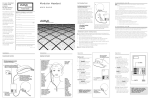
Call Forwarding No Answer
9
9
Whenever you can’t answer, forward your calls to someone who can.
You can be sure that your calls won’t go unanswered, even if you can’t get to the phone.
You can easily change the forwarding number. It even works when on another call.
To “turn on” the Service:
1.Lift the handset and listen for the dial tone.
8 12.Press
9 2
3
4
5
3.Listen for the dial tone.
4.Then, dial the number where you want your calls forwarded. Enter the
number exactly as if you are calling directly (7-digit, 10-digit or “1” plus the
area code).
5.When the phone is answered, your Call Forwarding No Answer is in effect.
If the line is busy, or there’s no answer:
6.Hang up.
7.Within two minutes, repeat steps 1–4 above. You’ll hear a confirmation tone
to let you know your Call Forwarding No Answer is now working.
To “turn off” the Service:
1.Lift the handset and listen for the dial tone.
8 22.Press
9 3
4
5
6
3.Listen for the confirmation tone, then hang up. Your Call Forwarding
No Answer is now “off.”
To change the “forward to” number:
1.Turn off Call Forwarding No Answer (see directions above).
2.Repeat the steps above to turn on Call Forwarding No Answer, entering the
new “forward to” number
Note:Voice Mail automatically includes this service. However, Voice Mail customers have
only limited functionality for Call Forwarding Busy. If you subscribe to Voice Mail,
you cannot forward calls using this feature to destinations other than the preprogrammed Voice Mail number.
Call Forwarding Remote Access
0
9
8
9
Turn on, turn off, or change your forwarding number
You can use a touch-tone telephone at another location to change your Call Forwarding
on your home or business phone.
1. Call the access number.
2. It will prompt you to “Please enter the 7 digit telephone number to forward,
followed by your
after entering the 7 digit
8
9 PIN number.” (Press the pound key
number and the 4 digit PIN number.
3. Then it will prompt you to “Please enter the code to activate or deactivate call
79 4 0 forwarding.”
98 6 1 8 (Press
5 1 9 7 2 9 6to activate,
8 or3
7 3
9to deactivate
8 4
4
2
forwarding.)
, it will then
you that “Calls
94. 6If you
7 2
8 prompt
9 4to this number will 5
1 pressed
3
be forwarded to another number. Please enter this number now.” (Enter the number
you want
key.)
9 the calls to forward to and press the
, you will hear
that the Call 6
5. If6 you
9
7 3
8 4two tones, which
9 indicates
2 pressed
5
Forwarding has been removed from the Cox line.
4
5