1
Connecting a PTZ Camera
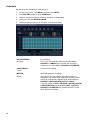
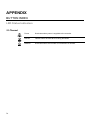
The RS485 connector can be used to control Pan / Tilt / Zoom (PTZ) cameras. See the PTZ
camera manufacturer’s manual for configuring the RS485 connection.
Connect RX-/TX- and RX+/TX+ of the control system to the TX-/RX- and TX+/RX+
(respectively) of the recorder.
Note
Use the RS485 connector for external control systems such as a control keyboard.
Connecting to a Sensor Input
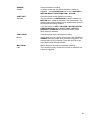
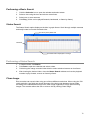
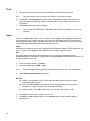
To make connections on the Alarm Connector Strip: Press and hold the button and insert the
wire into the hole below the button.
To disconnect the wire, press and hold the button above the wire, and then pull it out.
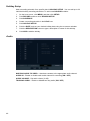
Sensor In
Use external devices to send a signal to the recorder when an event occurs. Mechanical or
electrical switches can be wired to the Sensor In and Ground (G) connectors.
Note
All connectors marked G are common. Connect the ground side of the sensor input
and/or alarm output to the G connector.
Connecting to a Relay Output
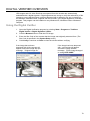
To make connections on the Alarm Connector Strip: Press and hold the button and insert the
wire into the hole below the button. To disconnect the wire, press and hold the button above
the wire and pull it out.
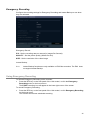
Alarm Out
The recorder can activate external devices such as buzzers or lights. Connect the external
device to the Alarm Out and Ground (G) connectors. See Sensor Setup in the manual for
more details.
21