1
Programming codes from an LCD Keypad:
Master Code
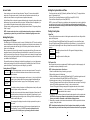
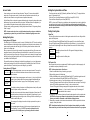
Press the [Q] key to enter the function list. Scroll (< >) to...
Press (*) for<> Press [5] or [Q]. The display will read...
Access Codes
Enter Master
Access Code
Enter your current Master Code. The display will read...
“01P” represents the first access code. Use the arrow (< >) keys to scroll to “40P”
(*) to Edit < >
User Code
01P and press the [Q] key to indicate that you wish to program the Master Code. The
display will read...
Enter New Code Enter the new Master Code. The Master Code must be four digits unless otherwise
1234
< > indicated by your installer. Enter digits 0 through 9 only. Once the new code is
entered, the keypad will beep 3 times and the display will read...
(*) to Edit < > Press [#] to exit the code programming function.
User Code
01P
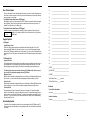
Be sure to record your new Master Code on the “System Information” page in this booklet.
NOTE: We recommend that the factory default Master Code [1234] not be used.
Additional Access Codes
To erase, add or change a user code, press [Q] to enter the functions list. Use the arrow (< >) keys to
scroll to the following message...
Press (*) for<> Press [Q]. Display will read...
Access Codes
Enter Master
Access Code
NOTE: If you return and find that an alarm has occurred while you were away, it is possible that an
intruder may still be on the premises. Go to a neighbour's house, and call the local police to investigate.
The alarm memory is cleared each time the panel is armed so that any alarms showing are
alarms that occurred only during the last armed period.
If An Alarm Sounds
Fire Alarm
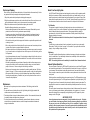
If your system has been installed with fire detectors and the alarm sounds in a pulsing mode, follow
your emergency evacuation plan immediately (see “Fire Escape Planning” on page 15).
Intrusion Alarm
If an intrusion alarm sounds, indicated by a continuous bell or siren, the alarm may be silenced by
entering your access code. If the alarm was unintentional, call local authorities immediately to avoid
an unnecessary response.
You can determine the source of the alarm by following the instructions in the “Disarming” section (see page
6). Once the source of the alarm has been corrected, the panel can be restored to its original Armed state.
Function Keys
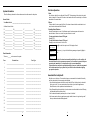
Each keypad has five function keys, located to the right of the number pad, which allow easy single-button
activation of the most commonly used features. If these keys have been enabled by your installer, you can
execute their programmed function by pressing and holding the corresponding key for two seconds.
For information regarding the operation of the function keys, talk to your alarm installer.
Programming Security Codes
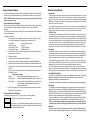
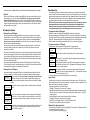
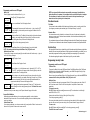
Enter the Master Code. Display will read...
[*] to Edit <> Use the scroll keys (< >) to find the access code – indicated by “01P” to “34P” or
User Code
01P “41P” to “42P” – you wish to add, change or delete. Press the [Q] key to select the
code you wish to alter. The display will read...
Enter New Code To add or change a code, enter the new code. Access codes must be four digits
1234
< > unless otherwise indicated by your installer. Enter digits 0 through 9 only. To delete
an access code, enter [Q]. Once the 4 digit code or [Q] has been entered, the
keypad sounder will beep 3 times and the display will read...
[*] to Edit <> The “P” means the code has been programmed. If there is no “P” then that code is
User Code
01P deleted. Press [#] to exit the code programming function. The Master Code cannot
be erased.
Remember to record your new code(s) on the “System Information” page in this booklet.
Access Code Attributes
Additional programmable attributes, such as zone bypassing capability, can be activated or
deactivated for each access code. For more information regarding access code attributes, please
contact your installer.
Partition Master Codes
If your system is partitioned, you can have a master code for each partition. Partition 1 master code is
access code 41, partition 2 master code is access code 42.
10
Programming codes from an LED Keypad:
The Master Code
To program the Master Code, enter [Q][5][current Master Code][40][new Master Code]. The Master
Code must be four digits unless otherwise indicated by your installer. Enter digits 0 through 9 only.
Press [#] to return to the Ready state.
Be sure to record your new Master Code on the “System Information” page in this booklet. NOTE: We
recommend that the factory default Master Code [1234] not be used.
Additional Codes
Up to 36 additional codes may be programmed. Codes 01-32 are regular access codes. Codes 33
and 34 are duress codes. Codes 41 and 42 are the partition 1 and partition 2 master codes,
respectively.
To program a new code:
Enter [Q][5][Master code][code number][new access code]. The code number is a double-digit
number from 01-34 or 41-42.
Access codes must be four digits long. Enter digits 0 through 9 only.
To exit code programming, press [#].
If an access code already exists for the code number you have selected, it will be replaced by the
new code. Be sure to record your new code(s) on the “System Information” page in this book.
To erase a code:
Enter [Q][5][Master code][code number][Q]. To exit code programming, press [#].
The master code cannot be erased.
7
Continued on page 10...