1
GOS-6051/6050/6031/6030 OSCILLOSCOPE
USER MANUAL
GOS-6051/6050/6031/6030 OSCILLOSCOPE
USER MANUAL
Displaying the sum or difference of CH1 and CH2
Comparing Frequency and phase (X-Y Operation)
To display the algebraic sum or difference of CH1 and CH2, proceed the
To compare the frequency and phase between two signals by using the X-Y
following steps:
mode. The X-Y waveform displays different amplitude, frequency, and phase.
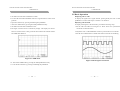
1.Set the ADD button to ADD mode. The figure 5-6 below shows the sum of
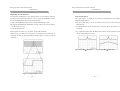
The figure 5-7 shows a typical waveform made up of two signals that are of
the same frequency and amplitude, but approximate 45o out of phase.
the waveforms from figure 5-5.
2.Set the CH2 INV on by pressing and holding the button, if necessary, to
display the different waveform.
To use the oscilloscope in the X-Y mode, proceed the following steps:
1. Connect the horizontal or X-axis signal to the CH1 input.
3. Pressing and holding one of the VOLTS/DIV control knob to set it to
2. Connect the vertical or Y-axis signal to the CH2 input.
vernier (variable). Then adjust one channel to the other in the event of gain
3. Set the X-Y button to X-Y operation (shown as Fig. 5-7 below).
difference.
Use the HORIZONTAL POSITION control to adjust the X-axis.
Note: When high frequency signals are displayed in the X-Y operation,
note the frequency bandwidths and phase difference between X and Y
axis. Refer to “2. SPECIFICATION” section for details.
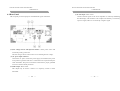
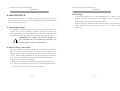
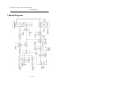
Figure 5-6 Typical ADD waveform
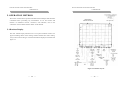
Figure 5-7 Typical single X-Y display.
⎯
36 ⎯
⎯
37 ⎯