1
SECTION IV
OPERATING INSTRUCTIONS
The Phase 7.5 non-coin microprocessor controller (computer) allows the operator to choose from six (6)
preprogrammed cycles (keys “A-F”). These have been preprogrammed by the factory with the parameters
(programs) shown in Section VII. There are an additional (“0-40”) preprogrammable cycles that are
preprogrammed by the factory with the parameters (programs) shown in Section VII. For occasional or
onetime special loads, the Manually Loaded Cycles can be used where the operator must set the specific
program(s) needed.
NOTE: Refer to Section III of this manual for a complete explanation of the various cycles/selections
available.
After the load is put into the basket (tumbler) and the dryer is ready to dry, determine which cycle will best suit
the application (type of load). We recommend using the Automatic Drying Cycle (Patent No. 4,827,627) for
most loads. This cycle provides for the best drying in the shortest time, ALL automatically.
A. OPERATING SEQUENCE
1. Preprogrammed Cycles
a. Automatic Drying Cycle (Patent No. 4,827,627)
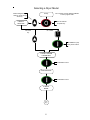
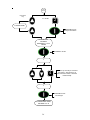
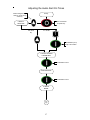
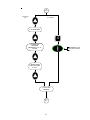
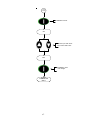
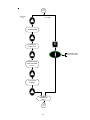
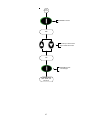
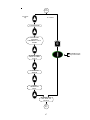
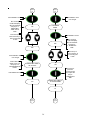
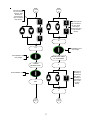
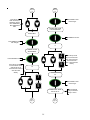
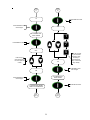
1) Light emitting diode (L.E.D.) display reads “READY” (no cycle in progress).
2) Press the letter on the keyboard (touch pad) corresponding to the cycle desired (i.e., key “A”).
NOTE: “0-40” will require the “START/ENTER”
key to be pressed after the number is selected in
order to accept the selection and start drying.
3) The dryer will then start. (I.E., blower, basket [tumbler], and heat).
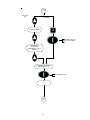
4) L.E.D. display reads AUTO DRYING CYCLE “A,” ELAPSED TIME __ MIN 00:00. During the
drying cycle, the Phase 7.5 non-coin microprocessor controller (computer) will monitor the amount
of moisture in the load. Once the temperature is above 160º F (71º C), the Cycle Status portion of
the L.E.D. will change from ELAPSED TIME __ MIN to __ % DRY. The display will count
upward until the percentage of extraction programmed is reached.
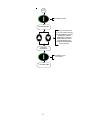
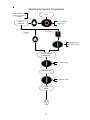
NOTE: Press and hold the “UP ARROW” to view the basket (tumbler) temperature at any time.
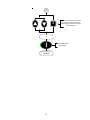
NOTE: The dryer can be stopped at any time by pressing the “STOP/CLEAR”
key, at this time
the dryer will go into a cycle pause. If the “STOP/CLEAR”
key is pressed again at this
point, the cycle that was in progress will be cancelled and returned to the “READY” state.
14