1
TS-9100D
USER MANUAL
2. System Structure
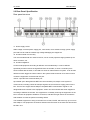
2.1 Front Panel Specification
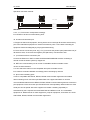
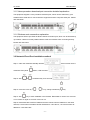
1. LCD Monitor, can show the current situation.
2. Network data installation button.
3. Network data installation button.
4. Network data installation button.
5. Infrared remote control signal type-in. When learning though Infrared, can use infrared
code to receive remote controller, which is usually used in engineering commissioning
installation.
6. Reset button to reset hardware for Mainframe equipment.
7. ACT situation indicator light to use in the equipment network connecting situation.
8. LINK situation indicator light to use in the equipment working situation.
9. POWER situation indicator light to use in the equipment working situation.
10. Power switch.
-6-