1
VIVOTEK
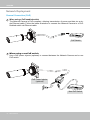
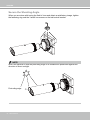
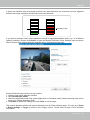
10. Loosen the fastening ring on the mount bracket, and aim the camera at the area of
your interest. When done, tighten the fastening ring.
Fastening ring
75º Tilt
360º Pan
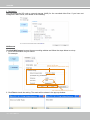
11. Secure the Network Camera to a wall or ceiling.
Ceiling Mount
Wall Mount
10 - User's Manual